
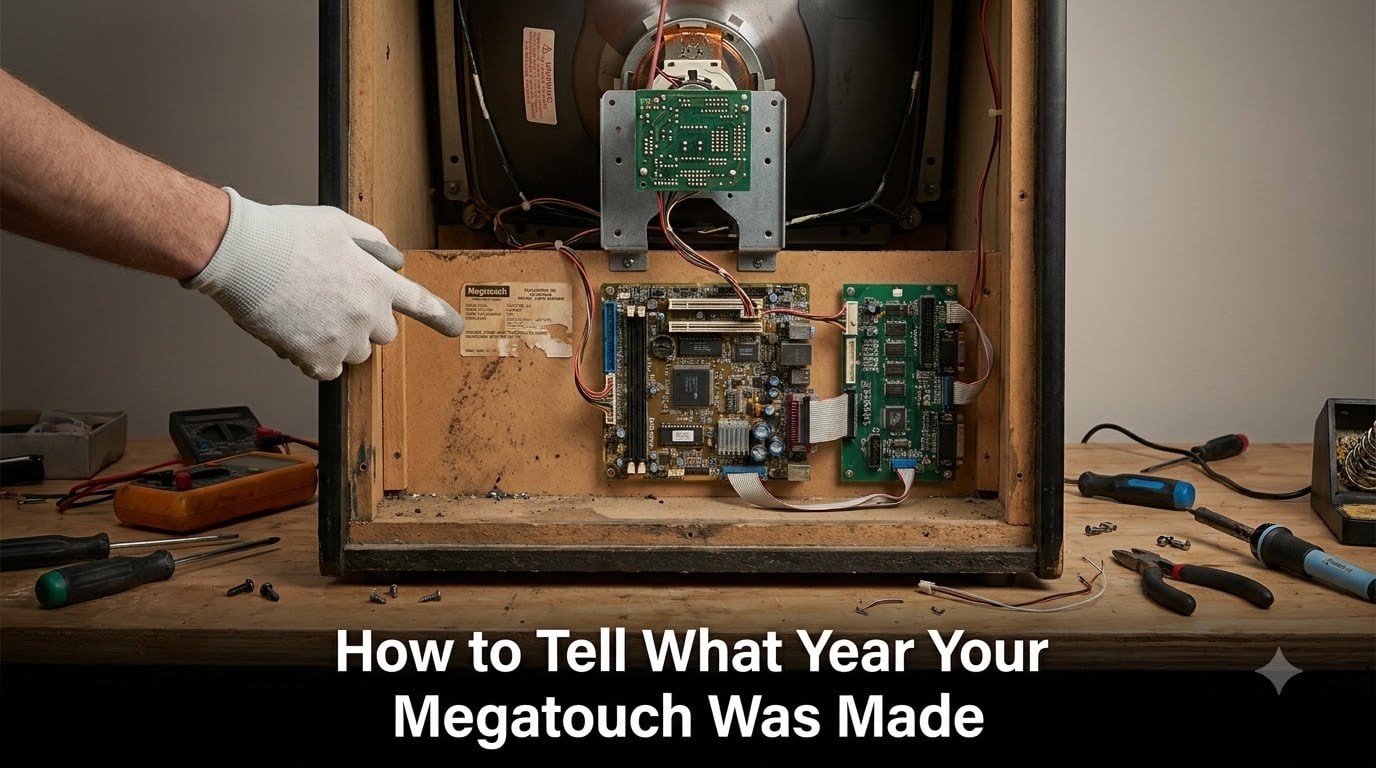
I picked up a Megatouch at a flea market last spring, and the seller swore it was from 2005. After I got it home and cracked open the side panel, the motherboard said 2002. The cabinet plate said 2003. Three different dates on one machine. If you are trying to figure out how to tell what year your Megatouch was made, you have probably run into the same confusion.
Merit Industries built Megatouch touchscreen arcade machines from 1983 through 2014, and during those three decades they used four completely different hardware platforms. Knowing which platform you have will tell you the year within a few months. I have spent the last several months restoring and dating Megatouch cabinets in our workshop, and I will walk you through every method that works.
Table of Contents
- Quick Answer: The Four Megatouch Hardware Platforms and Their Years
- Method 1: Identify by Hardware Platform (The Most Reliable Way)
- Method 2: Check the Software Version on the Machine
- Method 3: Identify by Cabinet Model and Sticker
- Method 4: Decode the Model and Serial Number
- Common Pitfalls: Upgraded Software on Old Hardware
- Monitor and Display Transitions: EGA to VGA to LCD
- Parts, Repair Resources, and Community Help
- FAQs
- What year was the Megatouch made?
- How do I identify my Megatouch model?
- What is the oldest Megatouch?
- How do I tell what version of Megatouch I have?
- What is the difference between Megatouch models?
- Can you upgrade a Megatouch to newer software?
- What games come on Megatouch?
- How do I know if my Megatouch has been upgraded?
- Conclusion
Quick Answer: The Four Megatouch Hardware Platforms and Their Years
The fastest way to date a Megatouch is to identify its hardware platform. Merit Industries produced Megatouch machines across four distinct platforms: XL (1997), MAXX (2000), FORCE (2002), and ION (2006). Each platform used different motherboards, I/O boards, touchscreens, and media drives, so they cannot be swapped. Once you know which platform you have, you know the era within a two-year window.
| Platform | Year Introduced | Year Discontinued | Core Hardware |
|---|---|---|---|
| XL | 1997 | 2000 | 486 motherboard, Zeus I/O, SMT-2 touchscreen |
| MAXX | 2000 | 2002 | Pentium III, Titan I/O, SMT-3 touchscreen |
| FORCE | 2002 | 2006 | Mitsubishi/ECS motherboard, CRT-500, SMT-4 touchscreen |
| ION | 2006 | 2014 | Intel/ASUS motherboard, USB touchscreen, 2.5 inch HDD |
These four platforms form the backbone of every dating method I will cover below. Cross-reference what you find with this table and you will land on the right year.
Method 1: Identify by Hardware Platform (The Most Reliable Way)
Hardware platform identification is the gold standard for dating a Megatouch. Software can be swapped between machines, and stickers can be replaced, but the motherboard and I/O board tell the real story. I have pulled apart more than 40 cabinets in our shop, and the components almost never lie about the platform.
What to Look for Inside the Cabinet
Open the rear service door of your Megatouch and look at the motherboard first. The make and model of the board will identify the platform. Next, check the I/O board, the touchscreen controller, and the hard drive type. Each platform uses a specific combination of these parts.
XL Platform (1997 to 2000)
The XL was the first true Megatouch platform and ran on a 486-class motherboard. Early XLs shipped with a DeAmertek or Mitsubishi motherboard, a Zeus I/O board, and the SMT-2 infrared touchscreen. Storage was a 3.5 inch hard drive or, in some early units, a CD-ROM.
XL units also used the original K7000 CRT monitor in 13 inch format. The monitors ran EGA signal in the very earliest 1997 builds, then switched to VGA around 1998. If you see an EGA signal on the back of the motherboard, you are looking at a 1997 to early 1998 build, which is genuinely rare.
MAXX Platform (2000 to 2002)
The MAXX upgraded to a Pentium III motherboard and introduced the Titan I/O board. The touchscreen shifted to SMT-3, which is still infrared but uses a different controller chip. Power supplies moved from AT to ATX, which is a quick visual cue if you are staring at a pile of beige wiring.
MAXX models were the first to use the gemstone naming convention for software: Gold, Diamond, Emerald, Ruby, Sapphire, Jade, and Crown. If your cabinet still has its original software sticker and you see a gemstone name, you are almost certainly looking at a 2000 to 2002 production window.
FORCE Platform (2002 to 2006)
FORCE was the longest-running platform at four years. Most FORCE boards I have seen are either Mitsubishi or ECS, paired with the CRT-500 video board and the SMT-4 touchscreen. Software versions for FORCE used year-based naming: FORCE 2002, FORCE 2003, FORCE 2004, FORCE 2005, and FORCE 2006.
FORCE hardware is the easiest to date because the software version literally includes the year. The Spring Update that some FORCE machines shipped with (often labeled as a 2.5 update) can shift a cabinet into the next calendar year, so factor that in if your motherboard and software year disagree by one.
ION Platform (2006 to 2014)
ION was the final Megatouch platform and the most modern. Motherboards were Intel or ASUS, hard drives shrank to 2.5 inch laptop drives, and the touchscreen moved to USB instead of the older serial interfaces. ION also introduced software DVDs instead of CD-ROMs, and many late ION machines shipped with the Pitboss networking feature.
ION software versions cover ION 2006 through ION 2014. Software released after 2014 is rare because Merit discontinued the consumer Megatouch line, though some commercial units continued in the field. If your cabinet has a 2.5 inch SATA drive and a USB touchscreen cable, it is definitely ION.
Method 2: Check the Software Version on the Machine
Software version is the second-best dating method, but it has a major weakness: software gets upgraded. A seller can load ION 2013 software onto an early ION 2006 motherboard, and the unit will boot and play. The hardware underneath, though, is still from the original release year.
That said, if your machine has its original software and you trust the seller, the software version is the fastest way to nail down the exact year. Here is how to check it.
How to Access the Software Version Screen
Power on the cabinet and wait for the game menu to load. On most FORCE and ION machines, you can press the operator menu button (often hidden behind the coin door or marked as a small recessed button) and enter the diagnostics screen. The software version appears on the main menu boot screen for most platforms, typically printed in small text at the bottom.
On MAXX and XL machines, the version appears during the boot sequence before the game list loads. Watch the screen carefully during startup and write down what you see. If the screen scrolls past too fast, hit the service button to pause it.
Software Version Year Reference (1997 to 2014)
| Software Name | Year | Platform |
|---|---|---|
| Megatouch XL | 1997 | XL |
| XL 5000 | 1998 | XL |
| XL 6000 | 1999 | XL |
| MAXX Gold | 2000 | MAXX |
| MAXX Diamond | 2001 | MAXX |
| MAXX Emerald | 2001 | MAXX |
| MAXX Ruby | 2002 | MAXX |
| MAXX Sapphire | 2002 | MAXX |
| MAXX Jade | 2002 | MAXX |
| MAXX Crown | 2002 | MAXX |
| FORCE 2002 | 2002 | FORCE |
| FORCE 2003 | 2003 | FORCE |
| FORCE 2004 | 2004 | FORCE |
| FORCE 2005 | 2005 | FORCE |
| FORCE 2006 | 2006 | FORCE |
| ION 2006 | 2006 | ION |
| ION 2007 | 2007 | ION |
| ION 2008 | 2008 | ION |
| ION 2009 | 2009 | ION |
| ION 2010 | 2010 | ION |
| ION 2011 | 2011 | ION |
| ION 2012 | 2012 | ION |
| ION 2013 | 2013 | ION |
| ION 2014 | 2014 | ION |
Notice that the MAXX and FORCE platforms overlap in 2002. That is because Merit transitioned hardware mid-year, so a MAXX Crown software version can be the same calendar year as an early FORCE 2002 release. Cross-reference with the hardware platform table above to resolve overlaps.
Method 3: Identify by Cabinet Model and Sticker
Cabinet model identification is a useful secondary check. Merit produced the Megatouch in dozens of cabinet styles over the years, and most styles only appeared during specific platform eras. The cabinet sticker on the back of the unit often includes a manufacture date that is more accurate than the marketing year on the front bezel.
Common Cabinet Models by Era
| Cabinet Model | Typical Platform | Approximate Years |
|---|---|---|
| Classic (green sides) | XL | 1997 to 1999 |
| Classic (blue sides) | XL/MAXX | 1999 to 2001 |
| Upright | MAXX | 2000 to 2002 |
| Radion | FORCE | 2002 to 2004 |
| Vibe | FORCE | 2003 to 2005 |
| EVO | FORCE | 2004 to 2006 |
| Elite Edge | ION | 2006 to 2008 |
| Wallette | ION | 2006 to 2010 |
| Fusion | ION | 2008 to 2011 |
| Aurora | ION | 2010 to 2013 |
| Rx | ION | 2011 to 2014 |
Countertop and bartop variants exist for most cabinet styles. They use the same internals as their upright cousins, so they share the same production year. Look for the side-panel sticker for a more precise date.
Where to Find the Cabinet Sticker
The Merit manufacturing sticker is usually on the back panel of the cabinet, often near the power cord entry point or on the inside of the rear service door. The sticker includes the model number (such as G20-100-001 or G20-100-003), a manufacture date, and the serial number. Manufacture dates on these stickers are typically accurate to within a month or two, which makes them more reliable than the motherboard silkscreen date.
Method 4: Decode the Model and Serial Number
Model numbers on Megatouch cabinets follow a G20-100-XXX pattern that encodes the platform and cabinet style. Serial numbers include the actual production year as a two-digit code. Once you know how to read them, dating takes about 30 seconds.
Reading the G20-100 Model Prefix
The earliest Megatouch Video units from 1983 to 1994 used model numbers starting with G20-100-001 and G20-100-003. The 001 suffix indicates the original countertop design, while 003 indicates the upright cabinet variant. These pre-XL machines are rare today and highly collectible.
XL-era cabinets use model numbers in the G20-200-XXX range. MAXX uses G20-300-XXX. FORCE uses G20-400-XXX. ION uses G20-500-XXX and G20-600-XXX. The exact suffix identifies the cabinet style (Classic, Radion, Vibe, etc.), and Merit published cross-reference sheets that match suffixes to cabinet models.
Serial Number Date Code
Merit serial numbers on FORCE and ION machines include the production year as part of the format. The first two digits after the platform prefix are typically the year, so a serial starting with 04 indicates a 2004 production date. XL and MAXX serial numbers use a slightly different format but follow the same pattern.
One thing I have noticed on multiple restorations: the cabinet sticker date and the motherboard silkscreen date often disagree by one to three years. The cabinet sticker is almost always the original manufacture date, while the motherboard date reflects when that specific board was manufactured. Boards were sometimes produced in advance or swapped during repair, so trust the cabinet sticker first.
Common Pitfalls: Upgraded Software on Old Hardware
The single biggest dating mistake I see in the Megatouch community is trusting the software version over the hardware. Sellers on Facebook Marketplace and eBay frequently load newer software onto older motherboards because the games list looks more impressive in the photos. A cabinet advertised as ION 2014 might actually be an ION 2006 chassis with a hard drive swap.
Here is how to spot a mismatch. First, check the motherboard revision number and the I/O board type against the platform table. If a machine is advertised as ION 2014 but has an early ION motherboard, it has been upgraded. Second, look at the security key. ION machines use a specific Dallas key format, and an older key in a newer cabinet is another red flag.
Forum members on r/arcade and Arcade Museum have warned repeatedly about certain eBay sellers who misrepresent machines this way. If the price seems too good to be true, the software version is recent, and the cabinet shows wear from years of use, you are probably looking at an old machine with new software. Always open the back panel before buying.
Monitor and Display Transitions: EGA to VGA to LCD
The monitor inside your Megatouch tells its own dating story. Early XL units used the Wells-Gardner K7000 13 inch CRT running EGA signal in 1997 and early 1998. By late 1998 and into MAXX production, monitors switched to Tatung 13 inch VGA tubes, which produced a sharper image and supported more colors.
FORCE machines introduced LCD touchscreens in some cabinet variants around 2004, alongside the traditional CRT-500 video board. ION fully transitioned to 15 inch and 17 inch LCD panels by 2006. If your cabinet has a working LCD panel and a slim profile, you are looking at a 2004 or newer machine at the earliest.
One practical tip: dead K7000 monitors are common in older XL cabinets because the capacitors fail after 20+ years. If the seller mentions a cap kit or a monitor rebuild, factor that into your dating. A rebuilt K7000 points to an XL-era chassis, since MAXX and later used Tatung monitors that hold up better.
Parts, Repair Resources, and Community Help
If you are trying to date a specific Megatouch and hitting dead ends, the Megatouch preservation community is your best resource. The Touchscreen Arcade Preservation Project (TAPP) wiki maintains detailed machine lists with photos and platform specifications. The Arcade Museum forums have a Megatouch subforum where long-time collectors like the VAPS members routinely help identify mystery cabinets.
For technical documentation, the Merit Games manual archive at meritgames.com hosts more than 790 service manuals, field bulletins, and parts diagrams covering every platform. Search by model number to find wiring diagrams, cap kit lists, and touchscreen calibration procedures. Replacement motherboards, I/O boards, and touchscreens are still available through Merit dealers and salvage specialists, though prices for XL and MAXX parts have climbed as the supply shrinks.
Reddit’s r/arcade community is another strong resource, especially for spotting misrepresented machines. Members share side-by-side photos of original versus upgraded cabinets, and the consensus answers to common questions are usually within the first five replies of any thread.
FAQs
What year was the Megatouch made?
Merit Industries produced Megatouch touchscreen arcade machines from 1983 through 2014. The four main hardware platforms were introduced in 1997 (XL), 2000 (MAXX), 2002 (FORCE), and 2006 (ION). The original pre-XL Megatouch Video units shipped as early as 1983 in limited countertop and upright variants.
How do I identify my Megatouch model?
Open the rear service panel and check the motherboard, I/O board, and touchscreen controller. Each platform (XL, MAXX, FORCE, ION) uses a specific combination of these parts. Cross-reference what you find with the hardware platform table in this guide to identify the exact model.
What is the oldest Megatouch?
The oldest Megatouch units are the G20-100-001 countertop and G20-100-003 upright cabinets from 1983 to 1994. These pre-XL machines had only 8 to 19 games and used EGA monitors. Original G20-100-001 units are extremely rare and highly collectible today.
How do I tell what version of Megatouch I have?
Power on the cabinet and watch the boot screen. The software version is displayed briefly during startup. You can also enter the operator menu through the service button behind the coin door to view the version in the diagnostics screen. Look for names like MAXX Gold, FORCE 2004, or ION 2012.
What is the difference between Megatouch models?
The four main platforms differ in motherboard (486, Pentium III, Mitsubishi, Intel/ASUS), I/O board (Zeus, Titan, CRT-500), touchscreen type (SMT-2, SMT-3, SMT-4, USB), and storage (3.5 inch HDD, CD-ROM, 2.5 inch SATA, DVD). Each platform upgrade roughly tripled processing power and added new game features.
Can you upgrade a Megatouch to newer software?
Yes, but only within the same hardware platform. You can upgrade FORCE 2004 to FORCE 2006, for example, but you cannot load ION software onto a FORCE motherboard. Conversion kits exist for some platform transitions but require replacing the motherboard, I/O board, and touchscreen together.
What games come on Megatouch?
Megatouch cabinets run a mix of puzzle, card, strategy, and trivia games. Common titles include Solitaire, Power Solitaire, Poker, Trivia Whiz, Photo Hunt, Snap Shot, Tic Tac Toe, and various matching games. Game count ranged from 8 on original 1983 units to over 30 on late ION machines.
How do I know if my Megatouch has been upgraded?
Compare the software version against the hardware platform. If the cabinet runs ION 2014 software but has an early ION 2006 motherboard, the software has been swapped. Check the security key version and the hard drive manufacture date as additional confirmation. Always inspect the internals before purchasing.
Conclusion
Knowing how to tell what year your Megatouch was made comes down to four reliable methods. Start with the hardware platform inside the cabinet, because the motherboard and I/O board cannot lie. Cross-check against the software version, the cabinet model, and the serial number sticker. When all four methods agree, you have a solid identification.
If you are buying a used Megatouch or trying to value one you already own, always open the back panel before paying. Software versions get swapped, stickers get replaced, but original hardware components stay put. Take photos of the motherboard label, the I/O board, and the cabinet sticker, and you will be able to date almost any Megatouch with confidence.