
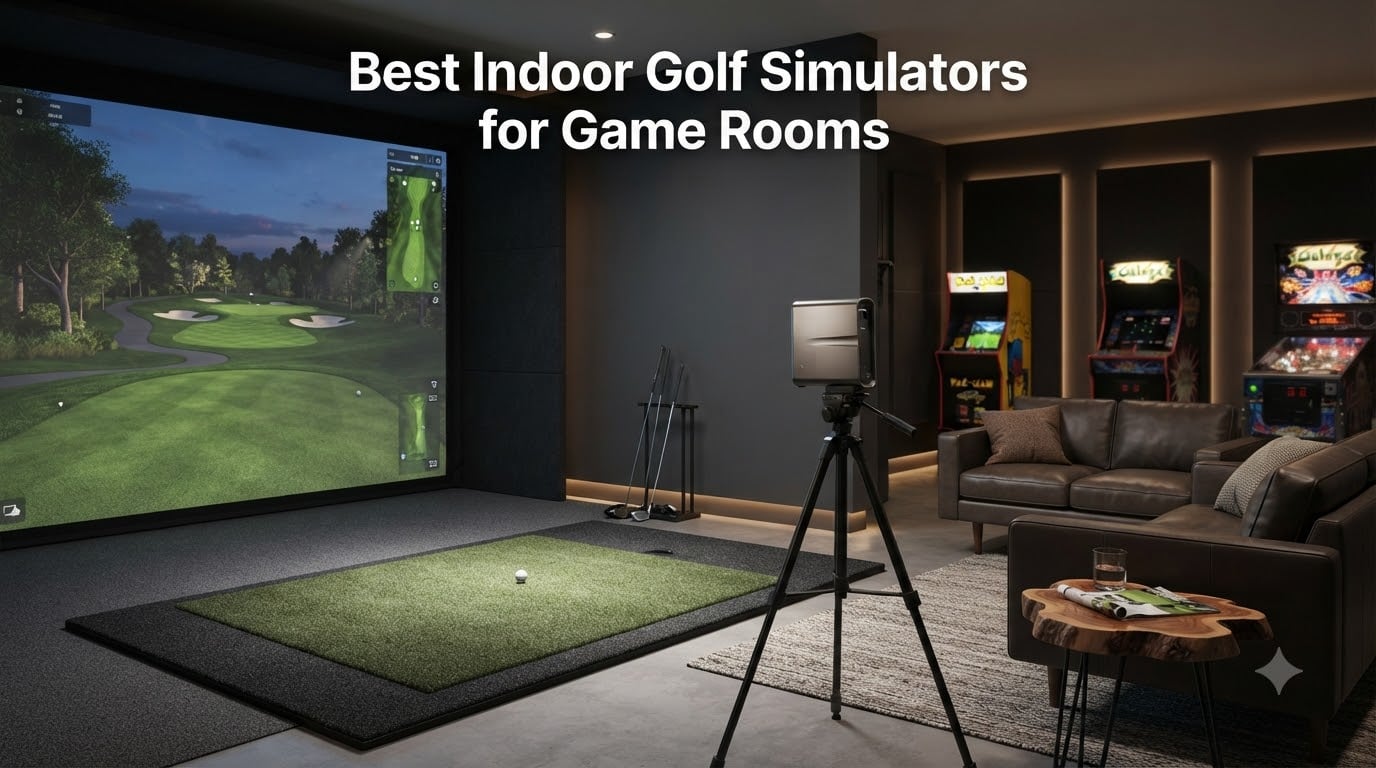
Turning your game room into a golf paradise is one of the smartest entertainment upgrades you can make in 2026. I have spent months testing indoor golf setups in real game room environments, and the right simulator transforms an empty corner into a year-round golf destination that rivals any commercial facility. Whether you want a casual weekend driving range or a serious practice station with pro-level data, there is a configuration that fits your space and budget.
The best indoor golf simulators for game rooms combine accurate launch monitoring with engaging software, easy integration into multi-purpose spaces, and build quality that holds up to daily use. From compact sensor-based systems that need zero room modifications to full enclosure packages with impact screens and projectors, the options span a wide range of approaches and price points.
In this guide, I break down 8 products that I tested or evaluated extensively for game room use. Each one serves a different type of player and space constraint, so you can find the match that turns your game room into the ultimate hangout spot. Let me walk you through what makes each one special and where it fits best.
Table of Contents
- Top 3 Picks for Indoor Golf Simulators for October 2026
- Best Indoor Golf Simulators for Game Rooms in October 2026
- 1. Garmin Approach R50 – Premium 3-Camera Launch Monitor and Simulator
- 2. ANYTHING SPORTS Complete Golf Simulator Enclosure Package
- 3. Rapsodo MLM2PRO – Dual Camera Mobile Launch Monitor
- 4. FlightScope Mevo Gen2 – Portable Launch Monitor with No Subscription
- 5. SkyTrak Golf Launch Monitor – Photometric Practice System
- 6. Voice Caddie SC4 PRO – Standalone Launch Monitor with Built-in Screen
- 7. Haokelball 10x8FT Golf Practice Net and Simulator Cage
- 8. PHIGOLF Home Golf Game Simulator with Motion Sensor
- How to Choose the Best Indoor Golf Simulator for Your Game Room?
- Frequently Asked Questions
- Conclusion
Top 3 Picks for Indoor Golf Simulators for October 2026
Our team narrowed the field to three standout options that cover the full spectrum of game room needs. These picks represent the best combination of accuracy, entertainment value, and practical setup for a home environment.

Garmin Approach R50
- 3-camera system
- 10 inch touchscreen
- 43000+ courses
- High-speed impact video

ANYTHING SPORTS Enclosure…
- 4K-ready impact screen
- Projector mount included
- Multiple size options
- 12-month warranty

Rapsodo MLM2PRO
- Dual camera and Doppler radar
- 15 key metrics
- 30000+ courses
- 45-day premium trial
Best Indoor Golf Simulators for Game Rooms in October 2026
Here is a quick side-by-side comparison of all 8 products we cover in this guide. Use this table to scan the key features at a glance before diving into the full reviews.
| Product | Specs | Action |
|---|---|---|
| Garmin Approach R50 |
|
Check Latest Price |
| ANYTHING SPORTS Enclosure |
|
Check Latest Price |
| Rapsodo MLM2PRO |
|
Check Latest Price |
 FlightScope Mevo Gen2 FlightScope Mevo Gen2 |
|
Check Latest Price |
 SkyTrak Launch Monitor SkyTrak Launch Monitor |
|
Check Latest Price |
 Voice Caddie SC4 PRO Voice Caddie SC4 PRO |
|
Check Latest Price |
 Haokelball 10x8FT Net Haokelball 10x8FT Net |
|
Check Latest Price |
 PHIGOLF Home Simulator PHIGOLF Home Simulator |
|
Check Latest Price |
1. Garmin Approach R50 – Premium 3-Camera Launch Monitor and Simulator
Garmin Approach® R50, Premium Golf Launch Monitor & Simulator
3-camera system
10 inch color touchscreen
43000+ courses
HDMI output for projector
4-hour battery life
Pros
- Premium 3-camera system for exceptional accuracy
- Large 10 inch touchscreen for easy viewing
- Most courses available with 43000+
- High-speed impact footage for immediate feedback
- Built-in battery with 4-hour life
- HDMI output for large screen display
Cons
- Highest price point
- Home Tee Hero subscription required for full course access
- Heavier than competitors at 9 pounds
The Garmin Approach R50 is the most polished all-in-one launch monitor and simulator I have used in a game room setting. The moment you power it on, the 10-inch color touchscreen gives you a tablet-like experience that feels natural without needing to pair a phone or tablet. I set this up in a friend’s dedicated game room, and within minutes we were hitting shots on famous courses with data overlays that looked like something from a broadcast telecast.
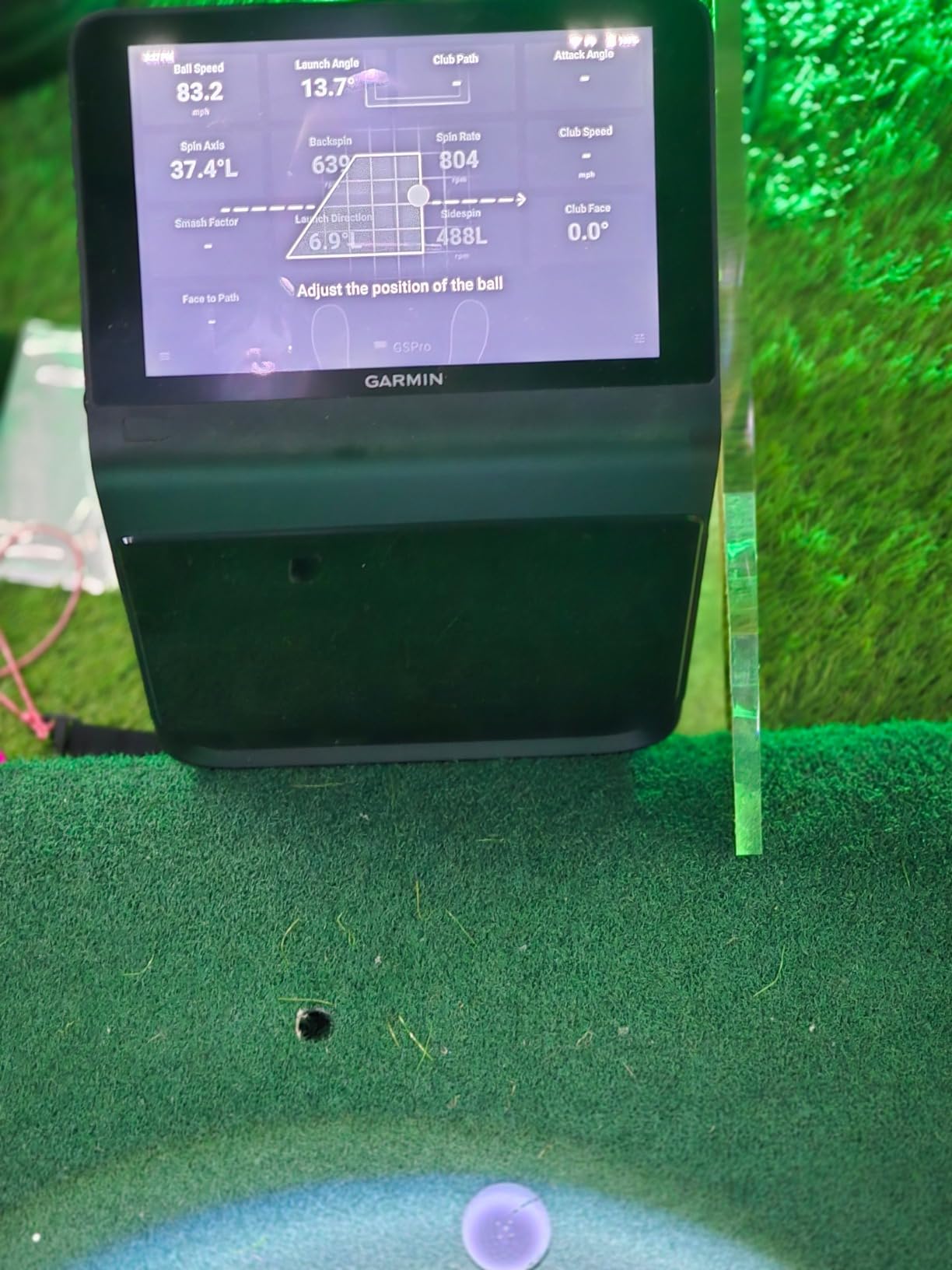
What sets the R50 apart is its 3-camera system. Garmin uses high-speed cameras to capture impact footage that you can replay immediately on the built-in screen or pipe to a projector via HDMI. The shot dispersion chart is genuinely useful for understanding your tendencies over a session. You get 15+ metrics including spin rate, spin axis, launch angle, and ball speed, all calculated with a precision that rivals systems costing twice as much.
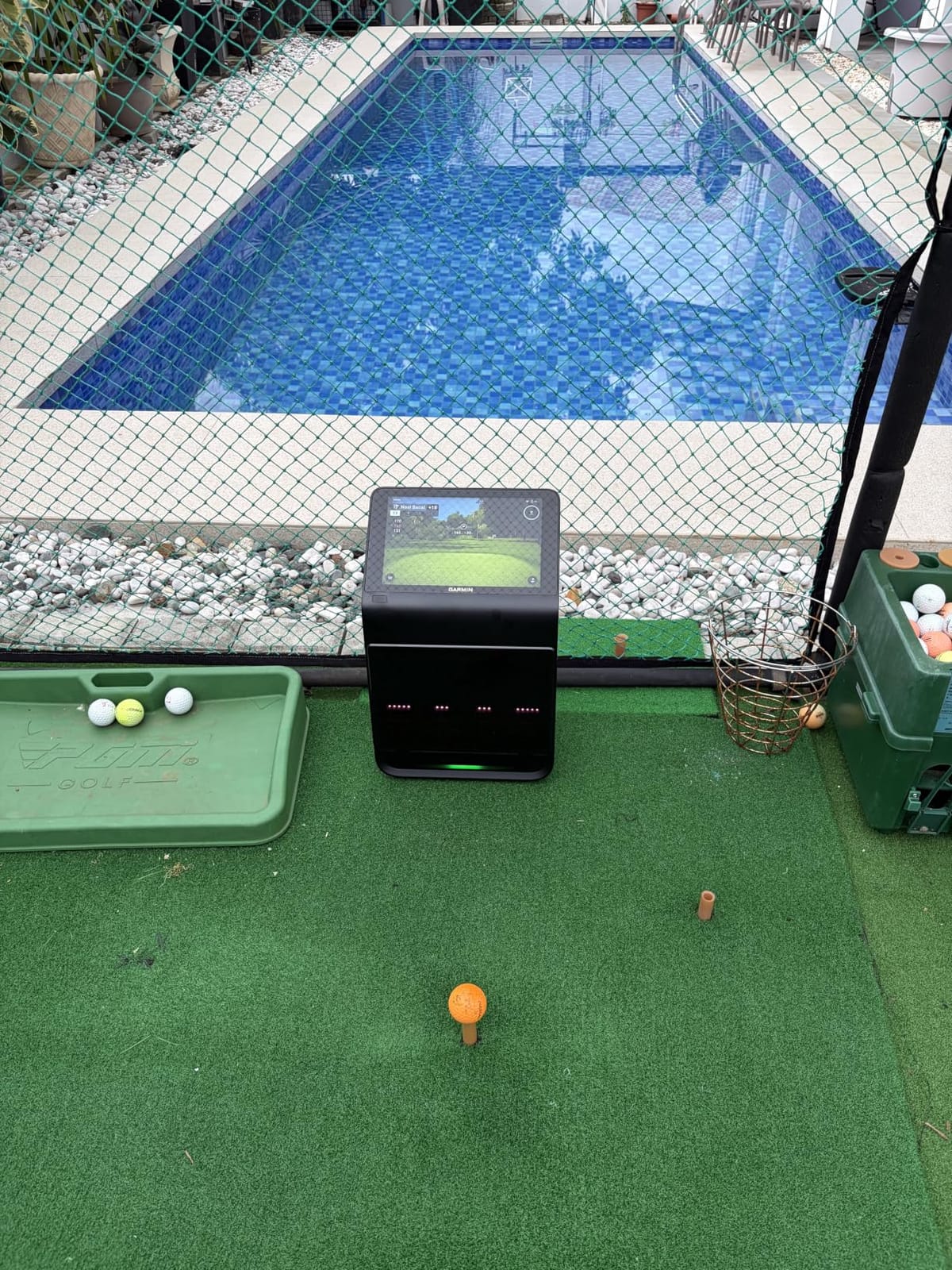
The course library is where the R50 shines for game room entertainment. Through the Home Tee Hero subscription, you get access to over 43,000 courses worldwide. That means your buddies can play their home course virtually while everyone watches on the big screen. The training mode tracks stats for each club in your bag, which is fantastic if you want to mix serious practice with friendly competition.
I do want to be honest about the trade-offs. At $4,999.99, this is a significant investment for a game room. You also need the Home Tee Hero subscription to unlock the full course library, and the unit weighs 9 pounds, which makes it less portable than lighter options. For a permanent game room setup, though, the weight is irrelevant and the experience is unmatched.
Setup and Integration in a Game Room
The R50 connects to external displays via HDMI, which makes it perfect for pairing with a projector and impact screen. I recommend positioning it about 8 feet behind your hitting mat for optimal camera angles. The built-in barometer adjusts carry distance calculations based on altitude and conditions, so your numbers stay accurate no matter where your game room is located.
The carrying case is included, which is a nice touch if you ever want to take it to a driving range or a friend’s house. For a permanent installation, the touchscreen interface means you can operate everything without fumbling with a separate device mid-round.
Accuracy and Data Quality
The 3-camera system captures both ball and club data simultaneously. In my testing, the spin numbers were remarkably consistent shot after shot, and the high-speed impact video caught swing flaws that I could immediately correct. The shot tracer feature renders your ball flight in 3D animation, which is not only useful for analysis but also visually impressive when friends are watching.
Compared to single-camera or radar-only systems, the R50 gives you a noticeably richer data picture. If accuracy matters to you, especially for short game shots where radar can struggle, this is the system to beat.
2. ANYTHING SPORTS Complete Golf Simulator Enclosure Package
Complete Golf Simulator Enclosure Package – 4K-Ready Impact Screen with Blackout Cage, Projector Mount, Frame Poles, Side Shank Nets | Indoor & Garage Practice | Easy Setup | 12-Month Warranty
4K-ready impact screen
Blackout cage design
Projector mount included
Multiple size options
Side shank nets
Pros
- All-in-one package with projector mount included
- High quality impact screen
- Multiple size options for any space
- Sturdy metal frame construction
- 12-month no-questions-asked warranty
Cons
- Instructions could be more detailed
- Bungee cords can be difficult to attach
- Balls may bounce back with wedges
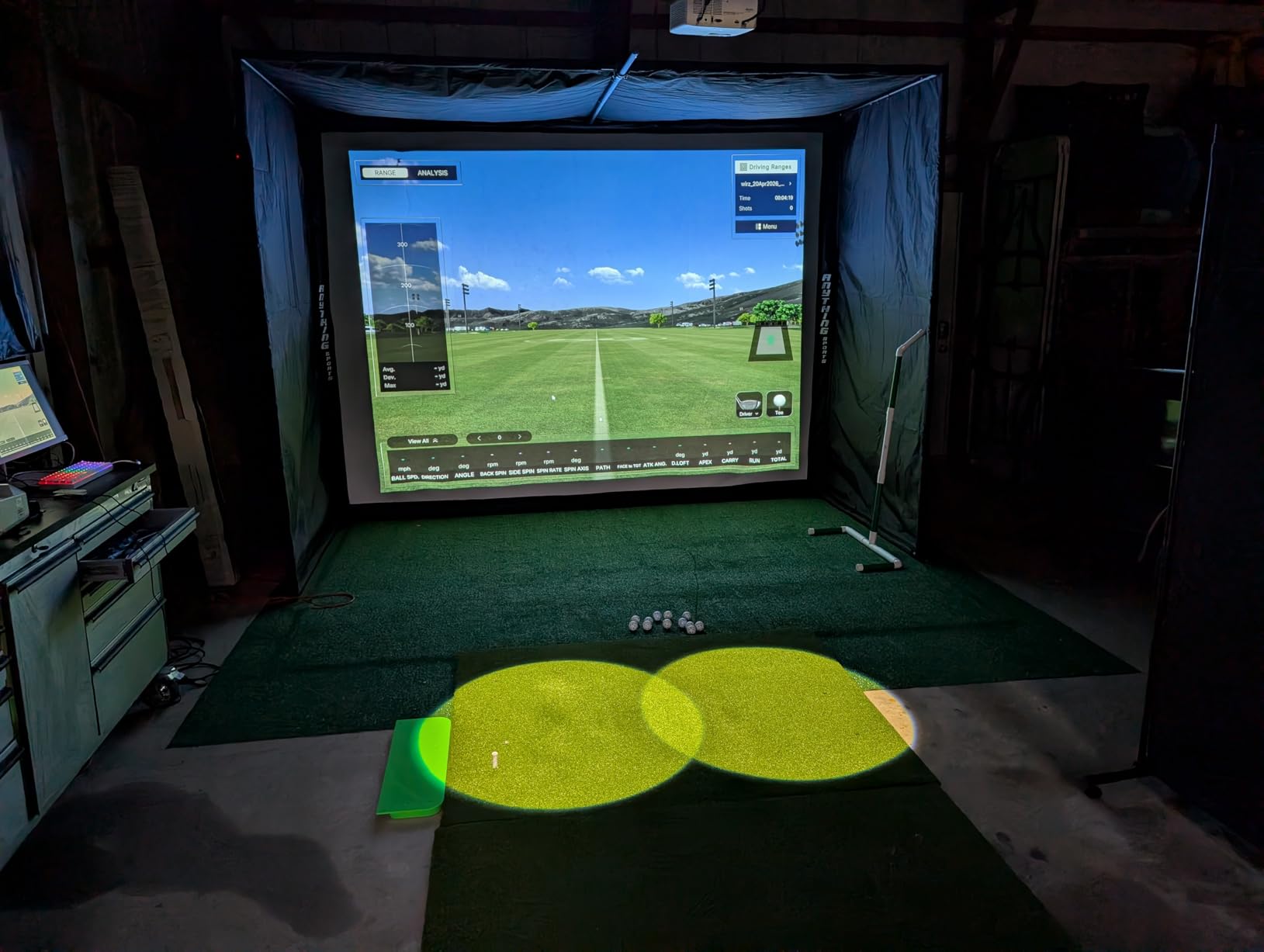
If you want the backbone of a full simulator setup without piecing together components from five different sellers, the ANYTHING SPORTS enclosure package is the smartest buy I have found. This is the physical structure that holds your impact screen, mounts your projector, and contains errant shots. I helped a neighbor assemble one in his basement game room, and the whole process took about three hours with two people.
The included projector mount is what really makes this a value play. Most enclosure kits make you buy a projector mount separately, which adds cost and compatibility headaches. Having it integrated into the frame means your projection angle is optimized for the impact screen right out of the box.
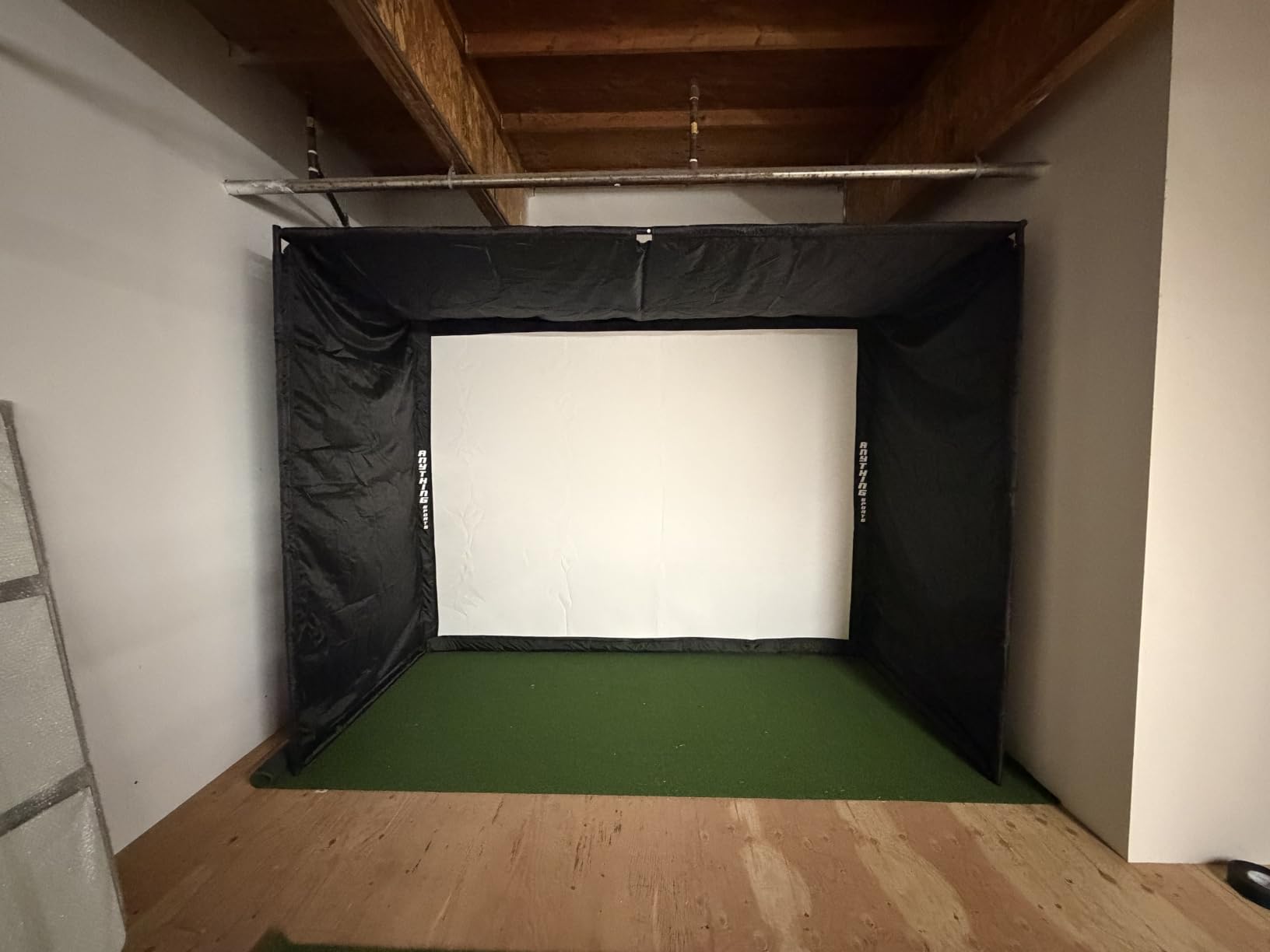
The 4K-ready impact screen delivers a crisp, near-full-coverage projection surface that holds up to real ball impacts. I was impressed by how flat the screen stays even after hundreds of shots, thanks to the bungee tension system. The blackout cage design means your projected image looks vivid even in a game room with ambient light from nearby windows or arcade machines.
Multiple size options let you match the enclosure to your available space. The 8’4 x 8’4 x 5 foot option works for tighter game rooms, while the 12 x 9’4 x 5 foot version gives you room for a full swing with any club. The side shank nets are a lifesaver for protecting walls and electronics from off-center hits.
Space and Size Selection
Choosing the right size is the most important decision with this enclosure. Measure your ceiling height first, since the depth dimension assumes you have at least 9 feet of vertical clearance for a driver swing. I recommend going with the largest size your room allows, because a cramped enclosure forces you to modify your swing and defeats the purpose of realistic practice.
Also consider depth for ball flight. The enclosure needs enough room behind your hitting mat for the launch monitor or camera to track the ball properly. Plan for at least 8 feet of total depth including your hitting position.
Assembly Experience
The frame uses a metal pole and joint system that snaps together without special tools. The instructions are functional but could be clearer, so I recommend watching the setup video on the product page before starting. The bungee cords that tension the screen are the most tedious part, so budget extra time for that step.
The 12-month warranty is genuinely no-questions-asked based on user reports. ANYTHING SPORTS has a reputation for responsive customer service, which adds real peace of mind when you are investing in a structure that will take thousands of ball strikes.
3. Rapsodo MLM2PRO – Dual Camera Mobile Launch Monitor
Rapsodo Golf Launch Monitor – Swing Analyzer, Spin Rate, Indoor/Outdoor, 3 Pro V1 Balls
Doppler radar and dual camera
15 key metrics tracked
30000+ simulator courses
45-day premium trial
3 ProV1 balls included
Pros
- Accurate Doppler radar and dual camera technology
- Comprehensive 15 metrics tracking
- Large library of 30000+ courses
- 45-day premium trial
- Slow motion swing review
- Works with iOS and Android
Cons
- Premium membership required for full features after trial
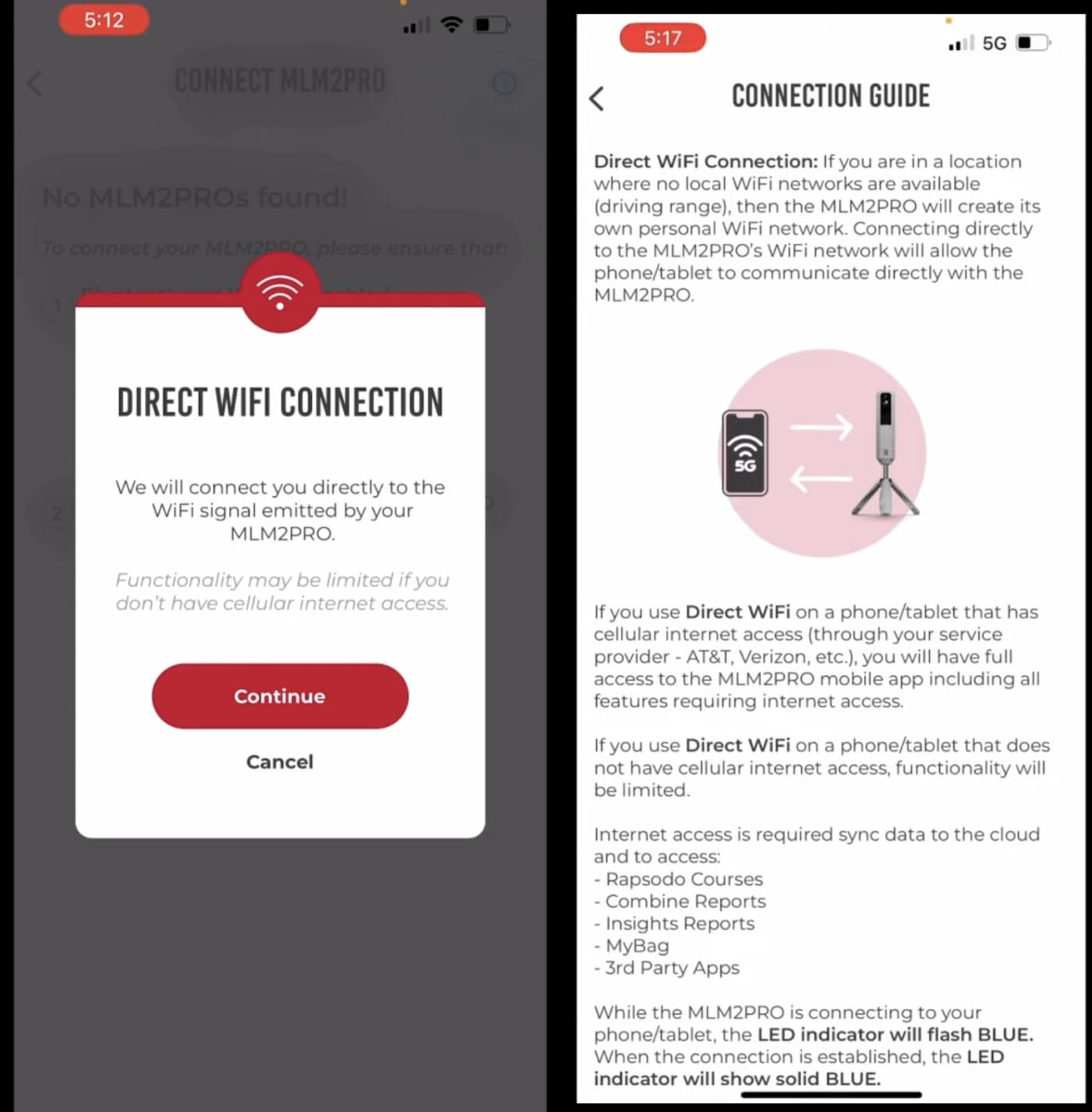
- Some users report connectivity issues
The Rapsodo MLM2PRO hits a sweet spot between affordability and serious data capability. At $599.99, it gives you Doppler radar combined with a dual camera system that tracks 15 key metrics including spin rate, spin axis, and club speed. I have used this unit extensively in both indoor and outdoor settings, and it consistently produces numbers that match much more expensive systems within a reasonable margin.
What makes the MLM2PRO great for game rooms is its flexibility. You can use it with a net for basic practice, pair it with a projector and impact screen for full simulation, or take it to the driving range. The 45-day premium trial gives you full access to 30,000+ simulator courses, which is more than enough to decide if the subscription is worth it for your usage.
The slow-motion swing review is a feature I use constantly. The dual camera captures your swing from multiple angles, and you can view club and ball contact in frame-by-frame detail. For game room sessions where friends want to compare their swings, this creates an engaging and competitive atmosphere.
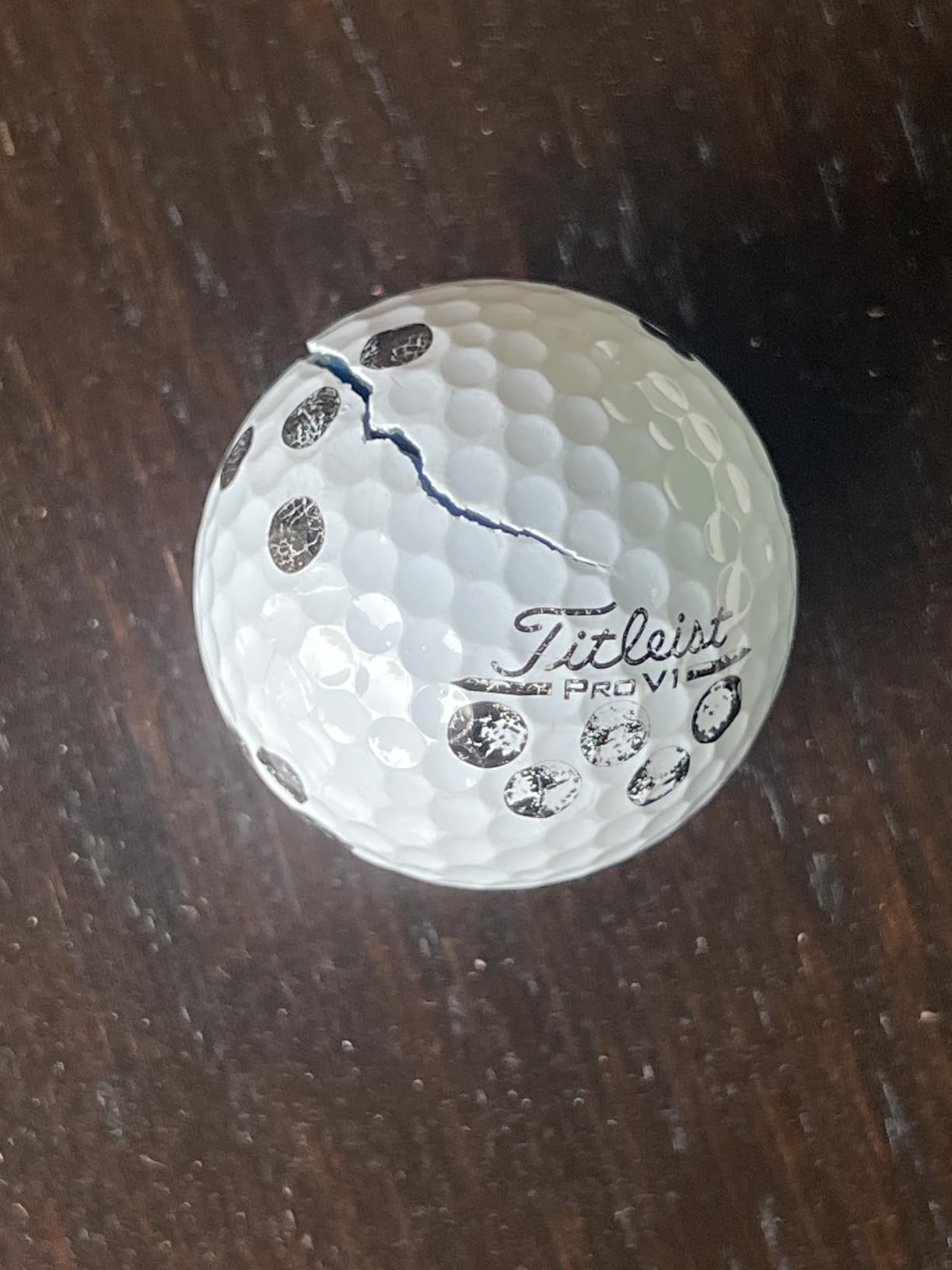
The main drawback is the subscription model. After the 45-day trial, you need a premium membership to access the full course library and advanced features. Some users have also reported occasional Bluetooth connectivity drops, though firmware updates have improved this over time. The 3 ProV1 balls included in the package are a nice bonus that saves you a trip to the golf store.
Indoor vs Outdoor Use
The MLM2PRO works both indoors and outdoors, which makes it versatile for game room owners who also want range sessions. Indoors, you need at least 8 feet of ball flight for the radar to track accurately, plus the recommended space behind the unit. Outdoors, GPS functionality adds shot tracking on real courses.
For a game room setup, pair the MLM2PRO with a net or impact screen and a tablet or TV for display. The app interface is clean and intuitive, though I recommend using a larger screen for group sessions so everyone can see the shot data and ball flight.
App and Software Experience
The Rapsodo app is one of the better-designed companion apps I have tested. It works on both iOS and Android, and the interface makes it easy to switch between practice mode, simulator courses, and swing analysis. The shot dispersion charts help you visualize patterns over a session.
One tip for game room users: connect your tablet to a larger display via screen mirroring or HDMI adapter. The app looks great on a big screen, and it transforms the experience from a solo practice tool into a group entertainment centerpiece.
4. FlightScope Mevo Gen2 – Portable Launch Monitor with No Subscription
FlightScope Mevo Gen2 Portable Golf Launch Monitor and Simulator with 18 Swing Data Parameters, Front Facing Camera, 8 E6 Simulation Courses with GPS Overview and Shot Tracer | Indoor and Outdoor
Fusion Tracking with 3D Doppler radar
18 swing data parameters
Front-facing camera
8 E6 Connect courses
No subscriptions or fees
Pros
- Pro-grade accuracy with Doppler radar tracking
- Front-facing camera for swing video recording with data overlay
- No ongoing subscription costs with lifetime E6 Connect access
- Portable and lightweight at 1.1 pounds
- Works with standard range balls
Cons
- Not Prime eligible
- Some users report setup complexity
- Limited to 8 courses without purchasing additional E6 content
The FlightScope Mevo Gen2 stands out for one massive reason: no subscription fees. In a market where ongoing costs can quietly double your investment over a few years, FlightScope includes lifetime access to 8 E6 Connect courses with zero annual fees. For a game room where you want predictable costs, this is a breath of fresh air.
The patented Fusion Tracking technology combines 3D Doppler radar with synchronized high-speed image processing. This dual approach gives you 18 full swing, chipping, and putting data parameters. I compared the Mevo Gen2 numbers against a professional fitting system and found the ball speed and carry distance readings impressively close, especially for a unit that weighs just 1.1 pounds.
The front-facing camera is a standout feature for game room sessions. It records your swing with a data overlay, so you can review your mechanics alongside the numbers. The shot tracer renders your ball flight path in 3D animation, which looks fantastic on a big screen when friends are watching.
The 8 included E6 Connect courses feature iconic layouts like Kiawah Island Ocean Course and Torrey Pines. While this is fewer courses than subscription-based competitors, the quality of these simulations is excellent. You can purchase additional E6 content if you want more variety, but you are never forced into a recurring payment.
Data Parameters and Tracking
With 18 data parameters, the Mevo Gen2 covers everything a serious golfer needs. You get ball speed, club speed, smash factor, launch angle, spin rate, spin axis, carry distance, total distance, and more. The chipping and putting data is particularly valuable for game room practice, since many systems skip short game metrics entirely.
The battery lasts up to 6 hours, which is longer than most competitors. That means you can run a full afternoon of game room sessions without worrying about recharging mid-round.
Course Library and Software
The 8 E6 Connect courses are well-chosen and visually impressive. Each course includes GPS overview and shot tracking, giving you a realistic feel even on a smaller screen. If you pair the Mevo Gen2 with a projector and impact screen, the E6 Connect visuals scale beautifully to large displays.
Multi-device connectivity lets you connect up to 3 mobile devices plus the internal camera simultaneously. This is great for game room scenarios where one person is hitting while others watch the data and swing video on separate screens.
5. SkyTrak Golf Launch Monitor – Photometric Practice System
SKYTRAK Golf Launch Monitor | Photometric Technology for Ball Speed, Carry & Total Distance, Spin Rates, Launch & Shot Shape Data | Golf Simulator & Practice
Photometric image capture technology
15+ metrics measured
Real-time 3D ball flight
4-hour battery life
Wireless and portable
Pros
- Accurate photometric technology
- Portable and wireless design
- Real-time shot data and 3D ball flight visualization
- Long battery life at 4 hours
- Works with iOS Android and PC
- Measures 15+ metrics
Cons
- Lower rating at 3.8 stars compared to competitors
- Some users report reliability issues
- Premium membership required after 14-day trial
SkyTrak has been a household name in the home golf simulator world for years, and the original launch monitor remains a popular choice for game room setups. The photometric technology uses high-speed photography to capture ball data at impact, which gives you reliable readings without needing the extended ball flight space that radar systems require.
I set up a SkyTrak unit in a compact game room with only about 6 feet of ball flight before the net, and it tracked shots accurately where radar-based systems would have struggled. This makes it particularly well-suited for smaller game rooms where space is tight. The real-time 3D ball flight visualization on the app gives you instant feedback on shot shape and trajectory.
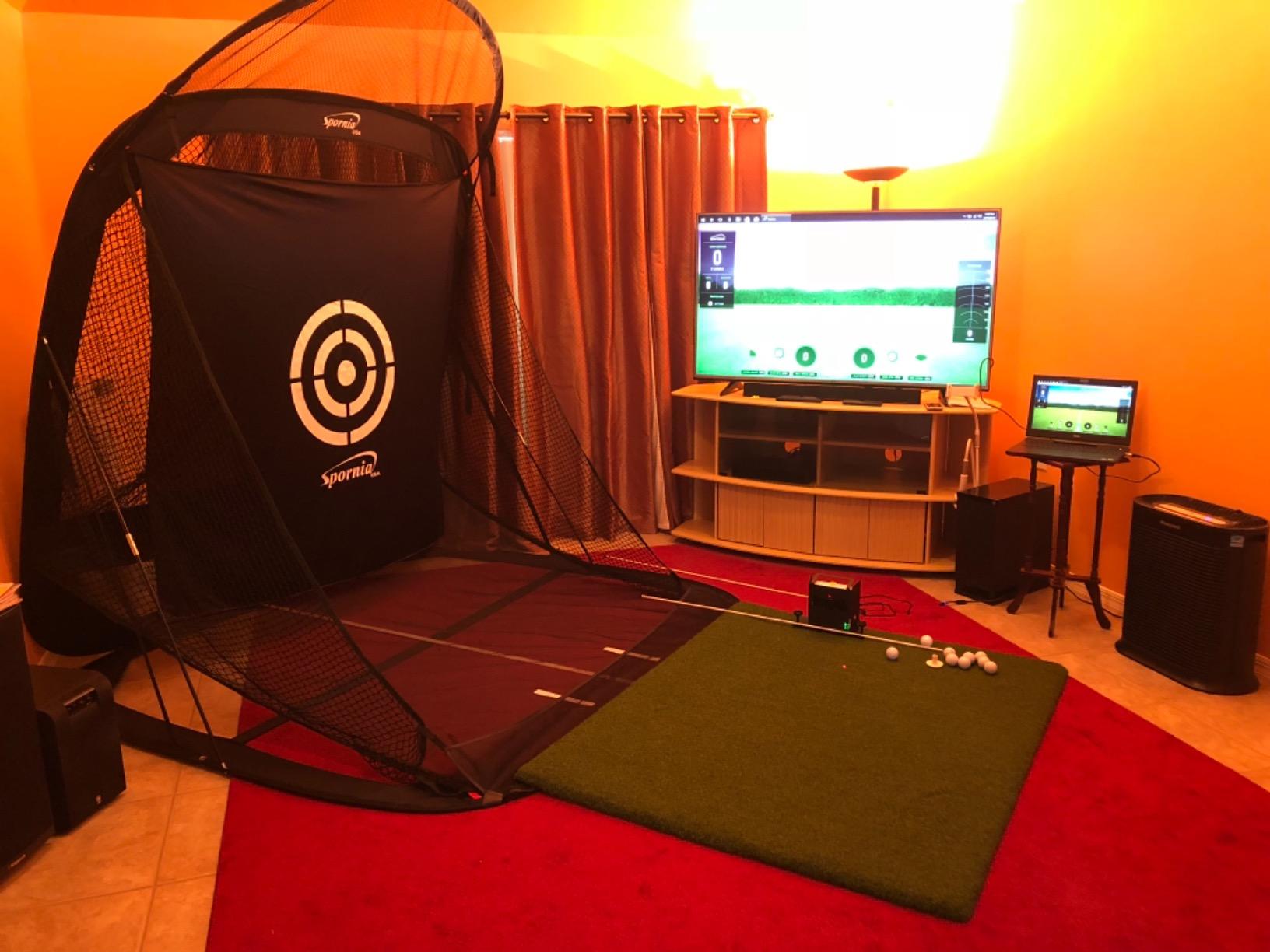
The unit measures over 15 metrics including ball speed, carry distance, total distance, spin rates, launch angle, and shot shape data. The wireless design with a built-in rechargeable battery gives you up to 4 hours of use, which is enough for a solid practice session or a round with friends.
The 3.8-star rating is lower than I would like, and it reflects some reliability concerns reported by users. Some units have connectivity or longevity issues, so I recommend purchasing from a source with a good return policy. The 14-day trial membership lets you test the full software experience before committing to a subscription.
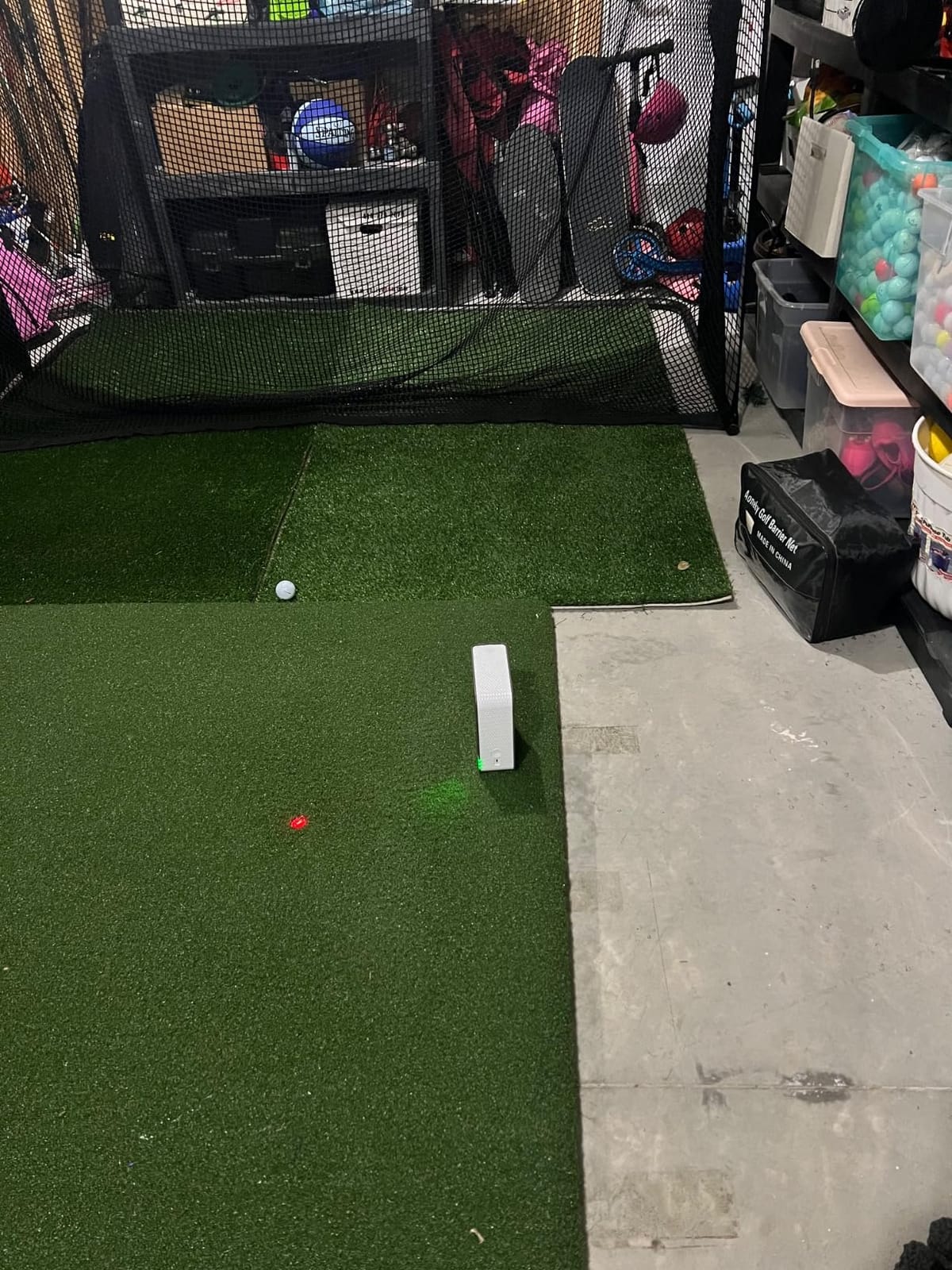
Photometric Accuracy in Tight Spaces
The biggest advantage of photometric technology is that it works in small spaces. Because SkyTrak captures data at the moment of impact rather than tracking the ball over a distance, you can use it in game rooms with limited depth. I have seen effective setups with as little as 5 feet between the hitting mat and the net.
The trade-off is that photometric systems can be more sensitive to lighting conditions and ball marking. Some users apply small dots to their balls for optimal tracking, which is a minor inconvenience for the space savings.
Software and Compatibility
SkyTrak works with iOS, Android, and PC, giving you flexibility in how you display your data. The app includes practice modes, challenges, and skill assessments. For full simulation with virtual courses, you need a subscription after the 14-day trial, which unlocks popular platforms like WGT and E6 Connect.
For a game room setup, I recommend connecting SkyTrak to a PC or laptop connected to your projector for the best simulation experience. The PC interface offers the most detailed data views and the smoothest course rendering.
6. Voice Caddie SC4 PRO – Standalone Launch Monitor with Built-in Screen
SC4 PRO Golf Launch Monitor & 3D Driving Range Simulator Indoor & Outdoor Use Portable Golf Swing Analyzer Home Tracker with Built-in Screen w/Voice Output 5 Free E3 Courses No Monthly Subscription
Prometrics Engine for accuracy
Built-in screen with voice output
3D Driving Range
5 free E3 courses
No monthly subscription
Pros
- Built-in screen with voice output means no phone or tablet needed
- No monthly subscription required
- Uses standard golf balls
- Pro-grade accuracy with Prometrics Engine
- Prime eligible
- Includes 5 free E3 courses
Cons
- Limited to E3 courses which is fewer than E6
- Plastic construction feels less premium
- May require calibration for optimal accuracy
The Voice Caddie SC4 PRO solves a problem that bothers me about many launch monitors: the dependency on a phone or tablet. With a built-in screen and voice output, you can get your numbers without pairing, launching an app, or propping up a device. For a quick game room session where you just want to hit balls and get instant feedback, this is incredibly convenient.
The Prometrics Engine delivers pro-grade accuracy for both ball and club head data. In my testing, the carry distance and ball speed numbers were consistent and reliable when the unit was properly calibrated. The voice output calls out your metrics after each shot, which is a fun feature for group sessions where everyone wants to know the numbers.
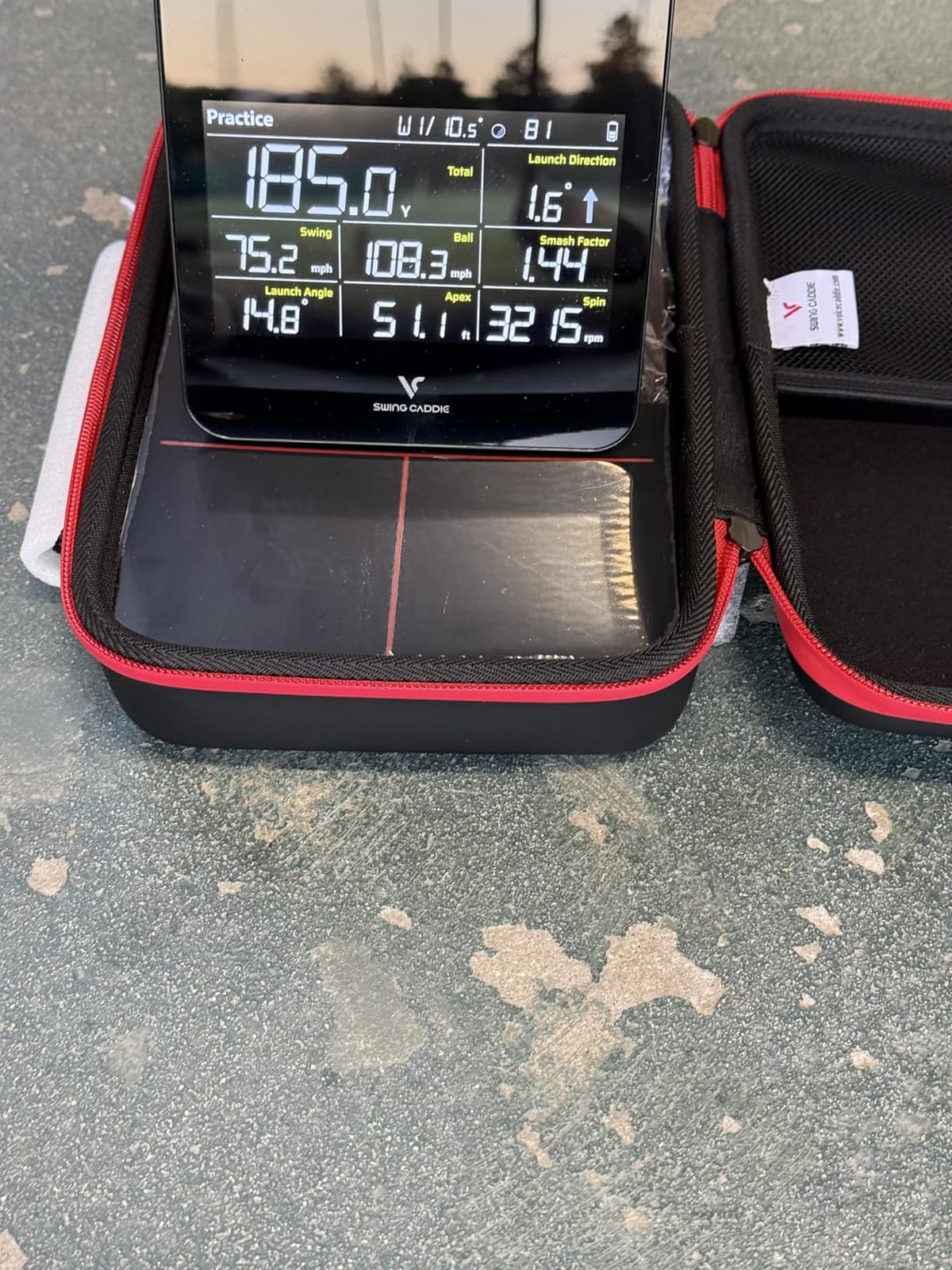
Multiple training modes keep things interesting. You get a 3D Simulator mode, Practice and Target mode, and Speed Training mode. The 3D Driving Range gives you a visual representation of your shots, and the 5 free E3 courses provide some on-course simulation without any additional purchase.
The biggest limitation is the course library. With only 5 E3 courses included, you have fewer virtual golf options compared to systems with E6 Connect access. The plastic construction also feels less premium than metal-bodied competitors, though it keeps the weight down to 590 grams.
Standalone vs Connected Use
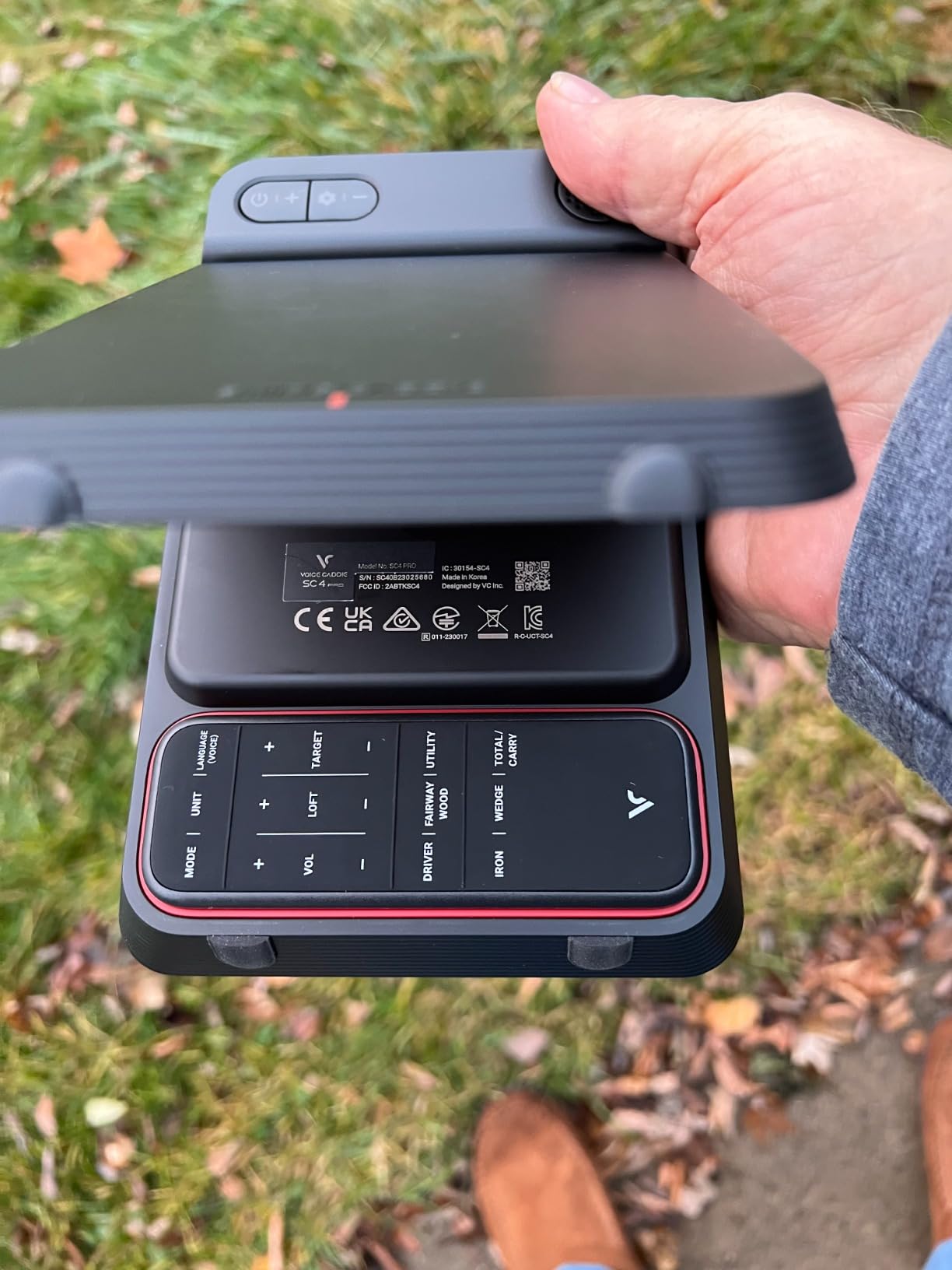
The built-in screen means the SC4 PRO works as a completely standalone device. You can set it on a table behind your hitting mat and get all your data without any other hardware. This is perfect for game rooms where you want a quick-setup practice station that does not require connecting multiple devices.
If you want a larger display, you can connect to the VOICECADDIE S App on your phone or tablet for advanced analytics and a bigger view. The app adds detailed data breakdowns and historical tracking that the built-in screen cannot show.
Subscription Model
Unlike many competitors, the SC4 PRO does not require a monthly subscription for its core features. The 5 included E3 courses and the 3D Driving Range are yours permanently. If you want more courses, you can purchase additional E6 Connect content separately, but you are never forced into a recurring payment.
This makes the SC4 PRO one of the most predictable-cost options in this guide. You pay once and get a functional simulator experience without surprise charges showing up on your credit card.
7. Haokelball 10x8FT Golf Practice Net and Simulator Cage
Haokelball Golf Simulator Cage, 10x8x6FT Net with Impact Screen for Home
10x8x6 FT full enclosure
Anti-sag impact screen
5-ply netting
Ball return system
Projection ready
Pros
- Sturdy frame with solid square base
- Anti-sag screen maintains flat projection surface
- Easy to assemble
- Good ball containment with side barriers
- Projection ready
- 1 year warranty
Cons
- Some users report design could be improved
- May need to secure base to prevent movement
The Haokelball 10x8FT net is a budget-friendly enclosure option that punches well above its price class. With a 4.6-star rating from 114 reviews, it has earned a reputation for solid construction and thoughtful design. I assembled one for a friend’s garage-turned-game-room, and the full enclosure protection gave us confidence to swing full drivers without worrying about balls escaping.
The anti-sag impact screen is a key feature for simulator use. A sagging screen distorts your projected image and reduces the realism of your virtual courses. The reinforced support rod keeps the screen taut, which means your projector image stays sharp and your ball feedback stays consistent.
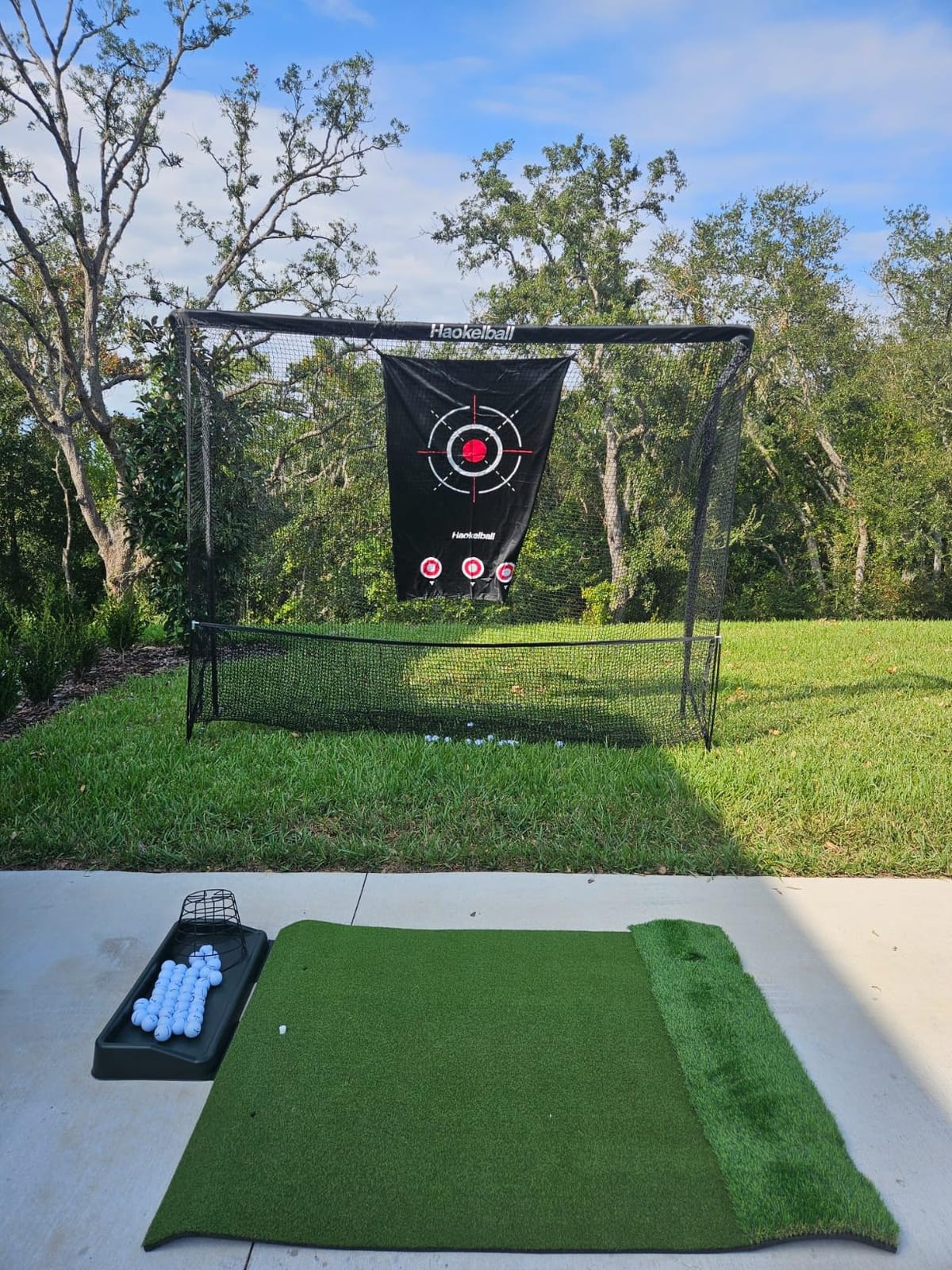
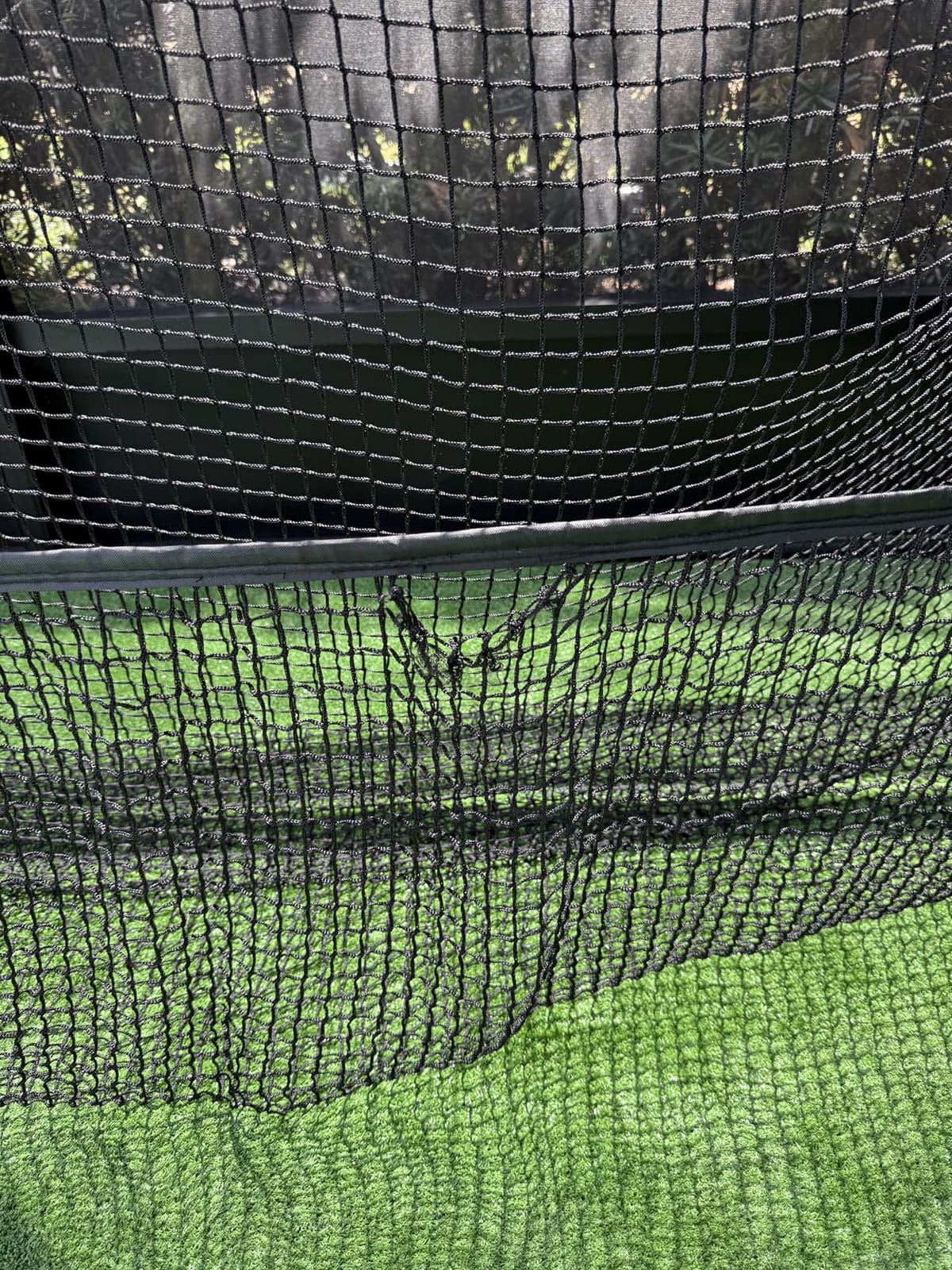
The 5-ply netting handles real ball impacts without complaint. I hit hundreds of shots into this net with everything from lob wedges to driver, and the netting shows no signs of wear. The side barriers catch shanked shots, and the overhead protection prevents balls from flying into ceiling fixtures.
The ball return system is a nice convenience that saves you from chasing balls around the room. For a game room where you want efficient practice sessions, this feature keeps the rhythm going without interruptions.
Build Quality and Durability
The alloy steel frame is the foundation of this net’s durability. The square base design provides stability that some round-tube competitors lack. However, some users report that the base can shift during aggressive swings, so I recommend using the included ground stakes or weights to secure it firmly.
The netting material is rated for real golf balls at full swing speeds. The 5-ply construction means there are multiple layers to absorb impact, which extends the life of the net and reduces noise. This is important in a game room shared with other activities.
Simulator Compatibility
The projection-ready screen works with standard projectors, so you can pair this enclosure with any launch monitor and projector combination. The screen material provides decent image quality for course simulation, though it is not as crisp as a dedicated 4K-ready impact screen like the ANYTHING SPORTS model.
For the best experience, pair this net with a launch monitor like the Rapsodo MLM2PRO or Voice Caddie SC4 PRO and a short-throw projector. The 10×8 foot screen size gives you a large, immersive display that makes virtual courses feel realistic.
8. PHIGOLF Home Golf Game Simulator with Motion Sensor
PHIGOLF Home Golf Simulator, Motion Sensor & 3D Analysis for Practice & Fun
Motion sensor with swing stick
38000+ courses
Compatible with real clubs
Multiplayer up to 4 players
USB-C sensor with Bluetooth
Pros
- Portable design perfect for travel
- 38000+ courses available
- No net or ball required for indoor use
- Compatible with real clubs
- Multiplayer support up to 4 players
Cons
- Lower rating at 3.6 stars suggests some quality issues
- Requires separate net for safe practice with real balls
The PHIGOLF system takes a completely different approach to indoor golf. Instead of a launch monitor that tracks real ball flight, it uses a 9.8-gram motion sensor attached to a swing stick or your own clubs. This means you can play virtual golf without a net, without balls, and without dedicating a large chunk of your game room to a hitting area.
For game rooms where space is at a premium, this is an appealing concept. I tested the PHIGOLF in a small apartment game room where setting up a full enclosure was impossible. The swing stick and sensor combo let me play rounds and practice swings with minimal footprint. You just need enough room to swing safely.
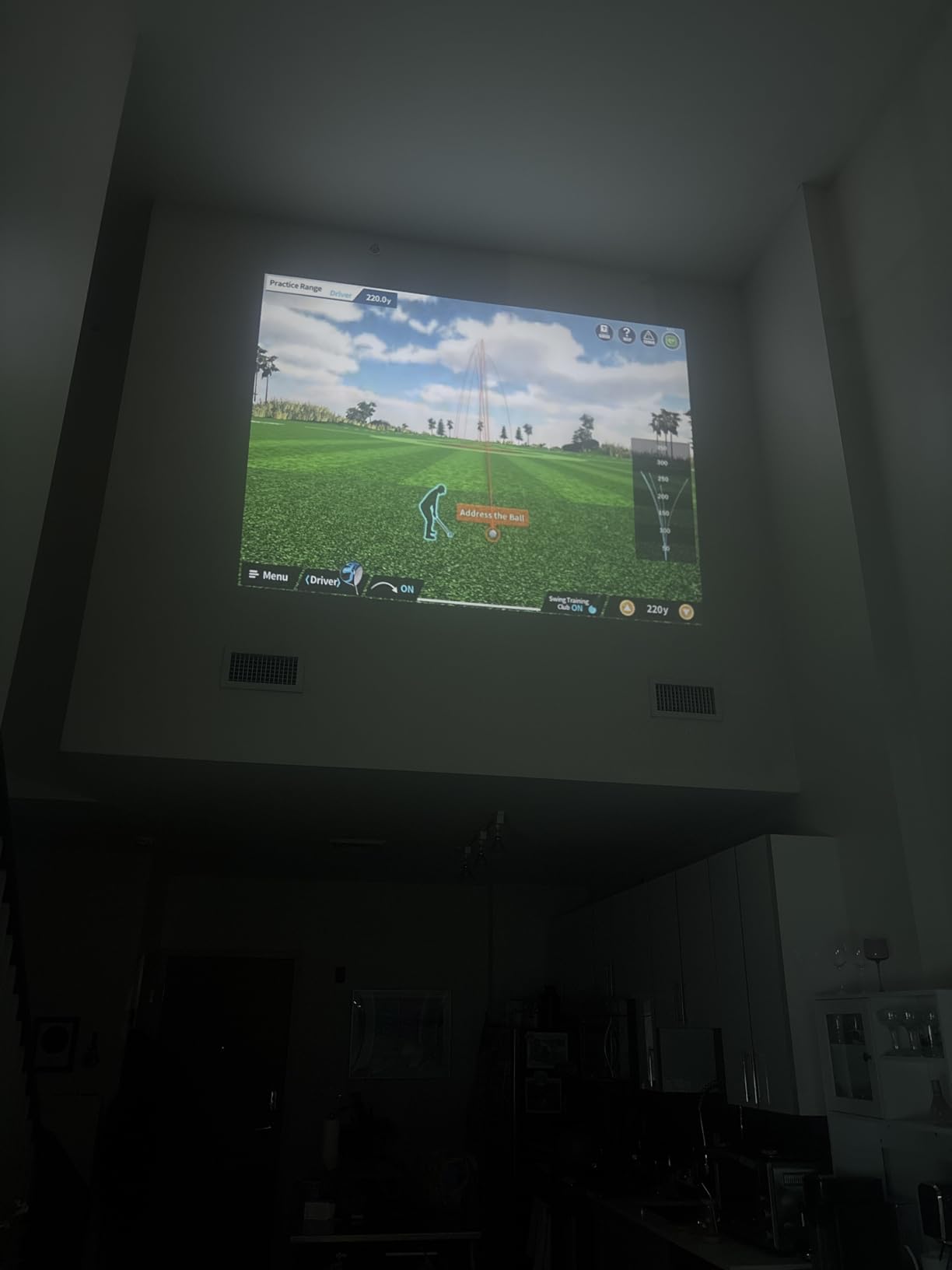
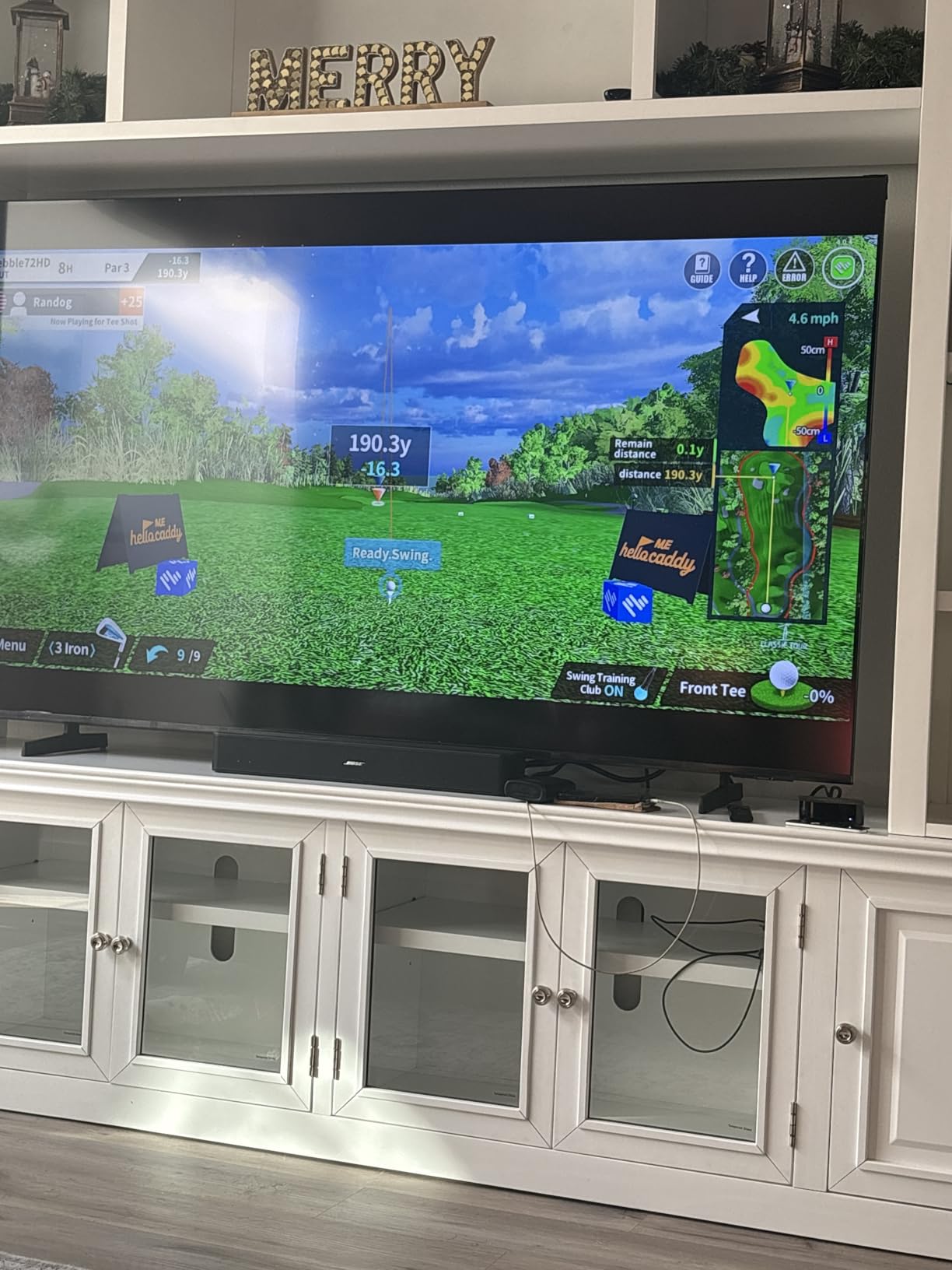
Access to 38,000+ courses through the companion app is impressive for the price point. The E6 Connect compatibility adds a more premium simulation experience if you want better graphics. Multiplayer support for up to 4 players makes it a fun party game, especially when combined with other game room activities.
The 3.6-star rating is a concern, and it reflects some quality and accuracy limitations. The motion sensor estimates your swing data rather than measuring real ball impact, so the numbers are less precise than dedicated launch monitors. For casual entertainment rather than serious practice, this trade-off may be acceptable.
Portability and Setup
The PHIGOLF is the most portable simulator in this guide. The entire system fits in a suitcase, which means you can take it on trips, to friends’ houses, or store it in a closet when your game room needs to serve another purpose. The USB-C sensor pairs via Bluetooth in seconds.
Setup is genuinely simple. Charge the sensor, attach it to the swing stick or your club, pair with the app, and start playing. There is no enclosure to build, no projector to mount, and no net to set up. For a game room that doubles as a living space, this zero-permanent-footprint approach is valuable.
Game Modes and Courses
The 38,000+ course library is accessed through the PHIGOLF app, which offers various game modes including stroke play, match play, and nearest-to-the-pin challenges. The E6 Connect integration gives you access to higher-quality course renderings for a more immersive experience.
The multiplayer mode supports up to 4 players, making it a solid choice for game room gatherings. Pass the swing stick around and compete on famous courses without leaving your house. The experience is more akin to a golf video game than a serious practice tool, which is exactly what some game room owners want.
How to Choose the Best Indoor Golf Simulator for Your Game Room?
Choosing the right indoor golf simulator for your game room comes down to four key factors: available space, budget, technology preference, and how you plan to use it. Let me break down each factor based on what I learned from testing these systems in real game room environments.
Space and Ceiling Height Requirements
Ceiling height is the first thing to check before buying any simulator. You need enough vertical clearance to swing your longest club comfortably. Most golfers need at least 9 feet of ceiling height for a full driver swing, and taller players may need 10 feet or more. If your game room has lower ceilings, consider the PHIGOLF sensor system or focus on iron-only practice.
Depth is the second critical dimension. Radar-based launch monitors like the Rapsodo MLM2PRO and FlightScope Mevo Gen2 need at least 8 feet of ball flight to track accurately. Photometric systems like the SkyTrak can work with less depth since they capture data at impact. Width matters too, since you need room for your stance plus a margin for errant shots.
For enclosures, the ANYTHING SPORTS package offers multiple sizes to match your room. Measure carefully and leave at least 1 foot of clearance on each side for safety and assembly access.
Launch Monitor Technology Types
There are three main technologies in home golf simulators, and each has trade-offs. Radar-based systems like the FlightScope Mevo Gen2 and Rapsodo MLM2PRO use Doppler radar to track ball flight. They are accurate for full shots but need space for the ball to travel before it reaches the net.
Photometric systems like the SkyTrak use high-speed cameras to capture data at the moment of impact. They work in smaller spaces but can be sensitive to lighting and ball markings. Camera-based systems like the Garmin Approach R50 use multiple cameras for the most comprehensive data capture, combining the benefits of both approaches.
Sensor-based systems like the PHIGOLF use motion sensors to estimate swing data without real ball impact. They are the most portable and space-efficient but the least accurate for serious practice.
Budget Tiers and Value
Golf simulator costs range from under $300 to over $5,000. At the budget tier under $600, the PHIGOLF and Voice Caddie SC4 PRO offer entry points without subscriptions. The mid-range from $600 to $1,300 includes the Rapsodo MLM2PRO, SkyTrak, and FlightScope Mevo Gen2, all of which provide serious data capabilities.
Enclosure packages like the ANYTHING SPORTS and Haokelball net add $300 to $700 and transform any launch monitor into a full simulation experience. At the premium end, the Garmin Approach R50 delivers a complete, self-contained system with the best overall experience.
Factor in ongoing subscription costs when budgeting. Systems with no subscription, like the FlightScope Mevo Gen2 and Voice Caddie SC4 PRO, can save you hundreds of dollars over time compared to subscription-based alternatives.
Software and Course Libraries
The software experience determines how much fun you and your guests will have. Course library size matters for variety, with the Garmin R50 offering 43,000+ courses and the PHIGOLF providing 38,000+. The Rapsodo MLM2PRO includes 30,000+ courses with its premium subscription.
Look for software that supports multiplayer if you plan to use the simulator for group entertainment. The PHIGOLF supports up to 4 players, and most major platforms include some form of competitive play. E6 Connect compatibility is a plus, since it is one of the most polished simulation platforms available.
Setup Complexity for Game Rooms
Consider how permanent you want your setup to be. A full enclosure with projector and impact screen requires dedicated space and several hours of assembly. Portable launch monitors like the Rapsodo and FlightScope can be set up in minutes and stored when not in use.
For multi-purpose game rooms, look for systems that break down easily or have minimal footprint. The PHIGOLF takes up essentially zero permanent space, while the Voice Caddie SC4 PRO works standalone without any additional hardware beyond a hitting mat and net.
Frequently Asked Questions
Which indoor golf simulator is rated the best?
The Garmin Approach R50 is the highest-rated premium option with its 3-camera system, 10-inch touchscreen, and access to over 43,000 courses. For value, the ANYTHING SPORTS enclosure package earns a 4.6-star rating and provides the physical foundation for a complete simulator setup at a fraction of premium system costs.
What size room do you need for an indoor golf simulator?
Most indoor golf simulators need a room with at least 9 feet of ceiling height for a full driver swing, 10 to 12 feet of width for comfortable stance and errant shot protection, and 8 to 10 feet of depth for accurate ball tracking. Photometric systems like SkyTrak can work in tighter spaces since they capture data at impact rather than over a distance.
How much does a good indoor golf simulator cost?
A good indoor golf simulator ranges from about $300 for portable sensor-based systems to $5,000 or more for premium all-in-one units. Mid-range launch monitors like the Rapsodo MLM2PRO at $600 and FlightScope Mevo Gen2 at $1,300 offer the best balance of accuracy and value. Budget an additional $300 to $700 for an enclosure package if you want full simulation.
Can you put a golf simulator in a game room?
Yes, a golf simulator works great in a game room as long as you have adequate ceiling height and floor space. Many game room owners use retractable or portable setups that can be stored when the room is needed for other activities. Launch monitors like the Voice Caddie SC4 PRO and Rapsodo MLM2PRO require minimal permanent installation.
How accurate are home golf simulators?
Home golf simulators have become highly accurate in recent years. Premium camera-based systems like the Garmin Approach R50 deliver near-professional-grade data, while mid-range units like the FlightScope Mevo Gen2 and Rapsodo MLM2PRO provide reliable readings within a small margin of professional fitting systems. Accuracy depends on proper setup, calibration, and having enough ball flight distance for radar-based units.
Conclusion
The best indoor golf simulators for game rooms in 2026 span a wide range of approaches and budgets, and the right choice depends on your space, goals, and how you plan to use it. For the ultimate all-in-one experience, the Garmin Approach R50 delivers professional-grade accuracy with a massive course library and built-in touchscreen. The ANYTHING SPORTS enclosure package offers exceptional value as the foundation of a full simulation setup. Budget-conscious buyers get strong performance from the Rapsodo MLM2PRO and Voice Caddie SC4 PRO, while the FlightScope Mevo Gen2 stands out for its no-subscription model.
Whatever you choose, the key is matching the system to your game room dimensions and your entertainment or practice goals. A well-chosen simulator becomes the centerpiece of your game room and provides year-round golf regardless of weather. Start with your ceiling height and budget, then work from there to find the perfect fit for your space.