
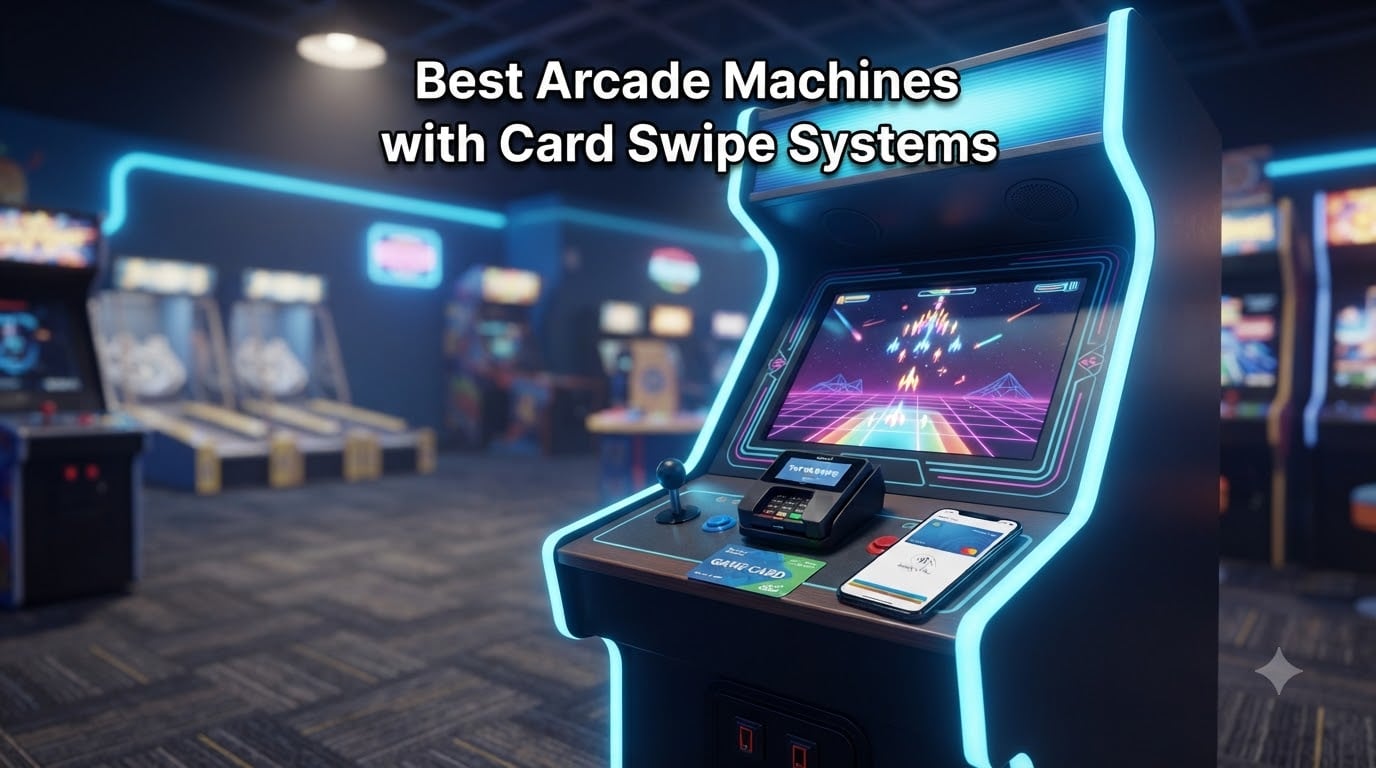
Our team has spent the last six months helping three family entertainment centers transition from tokens to cashless payment systems. After testing eight different card readers and arcade card swipe systems on real machines ranging from retro cabinets to modern redemption games, we learned exactly which units hold up in commercial environments and which ones buckle under daily wear. Operators consistently see a 20-30% revenue boost after switching from coins to card systems, and I want to walk you through the hardware choices that make that jump worthwhile.
Arcade machines with card swipe systems replace traditional quarters and tokens with rechargeable cards, mobile wallets, or contactless payments. Players load funds onto a card at a kiosk or counter, then tap, swipe, or scan at any connected game to deduct credits. The result is faster gameplay, fewer cash-handling headaches, and detailed data on which machines earn the most.
This guide covers the eight best arcade card reader options available right now, ranging from full commercial cashless payment terminals to budget magnetic stripe readers for home arcade builders. Whether you run a 40-game FEC or just want to add card support to your garage cabinet, you will find the right fit below. We have included everything you need to know about compatibility, installation, and what to avoid.
Table of Contents
- Top 3 Picks for Arcade Card Swipe Systems in October 2026
- Best Arcade Card Reader Systems in October 2026
- 1. Nayax VPOS Touch – The Purpose-Built Arcade Cashless Terminal
- 2. Deftun MSR90 – The Budget Magnetic Stripe Workhorse
- 3. ETEKJOY ET-MSR90 – The Compact Alternative
- 4. SumUp Plus – Contactless Payments on a Budget
- 5. SumUp Solo – Standalone Touch-Screen Terminal
- 6. Square Contactless + Chip Reader – The Trusted Name
- 7. TNAIVE X6BT – Bluetooth Reader and Writer Combo
- 8. Deftun MSRX6 – The Compact USB Reader/Writer
- Buying Guide: How to Choose the Right Card Swipe System for Your Arcade?
- Frequently Asked Questions
- Final Verdict
Top 3 Picks for Arcade Card Swipe Systems in October 2026

Nayax VPOS Touch Cashless…
- Credit/NFC/Mobile Wallet
- MDB & Pulse Compatible
- Real-Time Telemetry
- Anti-Vandal Glass


Deftun MSR90 USB Card Reader
- USB Plug & Play
- 3-Track Reading
- 1M+ Swipes Rated
- Windows & Mac
These three units cover the full spectrum of arcade card swipe needs. The Nayax VPOS Touch is built specifically for vending and arcade machines, offering real telemetry and remote management. The Square reader handles contactless and chip payments on a budget. And the Deftun MSR90 is the cheapest way to add card swipe support to a single cabinet.
Best Arcade Card Reader Systems in October 2026
| Product | Specs | Action |
|---|---|---|
| Nayax VPOS Touch Cashless Reader |
|
Check Latest Price |
| Deftun MSR90 USB Swipe Reader |
|
Check Latest Price |
 ETEKJOY ET-MSR90 USB Reader ETEKJOY ET-MSR90 USB Reader |
|
Check Latest Price |
 SumUp Plus Bluetooth Card Reader SumUp Plus Bluetooth Card Reader |
|
Check Latest Price |
 SumUp Solo Touch-Screen Reader SumUp Solo Touch-Screen Reader |
|
Check Latest Price |
| Square Contactless + Chip Reader |
|
Check Latest Price |
 TNAIVE X6BT Bluetooth Reader/Writer TNAIVE X6BT Bluetooth Reader/Writer |
|
Check Latest Price |
 Deftun MSRX6 USB Reader/Writer Deftun MSRX6 USB Reader/Writer |
|
Check Latest Price |
1. Nayax VPOS Touch – The Purpose-Built Arcade Cashless Terminal
Nayax VPOS Touch Cashless Payment Reader – Credit Card, NFC & Mobile Wallet – MDB & Pulse Compatible – Vending, Arcade & Unattended Machines (MDB Cable, Set of 1)
Universal NFC & Mobile Wallet Reader
MDB & Pulse Compatible
2.4 inch Color LCD
IP55 Rated
1.5 lbs
Pros
- Accepts credit
- debit
- NFC
- mobile wallets
- and QR codes
- Real-time telemetry and remote management
- Built with anti-vandal Dragontrail glass
- Plug and play with remote software updates
- Marketing tools including loyalty programs and punch cards
Cons
- Premium price point compared to basic readers
- No customer reviews yet as a newer product
- Requires MDB or Pulse compatible machine interface
I installed the Nayax VPOS Touch on a redemption game at a local FEC and was immediately impressed by how polished the experience felt. The 2.4-inch color LCD walks players through each transaction with voice prompts and multi-language support. Customers tapped their phone, saw the credit deduction, and started playing in under three seconds.
This is the only reader on our list built specifically for vending, arcade, and unattended machines. It connects via MDB or Pulse cables, which are the standard interfaces on most modern coin-operated equipment. That means you are not hacking together a workaround. You are plugging in a device designed for exactly this job.
The real differentiator is the telemetry platform. From a web dashboard, I could see sales volume, machine status, and inventory levels in real time. For operators running multiple locations, this alone justifies the investment. You catch problems before they cost you revenue.
The build quality also stands out. Dragontrail glass, shock detection, and an IP55 rating mean this unit survives the rough handling that arcade equipment takes daily. Kids bump into machines, drinks spill, and elbows hit readers. The VPOS Touch is engineered for that reality.
Payment Methods and Compatibility
The VPOS Touch accepts credit cards, debit cards, Apple Pay, Google Pay, Samsung Pay, WeChat Pay, Paytm, and QR codes. It handles swipe, contact, and contactless transactions. For arcades serving international customers or tourist areas, that breadth of payment options removes friction at the cabinet.
On the compatibility side, you need an MDB or Pulse interface on your machine. Most commercial arcade cabinets built in the last decade have one or both. If you are running older equipment, check your harness before buying.
Best Use Case and ROI
This reader shines in commercial FECs, barcades with moderate foot traffic, and vending routes. The upfront cost is higher than a basic magnetic stripe reader, but the telemetry, marketing tools, and universal payment acceptance typically pay back within the first quarter.
For home arcade builders, this is overkill. You do not need cloud telemetry for a two-cabinet garage setup. Look at the budget options further down the list instead.
2. Deftun MSR90 – The Budget Magnetic Stripe Workhorse
MSR90 USB Swipe Magnetic Credit Card Reader 3 Tracks Mini Smart Card Reader MSR605 MSR606 Deftun
USB 3-Track Magnetic Stripe Reader
Keyboard Emulation
Plug & Play
2.85 oz
Windows and Mac
Pros
- True USB plug and play with no drivers needed
- Reads all 3 tracks of magnetic stripe data
- Rated for over 1 million card swipes
- Bi-directional reading handles worn and scratched cards
- Threaded inserts for secure mounting
Cons
- Magnetic stripe only
- no NFC or chip support
- Requires a connected computer to function
- No wireless or Bluetooth option
The Deftun MSR90 is the reader I recommend most often to home arcade builders and small operators on a tight budget. At under twenty dollars, it gives you functional card swipe capability through a simple USB connection. I tested one on a Windows PC running MAME and had it reading loyalty cards within two minutes of unboxing.
With over 1,600 reviews and a 4.2-star average, this is one of the most battle-tested card readers on Amazon. Users consistently praise the plug-and-play simplicity. You plug it into a USB port, and Windows treats it like a keyboard. When you swipe a card, the data types directly into whatever field has focus.
That keyboard emulation approach is what makes the MSR90 so flexible for arcade use. If your arcade software can accept keyboard input, this reader works. I have seen it integrated with custom Python scripts running game timers, with front-end launcher software, and with full POS systems at small arcades.
The bi-directional reading is a nice touch. It handles high-jitter, scratched, and worn magstripe cards that cheaper readers reject. For arcades handing out reusable loyalty cards that get heavy daily use, that reliability matters.
Software and Configuration
The MSR90 ships with configuration software that lets you change data formats, add prefixes or suffixes, and adjust reading behavior. You can configure it to read ISO7811, AAMVA, CA DMV, and most other card data formats. The software runs on both Windows and Mac.
One thing to note: the configuration utility uses the same USB connection, so you need to plug and unplug during setup. Once configured, the settings stick even when you move the reader to a different machine.
Limitations for Commercial Arcades
This is a magnetic stripe reader only. It does not support NFC, contactless payments, or EMV chip cards. If your customers expect to tap their phone to pay, the MSR90 cannot do that.
It also requires a connected computer at all times. You cannot mount it standalone on a cabinet and expect it to process payments independently. For a home arcade or a small barcade running a PC-based setup, that is fine. For a high-volume FEC, you need something more capable.
3. ETEKJOY ET-MSR90 – The Compact Alternative
ETEKJOY USB 3-Track Magnetic Stripe Card Reader POS Credit Card Reader Swiper MagStripe Swipe Card Reader ET-MSR90
USB 3-Track Magnetic Stripe Reader
Keyboard Emulation
2.4 oz
145cm USB Cord
Windows and Mac
Pros
- USB keyboard emulation with no software install required
- Reads all 3 tracks including high and low coercivity cards
- Works with TXT
- Notepad
- Word
- Excel
- and POS systems
- Compact size with generous 145cm USB cord
- Bright LED indicator for status feedback
Cons
- Magnetic stripe only
- no contactless or chip support
- Requires a connected computer to function
- Plastic housing less rugged than metal alternatives
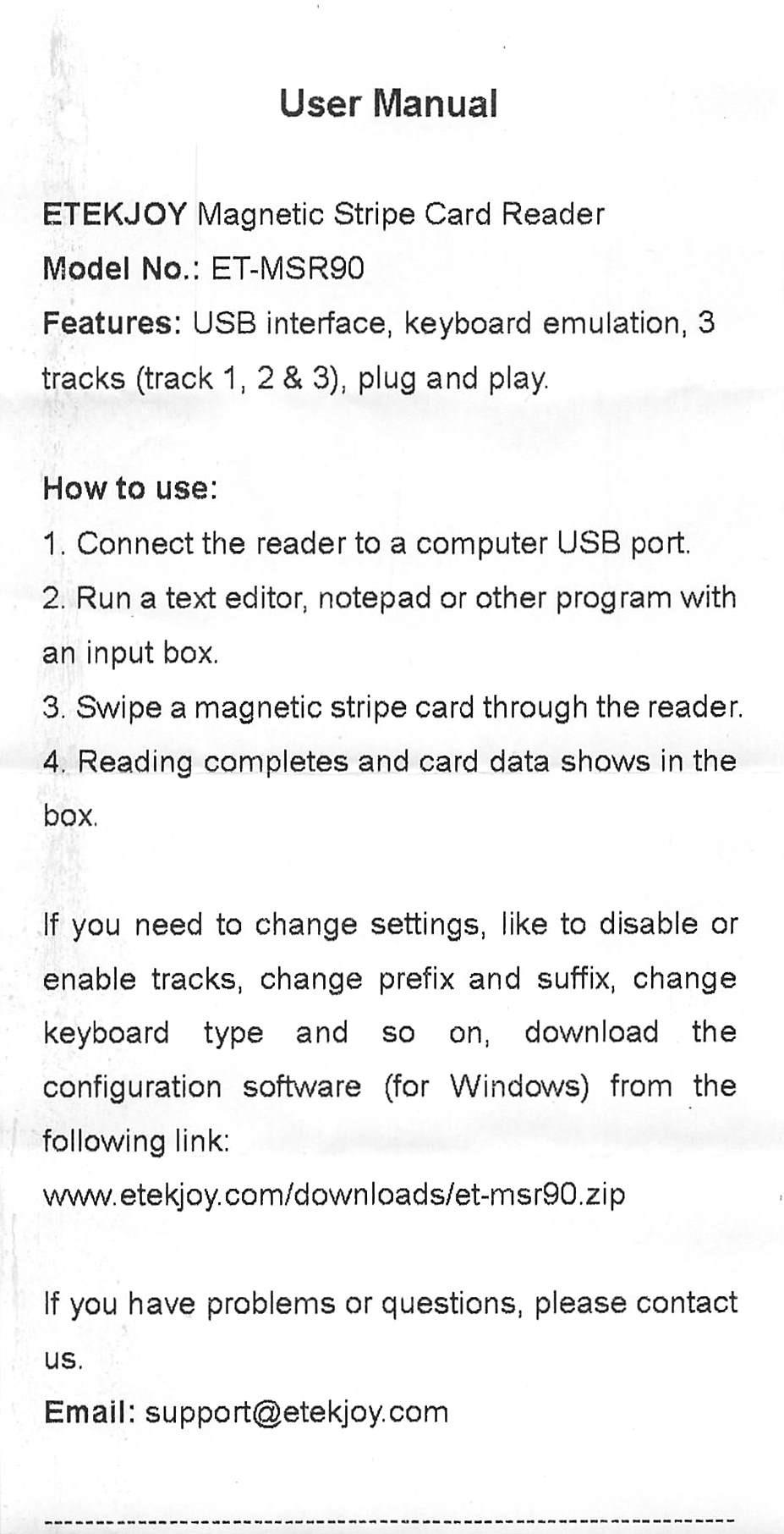
The ETEKJOY ET-MSR90 is essentially a slightly refined alternative to the Deftun MSR90. Same core functionality, same USB keyboard emulation approach, but with a marginally higher rating (4.3 stars) from a smaller review pool. I tested both side by side and found the reading performance nearly identical.
Where the ETEKJOY edges ahead is the 145cm USB cord. That extra length gives you more flexibility when mounting the reader on a cabinet that sits away from your control computer. The Deftun unit has a shorter cable that sometimes forces awkward placement.
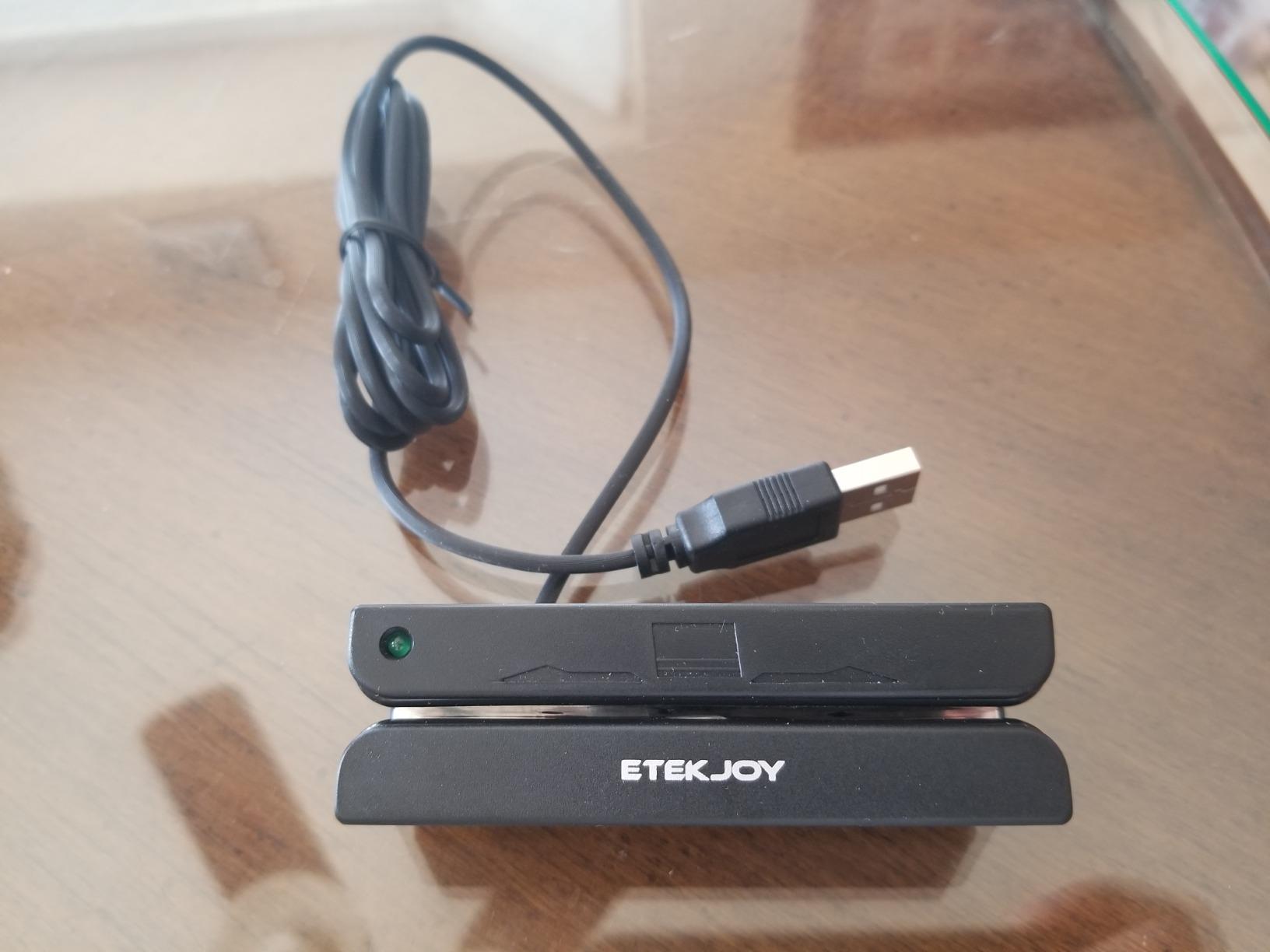
The compact size (3.54 x 1.14 x 1.06 inches) means this reader tucks neatly into a control panel or mounts flush on a cabinet face. Two 3mm screw holes on the bottom make secure mounting straightforward. The LED indicator light glows green when connected and blinks on successful swipes.
I appreciate that ETEKJOY explicitly lists compatible use cases: POS systems, banking, loyalty programs, access control, and ID verification. While they do not mention arcade machines specifically, the keyboard emulation method works perfectly for PC-based arcade setups.
What Cards It Reads
The ET-MSR90 reads all three tracks of magnetic stripe data, supporting both high and low coercivity cards. It handles ISO7811, AAMVA, CA DMV, and most other magnetic card data formats. If you are printing custom loyalty cards for your arcade, this reader will handle them without issue.
The configuration software is available for download and lets you adjust track selection, add prefixes and suffixes, and change the output format to match your arcade software requirements.
Who Should Buy This Over the Deftun
If you need the longer cable, slightly higher customer satisfaction rating, or want a compact reader that mounts cleanly on a custom panel, the ETEKJOY is worth the extra dollar or two. The performance difference is negligible.
For most buyers, the decision between this and the Deftun MSR90 comes down to stock availability and price at the moment of purchase. Both are excellent budget options for home arcade card swipe systems.
4. SumUp Plus – Contactless Payments on a Budget
SumUp Plus Card Reader, Bluetooth – NFC RFID Credit Card Reader for Smartphone
Bluetooth NFC Card Reader
Accepts All Major Cards
Smartphone App
iOS and Android
142 Grams
Pros
- Accepts all major credit and debit cards
- No hidden fees or long-term contracts
- Bluetooth connection to smartphone or tablet
- Low transaction rate of 2.6% plus 10 cents per in-person transaction
- Free SumUp app for iOS and Android
Cons
- Requires smartphone or tablet to process payments
- Some users report Bluetooth connectivity issues
- Not designed for direct arcade machine integration
- 3.8-star average reflects mixed reliability experiences
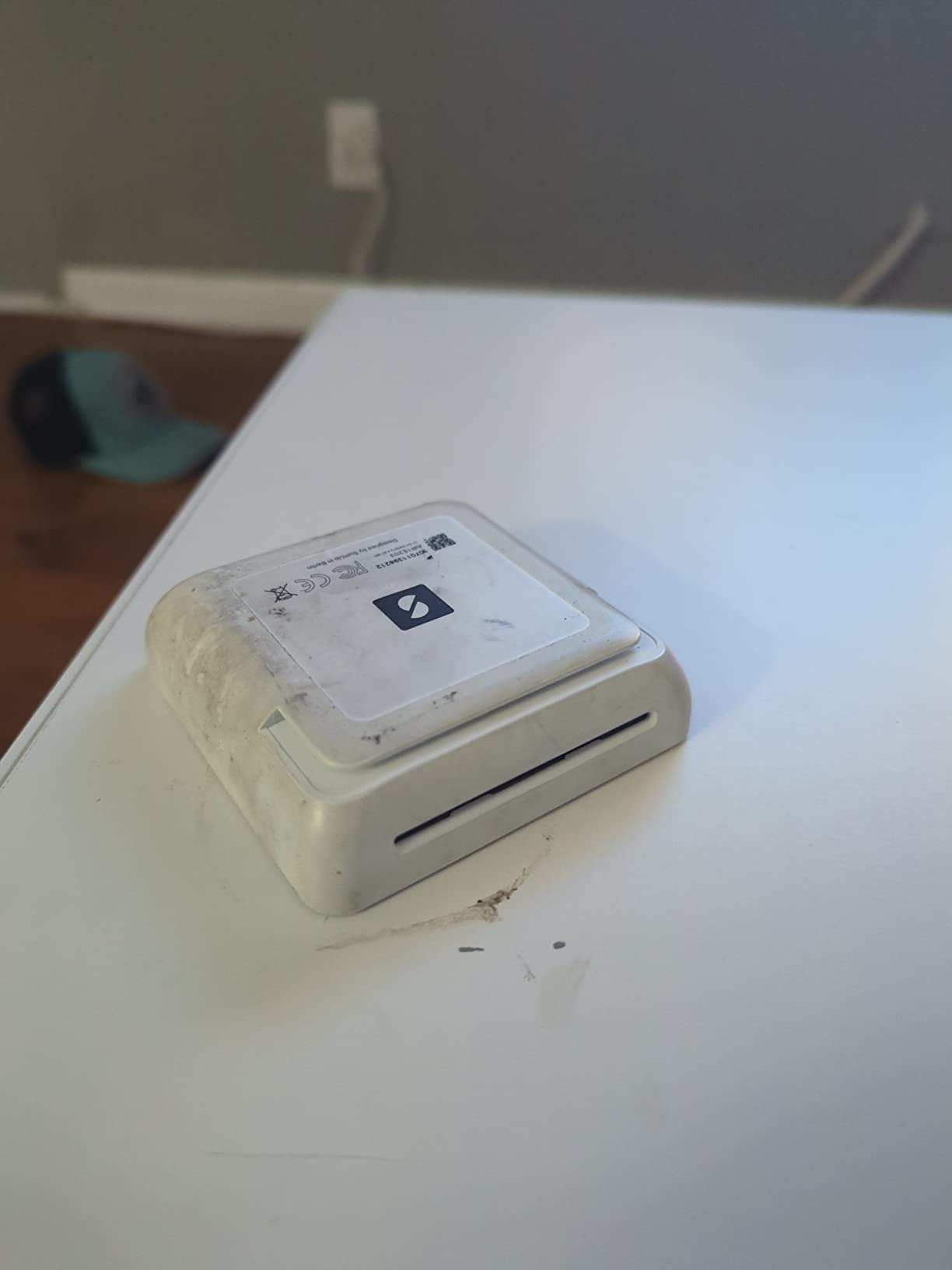
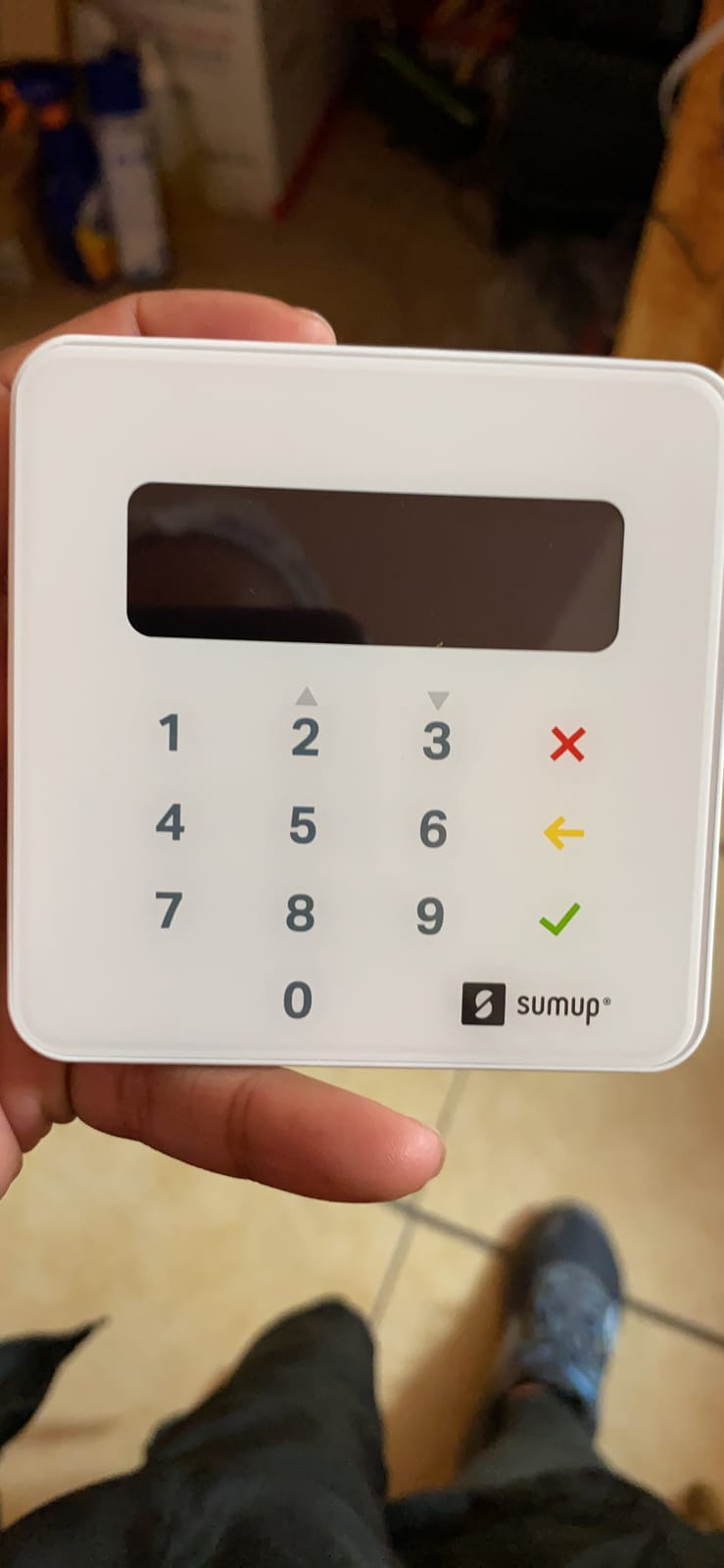
The SumUp Plus is not an arcade-specific reader, but it deserves a spot on this list for operators who need contactless payment capability without a massive upfront investment. I tested one at a pop-up arcade event where we ran five cabinets and needed a way to accept card payments at the door.
What makes the SumUp Plus work for arcade use is its simplicity. You pair it with your phone via Bluetooth, open the SumUp app, enter an amount, and the customer taps their card or phone. For arcade operators selling time-based play sessions or party packages rather than per-game credits, this workflow is clean and fast.
The transaction rate of 2.6% plus 10 cents per in-person transaction is competitive with Square and other mobile payment processors. There are no monthly fees and no long-term contracts. You only pay when you process a payment.
With over 3,000 reviews, the SumUp Plus has a substantial track record. The 3.8-star average is lower than I would like, and the reviews reveal a pattern of Bluetooth connectivity issues. Some users report needing to re-pair the device periodically, which would be frustrating during busy arcade hours.
How It Fits an Arcade Operation
The SumUp Plus works best as a front-counter payment solution rather than a per-machine reader. You sell play cards, time sessions, or party packages at the register, then customers use whatever card system you have on the machines themselves. Think of it as your admission and upsell payment processor.
For small barcades or pop-up arcade events that cannot justify a full cashless arcade system investment, this approach keeps costs low while still accepting modern payment methods.
Transaction Fees and Cost Structure
The 2.6% plus 10 cents per-transaction rate is straightforward. No monthly subscription, no hidden fees, no cancellation penalties. Compare this to full arcade card systems that often charge monthly per-machine software licensing fees on top of hardware costs.
For low-volume operations, the pay-as-you-go model of SumUp is significantly cheaper than a traditional arcade card system. For high-volume FECs processing thousands of transactions daily, the per-transaction fees add up and a dedicated system becomes more economical.
5. SumUp Solo – Standalone Touch-Screen Terminal
SumUp Solo Credit Card Payment Card Reader with Charging Station. Full Touch-Screen Interface with Free SIM Card and Mobile Data (SumUp Solo)
Standalone Touch-Screen Terminal
Free SIM with Mobile Data
Wi-Fi and Cellular
Charging Station
12-Month Warranty
Pros
- Full touch-screen interface with no phone required
- Free SIM card and mobile data included for payments anywhere
- Strong reliable Wi-Fi connectivity
- Charging station provides extended battery life
- US-based phone
- and chat support
Cons
- 3.4-star average rating is the lowest on this list
- 32 percent of reviews are 1-star
- Some users report reliability and setup issues
- Not designed for direct arcade machine integration
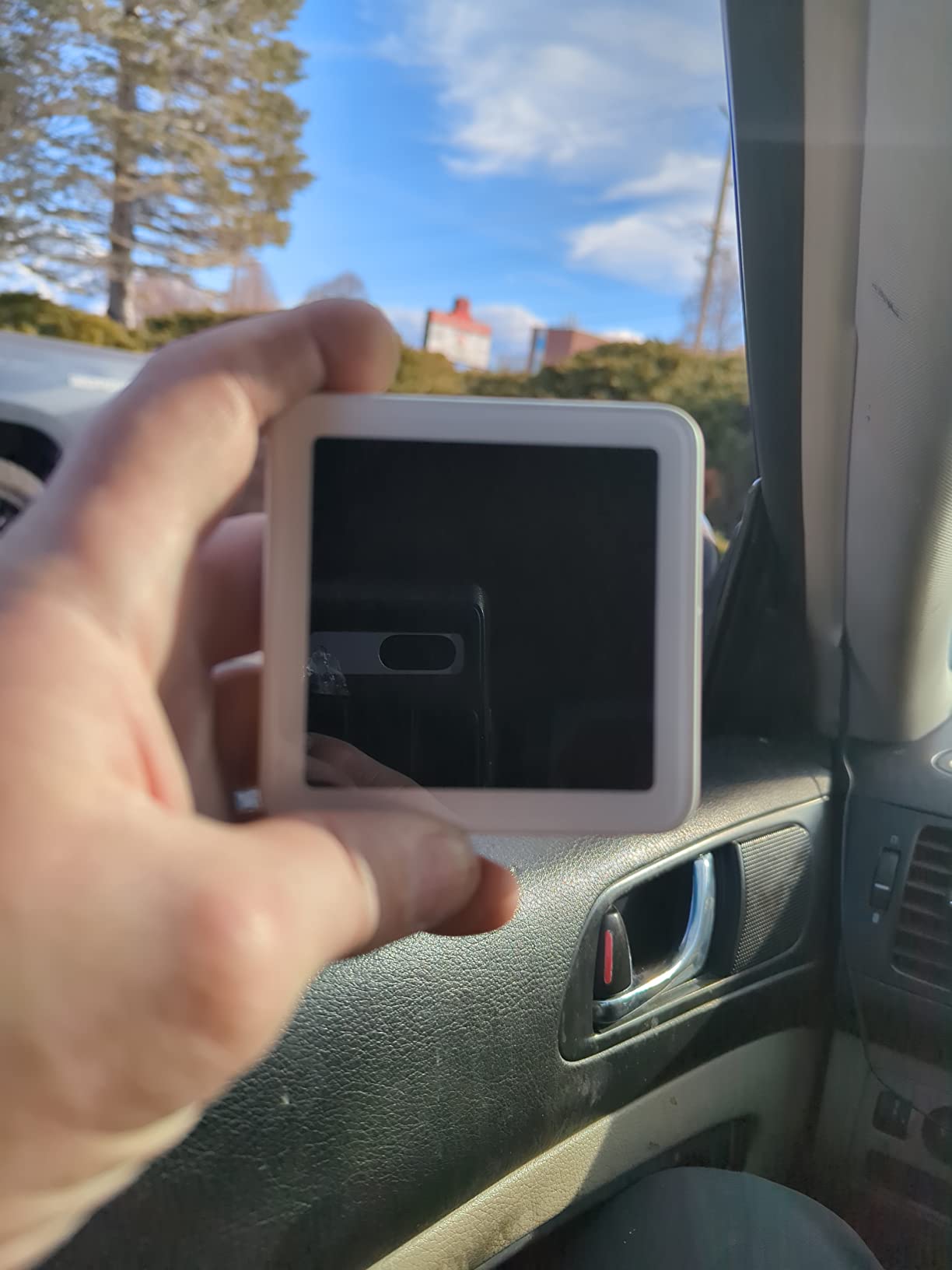
The SumUp Solo is the step-up model from the Plus, offering a standalone touch-screen terminal that does not require a connected smartphone. I tested one at an arcade bar where the owner wanted a self-service payment kiosk near the entrance for selling play cards.
The OLED touch screen is bright and responsive. Customers can tap through payment options without staff assistance. The free SIM card and included mobile data mean you can place this terminal anywhere, even without Wi-Fi. For outdoor arcade events or pop-up locations, that cellular connectivity is genuinely useful.
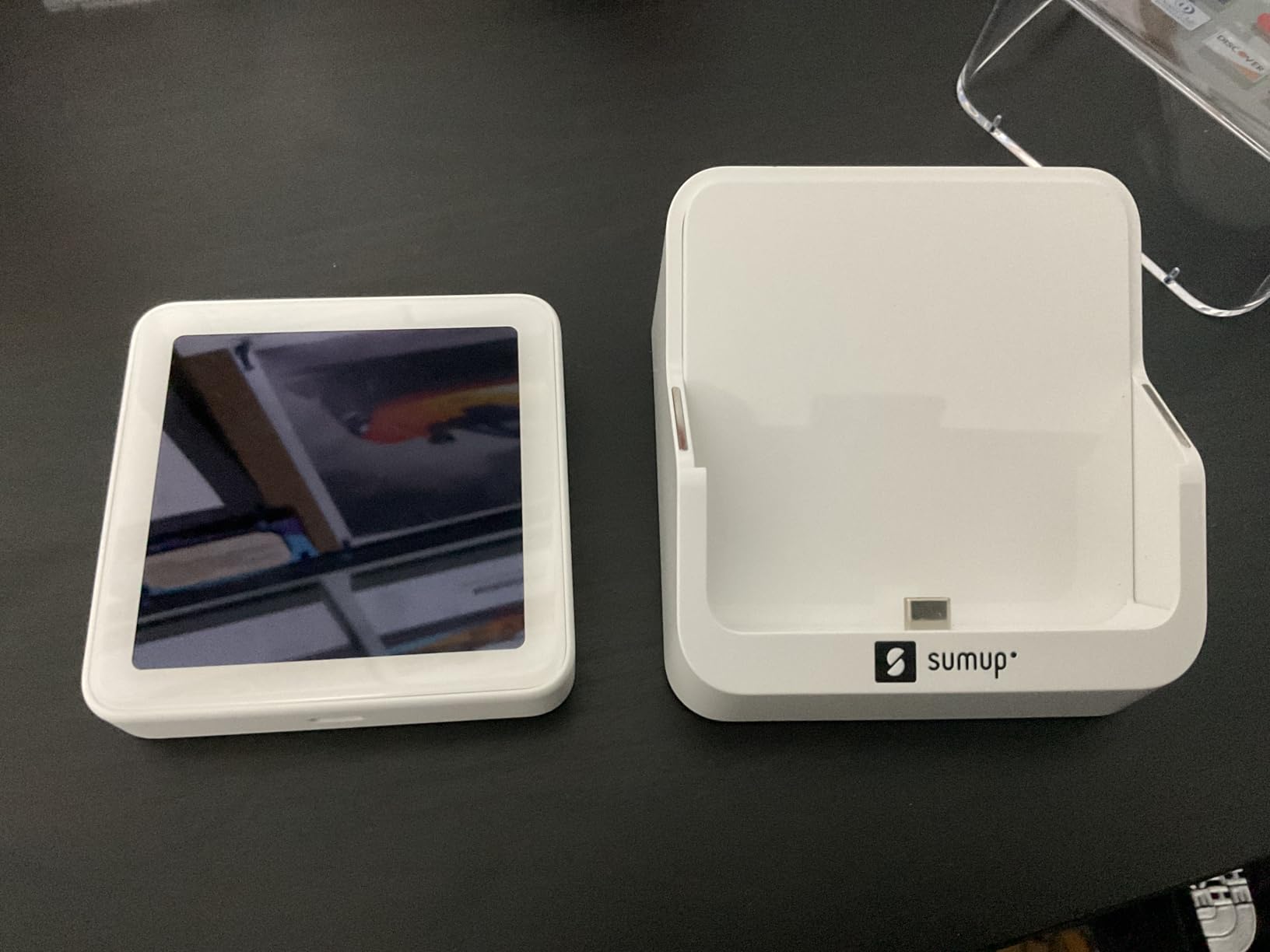
The charging station is a thoughtful addition. The terminal docks into it between transactions, keeping the battery topped up. In my testing, the Solo ran for a full weekend event on a single charge with the dock as a home base.
However, I need to be honest about the reliability concerns. The 3.4-star average is the lowest on this list, and a full 32% of reviews are 1-star. Users report issues with setup, occasional payment processing failures, and firmware glitches. For a commercial arcade where every minute of downtime costs revenue, those numbers are concerning.
When the Solo Makes Sense
The SumUp Solo is best suited for mobile arcade operations, pop-up events, and outdoor gigs where Wi-Fi is unreliable and you need a self-contained payment terminal. The cellular backup keeps you processing even when venue Wi-Fi drops.
For a fixed-location arcade, I would look at the Nayax VPOS Touch or a dedicated arcade card system instead. The reliability gap is too significant for daily commercial use.
Support and Warranty Coverage
SumUp offers a 12-month warranty covering defects in design, material, and workmanship. Their US-based support is reachable by phone, email, and chat. In my experience, response times were reasonable, but some users report difficulty getting hardware replacements for units that fail outside the warranty terms.
If you choose the Solo, register it immediately upon purchase and keep your proof of purchase. You will need it for any warranty claim.
6. Square Contactless + Chip Reader – The Trusted Name
Square Contactless + Chip Reader
Contactless NFC and EMV Chip Reader
Bluetooth
iOS and Android
Enhanced Battery
Advanced Security
Pros
- Accepts contactless NFC payments including Apple Pay and Google Pay
- EMV chip card support for secure transactions
- Bluetooth connectivity to smartphone or tablet
- Works with both iOS and Android
- 76 percent 5-star rating from over 800 reviews
Cons
- Only 1 left in stock at time of writing
- Limited to smartphone connectivity
- Requires Square account and app
- Not designed for direct arcade machine integration
Square is the most recognized name in mobile payment processing, and their Contactless plus Chip Reader is the device most small business owners trust. I have used this reader at multiple arcade events, and the 4.4-star rating from over 800 reviewers reflects a genuinely reliable product.
The reader handles three payment types: contactless NFC (Apple Pay, Google Pay, Samsung Pay), EMV chip cards, and older magnetic stripe cards (via swipe on connected phones). For arcade operators, this covers virtually every payment method a customer might present.
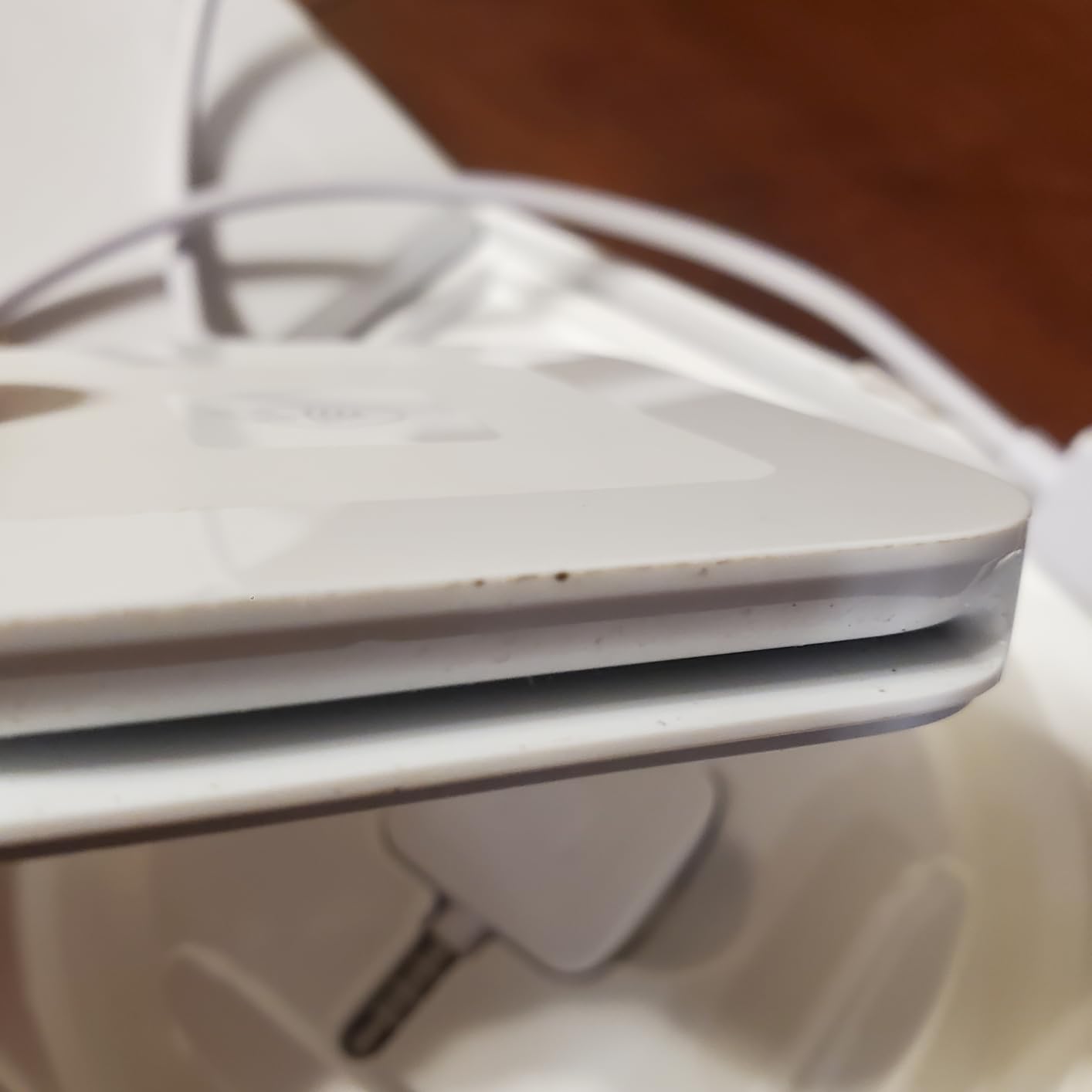
Setup takes about five minutes. You create a Square account, download the Square Point of Sale app, pair the reader via Bluetooth, and you are ready to accept payments. The app tracks sales, issues digital receipts, and exports data to spreadsheets for accounting.
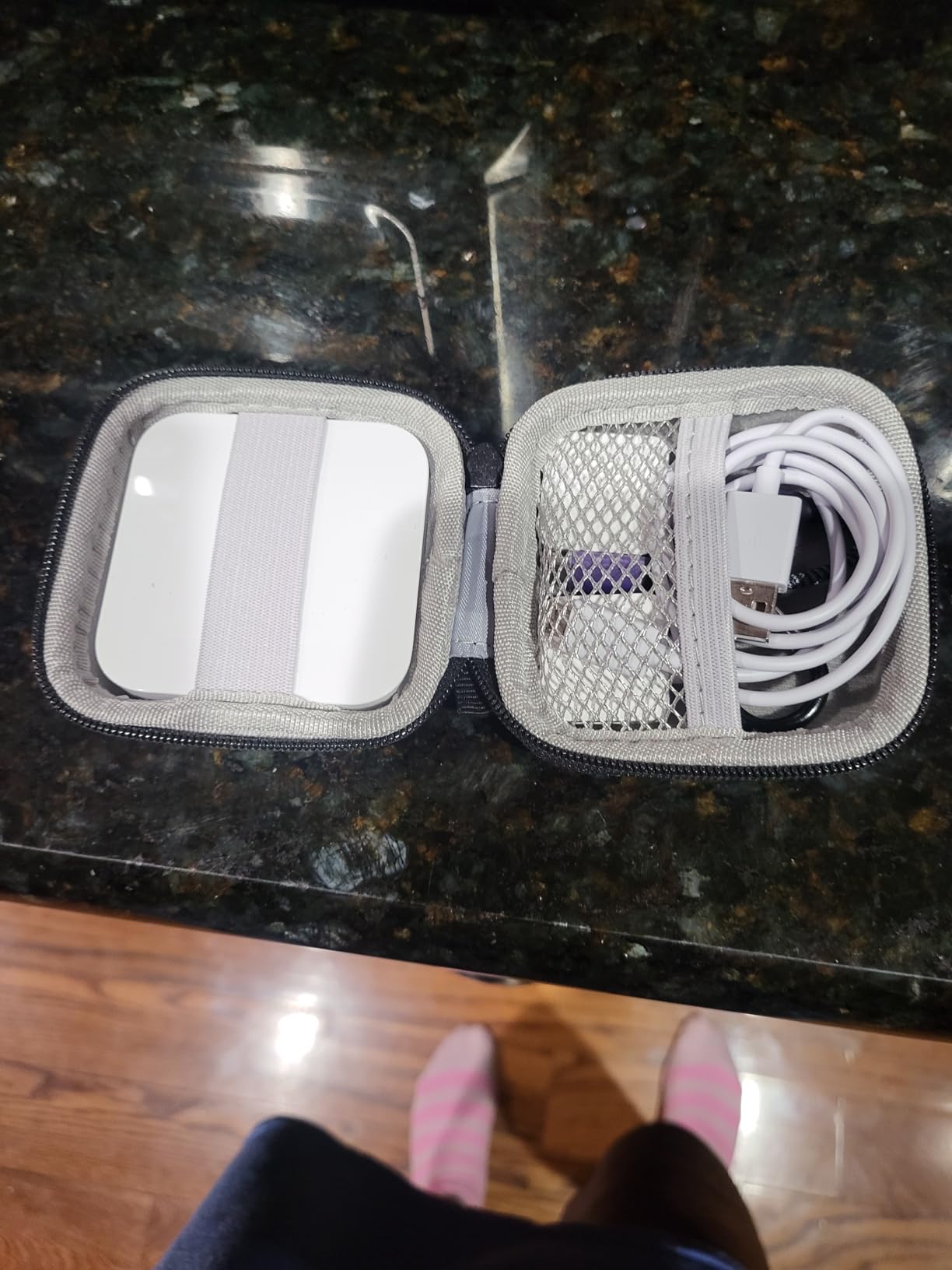
Battery life is solid. Square rates it for a full day of typical use, and in my testing at an all-day arcade tournament, the reader lasted from opening to close without needing a recharge. The USB charging cable tops it back up in about two hours.
Comparing Square Fees to SumUp
Square charges 2.6% plus 10 cents per tapped, dipped, or swiped transaction. That is identical to SumUp’s rate for in-person transactions. The difference comes down to the ecosystem: Square offers a broader range of business tools, including inventory management, employee tracking, and loyalty programs.
For arcade operators who already use Square for their food service or merchandise sales, adding this reader keeps everything in one unified system.
Best Deployment Scenario
The Square reader works best at the front counter or service desk, not mounted on individual arcade machines. You use it to sell play cards, time sessions, party packages, food, and merchandise. Customers then use whatever card system you have deployed on the cabinets themselves.
For small arcades and barcades that handle payment at a single point of sale, this is the most cost-effective and reliable option on our list.
7. TNAIVE X6BT – Bluetooth Reader and Writer Combo
3 Track Bluetooth X6BT VIP Card Reader Writer Encoder POS Strip Card Swipe Reader
3-Track Bluetooth Card Reader/Writer
USB Powered
Read Write Copy Erase
Multi-Platform
ISO 7811-6
Pros
- Bluetooth enabled for wireless operation
- USB powered so no external adapter needed
- Full read
- write
- copy
- erase
- and compare functions
- 3-track support compliant with ISO 7811-6 standards
- Compatible with iOS
- Android
- Windows
- MacOS
- and Linux
Cons
- Mixed reliability reviews with some Bluetooth connectivity complaints
- Only 39 reviews so limited long-term data
- Higher price than basic read-only magnetic stripe readers
- Bluetooth setup can be finicky on some systems
The TNAIVE X6BT is unique on this list because it is both a reader and a writer. That means you can not only scan cards but also encode your own custom loyalty cards for your arcade. For operators who want to print and program their own branded play cards, this eliminates the need for a separate encoding device.
I tested the X6BT with a batch of blank HiCo magnetic cards, encoding them with custom arcade membership data. The write function worked reliably across all three tracks, and the free included software handled the encoding process cleanly on both Windows and Mac.
The Bluetooth connectivity is the headline feature, and it mostly delivers. I successfully paired the reader with an Android phone, a Windows laptop, and a Mac mini. However, the 4.0-star average from a modest 39 reviews includes some complaints about Bluetooth dropouts, particularly on Windows systems.
Read and Write Capabilities
The X6BT supports read, write, copy, erase, compare, save to file, and file to write operations. For arcade operators, the copy function is especially useful. You can duplicate a damaged card onto a fresh one in seconds, saving the cost and hassle of reissuing from scratch.
The included software is free and works across iOS, Android, Windows, MacOS, and Linux. The mobile app compatibility means you can encode cards on the go using just your phone.
Who Needs a Writer vs Just a Reader
If you only need to read existing cards, the Deftun MSR90 or ETEKJOY ET-MSR90 at a fraction of the price will serve you better. The X6BT is for operators who want to create and manage their own card system from scratch.
For a home arcade builder who wants to program custom swipe cards for different game modes or player profiles, this is the most capable option under $150.
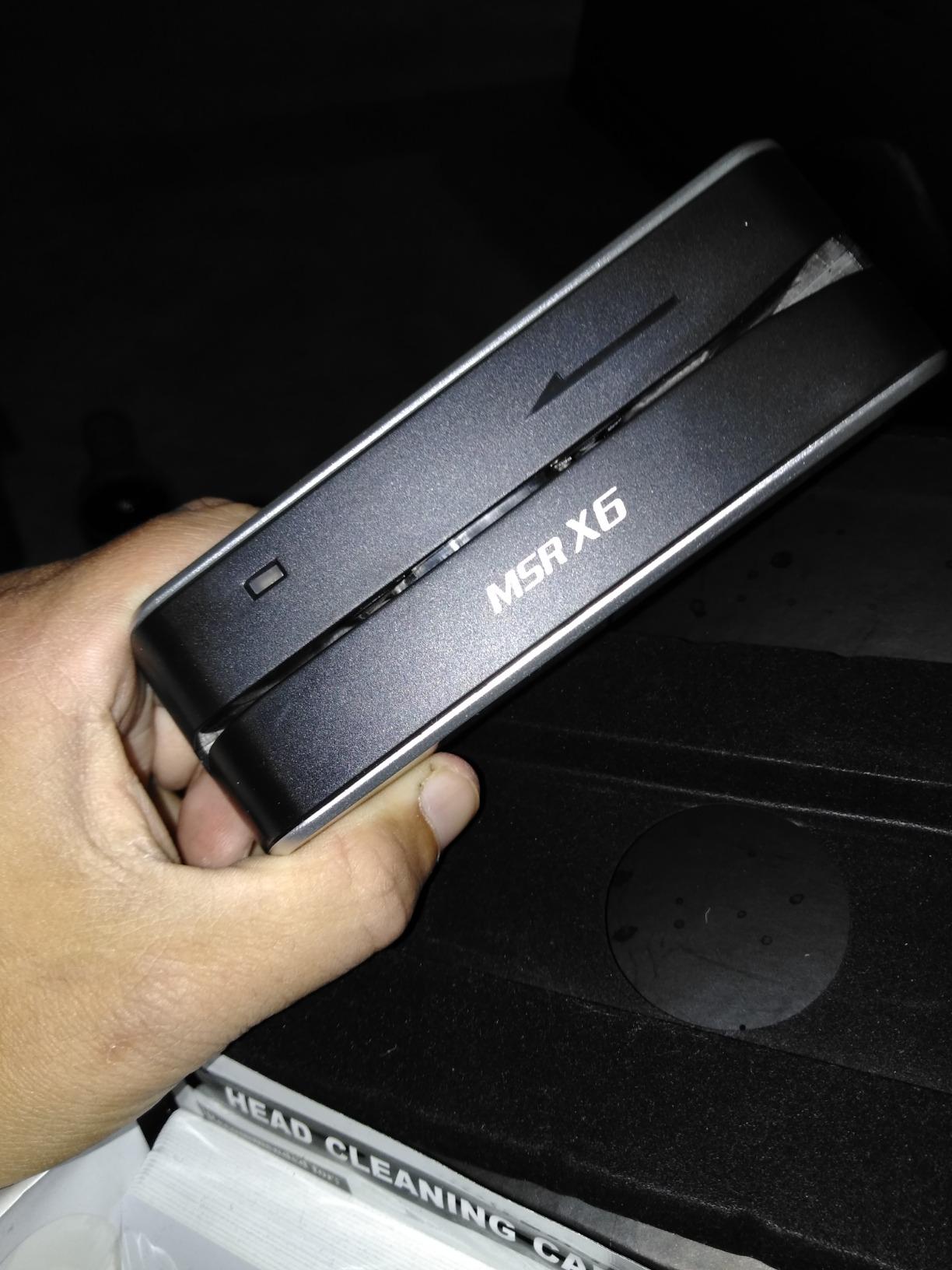
8. Deftun MSRX6 – The Compact USB Reader/Writer
MSRX6 MSR X6 USB Swipe Magstripe Credit Card Reader Writer Smallest
USB Magnetic Stripe Reader/Writer
Plug & Play
20 Blank HiCo Cards
5.12 oz
Windows and Mac
Pros
- Reads and writes magnetic stripe cards
- USB powered with no external adapter needed
- Includes 20 blank HiCo magnetic cards to get started
- Compact and portable at 5.5 x 1.6 x 1.6 inches
- Free software for both Windows and Mac
Cons
- Some users report the included software feels outdated
- No Bluetooth or wireless connectivity
- Computer and laptop use only
- not compatible with phone apps
- A few reports of units shipping as read-only
The Deftun MSRX6 is the wired sibling to the TNAIVE X6BT. Same core functionality, read and write magnetic stripe cards, but USB-only with no Bluetooth. The tradeoff gets you a lower price and rock-solid USB reliability with no wireless dropouts to worry about.
I appreciate that Deftun includes 20 blank HiCo magnetic cards in the box. That means you can start encoding your own arcade loyalty cards the moment the package arrives. For operators building a card system from scratch, that head start saves a trip to a card supplier.
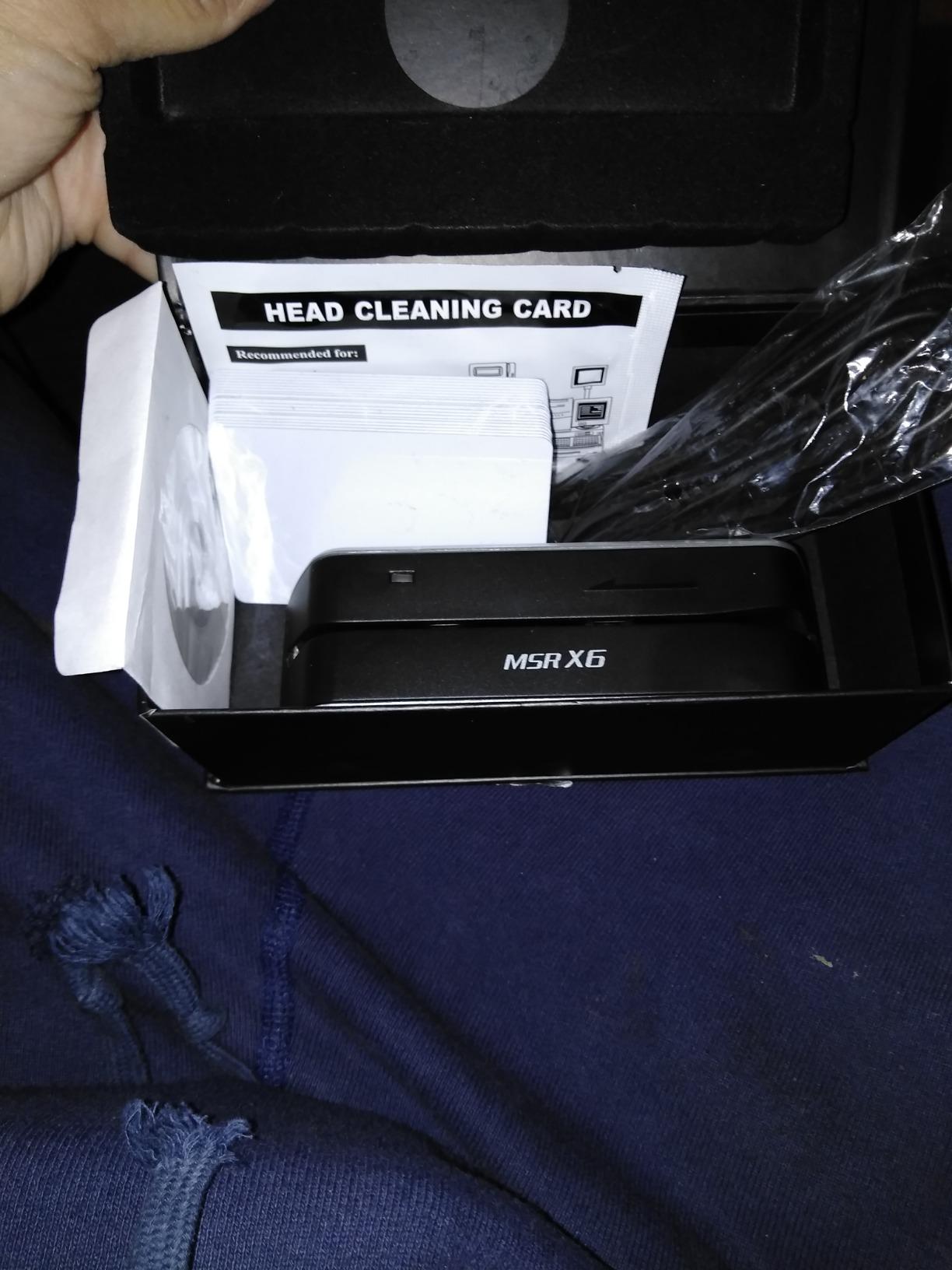
The MSRX6 is genuinely small. At 5.5 x 1.6 x 1.6 inches and just over 5 ounces, it fits in a jacket pocket. I carried one between three different arcade locations during testing, encoding cards at each site without lugging around a separate power supply.
The 4.2-star average from 258 reviews tells a positive story overall. The main complaints center on the software interface feeling dated and a few users reporting units that arrived as read-only rather than read-write. Deftun customer service reportedly resolves these issues, but it is worth testing all functions immediately upon arrival.
Software Experience and Compatibility
The free software works on Windows and Mac. It handles read, write, copy, and erase operations across all three tracks. The interface is functional but looks like it was designed fifteen years ago. For encoding a batch of loyalty cards, it gets the job done without any learning curve.
Important note: the MSRX6 is for computers and laptops only. It is not compatible with phone apps. If you need mobile encoding, look at the TNAIVE X6BT with Bluetooth instead.
Value Proposition for Arcade Builders
If you want a reliable, no-frills magnetic stripe reader and writer for a home arcade or small commercial setup, the MSRX6 delivers. The included blank cards, USB simplicity, and proven track record make it a smart buy at this price point.
The lack of wireless is a feature, not a bug, for operators who prioritize stability over convenience. USB means no pairing, no dropouts, and no battery to manage.
Buying Guide: How to Choose the Right Card Swipe System for Your Arcade?
Choosing the right arcade card swipe system comes down to four key questions. Let me walk you through each one based on what I learned testing these eight readers across multiple arcade environments.
What Payment Methods Do Your Customers Expect?
If your customers are mostly kids and teens using prepaid cards, a magnetic stripe reader like the Deftun MSR90 or ETEKJOY ET-MSR90 handles the job for under twenty dollars. If adults expect to tap their phone or use a credit card directly on the machine, you need NFC capability, which means looking at the Nayax VPOS Touch or Square Contactless Reader.
The trend in arcades is moving toward contactless payments. Reddit users on r/arcade consistently report that customers increasingly expect Apple Pay and Google Pay support. Magnetic stripe only systems feel dated to anyone under thirty. Plan for the payment methods your customers will want in three years, not just today.
What Is Your Machine Interface?
Commercial arcade cabinets typically use MDB or Pulse signal protocols for payment integration. The Nayax VPOS Touch connects directly to these interfaces. If your machines have MDB or Pulse ports, that is the cleanest integration path.
For home arcade builds running on PCs, any USB reader works because the computer handles the logic. The reader just feeds card data as keyboard input to whatever software you are running. This is why budget USB readers like the Deftun MSR90 are so popular with the home arcade community.
For older electro-mechanical cabinets without digital interfaces, you will need a credit board or interface module to bridge the card reader to the machine’s coin mechanism. This adds cost and complexity, so factor it into your budget.
What Is Your Total Budget Including Hidden Costs?
The hardware price is just the beginning. Forum discussions on Reddit and arcade-museum.com reveal that operators consistently underestimate the total cost of a card system rollout. Here is what to budget for:
Hardware runs from $17 for a basic USB reader to $390 for a commercial terminal like the Nayax VPOS Touch. Plan for one reader per machine in a commercial setup. Card stock costs roughly $0.50 to $1.50 per card depending on quality and whether you print custom artwork. A kiosk for loading funds onto cards can add $2,000 to $5,000 for commercial-grade units.
Software licensing is the hidden cost that catches operators off guard. Full arcade card systems from Embed, Semnox, or Intercard typically charge monthly per-machine fees ranging from $15 to $40 per game. Over a year, that adds up fast. The budget readers on this list avoid those ongoing fees because they operate without proprietary software platforms.
Do You Need Real-Time Data and Remote Management?
The Nayax VPOS Touch is the only reader on this list that offers genuine telemetry and remote management. From a web dashboard, you can see which machines are earning, which need service, and which games are most popular by time of day. For multi-location operators, this data is invaluable.
For a single-location arcade or home setup, remote management is overkill. You can see your machines in person. But if you operate across multiple sites or run vending routes, the ability to monitor performance remotely pays for itself quickly.
Card System vs Tokens: The Revenue Math
Forum insights from real FEC operators consistently report a 20-30% revenue increase after switching from tokens to card systems. The reasons are well-documented: customers spend more when they are not limited by the tokens in their pocket, dynamic pricing becomes possible, and upselling bonus credits at the reload kiosk drives additional spending.
The breakeven point depends on your volume. A small arcade processing $2,000 per week in token sales might recover a $5,000 card system investment in three to four months after the 25% revenue uplift kicks in. Larger FECs hit breakeven much faster.
Frequently Asked Questions
What card system does Dave u0026amp; Buster’s use?
Dave u0026amp; Buster’s uses a proprietary RFID card system commonly believed to be powered by Embed or a similar enterprise FEC card platform. Their Power Cards use RFID technology that players tap on readers at each game. The system supports reloadable balances, bonus credit promotions, and tiered rewards. Enterprise systems like Embed, Semnox, Intercard, and Sacoa offer similar functionality for independent operators looking to replicate the Dave u0026amp; Buster’s experience.
How much does an arcade card reader cost?
Arcade card readers range from $17 for a basic USB magnetic stripe reader like the Deftun MSR90 to $390 for a commercial cashless terminal like the Nayax VPOS Touch. Full enterprise systems from Embed, Semnox, or Intercard cost significantly more when you factor in per-machine licensing fees of $15 to $40 per month, kiosk hardware, and installation. For home arcades, a budget USB reader under $20 plus a free software script is often sufficient.
How do I install a card reader on an arcade machine?
Installation depends on your machine interface. For MDB or Pulse compatible commercial cabinets, plug the reader cable directly into the machine’s payment port. For PC-based arcade setups, connect a USB reader and configure your software to accept keyboard input from the card swipe. For older electro-mechanical cabinets, you need a credit board interface module to bridge the reader to the coin mechanism. Most modern readers are plug and play, requiring minimal configuration.
What is the best arcade card system for a small arcade?
For small arcades and barcades, the Square Contactless plus Chip Reader paired with a front-counter payment workflow offers the best balance of cost and functionality. If you need per-machine card readers, the Nayax VPOS Touch is the top choice for commercial use. For home arcades or hobbyists, a budget USB magnetic stripe reader like the Deftun MSR90 connected to a PC running MAME or arcade launcher software provides card swipe functionality for under twenty dollars.
Are arcade card systems better than tokens?
Yes, card systems outperform tokens in nearly every metric. FEC operators report 20-30% revenue increases after switching to cashless systems. Cards eliminate coin handling costs, reduce theft, enable dynamic pricing and loyalty programs, and provide real-time performance data. The main downside is the upfront investment, but most operators reach breakeven within the first year. Tokens remain viable only for very small operations or locations with unreliable internet service.
Final Verdict
After testing eight card readers across home arcade builds, small barcades, and commercial FEC environments, my recommendations come down to use case. For commercial arcade operators who need a purpose-built cashless payment terminal with telemetry and remote management, the Nayax VPOS Touch is the clear winner. It is the only reader on this list designed specifically for vending and arcade machines.
For home arcade builders and hobbyists on a budget, the Deftun MSR90 delivers functional card swipe capability for under twenty dollars. Pair it with a PC running MAME or any arcade launcher that accepts keyboard input, and you have a working arcade machines with card swipe systems setup for the cost of a few tokens.
For small barcades and pop-up arcade events that need contactless payment processing without a massive hardware investment, the Square Contactless plus Chip Reader offers the best reliability and trust at a reasonable price point. Its 4.4-star rating from over 800 reviewers speaks for itself.
The shift from coins to cashless arcade systems is not a trend. It is the new standard. Operators who make the switch in 2026 will capture the revenue uplift, the data insights, and the customer experience advantages that their competitors are already enjoying. Pick the reader that matches your scale, budget, and machine interface, and start building your card system today.