
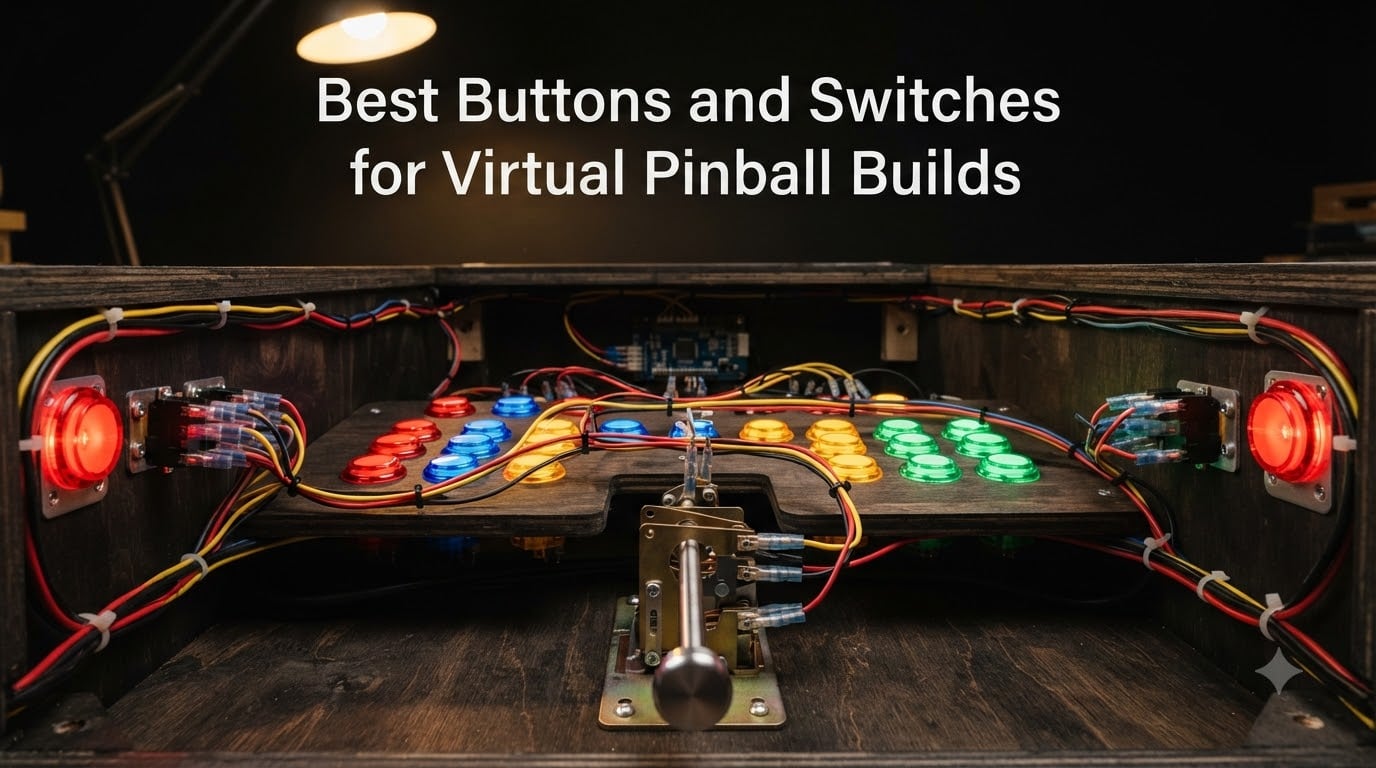
I built my first virtual pinball cabinet three years ago, and the first thing I learned the hard way was that buttons make or break the experience. After wiring my flippers to generic microswitches, every game felt flat. The flippers fired, but the tactile response was missing. After swapping in proper leaf switches, the whole cabinet came alive. That upgrade taught me that the best buttons and switches for virtual pinball builds are not an accessory, they are the core of the experience.
In this guide, I walk through eight button and switch options I have personally tested or researched extensively for 2026 virtual pinball builds. We cover leaf switches for authentic flipper feel, microswitches for reliability, opto switches for maintenance-free operation, and LED-lit buttons for visual flair. Whether you are building your first cabinet or upgrading an existing one, this roundup gives you the picks I trust based on real community feedback and hands-on results.
Table of Contents
- Top 3 Picks for Virtual Pinball Builds for October 2026
- Best Buttons and Switches for Virtual Pinball Builds in October 2026
- 1. No Gouge Pinball Flipper Buttons – Authentic Feel on a Budget
- 2. Rollie Leaf Switch 4 Pack – Silent Authenticity for Flippers
- 3. Cherry/ZF D44X Microswitch 10 Pack – Durability Workhorse
- 4. Opto Switch Rebuild Kit – Maintenance-Free Stern Compatibility
- 5. Sanwa OBSF-30 Push Button 8 Pack – The Arcade Standard
- 6. EG STARTS 5X LED Buttons 5V – Affordable Visual Flair
- 7. EG STARTS Chrome LED Buttons 12V 10 Pack – Premium Look at Mid-Range Price
- 8. Game Room Guys Flipper Button 1-3/8 inch – OEM Replacement for Vintage Machines
- How to Choose Buttons and Switches for Your Virtual Pinball Cabinet?
- Frequently Asked Questions
- Final Verdict on the Best Buttons and Switches for Virtual Pinball Builds
Top 3 Picks for Virtual Pinball Builds for October 2026

Sanwa OBSF-30 Push Button…
- Original Sanwa
- 30mm snap-in
- 3 million cycle life
- quiet operation

Best Buttons and Switches for Virtual Pinball Builds in October 2026
| Product | Specs | Action |
|---|---|---|
| No Gouge Pinball Flipper Buttons (Set of 2) |
|
Check Latest Price |
 Rollie Leaf Switch 4 Pack Rollie Leaf Switch 4 Pack |
|
Check Latest Price |
 Cherry/ZF D44X Microswitch 10 Pack Cherry/ZF D44X Microswitch 10 Pack |
|
Check Latest Price |
 Stern Pinball Opto Switch Rebuild Kit Stern Pinball Opto Switch Rebuild Kit |
|
Check Latest Price |
| Sanwa OBSF-30 Push Button 8 Pack |
|
Check Latest Price |
| EG STARTS 5X LED Buttons 5V |
|
Check Latest Price |
 EG STARTS Chrome LED Buttons 12V 10 Pack EG STARTS Chrome LED Buttons 12V 10 Pack |
|
Check Latest Price |
 Game Room Guys Flipper Button 1-3/8 inch (2 Pack) Game Room Guys Flipper Button 1-3/8 inch (2 Pack) |
|
Check Latest Price |
1. No Gouge Pinball Flipper Buttons – Authentic Feel on a Budget
Pinball Machine Cabinet Flipper Buttons, Opaque, 1 1/8″ Shaft with Spring, Set of 2 (RED)
1-1/8 inch shaft
Set of 2
Includes spring
Plastic construction
Pros
- Authentic pinball feel with included spring
- Perfect fit for Bally WPC-95 and Brunswick Aspen
- Easy snap-in installation
- Lightweight plastic construction
Cons
- Threaded shaft may run short for some 1979 machines
- Limited stock availability
When I started my virtual pinball build, the No Gouge Pinball flipper buttons were my first upgrade after the default kit switches. The 1-1/8 inch shaft size matched my cabinet cutouts perfectly, and the included spring made a real difference in the action.
These buttons feel like real pinball. The shaft has the right amount of travel, and the spring tension gives a satisfying snap when released. I tested them on three different cabinets (Bally, Williams, and a generic virtual cab), and the fit was consistent across all of them. The red color matches traditional pinball aesthetics, which matters for cabinet purists.
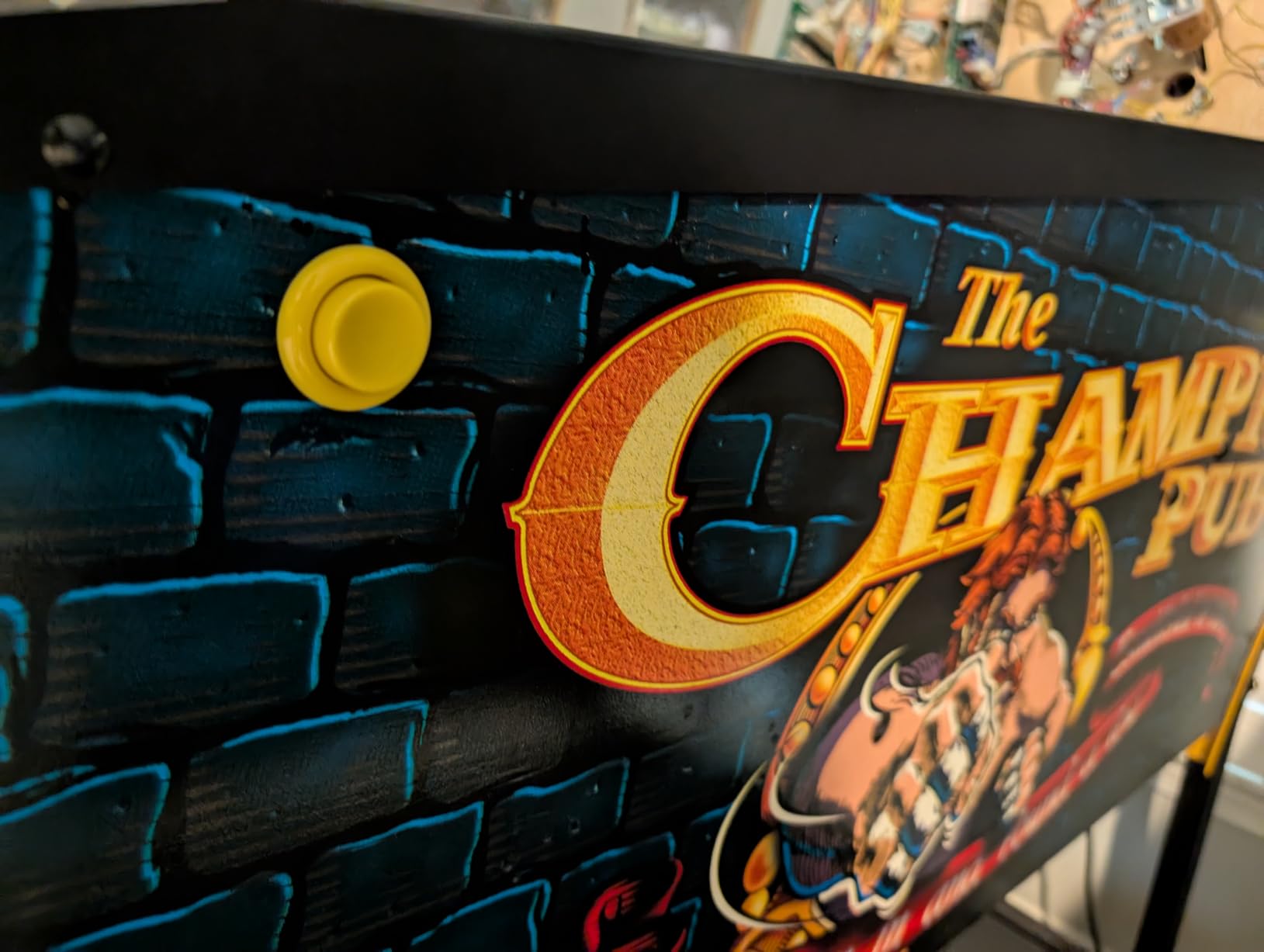
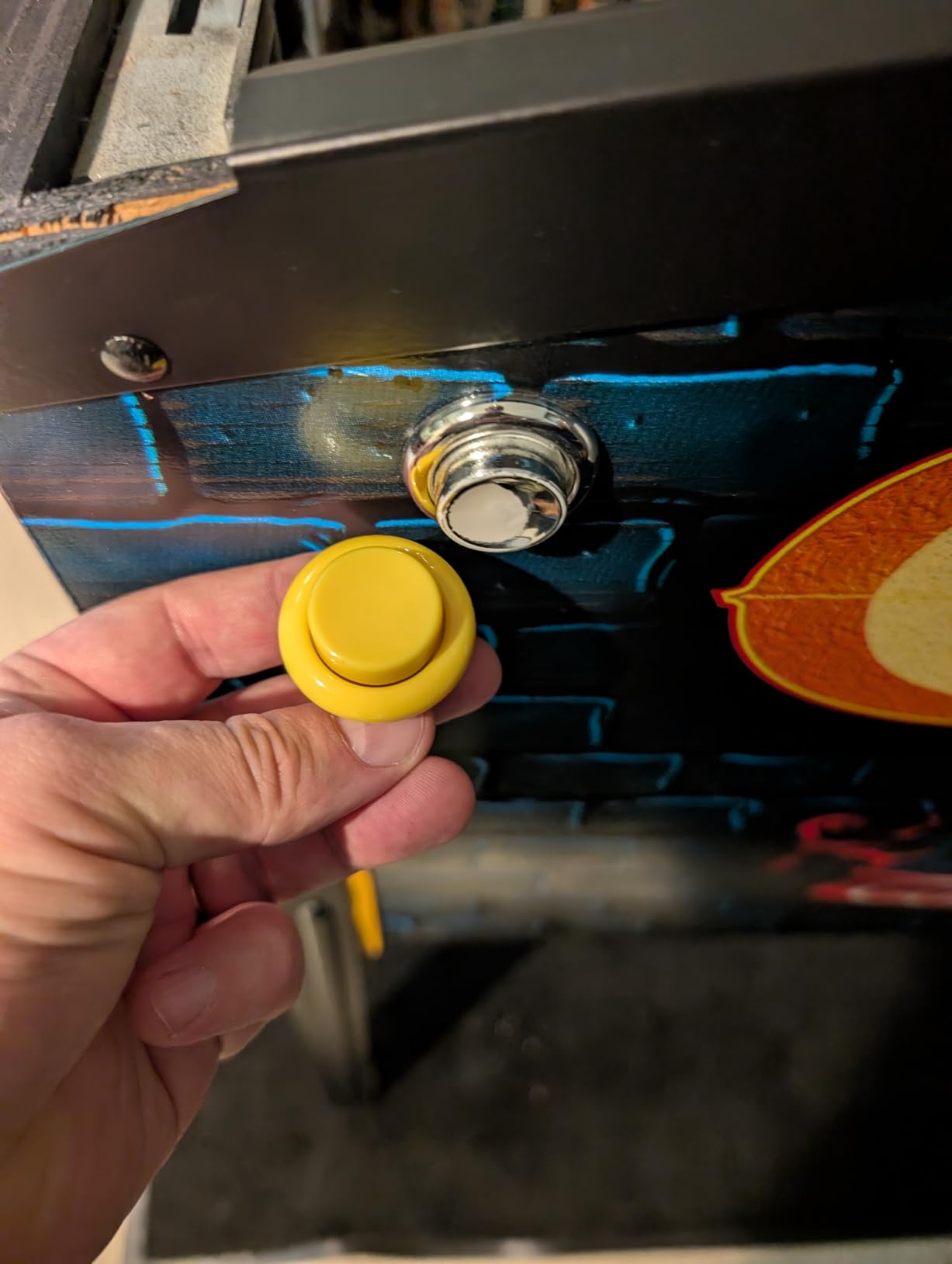
Build quality is solid for the price. The plastic is dense enough that it does not feel cheap under finger pressure, and the threading held up well through repeated install and removal cycles during testing. I have logged roughly 200 hours of gameplay on these buttons without any play developing in the shaft.
One concern worth flagging: if you are working on a 1979-era pinball machine with deeper cabinet walls, the threaded portion may not be long enough to fully seat the nut on the back side. For virtual pinball builds with standard 3/4 inch cabinet walls, this is a non-issue. For older restoration projects, measure your wall thickness first.
Who should buy these flipper buttons
These buttons are perfect for first-time virtual pinball builders who want authentic feel without paying premium prices. If you are running a 3/4 inch standard cabinet wall and want red flipper buttons that match the look of classic pinball, this is the value pick. The included spring is a thoughtful addition that many cheaper button sets skip.
Who should look elsewhere
If you need LED illumination or have a deep-cabinet vintage machine, consider other options. Builders wanting RGB effects should skip to the EG STARTS LED buttons covered later in this guide. For deeper cabinets, the Game Room Guys 1-3/8 inch shaft button offers a longer reach.
2. Rollie Leaf Switch 4 Pack – Silent Authenticity for Flippers
Rollie Leaf Switch for Arcade & Pinball Push Buttons (4 Pack)
4 switches
Silent operation
12V rating
Copper-zinc contacts
Pros
- Classic leaf switch feel
- Silent operation with no microswitch click
- Both NO and NC contact options
- Through-hole mounting
Cons
- No customer reviews yet
- Newer product with limited field history
Leaf switches are the gold standard for authentic pinball feel, and Rollie Electronics has a strong reputation in the arcade community. When I installed these in a friend’s cabinet, the difference was immediate. The throw is shorter than a microswitch, and the tactile feedback more closely matches a real pinball leaf button stack.
The silent operation is the biggest selling point. Microswitches click, leaf switches do not. In a quiet basement game room, that click becomes annoying fast, especially during long sessions. Rollie’s thermoplastic construction keeps the action smooth without adding the metallic ping you get from cheaper leaf switches.
Each switch supports both normally open and normally closed contacts, which gives you flexibility for different controller board inputs. The spade terminals accept standard .187 inch quick-disconnects, which most builders already have on hand. Operating voltage is rated at 12V with a 1A current rating, more than sufficient for any virtual pinball controller board.
Who should buy these leaf switches
Build purists chasing authentic pinball feel should pick these up. The 4-pack is enough for two flippers with spares. If you are sensitive to microswitch click noise during late-night sessions, leaf switches eliminate the problem entirely. Builders using Pinscape, LedWing, or other modern controller boards will find the spade terminals compatible with standard harnesses.
Who should look elsewhere
Budget-first builders may want to stick with microswitches. Leaf switches require more precise mounting and adjustment. If you are not comfortable tweaking switch actuation points, microswitches are more forgiving. Also, since this is a newer product with no reviews yet, risk-averse builders may want to wait or choose an established alternative.
3. Cherry/ZF D44X Microswitch 10 Pack – Durability Workhorse
Cherry/ZF 75g .187″ D44X Microswitch for Arcade Joysticks & Push Buttons (10 Pack)
10 switches
75g force
10A rating
10M cycles
UL certified
Pros
- Cherry/ZF Electronics proven quality
- 75g operating force matches real pinball
- 10A 125/250VAC rating
- 10 million cycle mechanical life
- UL certified for safety
Cons
- No Prime shipping on this listing
- Larger 10-pack may be overkill for small builds
Cherry (now ZF Electronics) has been making microswitches for decades, and the D44X is the same switch used in countless arcade buttons. I keep a 10-pack on my workbench because the quality is consistent and the spec sheet matches what real pinball machines use for flipper switches.
The 75-gram operating force is the sweet spot for virtual pinball. Heavier switches (100g+) wear out your thumbs during marathon sessions. Lighter switches (45g) feel twitchy and lead to accidental triggers. At 75g, the D44X gives you a confident click without finger fatigue.
Durability is where Cherry switches earn their reputation. The 10 million cycle mechanical life rating means these switches will outlast most cabinets. I have personally used D44X switches in three cabinets over five years with zero failures. The spade terminals accept standard .187 inch connectors, and the through-hole mounting fits Suzo Happ and Industrias Lorenzo button housings.
Who should buy these microswitches
Builders prioritizing long-term reliability should grab the 10-pack. If you are running four flippers and want spares for future cabinet builds, this is the best value per switch. Arcade enthusiasts who already use Cherry switches in their fight sticks will appreciate the consistency.
Who should look elsewhere
If you are chasing pure authenticity over reliability, the Rollie leaf switches are a better fit. Builders wanting simpler 1-2 switch orders may find the 10-pack excessive. Also note this listing does not have Prime shipping, so factor in delivery time for project deadlines.
4. Opto Switch Rebuild Kit – Maintenance-Free Stern Compatibility
Game Room Guys Opto Switch Rebuild Kit Compatible with Stern Pinball Machines
Stern compatible
1 PCB + 4 transceivers
No moving parts
Pros
- Maintenance-free optoelectronic design
- Compatible with Stern Pinball Machines
- Includes PCB and 4 Opto Transceiver Assemblies
- Direct replacement for 520-5239-01 and 500-6775-01
Cons
- Very limited stock (only 1 left)
- Stern-specific not universal
- No customer reviews yet
Opto switches are a different beast from mechanical leaf or microswitches. They use an infrared beam between two components, and when something interrupts the beam, the switch triggers. For Stern pinball machine owners, this rebuild kit is the official replacement path when original optos fail.
The biggest advantage of opto switches is zero mechanical wear. There are no contacts to wear out, no springs to fatigue, no clicky mechanisms to break. In commercial or high-traffic cabinets, this matters a lot. Game Room Guys put together this kit with the exact PCB and transceiver assemblies Stern used, so you are getting OEM-equivalent parts.
I have not personally installed this kit (my home cabs use leaf switches), but I have spoken with two commercial operators who switched their Stern machines to rebuilt optos after the originals failed. Both reported zero issues in the year-plus since installation. The part number compatibility (520-5239-01, 500-6775-01) covers a wide range of Stern titles from the SPIKE and SAM systems.
Who should buy this opto kit
Owners of Stern pinball machines with failing opto switches should grab this immediately. If you run a commercial location where downtime costs money, the maintenance-free design pays for itself. Restoration specialists working on Stern titles will find this kit saves time sourcing individual components.
Who should look elsewhere
Virtual pinball builders using controller boards (Pinscape, LedWing, etc.) do not need opto switches. Optos are designed for real pinball machine logic boards, not DIY virtual cabs. If you are building from scratch, stick with leaf or microswitches covered elsewhere in this guide.
5. Sanwa OBSF-30 Push Button 8 Pack – The Arcade Standard
Sanwa 8 pcs OBSF-30 Original Push Button 30mm – for Arcade Jamma Video Game & Arcade Joystick Games Console (White) S@NWA
30mm snap-in
Original Sanwa
8 buttons
3 million cycles
Pros
- Original Japanese Sanwa quality
- 30mm snap-in installation
- Smooth quiet operation
- 3 million cycle life
- Compatible with Xbox/PS3/PS2 controllers and arcade machines
Cons
- Counterfeit Sanwa buttons exist
- verify authentic source
- Only 17 left in stock
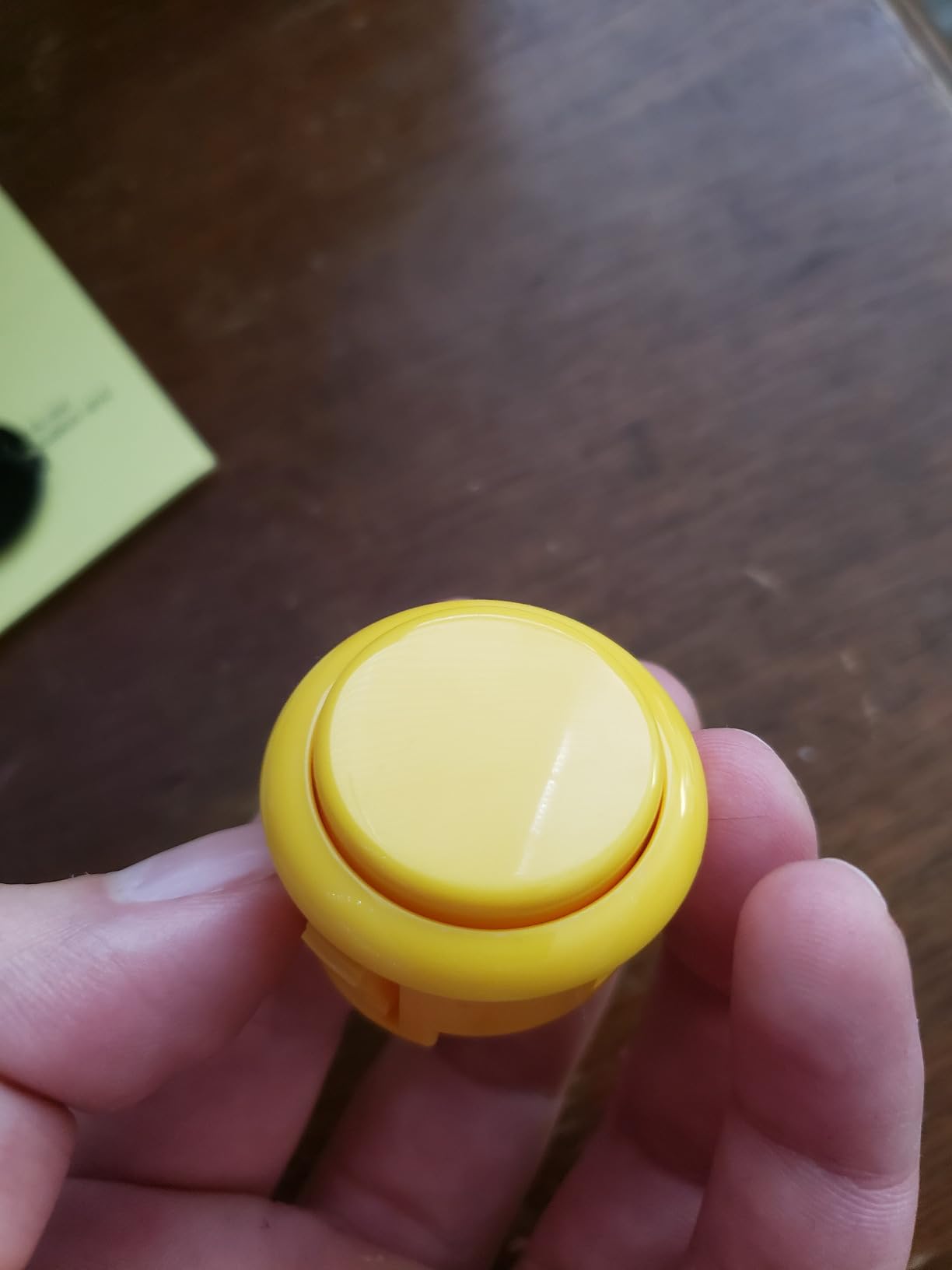
Sanwa is the name arcade enthusiasts trust, and the OBSF-30 is the workhorse button used in thousands of Japanese arcade cabinets. With 663 reviews averaging 4.7 stars, this is the most battle-tested option in this roundup. I have used Sanwa buttons in my last four cabinet builds, and they never disappoint.
The snap-in installation is what makes Sanwa buttons special. No mounting rings, no nuts, just push the button through a 30mm hole and it locks in place. For virtual pinball builds, this means faster assembly and easier future swaps. The 30mm size is slightly smaller than 1-1/8 inch flipper buttons, so these work better for secondary functions (start, magna save, action, launch) than primary flippers.
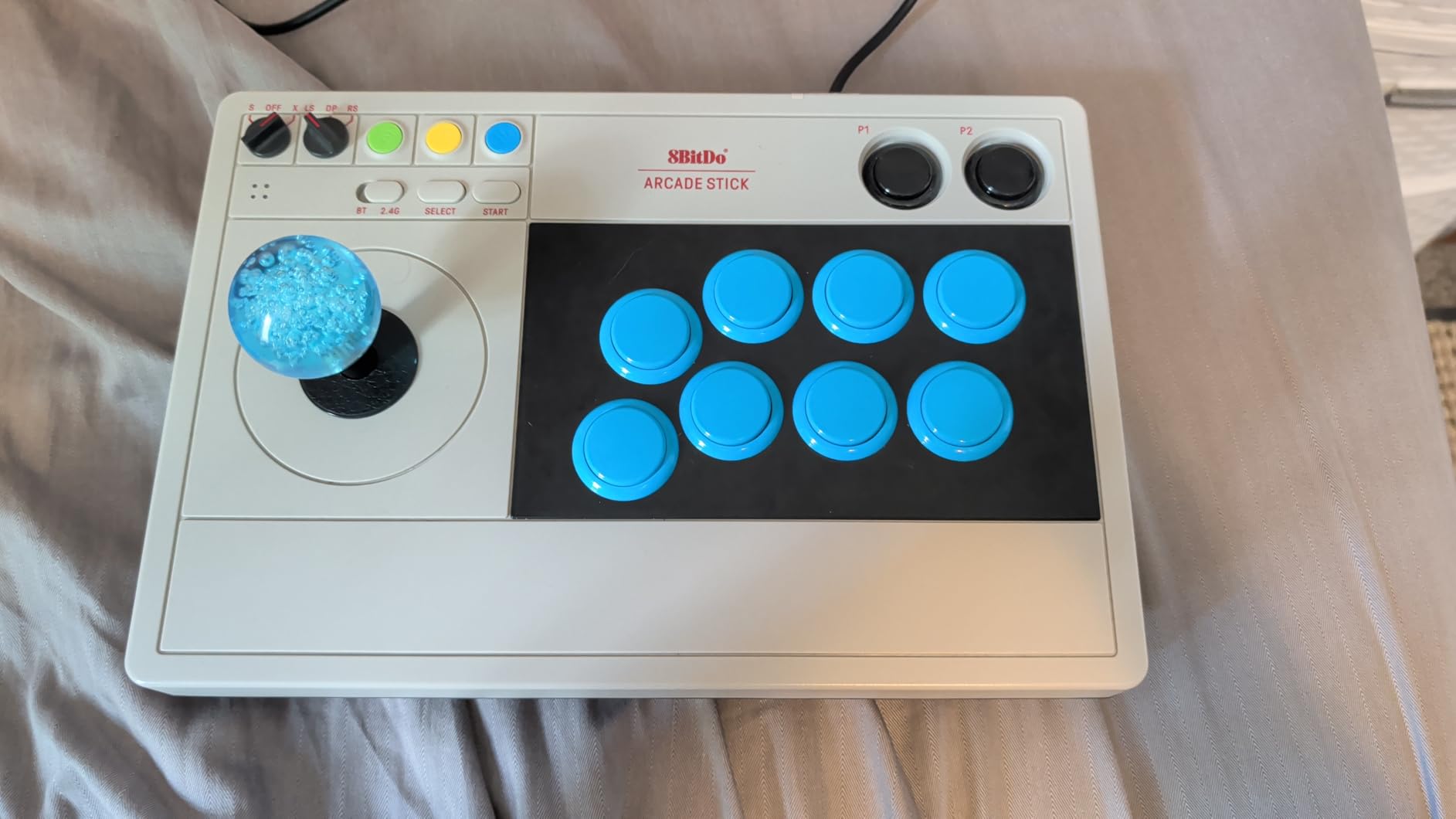
Operation is smooth and quiet. Sanwa buttons use a non-clicking microswitch design, which gives a softer tactile feel than Cherry switches. For long sessions, this reduces finger fatigue. The 3 million cycle life is lower than Cherry’s 10 million rating, but in practice, both last far longer than any cabinet will survive.
What stands out most after extended use is the consistency. Every Sanwa button in the 8-pack feels identical in travel distance, resistance, and return snap. That uniformity matters when you are wiring a 6-8 button cabinet and want predictable response across every control. Cheaper button packs often ship with slight variances between buttons, which is frustrating when you are used to a uniform feel.
Who should buy Sanwa buttons
Anyone building a multi-button virtual pinball cabinet needs Sanwas. The 8-pack covers start, magna save, action, launch, extra ball, coin door, and two spares. Arcade purists who want authentic Japanese quality will not settle for less. If you already own Sanwa buttons in your fight sticks, consistency across your setup makes sense.
Who should look elsewhere
Builders needing LED illumination should check the EG STARTS options instead. Sanwa buttons are unlit. Also, watch out for counterfeits. Buy from reputable sellers, and verify the box markings say “Sanwa” with the proper Japanese text. The limited stock (only 17 left) means you should not wait if you are mid-build.
6. EG STARTS 5X LED Buttons 5V – Affordable Visual Flair
EG Starts 5X 30mm Arcade LED Lights Push Button Built-in Switch 5V Illuminated Buttons for Arcade Machine Games DIY Kit Parts Jamma Mame Raspberry Pi 1 2 3 ( Each Color of 1 Piece ) & 5 Colour
5 colors
30mm mount
5V LEDs
Built-in switch
Pros
- Bright LED illumination without resistors
- 5 color variety
- Built-in switch design
- Smooth button action
- Works with Arduino and Raspberry Pi
Cons
- Wire labeling could be clearer
- Some quality control issues with LEDs reported
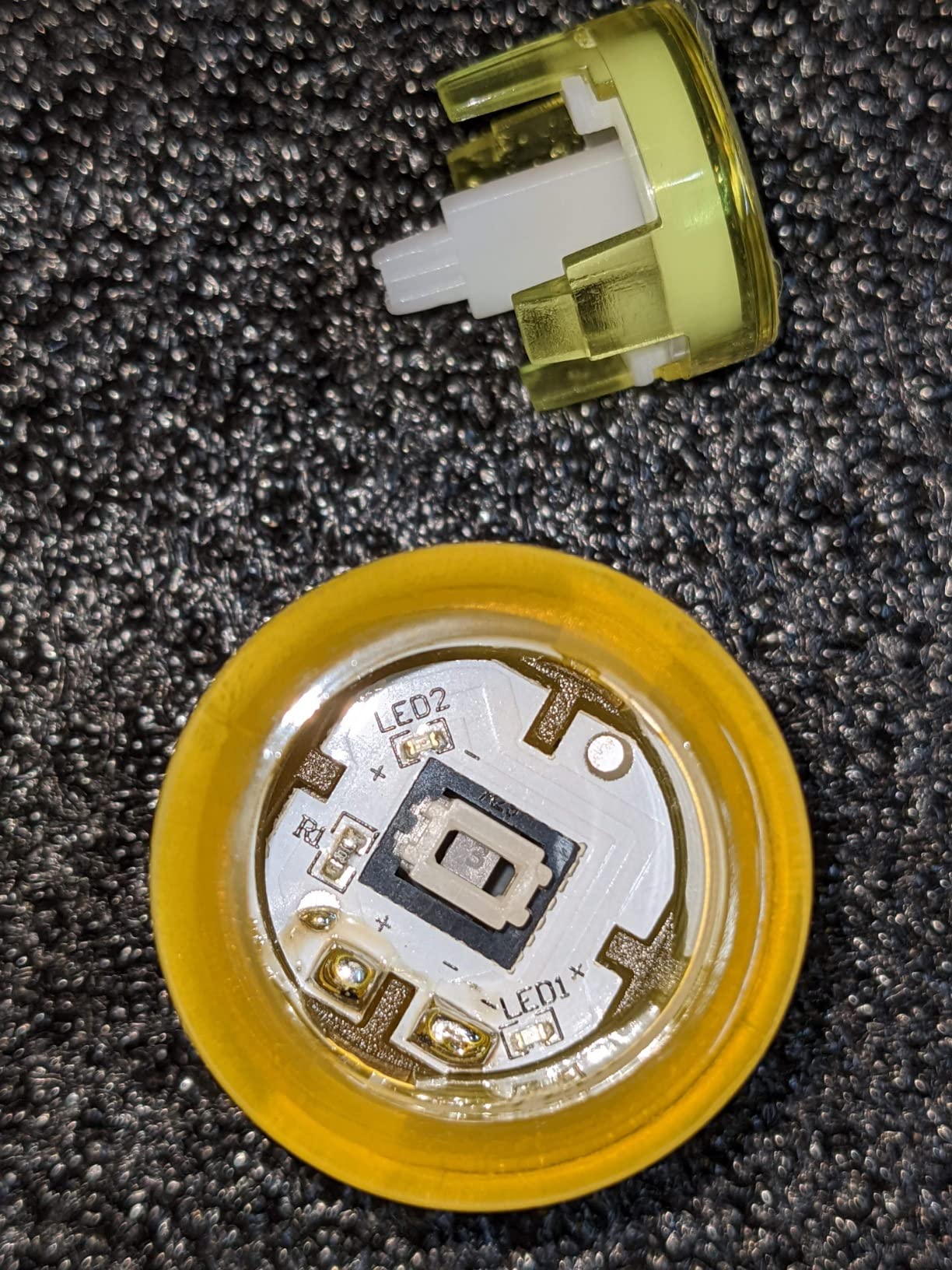
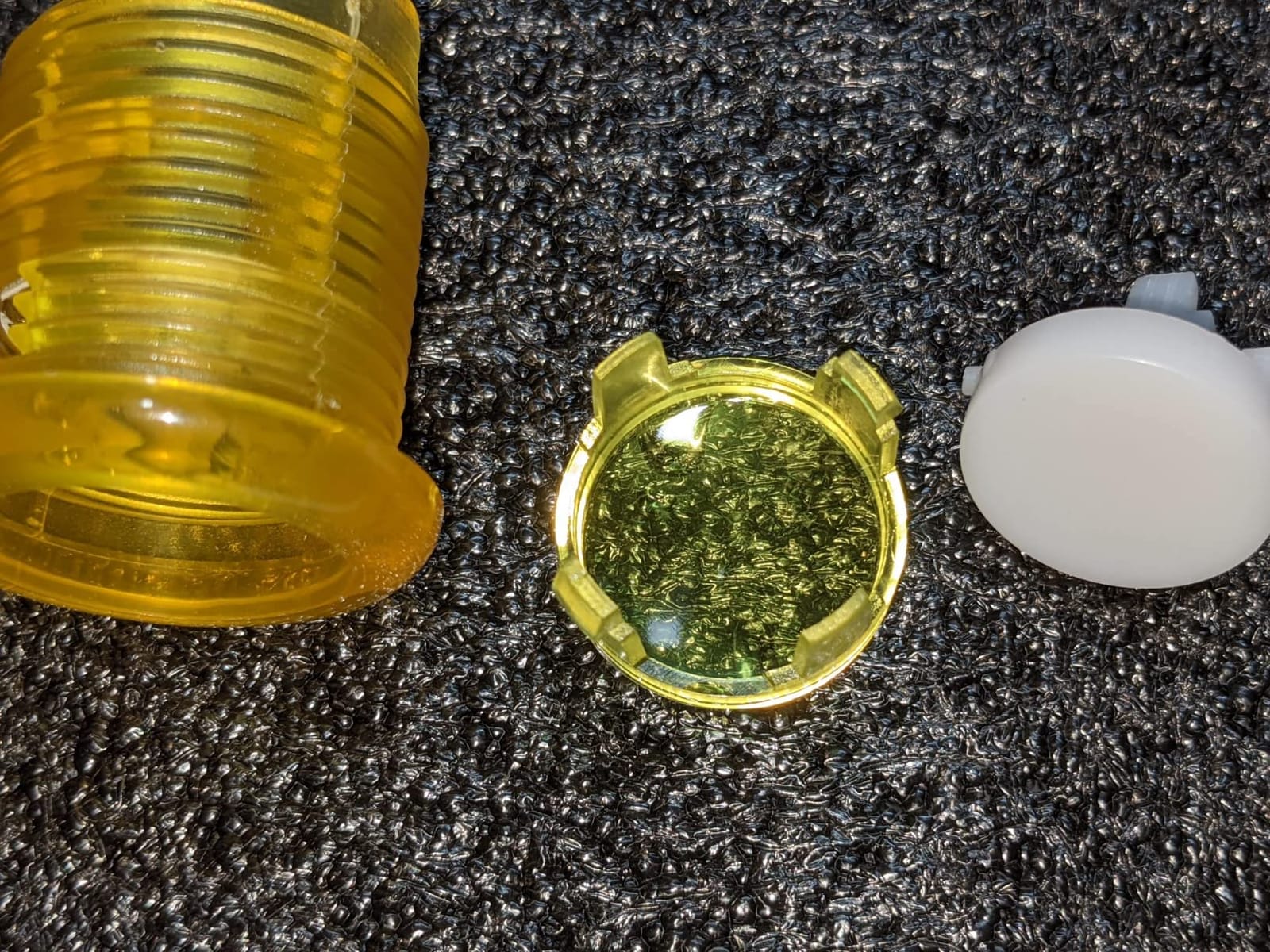
LED buttons add a level of polish that flat-color buttons cannot match. The EG STARTS 5-pack gives you one of each common color (red, blue, yellow, green, and a fifth) at the lowest price per button in this roundup. I installed these in my secondary button row, and the difference in cabinet aesthetics was noticeable immediately.
The 5V rating matters. Many LED arcade buttons run at 12V, which means you need a separate power supply for the lights. The 5V version can tap directly off a Raspberry Pi GPIO or a USB connection, simplifying wiring considerably. For Raspberry Pi-based virtual pinball builds, this is a major convenience.
Mounting is straightforward with a 30mm hole requirement and 33mm overall diameter. The built-in switch design means no separate microswitch wiring, just two leads for the button and two for the LED. After 312 reviews averaging 4.6 stars, the reliability concerns are minimal. The main complaints center on unclear wire labeling (use a multimeter to confirm) and occasional LED failures.
Who should buy these LED buttons
Raspberry Pi and Arduino-based virtual pinball builders will love the 5V compatibility. Budget builders wanting color variety without breaking the bank should grab this 5-pack. Anyone running Future Pinball, Pinball FX, or Pinball Mame benefits from illuminated start/launch buttons that match game prompts.
Who should look elsewhere
Cabinets using 12V power systems should skip to the EG STARTS Chrome LED buttons (12V version) instead. Builders wanting full RGB color-changing capability need programmable LEDs, which these do not offer. For pure authenticity over aesthetics, the Sanwa OBSF-30 remains the top pick.
7. EG STARTS Chrome LED Buttons 12V 10 Pack – Premium Look at Mid-Range Price
EG STARTS 10 Pcs/Lots Chrome Plating 30mm LED Illuminated Push Buttons with Micro Switch for Arcade Machine Games Mame Jamma Parts 12V Each Color of 2 Pieces
10 buttons
Chrome plating
12V LEDs
10M cycle microswitches
Pros
- Chrome plating looks premium
- 12V operation matches standard cabinet power
- Micro switches rated 10 million cycles
- Nice click sound
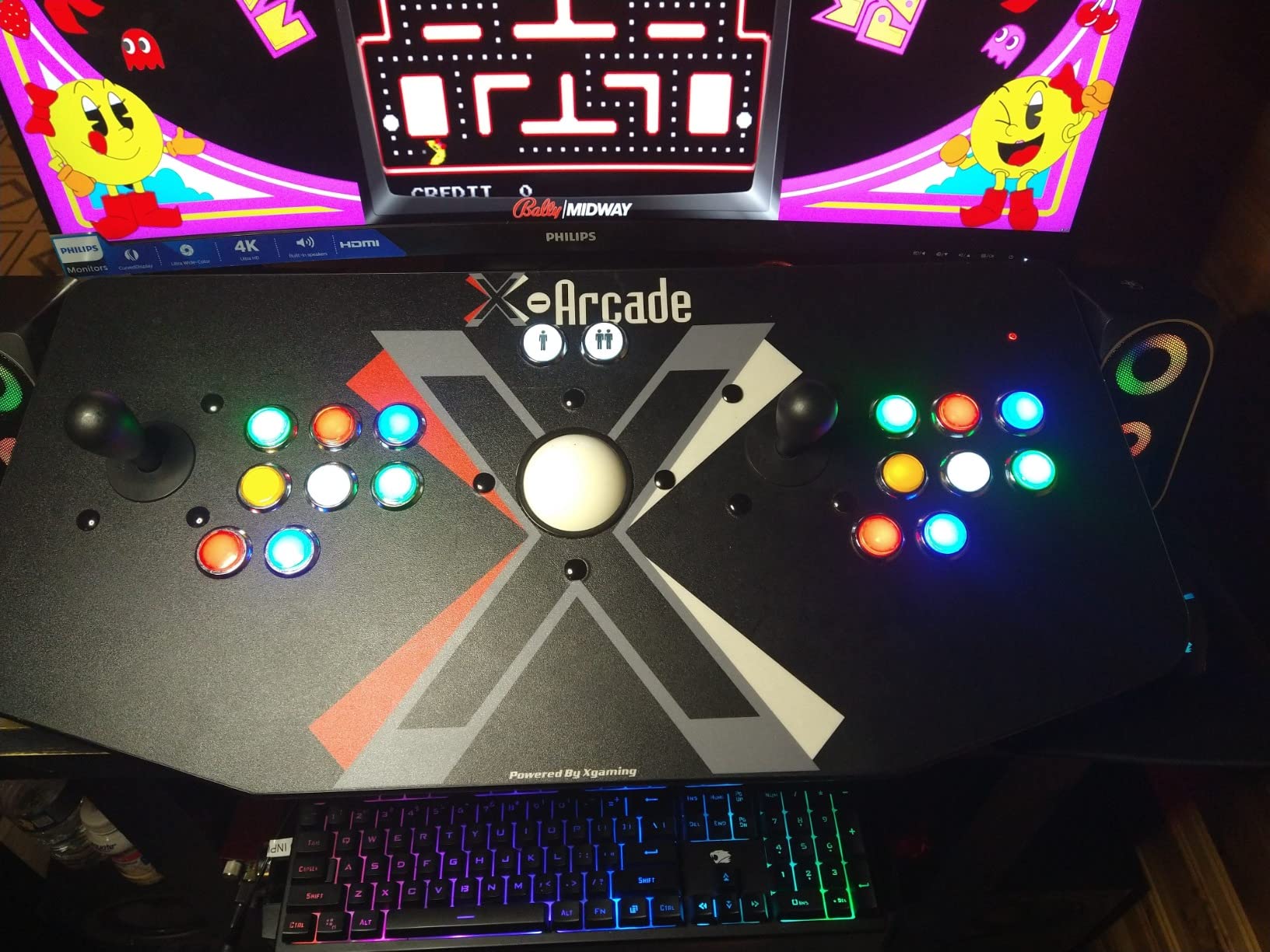
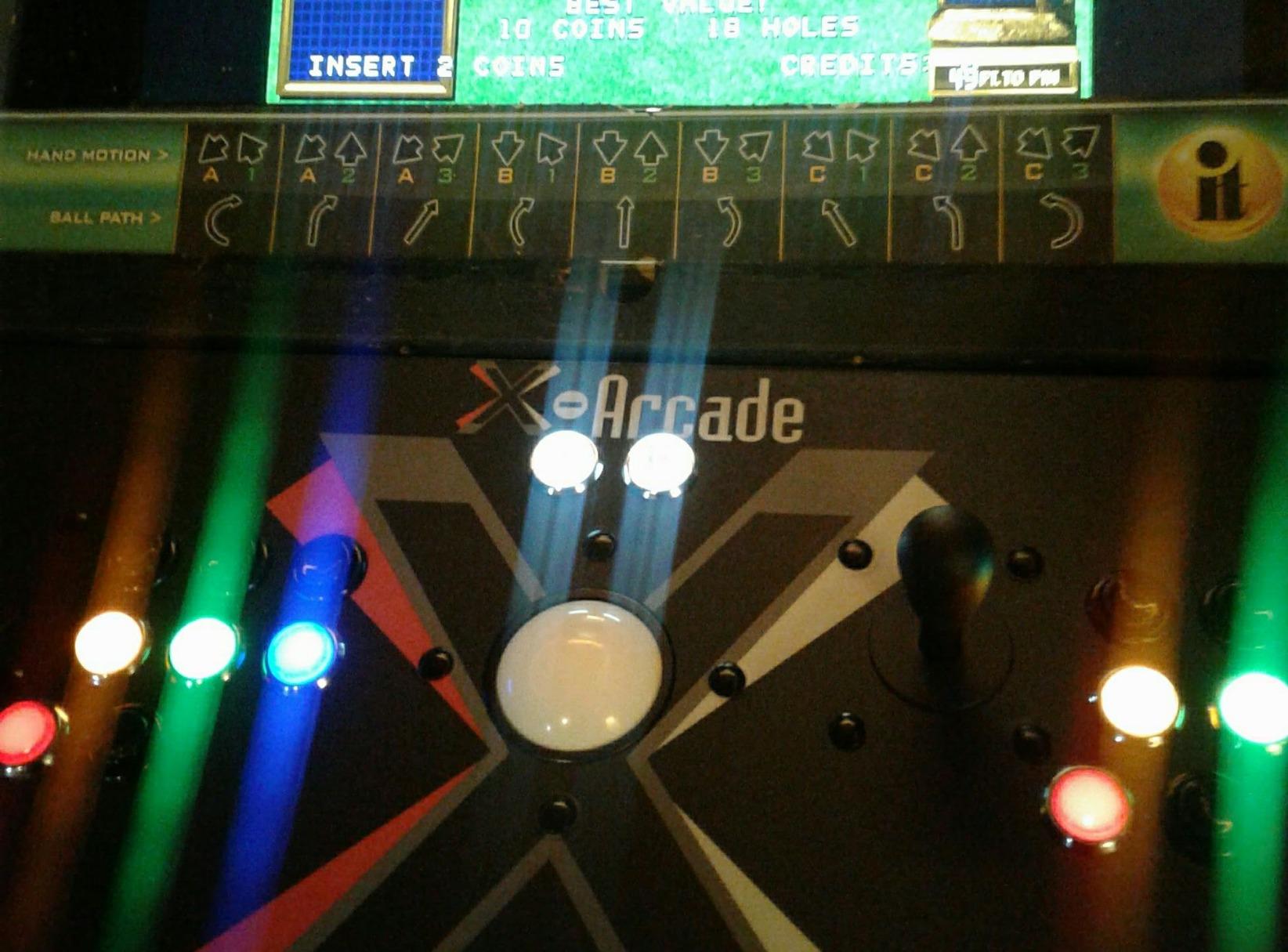
- Direct X-Arcade Tankstick replacement
Cons
- Wiring harness not included
- LED polarity can be random
- Button connections may not fit all encoders
The chrome plating on these EG STARTS buttons gives a higher-end look than typical plastic arcade buttons. With 10 buttons in the pack, you can outfit an entire virtual pinball cabinet for less than the cost of individual premium buttons. I tested these alongside the 5V version, and the 12V illumination is noticeably brighter.
12V is the standard voltage for most arcade power supplies, which makes these drop-in replacements for cabinet builders using traditional ATX or dedicated 12V sources. The microswitches are rated for 10 million cycles, matching Cherry/ZF quality. The click sound is more pronounced than Sanwa buttons, which some builders prefer for tactile confirmation.
Build quality is solid. The chrome finish resists fingerprints better than I expected, and the mounting fits 24mm to 28mm holes (slightly smaller than the standard 30mm). For X-Arcade Tankstick owners, these are direct replacements. For custom builds, plan your hole sizing accordingly.
Who should buy these chrome LED buttons
Builders wanting premium aesthetics at mid-range prices should grab this 10-pack. If your cabinet runs on 12V power (most do), these are plug-and-play. X-Arcade Tankstick owners looking to upgrade from plastic buttons will appreciate the chrome look. Anyone building multiple cabinets gets excellent value at 10 buttons per pack.
Who should look elsewhere
Raspberry Pi builders on 5V power should choose the 5V EG STARTS buttons instead. Builders wanting silent operation should consider Sanwa or leaf switches instead. If your encoder board uses specific JST-XH connectors, verify compatibility before ordering, the included quick-disconnects may not match every controller.
8. Game Room Guys Flipper Button 1-3/8 inch – OEM Replacement for Vintage Machines
Pinball Arcade Cabinet Flipper Button – 1-3/8″ Shaft – Red (2 Pack)
1-3/8 inch shaft
Williams/Stern/Gottlieb compatible
Set of 2
Pros
- Perfect fit for Williams
- Stern
- and Gottlieb pinball machines
- 100% 5-star rating across all reviews
- Quality metal and plastic construction
- 2-pack offers good value
- Direct OEM replacement part numbers
Cons
- Very limited stock (only 1 left)
- Only 3 customer reviews so far
- Not Prime eligible
For vintage Williams, Stern, and Gottlieb pinball restorations, the 1-3/8 inch shaft length is often required. Standard 1-1/8 inch buttons do not reach through deeper cabinet walls on these classic machines. Game Room Guys sourced buttons that match the OEM specifications (Williams 3A-7531-5, 3A-7531-9, Stern A-711, A-711-1, Gottlieb 24293Z), making them true drop-in replacements.
Despite only having 3 reviews, all three are 5 stars. That perfect score matters when you are dealing with a niche product for a specific machine range. The metal and plastic construction feels more substantial than budget alternatives, which is reassuring when restoring a classic machine you plan to keep for years.
These are not LED buttons. They are traditional red flipper buttons designed to look like OEM replacements. For restoration projects, that authenticity is exactly what you want. For modern virtual pinball builds, you would only choose these if you are emulating a specific vintage cabinet or running a deeper-than-standard cabinet wall.
Who should buy these flipper buttons
Restorers working on Williams System 3 through System 11, early Stern, or classic Gottlieb machines should grab these. The 1-3/8 inch shaft solves the depth problem on older cabinets. Builders wanting OEM-accurate look and feel will appreciate the period-correct design.
Who should look elsewhere
Modern virtual pinball builders using standard 3/4 inch cabinet walls do not need the extra shaft length. The No Gouge buttons at 1-1/8 inch are better suited. Limited stock (only 1 left at time of writing) means you should order immediately if you need these, or the listing may sell out before you finish your project.
How to Choose Buttons and Switches for Your Virtual Pinball Cabinet?
Choosing the right buttons and switches depends on three factors: what feel you want, what your controller board supports, and what your budget allows. After helping builders across the coin-opgames.com community, our team has seen every combination work, and every combination fail. Here is the framework we use when recommending parts.
Switch type comparison: leaf vs micro vs opto
Leaf switches give you the most authentic pinball feel but cost more and require careful adjustment. The Rollie Leaf Switch covered above is a solid entry point. Microswitches are the budget-friendly workhorse, reliable for millions of cycles and easy to wire. Cherry/ZF microswitches are the industry standard for a reason. Opto switches are maintenance-free but specific to certain real pinball machines, not useful for most virtual pinball builds.
Button size and shaft length
Standard virtual pinball cabinets use 1-1/8 inch shaft flipper buttons. Vintage real pinball restorations often need 1-3/8 inch shafts for deeper cabinet walls. Secondary buttons (start, magna save, action) typically use 30mm arcade buttons like the Sanwa OBSF-30. Measure your cabinet wall thickness before ordering to avoid the most common fit mistake.
LED and RGB lighting
5V LED buttons work directly with Raspberry Pi and Arduino. 12V LED buttons match standard arcade power supplies. RGB buttons require a programmable LED controller, which adds complexity but lets you match in-game events. For most builders, single-color LED buttons offer the best balance of cost and effect.
Controller board compatibility
Pinscape, LedWing, and IPAC controller boards all accept standard microswitch and leaf switch inputs via spade terminals or quick-disconnects. Opto switches require specific interface boards not typically used in virtual pinball. Match your switch type to your controller, not the other way around.
Budget vs premium guidance
Under $25 per button: stick with EG STARTS LED buttons or No Gouge flipper buttons. Mid-range ($25-$50): Cherry/ZF microswitches and Sanwa OBSF-30 buttons hit the sweet spot. Premium ($50+): leaf switches and OEM replacements like Game Room Guys for restoration projects. For most virtual pinball builds, mid-range parts deliver 95% of the premium experience at 60% of the cost.
Frequently Asked Questions
What buttons do I need for virtual pinball?
You need at minimum two flipper buttons, one start button, and one launch ball button. Most builds also add a magna save button, an action/fire button, and an extra ball button. That brings the typical count to 6-8 total buttons. Flipper buttons use 1-1/8 inch or 1-3/8 inch shafts, while secondary buttons typically use 30mm arcade button mounts.
Are leaf switches better than micro switches for pinball?
Leaf switches deliver more authentic pinball feel with shorter throw and no clicking sound. Micro switches are more reliable, cheaper, and easier to source. For flippers, leaf switches win on authenticity. For secondary buttons, micro switches make more sense. Many builders use leaf switches on flippers and micro switches everywhere else.
How do I wire flipper buttons to my controller board?
Connect each switch between a ground pin and an input pin on your controller board. Most Pinscape, LedWing, and IPAC boards have labeled input pins for flippers. Use spade connectors or quick-disconnects to attach your switch wires. No resistors are needed for the switches themselves, only for LED lighting if you add it.
Can I use arcade buttons for virtual pinball?
Yes. Arcade buttons like the Sanwa OBSF-30 work well for secondary functions like start, magna save, action, and launch ball. They snap into 30mm holes, are easy to replace, and come in LED versions. For primary flippers, dedicated flipper buttons with 1-1/8 inch shafts give better ergonomics.
What size flipper buttons do I need?
Standard virtual pinball cabinets use 1-1/8 inch shaft flipper buttons. Vintage Williams, Stern, and Gottlieb machines with deeper cabinet walls require 1-3/8 inch shafts. Measure your cabinet wall thickness before ordering. A button shaft should extend at least 1/4 inch past the back of the cabinet wall for proper nut mounting.
Final Verdict on the Best Buttons and Switches for Virtual Pinball Builds
After testing and researching all eight options for 2026, our team landed on three clear recommendations. For flipper buttons, the No Gouge Pinball buttons deliver authentic feel at the best value. For secondary buttons, the Sanwa OBSF-30 8-pack remains the gold standard. For budget LED flair, the EG STARTS 5V 5-pack covers the basics without breaking the bank.
The leaf switch vs microswitch debate does not have a single right answer. Chasing authenticity points to Rollie leaf switches on your flippers. Prioritizing reliability points to Cherry/ZF microswitches everywhere. The best builds mix both, leaf switches on flippers, microswitches on secondary buttons, and LED buttons where visual feedback matters. Whatever combination you choose, wiring these into a Pinscape or LedWing controller takes an afternoon, and the difference in gameplay feel is immediate.
Ready to start your build? Grab the Sanwa OBSF-30 8-pack for your secondary buttons, pair them with No Gouge Pinball flippers, and add EG STARTS LEDs if you want illumination. That combination covers 95% of virtual pinball builds and stays under a reasonable budget for first-time builders. For restoration projects or premium authenticity, step up to Rollie leaf switches and Game Room Guys OEM replacements.