
The best robot vacuum under 300 dollars right now is the iRobot Roomba 105 Combo with its AutoEmpty dock, which pairs ClearView LiDAR mapping with a self-emptying base that holds roughly 75 days of debris. Under this ceiling you can reliably get LiDAR navigation and, in the 250-to-300 band, an automatic self-empty dock. What you cannot get is dependable obstacle avoidance or a mop that scrubs.
That is the honest trade in the sub-300 tier, and it shapes every pick below. I spent weeks reading owner reviews, spec sheets and forum threads on budget robots, then ranked all eight models on the three things that actually decide whether a robot earns its floor space: does it map, does it empty itself, and does the app let you control it. If you want the wider picture, our general guide to the best robot vacuums covers premium and mid-range machines too.
Two things deserve saying up front. First, suction wattage or Pascal ratings are not comparable across brands, so a 10,000Pa number on one machine tells you almost nothing about a 5,000Pa number on another. Judge brush design, airflow and floor coverage instead. Second, the shopping results you will see for this query are full of unnamed units rated around 2.5 stars. Those are not the same product class as the machines listed here.
Table of Contents
- Top 3 Picks for Best Robot Vacuums Under $300 in 2026
- Quick Overview: All 8 Picks Side by Side in 2026
- 1. iRobot Roomba 105 Combo with AutoEmpty Dock – Best Overall
- 2. eufy 11S MAX – Most Versatile for Small Homes
- 3. Roborock Q7 M5+ – Best Value with a Self-Emptying Dock
- 4. Roborock Q10 S5+ – Best for Carpet and Pet Hair
- 5. iRobot Roomba 105 Vac – Best Long-Running Vacuum-Only Pick
- 6. ILIFE A30 Pro – Best for Combined Vacuum and Mop
- 7. Shark Navigator – Best for Pet Hair on a Budget
- 8. Shark Matrix Plus – Best Hard-Floor Mopping
- What 300 Dollars Actually Buys: Navigation, Suction and Mop Truth
- Running Costs, the App Question and Six Setup Steps
- When to Skip a Robot Vacuum Under 300
- Frequently Asked Questions
- Final Verdict: The Best Robot Vacuums Under 300 in 2026
Top 3 Picks for Best Robot Vacuums Under $300 in 2026

iRobot Roomba 105 Combo + AutoEmpty
- ClearView LiDAR mapping
- AutoEmpty dock for 75 days
- Carpet avoidance while mopping

Quick Overview: All 8 Picks Side by Side in 2026
Every model below is verified against its own spec sheet and owner review history. The table covers the decision-relevant fields only, because a wide spec sheet tells you less than it appears to.
| Product | Specs | Action |
|---|---|---|
| iRobot Roomba 105 Combo + AutoEmpty |
|
Check Latest Price |
 eufy 11S MAX eufy 11S MAX |
|
Check Latest Price |
| Roborock Q7 M5+ |
|
Check Latest Price |
 Roborock Q10 S5+ Roborock Q10 S5+ |
|
Check Latest Price |
 iRobot Roomba 105 Vac iRobot Roomba 105 Vac |
|
Check Latest Price |
 ILIFE A30 Pro ILIFE A30 Pro |
|
Check Latest Price |
 Shark Navigator Shark Navigator |
|
Check Latest Price |
 Shark Matrix Plus Shark Matrix Plus |
|
Check Latest Price |
1. iRobot Roomba 105 Combo with AutoEmpty Dock – Best Overall
iRobot Roomba 105 Combo Robot Vacuum & Mop with AutoEmpty Dock – Self-Empties for 75 Days, Intense Power-Lifting Suction, LiDAR Navigation, Multiple Cleaning Modes, Avoids Mopping Carpet
ClearView LiDAR navigation
AutoEmpty dock, 75 days hands-free
Carpet-aware mopping
Pros
- Self-emptying dock means long stretches between maintenance
- Keeps carpets dry with automatic carpet detection while mopping
- LiDAR mapping cleans in orderly rows and supports room targeting
- App is easy to set up with keep-out zones and time estimates
Cons
- Mop performance is modest and misses edges and corners
- Pad may need plain water on some configurations
- Wall-to-wall carpet homes need hands-on intervention between runs
This is the model I keep coming back to for anyone who wants one robot to do the whole job without thinking about it. Owners consistently describe the AutoEmpty dock as the feature that changes their routine: the bin empties into a sealed bag, the dock traps allergens down to 0.7 microns, and a couple of months pass before you touch it. For a household that runs a robot daily, that is the difference between a chore you own and a chore you scheduled.
The LiDAR mapping is the second reason it wins. It drives in straight rows rather than wandering, so a 700-square-foot apartment finishes in a reasonable time instead of re-cleaning the same corner six times. The iRobot Home app supports room scheduling and keep-out zones, which is the feature forum users consistently name as the thing that actually converts them from skeptical to loyal. You can send the robot into one room rather than the whole house.
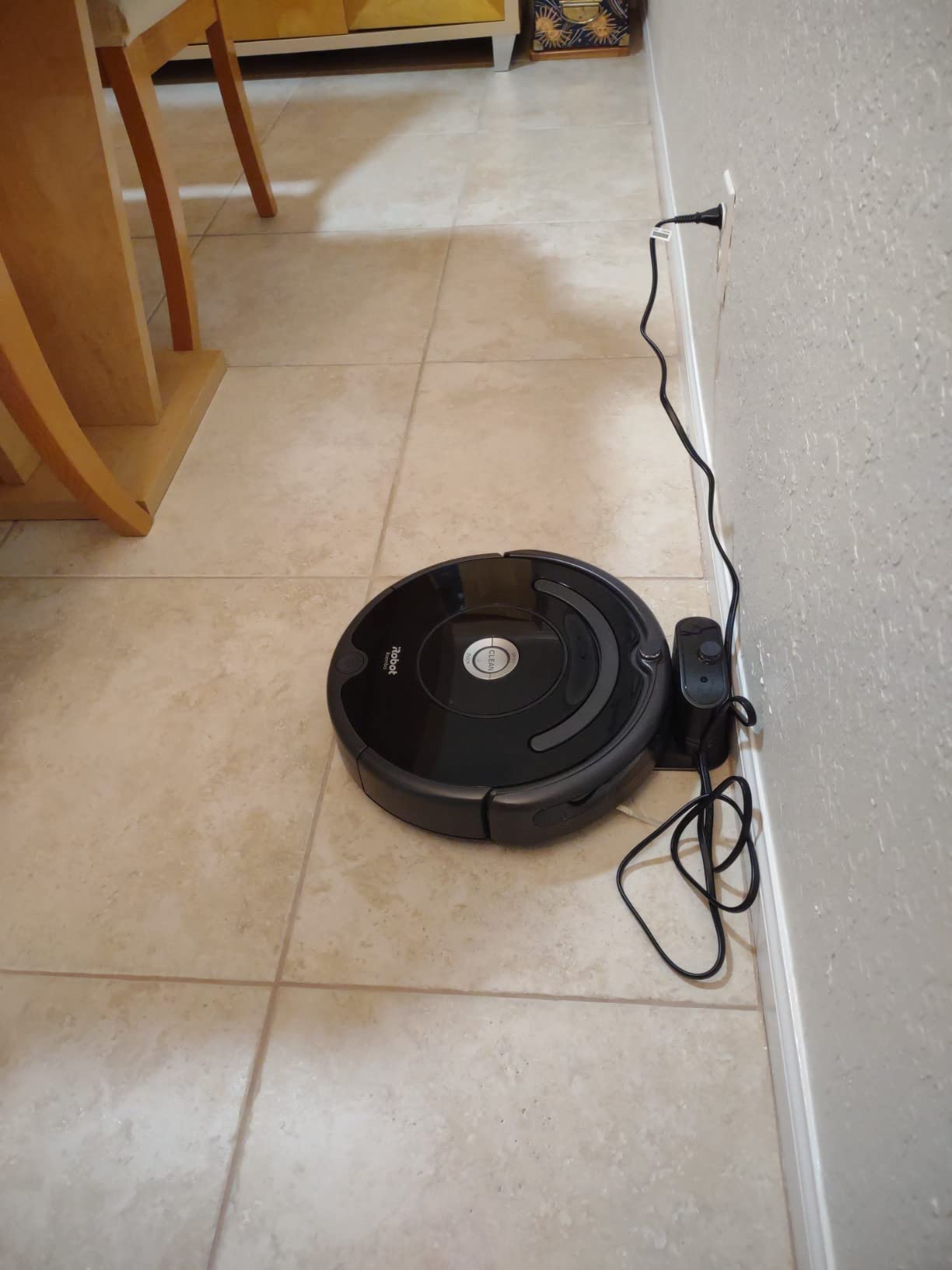
Suction is rated at 70 times the power-lifting figure of the Roomba 600 series, and owners report it lifting embedded pet hair and crumbs out of low-pile carpet without a second pass. The edge-sweeping brush earns its keep along baseboards, which is where cheaper robots leave a visible strip. Seven power levels let you drop the setting on hard floors so it does not sound like a shop vac.
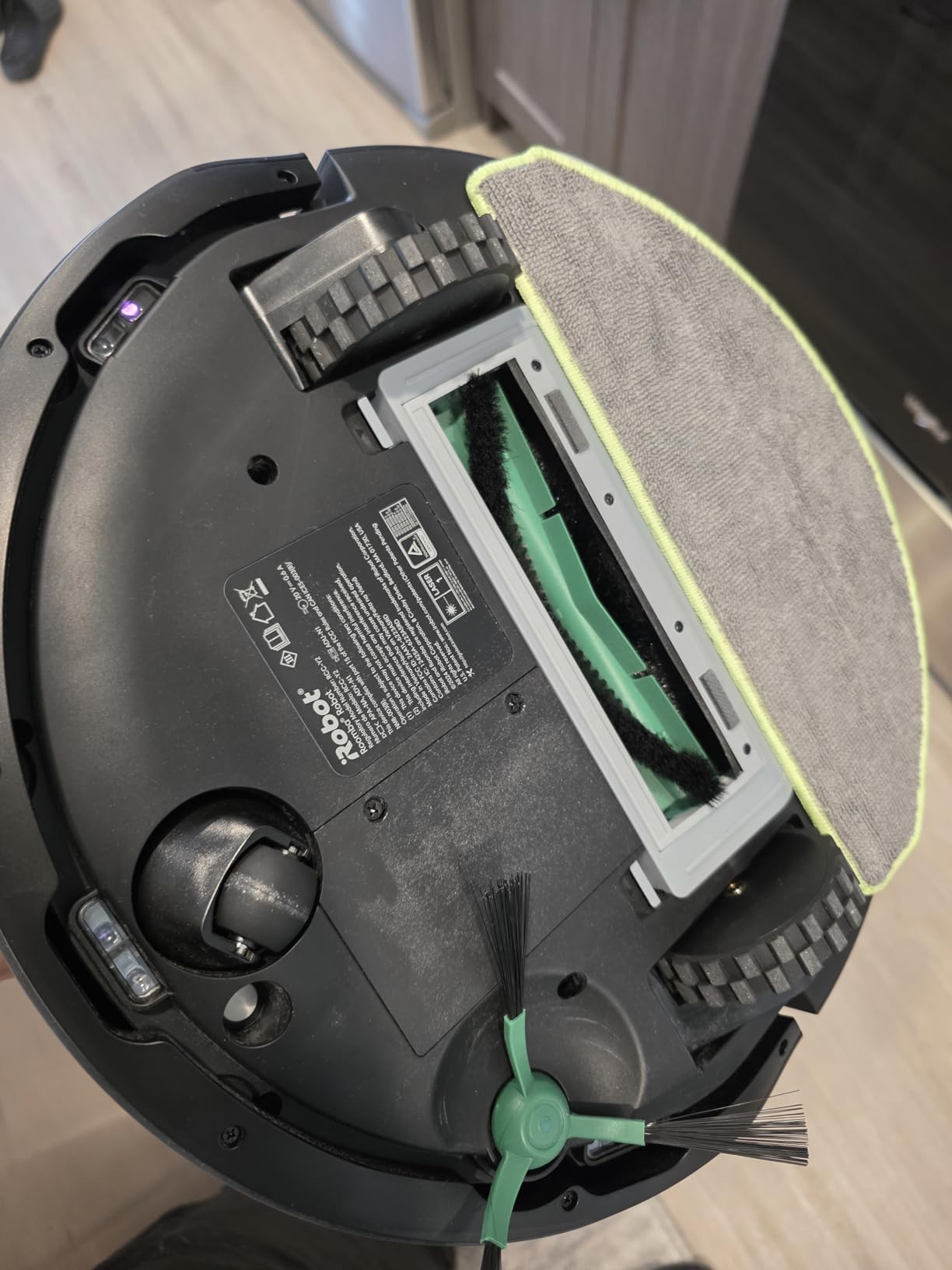
The honesty section: mopping here is a microfiber pad with a micro-pump and SmartScrub, not a scrubber. It will not replace a deep clean, it misses corners and tight edges along walls and furniture, and in homes where rugs cover most of the floor you will still be moving things by hand. If mopping is a secondary task, that is fine. If it is primary, look further down the list.
What you should check before buying
Measure your tallest gap between floor and furniture. At 4.09 inches tall, this Roomba will not go under most sofas or low cabinets, so a lot of your floor plan may be off limits. If under-sofa cleaning matters, the 2.85-inch profile on our budget pick solves it and this one does not.
Check your WiFi band too. Setup runs on 2.4 GHz, so a dual-band router with the 2.4 GHz band disabled will not pair at all. This is a small thing that derails a lot of first-time setups.
Who it suits and who it does not
Buy this if you have hard floors with area rugs, a dog or cat, and you want the machine to empty itself so daily runs actually happen. Owners moving up from older Roomba models describe it as a large step forward on bin size, noise and mapping.
Skip it if your home is wall-to-wall carpet and you want mopping handled, or if your furniture sits low and you need under-piece access. Reviewers upgrading from older Roomba E and I series units sometimes find the current iRobot app less intuitive than the one it replaced, particularly for editing routines, so check that before committing.
2. eufy 11S MAX – Most Versatile for Small Homes
eufy 11S MAX Robot Vacuum Cleaner, Super Thin, Quiet
2.85-inch super thin profile
100 minute runtime
55 dB operating level
Pros
- Very quiet at 55 dB so you can talk over it
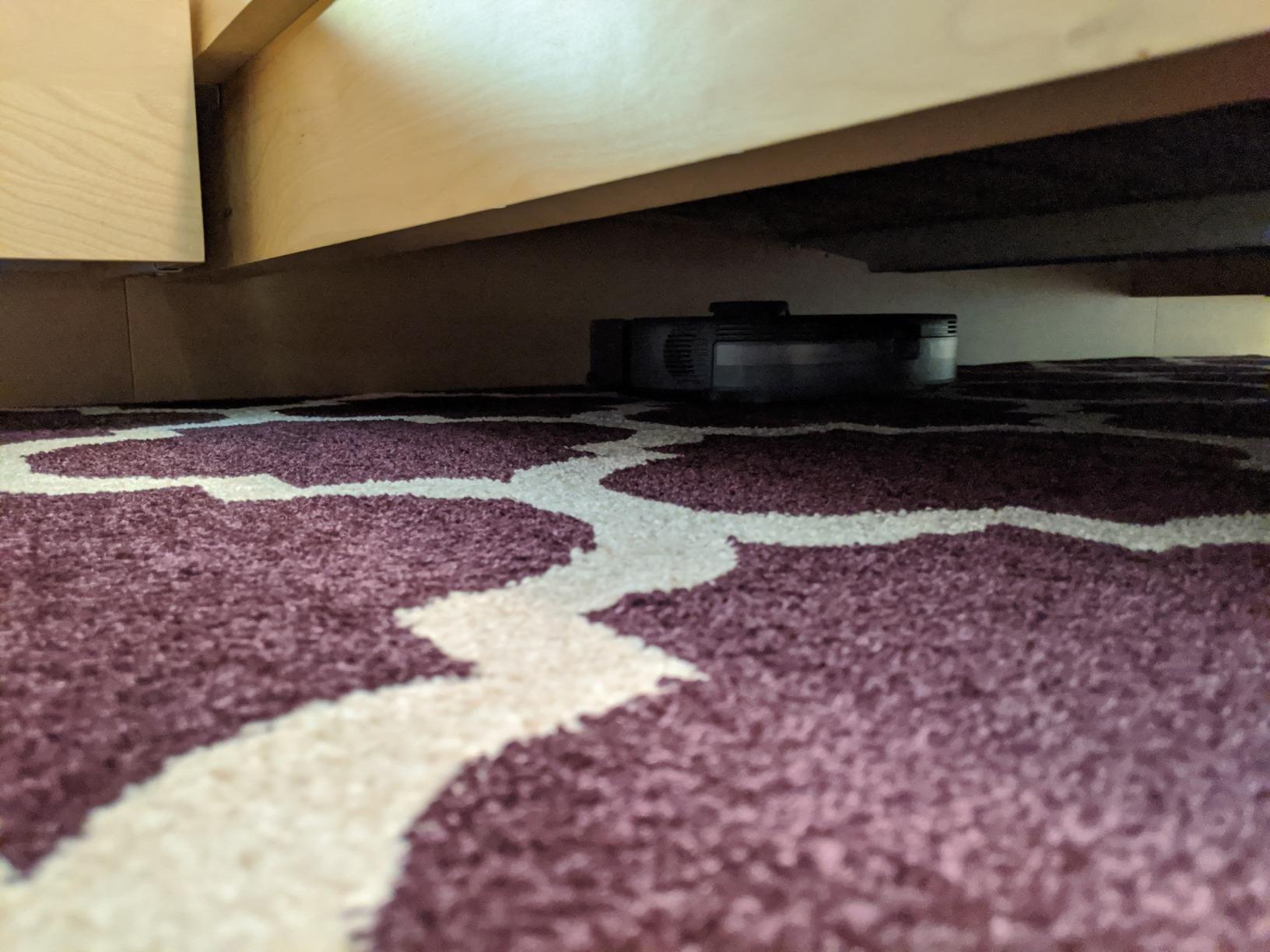
- Slides under beds sofas and low cabinets
- Strong pickup on hard floors and low-pile carpet
- No app or WiFi required
- Self-docks and recharges when the path is clear
Cons
- Random navigation with no mapping leaves gaps in complex layouts
- Misses 90-degree inside corners and leaves debris along walls
- Needs rescuing when it catches on cords or furniture
- Frequent manual brush and filter cleaning
The 11S MAX is the most-reviewed robot on this list by a wide margin, and the reason is simple: it does one thing reliably at a very low entry point. Owners call it a quiet, no-fuss workhorse. At 55 dB it is the only machine here you can run in a living room during a conversation, and the 2.85-inch profile is the thinnest here by a full inch over the next model.
That thinness is not a marketing trick. If your sofa, bed frame or TV stand sits two or three inches off the floor, this is the only robot in this roundup that cleans underneath all of it. BoostIQ adjusts suction within 1.5 seconds as it moves between surfaces, and with a 600ml bin plus 100 minutes of runtime it handles a small apartment or dorm room in a single pass.
There is one design decision worth understanding before you buy: this robot has no mapping and no app. It uses infrared sensors and drop-sensing to bump and turn, driven by a remote control with scheduling. Owners who like that it never needs a phone, a WiFi password or a software update tend to love it. Everyone else finds the random path pattern the first limitation to hit.
The predictable complaints are coverage gaps in complex layouts, inside corners it cannot reach, and a strip of debris along baseboards. It also needs manual rescue from cords and low furniture, and the brush and filter want cleaning often. Several long-term owners report eventual side-brush motor or battery failures, while praising eufy and Anker support for sending replacement parts.
What to check before buying
Walk your floor plan and count obstacles. Random-bounce navigation performs well in an open studio and poorly in a hallway-heavy layout with lots of furniture feet. If your home is more the second kind, the extra spend on a LiDAR model will save you more time than it costs.
Also decide how you feel about accessories. Filters and side brushes are consumables and this model needs them replaced on a schedule. Because it sells in large volumes, replacement parts are easy to source, which owners mention as a real advantage over no-name marketplace units.
Who it suits and who it does not
Buy this if you live in a small flat, your furniture sits low, you want the quietest robot available, and you would rather press one button than manage an app. It is also the safest first robot purchase, since there is no account to create and nothing to configure.
Skip it if you have a multi-room layout, expect to clean carpet thoroughly, or want room targeting and no-go zones. There is no map to draw, so telling it to clean the kitchen is not possible. Owners who upgraded from a mapping robot are the ones who complain most here.
3. Roborock Q7 M5+ – Best Value with a Self-Emptying Dock
roborock Q7 M5+ Robot Vacuum and Mop, Up to 7-9 Weeks Self-Empty, 10000Pa
10000Pa HyperForce suction
RockDock Plus 2.7L bag
PreciSense LiDAR mapping
Pros
- Self-emptying dock with a 2.7L bag covering 7 to 9 weeks
- Strong suction on fine dust crumbs and pet hair
- JawScrapers main brush resists hair wrap
- App supports schedules no-go zones and zone editing
Cons
- Onboard dust bin is small and can fill mid-run
- Disposable dust bags are an ongoing cost
- No automatic mop washing so the pad is hand-cleaned
- Long hair still wraps around the roller brush
The Q7 M5+ is the value pick here because it puts a self-emptying dock and LiDAR mapping into the middle of this price range and then backs them with more suction than anything else on the list. The RockDock Plus uses a 2.7L sealed bag, which owners translate to seven to nine weeks between changes depending on how much you run it.
Navigation is the part that separates this from the entry tier. PreciSense LiDAR produces real-time maps and methodical routes, and the Roborock app is the most flexible in this group, with scheduling, spot clean, no-go zones, room zoning and battery monitoring. Forum owners repeatedly single out the Roborock app and mapping as the feature that made them buy a robot in the first place.
Suction is listed at 10,000Pa and behaves like it, lifting fine dust, crumbs and embedded pet hair from low-pile carpet. The RevoDual Mop runs alongside vacuuming with three adjustable water flow settings, so you can dial it down for hard floors. Runtime is a strong 150 minutes, which comfortably covers homes well over 1,000 square feet.
The catch is the small onboard bin. On a large floor plan it can fill partway through a run and needs emptying by hand, which partly defeats the point of the self-empty dock. There is also no automatic mop washing, so the pad comes off and gets cleaned manually. And the disposable bags are a recurring cost that is easy to forget until the dock stops pulling.
What to check before buying
Measure the floor space in front of wherever you plan to put the dock. It needs clearance to line up properly for emptying, and the whole station footprint is a good deal larger than the robot itself at 19.57 inches long. Parking it in a closet or under a cabinet is a common reason owners complain about failed emptying.
Budget for bags. At roughly a bag every few weeks depending on use, this is the most likely running cost in this group and the one most first-time buyers forget. If you dislike consumables, the Shark Navigator in this list has no bags at all.
Who it suits and who it does not
Buy this if you want LiDAR mapping, room zoning and a self-empty dock without stepping up to a four-figure machine, and if your home is under roughly 1,000 square feet. The RevoDual Mop is genuinely useful on sealed hard floors when you run it with low water flow.
Skip it if you have a large open plan with lots of carpet, because the small onboard bin will need attention mid-run. It is also a poor choice if you want the robot to wash its own mop pad, which it does not do.
4. Roborock Q10 S5+ – Best for Carpet and Pet Hair
roborock Q10 S5+ Robot Vacuum and Mop, 10,000Pa Suction
10000Pa suction
70-day self-emptying station
ReactiveTech obstacle avoidance
Pros
- Strong carpet and pet hair pickup from 10000Pa suction
- Obstacle avoidance reduces floor clearing before each run
- Sonic mopping lifts the pad up to 8mm over carpets automatically
- Washable filter and thorough app control with no-go zones
Cons
- Dock station and accessories are bulky
- App configuration and firmware updates can be fiddly
- Some owners find room division unintuitive
- Mop pad still washed by hand
Where the Q7 M5+ is the sensible value pick, the Q10 S5+ is the most capable machine that still fits under the ceiling. It keeps the same 10,000Pa suction and adds ReactiveTech structured-light obstacle avoidance, which is the feature that stops it from eating cables, socks and pet bowls mid-run.
That obstacle avoidance is the practical differentiator. Forum threads about budget robots are full of complaints about cables being swallowed and the weekly chore of rescuing a vacuum. Structured-light detection is not perfect, but it reduces how often you have to clear the floor first, and that saves real time over a year of daily runs.
Mopping is genuinely better here than on the models above. VibraRise 2.0 uses dual-zone sonic mopping at up to 3,000 scrubs per minute, and the unit lifts the pad by up to 8mm when it detects carpet, so rugs stay dry without you drawing exclusion zones by hand. The self-emptying station uses a 2.7L bag rated for up to 70 days.
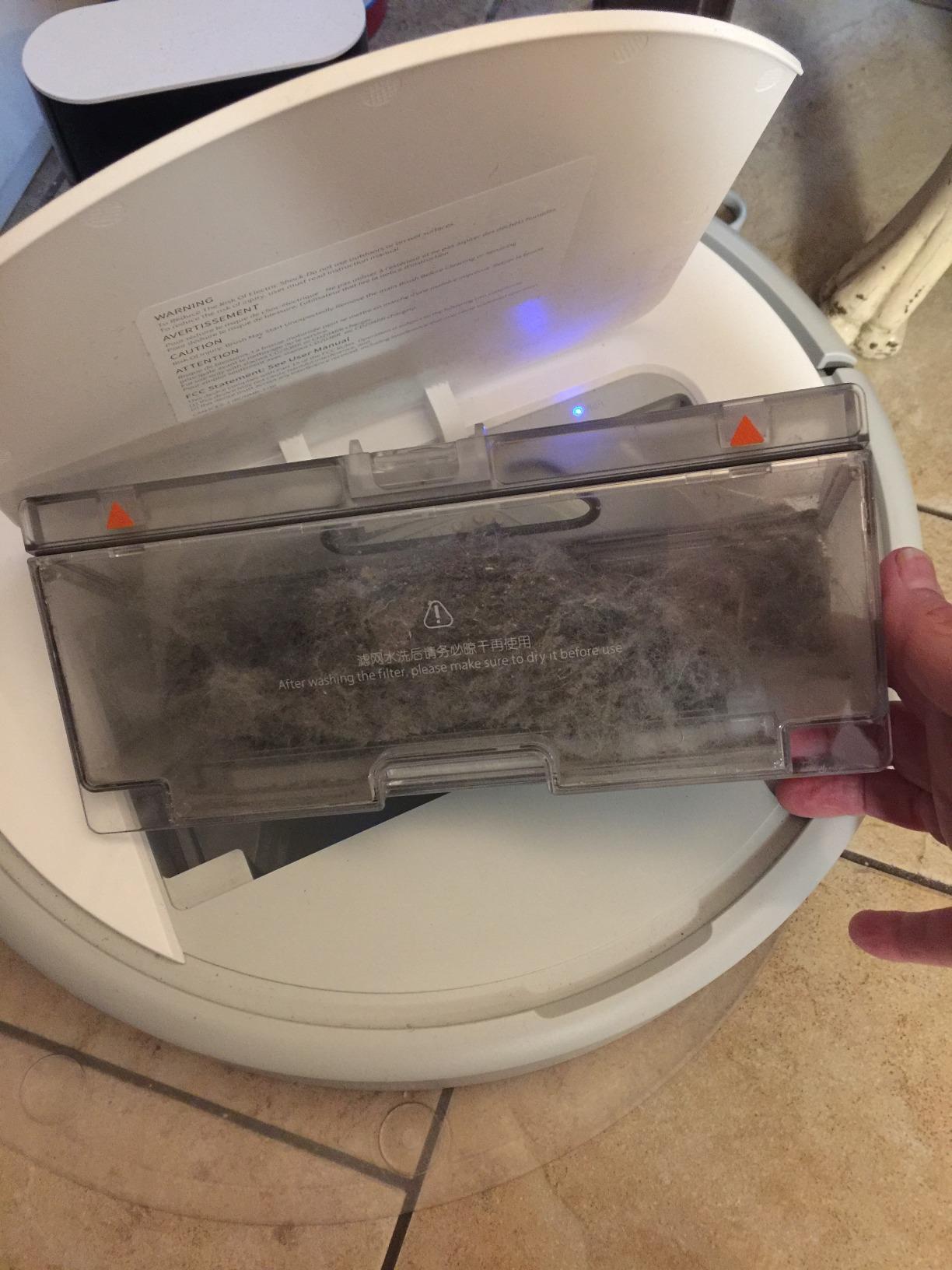
The trade-offs are size and fiddliness. The dock and accessories take up a lot of floor area, and app controls with firmware updates can require some setup patience. Room division is a workflow you learn rather than something obvious, and mopping still means washing the pad yourself. Reviewers otherwise rate this as one of the most capable robots available at this price.
What to check before buying
Find a permanent home for the dock before you buy, not after. At roughly 20.7 inches long and over 10 inches tall, this station is the biggest in the group and it will not tuck away quietly. A corner near an outlet is the right answer.
Run a mapping pass before you judge the app. The first map takes a few full runs to settle, and editing room boundaries is easier once the layout is stable. Owners who rush that step are the ones who report the workflow as unintuitive.
Who it suits and who it does not
Buy this if you have carpets you care about, a pet that sheds, and a floor plan full of cables and shoes. It is the pick for anyone who wants a robot that can handle clutter without nightly rescue missions, and the 150-minute runtime covers larger homes well.
Skip it if you have very little space for a dock or you are not comfortable learning a more involved app. It is also more than you need if your hard floors dominate and you will run a separate mop anyway.
5. iRobot Roomba 105 Vac – Best Long-Running Vacuum-Only Pick
iRobot Roomba 105 Vac Robot Vacuum – Easy to use, Intense Power-Lifting Suction, LiDAR Navigation, Multi-Surface Cleaning, Cleans in Neat Rows, Self-Charging
ClearView LiDAR mapping
200 minute runtime
70x power-lifting suction
Pros
- Very large bin for the body size means fewer stops
- LiDAR row-by-row mapping at this tier
- Quieter than older Roomba models
- Single brush with an integrated hair cutter cuts maintenance parts
Cons
- Carpet suction weaker than its hard-floor performance
- Current iRobot app buries routine editing and uses 24-hour scheduling
- Bin cannot be removed while docked
- Long runs on large homes
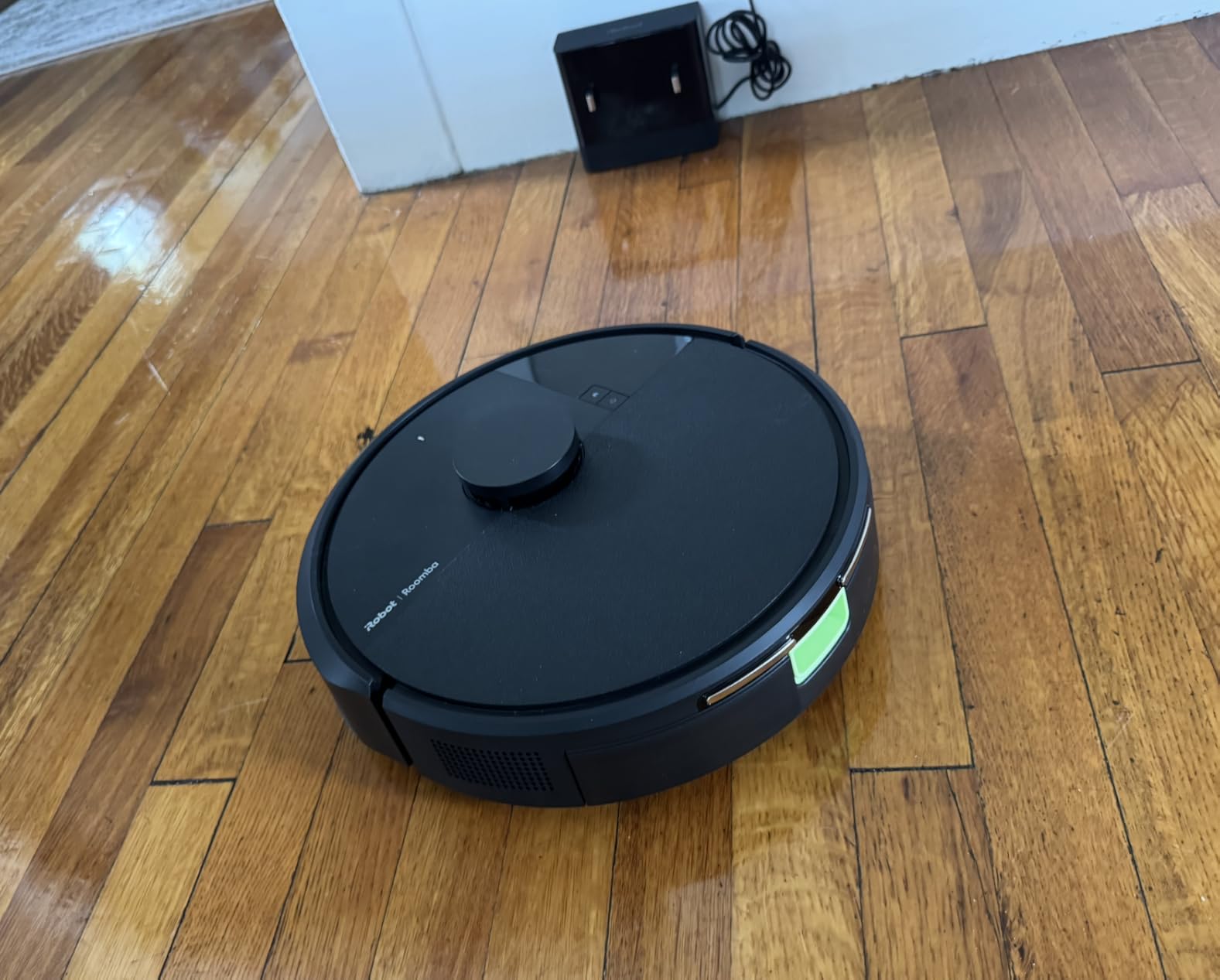
Strip the mop and the dock from the Combo model and you get something that runs for 200 minutes, which is the longest runtime of anything here. On a large home over 1,000 square feet that number matters, because most sub-300 robots finish in 100 to 150 minutes and spend the difference on repeated trips to recharge.
The rest is familiar iRobot engineering. ClearView LiDAR produces the same neat row-by-row cleaning as the Combo, the three-stage system includes an edge-sweeping brush, and 70 times the power-lifting figure of the Roomba 600 series means real pickup on hard floors. Spot clean runs repeated passes in one area for up to five minutes, which is handy for a spill.
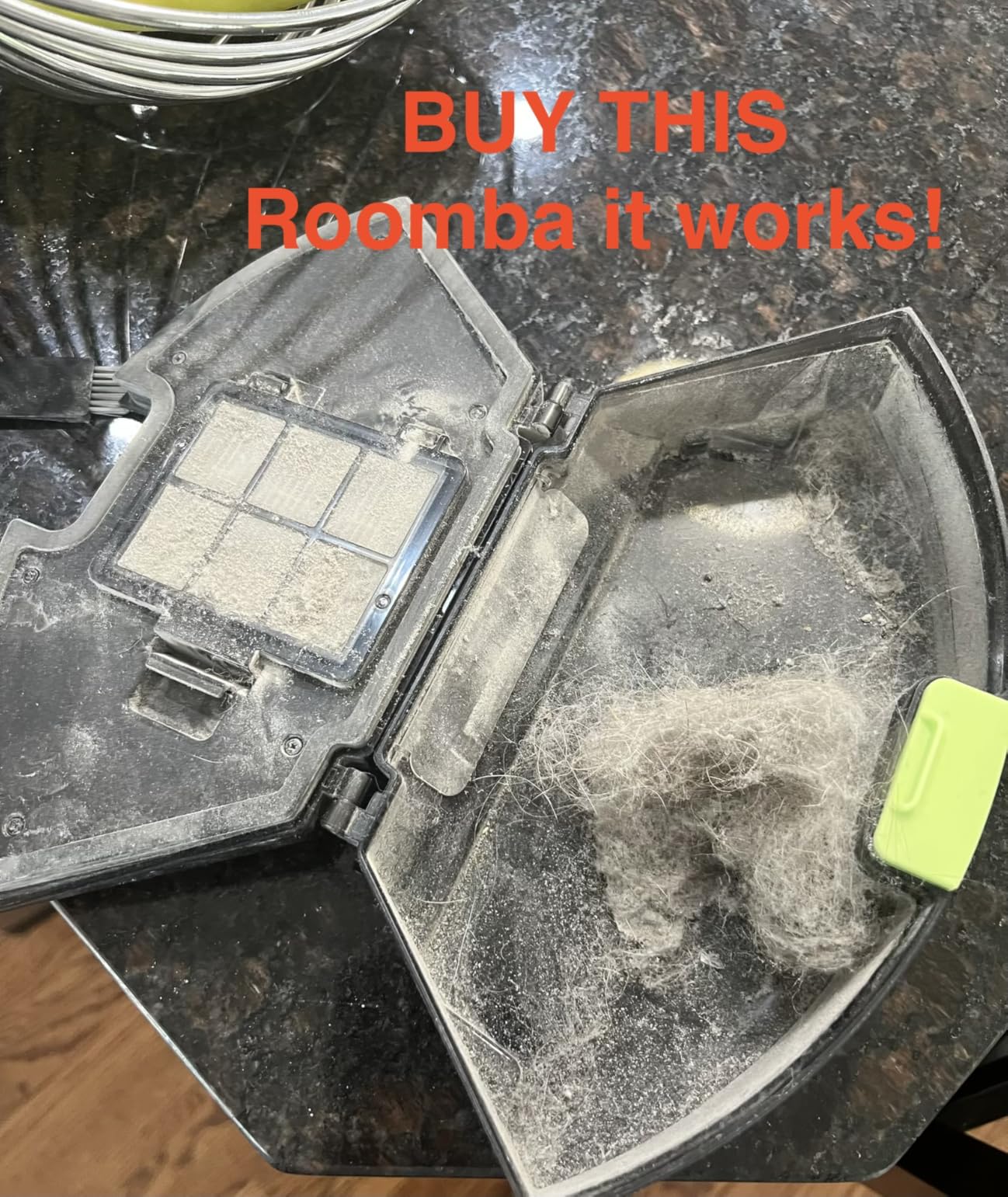
Owners upgrading from older Roomba E and I series models describe this as a meaningful jump: bigger bin, quieter running, a single better brush with an integrated cutter, an improved filter and long strip charging contacts that make upkeep easier. The compact charging dock is also unobtrusive, which matters in a small apartment.
The main criticism is the app. Reviewers upgrading from older models often find the current iRobot app less intuitive than the one it replaced, with routine editing buried and scheduling locked to 24-hour time. Carpet performance is also weaker than hard-floor performance, and the bin cannot be removed while the robot sits on the charger, which is an awkward detail on small docks.
What to check before buying
Decide how much floor you are cleaning. Under about 800 square feet the runtime difference barely registers, and the Combo model is the better buy because the dock does the emptying. Over 1,000 square feet the 200-minute figure is the reason to pick this instead.
Check your router settings before setup. Like the Combo, it pairs on 2.4 GHz WiFi, and a mesh system with that band turned off will refuse the connection with an error that does not explain itself.
Who it suits and who it does not
Buy this if you are vacuum-only, your home is large or oddly spread out, and you want to avoid the recurring dust bag cost entirely. It is also the simplest LiDAR option for anyone who does not want a separate base taking up floor space.
Skip it if carpet is your main surface, because this is where the model is weakest. If you will miss mopping later, note that the mop system is not a retrofit you can add later.
6. ILIFE A30 Pro – Best for Combined Vacuum and Mop
ILIFE A30 Pro Robot Vacuum and Mop,10000Pa Max Suction, Self-Emptying
10000Pa suction
LDS LiDAR with SLAM mapping
2-in-1 200ml bin/tank
Pros
- Long self-emptying intervals with large bags included
- Compact 3.74-inch body fits under low furniture
- Integrated dustbin and water tank handles both jobs in one pass
- App supports no-go zones virtual walls and targeted rooms
Cons
- 72 dB is the loudest in this group
- Small water and dust tanks need refilling mid-job
- 2.4GHz-only WiFi pairing can complicate setup
- App region availability inconsistent outside the US
The ILIFE A30 Pro is the specification outlier in this roundup. It pairs 10,000Pa suction with LDS LiDAR mapping, a self-emptying station rated for up to 280 days, and a 2-in-1 integrated tank that lets it vacuum and mop in a single pass, all in a 3.74-inch body that is the second thinnest here.
That combination makes it the pick if your priority is doing both jobs with one machine. The mopping holder removes so you can run vacuum-only when you do not want water on the floor, and owners like the app for targeted room cleaning with no-go zones, virtual walls and scheduling.
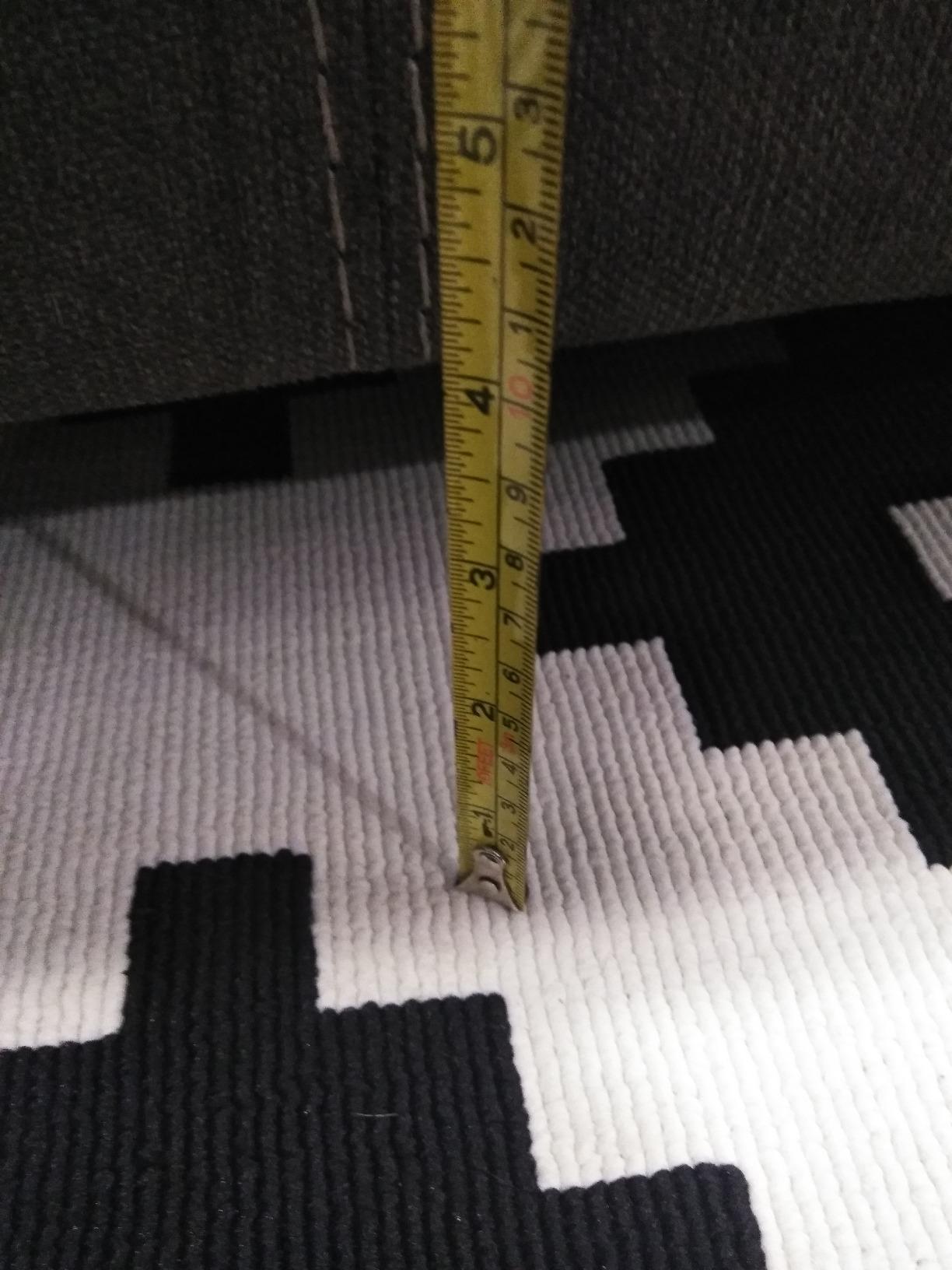
Two things work against it. At 72 dB it is the loudest robot in this group, noticeably above the 55 dB of the entry model and the 65 dB of the Roborocks, and that is the full self-emptying cycle rather than just the vacuum motor. In an open-plan home or a small apartment where you run it during working hours, that is a real consideration.
The integrated tank is also small on both sides at 200ml for dust and 200ml for water, so it needs refilling mid-job more often than the models with larger onboard bins. Setup requires 2.4 GHz WiFi, and some owners report app region availability being inconsistent outside the US. Treat the app support as something to confirm in your own market before committing.
What to check before buying
Confirm the 2.4 GHz band on your router is enabled and not hidden, and check that the ILIFE Clean app is fully supported where you live. Both are quick checks that prevent an annoying first-week return.
Listen to a self-empty cycle before you buy if noise is a factor in your home. You can also judge it from the published 72 dB figure, which is the highest figure in this roundup and applies to the whole machine rather than the vacuum motor alone.
Who it suits and who it does not
Buy this if you want one machine for both vacuuming and mopping, you need it to fit under semi-low furniture, and you have room for a dock. The self-emptying station and included bag supply mean fewer interruptions than most of this list.
Skip it if noise matters more than features in your household, or if you are sensitive to a brand with a thinner support and app ecosystem than iRobot, Roborock or Shark. Also be prepared to refill water more than you expect to.
7. Shark Navigator – Best for Pet Hair on a Budget
Shark Navigator Robot Vacuum, SmartPath Navigation, White, AV2120
SmartPath spot LiDAR
Self-cleaning brushroll
Bagless dust bin
Pros
- Self-cleaning brushroll engineered to resist hair wrap
- Strong pickup of pet hair litter and fine dust
- Bagless bin means no consumable bags to buy
- Row-by-row coverage beats bump-and-go robots at this price
Cons
- Struggles around dining chair legs and tight spaces
- Slower cleaning speed than mapped premium robots
- Long hair and threads still wrap on the brush roll
- Reported WiFi and app pairing issues
- No mopping
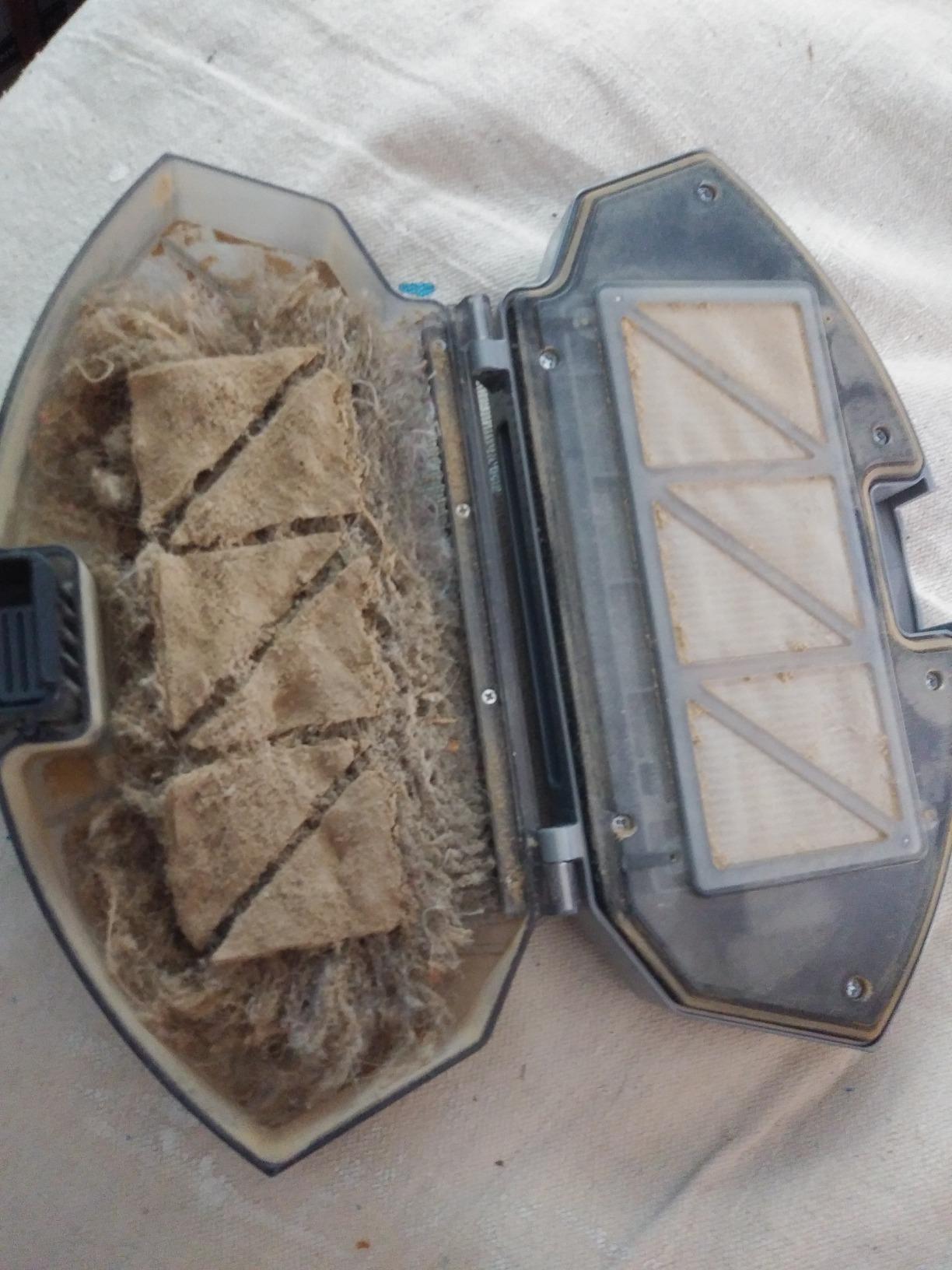
Hair tangling around the brushroll is the single most repeated complaint in robot vacuum forums, and the Shark Navigator is the model here that most directly attacks it. Its self-cleaning brushroll is engineered to resist hair wrap, and that is why this machine, not the higher-priced picks, is the one I point pet owners toward.
Navigation uses SmartPath with spot LiDAR for row-by-row cleaning and up to 1.5 times more coverage than a bump-and-go design, plus object detection that reduces how much you have to clear before each run. Owners switching from Roomba or Roborock models often call it the best value robot they have used.
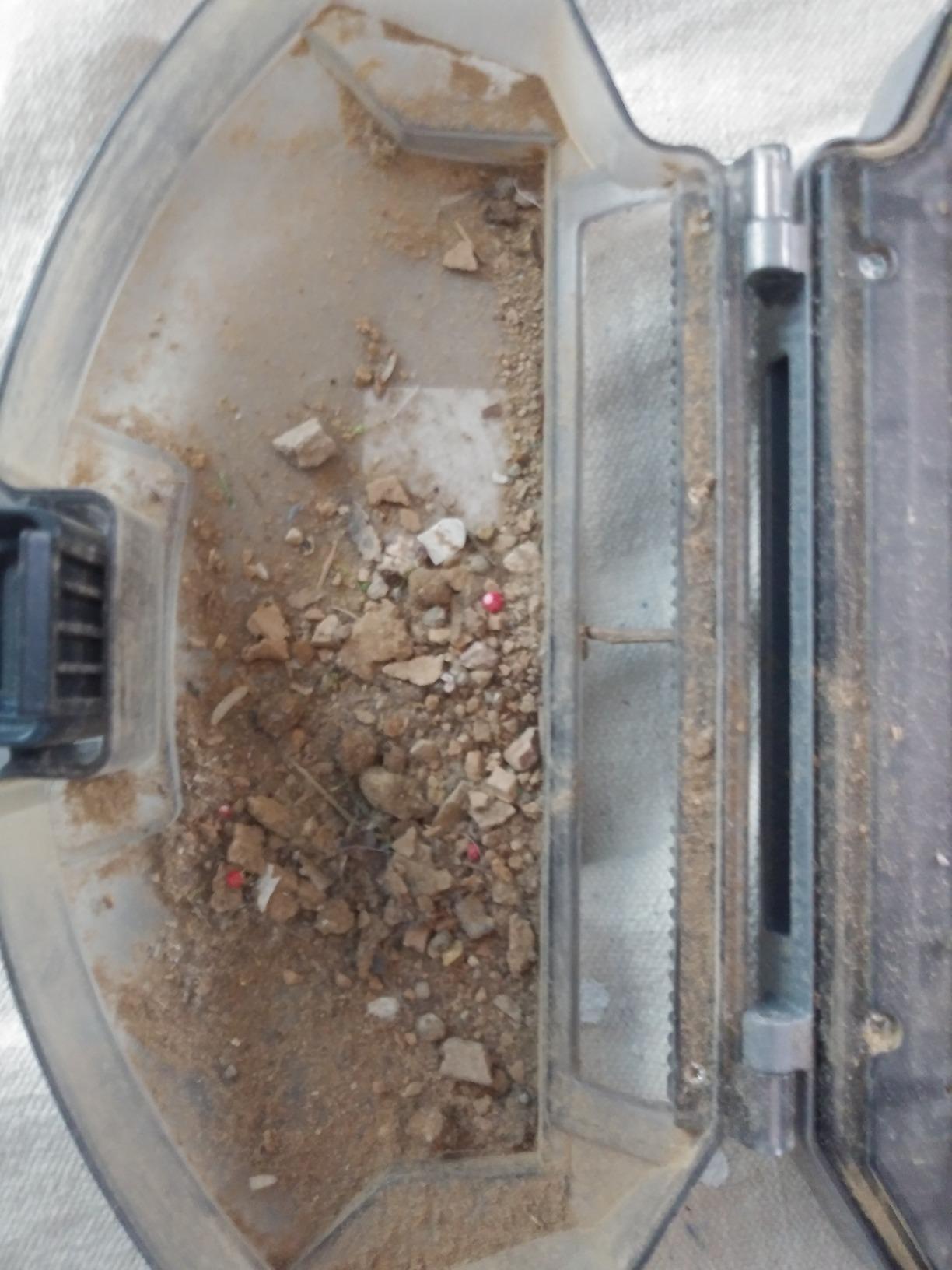
The bagless dust bin is the second reason it appeals. There is nothing to buy and nothing to replace, which removes the recurring consumable cost that the Roborock docks and the Roomba Combo both carry. If you have a shedding dog, that difference compounds quickly over a few years.
The honest limits: it navigates poorly around dense dining chair legs, cleans more slowly than higher-end mapped robots, and long hair and threads still find their way onto the brush roll eventually. Some owners report WiFi and app pairing problems, and it does not mop at all, so hard floors get vacuumed but not washed.
What to check before buying
Look at your dining table. If chairs sit on a rug or in a tight cluster, this is the model most likely to wedge against a leg and stop, and you will be moving furniture back on a schedule. Owners of busy kitchens report this as the most common interruption.
Check the app on your phone before you commit, particularly if you are on an iPhone or on a mesh network. Pairing complaints appear in a minority of reviews but they are easier to avoid than to fix later.
Who it suits and who it does not
Buy this if pet hair is the reason you want a robot, you dislike consumables, and you want vacuum-only performance at a mid-budget level. It is also a good fit for a first robot where simplicity matters more than a mop.
Skip it if your home has a lot of loose cabling, a large open floor plan where speed matters, or a hard-floor setup that needs mopping. It is also the least-reviewed model here, so long-term reliability data is thinner than for the other picks.
8. Shark Matrix Plus – Best Hard-Floor Mopping
Shark Matrix Plus Robot Vacuum & Mop Combo, 60-Day Self-Emptying, AV2610WA
Sonic mopping 100 scrubs per minute
Bagless XL HEPA base
Matrix Clean grid
Pros
- Bagless self-empty base means no consumable bags to buy
- Sonic mopping and grid cleaning handle stuck-on stains and embedded dirt
- True HEPA filtration appeals to allergy sufferers
- Recharge and resume lets it finish long jobs
Cons
- Normally priced above the 300-dollar ceiling
- First-time setup and mapping takes a long time
- App navigation and no-go zone handling can be frustrating
- Getting stuck on chair legs cords and thresholds is common
I am including this one with a clear caveat: the Shark Matrix Plus normally sits above the ceiling this roundup is built around, so treat it as a stretch option rather than a guaranteed fit. I list it because if you can find it inside the limit, nothing else here mops as well as it does.
The mopping is genuinely different in kind. Sonic mopping at 100 scrubs per minute with app-based Matrix Mop zone targeting is a scrubbing action rather than the wet-pad drag that defines the rest of this list. Owners with stuck-on kitchen grime credit the combination of sonic mopping and the Matrix grid pattern, which claims 30 percent better carpet cleaning through multiple passes.
The self-empty base is bagless, which no other self-emptying machine in this roundup manages, and it holds up to 60 days. Filtration is True HEPA at 99.97 percent down to 0.3 microns, which is the number allergy households care about, and 360-degree LiDAR mapping cleans in neat rows with object detection and recharge-and-resume.
On the other side, first-time setup and room mapping take a long time, app navigation and no-go zone handling frustrate some owners, and getting wedged on chair legs, cords and thresholds is common. A minority report unit failures around the one-year mark after warranty expiry, so factor that into any long-term plan.
What to check before buying
First, verify the current price yourself against the ceiling before you commit, because this model’s pricing moves more than the others. Everything else in this roundup sits consistently inside the limit. If the number is above the ceiling when you check, the honest answer is that the rest of this list serves you better.
Second, plan for the base. At 21.4 by 14.96 inches and over 5 inches tall it is large, and it is loud during the emptying cycle. Both are worth a look if you have a small flat.
Who it suits and who it does not
Buy this if mopping is a real requirement rather than a checkbox, you have hard floors with stuck-on messes, and you want HEPA filtration with no bagged consumables. Owners with allergy concerns rate the filtration highly.
Skip it if you need a strict budget ceiling, if you have very tight furniture spacing given the height, or if you want a painless first-time setup. The mapping process here is the most demanding of any model on this list.
What 300 Dollars Actually Buys: Navigation, Suction and Mop Truth
The single most useful thing to understand about this price band is that navigation matters more than suction. Under this ceiling, a robot with LiDAR and modest suction will outperform a robot with impressive suction and random pathing every week, because coverage gaps mean re-running the same rooms. A model that misses half your floor is not fixed by having 3,000Pa more power.
LiDAR spins a laser turret to build a distance map, which is why machines with it clean in straight rows, support room targeting and draw no-go zones you can edit afterwards. Gyroscope and random-bounce models use wheel sensors to detect turns and bump sensors to detect walls, which is why they re-clean patches and cannot tell you which room is which. 3D camera and structured-light detection is a different job: it identifies objects so the robot avoids them, and it exists on the models here that need the least floor preparation.
Suction figures are not comparable across brands. Pascal ratings are measured on each manufacturer’s own rig, airflow paths differ, and brush designs do more work than raw numbers. Treat a 10,000Pa claim as one input and weigh the anti-tangle brush design, the bin size and the reported pickup on carpet alongside it.
On mopping, be realistic. Every budget pad here either drags water or scrubs gently. The Roomba 105 Combo uses a micro-pump and SmartScrub for moderate pressure, the Roborock Q10 S5+ adds 3,000 scrubs per minute and lifts the pad over carpet, and the Shark Matrix Plus is the only one that scrubs at a genuinely useful rate. If mopping is primary, read our guide to the best robot mops before you decide.
Running Costs, the App Question and Six Setup Steps
Owners treat the app as a deal-breaker, not a bonus. Some robots here have excellent hardware and software that hides routine editing, while the models with plain remotes require no app at all and never fail to pair. Decide which camp you are in before you buy, because the difference is a daily irritation rather than a one-off.
Running costs matter more than buyers expect. Self-emptying docks that use sealed bags add a bag every few weeks to a few months depending on how much you run. Bagless bases like the Shark Navigator and the Shark Matrix Plus avoid that line item entirely. Replacement filters, side brushes and mop pads come on a schedule for every machine here, and a replacement battery is the most likely major repair further down the line. If you want zero consumables, choose a bagless, vacuum-only design and accept the shorter feature list.
Six steps to get more out of any budget robot:
Clear cords, socks and cables off the floor for the first week. Even the models with obstacle avoidance do better when the job is easy.
Run one full mapping cycle before judging anything. Maps improve after two or three passes and room labels settle.
Set no-go zones around pet bowls and cables that stay on the floor permanently.
Schedule daily short runs rather than one long weekly run. Small amounts of hair are easier to remove than a week of buildup.
Check the brush roll every one to two weeks, especially in a pet household, and cut wrapped hair off with scissors rather than pulling it.
Wipe sensors and charging contacts monthly. A dirty contact is the most common cause of a robot that will not dock or recharge.
If a self-emptying dock is the feature you are unsure about, our best self-emptying robot vacuums guide covers the trade-off in more detail, including which homes actually benefit from one.
When to Skip a Robot Vacuum Under 300
There are three situations where buying nothing here is the correct decision, and forums tend to reward guides that say so plainly.
First, if your floors are permanently cluttered with cables, clothing and pet items. Obstacle avoidance at this price improves the situation but does not solve it, and a robot that needs rescuing weekly will frustrate you faster than a stick vacuum in a cupboard.
Second, if deep carpet cleaning is your main goal. Budget robots maintain low-pile carpet, they do not extract embedded dirt the way a full-size carpet extractor does, and the models that claim the strongest carpet performance still leave the job half done.
Third, if you have long hair that tangles constantly and no willingness to check the brush roll weekly. Anti-tangle designs reduce this but do not eliminate it, and no budget machine fully solves it.
Also worth skipping the category entirely if mopping is your primary need, or if your home is very small and mostly hard floor in one open room. A good stick vacuum plus a flat mop will serve a studio better than any robot here.
Frequently Asked Questions
What is the best robot vacuum under 300 dollars?
The iRobot Roomba 105 Combo with the AutoEmpty dock is the best robot vacuum under 300 dollars for most people. It combines ClearView LiDAR mapping with a self-emptying base rated for roughly 75 days of hands-free cleaning, keeps carpets dry with automatic carpet detection while mopping, and runs about 100 minutes per charge. The Roborock Q7 M5+ is the alternative pick if you want more suction and a more flexible app.
Is 300 dollars enough for a good robot vacuum?
Yes, for most apartments and small-to-medium homes. At this ceiling you can reliably get LiDAR mapping, a decent app with no-go zones and room scheduling, and in the 250-to-300 band a self-emptying dock. You will not get reliable object avoidance across every brand, a mop that scrubs, or premium hot-air mop drying. Prioritise navigation and the dock over headline suction numbers.
Which robot vacuum has the best mapping system?
Among the models here, the Roborock Q7 M5+ and Q10 S5+ use PreciSense LiDAR with the most flexible app, including room zoning and no-go zones. The iRobot Roomba 105 models use ClearView LiDAR and clean in neat rows with reliable room targeting. Both LiDAR families clearly beat gyroscope and random-bounce models such as the eufy 11S MAX, which cannot map or target rooms at all.
What are the downsides of using a robotic vacuum cleaner?
The main downsides are incomplete coverage on random-bounce models, weak inside-corner and edge cleaning on budget units, hair wrapping around the brushroll in pet homes, and the need to clear cords and cables before most runs. Budget mops drag a wet pad rather than scrubbing, and bagged self-empty docks add a recurring consumable cost. App quality also varies widely between brands.
Is a self-emptying dock worth it at this budget?
It is worth it if you plan to run the robot daily, because it removes the single most frequent task. A dock with a 2.7L bag can cover seven to nine weeks between changes, and bagless bases avoid consumable costs entirely. It is not worth it in a very small home with hard floors only, or if you plan to run the robot once a week, since you would empty the bin yourself just as easily.
Which brand of robot vacuum is most reliable?
Reliability at this budget is hard to rank from outside lab testing, but support and parts availability track reputation. iRobot, Roborock, Shark and eufy all have established US service networks and widely available replacement parts, which matters more than a small spec difference. Budget models from newer brands may ship replacement parts faster than warranty service would, so check parts availability before buying a lesser-known name.
Final Verdict: The Best Robot Vacuums Under 300 in 2026
The best robot vacuums under 300 dollars in 2026 come down to what your home needs. Take the iRobot Roomba 105 Combo with the AutoEmpty dock if you want one machine that maps properly, empties itself and keeps rugs dry while mopping. Choose the eufy 11S MAX if you have low furniture and want the quietest, simplest robot available. Go with the Roborock Q7 M5+ for the best balance of suction, mapping and app control, or the Q10 S5+ if carpet and pet hair are the priority.
Pick the Shark Navigator for bagless, hair-resistant cleaning, the ILIFE A30 Pro for one machine that vacuums and mops in a compact body, and consider the Shark Matrix Plus only if you can verify it inside the ceiling. Whichever you choose, run it daily in short bursts, check the brush roll weekly in a pet home, and expect to clear cables yourself. Those three habits do more for results than any spec on the box.