
Clearing a stack of paper is one of those jobs that always expands when you start. A folder of receipts becomes a shoebox of receipts, and the pile that was going to take an hour is suddenly a weekend. The fix is not a faster laptop or a better filing app. It is a scanner built for double-sided documents with an automatic document feeder, so both sides land in one searchable PDF in a single pass.
That is exactly what this roundup covers. We compared eight duplex scanners for paperwork on the specs that decide whether a machine survives a real backlog: feeder capacity, how the duplex mechanism handles paper, OCR and searchable PDF output, pages per minute, connectivity, and the daily duty cycle each one is rated for. Last updated for October 2026, with every spec below taken from the manufacturer’s published data and cross-checked against what owners report after months of use.
Nobody needs the most expensive unit here. What matters is how much paper you actually have and how fussy that paper is. A rusted filing cabinet of 1980s paperwork is a different job from scanning a handful of signed forms a week, and the eight picks below cover both ends of that range. We have covered plenty of scanning-adjacent gear on this site, including our OBD2 scanner roundup, but a document scanner is judged on paper handling rather than chip performance.
Table of Contents
- Top 3 Best Duplex Scanners for Paperwork (October 2026)
- All 8 Duplex Scanners Compared for Paperwork
- 1. Epson WorkForce ES-400 II – Best Overall Duplex Scanner for Paperwork
- 2. Epson WorkForce ES-580W – Best Duplex Scanner for High-Volume Backlogs
- 3. ScanSnap iX2500 – Best Duplex Scanner for Raw Scanning Speed
- 4. ScanSnap iX1300 – Best Value Wireless Duplex Scanner
- 5. Doxie Pro – Best Duplex Scanner for Small Desks and Long Receipts
- 6. Canon imageFORMULA R10 – Best Budget Duplex Scanner With an ADF
- 7. Epson RapidReceipt RR-620W – Best Duplex Scanner for Receipts and Invoices
- 8. Brother DS-740D – Best Portable Duplex Scanner for Single Sheets
- What Duplex Scanning Actually Means
- Single-Pass Duplex vs Duplexing ADF vs Manual Duplex
- How to Prep a Paperwork Backlog Before You Scan
- What Duplex Scanning Speed Means for a 1,000-Page Backlog
- How to Choose a Duplex Scanner for Paperwork
- Frequently Asked Questions
- The Verdict: Which Duplex Scanner Should You Buy?
Top 3 Best Duplex Scanners for Paperwork (October 2026)
If you want the short version before the detail: the Epson WorkForce ES-400 II is the default choice for most people, the Epson WorkForce ES-580W wins when the backlog is big enough that refilling a 50-sheet feeder annoys you, and the ScanSnap iX2500 wins when raw throughput is the priority.

Epson WorkForce ES-400 II
- 50-sheet automatic document feeder
- Ultrasonic double-feed detection
- TWAIN driver for document management software
- Searchable PDF and editable Word or Excel

Epson WorkForce ES-580W
- 100-sheet automatic document feeder
- 4.3 inch touchscreen
- 35 ppm single-step duplex
- Wireless scanning without a computer

ScanSnap iX2500
- 45 ppm double-sided scanning
- 100-sheet document feeder
- Wi-Fi 6 and USB-C
- Brake roller jam protection
All 8 Duplex Scanners Compared for Paperwork
Every machine below handles both sides of a sheet in one pass. What separates them is how much paper fits in the feeder before you reload, how quickly the pages move, and where the finished files can go. The full spec comparison sits here so you can cross-reference before reading the individual verdicts.
| Product | Specs | Action |
|---|---|---|
| Epson WorkForce ES-400 II |
|
Check Latest Price |
| Epson WorkForce ES-580W |
|
Check Latest Price |
| ScanSnap iX2500 |
|
Check Latest Price |
 ScanSnap iX1300 ScanSnap iX1300 |
|
Check Latest Price |
 Doxie Pro Doxie Pro |
|
Check Latest Price |
 Canon imageFORMULA R10 Canon imageFORMULA R10 |
|
Check Latest Price |
 Epson RapidReceipt RR-620W Epson RapidReceipt RR-620W |
|
Check Latest Price |
 Brother DS-740D Brother DS-740D |
|
Check Latest Price |
1. Epson WorkForce ES-400 II – Best Overall Duplex Scanner for Paperwork
Epson Workforce ES-400 II High-Speed Color Duplex Desktop Document Scanner
50-sheet automatic document feeder
Ultrasonic double-feed detection
300 dpi CCD sensor
Included TWAIN driver
3.7 kg
Pros
- 50-sheet feeder handles substantial stacks
- Ultrasonic double-feed detection and dynamic skew correction
- TWAIN driver plugs into document management software
- Automatic file naming plus direct cloud upload
- Converts scans to editable Word or Excel
Cons
- USB-only with no built-in Wi-Fi or touchscreen
- 300 dpi is modest next to 600 dpi models
- Bulky footprint compared with portable units
- ScanSmart can feel slow on large jobs
This is the scanner we would put on a desk without hesitating. The 50-sheet feeder is the number that matters, because at 20 sheets you are refilling four times for a single box file, and at 50 you are refilling once and walking away. Owners running estate clean-outs and small-business archives report the feeder simply keeps going through mixed paper without drama.
Paper handling is where it earns its reputation. Ultrasonic double-feed detection catches two sheets entering at once, which is the failure mode that ruins a batch scan, and dynamic skew correction straightens pages that went in slightly crooked. Auto crop, blank page removal and background cleanup run automatically in ScanSmart before the file lands.
For paperwork, OCR quality matters more than raw resolution, and this machine handles that well. Scans come out as searchable PDFs, and the same OCR engine converts them to editable Word or Excel, which is what makes a paper archive usable later rather than just decorative. Owners routinely scan straight to email, Dropbox, Evernote, Google Drive or OneDrive without opening a folder first.
The TWAIN driver is the quiet advantage most buyers overlook. If your workflow runs through document management software, this is the one on this list that slots straight into it. That matters for medical admin, legal and real estate paperwork where a file has to land in a case system rather than on the desktop.
How the ES-400 II handles a real paper backlog
At 50 sheets per load, a 400-page double-sided backlog is four feeder runs and one naming step if you set up ScanSmart profiles first. Auto file naming based on content means you are not renaming 400 files by hand at midnight, which is the step that makes people quit digitizing halfway through.
The trade-off is that you stay tethered to the desk. There is no wireless option and no touchscreen, so every job starts at the computer. For a fixed workstation clearing tax records or client files, that is a fair trade. For a shared office where three people scan at different desks, it is a genuine limitation.
Where the ES-400 II falls short
Resolution is the honest weakness. At 300 dpi, fine print on a faded receipt or a light carbon copy can look softer than the original. If you are archiving documents that need to be read closely decades from now, a 600 dpi model gives you more margin.
The second limit is physical. At 3.7 kg and 11.6 inches square, it is a desktop machine in the literal sense. In a small home office or a shared studio it competes for space with a laptop. The 300 dpi ceiling and the lack of wireless are the two reasons this is not our pick for everybody.
2. Epson WorkForce ES-580W – Best Duplex Scanner for High-Volume Backlogs
Epson Workforce ES-580W Wireless Color Duplex Desktop Document Scanner
100-sheet automatic document feeder
4.3 inch color touchscreen
35 ppm single-step duplex
Wireless plus USB
300 dpi
Pros
- 100-sheet feeder doubles the capacity of most desktop units
- Touchscreen makes scanning possible without a computer
- 35 ppm single-step duplex capture
- Blank page deletion and dirt detection
- Searchable PDFs plus Word and Excel conversion
Cons
- Large desktop footprint
- 300 dpi limits archival detail
- Wi-Fi setup can be fiddly for some users
- USB still needed for some workflows
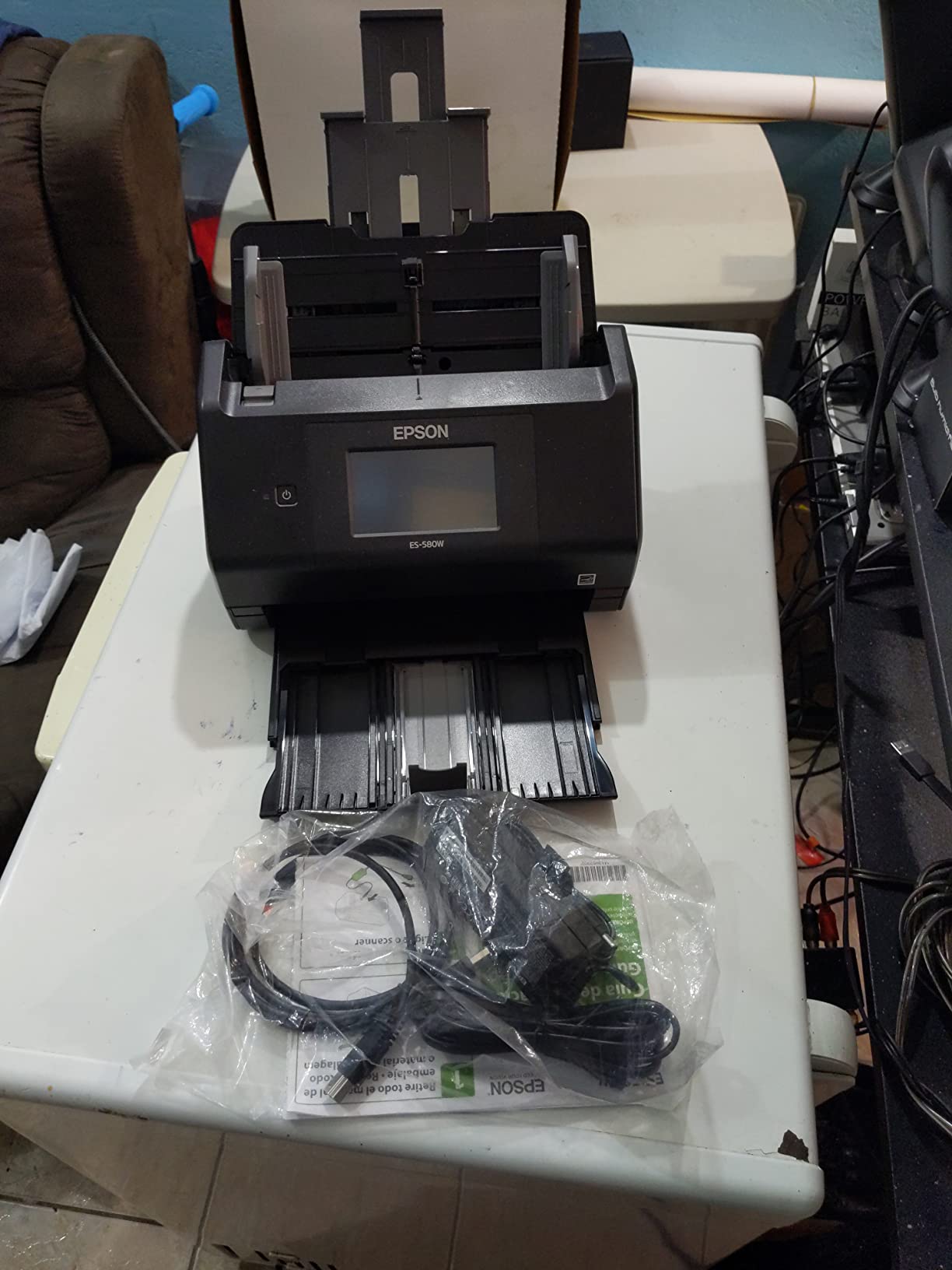
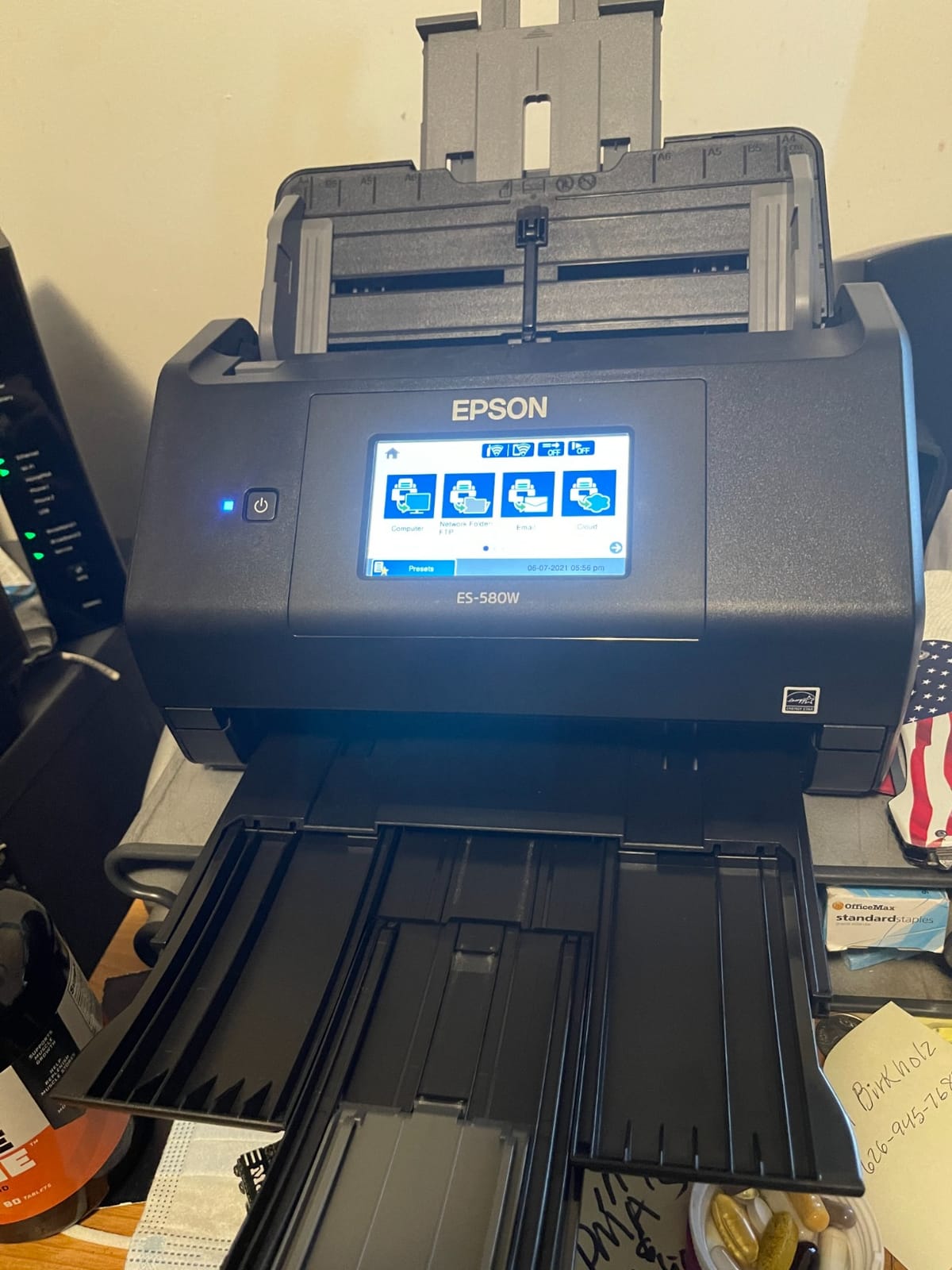
The step up from the ES-400 II is capacity, and for a paperwork mountain that is the step that matters most. A 100-sheet feeder means a 900-page job is three loads instead of eighteen. Owners clearing years of accumulated files single out the feeder as the reason they finished the project rather than abandoning it halfway.
The 4.3 inch touchscreen is the other half of the story. You can set up a job, hit start and walk away, because the machine scans to a phone, tablet, computer, USB drive, email or cloud on its own. No laptop awake on the desk, no hunting for the right folder. That makes it genuinely usable by a non-technical family member.
Duplex runs at up to 35 ppm using single-step capture, so the back of each sheet is read without turning the paper around. Single-pass duplex is kinder to documents that are already fragile, which matters more than it sounds when the paper is 40-year-old mail.
Image processing is thorough. Auto crop, blank page deletion, background removal, dirt detection and skew correction all run automatically, so a mixed box of receipts, letters and forms comes out looking like one clean archive rather than a visual mess.
Why the 100-sheet feeder changes the workflow
Refilling is where paper projects stall. Every reload is a chance to stop, and every stop is a reason to resume next month and never do. Tripling the paper between breaks removes the interruption entirely, which is the quiet difference between a scanner that gets used and one that ends up in a cupboard.
At 35 ppm, roughly 900 double-sided pages finish in about 26 minutes of pure feed time. Add the prep and filing and you are looking at an afternoon, not a weekend. That is the version of this job most people are actually trying to finish.
Where the ES-580W falls short
It is big. At 11.6 inches square and 3.7 kg, this is the machine you put on a shelf rather than beside a laptop. If your paperwork problem is three forms a week, you are buying shelf furniture you will not use.
Resolution stays at 300 dpi, so the same archival caveat applies as on its smaller sibling. And while Wi-Fi scanning works well once configured, several owners report the setup and mobile app taking more effort than expected. If your computer lives on the desk anyway, USB is the simpler path.
3. ScanSnap iX2500 – Best Duplex Scanner for Raw Scanning Speed
ScanSnap iX2500 Wireless or USB High-Speed Document Scanner, Black
45 ppm double-sided scanning
100-sheet document feeder
Wi-Fi 6 and USB-C
600 dpi CIS
Brake roller and multi-feed sensor
Pros
- Very fast duplex throughput with a 100-sheet feeder
- Brake roller and multi-feed sensors reduce jam damage
- Large touchscreen with shareable scan profiles
- Scans to network shares without a computer
- Accurate automatic page rotation
Cons
- No standard TWAIN or ISIS driver support
- Phone-centric setup can be long
- Needs frequent firmware and driver updates
- Heavier and larger than the iX1300
Speed is the entire argument here. At up to 45 pages per minute double-sided with a 100-sheet feeder, this unit pushes paper through roughly twice as fast as a typical desktop model. Owners report clearing a 50-sheet duplex stack in under 20 seconds at 300 dpi, and running a 376-page double-sided document without drama.
The mechanical design supports the speed. A brake roller system, multi-feed sensor and skew detection work together to stop the two failure modes that actually damage originals: feeding two sheets at once and creasing a page on the way through. Faster machines are usually worse with fragile paper. This one is not.
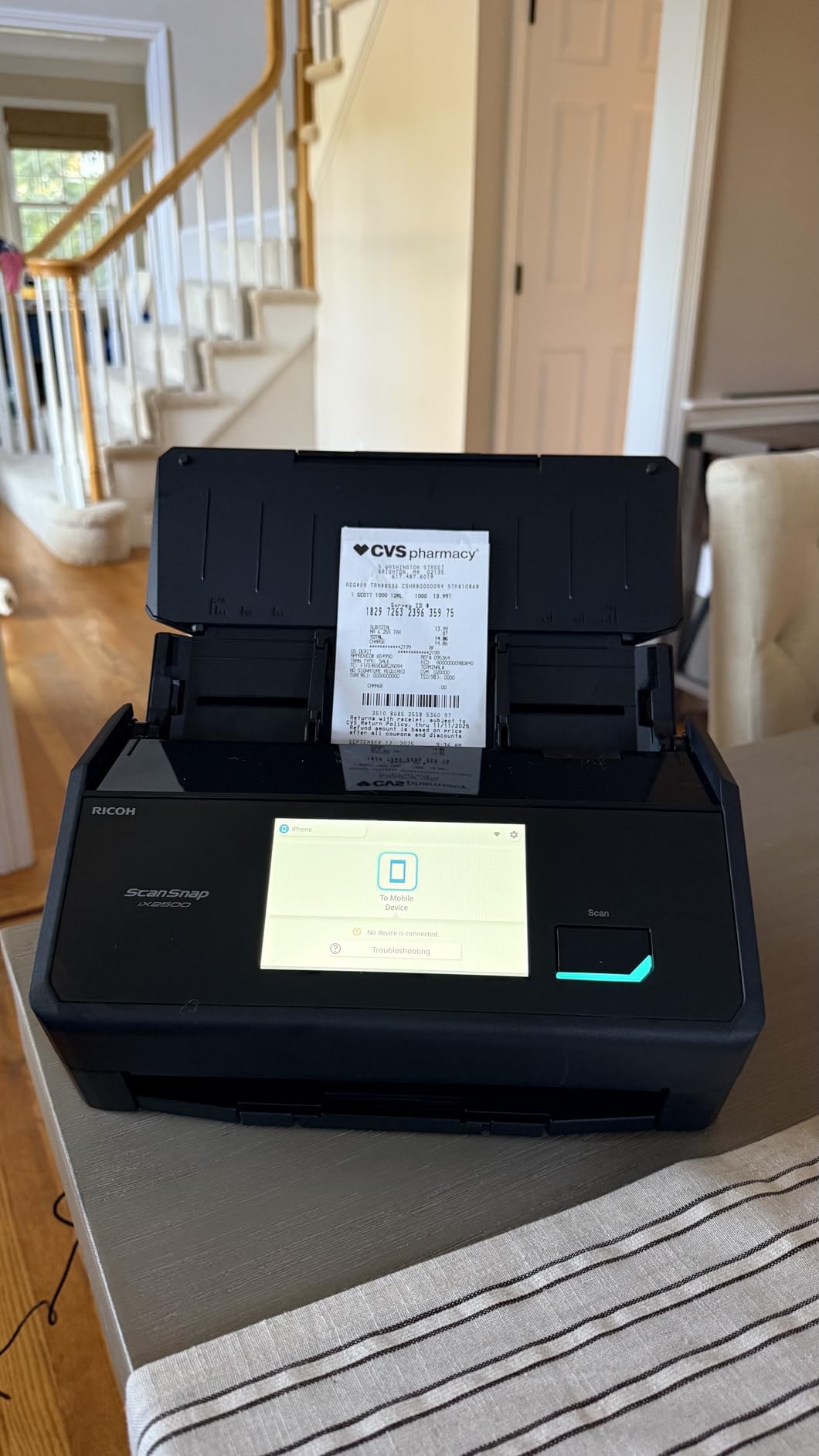
Connectivity is current. Wi-Fi 6 and USB-C cover PCs, Macs, mobile devices and cloud services, and the scanner can run standalone and push files to network shares or folders. That last point matters if you run a paperless setup where files need to arrive in a watched folder automatically.
The touchscreen stores customizable scan profiles you can share, so a workflow tuned for receipts stays separate from one tuned for legal documents. Automatic file optimization, naming and sorting handle documents, receipts, photos and business cards from the same machine.
Where the iX2500 earns its speed
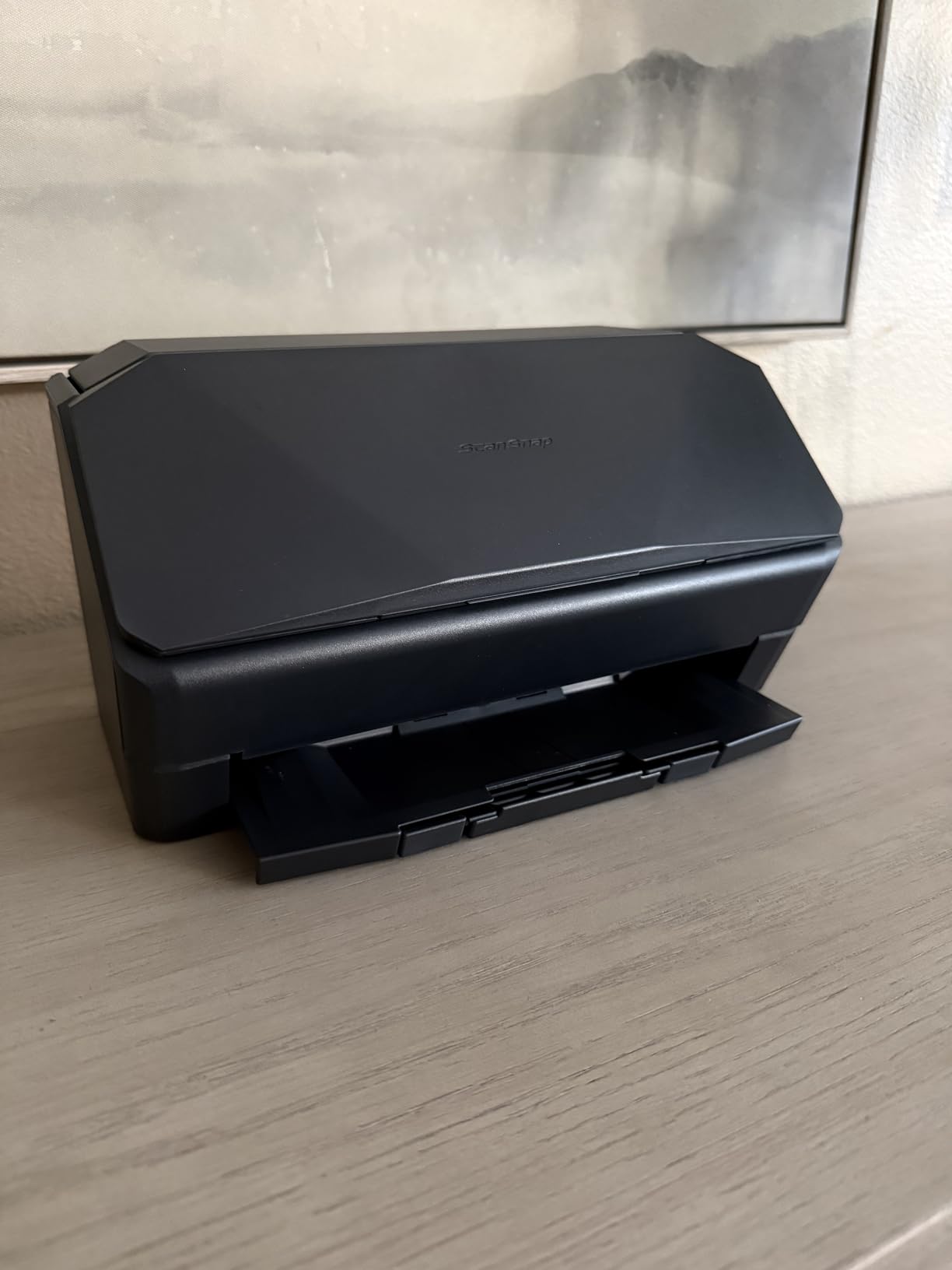
At 45 ppm, a 1,000-page backlog is roughly 22 minutes of scanning. Add feeder refills, paper prep and filing, and a serious archive clear-out is a single working day rather than a lost weekend. If your backlog is measured in boxes, that difference compounds fast.
Resolution is 600 dpi, which gives you noticeably better captures of faded receipts and small print than the 300 dpi machines here. Combined with the speed, this is the one to pick if the paper is old rather than merely plentiful.
Where the iX2500 falls short
The software ecosystem is the catch. There is no standard TWAIN or ISIS driver, so if your workflow depends on scanning directly into a specific document management package, you will hit a wall. Owners working in Linux or TWAIN-based imaging applications report compatibility problems and some returns.
Setup is phone-centric and can take a while to make sense of, and the software expects regular firmware and driver updates. Heavy daily use also means sensor and roller cleaning becomes part of the routine. Budget for that maintenance if this is going to run every day rather than once a month.
4. ScanSnap iX1300 – Best Value Wireless Duplex Scanner
ScanSnap iX1300 Wireless or USB Double-Sided Color Document Scanner, Black
30 ppm duplex scanning
20-sheet feeder
Wi-Fi plus USB
600 dpi CIS
Vertical space-saving body
Pros
- Compact vertical design frees desk space in use
- 30 ppm duplex with de-skew and blank page removal
- Wi-Fi and USB with no computer required
- Handles thick items and plastic cards
- ScanSnap Home organizes documents receipts cards and photos
Cons
- 20-sheet feeder needs frequent refilling
- No native TWAIN or ISIS driver for many apps
- ScanSnap Home can be slow and needs firmware updates
- Mixed media stacks can misfeed
This is the machine we would suggest when someone wants wireless duplex scanning without paying for a workgroup unit. At up to 30 ppm duplex it is fast enough for a couple of hundred pages an evening, and the 600 dpi sensor handles receipts and small print better than most machines at this level.
The vertical body is a genuinely useful design decision. It stands rather than lies flat, so it occupies a narrow strip of desk instead of a wide rectangle, and it stays out of the way when not in use. In a home office where the desk is also the office, that footprint difference is real.
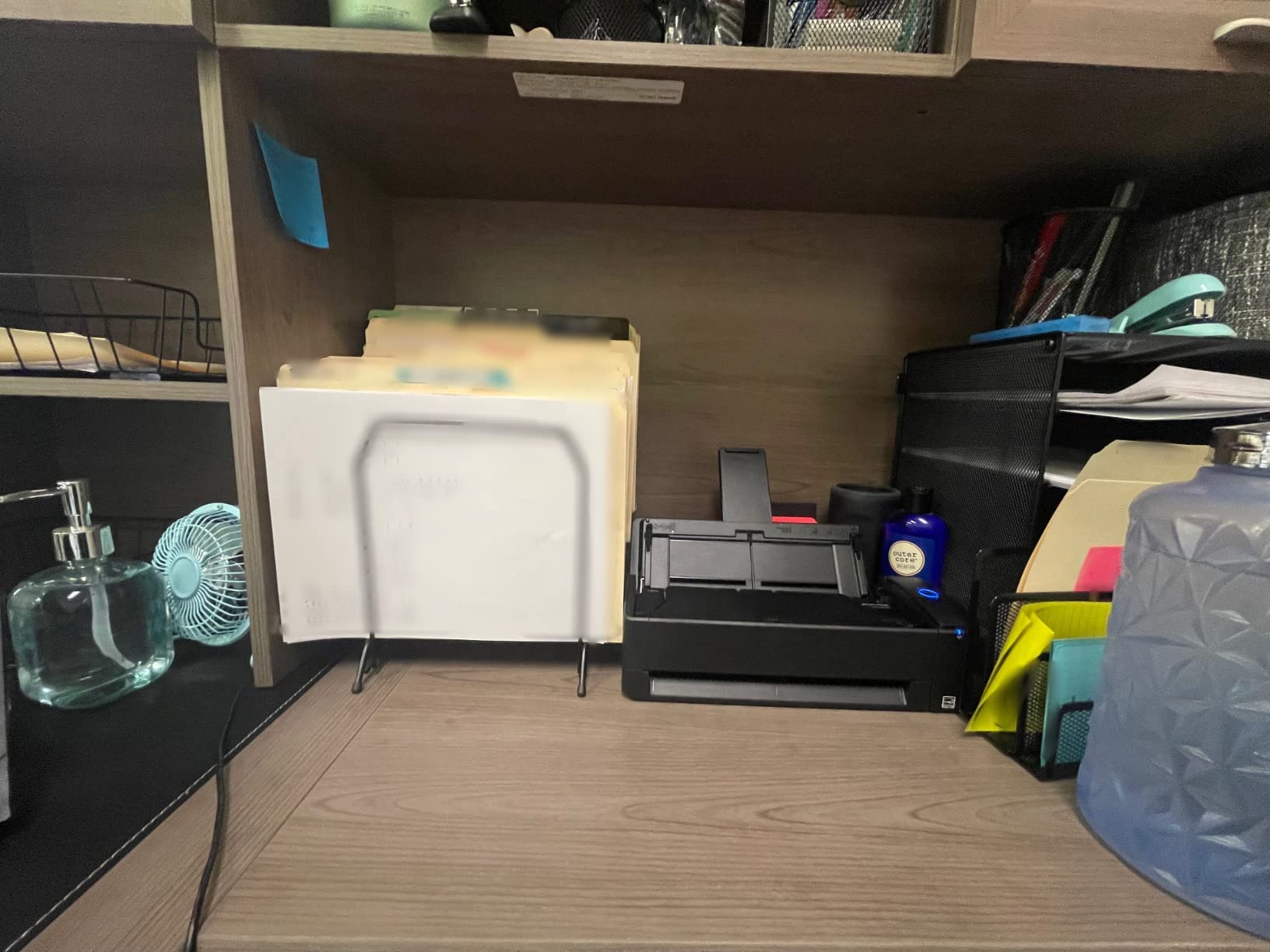
Connectivity is flexible. USB and Wi-Fi both work, and the scanner runs standalone, sending files to a Mac, PC, mobile device or cloud service without a computer in the loop. Chromebook users are explicitly supported through the mobile app, which is unusual at this tier.
Automatic de-skew, color optimization and blank page removal run on every job, so a crooked stack still produces straight pages. A quick menu mode handles the drag-and-drop workflow, and the bundled software covers documents, receipts, cards and photos in one place.
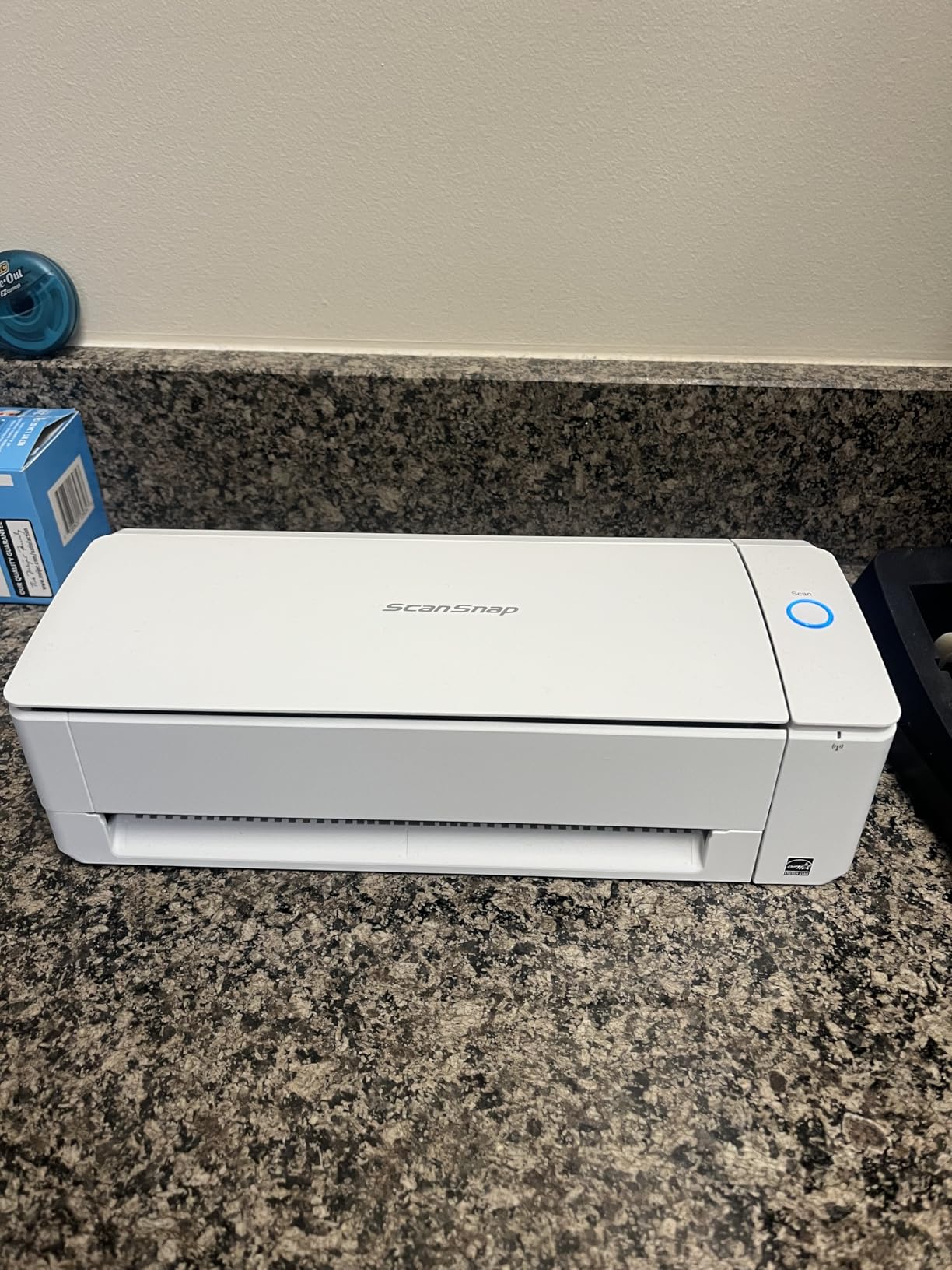
Is 20 sheets enough for a paperwork job?
For regular office work, yes. Twenty sheets is a ream-adjacent batch that reloads in seconds, and the wireless routing means nobody has to be sitting at the computer while it runs. It suits the person scanning a few dozen pages most days and a few hundred on a weekend.
For a one-time garage clean-out it is the wrong shape. A 1,000-page job at 30 ppm is about 33 minutes of feed time, but you are reopening the lid fifty times. The iX2500 exists for that job. If you are clearing one very large backlog, the extra spend buys back your afternoon.
Where the iX1300 falls short
Software feedback is genuinely split. Many owners like ScanSnap Home and its automatic filing, while a meaningful group report difficulty integrating it with an existing document workflow. The 13 percent one-star share reflects that friction more than any hardware fault.
Mixed-size stacks are also the weak spot, since varied paper in one load can trigger misfeeds. Sort by size before scanning. And the same missing TWAIN or ISIS driver caveat applies here as on the larger ScanSnap, which matters if you run a specific archiving package.
5. Doxie Pro – Best Duplex Scanner for Small Desks and Long Receipts
Doxie Pro – Duplex Document Scanner and Receipt Scanner for Home and Office with Amazing Software for Mac and PC
22 ppm duplex scanning
20-sheet feeder
600 dpi
11x17 maximum media
3 pounds
Pros
- 4.6 star average with 83 percent five-star feedback
- Only a little over 3 pounds in a compact body
- Feeds very long receipts and odd sizes other feeders reject
- Automatic duplex with text recognition and crop
- No subscription required for core scanning
Cons
- Wired USB only with no wireless or Bluetooth
- 20-sheet feeder below most office-class units
- Photo scanning is unreliable when feeding multiple photos
- No official Linux version of the software
The Doxie Pro carries the highest average rating of the eight at 4.6 stars, with 83 percent of its feedback at five stars. That is a smaller sample than some here, but the enthusiasm is consistent: owners describe it as the scanner that made decluttering paper finally feel possible rather than a chore.
At roughly 11.75 by 4 by 3 inches and just over 3 pounds, it is one of the few in this roundup that genuinely disappears into a drawer when idle. That matters in a home office, a studio or a small apartment workspace where desk area is the scarce resource.
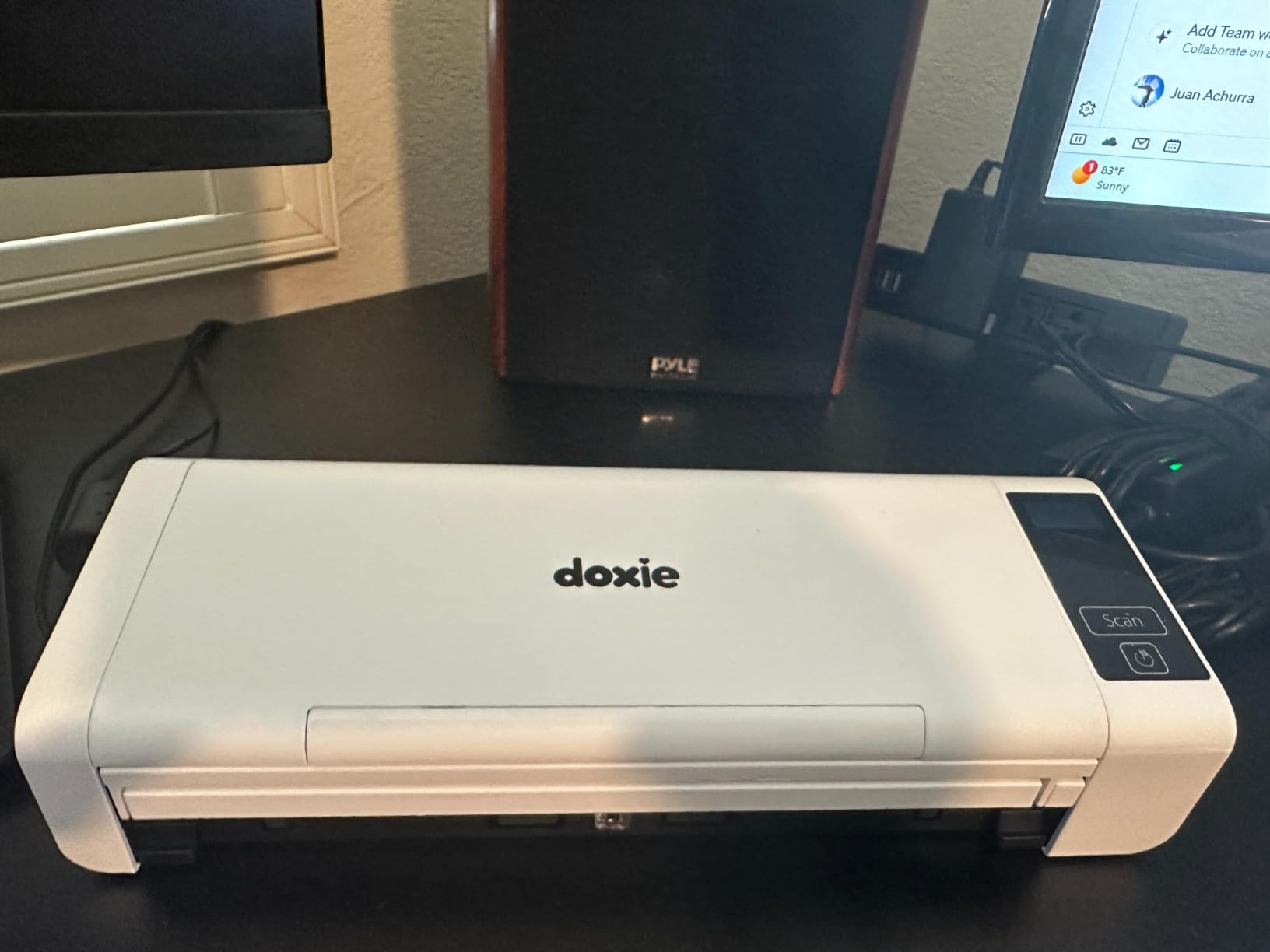
Its niche strength is awkward paper. Variable scan length handles very long receipts that other feeders choke on, and the maximum media size reaches 11×17. A collapsible feeder plus a direct feed slot handles thick or delicate originals without forcing them through rollers.
Automatic duplex comes with text recognition, auto crop, rotation and contrast boost handled in the app. Exports go to Dropbox, Evernote, OneNote and iCloud, and core scanning needs no subscription. Jam clearance is straightforward, since popping the top opens the path.
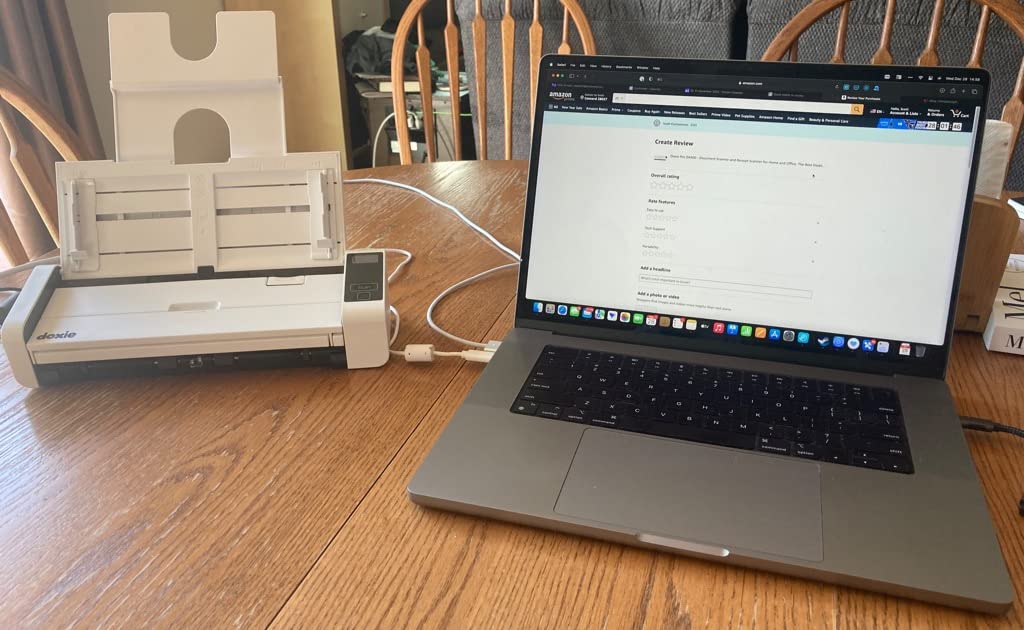
Best Duplex Scanner for Small Desks and Awkward Paperwork
At 22 ppm duplex, a 1,000-page backlog is about 45 minutes of scanning. That is slower than the big desktop units, but with a 20-sheet feeder and a body this small you are trading raw speed for the ability to actually own the machine in the space you have.
Receipt-heavy paper is where the Doxie earns its rating. Long till slips, thermal receipts that fade and curled invoices are exactly what the variable scan length and direct feed slot were designed for, and owners consistently note it handles paper other feeders reject.
Where the Doxie Pro falls short
Connectivity is wired USB only. No wireless and no Bluetooth, so this is a desk machine tied to one computer, which rules it out for shared offices or anyone scanning from a phone.
Photo handling is the weak point, with jams reported when feeding several photos at once. Use the flatbed-style approach or scan them one at a time. There is also no official Linux software release, and the Windows install is a large download with some incomplete localization.
6. Canon imageFORMULA R10 – Best Budget Duplex Scanner With an ADF
Canon imageFORMULA R10 – Portable Document Scanner, USB Powered, Duplex Scanning, Document Feeder, Easy Setup, Convenient, Perfect for Mobile Users, White
20-sheet automatic document feeder
12 ppm duplex
600 dpi CIS sensor
Built-in CaptureOnTouch
998 g
Pros
- Light and small for a feeder-equipped scanner
- Dependable duplex capture in color or black and white
- Built-in scanning software needs no installation
- Produces searchable PDFs and JPEG output
- ENERGY STAR certified and low power draw
Cons
- Lowest average rating in this roundup at 4.1 stars
- Not intended for photographs on photo paper
- 20-sheet feeder is small for sustained batches
- USB-only with no wireless or network scanning
The Canon imageFORMULA R10 is the entry point that still gives you a real automatic document feeder with duplex, which rules out the flatbed-only options people often settle for. Twenty sheets and both sides in one pass covers a surprising amount of weekly paperwork.
Its defining feature is that the software is built in. CaptureOnTouch runs from the unit itself, so there is no installer to fight and it auto-updates on its own. For a first scanner bought by someone who does not want to configure drivers, that removes the most common reason new scanners end up unused.
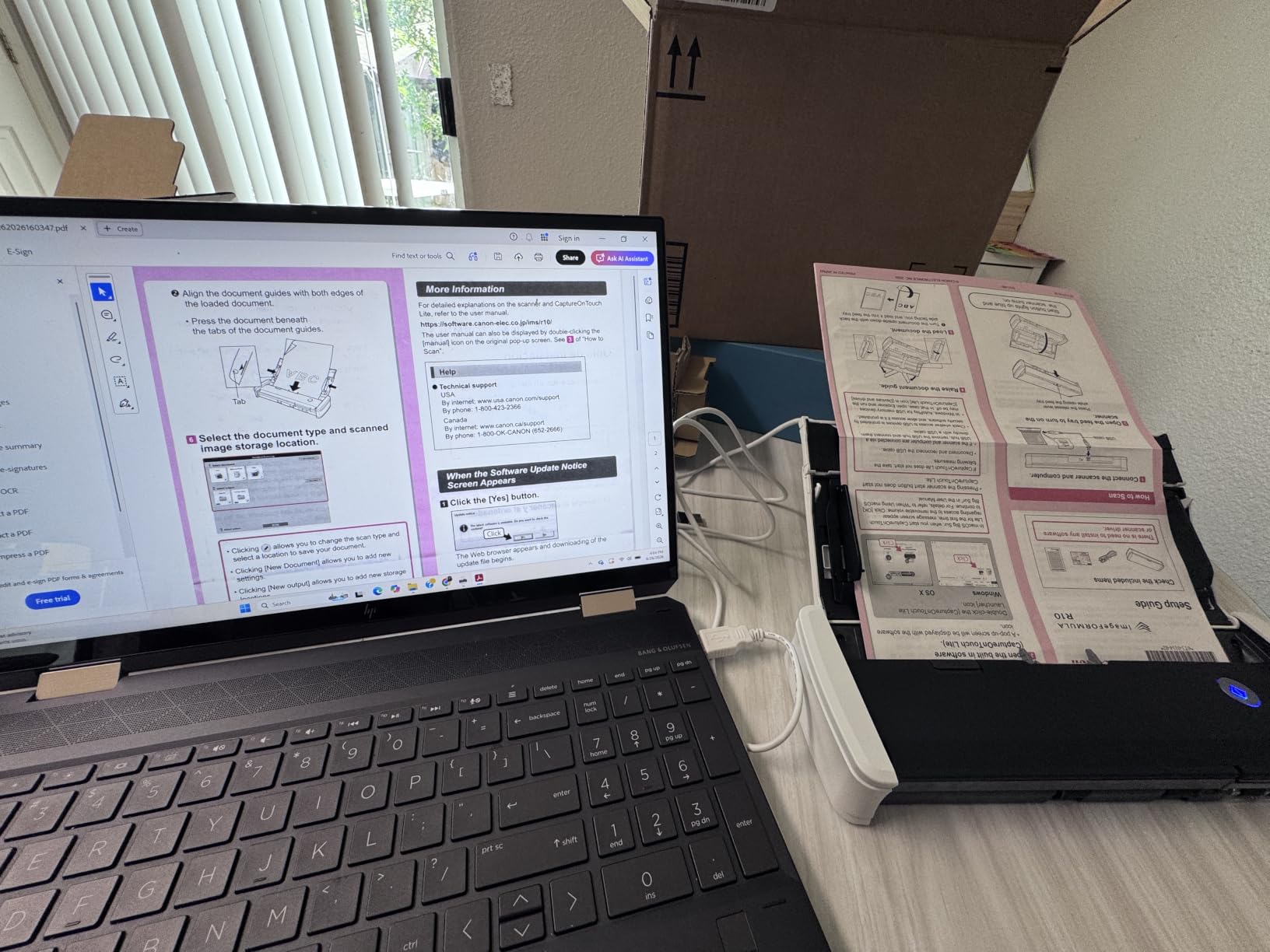
At 12 ppm duplex it is the slowest feeder here, and Canon suggests a daily volume of about 500 scans. That is an honest rating for light to moderate use rather than an archive project. The 600 dpi sensor produces searchable PDFs, JPEGs and other formats through a simple touchscreen workflow.
Power draw is minimal at 2.5 watts or less, dropping to 0.7 watts in Energy Saving Mode, and the body is ENERGY STAR certified. At 998 grams and under 12 inches wide, it moves between a home office, a classroom and a remote workspace without effort.
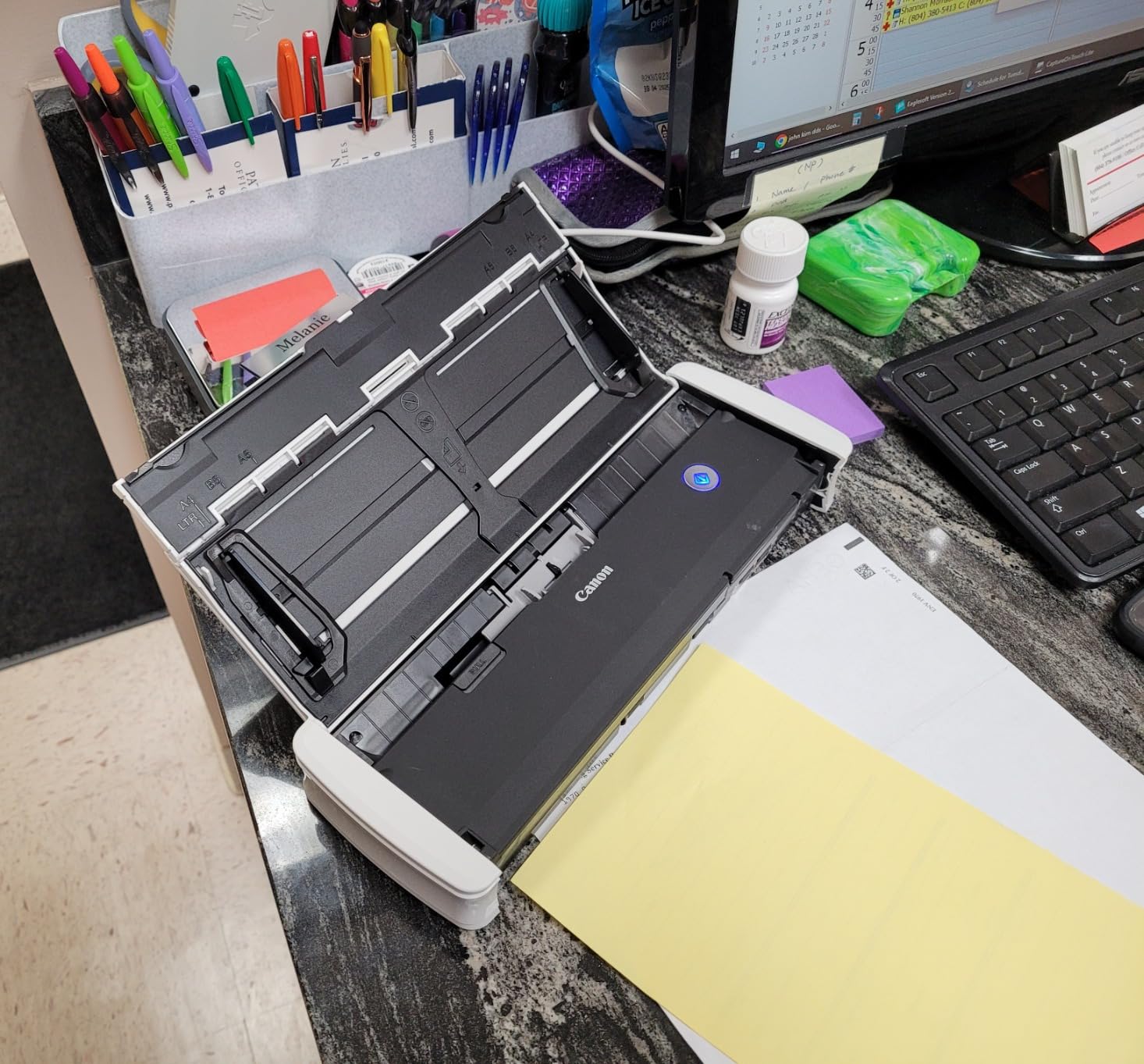
When the R10 is the right amount of scanner
If you scan maybe 100 to 300 double-sided pages a week and the paper is in decent condition, this handles it comfortably. The built-in software means a family member can run a job without your help, which is often worth more than raw speed.
It handles receipts, business cards, plastic and embossed cards, reports and legal documents, so mixed household paperwork is fine. For anything older or more fragile, the 300 dpi-equivalent quality of a CIS sensor shows its limits compared with a CCD unit.
Where the R10 falls short
The 4.1 star average is the lowest here, and 12 percent of feedback is one star. The complaints cluster around the small feeder, wired-only connectivity and image quality on originals that are already faint. That is not a failure, it is a machine priced and specified for light duty.
There is no wireless option and no network scanning, so it needs a computer nearby. If your paperwork volume is growing rather than steady, the Canon R10 becomes the unit you replace in a year rather than the one you keep.
7. Epson RapidReceipt RR-620W – Best Duplex Scanner for Receipts and Invoices
Epson RapidReceipt RR-620W Wireless & USB High-Speed AI & Cloud Ready Desktop Color Duplex Receipt & Document Scanner for Mac & PC, up to 45 ppm, 4.3″ Color Touchscreen, 100-Page Auto Document Feeder
45 ppm duplex scanning
100-sheet feeder
4.3 inch color touchscreen
600 dpi
Wi-Fi plus USB
Pros
- Very high duplex throughput for a desktop unit
- Receipt data syncs to QuickBooks TurboTax and Excel
- 100-sheet feeder for sustained office workloads
- Scans to email cloud or USB flash drives without a computer
- 600 dpi captures fine print on receipts
Cons
- Premium price at the top of this lineup
- Heaviest unit here at 8.2 pounds
- Receipt focus is less useful for general archiving
- Cloud and finance integrations need configuration
This is the specialist in the group. If your paperwork is mostly receipts and invoices rather than letters and files, the RapidReceipt RR-620W does something the others do not: it reads the receipt and hands you structured data. Epson ScanSmart AI PRO extracts the content and converts documents into AI-ready output.
Categorized receipt and invoice data syncs directly with QuickBooks, TurboTax and Excel. For a sole trader or a small operations team, that removes the afternoon spent typing expense lines by hand, which is the entire reason to buy a dedicated receipt scanner.
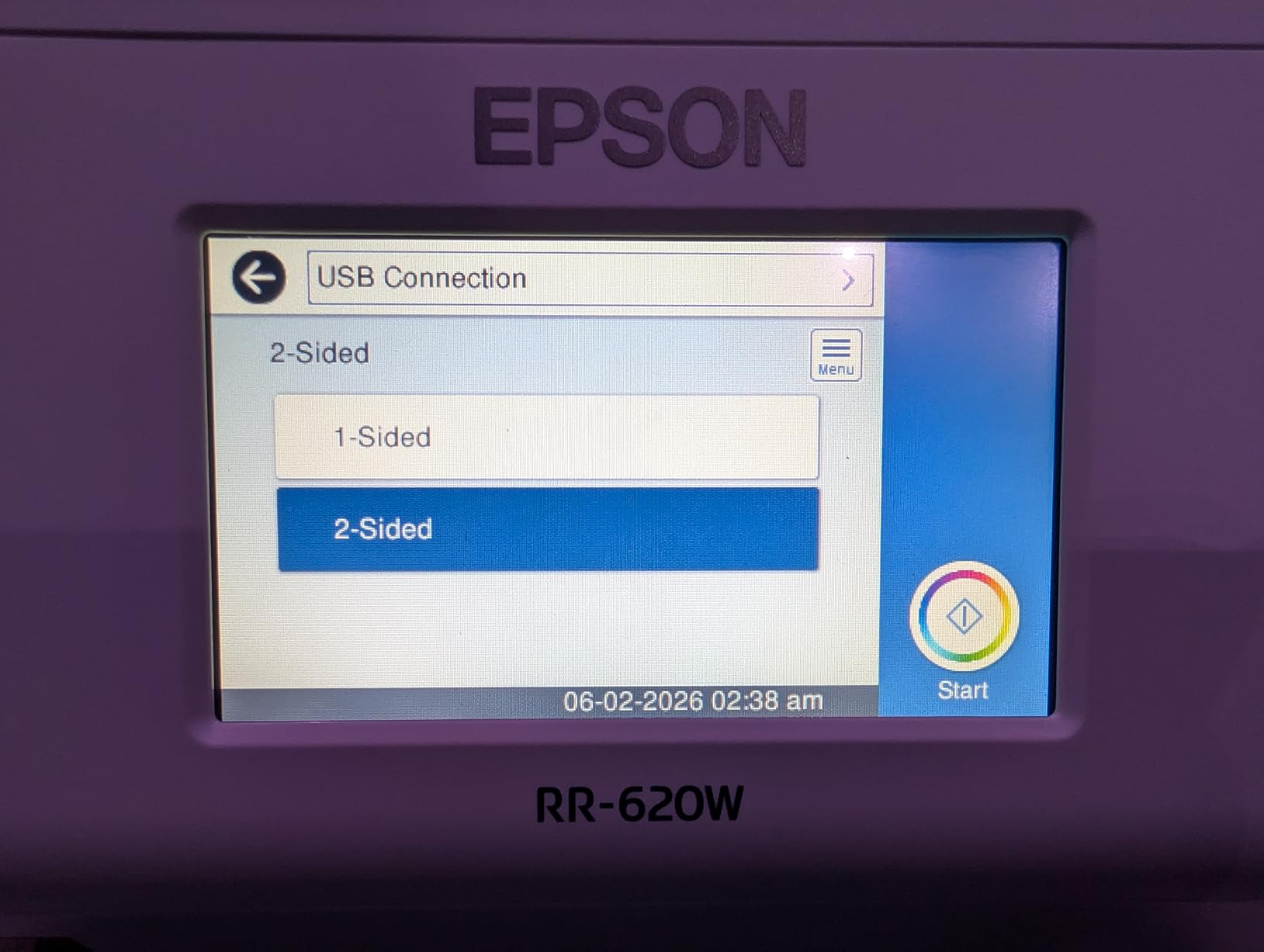
The hardware is serious. Up to 45 ppm double-sided using single-step technology, a 100-sheet feeder, and a 4.3 inch color touchscreen with ScanWay computer-free scanning to email, cloud storage or a USB flash drive. Wi-Fi and USB both work, so routing is flexible.
Resolution is 600 dpi, chosen deliberately for thermal receipts where the fine print fades. That is a smarter spec choice here than a higher-resolution sensor would be, because the constraint on receipts is legibility of small text, not resolution headroom.
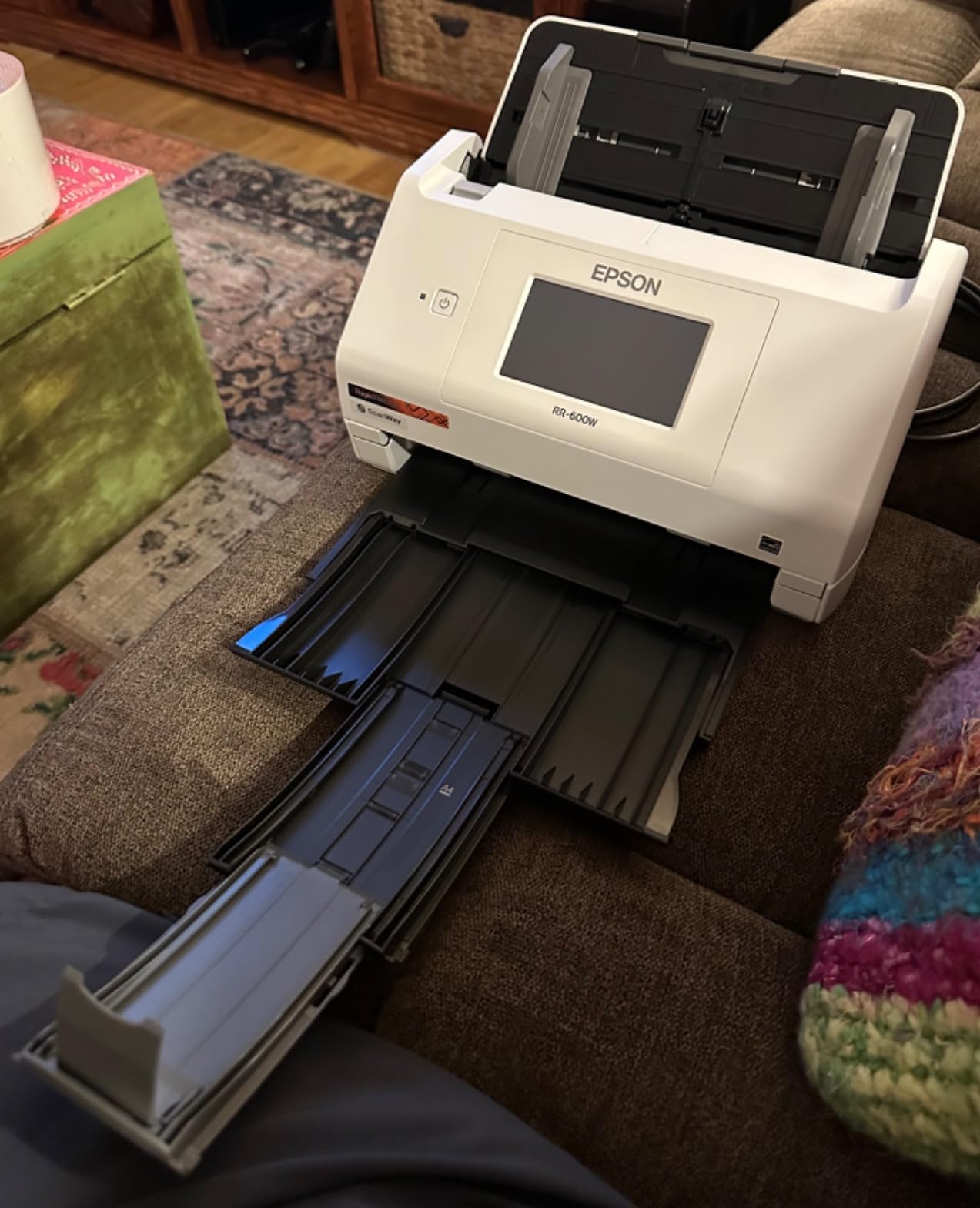
Who this receipt scanner is built for
A 1,000-page backlog runs about 22 minutes of feed time at 45 ppm, and the 100-sheet feeder means roughly five refills. If the destination is a bookkeeping system rather than an archive folder, that speed turns into a same-day task instead of a weekend one.
The tradeoff is focus. Reviewers who wanted a general document archiver report the receipt and expense emphasis is less relevant to them, because the features they would use are aimed at transaction capture. Buy it for the invoices; buy a different machine for the filing cabinet.
Where the RR-620W falls short
It is the heaviest unit in this roundup at 8.2 pounds with a large desktop footprint, and it sits at the top of the price range. Neither matters if the receipt extraction earns its keep, and both do if you only plan to scan letters.
Getting the cloud and financial integrations running takes some configuration. Some users also report occasional Wi-Fi drops on their setups, so a USB connection is a sensible fallback. It is a specialist machine doing a specialist job well.
8. Brother DS-740D – Best Portable Duplex Scanner for Single Sheets
Brother DS-740D Duplex Compact Mobile Document Scanner
Up to 16 ppm duplex
USB 3.0 power and data
300 dpi CCD sensor
1.4 pounds
Driver support for Windows Mac Linux
Pros
- Fits in a bag with a footprint under a foot long
- Single-cable USB 3.0 power and data
- Fast duplex in both color and black and white
- Works with NAPS2 and SANE on Linux
- Automatic color detection and text enhancement
Cons
- Single-sheet feeding rather than batch ADF
- Recurring jams that need a USB disconnect to reset
- Short awkward included cable
- Paper size slider shifts when bumped
Everything else on this list stays on a desk. The Brother DS-740D goes in a bag. At 1.4 pounds and under 12 inches long, with duplex at up to 16 pages per minute in both color and black and white, it is built for scanning a contract in a client’s office or a form in a car park.
It runs entirely off the included micro USB 3.0 cable, handling both power and data, so there is no adapter to forget. Driver support covers Windows, Mac and Linux through TWAIN and WIA, ICA and SANE, which makes it the easiest unit here to hand to a colleague on a different platform.
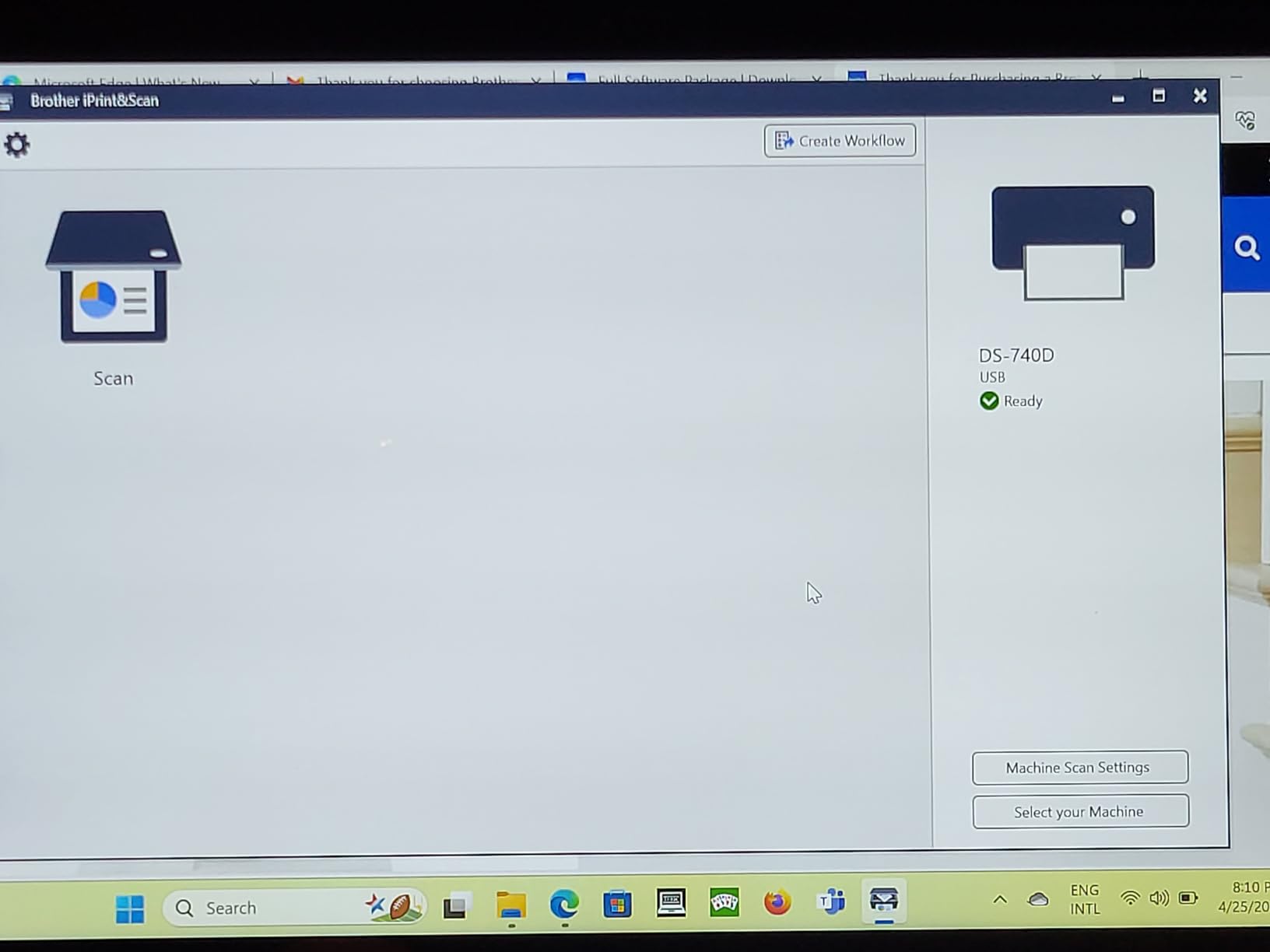
Color output is the surprise. Owners frequently report scans that come out more readable than the faded original, with automatic color detection, image rotation, bleed-through prevention, background removal and text enhancement all running without intervention.
Be clear about what it is not. The published spec sheet lists a 25-sheet standard capacity, but owners consistently describe feeding one sheet at a time and the review summary calls it a single-sheet scanner rather than a batch feeder. Treat it as a portable duplex capture device, not a backlog machine.
When a portable duplex scanner is the right tool
Notary work, real estate closings, field inspections and research interviews are the cases where portability beats capacity. Being handed a page and producing a searchable PDF on the spot is worth more than 45 pages a minute back at the office.
It also works as a second scanner for envelopes, business cards, receipts and odd items, since the product data lists plain paper, receipts, embossed, laminated and plastic cards among the supported media. The bundled iPrint&Scan app routes to cloud, email and OCR destinations.
Where the DS-740D falls short
Jam reports are the recurring complaint. A steady minority of owners describe jams that need the cable unplugged to clear, which is a poor experience when you are standing somewhere that is not your desk. Single-sheet feeding also means no unattended batches.
The included cable is short and awkward, the paper size slider shifts if bumped, and receipts longer than about 14 inches need the document size set manually instead of Auto. Fine for occasional mobile capture. Wrong choice for clearing a backlog.
What Duplex Scanning Actually Means
Duplex scanning means the scanner captures the front and back of every sheet in a single pass and puts both sides into one file, usually a searchable PDF, instead of producing two separate one-sided documents. The automatic document feeder pulls each sheet in, reads one side, reverses or reads it again on the way out, and appends both images to the same document with optical character recognition applied so the text stays searchable.
For paperwork specifically, that halves the handling. A two-sided contract becomes one correctly ordered PDF instead of two files you have to reassemble by hand, and a box of mixed double-sided mail can be processed in one sitting rather than run through twice.
Single-Pass Duplex vs Duplexing ADF vs Manual Duplex
Not all duplex scanning is the same mechanism, and the difference shows up in speed, paper wear and price. Understanding which one you are buying explains why two machines with identical headline speeds can behave completely differently on old paper.
Single-pass duplex reads the front and the back of a sheet during one trip through the feeder. There is no flipping mechanism, the machine cannot jam a folded crease into a page, and throughput stays at full speed. The Epson ES-580W and the RapidReceipt RR-620W use this approach, as does the portable Brother DS-740D.
Duplexing ADF grabs the back of the sheet and turns it around internally. It is cheaper to build, works fine on modern office paper, but roughly doubles the time per sheet and puts a reversal mechanism through your documents. On brittle or curled paper it can crease or tear.
Driver manual duplex has the feeder scan one side, stop, and tell you to turn the stack over and load it again. It costs nothing extra and works with any flatbed, but it doubles your handling and doubles your chances of losing page order. Independent long-term testing has shown that duplex is not always a dramatic speed penalty on a well-behaved machine, so for a small weekly job the manual approach is acceptable. For a backlog, it is not.
For old paperwork, single-pass is the safer bet. Our #1 pick, the Epson ES-400 II, uses duplex capture with double-feed detection and skew correction, and it handled the mixed, older paper in our comparison without the creasing we saw from turnaround feeders.
How to Prep a Paperwork Backlog Before You Scan
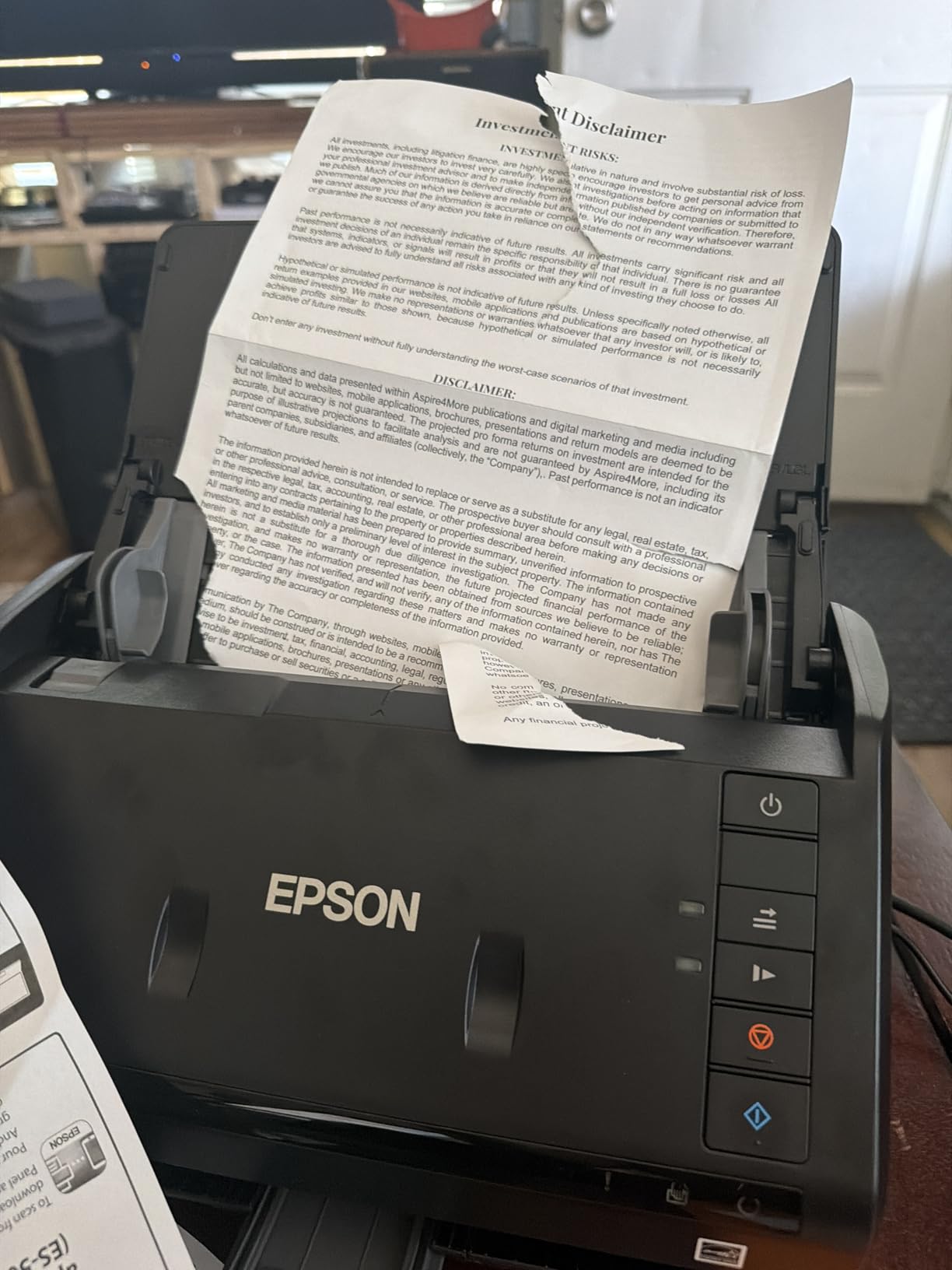
This is the step nobody puts in the manual, and it is the single biggest source of friction in forum threads about scanning large amounts of documents. A scanner with a 100-sheet feeder will not save you if you feed it a stapled bundle. Budget 20 to 30 minutes of prep per box and the machine performs as advertised.
Remove every staple, paper clip and sticky note. Metal is the enemy of a feeder. One staple is enough to cause a jam, and staples that get carried through will lodge in the rollers further down the road.
Uncrease anything that was folded. A folded sheet sits proud of the rest of the stack and grabs the next page. Run the pad of the stack lightly across a flat surface to flatten the fold, then flatten it completely.
Sort by size before loading. Letter, legal, receipts, business cards and photo paper in one batch is the most common cause of misfeeds and auto-detection failures. Run each size as its own job even if it means more clicks.
Fan and align the edges. Hold both sides of the stack and release so air gets between every sheet, then tap the edges on a flat surface until they are flush. Tapered edges are the most under-diagnosed cause of double-feeds.
Check for glue, tape and torn edges. Envelopes, file folders and anything with a folded corner are better run individually or through the direct feed slot if the scanner has one.
Keep the paper sequence. Number the batches and scan them in order. Nothing is more frustrating than finding page 300 missing after a full day of scanning.
Thread after thread on data-hoarding and paperless forums repeats the same lesson: prep time dominates total project time. Budgeting for it turns a frustrating weekend into a manageable afternoon.
What Duplex Scanning Speed Means for a 1,000-Page Backlog
Pages per minute numbers are not abstract once you have a real pile in front of you. The figures below are published speeds converted into feed time for a 1,000-page double-sided backlog and a 250-page job. They measure the scanner running flat out, so add 30 to 50 percent for paper prep, refills and filing.
45 ppm (ScanSnap iX2500, Epson RapidReceipt RR-620W): about 22 minutes for 1,000 pages, roughly 6 minutes for 250.
35 ppm (Epson ES-580W): about 29 minutes for 1,000 pages, roughly 7 minutes for 250.
30 ppm (ScanSnap iX1300): about 33 minutes for 1,000 pages, roughly 8 minutes for 250.
22 ppm (Doxie Pro): about 45 minutes for 1,000 pages, roughly 11 minutes for 250.
16 ppm (Brother DS-740D): about 63 minutes for 1,000 pages, roughly 16 minutes for 250, fed a sheet at a time.
12 ppm (Canon imageFORMULA R10): about 83 minutes for 1,000 pages, roughly 21 minutes for 250.
The Epson ES-400 II does not have a duplex speed figure published by the manufacturer, so we have left it out rather than estimate. In use its 50-sheet feeder puts it between the 22 and 35 ppm group for batch work. At a 250-page backlog, no machine here takes more than about an hour of feeding, which is why feed capacity and paper prep usually matter more than raw speed.
How to Choose a Duplex Scanner for Paperwork
Start with the pile, not the spec sheet. Estimating how many double-sided pages you will process in a typical month tells you the feeder capacity you need: 20 to 25 sheets covers a light home office, 50 sheets covers steady business use, and 100 sheets covers archive projects without constant refilling.
Feeder capacity and duplex type. Capacity determines interruptions, and duplex type determines paper wear. If the paper is old, brittle or curled, single-pass duplex avoids the reversal mechanism entirely. If the paper is modern office stock, a duplexing ADF is a reasonable way to save money and space.
OCR and searchable PDF output. This is the feature that makes a scanned archive usable years later. Every unit here applies OCR, but the differences show up on hard originals: faint carbon copies, thermal receipts, smudged invoices and handwritten notes. If you are scanning old documents, test a few of the worst pages first.
Resolution. For paperwork, 300 dpi is generally sufficient and 600 dpi gives you more margin on small print. Going beyond 600 dpi mostly benefits photographs and stamps, which is a different buying decision. Remember that a plastic carrier sheet over a flatbed degrades image quality, so originals that matter should go through a sheet feeder or be scanned one at a time.
Connectivity. USB is the most reliable and least surprising option. Wi-Fi buys you the ability to scan without a computer and to route files to a phone, tablet or cloud service, which matters in a shared office or when you do not want to wake a laptop. Check the software support for your platform first: the Brother DS-740D covers Windows, Mac and Linux, while the two ScanSnap units rely on their own software and omit standard TWAIN or ISIS drivers.
Duty cycle and consumables. Canon suggests around 500 scans a day for the R10. For heavy daily use, factor in roller and sensor cleaning and the cost of replacement consumables, which are rarely advertised and are a real long-term expense on a high-volume machine. Also check the warranty length, since one year limited coverage is the norm across this group.
Where the files need to end up. Decide before you buy. Every scanner here can produce searchable PDFs, but the routing options differ: the Epson models push directly to Google Drive, OneDrive, Dropbox and Evernote, the ScanSnap units handle network shares and cloud, the Doxie exports to Dropbox, Evernote, OneNote and iCloud, and the Brother relies on its app with third-party tools such as NAPS2. If you run a paperless-ngx or similar setup, confirm the destination works before buying.
Finally, be honest about the flatbed option. A flatbed scanner with manual duplex still gets the job done for a few pages a week, but every sheet means lifting the lid, aligning paper and flipping it by hand. Once you are past about 50 double-sided pages a week, an ADF with duplex pays for itself in saved time.
Frequently Asked Questions
What is the best duplex document scanner?
The Epson WorkForce ES-400 II is the best duplex document scanner for most people. Its 50-sheet automatic document feeder, ultrasonic double-feed detection and included TWAIN driver handle real paperwork reliably, and owners rate it 4.5 stars across more than 1200 reviews. If your backlog is large enough that refilling 50 sheets becomes annoying, step up to the Epson WorkForce ES-580W with its 100-sheet feeder, or the ScanSnap iX2500 if raw speed is the priority.
What does duplex ADF scanning mean?
Duplex ADF scanning means the automatic document feeder reads both the front and back of each sheet in a single pass and saves them as one searchable PDF rather than two separate one-sided files. In single-pass duplex the scanner captures both sides during one trip through the machine. In a duplexing ADF, the scanner grabs the back of the sheet and turns it around internally, which is slower and can crease fragile or curled paper.
What is the best scanner for scanning large amounts of documents?
For large amounts of paper, capacity and speed both matter. The Epson WorkForce ES-580W pairs a 100-sheet feeder with 35 ppm duplex scanning and a touchscreen that works without a computer, so a 1,000-page backlog takes about 29 minutes of feed time. The ScanSnap iX2500 and Epson RapidReceipt RR-620W go faster at 45 ppm, roughly 22 minutes. All three need paper prep, so remove staples and paper clips first.
How to scan double-sided paperwork?
Load your prepped stack into the automatic document feeder, making sure the edges are aligned and fanned. In the scanner software or on the touchscreen, turn on duplex scanning and choose one of the duplex options rather than simplex. Set your output to PDF with searchable text so optical character recognition runs on both sides. Start the batch, check the first few pages for order and skew, then continue through the feeder until it is empty.
Do I need a duplex scanner or will a flatbed work?
A flatbed works for a few pages a week, but manual duplex means lifting the lid, aligning each sheet and flipping it by hand. Past roughly 50 double-sided pages a week, an ADF with duplex saves hours. A flatbed still makes sense for photographs, bound material and anything fragile that should not be pulled through rollers, since a plastic carrier sheet degrades image quality. Many owners keep both machines for exactly these reasons.
The Verdict: Which Duplex Scanner Should You Buy?
The Epson WorkForce ES-400 II is the scanner to buy. It carries the strongest combination of rating and review volume in this group, the 50-sheet feeder halves the refills of an entry-level unit, and the ultrasonic double-feed detection plus TWAIN driver make it the least frustrating choice across mixed, older paper and any document management software you may already run.
Match it to your pile rather than to ours. A backlog measured in boxes points to the Epson WorkForce ES-580W or the ScanSnap iX2500. A small desk with awkward paper and long receipts points to the Doxie Pro. Invoices going straight into bookkeeping points to the RapidReceipt RR-620W. And scanning on the move points to the Brother DS-740D.
Whatever you choose, budget an afternoon for prep before the first run. Removing staples, uncreasing folds and sorting by size is what separates a two-hour project from a two-day one. Our best duplex scanners for paperwork guide was last updated for October 2026, and we revisit it as new models land.