
Most photographers do not need a RAID enclosure. They need one about eighteen months after their library outgrows the drive it lives on, and buying at the wrong moment means paying for a box that sits half empty. The best raid enclosures for photographers are simply the ones that match your bay count, your interface and your tolerance for risk, and this guide is built around that decision rather than around a spec sheet dump.
A RAID enclosure is a small box with two to eight drive bays that combines several hard drives or SSDs into one volume your computer treats as a single disk. Mirror the drives and one can fail without taking your work with it. Strip them and transfers get faster. The enclosure, not the drives, is what you will eventually replace, which is why choosing on bay count and controller type matters more than the badge on the front.
One thing needs saying before any product list: RAID is not a backup. It protects you against a drive dying. It does nothing at all against a deleted folder, a corrupted catalog, ransomware or a flooded desk, and every photographer who has learned that the hard way learned it late. Treat the array as fast working storage, and keep a separate copy somewhere else. We come back to how to build that plan below.
We worked through ten enclosures for this roundup, from a two-bay mirror that fits in a camera bag to an eight-bay Thunderbolt array, and rated each on the three things a photographer actually feels: how fast a full ingest runs, how a drive swap goes when a client is waiting, and whether the box keeps working quietly in an edit suite. The picks are grouped by tier, and the quick answer is that most people should start with a four-bay hardware RAID box over USB.
Table of Contents
- Top 3 Best RAID Enclosure Picks for Photographers in 2026
- All 10 RAID Enclosures Compared in 2026
- 1. QNAP TR-004 4-Bay USB-C DAS – Best All-Round Hardware RAID Box
- 2. CENMATE 4-Bay Aluminum RAID Enclosure – Best Budget 4-Bay RAID 5
- 3. Vantec NexStar GX 2-Bay RAID – Best Travel-Sized Mirror
- 4. Syba 5-Bay Hot-Swap RAID – Best for Field Drive Swaps
- 5. TERRAMASTER D2-320 2-Bay USB RAID – Best Rated Two-Bay Option
- 6. OWC ThunderBay 4 Thunderbolt – Best for Mac Video Editing
- 7. OWC ThunderBay 8 Thunderbolt – Best for 20TB Plus Libraries
- 8. ORICO 4-Bay 20Gbps RAID – Best for USB4 Throughput
- 9. ORICO 5-Bay RAID Enclosure – Best for Five-Bay RAID 5
- 10. MAIWO 4-Bay HDD RAID Enclosure – Best for Compact Desktop Builds
- RAID Levels Explained: What to Pick for Photos
- RAID Is Not a Backup: Build a 3-2-1 Plan Around Your Array
- DAS vs NAS: When a Network Enclosure Wins
- How Many Bays and How Much Capacity Do You Need
- Which Drives to Put Inside: PMR, Speed and Class
- Who Should Not Buy a RAID Enclosure Yet
- Buying Guide: Interface, Controller and Empty Boxes
- Frequently Asked Questions
- Conclusion: Which RAID Enclosure Should You Buy
Top 3 Best RAID Enclosure Picks for Photographers in 2026
The three boxes below cover the realistic range of photo libraries. The QNAP TR-004 is the one we would put on a desk tomorrow, the TerraMaster D2-320 is the smarter buy for a smaller library, and the CENMATE four-bay is the value pick when capacity per bay is what you are optimising for.

QNAP TR-004 4-Bay USB-C DAS
- Hardware RAID 0/1/5/JBOD
- 4 x 3.5-inch SATA bays
- USB Type-C at 5Gbps
- Lockable drive bays

TERRAMASTER D2-320 2-Bay…
- USB 3.2 Gen 2 at 10Gbps
- RAID 0/1/JBOD/Single
- Hot replacement in RAID 1
- Tool-free push-lock trays

CENMATE 4-Bay Aluminum…
- 8 RAID modes including RAID 5
- Up to 20TB per drive and 80TB total
- Tool-free caddies
- Two cooling fans
All 10 RAID Enclosures Compared in 2026
Every box below is a real enclosure, not a portable SSD dressed up as one. The table lists each unit with the interface, RAID modes and capacity ceiling that decide which shoot it suits.
| Product | Specs | Action |
|---|---|---|
| QNAP TR-004 4-Bay USB-C DAS |
|
Check Latest Price |
| CENMATE 4-Bay Aluminum RAID |
|
Check Latest Price |
 Vantec NexStar GX 2-Bay RAID Vantec NexStar GX 2-Bay RAID |
|
Check Latest Price |
 Syba 5-Bay Hot-Swap RAID Syba 5-Bay Hot-Swap RAID |
|
Check Latest Price |
| TERRAMASTER D2-320 2-Bay USB RAID |
|
Check Latest Price |
 OWC ThunderBay 4 Thunderbolt OWC ThunderBay 4 Thunderbolt |
|
Check Latest Price |
 OWC ThunderBay 8 Thunderbolt OWC ThunderBay 8 Thunderbolt |
|
Check Latest Price |
 ORICO 4-Bay 20Gbps RAID ORICO 4-Bay 20Gbps RAID |
|
Check Latest Price |
 ORICO 5-Bay RAID Enclosure ORICO 5-Bay RAID Enclosure |
|
Check Latest Price |
 MAIWO 4-Bay HDD RAID MAIWO 4-Bay HDD RAID |
|
Check Latest Price |
1. QNAP TR-004 4-Bay USB-C DAS – Best All-Round Hardware RAID Box
QNAP TR-004 4 Bay USB Type-C Direct Attached Storage (DAS) with hardware RAID (Diskless)
4 x 3.5-inch SATA bays
Hardware RAID 0/1/5/JBOD
USB Type-C at 5Gbps
Lockable drive trays
2 year warranty
Pros
- Largest established review base in this roundup at 652 reviews
- Hardware RAID 0
- 1
- 5
- JBOD and individual disks
- Lockable bays with tray keys included
- Bundle includes USB-C cable plus screws for 2.5 and 3.5-inch drives
- Doubles as a NAS backup target
Cons
- Five-bay boxes are better for future expansion
- Does not combine its pool with a connected QNAP NAS
- NAS apps cannot be installed on it
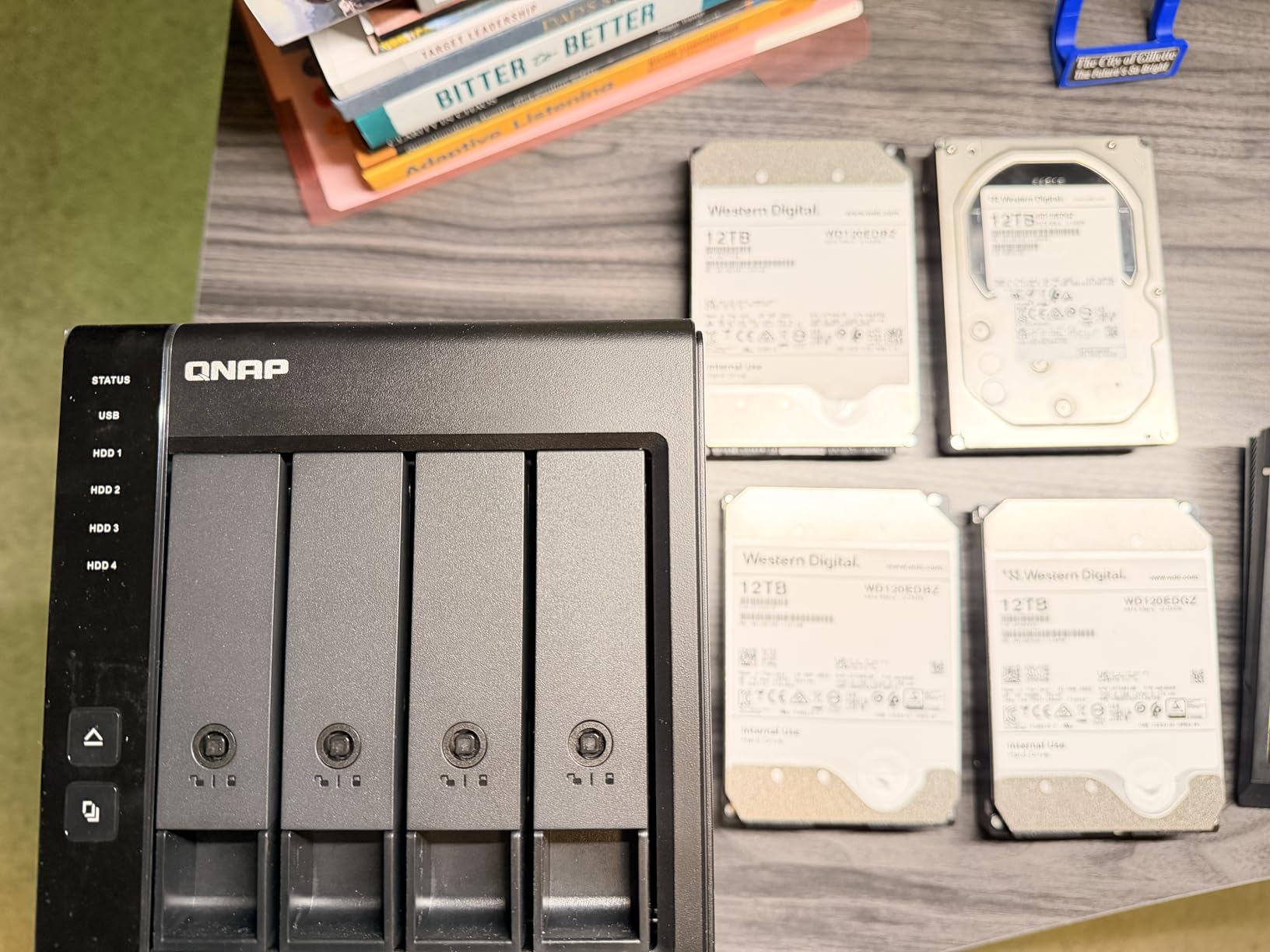
This is the box we keep coming back to. Four 3.5-inch SATA bays, a hardware controller that handles RAID 0, 1, 5 and JBOD without help from your computer, and a USB Type-C connection that works the same on Windows, macOS and Linux. For a photographer running a four-drive RAID 5 array as a working library and a daily backup target, it does the job without a learning curve.
The 652 reviews at a 4.2 average make this the best-documented unit in the group, and the pattern in them is consistent. Owners like the compact metal chassis, the included tray keys and the fact that everything needed to build an array arrives in the box, including screws for both drive sizes.
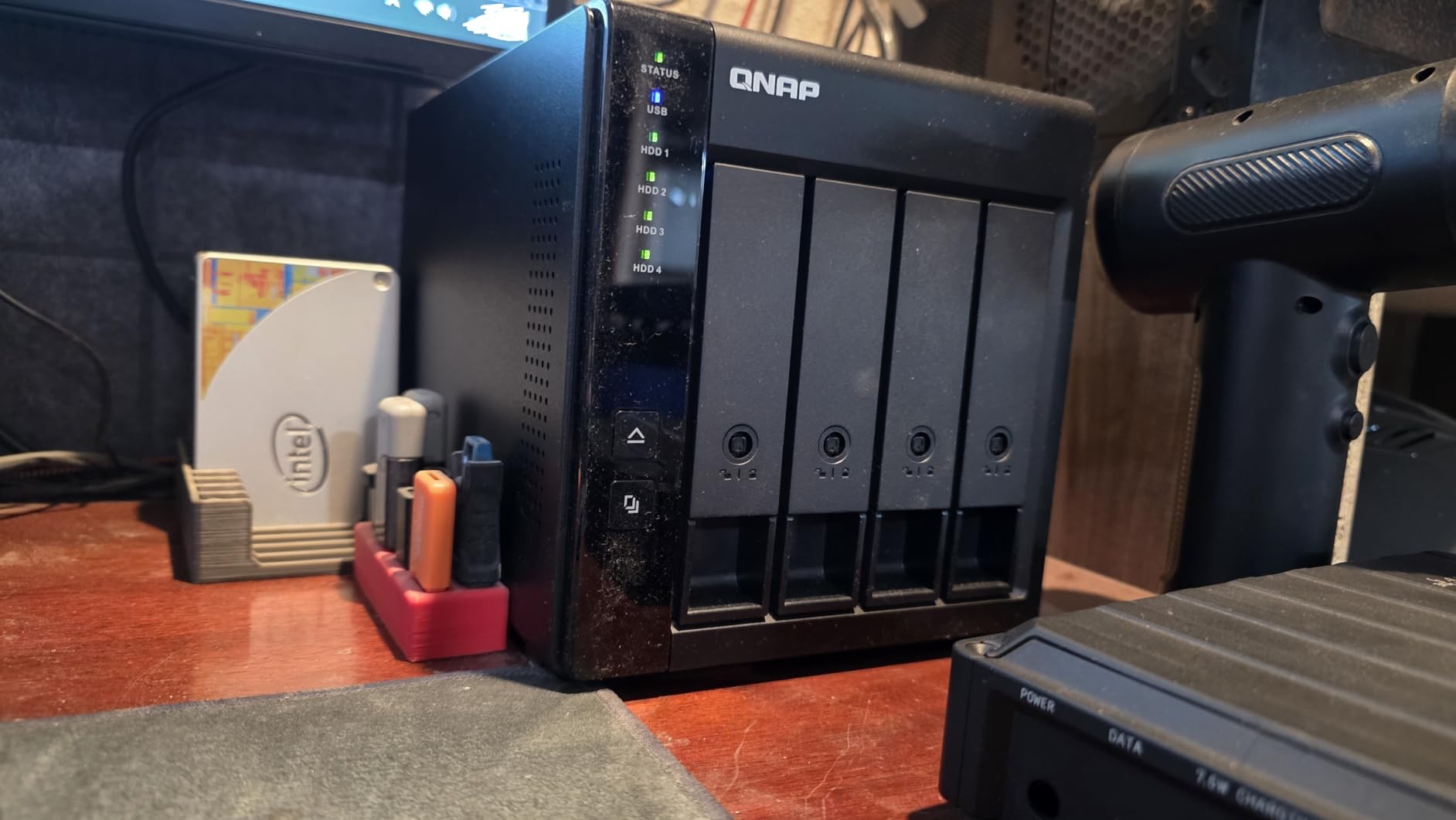
One integration detail catches people out. This is a direct-attached storage device, not a NAS, and the data it holds cannot be merged into a storage pool on a connected QNAP NAS. It also does not support the TS-128, TS-228, TS-131, TS-231, TS-431 or TS-431U models, so if you already own one of those boxes, check the list before you order.
Who the QNAP TR-004 suits
It suits the single operator with a mixed client roster who wants hardware RAID without paying for Thunderbolt. Four bays is the practical sweet spot for RAID 5, the enclosure weighs 4.1 pounds, and the lockable trays matter if the box lives in a shared studio rather than beside your desk.
It also suits anyone who already runs a QNAP ecosystem and wants a fast local target for NAS backups, or extra capacity that the NAS itself cannot provide.
Where it falls short
The USB link runs at 5Gbps, which means real-world transfers sit well below what a spinning array can stream. That is fine for RAW ingest and Lightroom catalogs, and it is the reason to look at Thunderbolt instead if you edit 4K or 8K footage from the same box.
Owners on Reddit have also reported wake-from-sleep hangs of 40 to 60 seconds when 12TB Ultrastar drives are fitted. If your workflow sleeps the machine between culling sessions, test that pattern yourself before you commit.
2. CENMATE 4-Bay Aluminum RAID Enclosure – Best Budget 4-Bay RAID 5
CENMATE Aluminum 4 Bay Hard Drive RAID Enclosure with Cooling Fan for 2.5/3.5″ SATA HDD/SSD with USB A/C 3.0+eSATA Cable, 3.5 Hard Drive Reader Supports 80TB Capacity, 8 RAID Modes, DAS(NO NAS)
4 x 2.5 or 3.5-inch SATA bays
8 RAID modes including RAID 5
80TB max
USB 3.0 plus eSATA
1 year warranty
Pros
- Eight RAID modes including RAID 5
- RAID 10
- CLONE and LARGE
- Verified working with 20TB shucked drives in RAID 5
- Tool-free caddies make disk swaps quick
- Aluminium body with two cooling fans
- Multiple owners report stable 24/7 operation
Cons
- Included USB cables are widely reported as faulty
- Small fans can be audible in a quiet room
- Changing RAID mode wipes the drives
This is the box to buy when the number that matters is usable capacity per pound of spend. Eight configuration modes, support for 2.5 and 3.5-inch drives up to 20TB each, and an aluminium body that stays cool with four spinning disks inside.
At 663 reviews it has the largest review base here, and the 3.9 average comes down to one recurring theme rather than a broken product. Owners build the array, it works, and then they discover the cable in the box is the weak link. Replace it on day one.
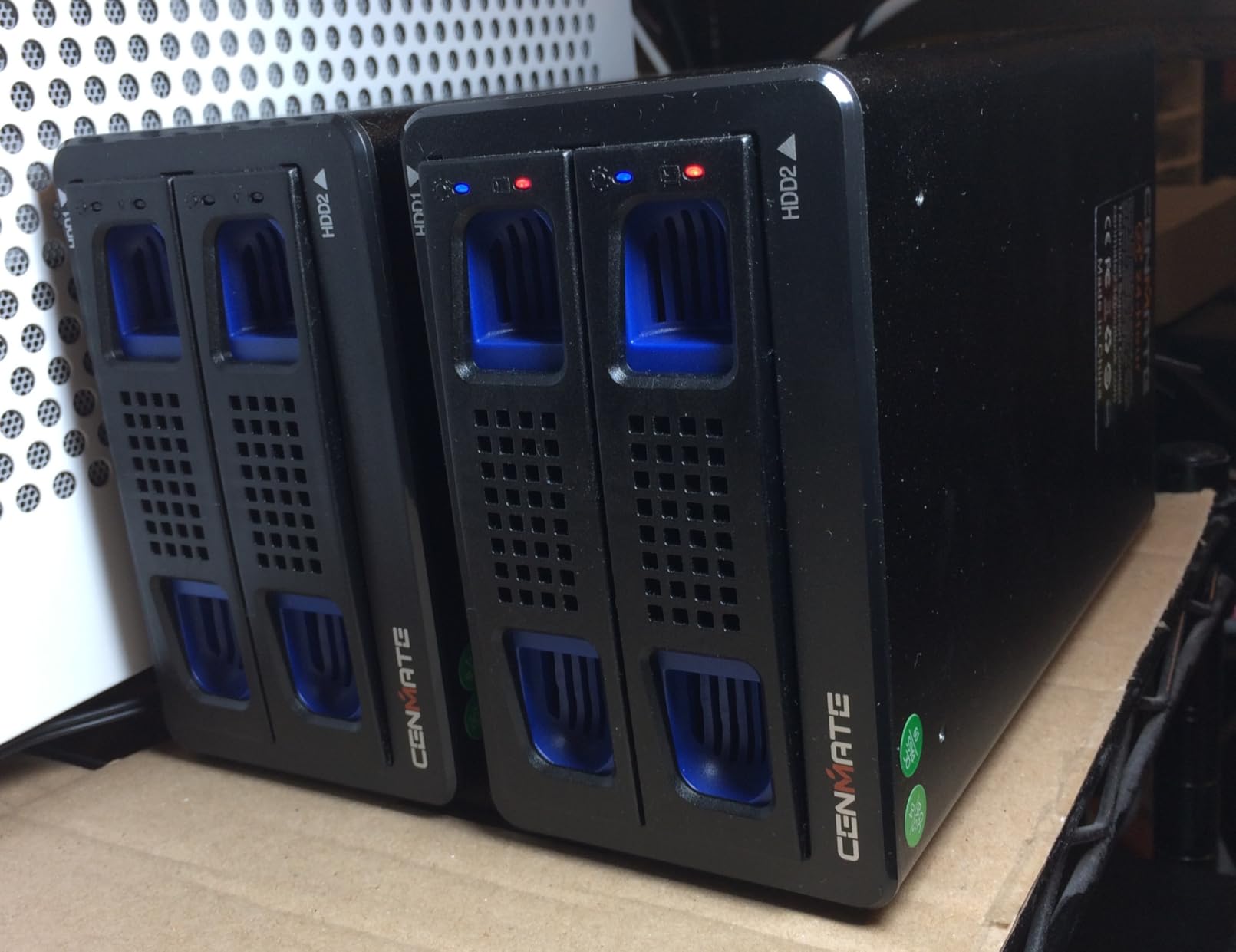
Two more setup warnings are worth internalising. RAID mode is set with a rear paddle plus a ten-second hold of the reset button while the unit powers up, and changing modes wipes the drives. Because the reset button is exposed, it is also possible to wipe both disks by holding it while the enclosure is already running.
On macOS there is no RAID management software, so the mode has to be set from the rear switch. Treat that as a one-time operation done at a desk with a monitor and keyboard, not at a hotel desk the night before a wedding.
Who the CENMATE suits
It suits photographers who already own drives, or who are comfortable buying them separately, and who want five RAID modes including RAID 5 without paying a Thunderbolt premium. The eSATA output is a genuine bonus for older editing workstations with a port multiplier.
Owners report verified operation with 20TB shucked drives in RAID 5, and mixed drive sets behave, which is exactly the flexibility a growing library needs.
Where it falls short
The supplied cables are the weak point. Reports of disconnects and drives that never appear are common enough that swapping in a certified cable should be part of your build plan rather than a troubleshooting step later.
Some units have stopped being detected by the computer after roughly ten months, and the two-inch fans run around 40 to 50 decibels, which is noticeable in a quiet room. In a working edit suite that noise becomes the thing you notice between clients.
3. Vantec NexStar GX 2-Bay RAID – Best Travel-Sized Mirror
Vantec Nexstar GX USB 3.0 Dual 2.5″ SATA SSD/HDD RAID Enclosure, Black (NST-272S3-BK)
2 x 2.5-inch SATA bays
RAID 0/1 with auto rebuild
USB 3.0 at 5Gbps
UASP support
1 year warranty
Pros
- Smallest and lightest unit in the roundup at 10.56 ounces
- Hardware RAID 0 and 1 with automatic RAID 1 rebuild
- UASP support for fast SSD mirroring
- Aluminium housing with front vents
Cons
- Two bays means one mirrored pair and no room to grow
- Needs an external power adapter for higher-power drives
- Legacy USB Micro-B connector
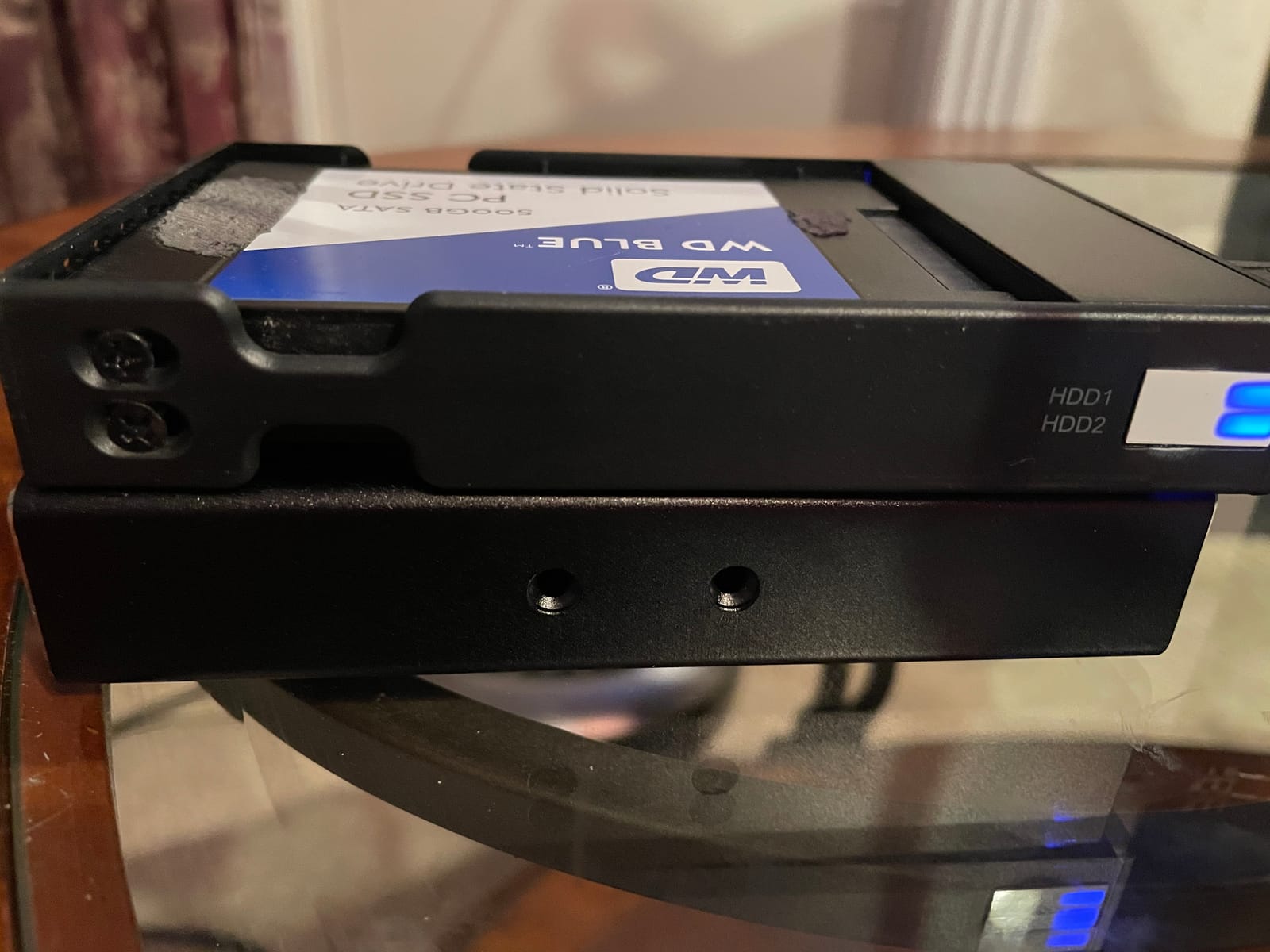
A two-bay mirror is the smallest thing that still protects you from a single drive failure, and this is the one to carry. At 10.56 ounces and 4.72 by 3.15 inches it disappears into a camera bag, and RAID 1 rebuild happens automatically when a drive is replaced.
It takes two 2.5-inch SATA drives, so this is a portable SSD or a 2.5-inch spinning drive rather than a full 3.5-inch desktop disk. UASP support is a real benefit here, because SSD mirroring over USB 3.0 is otherwise crippled by protocol overhead.
Be clear about the ceiling. Two bays is a single mirrored pair, with no hot spare, no parity expansion and no way to grow without replacing the box. It is a travel and second-copy device, not a studio library.
The rating drag at 3.9 across 305 reviews comes from people who expected network features. This is a plain USB box with a hardware mirror, and the front LEDs are the only interface it has.
Who the Vantec suits
It suits a photographer who shoots away from a desk, wants a mirrored copy of a card in the field, and needs something that fits in a jacket pocket. Pair it with a small SSD and you have a working travel archive.
It also works as a cheap second target for a nightly copy of a Lightroom catalog, where the priority is a second copy rather than capacity.
Where it falls short
The external AC adapter is needed for higher-power 2.5-inch drives, which undercuts the idea of a truly grab-and-go device. The connector is also legacy USB Micro-B rather than USB-C, so you will carry a specific cable.
If your library is measured in terabytes rather than gigabytes, this is the wrong tier entirely. Two bays also means no parity, so a rebuild means reading every remaining byte across the surviving drive.
4. Syba 5-Bay Hot-Swap RAID – Best for Field Drive Swaps
Syba 5 Bay Tool Less Tray Hot Swappable 2.5″ 3.5″ SATA III RAID HDD External USB 3.0 Enclosure Windows MacOS SY-ENC50118
5 x 2.5 or 3.5-inch SATA bays
RAID 0/1/3/5/10/span/JBOD
Tray-less hot-swap
150W power supply
1 year warranty
Pros
- Tray-less hot-swap trays make field swaps straightforward
- Full RAID selection including RAID 5 and RAID 10
- Aluminium build stays cool with five spinning drives
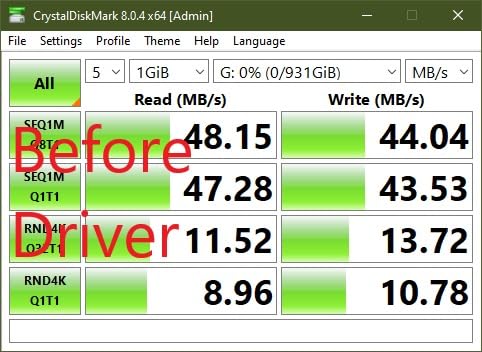
- Owners report 150 to 200 MB/s over USB 3.0 and eSATA
- Several units still running after five years
Cons
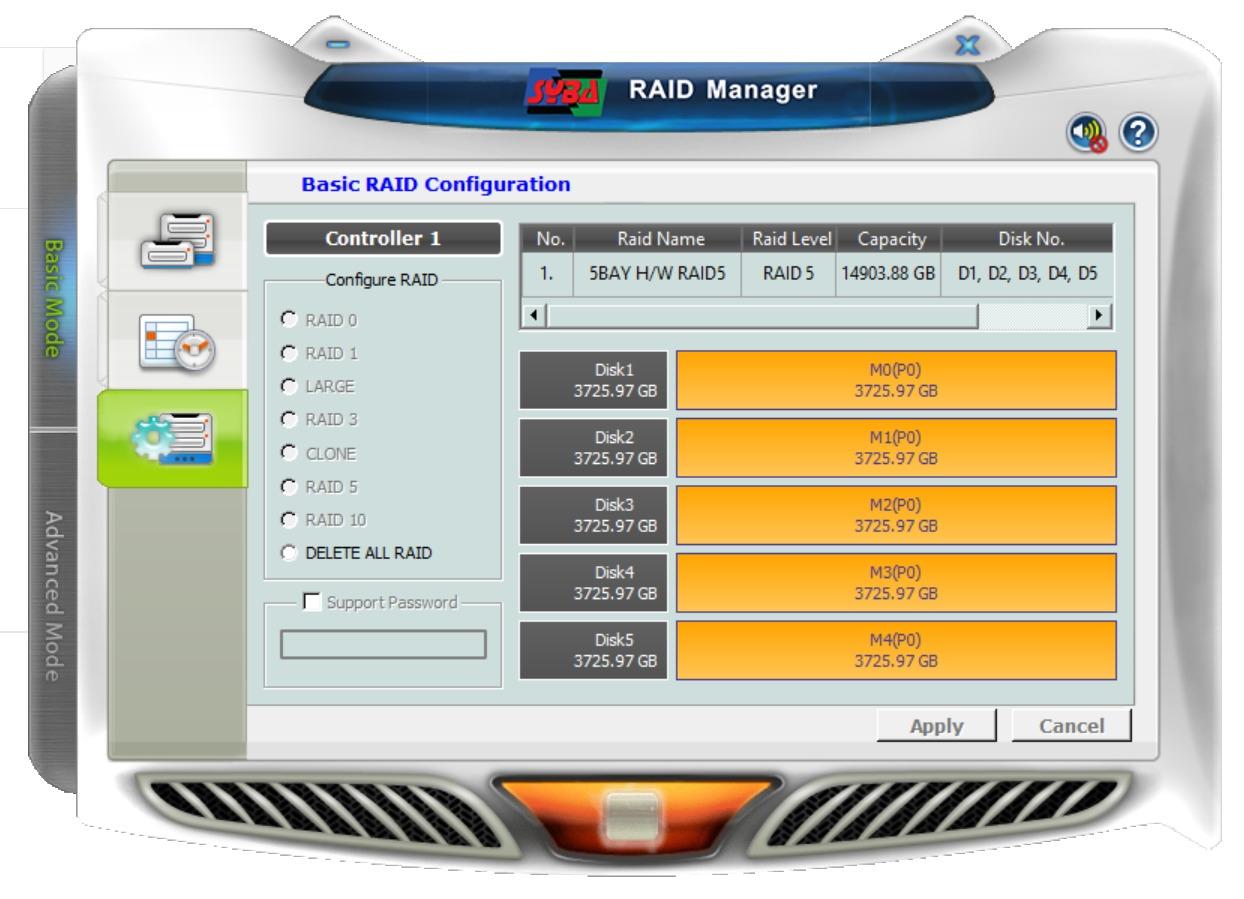
- Bundled RAID management software is unreliable at first setup
- No UASP support
- Random disconnects reported on both USB 3.0 and eSATA
Five bays is unusual at this size and it changes what you can do. You can run four drives in RAID 5 and still have a cold spare in the fifth bay, which is the arrangement experienced photographers keep recommending to each other.
The tray-less design means you pull a drive by its carrier without a screwdriver, and the 150W supply is sized for five disks under sustained load. Aluminium construction runs cool, and owners report 150 to 200 MB/s over both USB 3.0 and eSATA.
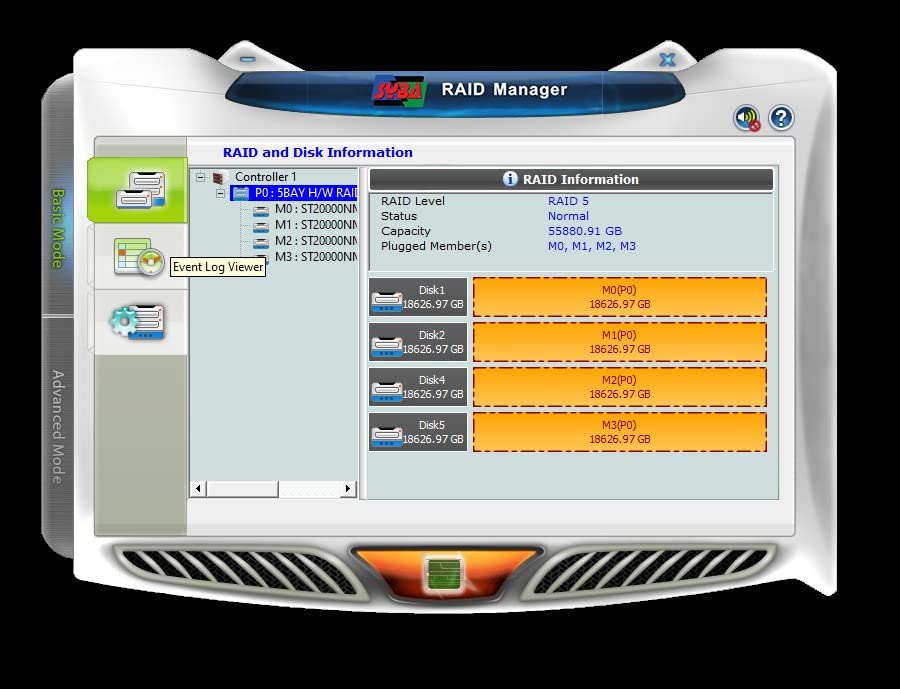
It also recognises very large drives, including 18TB models, and uses the same chipset and management software as the older Sans Digital towers, so arrays you already own may be recognised.
The two problems are software and stability. The bundled RAID utility is reported to need repeated attempts at first setup, and the back-panel DIP switch instructions are unclear about the required power state.
Who the Syba suits
It suits a working photographer who thinks in cold spares and wants a fifth bay to hold one. Hot-swap trays also matter for DIT-style work, where swapping a set of drives between a card ingest and a workstation is a normal part of the day.
The eSATA output appeals to older editing bays, provided you have a port multiplier with FIS-based switching on the host.
Where it falls short
There is no UASP support, so the controller falls back to bulk transport and you lose some of the speed advantage an SSD array could otherwise deliver. Intermittent dropouts are reported on both USB 3.0 and eSATA, and an interrupted drop during an unattended backup is the failure mode that costs a night.
Support is email-only and slow to respond, and the per-drive power switches on the back are too small to operate with fingers. There is no hot-spare support in the controller, so the fifth bay is a spare you manage by hand.
5. TERRAMASTER D2-320 2-Bay USB RAID – Best Rated Two-Bay Option
TERRAMASTER D2-320 USB RAID Enclosure 2-Bay (Diskless)
2 x 2.5 or 3.5-inch SATA bays
USB 3.2 Gen 2 at 10Gbps
RAID 0/1/JBOD/Single
Up to 44TB total
2 year warranty
Pros
- Highest rating-to-review ratio among the two-bay units at 4.3 from 112 reviews
- RAID 1 verified by pulling a drive mid-array and checking the copy
- Temperature-controlled low-noise fan
- Tool-free push-lock trays and a USB-C to USB-C cable
Cons
- Short drive compatibility list
- Thin documentation with the manual split across web pages
- Drive trays cannot be locked
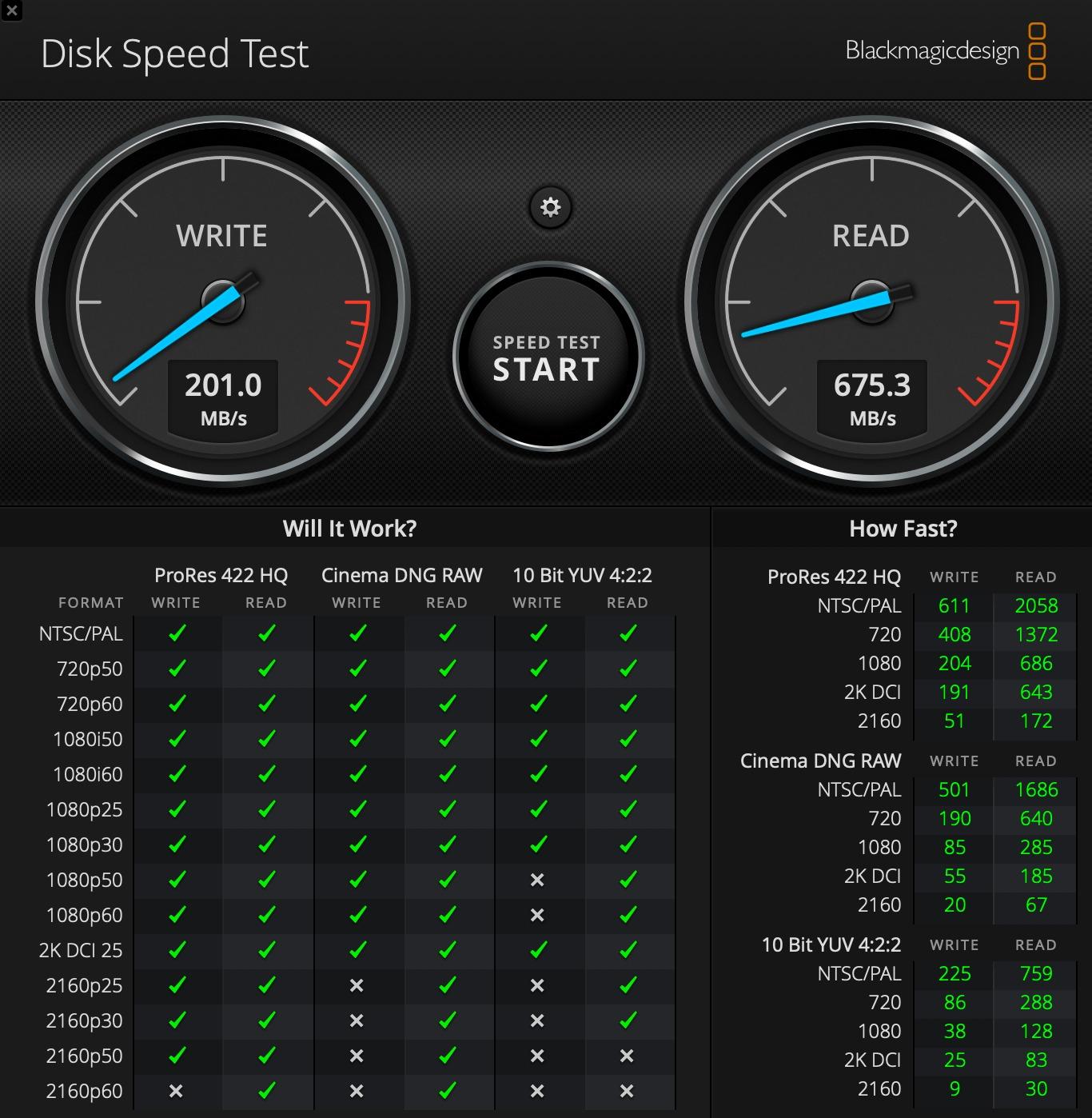
If two bays is your ceiling, this is the one to buy. It runs USB 3.2 Gen 2 at 10Gbps, roughly double most four-bay boxes on the market, and detailed testing reviews put two 8TB hard drives in RAID 0 at up to 521MB/s. Two 1TB SSDs in RAID 0 read up to 1075MB/s.
With 6TB mechanical drives, owners measure roughly 156 MB/s writes and 221 MB/s reads. That is enough headroom to cull and edit directly from the volume on most photo jobs.
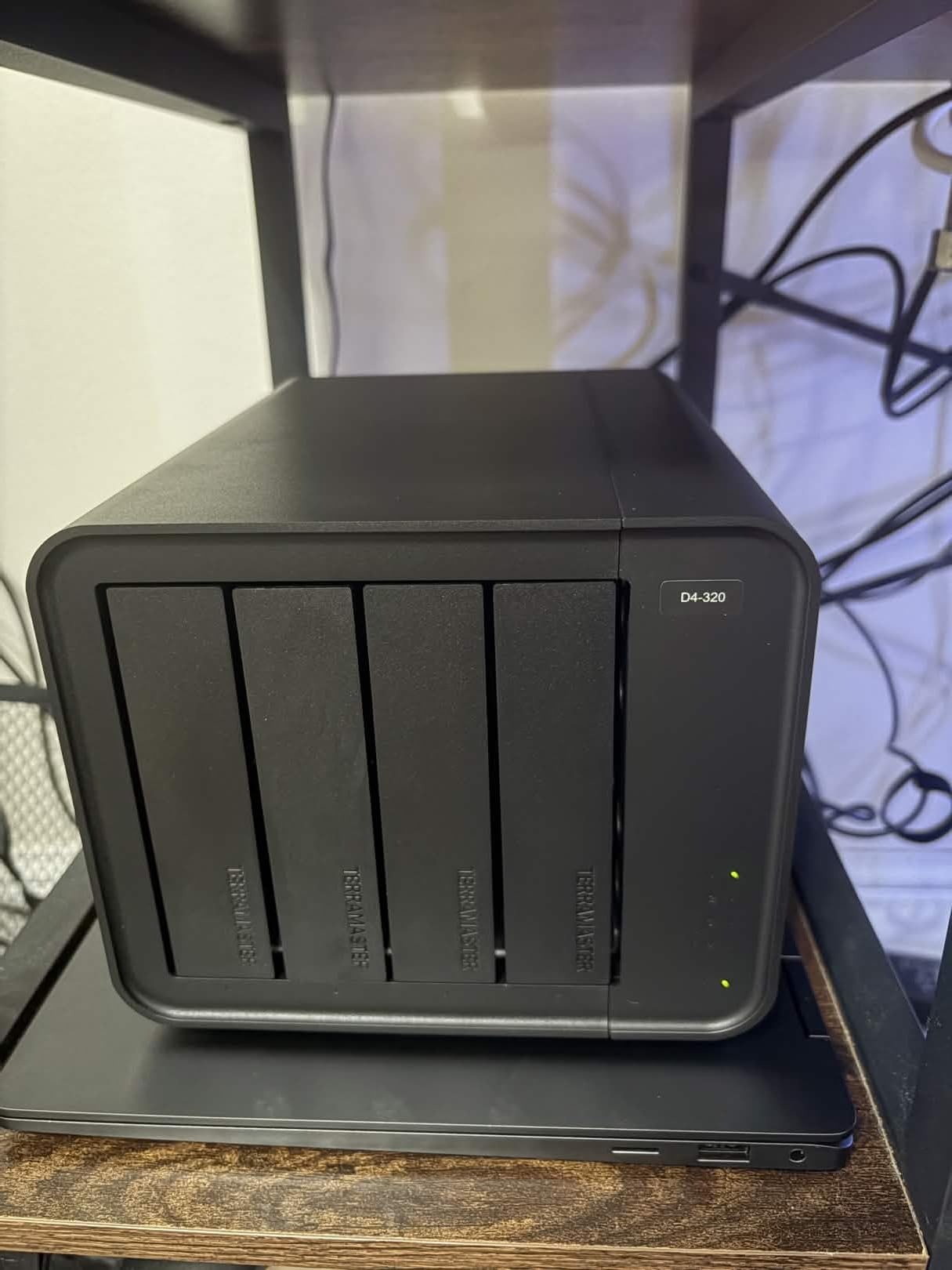
RAID 1 mirroring has been verified by pulling a live drive out of the array and checking the data on it separately, and the rebuild triggers with clear green and amber status LEDs. RAID 1 also allows direct hot replacement with automatic recovery, which a two-bay mirror otherwise rarely manages.
The intelligent temperature-controlled fan keeps drives healthy without the constant whirr of small always-on fans, and the push-lock trays need no screws at all.
Who the TERRAMASTER suits
It suits a photographer with a library under about 10TB who wants fast transfers more than room to grow, and who values a quiet fan during a long culling session. The two-year warranty is the longest in the two-bay group.
It also works as a fast shuttle between a main machine and an archive, or as a mirrored working set that you copy to a bigger array later.
Where it falls short
The compatibility list is short, and drives that are not on it may not work well. Check your exact model before building the mirror rather than after.
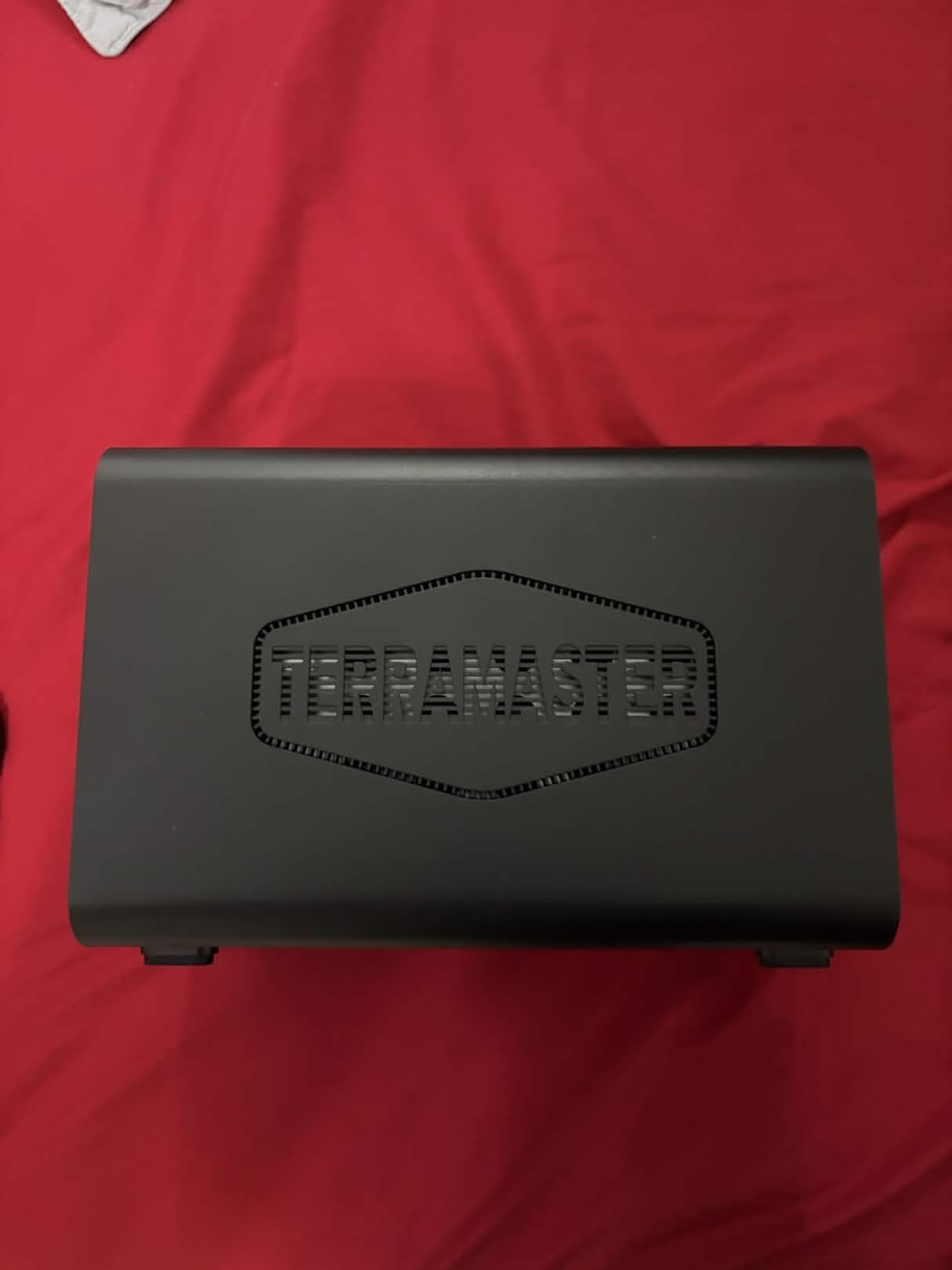
Documentation is thin, with the online manual split across separate web pages, and technical support has been described as slow and unhelpful. The plastic chassis feels cheap, the rubber vibration cushions are undersized, and the drive trays cannot be locked. Some owners also report repeated I/O write errors inside this enclosure that did not occur with a plain USB-to-SATA adapter.
6. OWC ThunderBay 4 Thunderbolt – Best for Mac Video Editing
OWC ThunderBay 4 Thunderbolt 40Gb/s Four-Bay SATA Enclosure w/ SoftRAID
4 x 2.5 or 3.5-inch SATA bays
Up to 1527MB/s
Dual Thunderbolt 3 ports
SoftRAID Premium included
3 year warranty
Pros
- Up to 1527MB/s sustained throughput for large RAW and video files
- Dual Thunderbolt 3 ports allow daisy-chaining
- RAID 0/1/4/5/10 configurable
- SoftRAID Premium bundled with three years included
- Accepts 2.5 and 3.5-inch drives with no adapter
Cons
- Thunderbolt 3 needs a host with Thunderbolt or USB-C
- Not a NAS and needs a host computer attached
- SoftRAID is a time-limited subscription
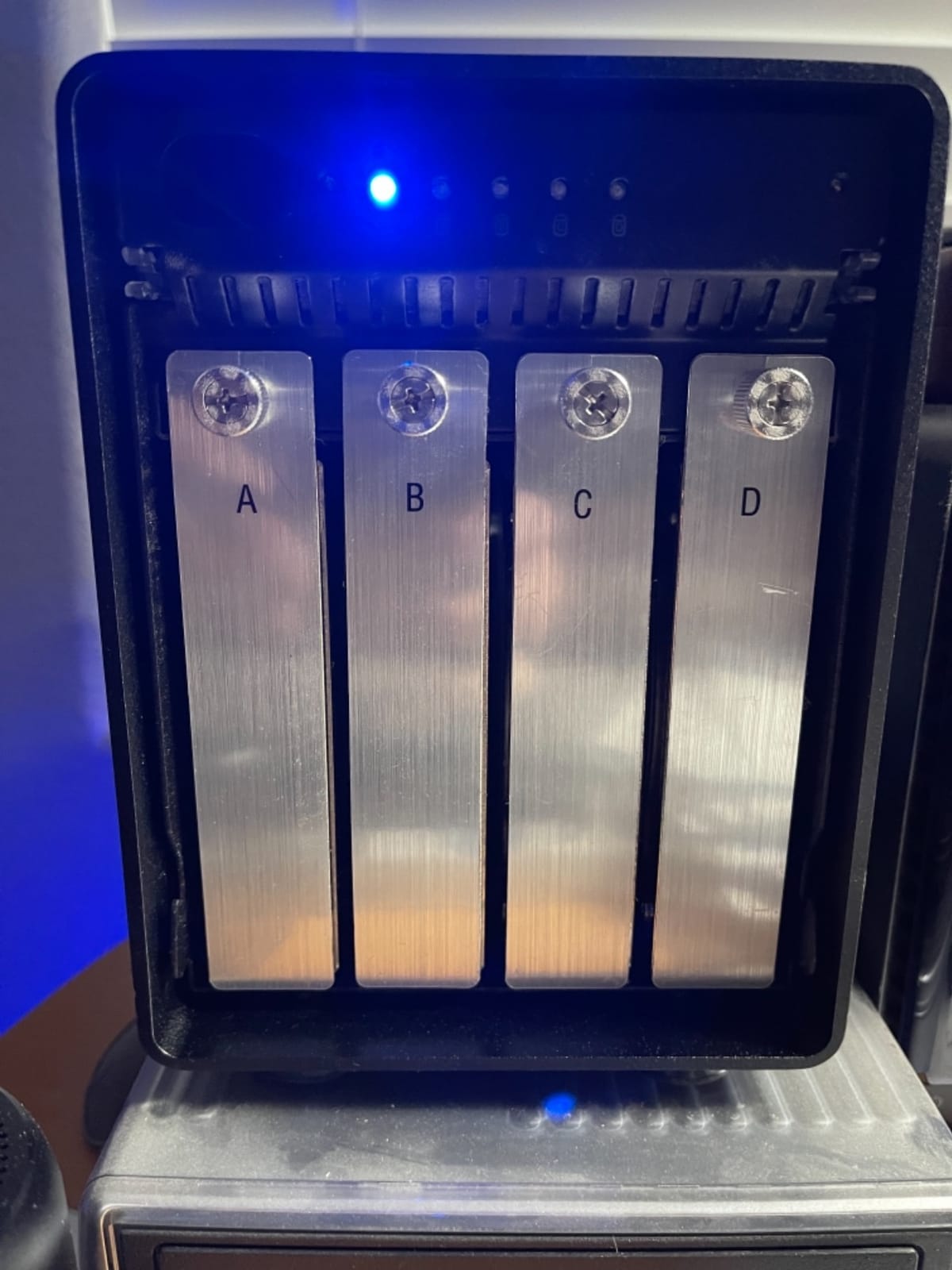
This is where Thunderbolt earns its place on a photographer’s desk. Up to 1527MB/s sustained performance means an array of SSDs behaves like local storage, and dual Thunderbolt 3 ports let you daisy-chain a second array or a display without a hub.
RAID 0, 1, 4, 5 and 1+0 are all configurable, and SoftRAID Premium is included with a three-year subscription for creating, monitoring and managing the array. Owners running OWC ThunderBay units for years under RAID 5 report no crashes, and they praise the flexibility of the software RAID approach.
It weighs 3.9 kg fully populated and takes 2.5 or 3.5-inch drives without an adapter, so you can mix laptop-class SSDs and desktop spinners in one volume.
That flexibility is also the trade-off. SoftRAID is software, so the array depends on the host machine and the licence. When the subscription ends, you keep working, but the ongoing cost of the software is a real line item in a five-year plan.
Who the OWC ThunderBay 4 suits
It suits a video-heavy photographer or a hybrid shooter who edits 4K timelines from the same volume as their stills. If your bottleneck is a spinning disk at 150 MB/s, a Thunderbolt array of SSDs removes it entirely.
The three-year limited warranty is also the longest warranty attached to any product in this roundup.
Where it falls short
Thunderbolt 3 requires a host with a Thunderbolt or USB-C port, and performance falls away sharply on plain USB. On current Apple Silicon desktops and laptops the array still works over USB4, but you are using the compatibility path rather than the native one.
It is a direct-attached device, not a NAS, so something has to be plugged in and powered on to serve the data. And the rating sits at exactly 4.0 across 102 reviews, with a 15 percent one-star share driven mostly by setup complexity.
7. OWC ThunderBay 8 Thunderbolt – Best for 20TB Plus Libraries
OWC ThunderBay 8 Eight-Bay Thunderbolt 40Gb/s Storage Enclosure w/ SoftRAID
8 x 2.5 or 3.5-inch SATA bays
Up to 2586MB/s
Dual Thunderbolt 3 ports
SoftRAID Premium included
Pros
- Eight universal bays for SSD or HDD with up to 2586MB/s
- Daisy-chains as far as 1152TB across six units
- Thumb-screw release trays make drive swaps fast
- No driver installation required and a Thunderbolt cable is included
Cons
- Heaviest unit in the roundup at 7.3 kg populated
- Thinnest evidence base here with 58 reviews
- Only a one-year limited warranty on this listing
Eight bays is where a RAID enclosure stops being a backup box and becomes the library. With eight 3.5-inch drives you can run a seven-drive RAID 6 array and still have a bay free, or a five-drive RAID 5 with spares. Capacity stops being the thing you plan around.
Throughput is listed at up to 2586MB/s, and SoftRAID Premium is bundled with RAID 0, 1, 4, 5 and 1+0 support, plus Apple RAID and Windows Disk Manager. The second Thunderbolt port can drive five additional Thunderbolt devices.
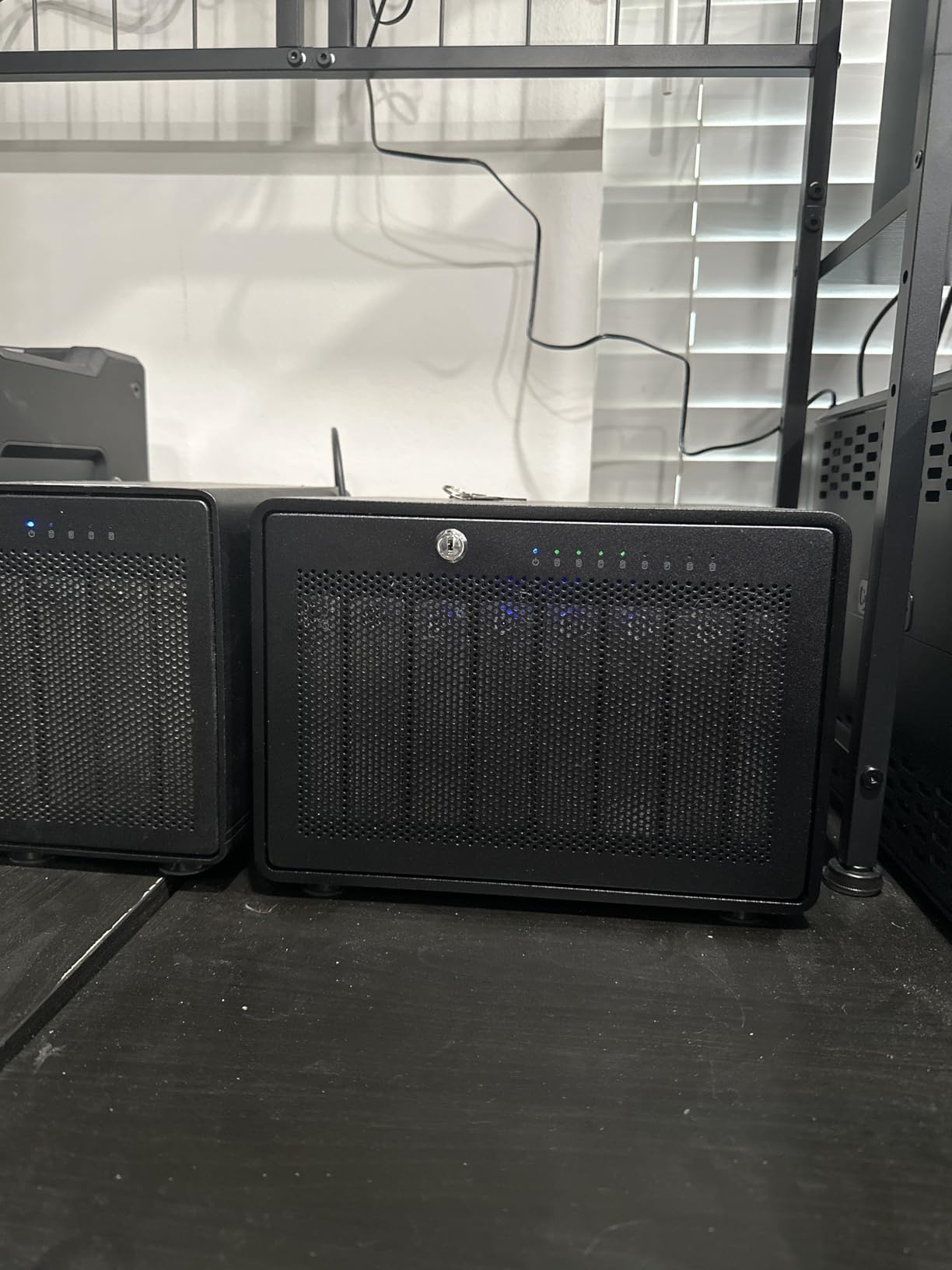
Scaling is genuinely open-ended. Daisy-chaining up to six units gives as much as 1,152TB, which matters for a studio that archives decades of client work rather than just the current year.
It is plug-and-play with no driver installation, and the thumb-screw release trays make a swap faster than a tool-free caddy on smaller units.
Who the OWC ThunderBay 8 suits
It suits a studio or an archiving photographer whose library has already passed the point where a four-bay array needs constant rebalancing. It also suits post houses editing multi-camera 4K and 8K material where scratch space matters more than archive depth.
If you already own a ThunderBay 4, this is the natural second unit, since both share the same SoftRAID approach and can be daisy-chained.
Where it falls short
A fully populated unit weighs 7.3 kg, which is a two-person or wheeled move. Enterprise Ultrastar-class drives inside make it heavier still, and those sleds are shock-sensitive rather than portable.
It is also the most expensive enclosure in this roundup, it needs a Thunderbolt 3 host for anything like the advertised speed, and the 58-review base is the thinnest evidence we have here. The one-year limited warranty on this listing is also shorter than the three years on the four-bay unit.
8. ORICO 4-Bay 20Gbps RAID – Best for USB4 Throughput
ORICO 4 Bay RAID Hard Drive Enclosure,JMS591 Chip, 20Gbps USB 3.2 Gen2X2
4 x 3.5-inch SATA bays
USB 3.2 Gen 2x2 at 20Gbps
JMS591 hardware RAID
Up to 104TB total
1 year warranty
Pros
- Fastest interface in this roundup at 20Gbps over USB 3.2 Gen 2x2
- JMS591 controller delivers roughly 2000MB/s with SSDs in RAID 0 and RAID 5
- Six RAID modes plus migration from older chipset arrays
- Built-in 150W power supply removes the external brick
- Verified stable multi-terabyte transfers
Cons
- Needs a host port that supports Gen 2x2 or USB4 to reach 20Gbps
- Thunderbolt 3/4/5 hosts cap at 10Gbps because of tunnelling
- Included cable limits write throughput
- macOS RAID utility is reported as no longer valid
This box carries the highest rating in the roundup at 4.4, and it earns it on paper for a specific reason. Twenty gigabits per second over USB 3.2 Gen 2×2 is the fastest interface any unit here offers, and the upgraded JMS591 controller puts SSDs at roughly 2000MB/s in RAID 0 and RAID 5.
There is a real catch, and it is the interface rather than the enclosure. Thunderbolt 3, 4 and 5 hosts tunnel storage at 10Gbps, so to see the full 20Gbps you need a native USB4 or Gen 2×2 port and a certified cable.
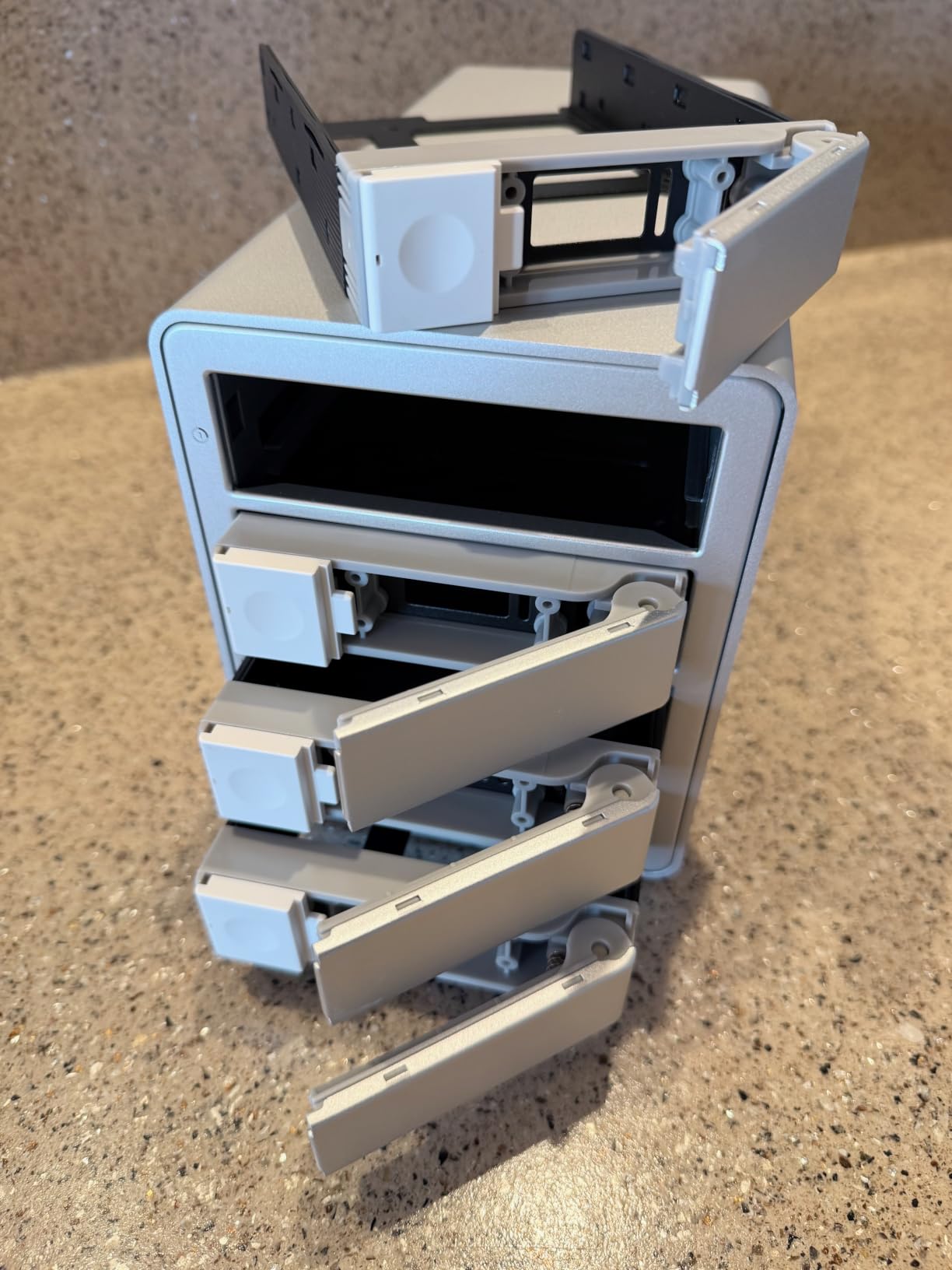
Capacity is generous at up to 26TB per drive and 104TB total, and the aluminium body, 45dB low-noise fan and hot-swappable bays are all sensible choices. A built-in 150W power supply means one cable to the wall instead of a brick.
It also accepts arrays built on older chipsets, so you can migrate without rebuilding. That is a small feature that saves an entire day of copying when you outgrow a previous box.
Who the ORICO 4-Bay 20Gbps suits
It suits a photographer on a current Apple Silicon or Windows workstation with USB4 who wants SSD array speed over a single cable without spending on a Thunderbolt enclosure. Mixed SSD and hard drive sets are supported, and the RAID set includes JBOD and Normal modes for gradual expansion.
It also suits anyone planning to move up from an older JMicron-based array, since migration between chipsets is supported.
Where it falls short
The 4.4 average comes from 49 reviews, the thinnest evidence base among the well-rated products here, so treat it with some caution. The included cable limits write throughput substantially, and a certified 20Gbps cable is worth buying with the enclosure.
Support is the weak point: the manufacturer website is hard to search, finding the RAID utility and chipset drivers is a long hunt, and macOS RAID management software is reported as no longer valid with no replacement available. Individual mechanical drives cannot saturate a 20Gbps link in any case, so your RAID mode and drive choice decide what you actually see.
9. ORICO 5-Bay RAID Enclosure – Best for Five-Bay RAID 5
ORICO RAID 5 Bay RAID HDD Enclosures
5 x 3.5-inch SATA bays
Eight RAID modes
Up to 110TB total
USB 3.0 at 5Gbps
150W built-in supply
Pros
- Five bays with up to 22TB drives for very high capacity
- Eight RAID modes including RAID 5
- CLONE and CLEAR
- Drives held below 45 degrees C with 24TB disks on this chassis
- Measured reads around 210 MB/s and writes around 192 MB/s
- Reported as essentially silent
Cons
- JBOD is not truly hot-swappable
- Occasional dropouts during large transfers
- Changing RAID mode wipes the drives
Five bays in an aluminium chassis with a built-in 150W supply is a configuration that is hard to find, and it is the most natural place to build a four-drive RAID 5 with a genuine cold spare sitting in bay five.
Eight configuration modes cover RAID 0, 1, 3, 5, 10, JBOD, CLONE and CLEAR. Capacity reaches 110TB with 22TB drives, and measured sequential performance lands around 210 MB/s reads and 192 MB/s writes, which is about as much as a 5Gbps link can carry.
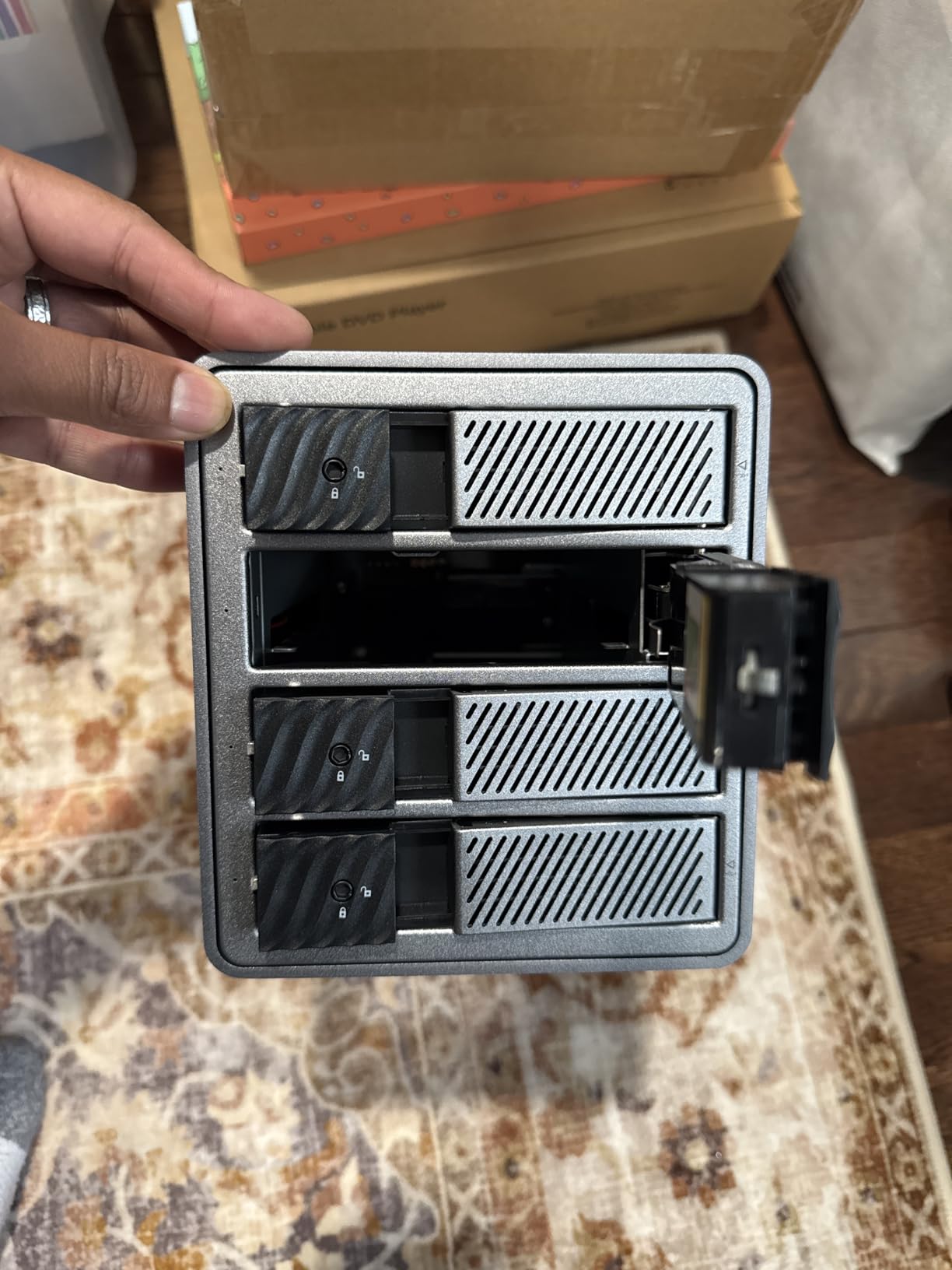
Thermals are the quiet win. One owner reports drives held below 45 degrees C with 24TB disks, and others describe the box as essentially silent behind a television or in a server room, which is rare for a five-bay unit with an 80mm fan.
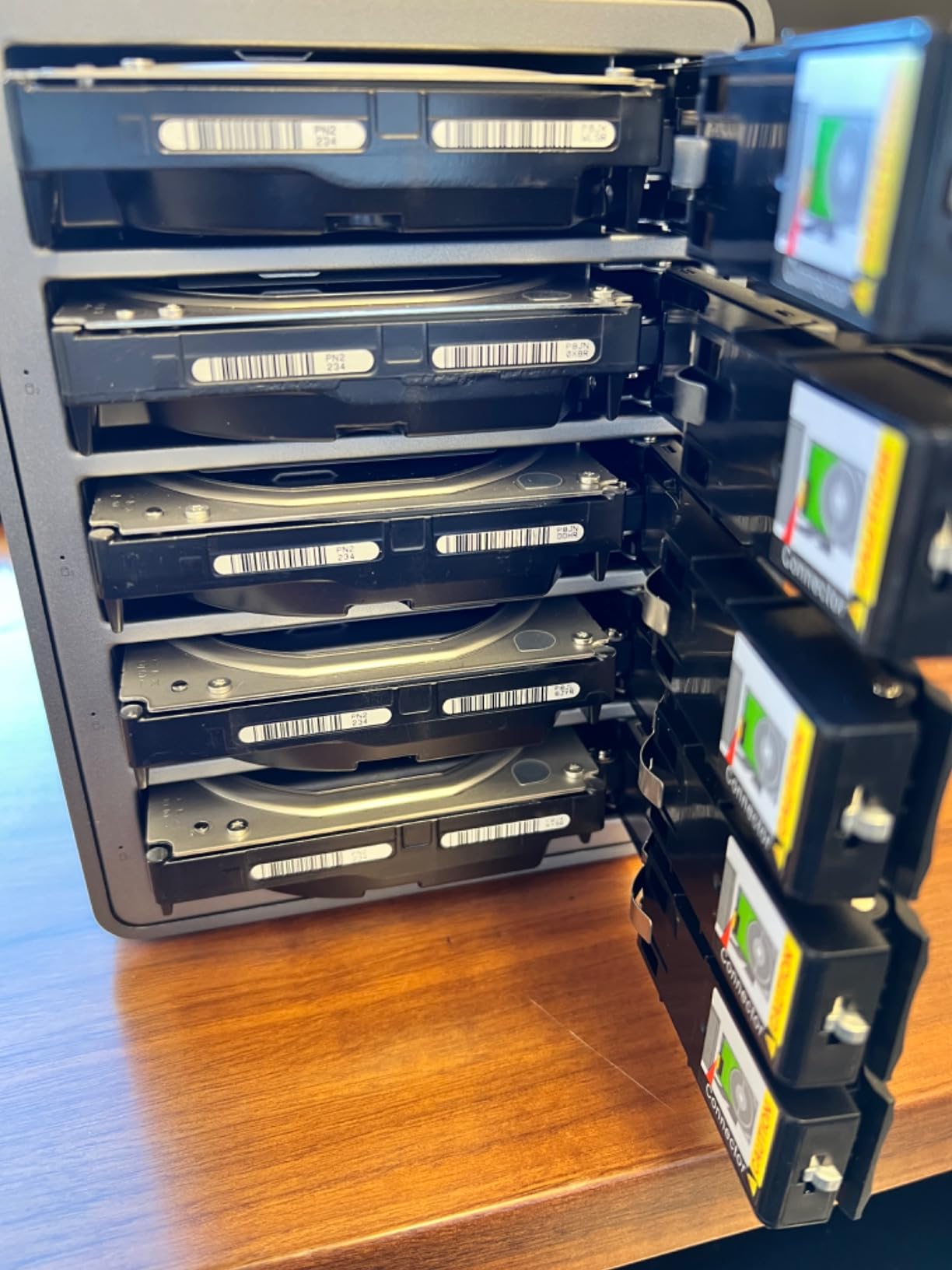
Tool-less caddies slide in and lock, with an independent safety locking mechanism on each.
Who the ORICO 5-Bay suits
It suits a photographer building toward a first storage wall who wants room to add a fifth disk later rather than replacing a four-bay box. RAID 5 across four drives plus a spare is the arrangement most experienced users recommend.
It also suits anyone with a library measured in tens of terabytes who wants a single volume to cull against, and who does not need Thunderbolt because the work is stills rather than multi-stream video.
Where it falls short
JBOD is not truly hot-swappable. Inserting a drive disconnects the others for several seconds, which will interrupt a running transfer, and occasional dropouts during large transfers are usually resolved by a power cycle.
The controller sleeps the drives down after ten minutes of inactivity unless you reprogramme it, changing RAID mode wipes every drive, and one owner reported a top bay that would not release its drive while its fan had stopped running. The 3.9 average across 85 reviews has the widest spread in the group, so buy it for capacity and accept that you are taking on more enclosure-level risk than a premium brand.
10. MAIWO 4-Bay HDD RAID Enclosure – Best for Compact Desktop Builds
MAIWO 4 Bay HDD RAID Enclosure for 3.5″ SATA Drive with Cooling Fan, USB A-C 3.0 & C-C Cable Included, Supports Raid Normal,0,3,5,1/10,Clone/Large(jbod) & 96TB Capacity, DAS Enclosure
4 x 3.5-inch SATA bays
7 RAID modes including RAID 5
Up to 96TB
USB 3.1 at 5Gbps
Two cooling fans
Pros
- Full aluminium body in a small 184 by 127 by 115mm chassis
- Dual cooling fans with an on/off switch
- All four drives appear individually in Normal or JBOD mode
- Mixed-brand and mixed-capacity drives run reliably together
- Both USB-A to USB-C and USB-C to USB-C cables included
Cons
- Caddies are 3D-printed plastic inserts that can misalign
- Fans are not temperature-controlled
- No printed or downloadable manual
At 2.7 pounds and 4.53 by 5 by 4.53 inches, this is the smallest four-bay box in the roundup, and it is built from aluminium alloy rather than plastic. Seven RAID configurations cover Normal, 0, 3, 5, 1/10, Clone and Large (JBOD).
Owners report verified operation on Windows 7, 10 and 11, Linux and a Raspberry Pi 5, and mixed drive sets of 4TB, 8TB and 10TB running reliably together. Capacity reaches 96TB with four 24TB drives over USB 3.1 at 5Gbps.
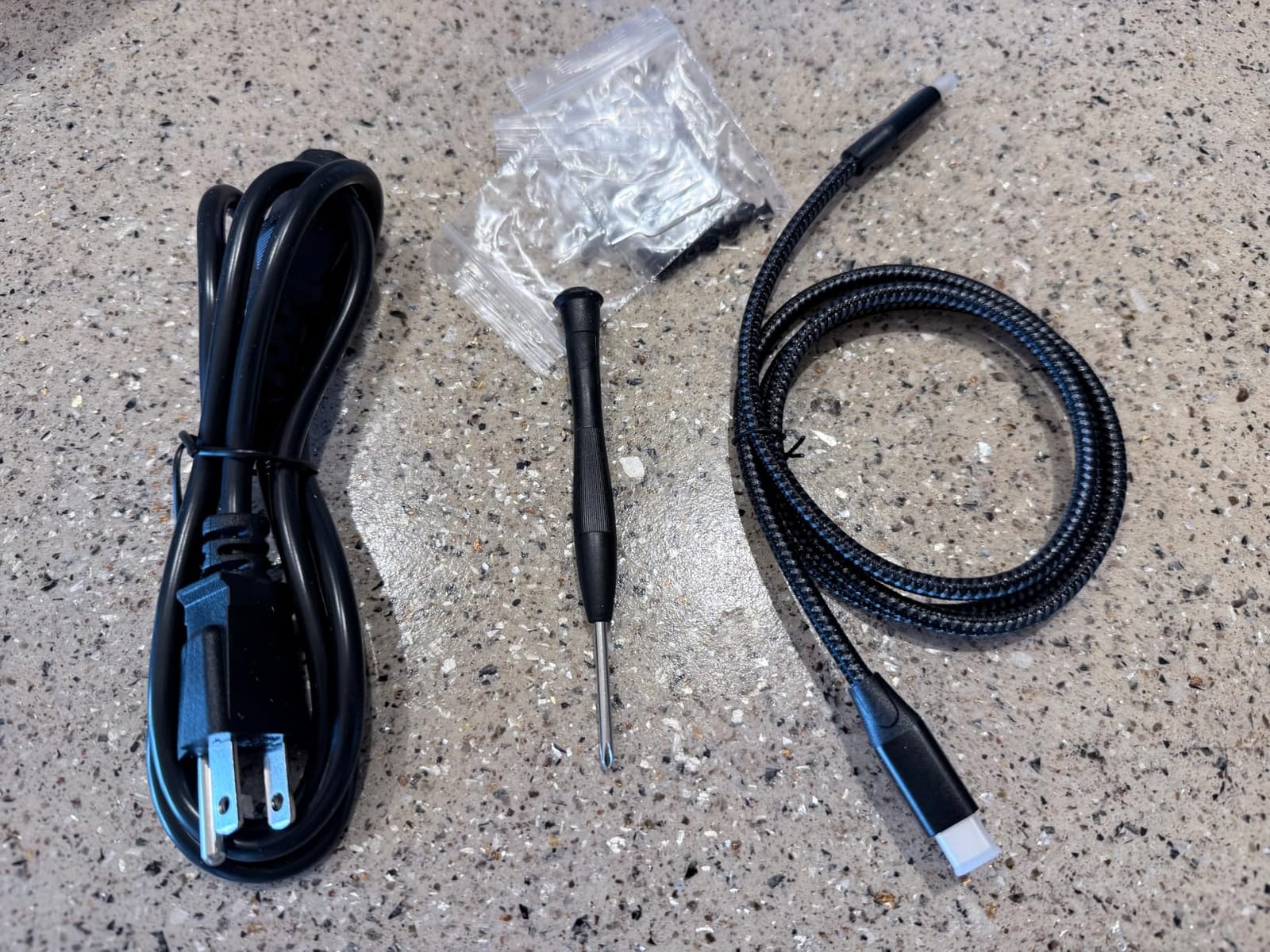
Both USB-A to USB-C and USB-C to USB-C cables ship in the box, along with a screwdriver and screws, which removes the single most common early complaint in this category.
Two cooling fans with an on and off switch give you control over noise in a quiet room, and measured writes of roughly 180 MB/s from an SSD to a drive inside are in line with the interface.
Who the MAIWO suits
It suits a photographer working in a small or shared space where a full-size four-bay tower is inconvenient, and who wants a spare bay in a footprint close to a shoebox. JBOD and Normal modes also make it easy to start with two drives and grow.
Mixed-brand and mixed-capacity support is useful for anyone who already owns drives and does not want to buy four new ones at once.
Where it falls short
The caddies are 3D-printed plastic inserts that can misalign with the SATA connectors, and the handle edges on the case are sharp enough that one owner sanded them down. Fans are not temperature-controlled, which worries people running the box around the clock.
Documentation is poor, with no printed manual and none found on the website, and one review reports live current being passed through the USB cable while another describes an unrecoverable four-beep fault. With 28 reviews this is the thinnest evidence base in the selection, so treat the sample as indicative rather than settled.
RAID Levels Explained: What to Pick for Photos
RAID 1 mirrors every file to a second drive and survives one failure. RAID 0 stripes files across drives for speed and survives nothing at all, so it has no place holding client work. RAID 5 writes one parity block across all drives, survives one failure and costs you the size of one drive. RAID 6 writes two parity blocks, survives two simultaneous failures and costs you the size of two drives. RAID 10 mirrors pairs and then stripes them, giving strong performance and one-drive protection with only half your raw capacity usable. JBOD simply concatenates drives and adds no protection whatsoever.
The flat rule we use: use RAID 5 with four or more drives, and move to RAID 6 when irreplaceable client work outweighs the capacity you give up. With three drives, RAID 5 is the only sensible parity option and gives you two drives of usable capacity, which is why we recommend starting at four bays rather than three.
The catch nobody mentions is the rebuild window. A degraded array is rebuilding from parity, reading every remaining byte across every surviving drive, and until that finishes you are one second disk failure from losing everything. On a four-drive array of large nearline drives that can take a day or more. Keep a matching cold spare on the shelf, and stagger drive replacements roughly every three years so your drives do not all reach end of life in the same month.
RAID Is Not a Backup: Build a 3-2-1 Plan Around Your Array
RAID protects against exactly one event: a drive failing. A photographer who deletes a client folder, a catalog corrupted by a power cut, or a ransomware encryption on the host machine will see the damage mirrored to every disk in the array. This is the loudest myth in this corner of the storage world and it is repeated on forum after forum.
The 3-2-1 rule is the answer. Keep three copies of your work, on two different media, with one copy offsite. For a photographer that usually looks like this:
Copy one: the RAID array you edit from. This is scratch space and primary working storage, not an archive.
Copy two: a separate physical drive or a second array in a different room, refreshed nightly by your backup software.
Copy three: offsite. Backblaze B2, Wasabi, Amazon Glacier or a stack of spinning disks at your parents’ house all count.
Be realistic about the third copy at scale. Pushing 20TB or more over consumer upload bandwidth is impractical, which is exactly why the second copy matters so much for a large library. Community consensus is that drives from both major manufacturers fail at similar rates, so maintaining a real backup matters far more than brand loyalty.
DAS vs NAS: When a Network Enclosure Wins
A DAS, or direct-attached storage unit, connects to one computer by one cable. A NAS, or network-attached storage unit, is its own small computer on your network. Every enclosure in this roundup is a DAS rather than a NAS, which is a deliberate choice: photographers editing from a Thunderbolt array avoid the network round trips that stall Lightroom.
A NAS wins in three situations. If two or more people need the same library at once, a network box is the only practical answer. If you want access from a laptop in another room without carrying drives, it wins again. And if your archive should keep serving files while your main machine is being repaired, a NAS with its own power supply keeps working.
The compromise many working photographers use is a hybrid: a fast Thunderbolt array as working scratch space, plus a four-bay RAID 5 box as the daily backup target. That keeps the edit loop fast while the network box handles archiving and sharing.
How Many Bays and How Much Capacity Do You Need
Size from the library you actually have, not the one you expect to have. Measure your current RAW archive, add roughly 30 percent headroom for the year ahead, and round up to the next bay count. The two-bay units in this roundup top out at 44TB raw; the four-bay boxes reach 80TB to 104TB; the five-bay units reach 96TB to 110TB; the eight-bay array scales to 1152TB by daisy-chaining.
Bay count is really a question about RAID level. Two bays means mirroring only. Four bays is the minimum for a comfortable RAID 5, and it is the tier we recommend to most people. Five bays gives you RAID 5 plus a cold spare. Six bays or more is where RAID 6 starts to make sense, and eight bays is an archive rather than a working volume.
As a rough guide, a RAW file from a modern high-resolution body runs 40 to 80MB, so 100,000 shots sit somewhere between 4TB and 8TB before you add video. A wedding videographer shooting 4K will blow through that in a single season. Judge capacity in usable terabytes after parity, not raw terabytes on the box, and compare enclosures on cost per usable TB rather than the sticker figure.
Which Drives to Put Inside: PMR, Speed and Class
Never use SMR drives in a RAID array. SMR, or shingled magnetic recording, overlaps write tracks to raise density, which makes it slow at small random writes and awkward in a rebuild. PMR, or perpendicular magnetic recording, does not have that problem. If a drive is sold as a laptop or archive drive rather than a NAS or enterprise drive, it is often SMR.
For spinning media, 7200 rpm drives are the sensible minimum for a working array, and 5400 rpm is acceptable for a backup target you rarely edit from. NAS-rated drives such as the Seagate IronWolf Pro and enterprise-class models such as the WD Ultrastar are built for continuous multi-bay operation, with the vibration tolerance that matters when four or five disks spin in one chassis.
Two practical notes. Enterprise sleds are heavy and shock-sensitive, so an array built from them is a desk unit rather than a travel unit. And staggering replacements, roughly every three years, stops you waking up to a multi-drive failure caused purely by age.
Who Should Not Buy a RAID Enclosure Yet
If your whole library fits comfortably on a single external drive, a RAID enclosure solves a problem you do not have. Most photographers reach the first storage wall somewhere around 8TB of RAW files, and buying earlier means an array that is half empty and a second thing to back up.
You also do not need one if you already have a NAS you are happy copying to, if your work is delivered and archived within a week, or if you shoot stills only and your current drive has never filled up. A cheap two-bay mirror plus a good backup habit will carry you much further than a fast eight-bay array you are afraid to use.
Buying Guide: Interface, Controller and Empty Boxes
Interface first, because it caps everything else. USB 3.0 and USB 3.2 Gen 1 sit at 5Gbps, which is enough for photo work with spinning drives. USB 3.2 Gen 2 doubles that to 10Gbps, and USB 3.2 Gen 2×2 or USB4 reaches 20Gbps but needs a matching host port. Thunderbolt 3 and 4 give 40Gbps of pipe and remain the right choice when SSDs are in the bays. Note that Thunderbolt 3, 4 and 5 hosts tunnel storage at 10Gbps on USB-only enclosures, so a 20Gbps box needs USB4 to deliver its headline figure.
Second, controller type. Hardware RAID, where a chip in the enclosure manages the array, is more robust and survives being moved between machines. Software RAID, such as the SoftRAID Premium bundled with the OWC units, is more flexible and more transparent about what it is doing, but it depends on the host and its licence. Ask what happens to your array when a software subscription lapses before you buy.
Third, the empty versus populated question, which confuses more first-time buyers than anything else. A diskless enclosure listing shows a far smaller number than a pre-populated one because no drives are included, so the two are not comparable at all. Work out your final usable capacity, subtract the parity cost of your RAID level, and then price the drives separately. That gives you the only number worth comparing: cost per usable terabyte.
Also check hot-swap support in the mode you intend to use, the warranty length, and whether the drive trays can be locked in a shared studio. If you plan to run the box unattended through backups, reliability of the USB link matters more than headline speed, which is why units reporting dropouts deserve a second look.
Enclosure shopping is a different discipline in other categories, where bay geometry and access matter far more than storage. Our picks for reptile enclosures and golf simulator enclosures are useful reminders of how much the housing, cooling and mounting options shift once the contents stop being drives.
Frequently Asked Questions
Is a RAID enclosure a backup for photos?
No. RAID only protects against drive failure. It mirrors or adds parity so the array survives one or two dead disks, but a deleted folder, a corrupted catalog or ransomware damages every copy in the array. Keep a second copy on separate media and a third copy offsite, which is the 3-2-1 rule.
What is the best RAID configuration for a system with 3 drives?
RAID 5. With three drives, RAID 5 gives you two drives of usable capacity and survives a single failure, which is far more useful than RAID 1 or RAID 0 at that drive count. RAID 6 needs four drives minimum. If you can, buy a four-bay enclosure instead so you can rebuild into spare capacity.
Is the QNAP TR-004 a NAS?
No, it is a direct-attached storage device, which means it connects to one computer over USB Type-C and has no network interface, no operating system and no app support. It is often described as NAS-adjacent because it pairs well with a QNAP NAS as a fast local backup target, but it cannot be accessed over a network on its own.
How do I recover from a failed RAID 1 drive?
Confirm which drive failed using the enclosure’s status LEDs or management software, power the unit down, pull the dead drive and insert a replacement of at least the same size. Power it back on and the array should rebuild the mirror automatically, with progress shown by the activity LEDs. Rebuild time depends on capacity and drive speed, and the array is degraded and unprotected for that entire window, so keep a spare on hand.
How much storage do I need for 10,000 photos?
A RAW file from a modern high-resolution body is typically 40 to 80MB, so 10,000 RAW shots land somewhere between 400GB and 800GB. Add headroom for video and for the year ahead, and size the array on usable capacity after parity rather than raw capacity, since RAID 5 costs you one drive and RAID 6 costs you two.
Should I choose a DAS or a NAS for photo storage?
Choose a DAS, a direct-attached unit, if you edit from the array on one machine, because network round trips stall Lightroom and video timelines. Choose a NAS if two or more people need the same library at once, or if you want access from other rooms and devices, or if the archive must keep serving files while your main computer is being repaired.
Conclusion: Which RAID Enclosure Should You Buy
For most photographers, the QNAP TR-004 is the answer. Four bays, hardware RAID 0, 1, 5 and JBOD, lockable trays and the largest established review base in the group make it the safest default among the best raid enclosures for photographers in 2026.
Buy the TERRAMASTER D2-320 if your library is smaller than about 10TB and speed matters more than expansion room. Buy the CENMATE four-bay if capacity per bay is the deciding factor and you are willing to replace the supplied cable. Buy the OWC ThunderBay 4 or 8 if you edit 4K and 8K video from the array, and the ORICO four-bay 20Gbps box if you want SSD speed over a single USB4 cable without a Thunderbolt budget.
Whatever you choose, build the 3-2-1 plan in the same week. An array without a second copy is an expensive way to lose a client’s work, and the enclosure is the part of your storage setup you will replace least often.