
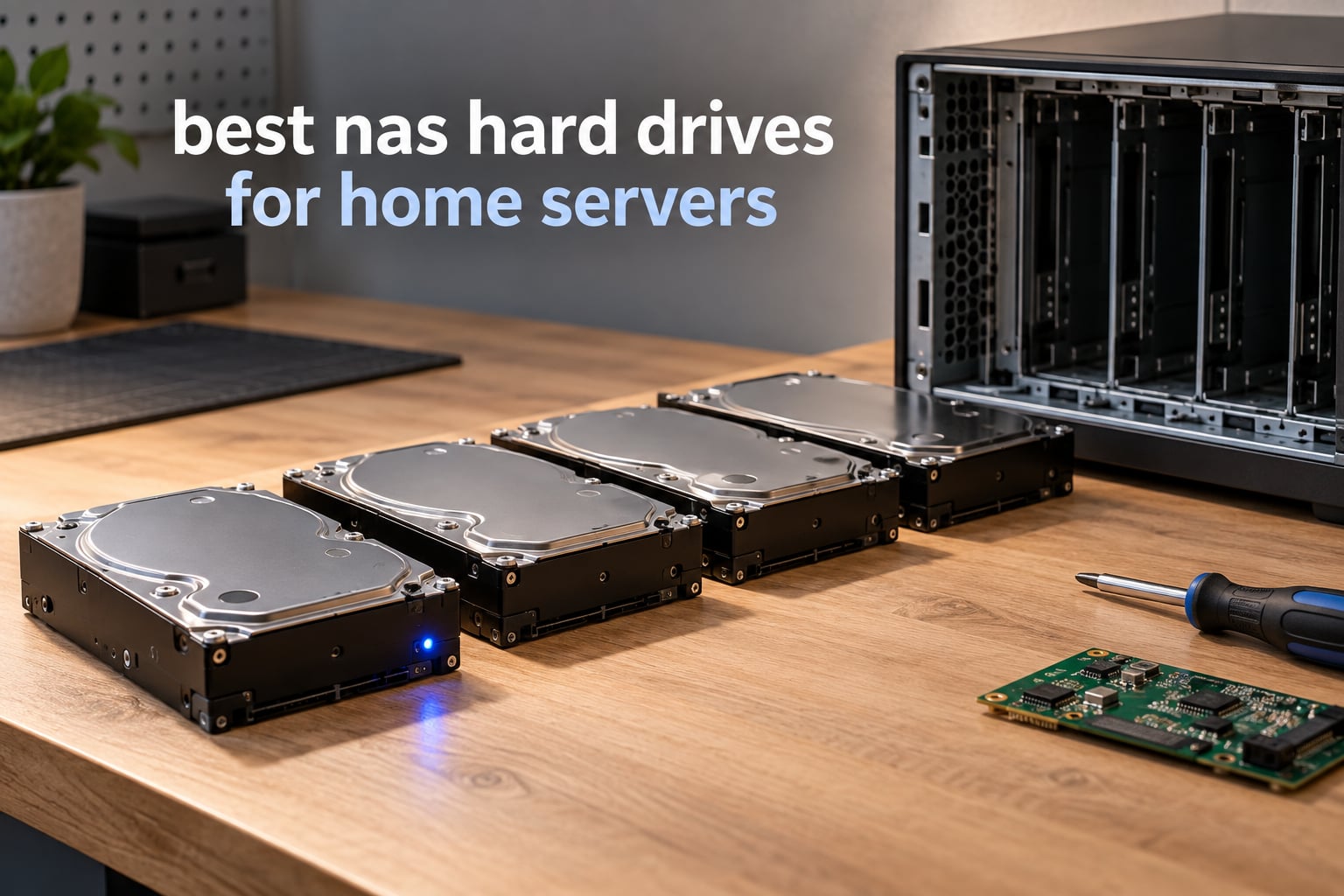
If you want one sentence: the best NAS hard drives for home servers are the WD Red Plus line for 2- to 8-bay boxes, IronWolf Pro when you run six bays or more, and Toshiba N300 for quiet home-office builds. All three record in CMR, all three are built for 24/7 duty, and all three publish a workload rating rather than an MTBF marketing number. Pick within that shortlist and the storage side of a home server stops being the fragile part.
That is the honest answer, but it skips the part that actually bites people. Almost every home server owner I have compared notes with bought the wrong drive for the same three reasons: they assumed any 3.5-inch SATA disk works, they let a listing quietly hand them an SMR drive inside an array, and they did not check whether their NAS brand’s compatibility list even allows the model. Each of those mistakes costs a weekend and sometimes the data.
Home servers are a slightly different job than a file-server NAS, and the drive advice changes with it. A Synology box in a cupboard serving SMB shares is a gentle workload. A Proxmox host running virtual machines, Docker stacks and a media library is closer to a small datacentre, and the difference shows up in rebuild time, random-write behaviour and heat. If you have not chosen the enclosure yet, our home server picks and NAS device guide are the right place to start, because bay count drives your capacity decision more than any other single factor.
For this guide I worked through ten drives that cover the whole realistic home-server range, from a budget 2-bay pairing to a 20TB Pro unit for large pools. Every spec below comes from the manufacturer listing, every rating and review count is copied straight from the product page, and the workload numbers are the published TB/year figures rather than derived guesses. Where reviewers report a problem, I say so. If you are after a different category of storage entirely, our replacement hard drive picks cover arcade machines, which have their own noise and vibration constraints.
Table of Contents
- Top 3 Best NAS Hard Drives for Home Servers (October 2026)
- Every Pick at a Glance in 2026
- 1. Seagate IronWolf 8TB ST8000VNZ04 – the best all-round home server drive
- 2. Western Digital WD Red Plus 6TB WD60EFZX – highest rated drive in the roundup
- 3. Western Digital WD Red Plus 10TB WD101EFAX – best value per bay
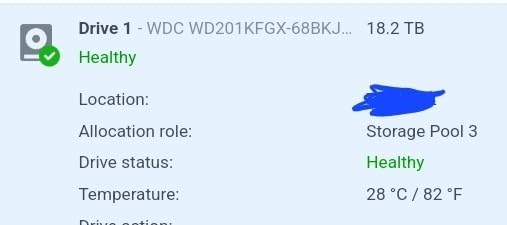
- 4. Western Digital WD Red Pro 20TB WD201KFGX – built for large pools
- 5. Seagate IronWolf Pro 10TB ST10000NEZ008 – helium CMR for 24-bay enclosures
- 6. Toshiba N300 8TB HDWG780XZSTA – the quiet home-office option
- 7. Seagate IronWolf 10TB ST10000VN0004 – high throughput on older hardware
- 8. Seagate IronWolf 16TB ST16000VN001 – density for an 8-bay pool
- 9. MDD 16TB MD16TSATA25672NAS renewed – bulk capacity on a budget
- 10. MDD 14TB MD14TSATA25672NAS renewed – a low-cost bulk tier
- How to Choose NAS Hard Drives for a Home Server
- Frequently Asked Questions
- Final Verdict for Home Server Storage in 2026
Top 3 Best NAS Hard Drives for Home Servers (October 2026)

Seagate IronWolf 8TB ST8000…
- 256 MB cache
- 210 MB/s reads
- 7200 RPM spindle
- IronWolf Health Management


WD Red Plus 10TB WD101EFAX
- 256 MB cache at 5400 RPM
- CMR recording
- 180 TB/yr workload
- NASware firmware
Every Pick at a Glance in 2026
| Product | Specs | Action |
|---|---|---|
| Seagate IronWolf 8TB ST8000VNZ04 |
|
Check Latest Price |
| WD Red Plus 6TB WD60EFZX |
|
Check Latest Price |
| WD Red Plus 10TB WD101EFAX |
|
Check Latest Price |
 WD Red Pro 20TB WD201KFGX WD Red Pro 20TB WD201KFGX |
|
Check Latest Price |
 Seagate IronWolf Pro 10TB ST10000NEZ008 Seagate IronWolf Pro 10TB ST10000NEZ008 |
|
Check Latest Price |
 Toshiba N300 8TB HDWG780XZSTA Toshiba N300 8TB HDWG780XZSTA |
|
Check Latest Price |
 Seagate IronWolf 10TB ST10000VN0004 Seagate IronWolf 10TB ST10000VN0004 |
|
Check Latest Price |
 Seagate IronWolf 16TB ST16000VN001 Seagate IronWolf 16TB ST16000VN001 |
|
Check Latest Price |
 MDD 16TB MD16TSATA25672NAS Renewed MDD 16TB MD16TSATA25672NAS Renewed |
|
Check Latest Price |
 MDD 14TB MD14TSATA25672NAS Renewed MDD 14TB MD14TSATA25672NAS Renewed |
|
Check Latest Price |
1. Seagate IronWolf 8TB ST8000VNZ04 – the best all-round home server drive
Seagate 8TB IronWolf Internal NAS Hard Drive | SATA 6 Gb/s (ST8000VNZ04)
8TB storage
7200 RPM spindle
256 MB cache
210 MB/s read speed
Pros
- Purpose-built for up to 8-bay multi-user NAS
- Large 256MB cache for file transfers
- IronWolf Health Management for monitoring
- Low noise and low vibration for 24/7 running
Cons
- Rated for 8-bay enclosures rather than larger pools
- Only a 3-year limited warranty
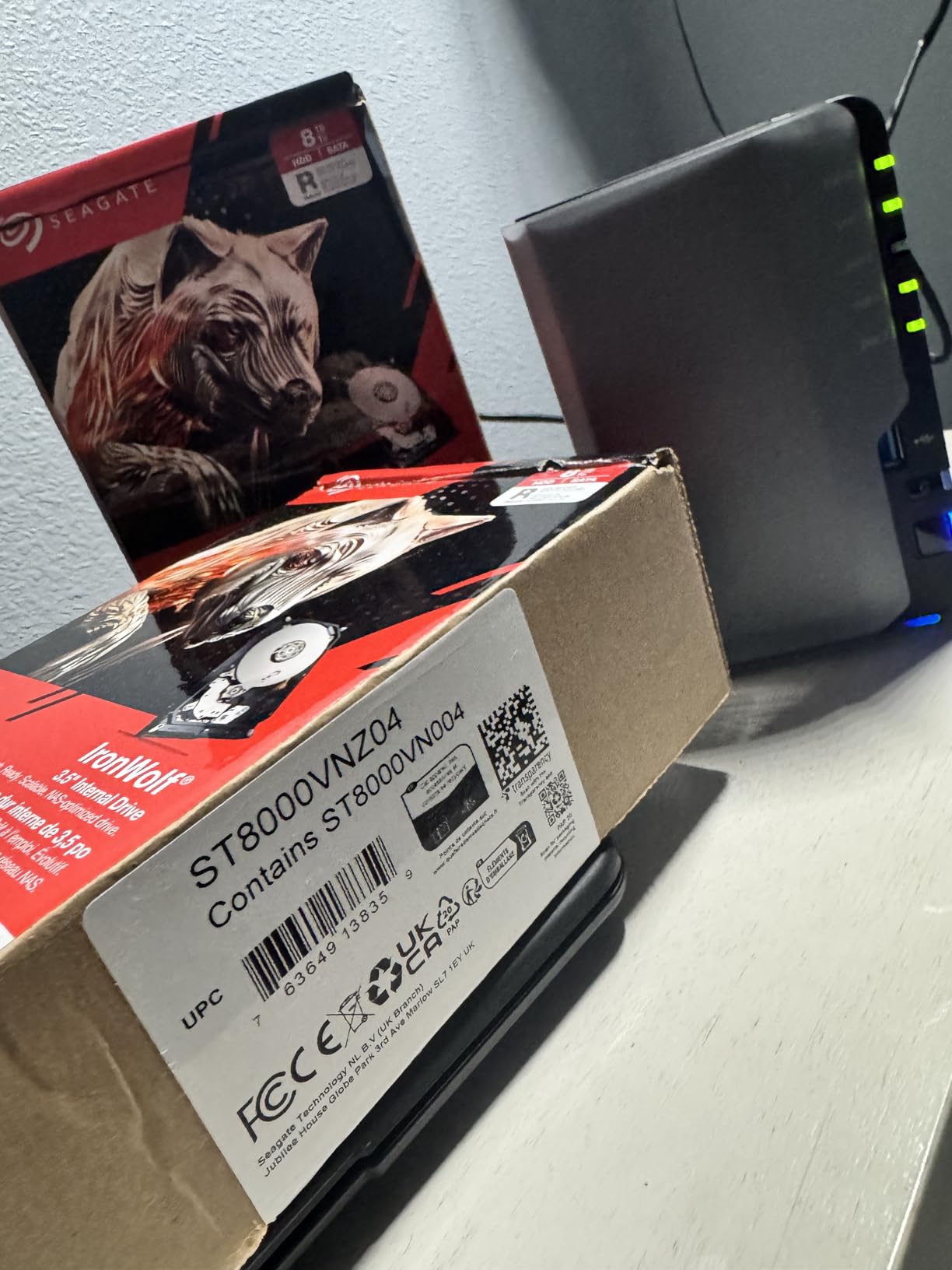
This is the drive I put in almost every recommendation I give. The 8TB ST8000VNZ04 pairs a 7200 RPM spindle with a 256 MB cache, which is a combination you usually only see in the Pro tiers, and it is specced for enclosures up to eight bays with multi-user access. Over 13,000 ratings averaging 4.5 stars makes it one of the most thoroughly exercised NAS drives on the market right now, and the pattern in those reviews is consistent rather than glowing for the sake of it.
Owners repeatedly point at the same things: it drops into a Synology or QNAP enclosure without argument, the IronWolf Health dashboard shows useful attributes straight in the NAS DSM, and the acoustic profile stays civil in a room rather than a closet. The health management tooling matters more than most buyers expect, because a home server is usually the one machine in the house nobody watches. Firmware health data that surfaces inside the NAS interface is worth more than a spec-sheet promise.
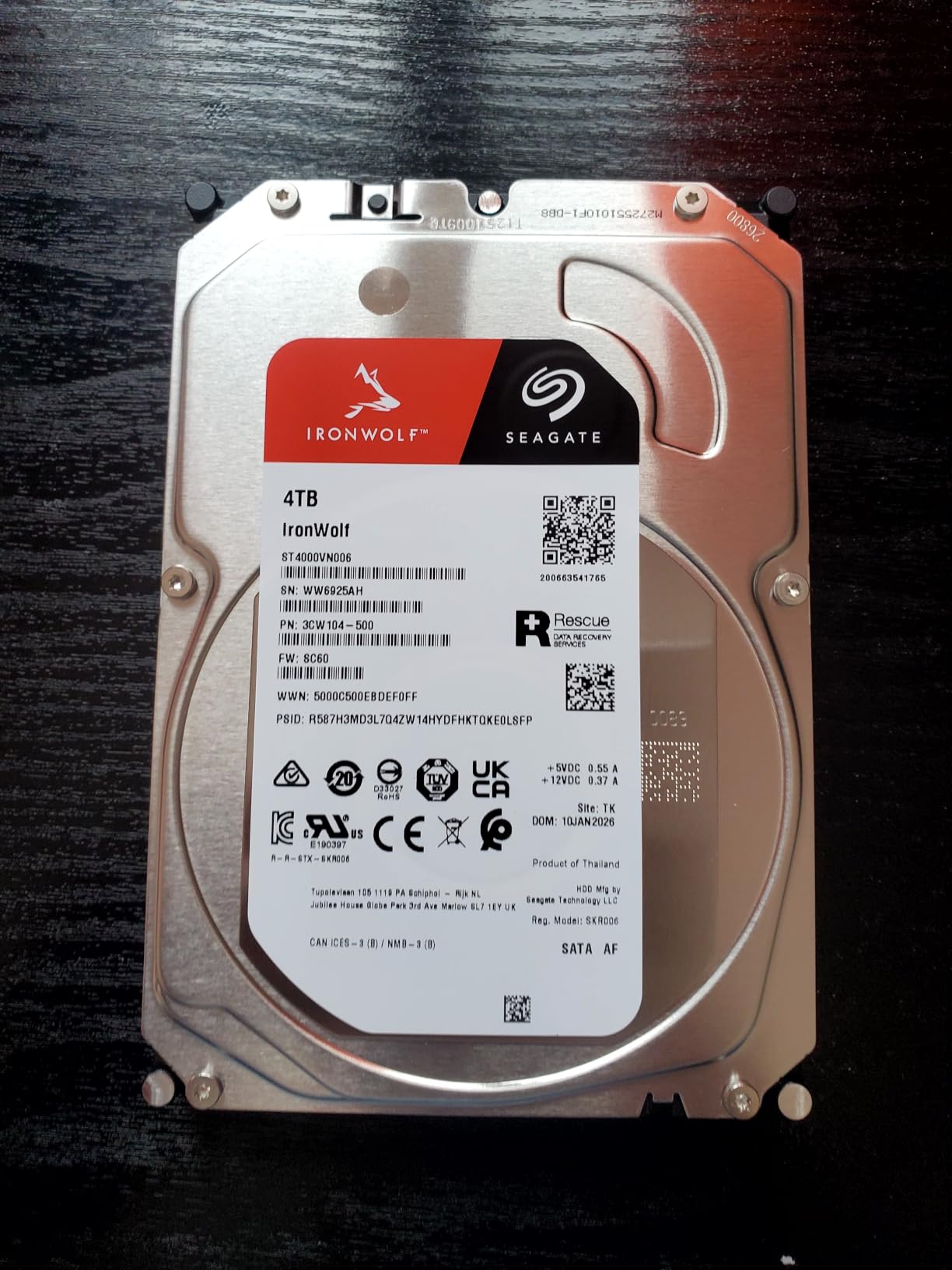
Technically the drive is a straightforward SATA 6 Gb/s 3.5-inch unit, 1.6 pounds, with a 1M hour MTBF figure and a three-year limited warranty bundled with three years of Rescue Data Recovery Services. Rescue is the quiet differentiator. If a pool degrades and a rebuild goes sideways, having the recovery service included can be the difference between a rebuild and a very expensive weekend.
The 210 MB/s sequential read figure is well clear of what a single gigabit network link can carry, so on a 1GbE home server the platters are not the bottleneck. Sustained throughput holds up well for mixed SMB and Plex workloads, and the cache size means random small-file operations feel far snappier than the 5400 RPM alternatives at the same capacity. That is a bigger deal on a home server running Docker than the raw sequential number suggests.
Who the IronWolf 8TB suits
It suits the majority of home servers, which means 2-bay, 4-bay and up to 8-bay enclosures running a mixed workload: a Plex library, a photo backup, a Samba share and a couple of containers. The 8-bay rating means you can grow an array from two drives to eight without hitting a firmware limit, which is the point where most people discover their cheap drives were a mistake.
It also suits anyone who wants health telemetry without extra software. IronWolf Health Management reports the same SMART attributes any tool would, but inside the enclosure’s own interface, so you can check a drive from a phone without SSH-ing into a TrueNAS box.
Who should skip the IronWolf 8TB
Skip it if you are building an array with more than eight bays. The warranty on this model runs three years while the Pro line carries five, and the bay support rating stops at eight. Six-plus-bay pools running heavy rewrites, or any setup where a five-year warranty matters, belongs in the IronWolf Pro or WD Red Pro tier instead.
Skip it if the enclosure is a 2-bay box that will never grow and you are buying two drives. There is nothing wrong with this drive, but at 8TB you may be oversizing a mirror you will not fill for years, and a smaller capacity leaves room in the budget for a proper off-site backup tier.
2. Western Digital WD Red Plus 6TB WD60EFZX – highest rated drive in the roundup
Western Digital 6TB WD Red Plus NAS Internal Hard Drive HDD – 5640 RPM, SATA 6 Gb/s, CMR, 128 MB Cache, 3.5″ -WD60EFZX
6TB storage
5700 RPM class
CMR recording
64 MB cache
Pros
- Highest average rating in the roundup at 4.7 stars
- CMR avoids SMR write penalties in RAID
- NASware firmware tuned for multi-bay enclosures
- Rated for 24/7 small business NAS use
Cons
- Lower RPM class is slower than 7200 RPM Pro drives
- 3-year limited warranty is shorter than Pro covers
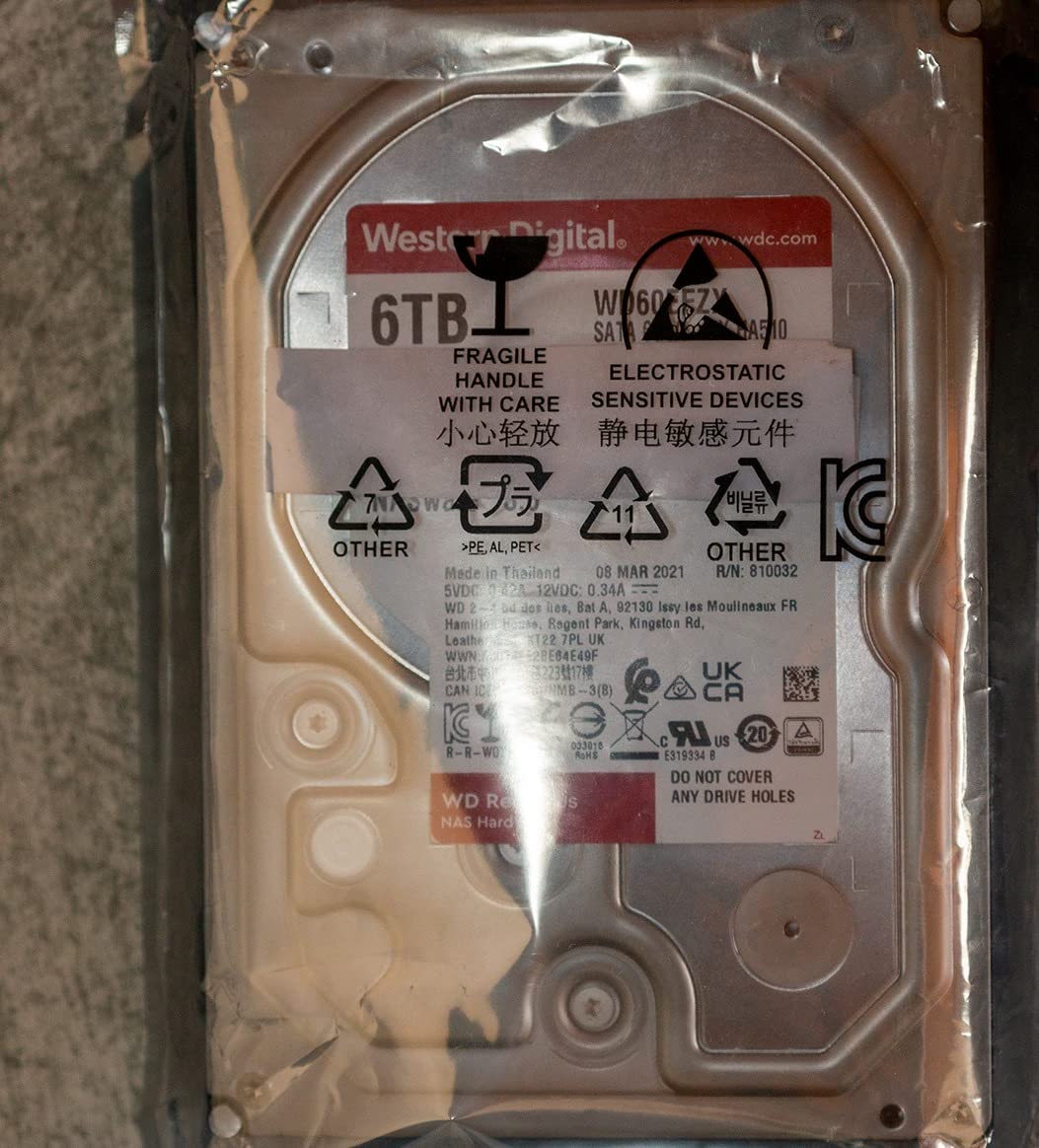
A 4.7-star average across roughly 5,200 reviews is the highest rating in this group, and it is not a thin sample. That reputation follows the WD60EFZX around for a good reason: it is a pure CMR drive with NASware firmware, rated for a 180 TB/year workload and up to eight bays, and it does the simple thing well without any of the enthusiast drama.
Reviewers describe it in the language of uneventful reliability. Builds in Synology enclosures report steady rebuilds, quiet 24/7 running, and no surprises after months of operation. The line itself is notable because Western Digital renamed the CMR models as WD Red Plus when the original WD Red label started covering SMR drives, so the Plus badge is a genuine specification statement rather than a marketing tier.
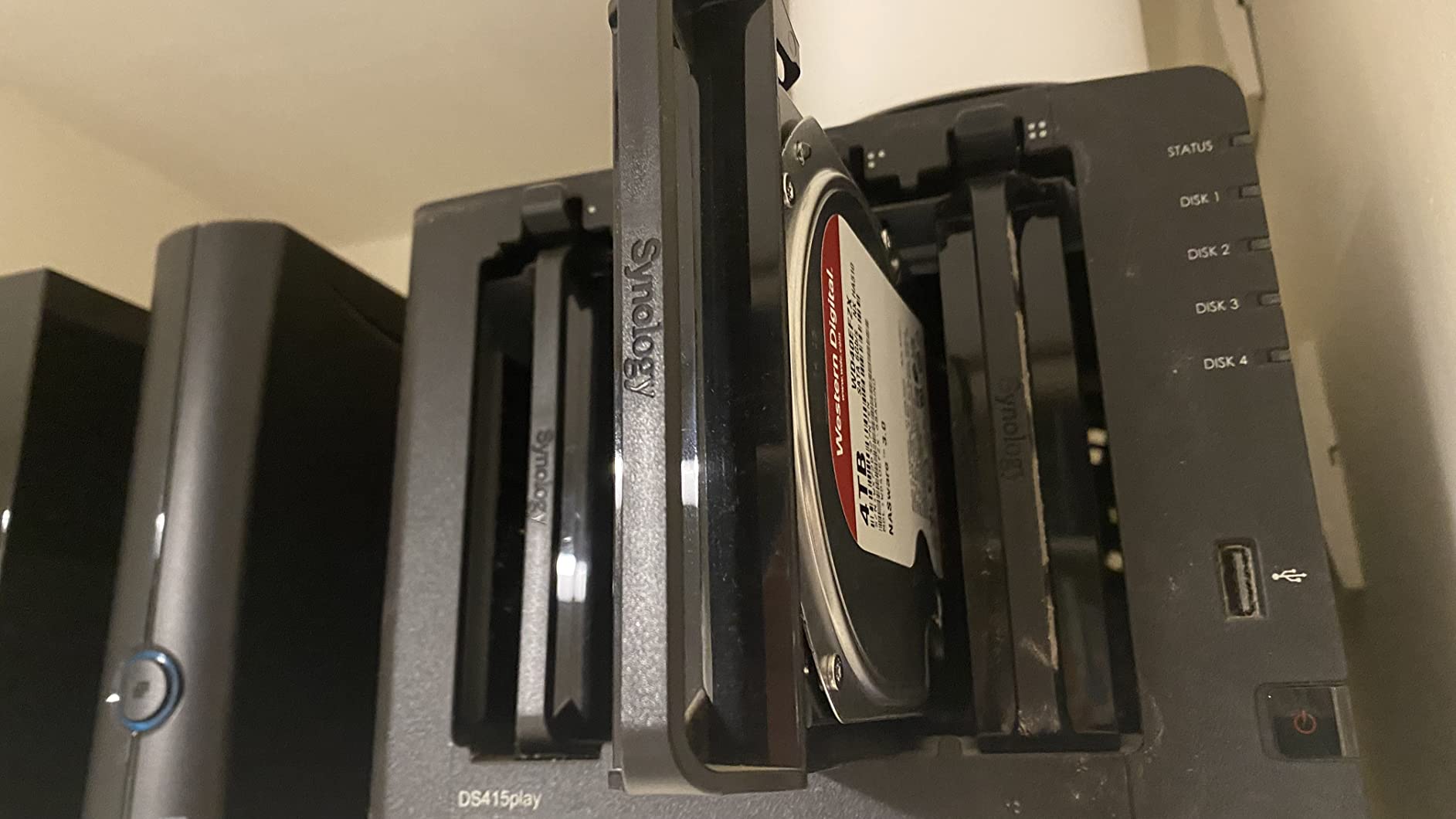
The honest weakness is speed class. At a 5700 RPM class with 64 MB of cache, this is not the drive you want for virtual machine images or a busy Docker overlay filesystem. Sequential and small-file performance in a home server doing file serving and backup jobs is perfectly adequate, and the 750 MB/s interface rating far exceeds what the platters deliver in practice.
It weighs 0.45 kg and measures 5.79 by 4 by 1.03 inches, so it slots into any standard 3.5-inch bay. The three-year limited warranty is the same length as the standard IronWolf, which makes this and the WD Red Plus 10TB a like-for-like comparison whenever you are choosing between brands on price per terabyte alone.
Who the WD Red Plus 6TB suits
It suits a 2-bay or 4-bay home server where the workload is backups, photos and shared files rather than virtualisation. The 180 TB/year rating covers a household’s entire write volume many times over, and the CMR recording means a mirror rebuild is a straightforward sequential copy rather than a long shuffle of overlapping tracks.
It also suits anyone who wants a third brand in the enclosure. r/homelab consensus tends to be about avoiding single-vendor dependence in a pool, and WD Red Plus alongside an IronWolf gives you that without leaving the NAS-rated families.
Who should skip the WD Red Plus 6TB
Skip it if you run virtual machines. Level1Techs put it plainly: NVMe is the right choice for price and speed, HDDs win on capacity, and spinning media are a poor fit for VM workloads. If your home server is a Proxmox host rather than a file server, put your VM storage on solid state and use this drive for cold data.
Skip it if you want to fill eight or more bays with 24/7 heavy rewriting. The workload rating and bay support both cap out at eight, and the Pro line exists precisely for pools that sit above that.
3. Western Digital WD Red Plus 10TB WD101EFAX – best value per bay
Western Digital 10TB WD Red Plus NAS Internal Hard Drive HDD – 5400 RPM, SATA 6 Gb/s, CMR, 256 MB Cache, 3.5″ – WD101EFAX
10TB storage
5400 RPM class
256 MB cache
215 MB/s read speed
Pros
- Largest review base here with over 24000 ratings
- 256 MB cache at a 5400 RPM class
- CMR avoids SMR rebuild penalties
- Proven in home and small office NAS units
Cons
- 5400 RPM class trails 7200 RPM Pro models
- Only a 3-year limited warranty
With more than 24,000 ratings averaging 4.5 stars, this is the most widely owned NAS drive in the roundup, and that scale of ownership is itself a data point. A drive this common has been through enough real arrays that the failure patterns are known rather than mysterious. Buyers talk about stability, quiet running and straightforward Synology compatibility, which is about as close to an ideal review summary as this category produces.
The spec sheet is where this drive quietly outclasses its own speed class. A 5400 RPM spindle paired with 256 MB of cache and a 215 MB/s read speed is an unusual combination at 10TB, and in a home server doing backups and media serving it translates into a drive that does not feel slow even though it never reaches the 250 MB/s zone of a 7200 RPM part. The 1.6-pound weight and 5.79 by 4 by 1.03-inch footprint are standard.

The CMR designation on this specific model number is the point to check when buying. The WD101EFAX is the CMR variant, whereas early WD Red models in the 2TB to 6TB range were shingled magnetic recording and caused exactly the multi-day rebuild stalls that scare people away from arrays. Western Digital renamed the CMR line to Red Plus, and this model sits squarely in it. A 180 TB/year workload rating and support for up to eight bays cover a serious home server.
NASware firmware is the part people underestimate. It tunes error recovery behaviour so a struggling drive does not silently stall a RAID controller out of a rebuild, which is a small thing until the first time it prevents an array dropping offline at 2am.
Who the WD Red Plus 10TB suits
It suits anyone filling a 4-bay or 6-bay enclosure who wants capacity per slot rather than capacity per pound. Ten terabytes per bay is a sweet spot for home use: large enough that a 2-drive mirror is useful immediately, small enough that rebuilds finish in an evening rather than a weekend. That balance is why it is the first name that comes up in budget 2-bay and 4-bay builds.
It also suits Plex libraries, which are write-once and read-often. This drive’s strengths suit that pattern almost perfectly, and a 5400 RPM spindle pulling 215 MB/s will saturate a 2.5GbE link once protocol overhead is taken off the top.
Who should skip the WD Red Plus 10TB
Skip it if you know you will outgrow 10TB per bay within a couple of years. Migrating a full array to larger drives later costs an evening of copying plus new hardware, and the whole reason to size up front is to avoid that. If your media library is growing by several terabytes a year, step to a 16TB or 20TB model now.
Skip it if you need the strongest warranty terms available. Three years is standard for the line; if a five-year warranty matters to how you sleep, look at the Pro tier and accept the lower spindle class as a trade.
4. Western Digital WD Red Pro 20TB WD201KFGX – built for large pools
Western Digital 20TB WD Red Pro NAS Internal Hard Drive HDD – 7200 RPM, SATA 6 Gb/s, CMR, 512 MB Cache, 3.5″ – WD201KFGX
20TB storage
7200 RPM spindle
512 MB cache
550 TB/yr workload
Pros
- Highest capacity here in a standard 3.5-inch drive
- 7200 RPM plus 512 MB cache for strong reads
- 550 TB/yr workload for heavy multi-user arrays
- 5-year limited warranty
- Reported quieter than many lower-capacity Red models
Cons
- Highest price per drive in this roundup
- Some buyers report RMA friction with Western Digital
- Occasional DOA reports from third-party sellers
The WD201KFGX is the answer for anyone who has decided that one migration is enough. Twenty terabytes in a 3.5-inch bay changes the economics of a home server, because a four-bay box in a RAIDZ1 layout gives you 60TB usable instead of something you outgrow every eighteen months. Owners building multi-bay RAID arrays call out the capacity density and Synology compatibility as the reasons it earned its bay.
This is the drive where the 550 TB/year workload rating stops being a spec-sheet curiosity. A household rewriting hundreds of terabytes a year is running virtual machines, running a surveillance recorder, or both, and the standard 180 TB/year parts are not designed for that. The five-year limited warranty matches the endurance tier instead of the consumer tier, and Western Digital tests these against a wide range of NAS vendors.
Mechanically it is a 7200 RPM spindle with 512 MB of cache and CMR recording, weighing 1.5 pounds. The 512 MB cache is the largest here alongside the Toshiba N300, and on sequential reads in a large pool it sustains roughly 270 MB/s according to owner reports, which is the point of a 7200 RPM part.
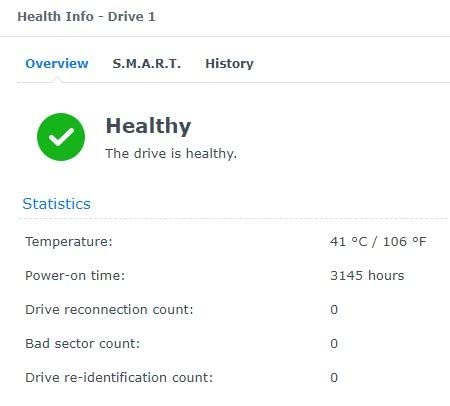
That speed has a cost, and it is the cost that matters most. Higher spindle speeds mean more heat, more noise and more power, and a 20TB drive running 24/7 in a small enclosure needs airflow. The reports that this model is quieter than several lower-capacity Red units are common, but that is relative and depends on your chassis.
Who the WD Red Pro 20TB suits
It suits six- and eight-bay pools, ZFS RAIDZ2 or RAIDZ3 arrays, and anyone running VMs or an NVR alongside a media library. The unlimited bay support means the array can grow past eight drives without hitting a firmware ceiling, and the workload rating means a drive that keeps cycling data for five years is still inside its design envelope.
It suits people who have already made the mistake of buying small. The mathematics of a home server migration are simple: every terabyte you add now is a terabyte you do not have to copy later, and rebuild windows get longer as capacities rise.
Who should skip the WD Red Pro 20TB
Skip it for a 2-bay box. You will pay for capacity you cannot use and eat the price, heat and noise of a 7200 RPM spindle for a mirror that holds 20TB of photos. It is also the most expensive drive per unit in this roundup, and the review base is smaller than the standard Red Plus line, so there is less field history behind it.
Skip it if you buy from a marketplace seller rather than the manufacturer. Several reviewers report grey-market or dead-on-arrival units, which is a procurement problem rather than a drive problem, but it will still cost you a bay and a weekend.
5. Seagate IronWolf Pro 10TB ST10000NEZ008 – helium CMR for 24-bay enclosures
Seagate IronWolf Pro 10TB NAS Internal Hard Drive HDD –CMR 3.5 Inch SATA 6Gb/s 256MB Cache for RAID Network Attached Storage, Data Recovery Service – Frustration Free Packaging (ST10000NEZ008)
10TB storage
Helium-filled CMR
7200 RPM
214 MB/s media speed
Pros
- Built for arrays up to 24 bays
- Helium-filled CMR design rated at 1.2M hours MTBF
- 5-year warranty plus 3-year Rescue coverage
- Reports of good seller replacement service
Cons
- Noticeable write noise reported by some owners
- Some units arrive without original packaging
The ST10000NEZ008 is the Pro answer at a size that still fits a mid-size home server. It is helium-filled, which lowers the power draw and the internal drag compared with an air-filled drive of the same class, and it carries a 1.2M hour MTBF figure alongside a five-year limited warranty and three years of Rescue Data Recovery Services. The bay rating runs to 24, well past anything a house will build.
Users running six- and eight-drive Synology arrays report it working without drama, and the more interesting reports are about what happened when something did go wrong: several owners describe seller replacement service on early failures as fast and painless. For a home server that has no spares and no second technician, that is worth as much as any spec.
We should be straight about the evidence base here. The review count on this listing is far smaller than the standard IronWolf and Red Plus listings, at around 187 ratings averaging 4.5 stars. That is a much thinner history of field failure than the drive’s specification deserves, and it is a fair reason to hesitate if you prefer proven quantities.
Who the IronWolf Pro 10TB suits
It suits anyone building above eight bays, or anyone who wants the five-year warranty and Rescue coverage without moving up to a 20TB spindle. The helium platform also makes it a reasonable choice in a small enclosure where heat is the limiting factor, since lower internal friction means lower sustained power draw.
It suits people running heavier workloads than a mirror: multi-terabyte media libraries, a Proxmox host with virtual machine images, or a surveillance recorder writing continuously alongside a file share.
Who should skip the IronWolf Pro 10TB
Skip it if noise is a factor. Several owners report noticeable write noise, and a 7200 RPM Pro spindle in a home office is audible in a way the 5400 RPM Red Plus units are not. If the NAS lives in a room you sit in, the quieter standard IronWolf or the Toshiba N300 are better neighbours.
Skip it if you want a long public review history, and skip it if your supplier ships without proper packaging. A small number of buyers report units arriving without original packaging or with unclear warranty eligibility, which is a supply-chain issue you can check before you commit.
6. Toshiba N300 8TB HDWG780XZSTA – the quiet home-office option
Toshiba N300 8TB NAS 3.5-Inch Internal Hard Drive – CMR SATA 6 GB/s 7200 RPM 512 MB Cache – HDWG780XZSTA
8TB storage
7200 RPM spindle
512 MB cache
253 MB/s read speed
Pros
- 512 MB cache with 7200 RPM at 8TB
- Integrated RV sensors for multi-bay vibration
- Owners report quieter running than comparable Seagate drives
- Good reports from multi-drive Synology and Linux arrays
Cons
- Audible seek noise when running close to the enclosure
- Some users report slow spin-up
- Only a 3-year limited warranty
The N300 is the third brand that serious home server builders actually buy, and this 8TB HDWG780XZSTA is the reason. It pairs a 7200 RPM spindle with 512 MB of cache and a 253 MB/s read speed, which is the highest media speed in this roundup, and it carries a 180 TB/year workload rating appropriate to a small office and home office NAS.
The integrated RV sensors are the technical detail that matters in a multi-bay chassis. As a pool grows, adjacent spindles shake each other, and seek times degrade unless the drive can sense and compensate for that. Most reviewers running four- to six-drive arrays point to stable 24/7 operation and report the drive as quiet for its class, which is not what people expect from a 7200 RPM part.
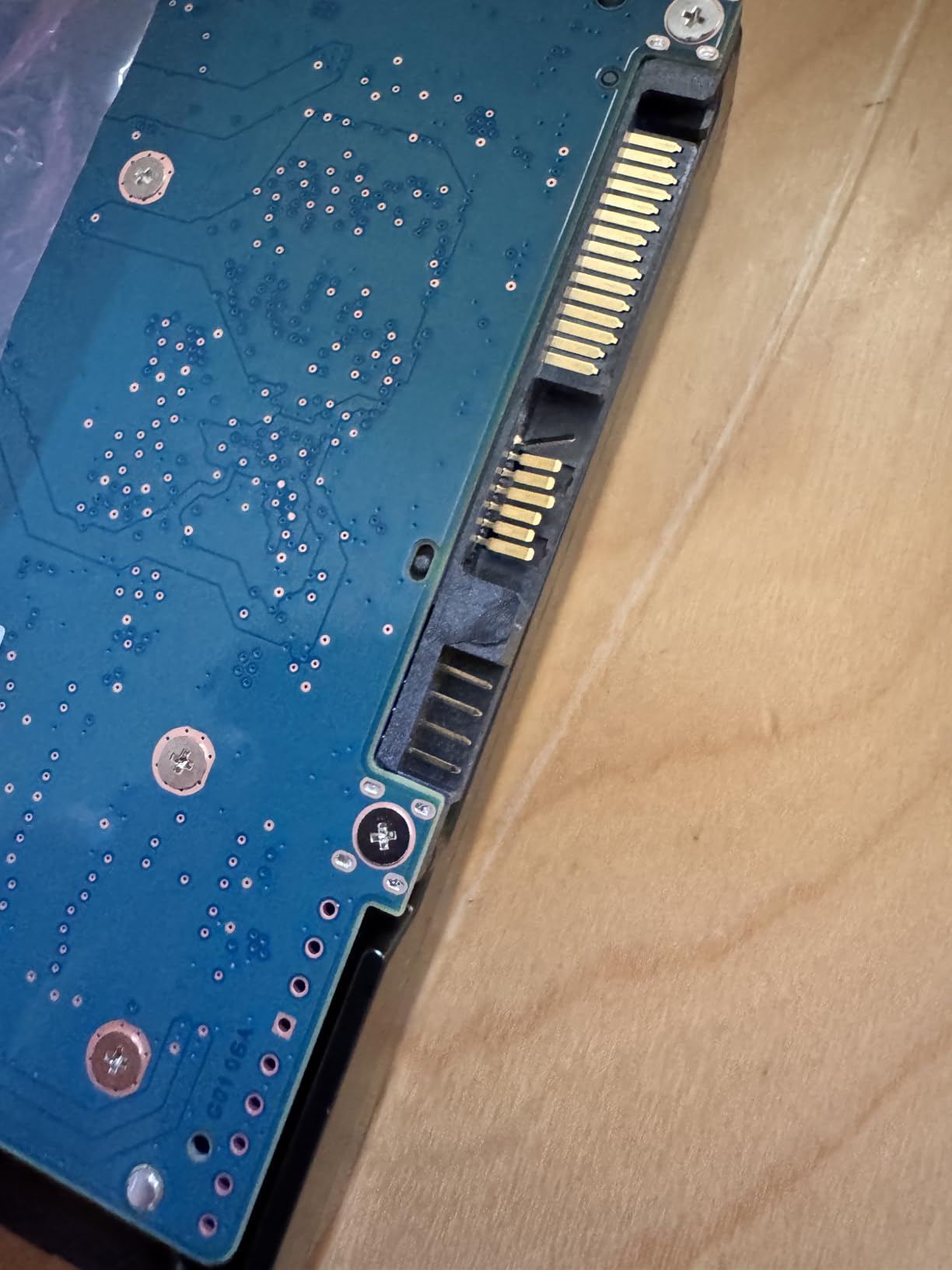
It is also the only mainstream CMR drive in this roundup with Native Command Queuing, which helps with the mixed small-file workload a home server sees when containers, databases and a media library share an array. Combined with the large cache, that is why this drive punches above its 8TB capacity class in practical use.
Two cautions. The review base is around 483 ratings, solid but not enormous, and the noise reports are not entirely flattering: some owners describe audible seeking when the drive runs near where they sit, and a few report slow spin-up times. The warranty is three years, the shortest tier in the lineup.
Who the Toshiba N300 8TB suits
It suits a small office or home office NAS where the drive lives near people and a bit of seek noise is unwelcome. It also suits a 4-bay or 6-bay array doing more than file serving, because the cache and NCQ combination handles the scattered write pattern of containers and photo libraries better than a 5400 RPM drive of the same capacity.
It suits anyone deliberately avoiding single-vendor dependence. Pairing a Toshiba N300 with a WD Red Plus or an IronWolf gives you a pool with genuine vendor diversity, and the RV sensors make it a good partner in a densely packed chassis.
Who should skip the Toshiba N300 8TB
Skip it if you need a five-year warranty or a workload rating above 180 TB/year. Both cap out at the standard consumer tier, and a five-year warranty is a reasonable thing to want once an array rebuild becomes a multi-day event. There is also a note in the data worth repeating for older IronWolf Pro NE models: not every Pro SKU carries the 550 TB/year figure, so check the specific model number rather than the family badge.
Skip it if your enclosure is a sealed two-bay box with no airflow, and reconsider if you are extremely noise-sensitive in a living space. Three-year coverage means a drive that develops new bad sectors in year four is on you rather than on the warranty.
7. Seagate IronWolf 10TB ST10000VN0004 – high throughput on older hardware
Seagate IronWolf 10Tb NAS Internal Hard Drive HDD – 3.5 Inch SATA 6GB/S 7200 RPM 256MB Cache for Raid Network Attached Storage (ST10000VN0004)
10TB storage
7200 RPM spindle
256 MB cache
180 MB/s read speed
Pros
- Very high sustained throughput on 10GbE networks
- Quiet relative to many 7200 RPM drives
- Low running temperature under load
- Good value per terabyte for archival arrays
Cons
- Lowest average rating here at 4.0 with 16% one-star reviews
- Multiple reports of early bad sector failures
- Older platform with only a 3-year warranty
- Runs warmer than newer helium drives
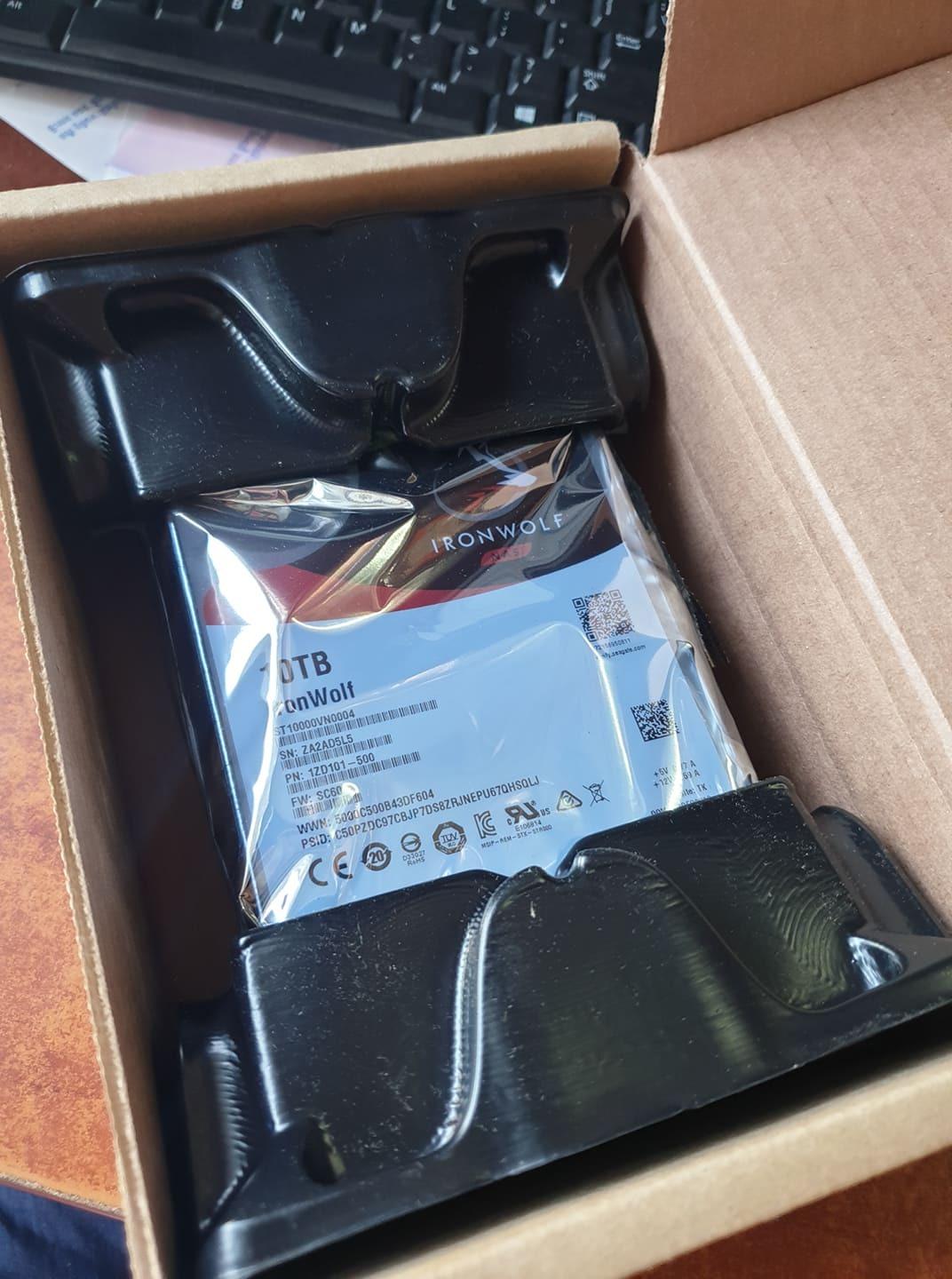
This is the older ST10000VN0004 platform, and that matters for how you read the reviews. It is a 7200 RPM drive with 256 MB of cache and IronWolf health management at a 1M hour MTBF, which was class-leading when it launched. Plenty of owners still rely on it, and the praise is specific: high sustained throughput on 10GbE networks, quiet running relative to other 7200 RPM parts, and lower temperatures under sustained load than several newer helium models.
The problem is the failure pattern. Across roughly 378 ratings averaging 4.0 stars, 16% are one-star, and a consistent group describes bad sector failures within the first year on first-generation units. The community version of this story appears on r/synology, where owners of earlier IronWolf ST8000VN0022 drives in SHR arrays reported accumulating bad sector counts and argued about Seagate reliability against WD Red.
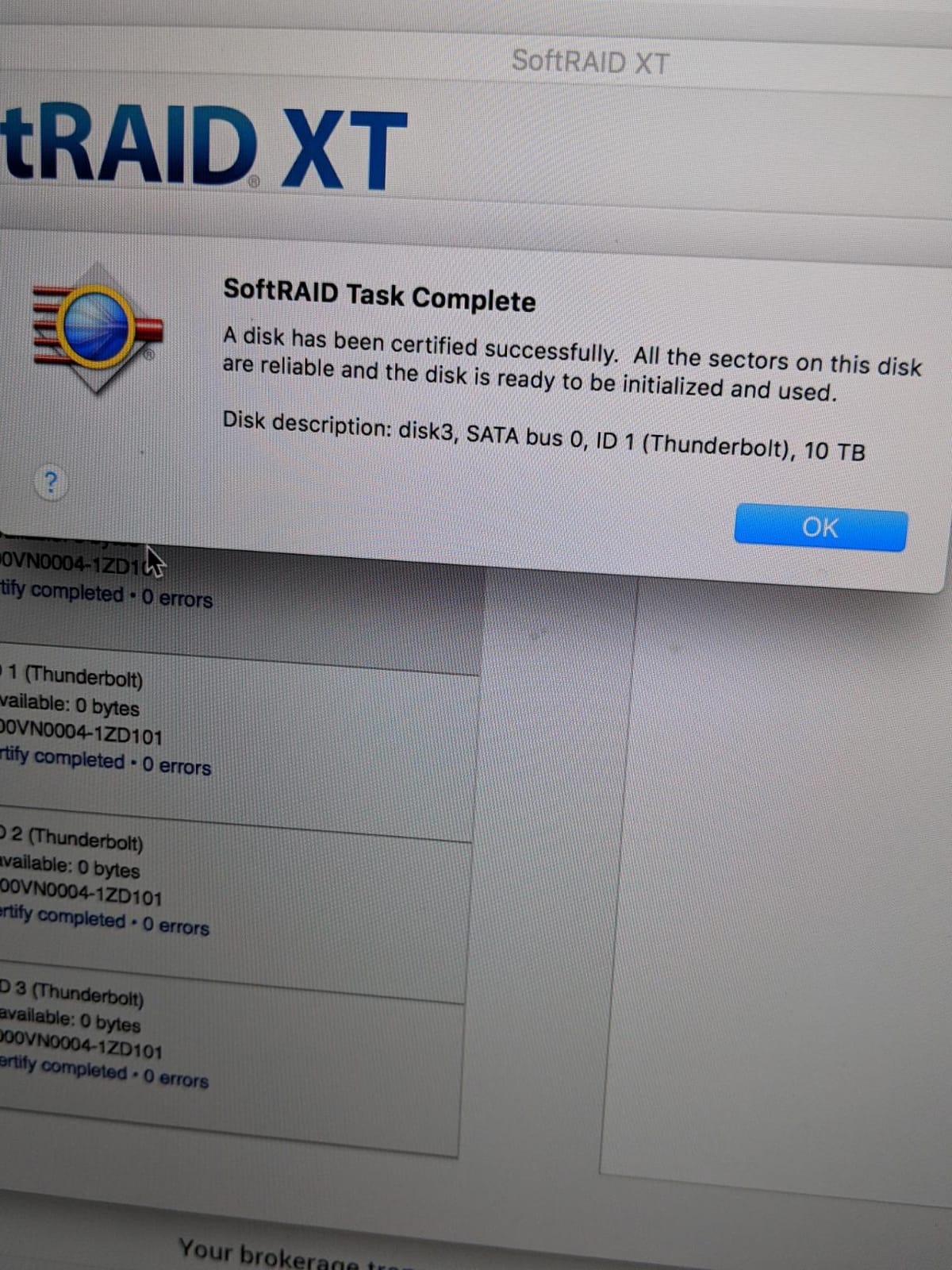
There is a specific forum complaint about IronWolf ST8000VN0022 units on SHR logging tens of thousands of bad sectors. That is a different model generation from the ST10000VN0004 on this page, so treat it as a warning about the platform family rather than an indictment of this listing, and as a reminder to run SMART checks on arrival.
The read speed figure here is 180 MB/s, below the newer IronWolf models in this roundup, and the drive runs warmer than helium-filled units. It weighs 1.5 pounds and carries a three-year limited warranty with no Rescue data recovery service bundled, which is a genuine downgrade on the newer IronWolf.
Who the IronWolf 10TB suits
It suits an existing array that is already running these drives and needs a matching replacement. Mixing a newer ST8000VNZ04 with an older ST10000VN0004 in the same pool is workable but complicates firmware behaviour and rebuild consistency, so a like-for-like replacement is the safer move for anyone maintaining an established pool.
It also suits a 10GbE archival setup on older hardware, where the sustained throughput owners report is genuinely useful and the drive is already in your hands.
Who should skip the IronWolf 10TB
Skip it for a new build. A 4.0-star average with a 16% one-star rate is the weakest showing in this roundup, and you can buy a newer IronWolf with a better warranty and Rescue coverage for a similar outlay. The early bad sector reports make this a poor choice for anything you cannot afford to lose.
Skip it if you care about warranty length or recovery services, since neither Rescue nor a five-year term is part of this package. If the pool is important, put your money in a drive whose failure someone else will help you recover from.
8. Seagate IronWolf 16TB ST16000VN001 – density for an 8-bay pool
Seagate IronWolf 16TB NAS Internal Hard Drive HDD – CMR 3.5 Inch SATA 6GB/S 7200 RPM 256MB Cache for Raid Network Attached Storage, with Rescue Service (ST16000VN001)
16TB storage
CMR recording
7200 RPM
256 MB cache
210 MB/s
Pros
- 16TB in a single bay reduces array slot pressure
- CMR supports RAID rebuilds and sustained writes
- Includes three years of Rescue Data Recovery Services
- Low cost per terabyte among 16TB-plus options
Cons
- Rating trails newer IronWolf models at 4.1 stars
- 256 MB cache is small next to 512 MB rivals
- Some reports of audible seeking under load
Sixteen terabytes is the capacity where an 8-bay home server starts to feel like storage rather than a large hard drive. The ST16000VN001 is CMR, 7200 RPM, with a 256 MB cache and 210 MB/s media speed, rated for up to eight bays with a 1M hour MTBF and three years of Rescue Data Recovery Services on a three-year limited warranty.
Buyers here are pragmatic. The recurring comment is that this capacity in a single bay reduces slot pressure, which in an 8-bay chassis means you can run a wider RAIDZ layout or keep spare bays empty for expansion instead of shuffling disks. At 1.7 pounds it is also the heaviest bare drive listed here, which is normal for a 16TB unit and worth checking against your bay carriers.
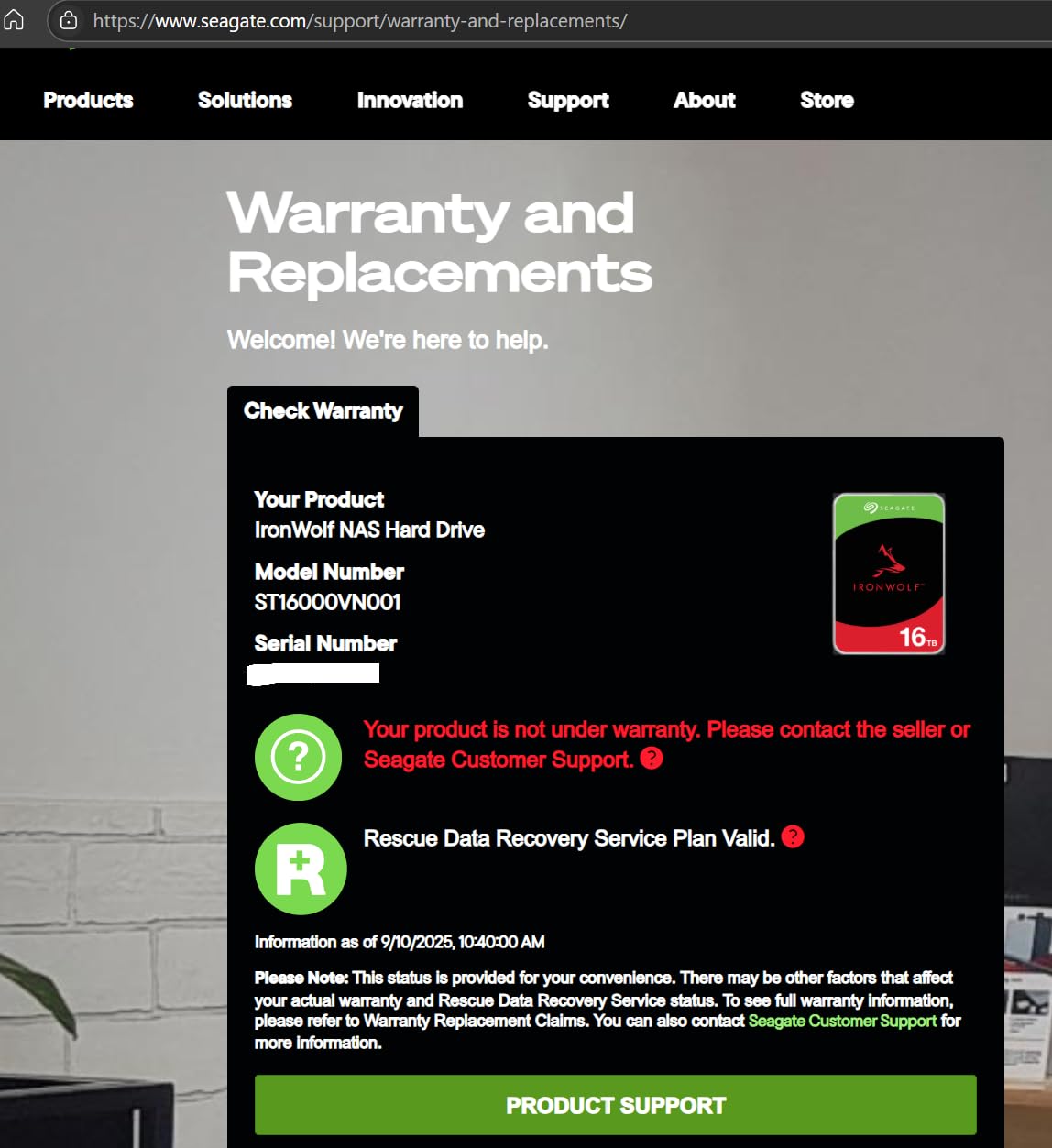
The rating tells you where this sits. At 4.1 stars across roughly 158 ratings, with 16% one-star responses, this is a middling performer in this group, and the complaints cluster on noise during seeks and the occasional early failure. It is not a bad drive, it is simply a generation behind the newer IronWolf models on warranty terms and cache size.
Who the IronWolf 16TB suits
It suits an 8-bay home server that needs roughly 100TB of raw capacity without filling every slot with 20TB Pro drives, where a lower cost per terabyte matters more than cache size. For a media and photo archive that is written once and read often, sequential throughput of 210 MB/s is more than enough.
It also suits anyone who values the bundled Rescue coverage. Three years of data recovery services is included, and for a household whose photos exist in exactly one place, that is worth more than a 512 MB cache.
Who should skip the IronWolf 16TB
Skip it if your array will do heavy random writes. A 256 MB cache against the 512 MB in the WD Red Pro 20TB and the Toshiba N300 8TB shows up as slower behaviour on VM images and database workloads, and the standard 180 TB/year class is not what you want for constant rewriting.
Skip it if the drive will sit in a listening room, because seeking under load is audible. And skip it if warranty length is your top concern, because the three-year term here is the same as the entry tier despite the capacity.
9. MDD 16TB MD16TSATA25672NAS renewed – bulk capacity on a budget
MDD (MD16TSATA25672NAS) 16TB 7200RPM 256MB Cache SATA 6.0Gb/s 3.5-inch NAS Hard Drive – 5 Years Warranty (Renewed)
16TB storage
7200 RPM spindle
256 MB cache
200 MB/s read speed
Pros
- Lowest cost per terabyte of any 16TB option here
- 7200 RPM with 256 MB cache and 200 MB/s reads
- 5-year reseller warranty on a renewed unit
- Bare drive packaging keeps the cost down
Cons
- Renewed condition means unknown prior service hours
- Warranty comes from the reseller not the manufacturer
- Bare drive only with no mounting hardware
- Must be formatted manually before the host detects it
This is the value channel, and it exists because the math of a home server eventually outruns the price of new NAS-rated drives. The MDD MD16TSATA25672NAS is a renewed 16TB 3.5-inch unit, 7200 RPM with 256 MB of cache and 200 MB/s reads, sold through Amazon Renewed with a five-year warranty from the reseller. Buyers consistently call out the capacity per dollar as the reason for buying it.
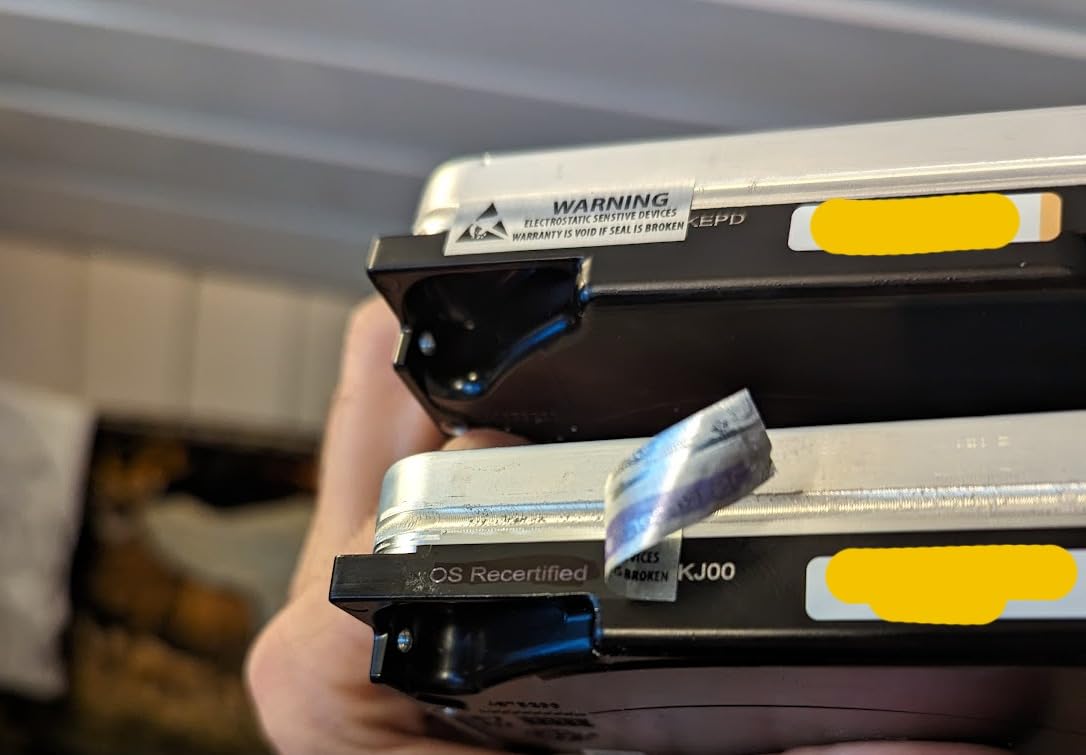
Be clear-eyed about what renewed means. Prior service hours are unknown, SMART history has been reset, and the warranty is the reseller’s rather than the drive manufacturer’s. The review data reflects that split: around 106 ratings averaging 4.2 stars, with 68% five-star and 13% one-star, and owners who report wear from the renewed condition alongside the performance.
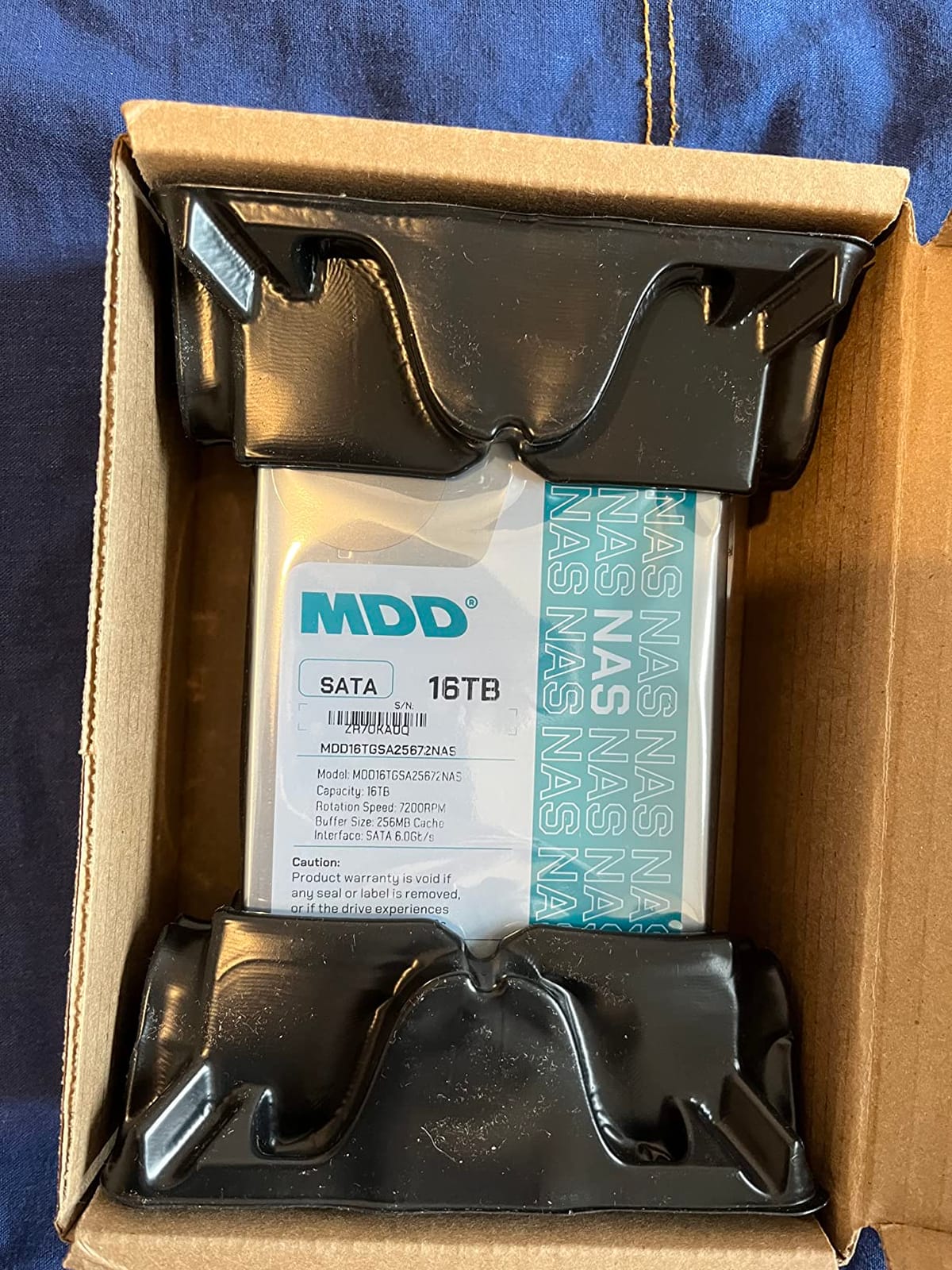
There is a practical detail that catches people out. This is a bare drive, single pack, with no screws, no cables and no accessories, and it has to be formatted on the host system before the enclosure will detect it. Plan to do that on a desktop first, run a full surface test, check the SMART attributes, and only then move it into the array. Our drive replacement walkthrough covers the handling and testing routine in detail.
The honest use case is a cold backup tier rather than a live array member. A renewed 16TB drive holding a second copy of your photo library, disconnected and rotated, is a defensible cost saving. The same drive as the sole copy of your only irreplaceable data is not.
Who the MDD 16TB suits
It suits a home server that has run out of slots rather than budget. When the bay count is the constraint, a renewed 16TB unit delivers more usable capacity per drive than anything else in this roundup, and the 7200 RPM spindle keeps sequential throughput respectable for archive reads.
It also suits anyone building a second or third copy of data they can re-download. A cold tier of renewed drives costs a fraction of new NAS-rated capacity and, if the worst happens, only the delta needs restoring.
Who should skip the MDD 16TB
Skip it as the only copy of anything. Reseller warranty, unknown service hours and a 4.2-star average with a 13% one-star rate are not a good combination for irreplaceable data. Our general guidance on replacement storage applies here: the mechanical handling steps matter as much as the model number.
Skip it if you want bundled data recovery services, quiet operation, or a warranty enforced by the drive manufacturer. None of those apply, and a failed unit in a RAID array means you are relying on your own backups to rebuild it.
10. MDD 14TB MD14TSATA25672NAS renewed – a low-cost bulk tier
MDD (MD14TSATA25672NAS) 14TB 7200 RPM 256MB Cache SATA 6.0Gb/s 3.5” Internal NAS Hard Drive – 5 Years Warranty (Renewed)
14TB storage
7200 RPM spindle
256 MB cache
200 MB/s read speed
Pros
- Strong capacity per dollar at 14TB
- 7200 RPM with 256 MB cache and 200 MB/s reads
- 5-year reseller warranty on a renewed unit
- Works in NAS
- RAID
- desktop and CCTV systems
Cons
- Renewed condition means unknown prior service hours
- Warranty comes from the reseller not the manufacturer
- Bare drive with no mounting hardware or cables
- Requires manual formatting before host detection
The 14TB MD14TSATA25672NAS sits just below the 16TB renewed unit and is the cheapest way to add serious bulk storage to a home server. Same platform shape, 7200 RPM spindle, 256 MB of cache, 200 MB/s reads, five-year warranty from the reseller. The listing notes compatibility across NAS, RAID, desktop and surveillance systems, which is broad but does not mean NAS-rated firmware behaviour.
Owners describe it as a budget way to add capacity, with the same two caveats repeating: the renewed condition, and the need to format the drive manually before the host sees it. Roughly 99 ratings averaging 4.2 stars with 68% five-star and 13% one-star puts it statistically alongside its 16TB sibling, so there is no reliability signal in the data favouring either capacity.
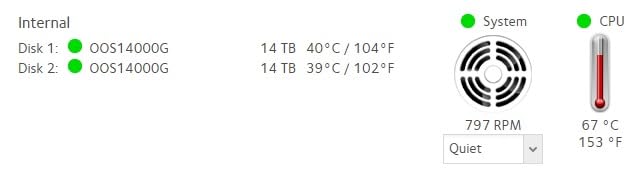
The capacity is the reason it lands where it does in a pool. Fourteen terabytes is large enough that a 4-bay box in RAIDZ1 returns a useful 42TB raw figure, and small enough that a rebuild finishes inside an evening rather than running all weekend, which is the balance most home builders want. It is also a standard 3.5-inch form factor at roughly 1.5 pounds and 5.79 by 4 by 1.03 inches, so it drops into the same carriers as everything else in this roundup. One practical note: a 14TB drive dropped into an existing pool of 8TB members will shrink usable capacity in ZFS, so use it as a tier of its own rather than mixing it into a smaller array.
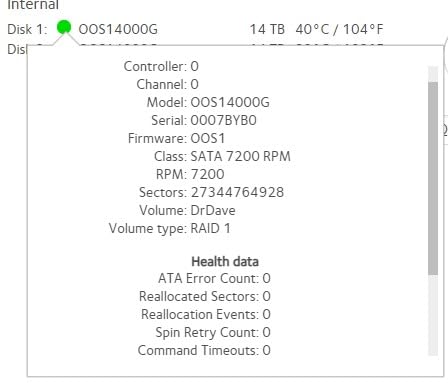
Because the drive works in desktop and CCTV roles as well, the sensible pattern is a tiered storage plan. New CMR NAS drives in the live array, renewed drives in a rotating offline backup, and a cloud or remote target for the data you would actually cry over. That structure lets you buy cheap capacity without putting cheap capacity in charge of your only copy.
Who the MDD 14TB suits
It suits a household that has a lot of data and a modest budget, particularly media libraries and surveillance footage that can be recorded and forgotten. A 7200 RPM spindle at 200 MB/s reads handles sequential archive work comfortably, and multiple units can populate a cold tier in a home enclosure that is not the main array.
It also suits builders who want to test a large-array layout before committing to new drives, since a renewed 14TB unit is a low-risk way to prove the rebuild behaviour of a 4-bay or 6-bay pool.
Who should skip the MDD 14TB
Skip it if you want a manufacturer warranty, because a five-year reseller warranty is a different promise with a different claims process. Skip it if the array runs ZFS or TrueNAS with checksumming, where a drive arriving with reset SMART data and unknown history is a needless risk on a live pool.
Skip it if you have not accepted that a bare drive needs formatting before first use and that there are no screws or cables in the box. Both are true, both are trivially handled, and both surprise people who ordered expecting a drop-in replacement.
How to Choose NAS Hard Drives for a Home Server
Five checks decide the purchase: recording type, workload rating, warranty length, capacity per bay, and whether your NAS brand will accept the drive. Get all five right and the array will run quietly for years. Get the first one wrong and nothing else matters.
CMR or SMR: the one rule you cannot break
Every drive in this roundup records in CMR, conventional magnetic recording, and that is the only non-negotiable filter. Conventional magnetic recording writes tracks independently, so a rebuild is a straight sequential copy. Shingled magnetic recording overlaps tracks to gain density, so changing one sector means rewriting neighbouring ones, and a RAID rebuild on an SMR drive can stall for days before the array drops.
The specific drives to avoid are the original WD Red models in the 2TB to 6TB range, which were SMR. Western Digital renamed the CMR line to WD Red Plus and used the Red label for SMR, so the name alone tells you nothing. The model numbers are what matter: WD101EFAX and WD60EFZX are CMR parts, and the WD80EFPX and similar Red Plus SKUs are as well. Check the model number on the listing, not the product family badge.
Workload rating: 180 TB/yr vs 550 TB/yr for a household
A workload rating is the volume of data a drive is warrantied to read and write in a year. Standard NAS drives carry 180 TB/year. Pro drives carry 550 TB/year. A household writing photos, backups and a media library typically falls well inside 180 TB/year, which is why the standard tier covers almost every home server.
You cross into the Pro tier when something rewrites data constantly: virtual machine images, a database running inside a container, a surveillance recorder writing around the clock, or a pool shared by several people. A home server running Proxmox with a dozen VMs can write that much in a busy month. If you are unsure, count the writes rather than guess. One more check worth doing: not every Pro SKU carries the 550 figure, so verify the specific model number.
NAS drive vs desktop drive: what actually changes
Three things change between a NAS-rated drive and a desktop drive, and all three matter in an array. First, workload rating, where a desktop drive is typically warrantied for around 55 TB/year and eight hours a day of use. Second, time-limited error recovery, which caps how long a drive retries a bad sector so a RAID controller does not read the silence as a dead drive. Third, rotational vibration sensors, which compensate for the shake of adjacent spindles in a populated chassis.
That is the difference between a drive that cooperates with an array and one that fights it. Desktop drives can absolutely be used in a home server, and plenty of people do it in a throwaway test rig, but the failure modes show up at exactly the wrong moment: during a rebuild, when a drive drops out mid-copy. Our replacement drive guide covers consumer-grade storage for lighter workloads, which is a different requirement from a 24/7 pool.
How many terabytes do you need by bay count
A 2-bay home server should start with a mirrored pair, which the r/homelab consensus repeats more than any other piece of advice: begin with redundancy, add Docker and apps alongside file serving, and do not over-invest in bay count up front. Two 8TB or 10TB drives mirrored gives you a useful single-copy volume with one spare bay, if the chassis has one, or a clean upgrade path.
A 4-bay box is where capacity planning starts to bite. In RAID 5, four drives give you roughly three times the smallest drive; in RAID 6, roughly two times. A 6- or 8-bay pool running ZFS RAIDZ2 or RAIDZ3 wants drives large enough that rebuilds stay within a weekend, which argues for 12TB and up rather than several small disks.
RAID capacity and rebuild time reality
Rebuild time is the number people get wrong, because it scales with capacity. A 4TB drive rebuilds in hours. A 20TB drive can take a day or more of sustained reading and writing, and during that window a second failure in the same array means data loss rather than inconvenience. Two mitigations matter more than drive brand: run scrub schedules on a schedule you will keep, and keep a spare of the same capacity on hand.
The rule of thumb is that larger drives are not riskier because they fail more, but because the recovery window is longer and the stress on every other disk in the pool is higher. That is why the Pro tier, with its five-year warranty and 550 TB/year rating, tends to appear in 8-bay pools where a rebuild is a serious event.
NAS brand compatibility and mixed-brand pools
Synology and QNAP both publish compatibility lists, and drives outside them can be rejected or lose features like health reporting. Check the list for your exact model before you buy, not the family. Ugreen NASync enclosures are less restrictive, and TrueNAS and Unraid accept anything the SATA controller sees, which puts the compatibility burden back on you.
On mixed pools: mixing brands inside a RAID 5 or 6 array is usually fine if all drives are the same capacity, because write performance is governed by the slowest head. Mixing capacities in ZFS or SHR works but wastes space, since the pool mirrors against the smallest drive. Mixing an SMR drive into a CMR pool is the one combination with a genuine risk of a stalled rebuild, and that is the case the compatibility lists exist to prevent.
Frequently Asked Questions
What is the best hard drive for a home server?
The best hard drive for a home server is a CMR NAS-rated 3.5-inch drive with a 180 TB/year workload rating or higher. For 2-bay and 4-bay boxes the WD Red Plus 10TB or Seagate IronWolf 8TB are the safest choices; for 6 bays or more, or for virtual machine and surveillance workloads, move up to a 550 TB/year Pro drive such as the WD Red Pro 20TB or IronWolf Pro 10TB. Never use an SMR drive in an array.
What are the best NAS drives for home use?
The best NAS drives for home use are the WD Red Plus, Seagate IronWolf and Toshiba N300 families. All three record in CMR, are built for 24/7 operation, and ship with firmware tuned for arrays. Pick capacity by bay count rather than by marketing tier: 8TB to 10TB for a 2-bay mirror, 12TB to 16TB for a 4-bay pool, and 16TB to 20TB for 6-bay and larger enclosures. Check your NAS brand’s compatibility list before ordering.
Which is better for NAS use, Seagate IronWolf or WD Red Plus?
Both are CMR NAS-rated drives with a 180 TB/year workload rating, so the choice comes down to capacity range, cache, and what your enclosure supports. WD Red Plus is widely available in 1TB to 14TB, and the 10TB WD101EFAX pairs a 256 MB cache with a 215 MB/s read speed. IronWolf covers 8TB upward with a 256 MB cache and 210 MB/s, plus bundled Rescue data recovery. Whichever you choose, keep at least one spare of the same capacity.
Is IronWolf Pro better than IronWolf?
IronWolf Pro is better when your workload justifies it, not as a general upgrade. Standard IronWolf carries a 180 TB/year workload rating, a one-million-hour MTBF figure, a three-year warranty and support for up to eight bays. IronWolf Pro carries 550 TB/year, a 1.2M hour MTBF, a five-year warranty, bay support up to 24, and a helium-filled platform. If you run VMs, an NVR or a large shared pool, Pro is the correct choice. For backups and a media library, standard IronWolf is enough.
Can I use desktop hard drives in a NAS?
You can, and many people do in a test rig, but desktop drives are a poor fit for a live array. A desktop drive is typically warrantied for around 55 TB/year and eight hours a day, lacks rotational vibration compensation for a populated chassis, and does not cap error recovery time the way NAS firmware does. That last point is what causes trouble during a RAID rebuild, when a desktop drive retrying a bad sector can look dead to the controller. For a 24/7 home server, use a NAS-rated CMR drive.
Final Verdict for Home Server Storage in 2026
For most home servers in 2026, the Seagate IronWolf 8TB ST8000VNZ04 is the drive to build around: 7200 RPM, a 256 MB cache, 210 MB/s reads, IronWolf health monitoring, a three-year warranty and three years of Rescue coverage across more than 13,000 ratings. Add the WD Red Plus 10TB when you want the deepest review history and the best value per bay, and the Toshiba N300 8TB when the box lives in a room you sit in.
Go up a tier for large pools and heavy rewriting. The WD Red Pro 20TB and IronWolf Pro 10TB carry 550 TB/year ratings and five-year warranties for 6-bay and larger arrays, VMs and NVR recording. Keep every drive CMR, buy all members of an array in one order, and run SMART checks on arrival. That is the whole discipline: pick from the shortlist above, check the model number, and let the array run.