
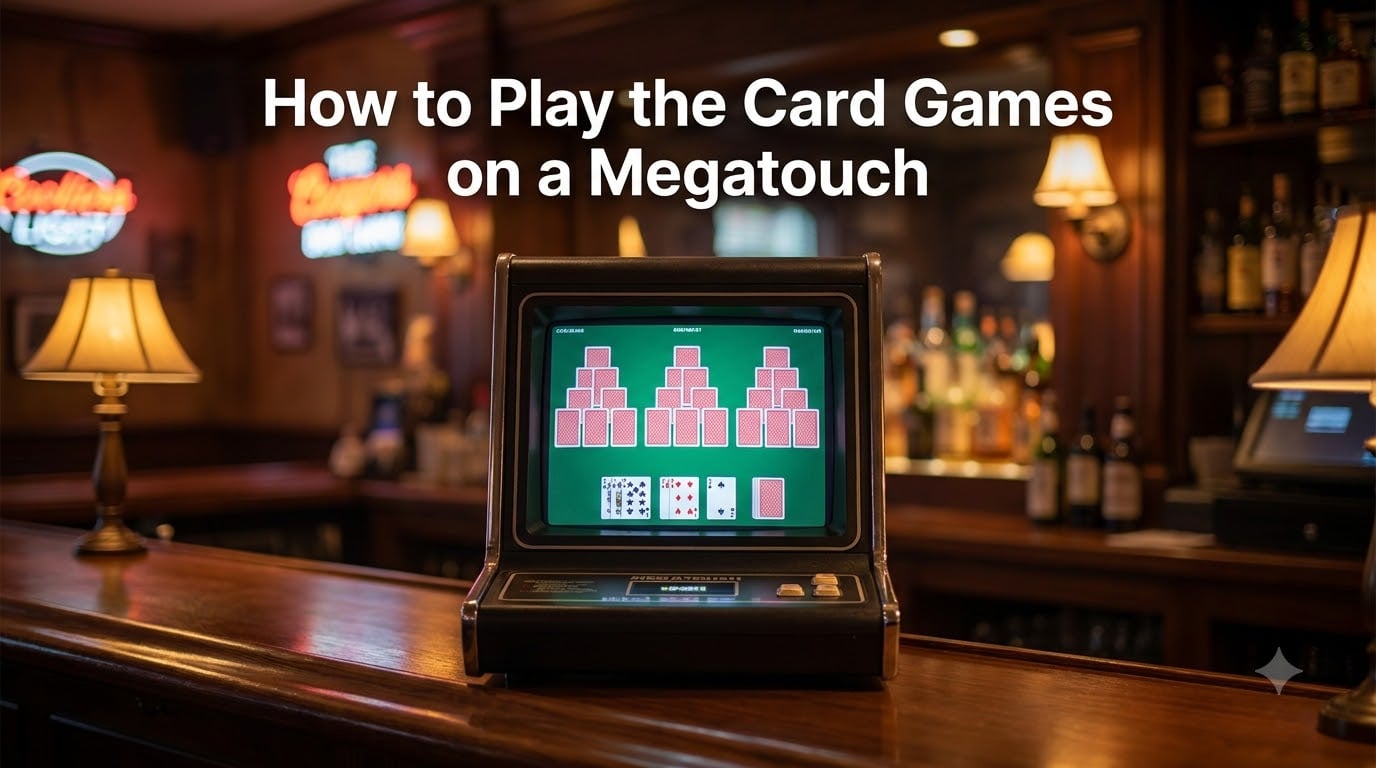
If you have ever bellied up to a bar-top touchscreen machine and lost twenty minutes without realizing it, you already know the pull of Megatouch. These countertop arcade cabinets, built by Merit Industries, shipped with dozens of card games that are easy to learn and surprisingly hard to master. Learning how to play the card games on a Megatouch is about understanding a few shared mechanics that run through every title on the menu.
Our team has spent years on these machines in bars, at arcade expos, and on home units. I have tracked down manuals, scoured forum threads on arcadecontrols.com and the r/Megatouch community, and compared game lists across every major software version from Gold through Ion. What follows is a single comprehensive rulebook for every Megatouch card game, complete with step-by-step instructions, strategy tips, and model-by-model availability.
This guide covers the full card game lineup: Tri-Towers, 11 Up, Great Solitaire, Run 21, Take 2, Power Solitaire, Zip 21, Wild 8s, Trip Flip, Strip Club Poker, Quik Cell, and Royal Flash. Each section walks you through the rules as if you were standing in front of the machine for the first time. I will also share maintenance tips for home machine owners and a comparison of which models include which games.
Whether you are a bar regular trying to crack the leaderboard, a collector restoring a cabinet, or someone who just picked up a used Megatouch for a home game room, you will find everything you need right here.
Table of Contents
- Quick Reference: Every Megatouch Card Game at a Glance
- How to Play the Card Games on a Megatouch: Getting Started
- How to Play Tri-Towers Solitaire?
- How to Play 11 Up
- How to Play Great Solitaire?
- How to Play Run 21?
- Other Popular Megatouch Card Games
- General Strategy Tips for Higher Megatouch Scores
- Megatouch Models and Which Card Games They Include
- How to Maintain Your Megatouch Touchscreen?
- FAQs
- Conclusion
Quick Reference: Every Megatouch Card Game at a Glance
Here is the complete card game roster found across Megatouch systems. I have rated each one by difficulty so you can pick a starting point that matches your comfort level.
Tri-Towers — Select cards one rank higher or lower than your draw card to clear three pyramids. Difficulty: Easy to learn, hard to master.
11 Up — Tap card combinations that total exactly 11 to clear the playfield. Difficulty: Easy.
Great Solitaire — A touchscreen-adapted version of classic Klondike solitaire with timer-based scoring. Difficulty: Medium.
Run 21 — A fast-paced blackjack variant where you build columns toward 21. Difficulty: Easy.
Take 2 — Match pairs of cards from a spread layout to clear the board before time runs out. Difficulty: Easy.
Power Solitaire — A speed-based solitaire variant with power-up cards that trigger bonus effects. Difficulty: Medium.
Zip 21 — A quicker, more compact blackjack-style game played on a single column. Difficulty: Easy.
Wild 8s — Build runs or sets using wild 8 cards to clear the layout. Difficulty: Medium.
Trip Flip — Flip hidden cards and match patterns to clear the grid. Difficulty: Medium.
Strip Club Poker — A risqué adult-themed poker variant involving hand-building and reveal mechanics. Difficulty: Medium.
Quik Cell — A FreeCell-style game adapted for touchscreen play. Difficulty: Hard.
Royal Flash — A flash-card matching game where you pair suits and ranks under a time limit. Difficulty: Medium.
If you want the shortest path to fun, start with 11 Up or Take 2. Both games teach the core touchscreen interaction (tap to select) in under a minute. Move to Tri-Towers when you want something with more strategic depth.
How to Play the Card Games on a Megatouch: Getting Started
Every Megatouch card game shares the same basic interaction model. You touch the glass screen directly to select, move, or flip cards. There are no physical buttons for gameplay. The only controls on the cabinet are the power switch, a volume knob, and sometimes a bill acceptor or coin mech for credits.
When you approach the machine, the screen displays a rotating attract mode showing previews of available games. Insert a coin or bill to start a session. On home machines with free-play mode enabled, you simply touch the screen to begin.
Navigating the Game Menu
After starting a session, the main menu appears with category tiles. Card games are usually grouped under a “Cards” or “Card Games” heading. Touch that tile to see the full list of available card titles.
Each game tile shows the name and a small preview animation. Touch any game to select it. Most games then display a brief instruction screen for a few seconds before play begins. On some software versions, you can touch the screen during the instruction screen to skip it.
Practice Mode vs Tournament Mode
Many Megatouch card games offer two play modes. Practice mode lets you play without a timer or with relaxed rules, so you can learn the mechanics without pressure. Tournament mode runs the game at full speed with the timer active, and your score is posted to the machine’s local leaderboard.
If your machine is connected to other Megatouch units via Mega-Link (the LAN multiplayer system), tournament scores may also appear on linked machines. On Ion 2014 and later systems, some tournaments were part of daily, weekly, and monthly prize competitions through Megatouch Mania.
Understanding the Timer
Most card games on Megatouch are timer-based. A countdown clock runs in the corner of the screen, and when it hits zero, your game ends. The timer creates the urgency that makes these games so addictive. Faster play earns bonus points, so speed is just as important as making the right moves.
The timer also means there is no pause button. Once a game starts, you are committed. This is by design. Megatouch was built for quick bar-top sessions, not long meditative play.
How to Play Tri-Towers Solitaire?
Tri-Towers (sometimes spelled Tri-Towers or TriTowers) is the most iconic Megatouch card game. It is a solitaire variant where you dismantle three card pyramids by playing cards that are one rank higher or lower than your current draw card. The goal is to clear all three towers before the timer runs out.
Tri-Towers: Step-by-Step Rules
Step 1. The game deals three pyramids of cards face up on the screen. Each pyramid has multiple rows, with only the bottom row cards playable at the start.
Step 2. A single draw card appears at the bottom of the screen. This is your active card.
Step 3. Look at the exposed cards at the bottom of each pyramid. Touch any card that is exactly one rank higher or one rank lower than your active draw card. For example, if your draw card is a 7, you can play a 6 or an 8. Aces are both low (below 2) and high (above King).
Step 4. When you touch a valid card, it slides down and becomes your new active card. The card that was on top of it in the pyramid flips face up and becomes available for play.
Step 5. Continue chaining cards together. If you can play multiple cards in a row without drawing, you build a streak. Longer streaks earn bonus points.
Step 6. If no exposed card is one rank higher or lower than your active card, touch the draw pile to flip a new active card. Each draw from the pile costs you a small time or score penalty depending on the version.
Step 7. Clear all cards from all three pyramids to win the round. The faster you clear them, the higher your score.
Tri-Towers Strategy Tips
The biggest mistake new Tri-Towers players make is grabbing the first playable card they see. Instead, scan all three towers before each move. Look for plays that unlock multiple new cards beneath them, not just one.
Always check whether drawing from the pile is unavoidable before committing to a chain. Sometimes it is better to break a chain early and draw a fresh card than to trap yourself with no playable options on the board.
Aces are your best friend. Because they can be played as both low (below a 2) and high (above a King), they effectively bridge any rank gap. Save them mentally as escape hatches when you get stuck.
Build streaks whenever possible. The bonus points from a long unbroken chain can double or triple your score for that round. If you see a sequence of three or more consecutive cards available across different towers, play them in order to maximize the streak multiplier.
How to Play 11 Up
11 Up is one of the simplest and most satisfying Megatouch card games. The entire concept fits in the title: you clear cards from the playfield by creating combinations that total exactly 11. It is fast, intuitive, and perfect for beginners.
11 Up: Step-by-Step Rules
Step 1. The game deals a grid of cards face up on the screen. Typically, 12 to 16 cards are displayed at once.
Step 2. Touch any number card to select it. Number cards are worth their face value (2 through 10).
Step 3. Touch a second card whose value, when added to the first, equals 11. For example, tap a 3 then an 8, or a 5 then a 6. The pair disappears from the board.
Step 4. You can also create three-card combinations. For instance, tap a 2, a 3, and a 6 (which totals 11) to clear all three at once.
Step 5. Face cards have special rules. Jacks, Queens, and Kings are cleared individually by tapping them on their own. They do not count as 11 in any combination.
Step 6. Aces are worth 1 and must be combined with other cards to reach 11.
Step 7. New cards are dealt from the deck to replace cleared cards. Keep clearing combinations until you empty the entire deck and playfield.
Step 8. The game is timed. Clear everything as fast as possible for the highest score.
11 Up Strategy Tips
The key to high scores in 11 Up is speed, but not recklessness. Clear face cards (Jacks, Queens, Kings) immediately whenever they appear, since they are single taps and take zero mental effort. Get them off the board so you can focus on number combinations.
Look for three-card combos before going for pairs. A three-card clear removes more cards per tap sequence, which translates to faster board clearance and better time bonuses.
When you get stuck and cannot see any combination that totals 11, do not panic. Mentally subtract each visible card from 11 and look for the difference. If you see a 7, you need a 4. Train your brain to scan for complementary pairs.
How to Play Great Solitaire?
Great Solitaire is Megatouch’s touchscreen adaptation of classic Klondike solitaire. If you have ever played the solitaire game bundled with Windows, you already know the basic idea. The Megatouch version adds a timer and touch controls to the familiar formula.
Great Solitaire Rules
The game deals seven columns of cards. The first column has one card, the second has two, and so on up to seven. Only the top card of each column starts face up. The remaining cards form a draw pile.
Build descending sequences of alternating colors on the column cards. For example, place a red 6 on a black 7. You can move groups of cards together if they form a valid descending alternating-color sequence.
Move Aces to one of four foundation piles at the top of the screen. Build each foundation up by suit from Ace to King. Win the game by moving all 52 cards to the four foundations.
Touch the draw pile to flip new cards. Depending on the software version, you draw either one or three cards at a time. Touch and drag cards to move them, or simply tap a card to send it to a valid foundation automatically.
Great Solitaire Tips
Always flip hidden cards in the columns as your top priority. Every face-down card you reveal opens up new move possibilities. Prioritize moves that uncover hidden cards over moves that just shuffle already-visible cards.
Do not rush cards to the foundation too early. Sometimes you need a low card temporarily parked in a column to help build a longer sequence. Only send cards to the foundation when you are sure you will not need them for column building.
How to Play Run 21?
Run 21 is a blackjack-inspired card game played against the clock. Instead of playing against a dealer, your goal is to build columns of cards that total as close to 21 as possible without going over.
Run 21 Rules
The game gives you several columns (usually four). Cards are dealt one at a time from a deck. You choose which column to place each card by touching it.
Each column accumulates cards, and their values add up. Number cards are worth face value, face cards are worth 10, and Aces are worth 1 or 11 (your choice). When a column reaches exactly 21, it clears and you earn points. If a column exceeds 21, it busts and is locked out.
Clear all your columns to win the round. The faster you play, the higher your bonus. The strategic challenge is deciding where to place each card to avoid busting while still reaching 21.
Run 21 Tips
Place high cards (10s and face cards) in empty columns so you have room for an Ace or a low card to hit 21 exactly. Place Aces in columns that already have a 10-value card, since an Ace plus a 10 equals 21 instantly.
Keep at least one column relatively low as a dumping ground for cards that do not fit anywhere else. This prevents forced busts when the deck gives you a card you cannot safely place.
Other Popular Megatouch Card Games
Beyond the headline titles, Megatouch shipped with several additional card games. Here are the rules for each remaining card game in the Megatouch library.
Take 2
Take 2 is a simple pair-matching game. A spread of cards is dealt face up on the screen. Your job is to find and tap matching pairs as quickly as possible. Each match clears both cards. The game replaces cleared cards with new ones from the deck until the deck runs out.
Speed is everything in Take 2. The faster you spot and tap pairs, the bigger your time bonus. This is an ideal warm-up game to sharpen your touchscreen reaction speed before moving to more complex titles.
Power Solitaire
Power Solitaire is a variant of Great Solitaire with a twist. Certain cards in the deck are designated as power-up cards. When you play a power-up card, it triggers a bonus effect such as revealing hidden cards, freezing the timer briefly, or awarding extra points.
The rules for column building and foundation stacking are the same as Great Solitaire. The difference is purely in the power-up mechanics, which add a layer of tactical decision-making. Save power-up cards for moments when you are stuck and need a reset.
Zip 21
Zip 21 is a streamlined version of Run 21 designed for faster play. Instead of managing multiple columns, you work with a single column and a faster timer. Cards are dealt rapidly, and you must decide quickly whether to keep or discard each one to approach 21.
Think of Zip 21 as the speed variant of blackjack-style play. It rewards snap decisions and familiarity with card values. If you enjoy Run 21 but want more intensity, Zip 21 is the upgrade.
Wild 8s
Wild 8s is a set-building game where you create runs or groups of matching cards from a dealt layout. The 8 cards are wild and can substitute for any rank or suit, giving you flexibility to complete sets that would otherwise be impossible.
Tap cards to add them to your current build. When you complete a valid run (sequential ranks of the same suit) or set (same rank, different suits), the group clears and you score points. Use your 8s strategically to bridge gaps in incomplete runs.
Trip Flip
Trip Flip is a memory and matching game. Cards are dealt face down in a grid. Touch a card to flip it over. If it matches another previously revealed card, both stay face up. If not, they flip back after a moment.
The challenge is remembering card positions across the grid. The timer adds pressure, so you cannot afford to peek at the same cards repeatedly. Trip Flip rewards players with strong short-term memory and quick visual scanning.
Strip Club Poker
Strip Club Poker is an adult-themed poker variant typically found in bar Megatouch units with the adult content lock disabled. You build poker hands from dealt cards, and successful hands trigger on-screen reward animations.
The hand rankings follow standard poker rules: pair, two pair, three of a kind, straight, flush, full house, four of a kind, straight flush, and royal flush. You can swap cards from your hand to improve your combination, similar to draw poker mechanics.
This game is restricted on many home and family-oriented machines. Software versions shipped to bars included it, but operators could disable it through the settings menu.
Quik Cell
Quik Cell is Megatouch’s version of FreeCell, the classic solitaire variant where all cards are dealt face up from the start. You move cards between columns and free cells (temporary holding slots) following alternating-color descending rules.
The difference from standard solitaire is that every card is visible from the beginning, so there is no luck of the draw. The game is pure strategy. Move all cards to the four foundations to win. This is the hardest card game on Megatouch for most players.
Royal Flash
Royal Flash is a flash-card matching game. Cards appear briefly on screen, and you must match suits and ranks under a tight time limit. Think of it as a reaction-speed test layered on top of card recognition.
The game rewards players who can instantly identify suits and ranks and tap matching pairs before the display cycles. Royal Flash is less about strategy and more about raw visual processing speed.
General Strategy Tips for Higher Megatouch Scores
Across all Megatouch card games, certain strategies apply universally. Mastering these will improve your scores on every title in the menu.
Play Fast, But Play Deliberately
Megatouch games reward speed with time bonuses and streak multipliers. But speed without accuracy leads to mistakes, wasted moves, and busted games. The sweet spot is playing at a brisk but controlled pace. Think one move ahead at all times so you never freeze when it is your turn to act.
Use Practice Mode First
Every game on the Megatouch menu offers a practice mode that removes the timer. Use it. Spend five minutes in practice mode on a new game to learn the rules without pressure. Once you can clear a board confidently, switch to tournament mode and chase the leaderboard.
Practice mode is also where you develop muscle memory for the touchscreen. The glass surface responds differently than a phone screen, and getting used to the tap sensitivity matters more than you might expect.
Build Streaks and Combos
Most Megatouch card games feature streak or combo systems that multiply your score for consecutive successful moves. In Tri-Towers, long chains of consecutive plays earn escalating bonuses. In 11 Up, clearing multiple combinations rapidly builds a combo meter.
Always look for opportunities to extend a streak before breaking it. Sometimes the difference between a mediocre score and a top-three leaderboard spot is one extended chain that you almost skipped past.
Memorize the Card Layout Early
In games like Tri-Towers and Great Solitaire, the full card layout is visible from the start. Take one second at the beginning of each round to scan the entire board. Identify which cards are buried and which plays will unlock them. A quick mental map at the start saves wasted moves later.
Watch the Timer, Not the Score
New players tend to fixate on their running score. Experienced players watch the timer. Your score is a function of how fast you finish, so optimizing for speed naturally optimizes for score. If you have 30 seconds left and a clear path to the finish, sprint through it without second-guessing individual moves.
Megatouch Models and Which Card Games They Include
Megatouch went through several hardware and software generations, and the card game lineup shifted with each version. If you are shopping for a home machine or trying to figure out what is on the cabinet at your local bar, here is what to expect from each model.
Megatouch Gold
The Gold series was one of the most widely distributed Megatouch generations. It shipped with 48 games total, including the full classic card game lineup: Tri-Towers, 11 Up, Great Solitaire, Take 2, Run 21, Power Solitaire, Zip 21, Wild 8s, Trip Flip, Strip Club Poker, Quik Cell, and Royal Flash. If you want the complete card game library, Gold is the benchmark.
Megatouch Maxx
Maxx was the successor to Gold and featured an updated game selection. It retained the core card games like Tri-Towers, 11 Up, and Great Solitaire while adding new puzzle and trivia titles. Some less popular card games from the Gold era were rotated out on certain Maxx software versions.
Megatouch Force
Force introduced upgraded hardware with a faster processor and improved touchscreen responsiveness. The card game lineup remained similar to Maxx, with the addition of enhanced graphics and smoother animations. Force units are popular among home collectors because of their reliability and performance.
Megatouch Ion
Ion was the final Megatouch generation, with the Ion 2014 software being the last major release. Ion retained the flagship card games and connected to the Megatouch Mania tournament network for daily, weekly, and monthly prize competitions. Forum users report that Ion 2014 machines can run without the security key after booting into the main menu, which is useful knowledge for home machine owners.
Software Version Differences
Within each hardware generation, different software versions added, removed, or modified games. The community at r/Megatouch and arcadecontrols.com maintains spreadsheets tracking which games appear on which software versions. If you are looking for a specific card game, verify the software version before buying a machine.
One important note from forum users: finding the correct software ISO for your specific hardware board can be challenging. Hard drive failures are common on older systems, and restoring a machine often means tracking down the right disk image for your model.
How to Maintain Your Megatouch Touchscreen?
If you own a Megatouch machine, the touchscreen is your single most important maintenance priority. Forum users consistently report that calibration drifts over time and dirty screens cause misreads. Here is a step-by-step maintenance routine.
Cleaning the Touchscreen
Step 1. Turn off the machine before cleaning. This prevents accidental input during the process.
Step 2. Use a microfiber cloth dampened with glass cleaner. Never spray cleaner directly onto the screen, as liquid can seep under the bezel and damage the touch sensors.
Step 3. Wipe in gentle circular motions. Avoid pressing hard, especially on older CRT-based units where the glass sits directly over the tube.
Step 4. Dry the screen with a clean section of the microfiber cloth to remove any streaks or residue.
Clean the screen weekly in a home environment, or daily in a bar setting where fingerprints and spills accumulate faster.
Calibrating the Touchscreen
If touches are registering in the wrong spot, the touchscreen needs recalibration. Most Megatouch models have a calibration utility accessible through the operator settings menu.
Step 1. Enter the operator menu by pressing the service button inside the coin door or using the appropriate key sequence for your model.
Step 2. Navigate to the touchscreen or monitor calibration option.
Step 3. The screen displays a series of crosshair targets. Touch each one precisely as it appears. The system records your touch points and adjusts the alignment grid.
Step 4. After completing all targets, the system confirms calibration is complete. Exit the operator menu and test gameplay to confirm touches register accurately.
Recalibrate every few months, or whenever you notice touches drifting. Temperature changes and vibrations from the cabinet can gradually shift the alignment.
Common Touchscreen Problems
If the touchscreen does not respond at all, check the USB I/O cable connecting the touch controller board to the motherboard. Loose or corroded connections are a frequent culprit on older machines.
If only certain areas of the screen are unresponsive, the touch overlay itself may be damaged. Replacement overlays are available but require disassembling the monitor assembly. Consult the Megatouch manuals available through Merit Games support for model-specific disassembly instructions.
If the machine will not boot at all, check the power supply and hard drive. Hard drive failures are one of the most commonly reported issues across the Megatouch community. Having a backup of your software image is the best insurance against downtime.
FAQs
What card games are available on Megatouch?
Megatouch machines include Tri-Towers, 11 Up, Great Solitaire, Run 21, Take 2, Power Solitaire, Zip 21, Wild 8s, Trip Flip, Strip Club Poker, Quik Cell, and Royal Flash. The exact lineup varies by model and software version, with Gold offering the most complete card game collection.
How do you play Tri-Towers on Megatouch?
In Tri-Towers, you clear three card pyramids by touching exposed cards that are one rank higher or lower than your active draw card. Aces count as both high and low. Chain consecutive plays without drawing to build streak bonuses, and clear all three towers before the timer runs out.
How do you play 11 Up on Megatouch?
In 11 Up, you tap combinations of number cards that total exactly 11 to clear them from the board. Face cards (Jacks, Queens, Kings) are cleared individually with a single tap. Aces are worth 1. Clear the entire deck and playfield as fast as possible for the highest score.
How do you beat high scores on Megatouch card games?
To beat high scores, play fast but deliberately, build streaks and combos for bonus multipliers, clear face cards and easy moves first, and use practice mode to learn each game before competing. Watching the timer instead of the score helps you optimize for speed, which naturally boosts your final score.
What is the difference between Megatouch Gold and Megatouch Ion?
Megatouch Gold is an earlier generation with the most complete classic card game lineup at 48 total games. Megatouch Ion is the final generation with upgraded hardware, faster touchscreen response, enhanced graphics, and connectivity to the Megatouch Mania tournament network for prize competitions. Ion retains the core card games but has a different overall game selection.
How do I maintain my Megatouch touchscreen?
Clean the screen weekly with a microfiber cloth and glass cleaner (spray the cloth, not the screen). Recalibrate the touchscreen every few months through the operator menu by touching the crosshair targets. Check the USB I/O cable connections if touches stop registering, and keep a backup of your software image since hard drive failures are common.
Conclusion
Megatouch card games are deceptively simple. The rules fit on a napkin, but mastering them takes practice, speed, and a feel for streak-building that only comes with repetition. Whether you are clearing pyramids in Tri-Towers, hunting for 11s, or racing through a hand of Great Solitaire, the fundamentals are the same: play fast, think ahead, and use practice mode to sharpen your instincts before chasing the leaderboard.
Now that you know how to play the card games on a Megatouch, the best next step is to find a machine and start practicing. If you are a home collector, verify your software version to confirm which games are available, keep your touchscreen clean and calibrated, and back up your hard drive image before failure strikes. The Megatouch community on Reddit and arcadecontrols.com is an excellent resource for manuals, ISO files, and repair advice when you need it.
The next time you see that familiar glowing screen on a bar top, you will not just be tapping cards. You will be playing with strategy, intent, and a real shot at the high score.