
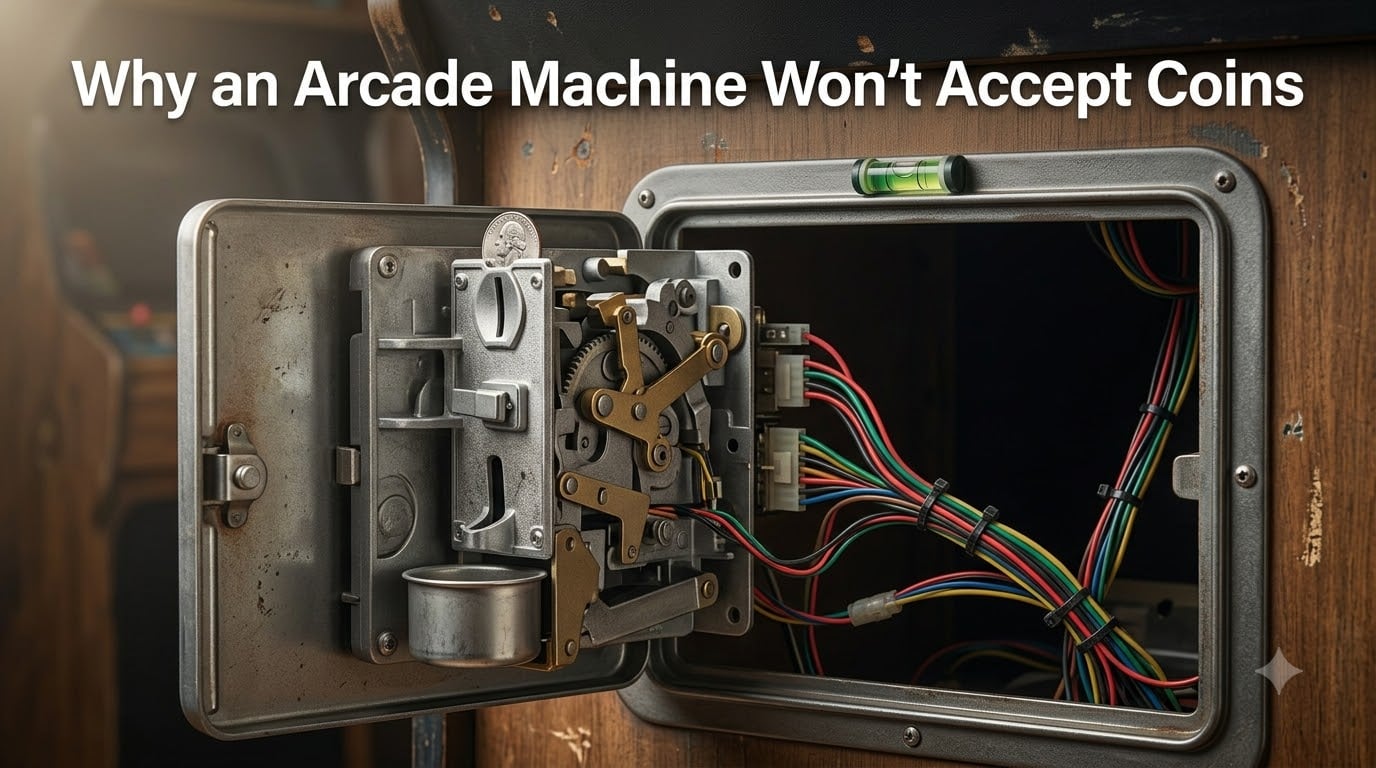
Nothing kills an arcade vibe faster than dropping a quarter into a machine and watching it drop straight into the reject slot. I have spent years troubleshooting arcade cabinets in my own collection and for friends who run route operations, and I can tell you that arcade machine coin acceptor problems almost always come down to a handful of repeatable causes. This guide walks through every one of them.
Coin-operated arcade machines will use either a mechanical coin mech or an electronic coin validator. Both share the same job: confirm the inserted coin is genuine, then send a credit pulse to the game board. When that process fails, the machine stops earning. The good news is that most rejection issues can be diagnosed and fixed in under an hour with basic tools.
In this 2026 guide, I will show you how the mechanism actually works, the seven most common reasons your machine rejects coins, and the exact troubleshooting steps I use to bring a stubborn coin door back to life. You will also learn how to keep it that way.
Table of Contents
- How Does the Arcade Coin Mechanism Work?
- Common Reasons an Arcade Machine Won’t Accept Coins
- How to Fix a Jammed Coin Slot Step by Step?
- Troubleshooting Wiring and the Coin Switch
- Cleaning and Adjusting the Coin Mech
- Leveling and Alignment Tips Most Owners Miss
- When to Repair vs Replace the Coin Acceptor?
- Frequently Asked Questions
- Conclusion
How Does the Arcade Coin Mechanism Work?
An arcade coin mechanism is a small electromechanical device mounted inside the coin door. Its only purpose is to decide whether the inserted object is a real coin and, if so, send a signal to the motherboard to add a credit.
There are two main types you will encounter. A mechanical coin mech (such as the classic Suzo Happ or CoinCo units) uses a series of sized gates and a lever to weigh the coin against calibrated parameters. A genuine coin trips a microswitch that closes the credit circuit. A foreign or worn coin falls through into the reject slot instead.
An electronic coin validator uses optical sensors and sometimes inductive coils to measure diameter, thickness, and metal composition. Models like the Imonex or NV10 reject bad coins with an audible click and push them back into the return cup. When the validator accepts a coin, it momentarily closes the same kind of microswitch that mechanical mechs use.
That signal travels through a wiring harness to the coin switch on the door frame, which then passes the credit pulse to the JAMMA harness or game board. Lose the signal at any point in that chain and the machine will not register a credit.
The most common parts inside the coin door include the coin slot, the reject button, the reject slot, the lock and latch, the slam switch, the dollar bill acceptor (if installed), and the coin return cup. Each plays a role in the credit chain.
Common Reasons an Arcade Machine Won’t Accept Coins
Most arcade machine coin acceptor problems trace back to one of these seven causes. I have ranked them by frequency in the machines I service.
1. Dirty or Worn Coin Mech
Dust, spilled soda, and oxidized contacts build up over time. A dirty sensor will reject a perfectly good quarter or, worse, accept anything that resembles the right shape. Mechanical mechs suffer from sticky levers and worn gates that no longer seat cleanly.
2. Cabinet Is Not Level
This is the issue I see missed most often. Even a small forward tilt causes coins to slide past the accept path and into the reject slot. If your cabinet rocks or the bubble level reads off, the mech will never work reliably.
3. Loose or Disconnected Wiring
Vibration from gameplay and moving the cabinet slowly works the harness connectors loose. A broken ground wire is the most common cause of a coin door that appears completely dead. Reddit threads on r/cade are full of owners who chased phantom mech problems only to find a single unplugged pin.
4. Wrong Coin Type Programmed
Electronic validators ship configured for the country of sale. If your mech was imported or refurbished, it may be programmed for the wrong denomination or coin set. Mechanical mechs have a changeable price plate that must match the coin you want to accept.
5. The Coin Door Is in Free Play Mode
Many arcade boards ship with a free play dip switch enabled. The coin mech looks fine but the game ignores every credit pulse. It is worth checking before you tear anything apart.
6. Failed Microswitch
The microswitch inside the mech or on the coin door sees thousands of actuations. When it wears out, the credit signal never closes even when the validator accepts the coin. A multimeter continuity test confirms this in seconds.
7. Reject Button Stuck Down
The reject button on the front of the coin door can stick in the depressed position. When it does, the door’s slam switch thinks you are constantly hitting reject and refuses to credit anything. I have seen this mimic a dead mech more than once.
How to Fix a Jammed Coin Slot Step by Step?
A jammed coin slot is the single most common arcade machine coin acceptor problem. Follow these steps in order. Most jams clear by step three.
Step 1: Power down the machine. Unplug the cabinet from the wall before opening anything. Even coin doors have slam switches that can short against the chassis.
Step 2: Open the coin door. Use the key for the lock latch on the front of the cabinet. Swing the door open and locate the mech at the top of the return cup.
Step 3: Inspect the entry slot. Shine a flashlight into the coin slot. Look for bent coins, paper, gum wrappers, or a stray slug wedged at the top of the entry throat.
Step 4: Remove the jammed coin. Use needle-nose pliers or a small flathead screwdriver to gently work the obstruction out. Pull straight down in the direction of coin travel. Never force it sideways.
Step 5: Check the reject path. Once the jam is clear, press the reject button to make sure the reject slot is also free. A second stuck coin often hides here.
Step 6: Close and test. Plug the cabinet back in, drop a known-good coin, and confirm the credit registers on the game board. If not, move on to the wiring checks below.
Troubleshooting Wiring and the Coin Switch
Wiring issues cause more “dead mech” complaints than any actual mech failure. Here is how I work through them.
Check the Ground Wire First
The coin door ground wire is the single most common failure point on arcade cabinets I have serviced. Inspect the braided ground strap that connects the coin door to the cabinet frame. If it is missing, frayed, or only attached by one screw, the door’s switches will not complete their circuit.
Inspect the Wiring Harness Connectors
The harness between the coin door and the game board uses Molex-style connectors. Pull each one and look for green corrosion, pushed-out pins, or melted plastic. Reseat firmly and listen for the click of the lock tab engaging.
Test the Microswitch
Set a multimeter to continuity. Touch one probe to each terminal of the coin switch. Manually trip the lever with a coin. You should see the meter jump from open to closed. No jump means a bad switch that needs replacement. Switches are cheap and standard across most mechs.
Read the LED Indicators
Electronic validators have a status LED on the side or front. A steady green usually means ready, a flashing red means a coin was rejected, and no light at all means the unit has no power. The flash pattern can also indicate a specific fault on some models. Check the data sheet for your brand.
Cleaning and Adjusting the Coin Mech
Regular cleaning is the single best thing you can do for arcade machine coin acceptor problems. A clean mech often performs like new without any further work.
Cleaning a Mechanical Coin Mech
Remove the mech from the door by unscrewing the two mounting screws and unplugging the harness. Soak it in warm water with a small amount of dish soap for about 15 minutes. Use an old toothbrush to scrub the gates and the lever pivot point.
Rinse thoroughly, shake out the water, and let it air dry completely before reinstalling. Many old Suzo Happ mechs I have cleaned this way came back from the brink of replacement.
Cleaning an Electronic Validator
Electronic validators do not like water. Use compressed air to blow dust out of the optical sensors, then wipe the sensor windows with a cotton swab lightly dampened with isopropyl alcohol. Never soak an electronic unit.
Adjusting Sensitivity
Mechanical mechs have a small calibration screw on the side that adjusts the lever tension. Turning it clockwise tightens the acceptance threshold; counter-clockwise loosens it. Make quarter-turn adjustments and test with your target coin.
Electronic validators typically have a programming card or dip switch setup to fine-tune acceptance. Refer to the manufacturer’s manual for the exact procedure.
Leveling and Alignment Tips Most Owners Miss
I have personally recovered more “broken” coin mechs with a bubble level than with a screwdriver. Slight tilts dramatically change how coins travel through the entry slot.
Place a bubble level on top of the cabinet. Adjust the cabinet feet until the bubble sits centered in both directions. The front-to-back plane matters most for coin mechs.
If you cannot get a perfect level because the floor is uneven, use shims under the low feet. Even a one-degree forward tilt can be enough to send good quarters into the reject slot.
Also check the alignment of the coin return cup. A cup that sits too high can catch legitimate coins before they complete their path through the mech. Most return cups have a small bend tab you can adjust by hand.
When to Repair vs Replace the Coin Acceptor?
Not every arcade machine coin acceptor problem deserves a brand-new part. Here is the rule of thumb I use.
Repair when: the mech is less than 20 years old, the housing is intact, the failure is a microswitch, and the cost of the switch is a fraction of a replacement. Cleaning and switch swaps are almost always worth it.
Replace when: the gates are physically bent, the sensor array is dead on an electronic unit, the mech has been liquid damaged, or the unit is so old that parts are no longer cross-compatible with modern harnesses.
The three brands I trust most are Suzo Happ, CoinCo, and Imonex. Suzo Happ dominates American-style cabinets and is widely available new and refurbished. CoinCo is the workhorse for many late-model arcade boards. Imonex and similar European brands excel at multi-coin validators and programmable units.
For most home collectors, a new Suzo Happ mechanical mech runs modestly and gives years of reliable service. For route operators, the higher upfront cost of a multi-coin electronic validator pays for itself in reduced service calls.
Frequently Asked Questions
Why won’t my arcade machine accept coins?
The most common causes are a dirty coin mech, a cabinet that is not level, loose wiring, a failed microswitch, or a free play dip switch being enabled on the game board. Start by checking the level and the wiring harness before assuming the mech itself is bad.
How does an arcade coin mechanism work?
When you insert a coin, it passes through the coin mech which measures its size, weight, and (on electronic units) metal composition. A genuine coin trips a microswitch that sends a credit signal to the game board. Foreign or worn coins fall through into the reject slot instead.
How do I fix a jammed coin slot?
Power down the cabinet, open the coin door with the key, and inspect the slot with a flashlight. Use needle-nose pliers to gently remove the jammed coin, check the reject path for a second stuck coin, then close the door and test with a known-good coin.
How do I reset a coin operated arcade machine?
Power down the cabinet and unplug it for at least 30 seconds. While it is open, reseat the coin door harness connectors and check that the ground wire is attached. Plug it back in and test. If the board has a free play dip switch, toggling it off will also restore normal credit behavior.
How do I clean an arcade coin mech?
Remove the mech and soak a mechanical unit in warm soapy water for 15 minutes, then scrub with a toothbrush and air dry. For electronic validators, use compressed air and a cotton swab with isopropyl alcohol. Never soak an electronic unit.
What causes coins to go into the reject slot?
Coins land in the reject slot when they fail the mech’s authenticity test, when the cabinet is tilted, when the entry gates are misaligned, or when the reject button is stuck in the depressed position. Cleaning the mech and leveling the cabinet fixes most reject issues.
Conclusion
Arcade machine coin acceptor problems are almost always solvable without replacing parts. A clean mech, a level cabinet, and tight wiring resolve the majority of complaints I see in the field. Work through the steps in this guide in order, starting with the easiest checks first.
If your machine is still rejecting coins after cleaning, leveling, and reseating the harness, the issue is likely a failed microswitch or a mech that has reached the end of its service life. At that point, a quality replacement from Suzo Happ, CoinCo, or Imonex is a worthwhile investment that will keep your arcade earning for years to come.