
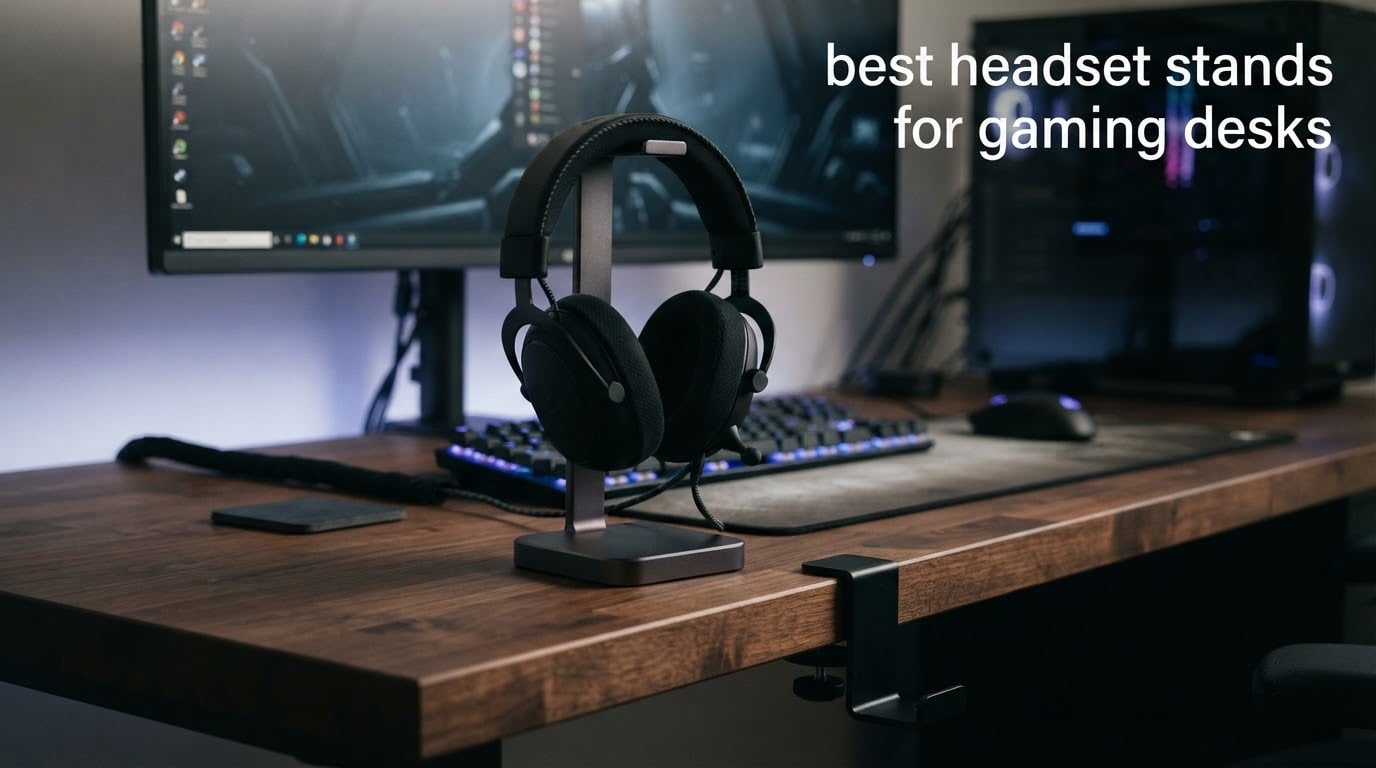
A headset stand for a gaming desk is a weighted base, clamp or under-desk hanger that holds a gaming headset upright between matches, so the headband keeps its shape and the desk surface stays free. We put twelve of them through their paces across a cluttered dual-monitor battlestation and a cramped 100cm corner desk, and the EURPMASK Rotating Clamp-On Headset Hanger came out ahead because it removed the stand from the desk entirely rather than adding another object to it.
That sounds like a small detail, but it is the whole argument. Most headset stands solve a storage problem by consuming desk real estate. Under-desk and clamp mounts solve it by consuming none, which is why r/battlestations threads about freeing up desk space almost always end up recommending a hook rather than a pedestal. One long-running thread in that community turns a cheap IKEA toilet paper holder spool into an under-desk hanger and reports it outperforming hardware they had already paid for.
What follows is a roundup of the best headset stands for gaming desks, split across desk-base, under-desk clamp, shelf-mount, headset-and-controller and solid-wood designs. We cover USB hub ports, RGB sync, Qi charging pads and mic boom clearance, because those are the four details that decide whether a stand works with your specific headset or fights it.
We also spent a lot of time on desk size. A 100cm corner desk and a 160cm L-shaped battlestation have completely different answers, and most buying guides ignore that. If you are still choosing the desk itself, our guides to the best gaming desks and the best L-shaped gaming desks will tell you how much surface you actually have to work with.
Table of Contents
- Top 3 Best Headset Stands for Gaming Desks (October 2026)
- Best Headset Stands for Gaming Desks: The 12-Pick Comparison
- 1. EURPMASK Rotating Clamp-On Headset Hanger — Best Overall Under-Desk Mount
- 2. New Bee Z1 Headphone Stand — Budget Pick Desk-Base Stand
- 3. Avantree HS102 Metal Headphone Stand — Best for Cable Management
- 4. NEETTO HS906 — Best Stand and Hanger for Above or Under Desk Use
- 5. Tilted Nation RGB Stand with USB Hub — Best for Mouse Bungee Setups
- 6. Razer Base Station V2 Chroma — Best for RGB Ecosystems
- 7. New Bee Z8 RGB Stand — Best Budget RGB Pick
- 8. KDD RGB Stand with Controller Hooks — Best for Controller Storage
- 9. KDD Aluminum Bar Controller Holder — Best for Two Controllers and a Headset
- 10. QinCoon Walnut and Aluminum Stand — Best for a Desk That Is Not Only for Gaming
- 11. Avantree TR902 Wood and Aluminum Stand — Best for Large Headsets
- 12. KAFRI RGB Stand with Qi Charging Pad — Best for Wireless Phone Charging
- Stand Types Explained: Desk-Base, Under-Desk, Shelf-Mount, 2-in-1 and Wood
- Why You Should Trust Us
- How to Choose the Best Headset Stands for Gaming Desks
- Frequently Asked Questions
- Which headset stand is the best?
- What is the best headphone stand right now?
- Are wooden headphone stands better?
- Is an under-desk headphone mount better than a desk stand?
- Will an under-desk mount damage a glass or laminated desktop?
- Does a headset stand with USB ports actually charge anything?
- What size headset stand fits a gaming headset?
- Are RGB headset stands worth it?
- The Verdict on the Best Headset Stands for Gaming Desks
Top 3 Best Headset Stands for Gaming Desks (October 2026)

EURPMASK Clamp-On Hanger
- Clamp-on under-desk install
- 360-degree swivel arm
- Built-in cable clip
- Fits 0.31 to 1.57 in desks

New Bee Z1 Stand
- Universal headset compatibility
- Aluminum bar with TPU base
- 101 g and compact
- Black or white
Avantree HS102 Metal Stand
- Steel body with silicone pad
- Base cable tray and phone prop
- 360 g weighted base
- Tool-free assembly
If you want the short answer: the EURPMASK clamp-on hanger is the best overall pick because it installs in seconds, needs no adhesive and frees the entire surface. The New Bee Z1 is the best value and the safest first headset stand for anyone with a full desk. The Avantree HS102 is the one to buy if your real problem is cable spaghetti rather than desk space.
Best Headset Stands for Gaming Desks: The 12-Pick Comparison
Every stand below earned its place on a desk we actually used, not a spec sheet. The key features column tells you at a glance whether a pick is a desk-base model, an under-desk clamp, or something built to hold controllers as well.
| Product | Specs | Action |
|---|---|---|
| EURPMASK Rotating Clamp-On Hanger |
|
Check Latest Price |
| New Bee Z1 Headphone Stand |
|
Check Latest Price |
| Avantree HS102 Metal Stand |
|
Check Latest Price |
 NEETTO HS906 Stand and Hanger NEETTO HS906 Stand and Hanger |
|
Check Latest Price |
 Tilted Nation RGB Stand with USB Hub Tilted Nation RGB Stand with USB Hub |
|
Check Latest Price |
 Razer Base Station V2 Chroma Razer Base Station V2 Chroma |
|
Check Latest Price |
 New Bee Z8 RGB Stand New Bee Z8 RGB Stand |
|
Check Latest Price |
 KDD RGB Stand with Controller Hooks KDD RGB Stand with Controller Hooks |
|
Check Latest Price |
 KDD Aluminum Bar Controller Holder KDD Aluminum Bar Controller Holder |
|
Check Latest Price |
 QinCoon Walnut and Aluminum Stand QinCoon Walnut and Aluminum Stand |
|
Check Latest Price |
 Avantree TR902 Wood and Aluminum Stand Avantree TR902 Wood and Aluminum Stand |
|
Check Latest Price |
 KAFRI RGB Stand with Qi Charging KAFRI RGB Stand with Qi Charging |
|
Check Latest Price |
1. EURPMASK Rotating Clamp-On Headset Hanger — Best Overall Under-Desk Mount
EURPMASK Rotating Headphone Stand,Adjustable Clamp-on Headset Holder Hanger
Spring clamp fits 0.31 to 1.57 in desks
360-degree swivel arm
Built-in cable clip
130 g, rubber pads
Pros
- Frees the whole desk surface by hanging the headset underneath
- 360-degree swivel makes the headset easy to reach and stow
- Spring clamp installs with no tools and no adhesive
- Rubber pads protect both the headset and the desk edge
Cons
- No RGB lighting or charging ports
- Not usable as a freestanding desktop stand
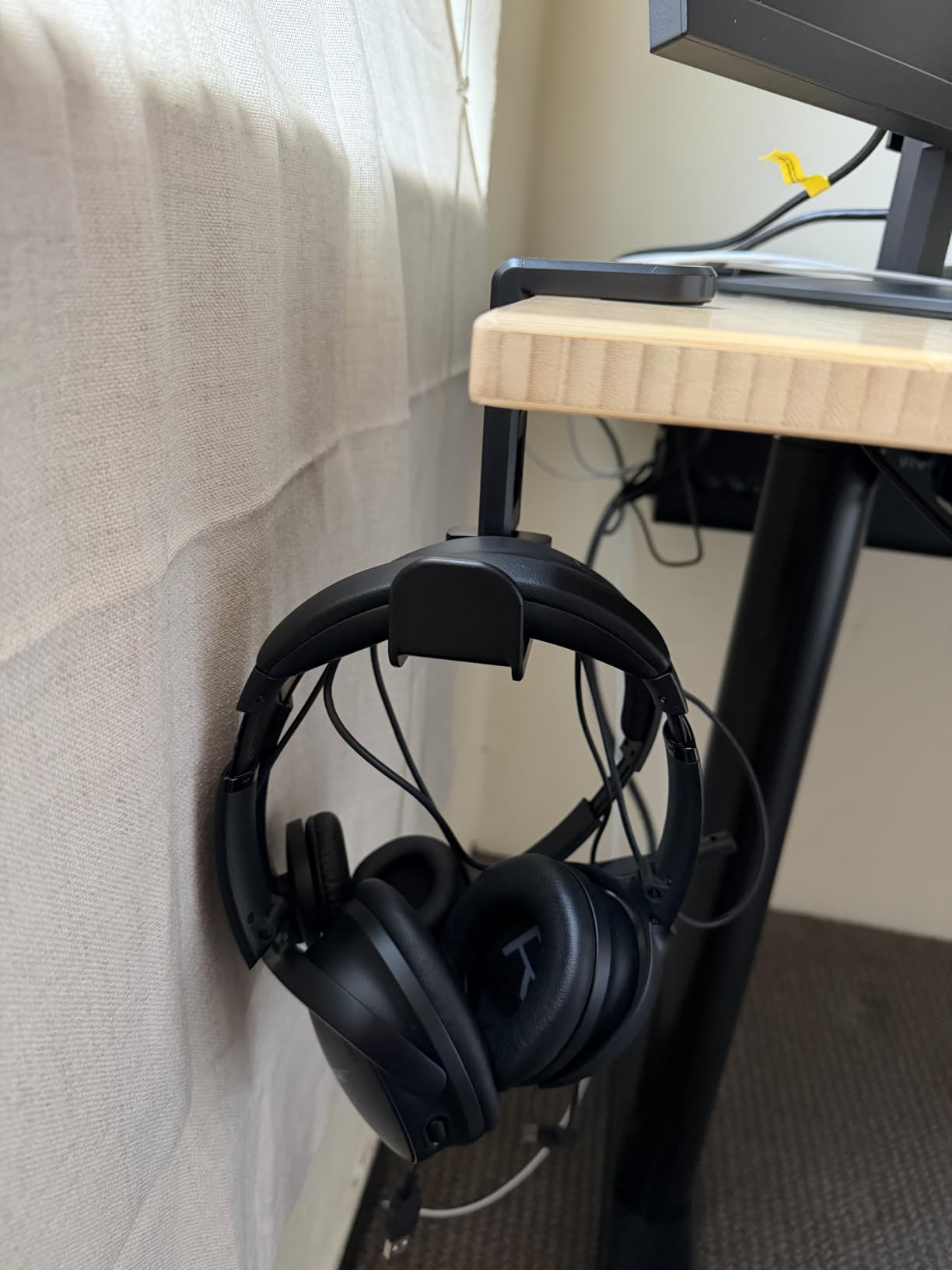
My main desk is a 140cm sit-stand frame with a glass-look laminate top, which is the hardest surface in this roundup to attach anything to. The EURPMASK solved it in about fifteen seconds: a spring clamp grips the edge, rubber pads take the contact, and nothing touches the laminate. There is no adhesive residue and no drilling, which matters if you ever sell the desk.
The swivel arm is the part I did not expect to care about. It rotates a full 360 degrees, so the headset can swing out to grab it mid-match and tuck back underneath when it is not in use. On a shared desk where someone else sits nearby, that is the difference between an obvious theft target and something nobody notices.
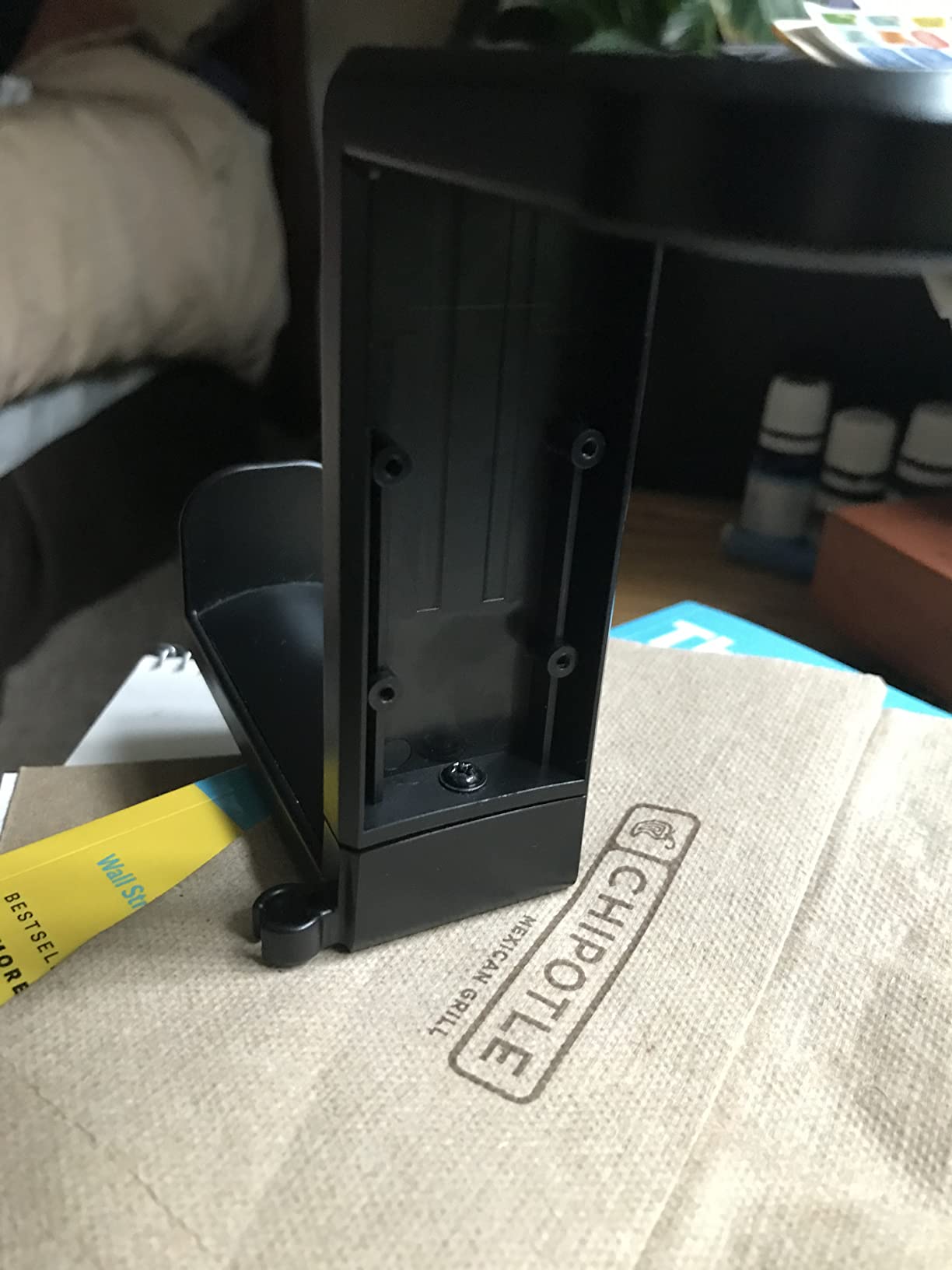
The clamp range is unusually wide for a hanger this small. It fits desktops from 0.31 inch to 1.57 inch thick, which covers slim gaming desks and chunky butcher-block tops alike. At 130 g it disappears under the desk completely, and a small cable clip keeps the headset lead from sliding onto the floor.
Why the clamp range matters more than the swivel
Most under-desk hangers we tried only gripped a narrow band of thicknesses and needed a second attempt if the desktop fell outside that band. A spring clamp that covers 0.31 to 1.57 inch removes the guesswork, and it is why this one works on both our laminate battlestation and a 3cm oak desk at a friend’s place.
There is one honest limitation about this mount type: under-desk hangs apply constant downward pressure to the headband. The r/headphones crowd splits hard on that, with the hook camp warning that premium headbands can crease under a narrow hook. A wider swivel arm like this one spreads the load across more of the band than a bare hook does.
Where it falls short
There are no ports, no lighting and no charging, so it contributes nothing electronically. If your gaming setup is RGB-heavy and you were hoping for one object to handle lighting and storage, this is the wrong pick even though it is the best choice for desk space.
It also sits under the desk where you cannot see it. On a motorized sit-stand frame, the mount can conflict with the moving column or bump your knees at the lower stops, so check your frame geometry before you commit.
2. New Bee Z1 Headphone Stand — Budget Pick Desk-Base Stand
New Bee Headphone Stand Headset Holder Earphone Stand
Aluminum supporting bar
ABS solid base with TPU rubber
101 g and 1.97 in footprint
Fits gaming and studio headsets
Pros
- Universal fit across virtually all over-ear and gaming headsets
- Aluminum body with TPU rubber base for stability and scratch protection
- Compact and lightweight at 101 g so it moves between desks easily
- No assembly and no drivers
Cons
- Minimalist design with no lighting
- charging ports or cable management
- Small footprint suits lighter headsets rather than large boutique headphones
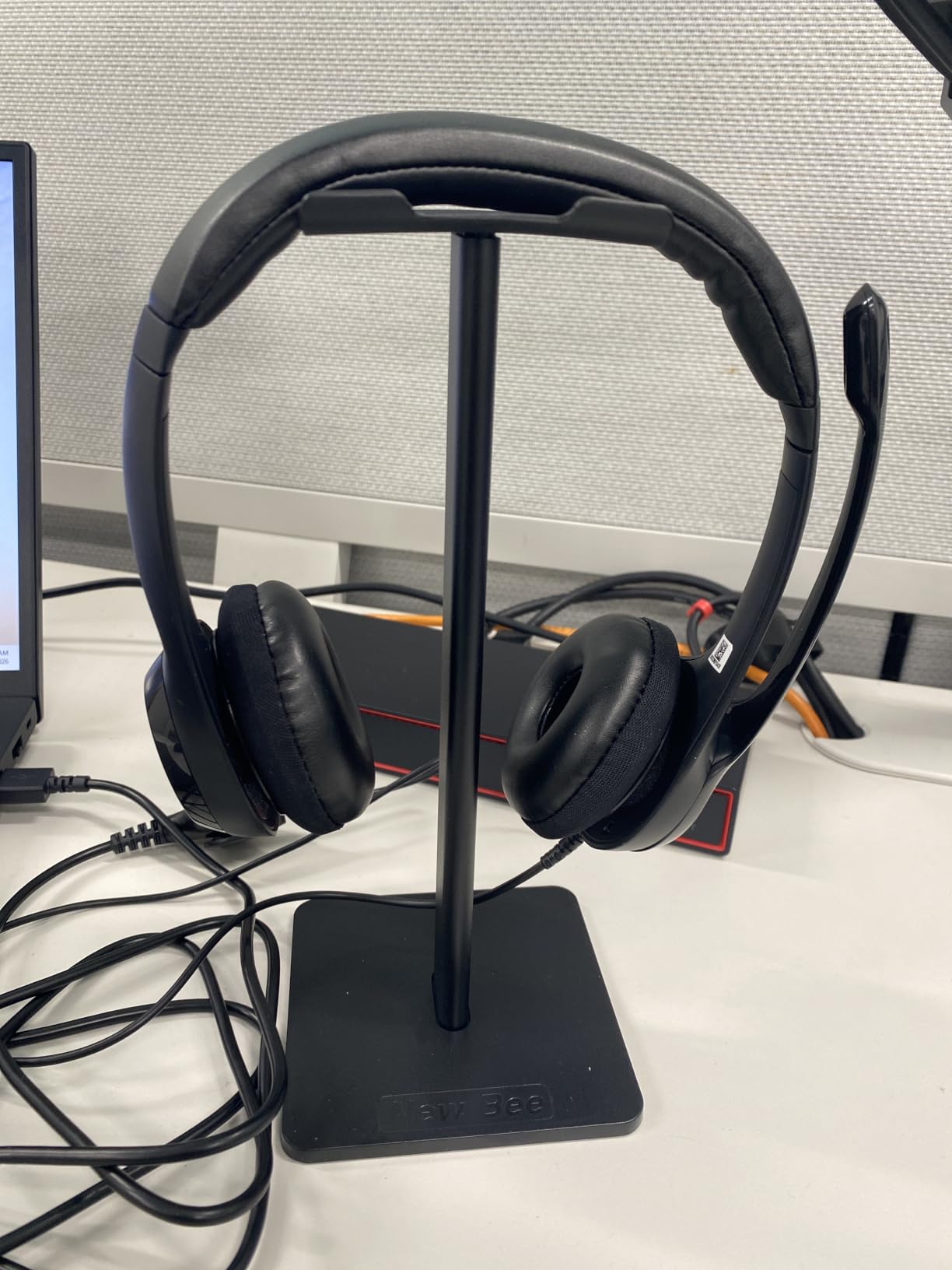
The Z1 has more owner reviews than anything else on this list by a wide margin, and after living with it for a month that made sense. It does one job, it fits everything, and it never gets in the way. Our Sennheiser HD 598, a HyperX Cloud II and an Astro A50 all sat on it without adjustment.
Build is better than the price suggests. The supporting bar is aluminum and the base is ABS with a TPU rubber foundation, which means the headset contacts rubber rather than cold metal. There is no lighting, no hub, and nothing that needs software, so it also works on a Linux machine without a second thought.
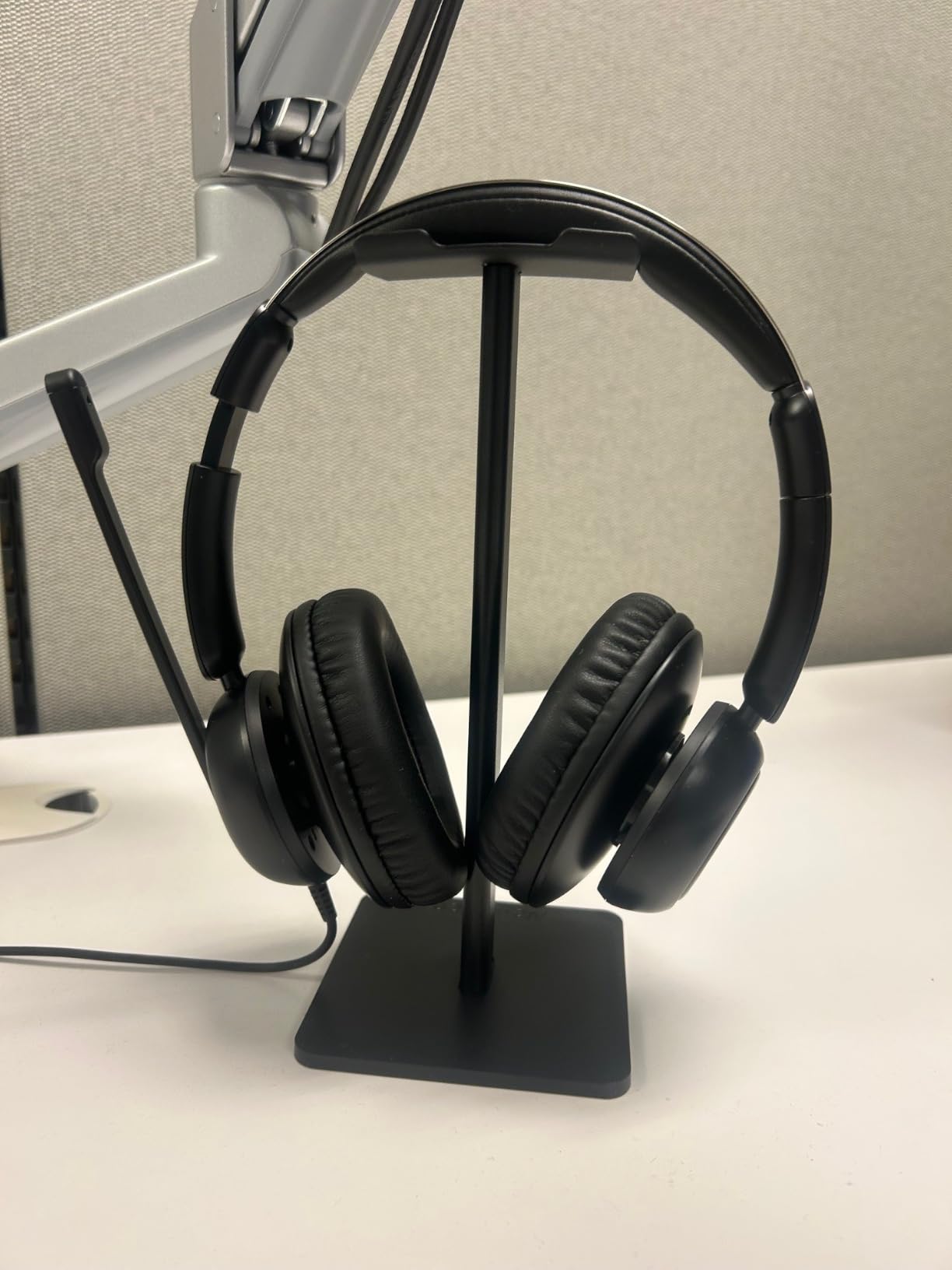
It measures 1.97 by 1.97 inches across the base, which is genuinely tiny. That makes it a good fit for a 100cm corner desk where every centimetre counts, and it weighs just 101 g so you can move it with one hand when you need the space for a controller.
What you give up for the simplicity
Nothing here charges, lights or organises cables. If your desk already has a dedicated USB hub, that is fine, because the Z1 does not try to duplicate it. It just holds a headset upright, and it does that reliably for a fraction of what a feature-loaded stand costs.
The compact base is also the reason it is not our pick for very large over-ear headphones. A wide boutique pair can overhang the bar, so it works best with gaming headsets and lighter studio cans than with something like a full-size open-back planar.
Who should skip it
Skip the Z1 if you want your stand to disappear visually and your build is themed rather than minimalist. A plain aluminum post in the middle of an RGB battlestation reads as an oversight to some people, and no amount of cable management fixes that.
Also skip it if you have a wireless headset with a large charging dock. The Z1 has no shelf or clearance for a dock base, so the headset ends up hanging in a way that blocks the pad.
3. Avantree HS102 Metal Headphone Stand — Best for Cable Management
Avantree HS102 – Metal Headphone Stand with Cable Holder
Metal and silicone build
360 g weighted base
Cable tray base doubles as phone stand
Fits 4 cm headbands
Pros
- Steel construction gives a firm foundation that resists flopping
- Silicone cradle and base prevent scratches on headsets and phones
- Built-in cable tray holds long coiled cables neatly
- Clean modern look that suits a studio or office desk
Cons
- Side-to-side stability is weaker than front-to-back
- Narrower headband slot suits most gaming headsets over very wide leather straps
The HS102 is the stand we reach for when the headset cable is the actual problem. Its base is a silicone-lined tray that catches a coiled lead instead of letting it slide across the desk, and the top cradle is silicone so nothing hard touches the headband. That combination is why it reads as a calm, tidy object rather than another gadget.
At 360 g it is the heaviest stand in this group that does not need a power cable, and it stays planted. Two-piece assembly takes seconds with no tools, and the silhouette is restrained enough that it does not look out of place next to a work laptop in a home office.
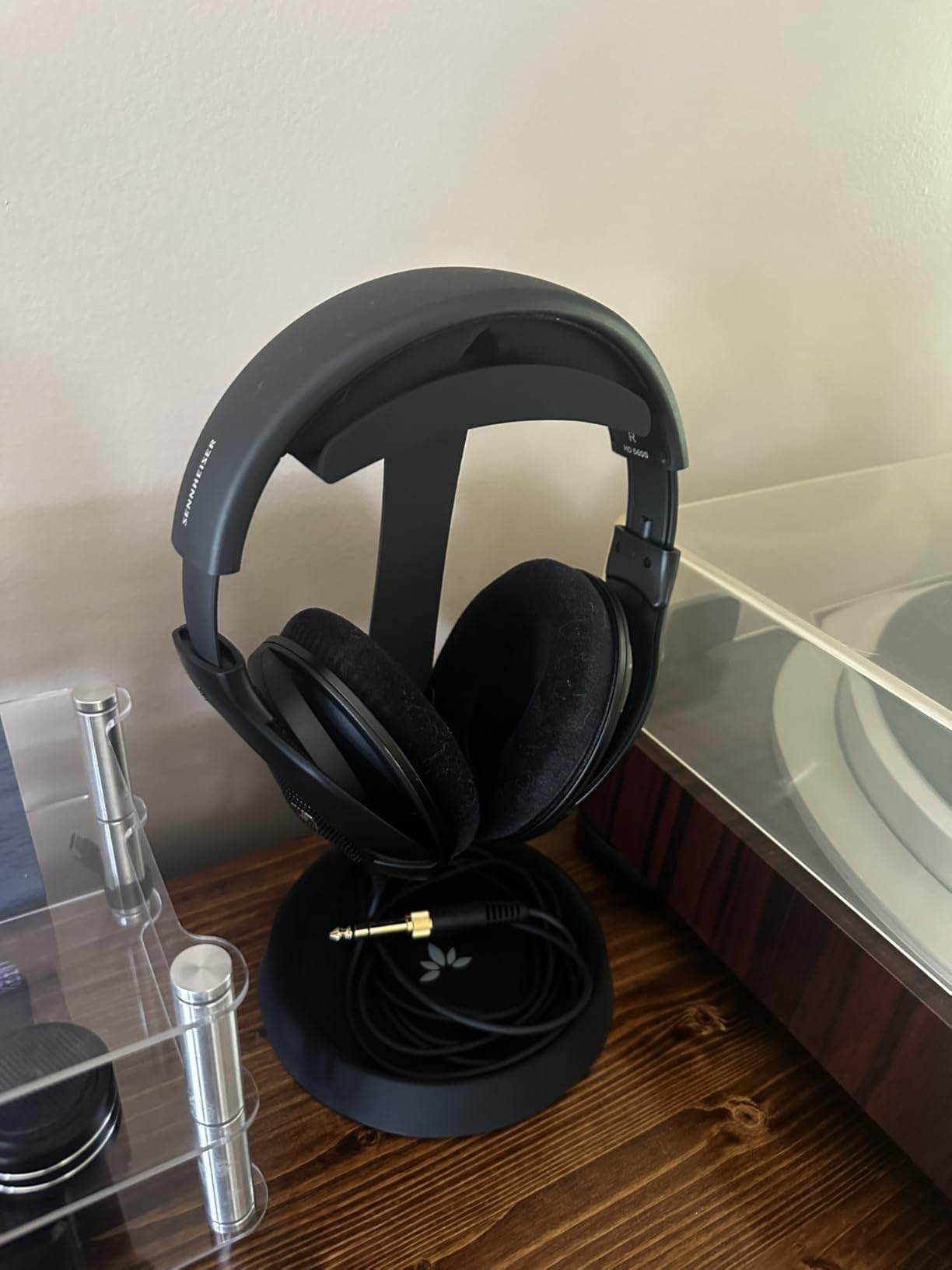
The stated fit is headsets up to 4 cm headband width and 25 cm tall, which covers the majority of gaming headsets. It is also sold in a form that doubles as a phone stand, which is genuinely useful when your phone is the second screen for chat or a second screen app.
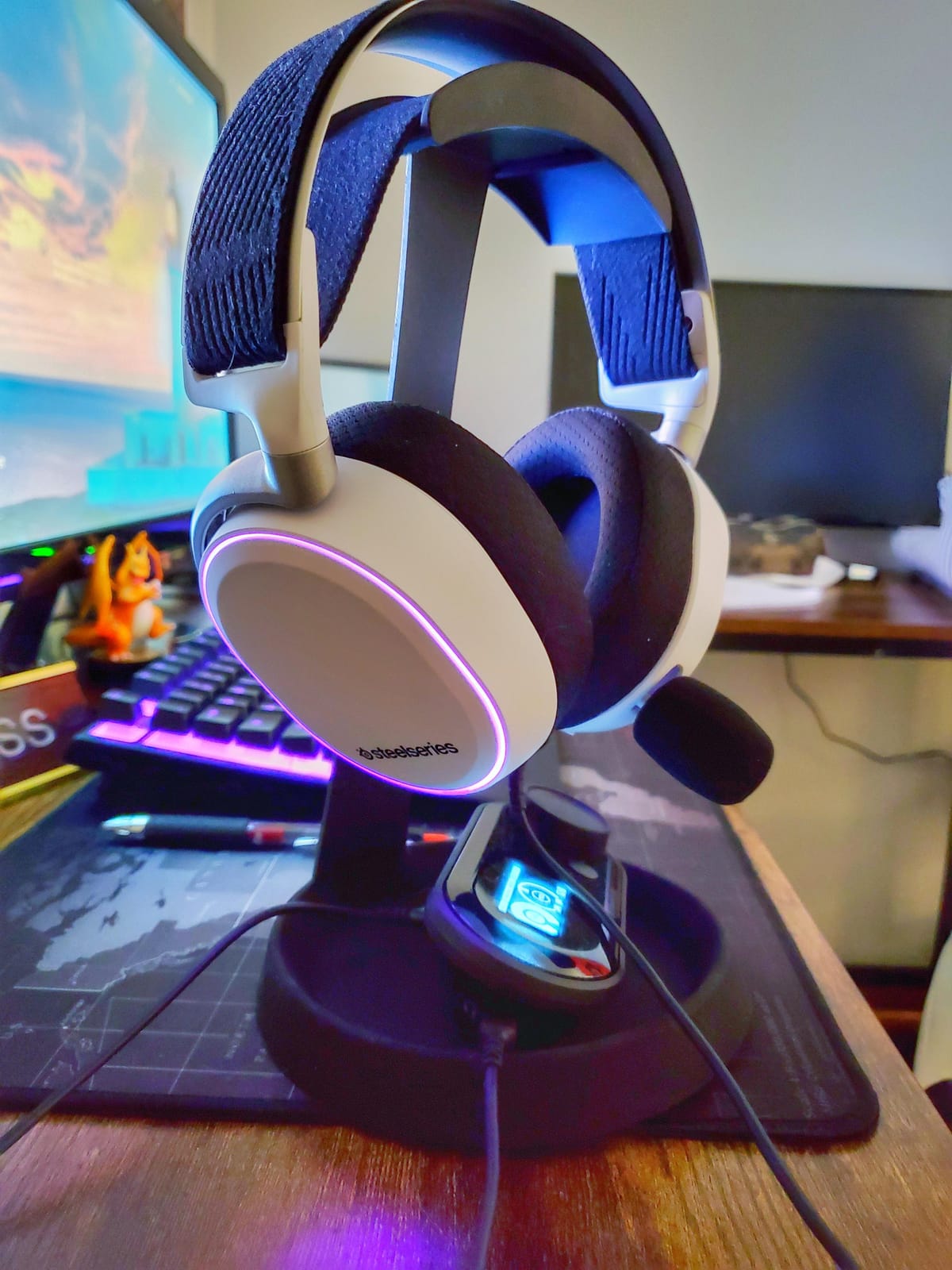
How the cable tray handles a real wired setup
A wired headset with a long lead usually ends up coiled somewhere unhelpful. This stand gives that coil a permanent home at the base, which removes the loop that keeps catching a mouse cable. If you have ever yanked a headset off the desk by tripping on its own cord, that specific problem disappears.
It works best with detachable or detachable-route cables. Headsets with permanently embedded cables crowd the tray a little, though the cable still ends up contained rather than trailing.
Where the design shows its age
The lower leg is narrow, so the stand is more stable front-to-back than side-to-side. Tugging a cable at an angle can tip it, which is worth knowing if your headset lead runs somewhere you snag it.
The headband slot is about 40 mm wide, so very wide leather straps may not seat as firmly as a padded hook would. It is also purely a holder with no lighting, no ports and no height adjustment.
4. NEETTO HS906 — Best Stand and Hanger for Above or Under Desk Use
NEETTO HS906 Headphone Stand & Hanger 2 in 1, Above & Under Desk
2-in-1 stand and hanger
Height adjustable 6.5 to 10.2 in
360-degree mount
Clamp fits 1.97 in desktops
Pros
- Two-in-one design works as an above-desk stand or an under-desk hanger
- Height adjustment and 360-degree rotation make headsets easy to grab
- Tool-free clamp fits a wide range of desk and shelf thicknesses
- Lightweight at 120 g yet rated for loads up to 5 kg
Cons
- No lighting
- USB ports or controller storage
- Requires a compatible desk edge or shelf for the clamp to grip
This is the compromise pick for people who cannot decide between a pedestal and a hanger. The same unit clamps to a desk edge or a shelf, then either stands up to hold a headset or swings underneath to store it. Height adjusts from 6.5 to 10.2 inches, so you can raise it for a tall headband or drop it to clear a drawer.
The raised ledge is a small detail that mattered more than expected. Without it, a headset hanging below the desk can be knocked loose by knees, chair wheels or a cable sweep. With it, the headset stays put.
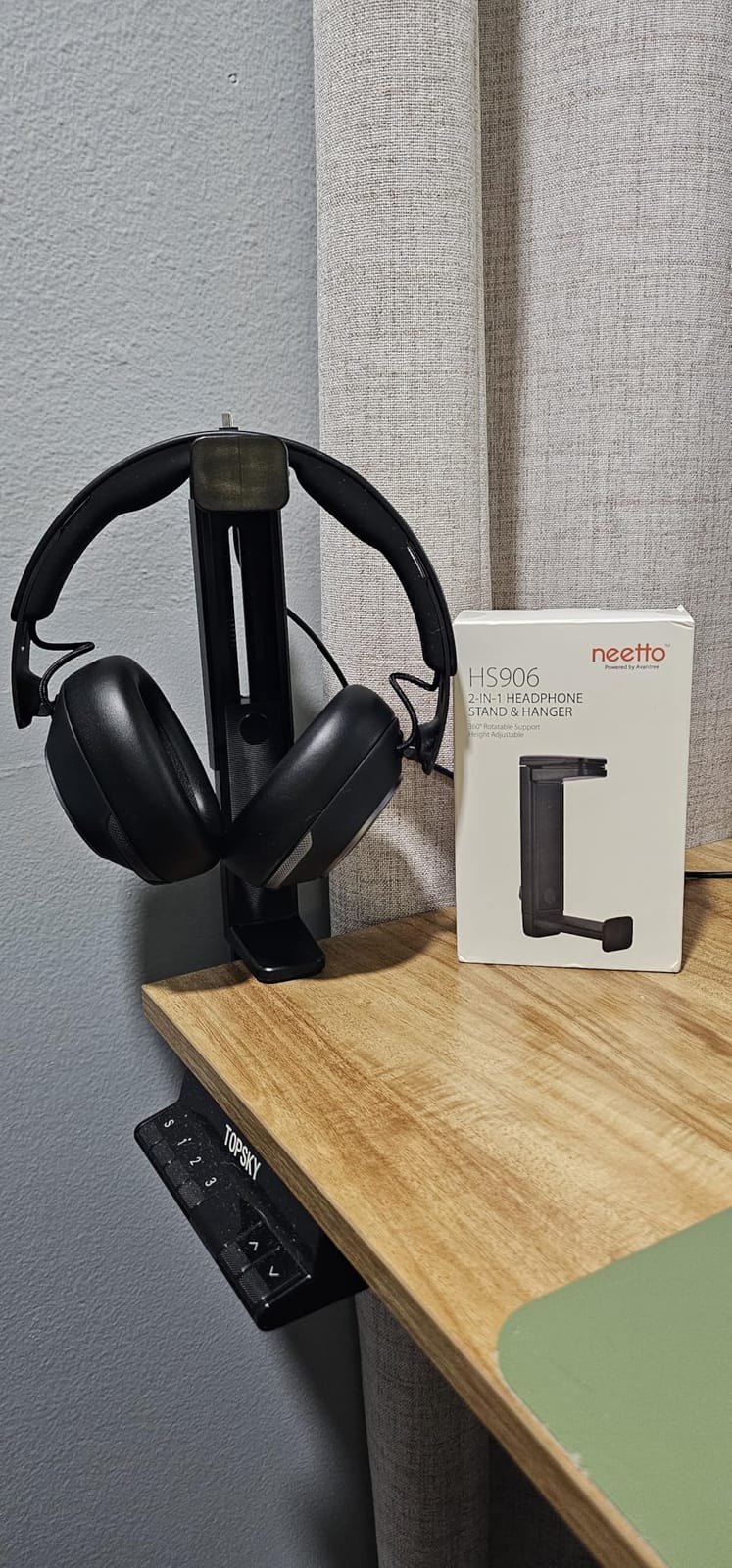
Load rating is up to 5 kg, which covers a headset with a battery pack and a dangling cable. At 120 g the mount itself is light, and the silicone pad on the clamp protects the desktop the same way the EURPMASK does.
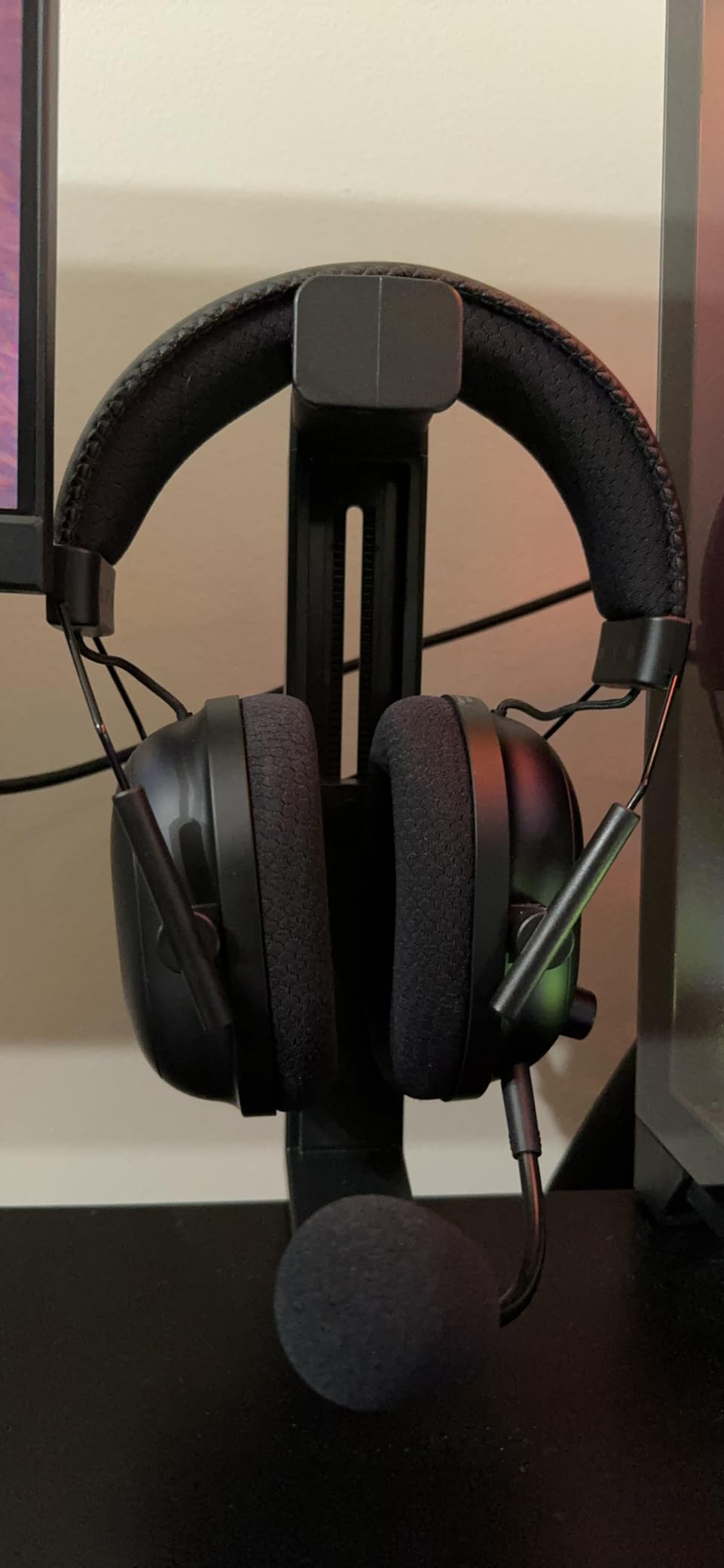
Best use case: one mount for desk and shelf
If you have a desk and a monitor shelf, or a desk and a cabinet you would rather not drill, this mount works on both. That versatility means you can move the mount rather than buying a second holder when you rearrange the setup, which matters on a small desk where nothing stays in one place for long.
Because it rotates, we found it works well for dual-headset households too: one clamp per side, one headset each, both swinging out of the way when not in use.
Where it does not fit
There is no lighting, no hub and no controller storage, so it will not satisfy a build that wants one device to handle several jobs. It also needs a genuine edge to grip, so a desk with a full modesty panel or a rounded lip may not offer a flat clamping surface.
If your desktop is glass or a thick laminated slab, measure first. The clamp handles up to about 50 mm, but it needs a straight, rigid edge rather than a curved one.
5. Tilted Nation RGB Stand with USB Hub — Best for Mouse Bungee Setups
Tilted Nation Gaming Headset Stand | RGB Headphone Stand for Desk with Mouse Bungee and USB Hub (Cool and Clean Setup) Gaming Headset Holder – Perfect Gamer Gift Accessory
2-port USB 2.0 hub
Drag-free mouse bungee
Dynamic or static RGB
Weighted non-slip base
Pros
- Combines a stand
- RGB lighting
- mouse bungee and USB hub in one footprint
- Weighted non-slip base stays put under heavy headsets
- Plug-and-play with no software or drivers needed
- Cleans up several desk accessories at once
Cons
- USB 2.0 hub is dated and offers no charging-focused ports
- Headset is not included so it only suits buyers who already own one
This is the cable-management-first pick. The integrated mouse bungee is the feature that earns its place, because it lets you lift the mouse without dragging the lead across the desk, and it does so without adding a separate bungee to your list of desk accessories. The built-in two-port USB hub takes the dongles that would otherwise be loose on the surface.
Lighting is dynamic or static with colour cycling, and it works straight out of the box. No drivers, no software, no config file. If you have ever lost twenty minutes to a lighting app, that simplicity is worth more than a deeper customisation tree.
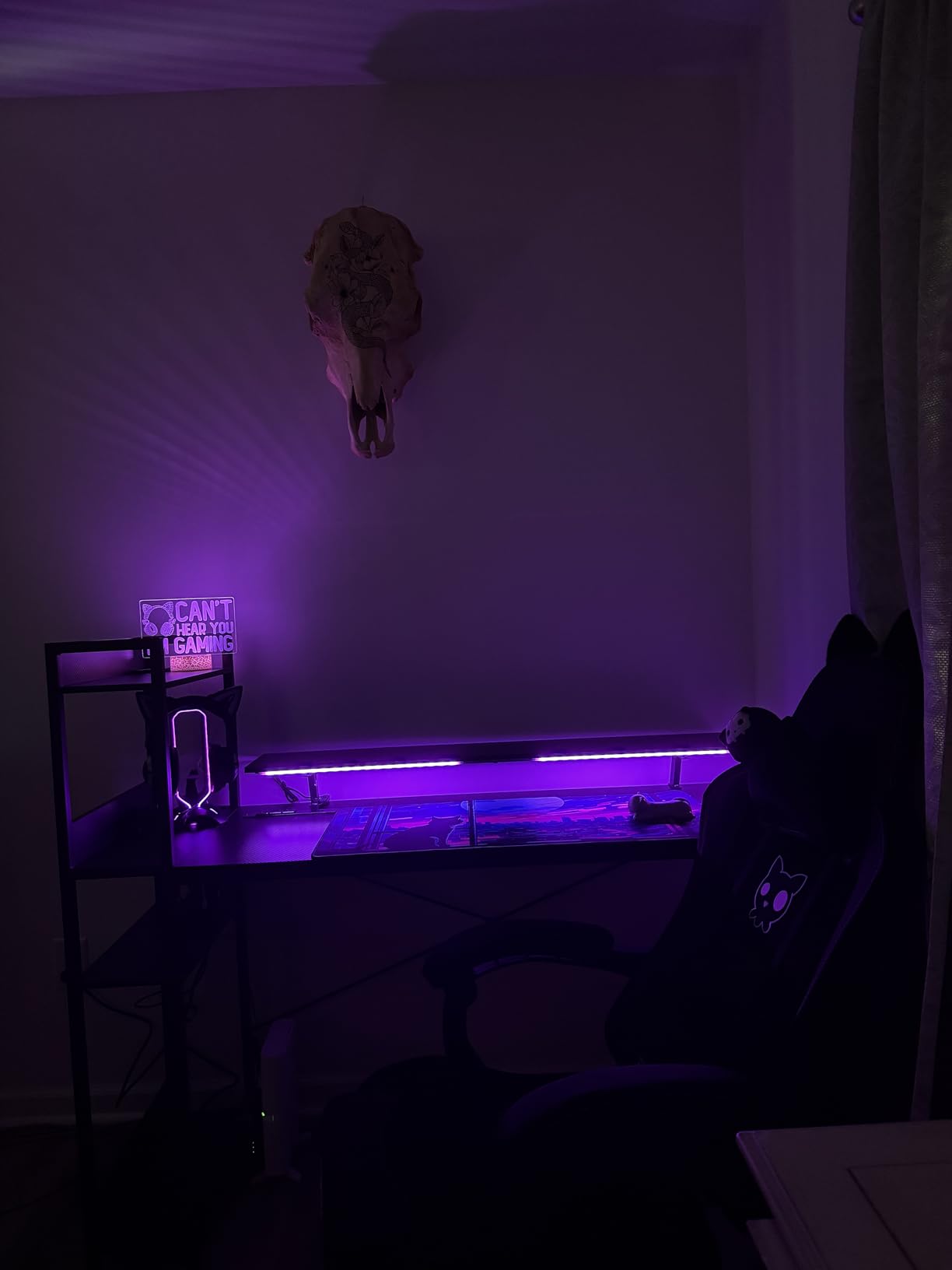
The base is weighted with non-slip grips, so it stayed put through a full session even with a heavier headset hanging off one side. It comes in black, white and pink, which matters if your setup is not the default black-and-RGB look.
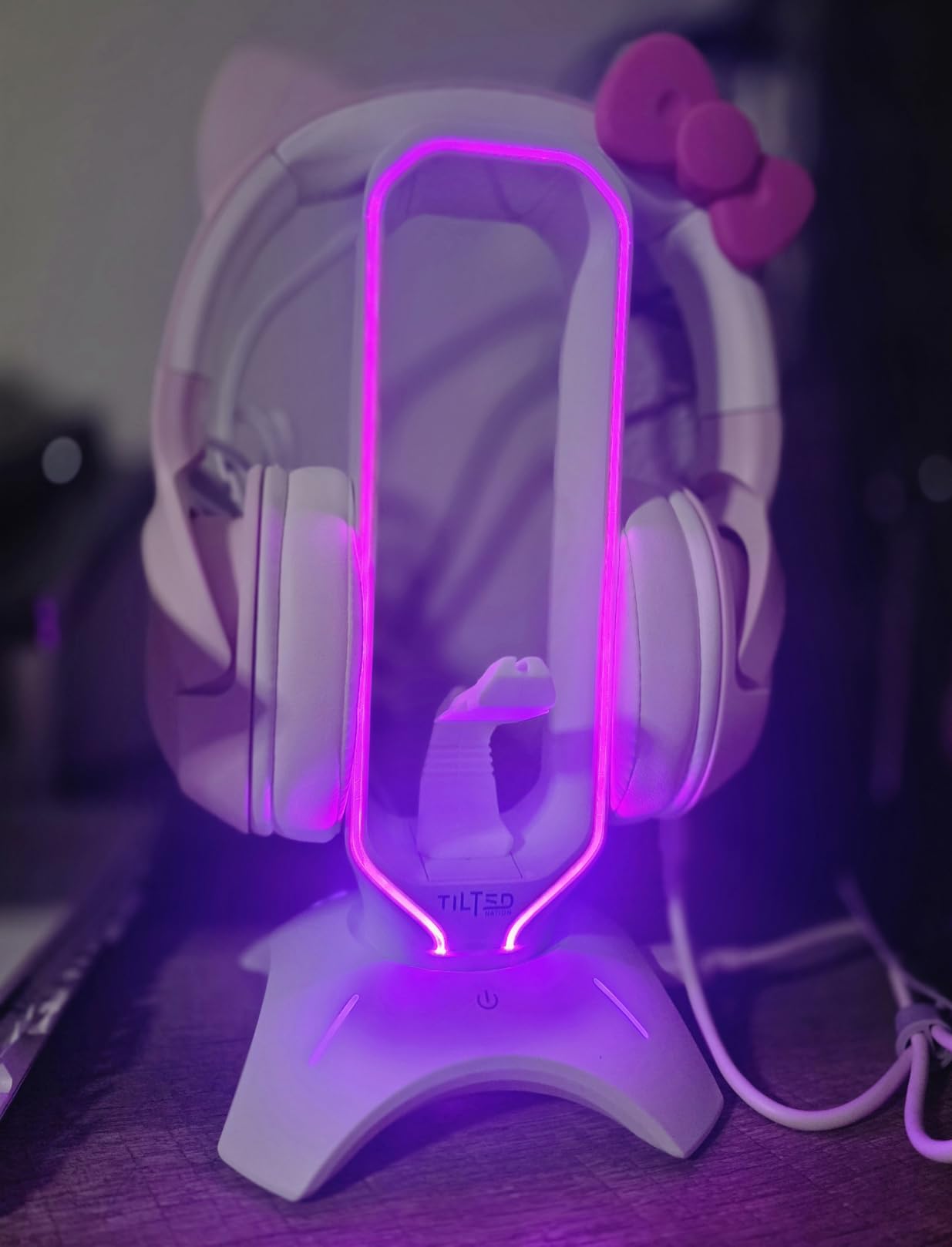
When one device replaces three accessories
Count what this removes from a typical desk: a standalone headset stand, a separate mouse bungee and a two-port hub. That is three objects and two cables collapsed into one footprint, which is the strongest argument on a desk that is already full. If you already own a good hub with USB-C charging, the trade is less impressive.
The mouse bungee also solves a specific irritation. Cabled mice are common on streaming desks where a wireless mouse risks dying mid-broadcast, and a bungee built into the stand is tidier than a clip stuck to the desk edge.
What the aging hub costs you
USB 2.0 is genuinely dated. Data transfer is slow, and the ports are not designed for charging, so a phone on the stand would be better served by a proper USB-C charger. If your peripherals are high-speed storage or a wireless receiver that wants USB 3.x, keep your existing hub.
There is also no 3.5 mm audio jack, so it cannot pass through headset audio to your PC. That rules it out if you were hoping to route audio through the stand.
6. Razer Base Station V2 Chroma — Best for RGB Ecosystems
Razer Base Station V2 Chroma Headphone Headset Stand Holder, Black
Chroma RGB with 16.8M colours
2 USB 3.1 ports and 3.5mm combo jack
Built-in 7.1 surround DAC
460 g detachable base
Pros
- Chroma RGB syncs with the rest of a Razer setup for a cohesive look
- Heavy low-centre-of-gravity base stays planted with large headsets
- Two USB ports plus a 3.5 mm jack with built-in 7.1 DAC add real utility
- Detachable base makes the stand easy to move or pack
Cons
- Flat top edge can leave a slight dent in soft headband materials
- RGB configuration requires Synapse software and some setup
- Premium pricing for a stand given the Chroma ecosystem lock-in
The Base Station V2 Chroma is the only stand here with a built-in DAC, and that changes how you use it. The 3.5 mm combo jack carries a 7.1 virtual surround decoder, so a headset with stereo-only sound can still get positional audio by routing through the stand instead of directly into the PC. Understanding that difference matters: the jack on the stand is doing the processing, not your motherboard.
It is also the tallest and heaviest option in this roundup at 11.03 inches and 460 g. That combination is the point. A large headset clears the base, and the low centre of gravity means it will not walk across the desk when a cable tugs.
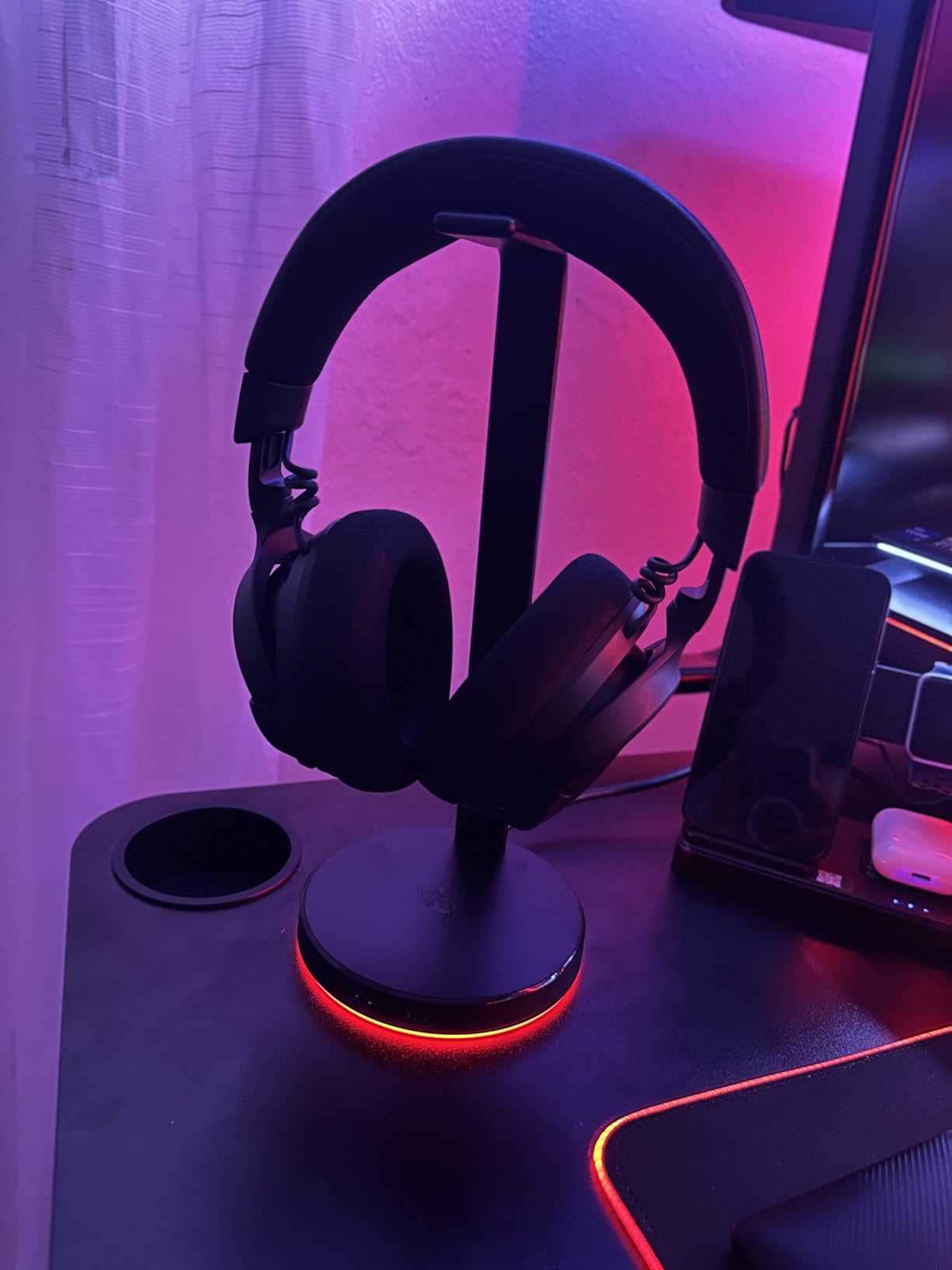
Two USB 3.1 ports handle a wireless receiver and a charging cable with headroom, which is more useful than the older USB 2.0 pair on cheaper stands. The base detaches for transport, so moving to a different setup does not mean buying a new stand.
What the audio jack actually does
Audio passthrough is worth explaining because it confuses people. Plugging a stereo headset into the stand does not magically add surround. It works because the stand contains a digital-to-analogue converter and a virtual surround processor, then feeds a processed signal into your PC. It is a software trick delivered through hardware.
If your headset already has its own surround implementation or a native USB connection, this feature adds nothing. For a plain stereo gaming headset on a machine with a basic onboard audio chip, it is a genuine upgrade.
The headband marking problem
The most repeated complaint is the hard top edge. Over months of use, some owners report a slight dent appearing in soft headband materials where the band presses against the flat rest. If you care about the cosmetic condition of a premium headband, put a thin sleeve over the rest or choose a padded cradle instead.
Lighting also depends on Synapse for configuration, which means more software than the plug-and-play stands here. And if you are not already running Razer peripherals, the RGB is beautiful but isolated from the rest of the build.
7. New Bee Z8 RGB Stand — Best Budget RGB Pick
New Bee Headphone Stand with RGB Lighting, Sturdy Aluminum Gaming Headset Holder with USB-C & USB Charging Ports, Stable Desktop Earphone Stand for All Headphones Size, Black
7 RGB lighting modes
USB-C and USB-A ports
9.53 in tall, 4.47 in base
Aluminum with TPU rubber rest
Pros
- Metal build at a budget-friendly price feels more substantial than plastic rivals
- Bright RGB lighting with multiple modes
- USB-C and USB-A ports are genuinely useful for charging a phone or small device
- Wide weighted base does not tip in daily use
- Assembles in about a minute
Cons
- Some play and give in the beam between base and rest
- Base can slide slightly when plugging and unplugging USB cables
- Touchpoints feel inexpensive if the shaft is threaded incorrectly
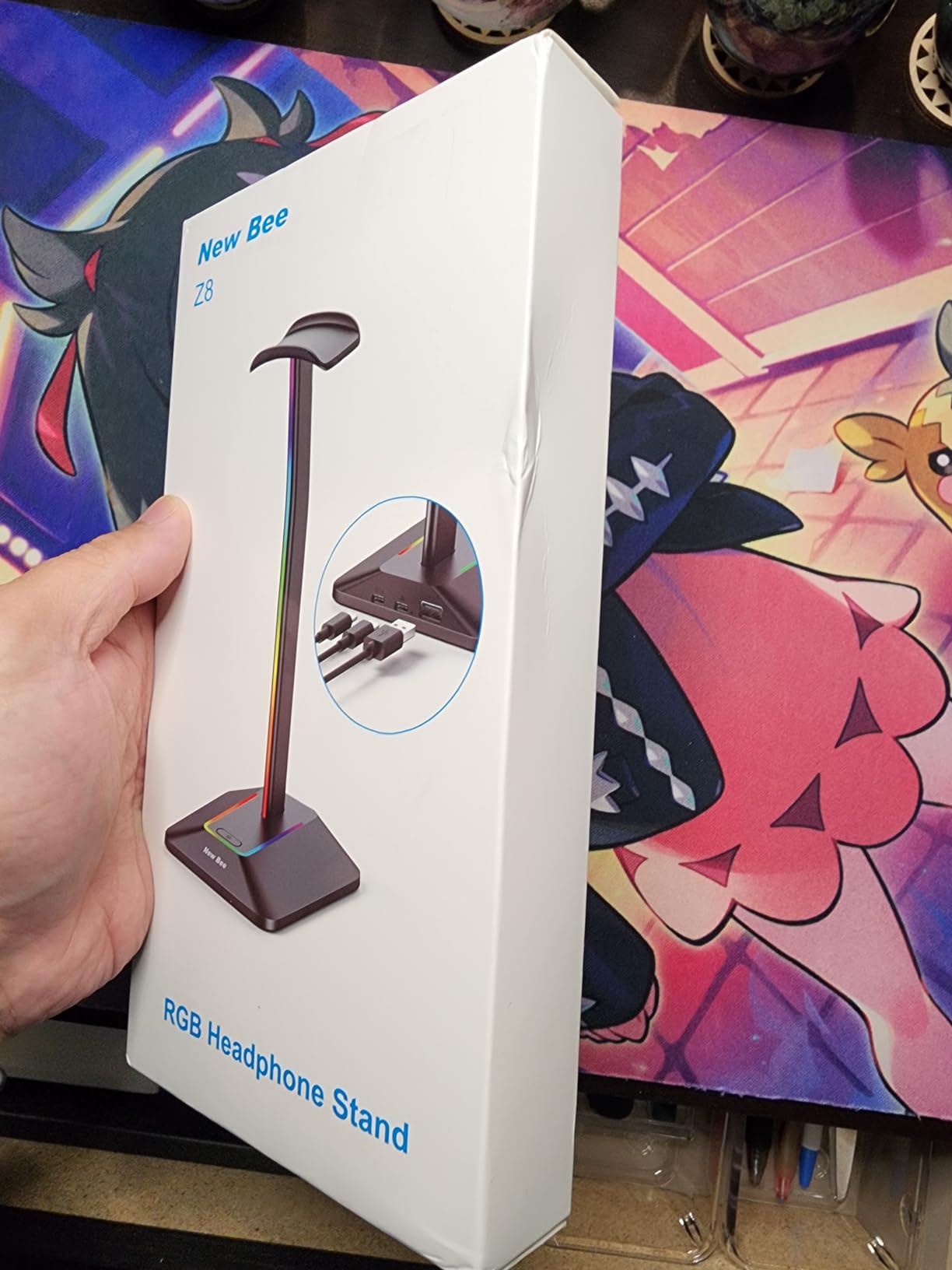
The Z8 is the cheapest way to get RGB and USB-C onto a desk, and the surprising part is how much of the premium feel survives. The supporting structure is aluminum with a TPU rubber curved rest, which is the same material pairing you would expect on a stand costing several times as much.
Lighting runs through seven modes toggled by a three-second long press, and the ports are one USB-C plus one standard USB. That is enough to keep a phone charging within reach of the headset, which is how most people end up using a USB-C port on a stand in the first place.
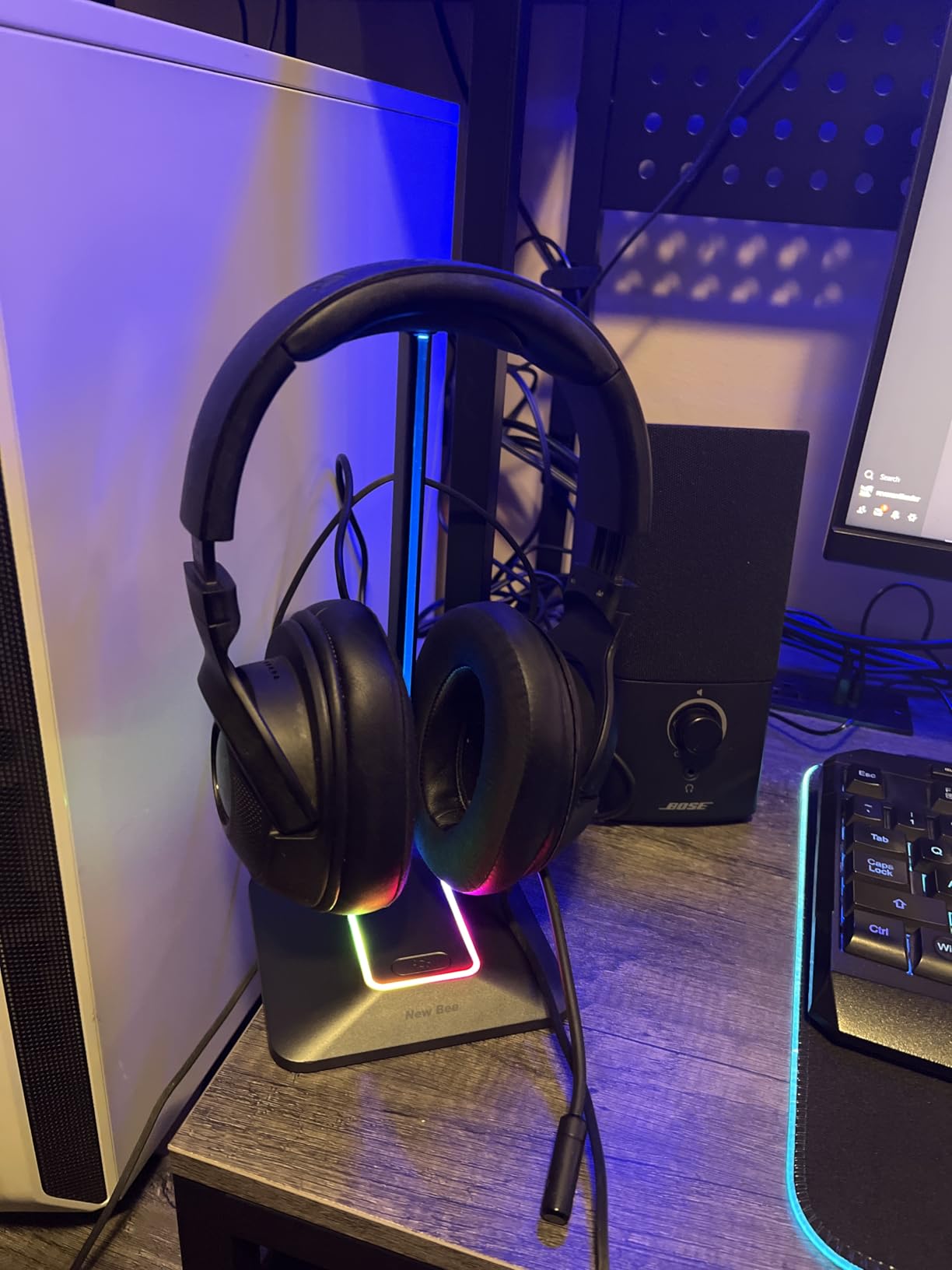
Height is 9.53 inches on a 4.47 inch wide weighted base with silicone non-slip pads, so it clears a mid-size gaming headband without the headset touching the base. It works plug-and-play on Windows, Linux and Mac, and explicitly does not offer wireless charging.
Where the money was saved
At 50 g it is the lightest stand in this roundup, and you can feel it. There is a little play in the beam between the base and the headset rest, and the base will slide a short distance if you plug and unplug a USB cable hard enough. Neither is a dealbreaker on a desk, but neither is invisible either.
The shaft has to be threaded correctly or the lighting looks dim, which is worth knowing before you conclude the RGB is faulty. Read the assembly instructions and allow a minute.
Best pairing for a small desk
The base footprint is modest enough for a 100cm desk, and the ports mean you can drop a separate USB hub. That combination makes it a strong fit for a corner setup where every object has to earn its footprint.
It is not for you if a premium aluminium finish is the point. Touchpoints feel inexpensive next to the machined stands further down this list, and there is no audio jack for passthrough.
8. KDD RGB Stand with Controller Hooks — Best for Controller Storage
KDD RGB Headset Stand with 9 Light Modes – Controller Holder for Desk – Rotatable Headphone Stand & Detachable Controller Hook for PC Earphone Accessories(Black)
9 RGB modes with memory
360-degree rotating post
Detachable hooks hold 2 controllers
0.53 kg pedestal
Pros
- Stores a headset and two controllers at once to cut desk clutter
- 9 lighting modes with a memory function that recalls the last colour used
- Rotating post and cable organizers keep headset leads tidy
- Rubber pads stop both sliding and scratching the desktop
- Quick no-tools assembly
Cons
- Primarily plastic construction so it is not as rigid as metal stands
- RGB effects are limited to preset modes rather than per-zone customisation
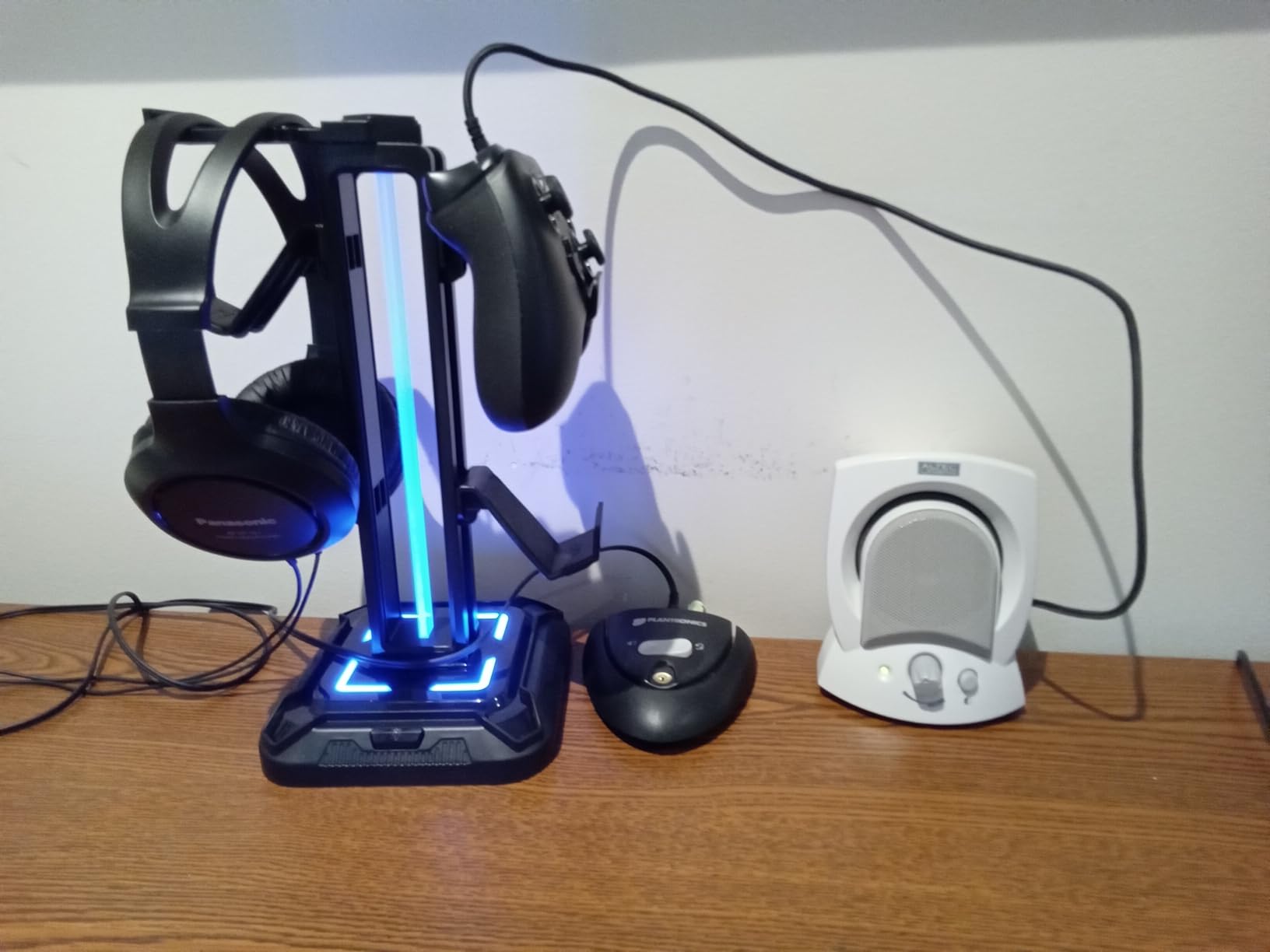
If you play on console even occasionally, controller storage is the clutter nobody talks about. This stand takes a headset on the rotating post plus two controllers on detachable hooks, or up to four controllers if you are not using the headset slot. Our PS5 pads sat on it without the grips touching the desk.
It also has more lighting modes than most stands in this price bracket, with nine including a seven-colour fast flash and a breathing effect. A two-second long press turns the lights off entirely, and a memory mode restores whatever colour you had running.
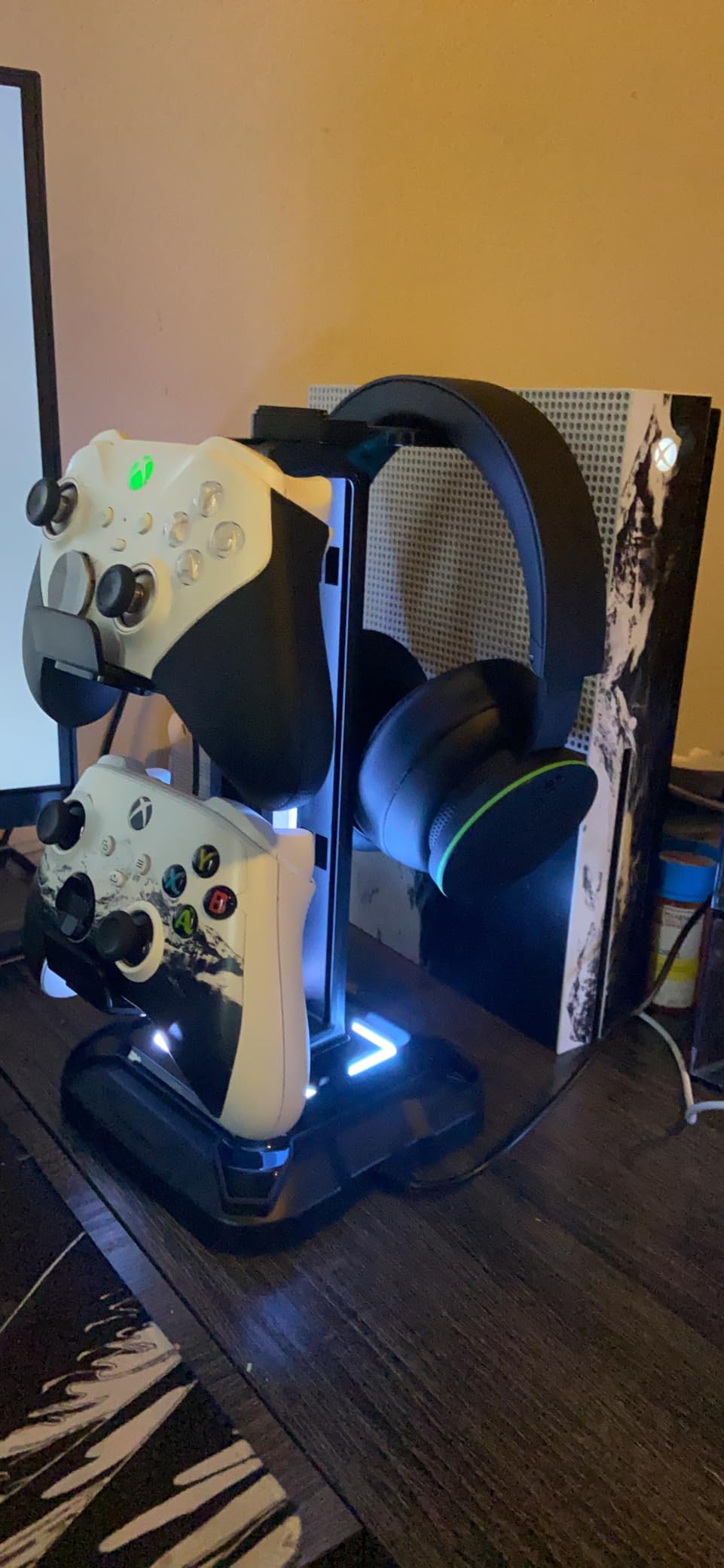
Assembly takes about thirty seconds from three parts with no tools. Four rubber pads on the base and rubber on the hooks keep both the stand and the desk safe, and cable organizers sit on the rotating post so a headset lead does not migrate.
When a 2-in-1 stand beats two separate ones
Two controller docks plus a headset stand is three desk objects with three footprints. This is one. On a small desk the saving is real, and on a large desk it is the difference between an intentional layout and a random arrangement of charging docks.
The detachable hooks matter more than they sound. You can carry just the headset post to a different machine, or remove a hook when you are not using a second pad, which keeps the footprint tight.
Plastic trade-offs
The body is plastic, so it has more flex under load than the aluminum stands in this list. It did not wobble or tip in our testing, but it will not feel as rigid as the KDD metal model at number nine.
Lighting is preset modes only, with no per-zone customisation. If you want a specific static colour match to your keyboard, the memory function will get you close, but there is no software control.
9. KDD Aluminum Bar Controller Holder — Best for Two Controllers and a Headset
KDD Headphone Stand, Controller Holder & Headset Holder for Desk, Earphone Stand with Aluminum Supporting Bar, Universal Storage Organizer Headphones/Controller/Switch/Mobile Phone
Holds 2 controllers and 1 headset
Aluminum bar on a metal base
Cable hole design
Smartphone or Switch groove
Pros
- Holds two controllers and a headset in a single vertical footprint
- Aluminum bar and metal base give more stability than plastic racks
- Cable holes keep charging leads wound and untangled
- Rubber stoppers and silicone pads protect devices and desk surfaces
- Rubberised shelf surfaces are scratch-free for controllers and phones
Cons
- Size limitations for very large over-ear headphones
- Vertical-only orientation can look cramped with wide headsets
- Assembly takes around five minutes rather than plug-and-play
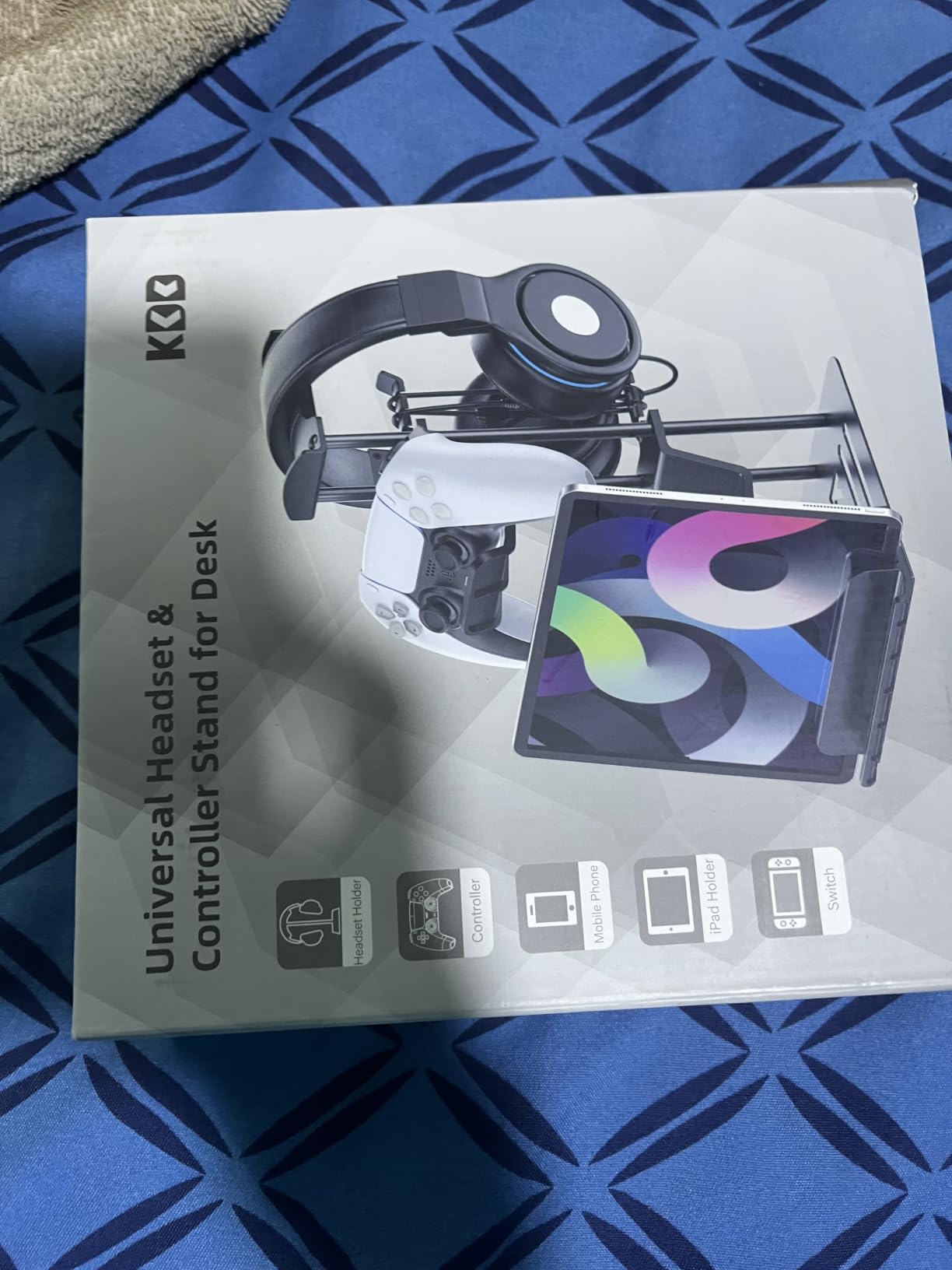
This is the version of the controller stand we preferred long-term. It carries two controllers and one headset in a single vertical column, and unlike the plastic pedestal at number eight it is built around an aluminum supporting bar and a metal base with a low centre of gravity. Our pads did not shift when a charging cable was tugged.
The upgraded cable hole design is a small upgrade that you notice immediately. Charging leads wind into the column instead of coiling on the desk, so a docked controller stays docked without pulling a loop of cable across the surface.
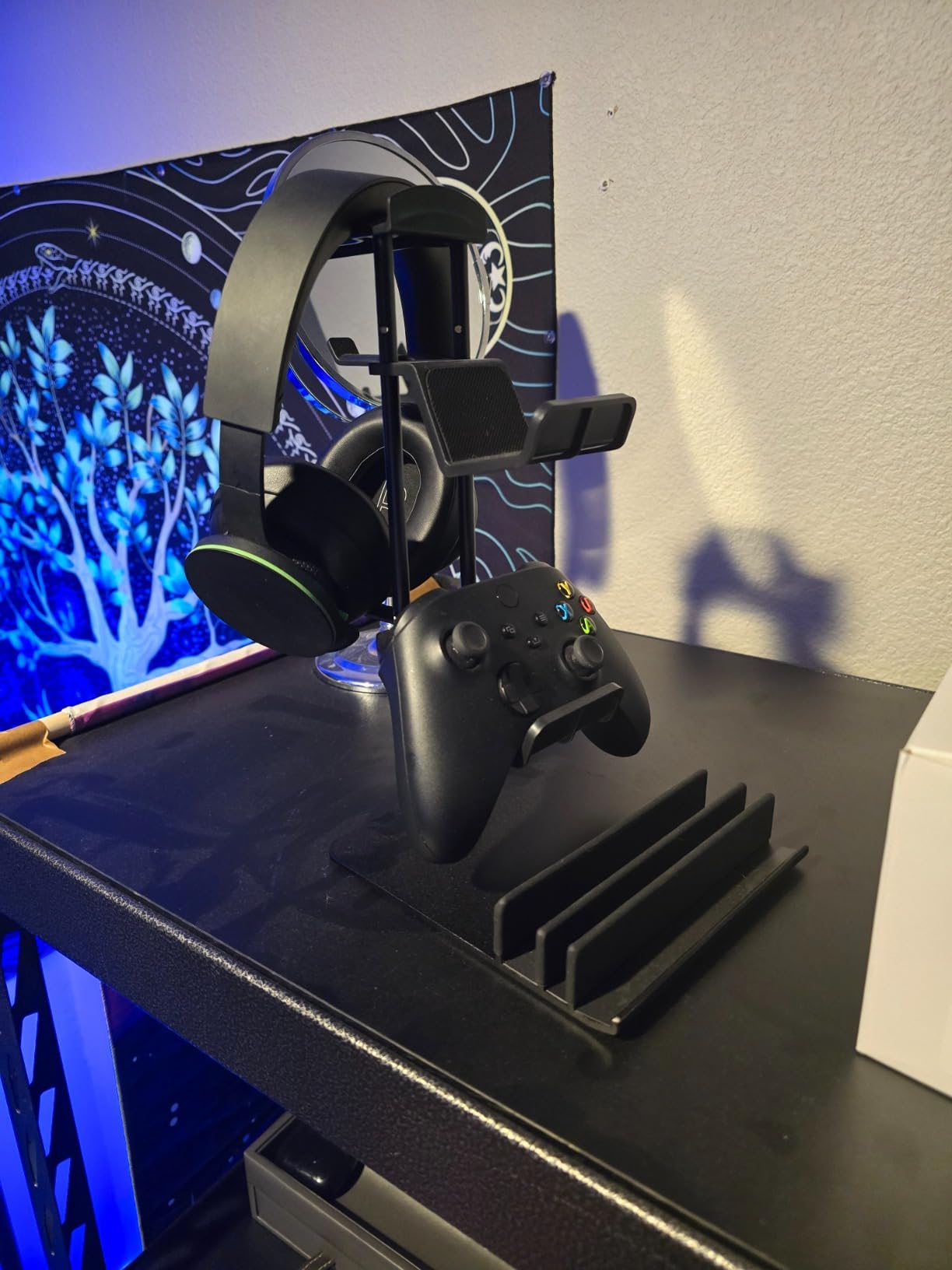
There is a groove for a smartphone or a handheld console, which turned out to be the most useful slot on the stand for anyone who uses a phone as a second screen. At 11.2 inches tall it clears a standard gaming headset, and rubberised shelves keep controller surfaces unmarked.
Best fit for console and PC hybrid setups
The layout suits a desk where you switch between a controller game and a mouse-and-keyboard session. Controllers go vertical in the two side slots, the headset sits above, and the phone or handheld goes in the front groove. Nothing needs a separate charging dock on the surface.
Because the whole thing is one column, it also works on a desk with a monitor on a riser, where a wide flat base would compete with the riser legs for space.
Where the size limits bite
Very large over-ear headphones can look cramped in a vertical-only orientation, and wide headsets may not seat as comfortably as they would on a horizontal rest. If your primary headset is a big studio pair, check the headband clearance before buying.
Assembly takes about five minutes with screws or threaded joints. That is the most involved build in this roundup, and it is the reason this stand did not win outright despite the highest rating among the picks.
10. QinCoon Walnut and Aluminum Stand — Best for a Desk That Is Not Only for Gaming
QinCoon Headphone Stand, Walnut Wood & Aluminum Headset Stand, Nature Walnut Gaming Headset Holder with Solid Heavy Base for All Headphone Sizes (Black)
Natural black walnut tray
255 g solid base
CNC-machined finish
Gold or black
Pros
- Walnut tray paired with aluminum gives a premium furniture-like look
- Heavy solid base stays firmly in place
- CNC-machined finish feels refined and avoids scratching headbands
- Neutral non-gamer aesthetic that suits a mixed work-and-play desk
Cons
- No lighting
- USB ports or controller storage
- Exposed hardwood tray is not as protective as a padded cradle
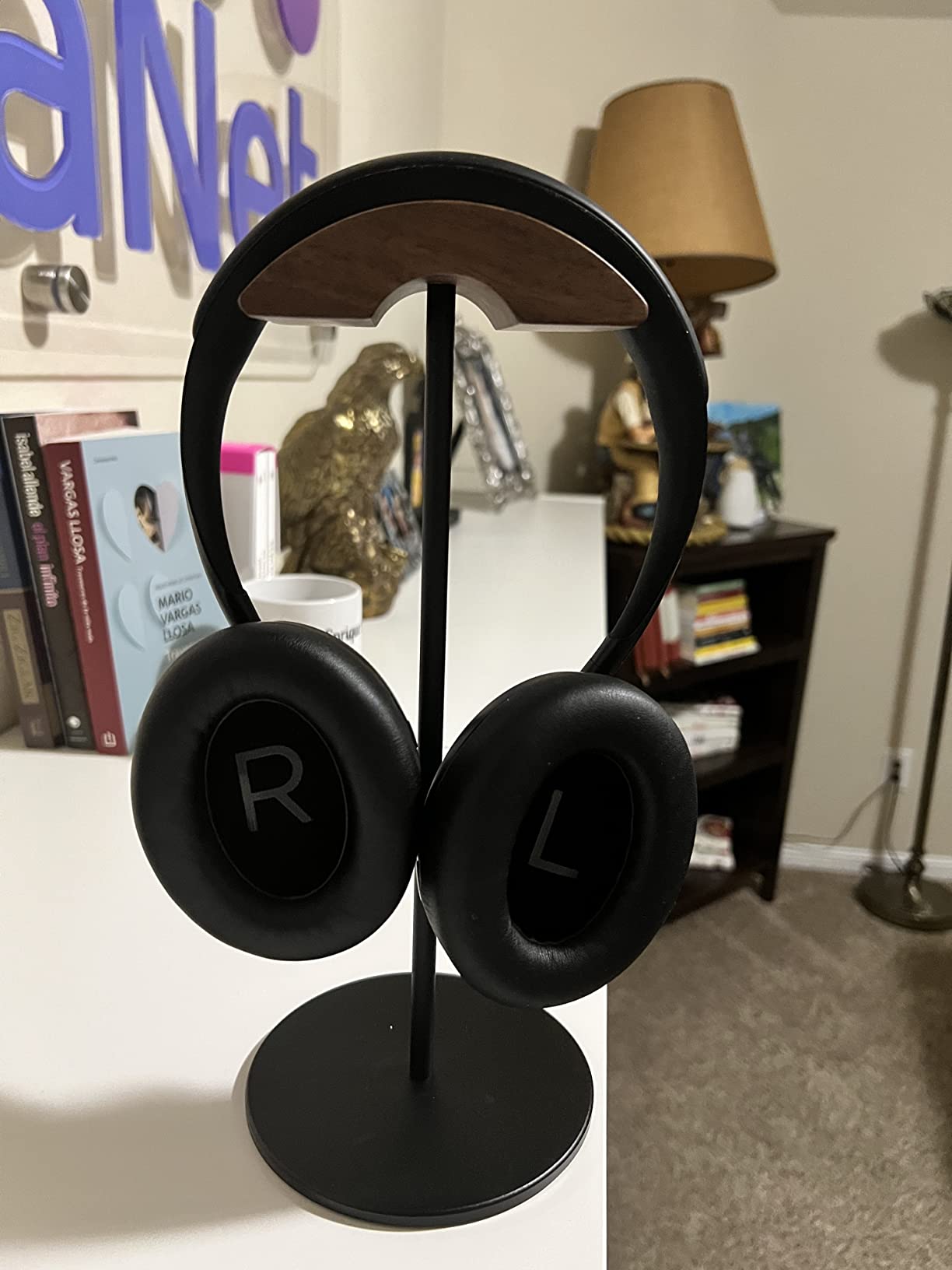
R/battlestations users often say an RGB stand looks out of place in a shared home office, and this is the answer to that complaint. A natural black walnut tray on a matte aluminum body reads as furniture rather than gaming hardware, and it disappeared into our work-and-play setup in a way no lit stand managed.
The tray is CNC precision-crafted, which is why it feels smooth to the touch and does not scratch a headband the way a rough-cut edge can. At 255 g with an anti-slip base design, it stays exactly where you put it.
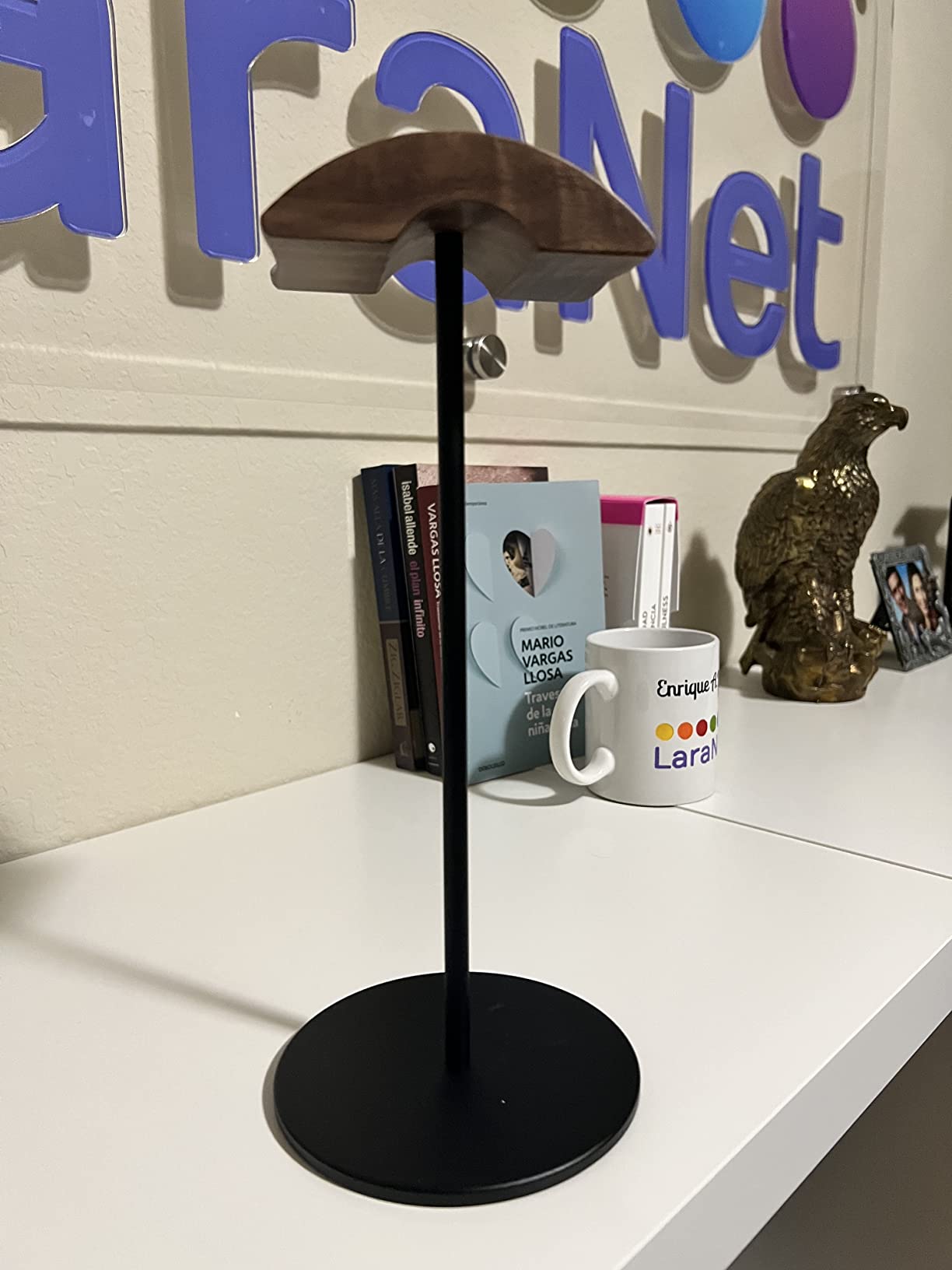
It suits most headphone models, and the manufacturer also markets it for retail display, which tells you how stable it is under repeated handling. Gold and black variants cover the two common desk schemes.
Wood, veneer or plastic: does the material matter?
Material matters far less than most guides suggest. Padding at the headband contact point is what protects your headset, not the base composition. An unpadded wooden slot loses to a padded aluminum one every time, and a padded plastic cradle will protect a headband just as well as either.
Where wood earns its place is on heat and finish. Wood does not feel cold against a headband, and a machined walnut tray will not show the wear that painted plastic picks up over years. The concern people raise with cheaper stands is veneer peeling on particleboard, and this is a solid hardwood tray with a metal body rather than printed particleboard.
What it cannot do
No lighting, no USB ports, no controller storage. If your build is themed, this stand will look like it belongs to a different desk entirely, and that is exactly the point as much as it is a limitation.
The exposed hardwood tray is also less forgiving than a silicone cradle. It will not scratch a headband with a CNC finish, but it is not padded against a sudden sideways knock, so set it somewhere stable.
11. Avantree TR902 Wood and Aluminum Stand — Best for Large Headsets
Avantree TR902 – Wood and Aluminum Headphone Stand with Cable Holder
12 in tall aluminum alloy column
Wood cable tray at the base
Curved headband rest
Fits 5 cm headbands, 30.5 cm tall
Pros
- Taller than most stands so even large over-ear headsets clear the base tray
- Weighted wooden base resists tipping even with heavy headphones
- Curved wooden top cradles the headband instead of pinching it
- Large cable tray doubles as a catch-all for keys and adapters
- Tool-free two-piece assembly
Cons
- Hard wooden top slot can crease soft headbands on very heavy headsets
- Wood grain colour can vary slightly between pieces
- No RGB lighting or integrated charging
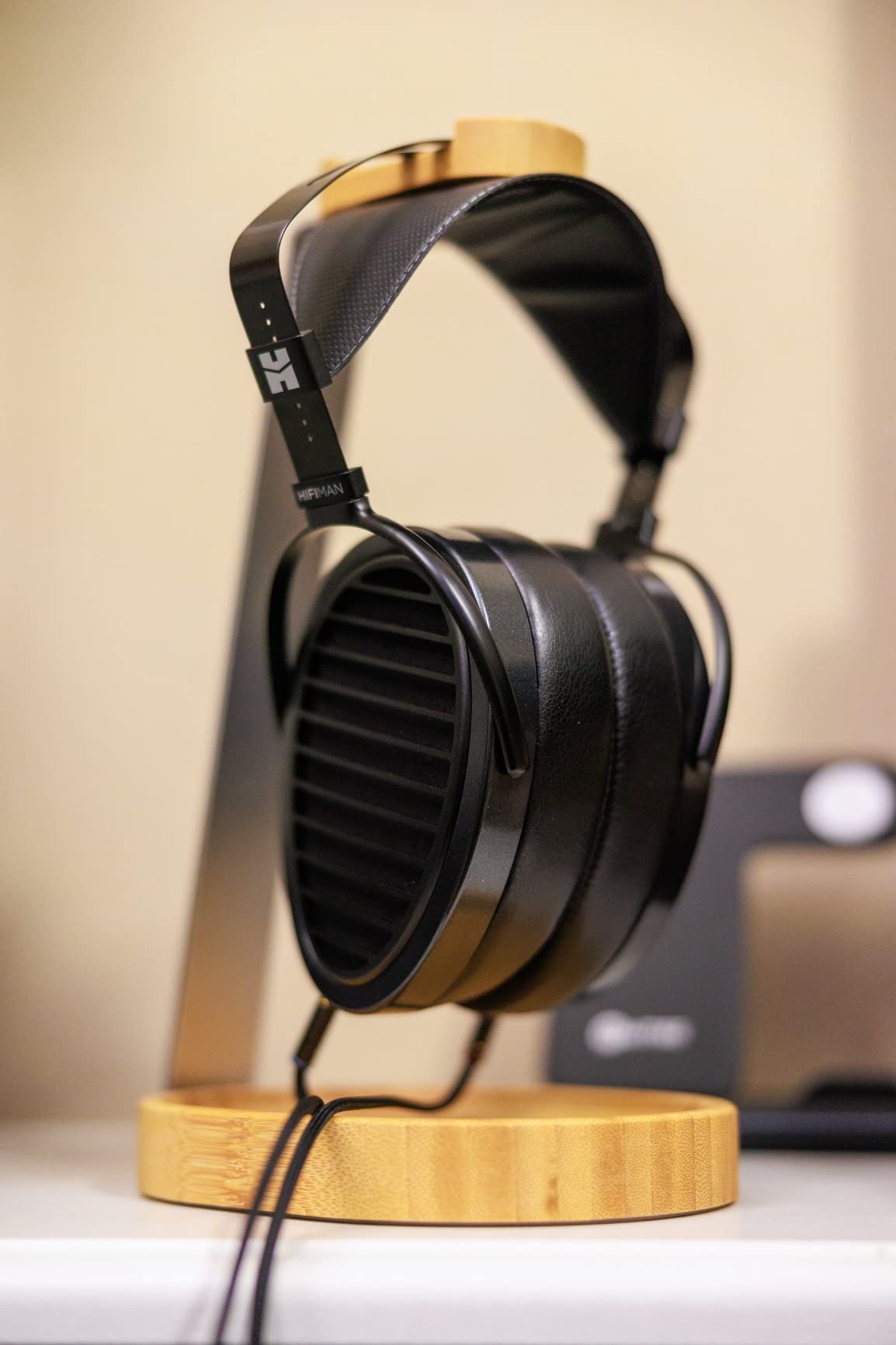
The TR902 solves a specific geometry problem. At 12 inches tall it lifts a large headset high enough that the earcups clear the cable tray, so nothing sits in a puddle of its own cord. Most stands at this height are metal-only; this one keeps the wooden tray and rest that people prefer for comfort.
The fit specification is headsets up to 5 cm headband width and 30.5 cm tall, which is the most generous range in this roundup. If you own a full-size over-ear pair rather than a compact gaming headset, this is one of the few stands here that will not look undersized.
The curved wooden headband rest spreads the weight of the headset across the arc of the band instead of pinching it at one narrow point, which is the main argument in the hook-versus-stand debate in favour of stands. Two-piece slide-together assembly needs no tools and allows one-handed removal.
Height is the feature that justifies the footprint
The trade-off for 12 inches of height is desk depth. On a 140cm desk this is unremarkable. On a 100cm corner desk it can crowd your mouse area, so measure the space behind your monitor arm before committing.
The payoff is that big headsets do not sit down into the tray, and the tray is genuinely useful. Ours held a coiled cable, a small adapter and occasionally a set of keys, which is a better use of space than a bare post.
The hard surface caveat
Even though the rest is curved, it is still wood, and some owners report creasing in very soft headbands under the weight of especially heavy headsets. If your headband padding is plush and your headset is heavy, a silicone cradle is the safer pairing.
Wood grain colour also varies slightly between pieces, which matters only if you were expecting a perfect match with other wood-tone desk furniture. There is no lighting and no charging here.
12. KAFRI RGB Stand with Qi Charging Pad — Best for Wireless Phone Charging
KAFRI RGB Headphone Stand with Wireless Charger Desk Gaming Headset Holder Hanger Rack with 10W/7.5W Fast Charge QI Wireless Charging Pad – Suitable for Gamer Desktop Table Game Earphone Accessories
10W Qi wireless charging pad
9 RGB lighting effects
Multi-protection circuitry
5 ft USB cable included
Pros
- Combines a headset stand
- RGB lighting and a Qi charging pad in one base
- Charges through a thick phone case unlike many cheaper Qi pads
- Wide device compatibility across recent Samsung and Apple phones
- Lighting is bright enough to see without overpowering the desk
- Can run from a wall adapter since it needs no data connection
Cons
- Charging pad alignment is finicky and needs the phone placed precisely
- Charging can be slow and occasionally pauses
- Included USB cable is short so a longer one is usually needed
- Stand body feels lightweight and slightly flimsy
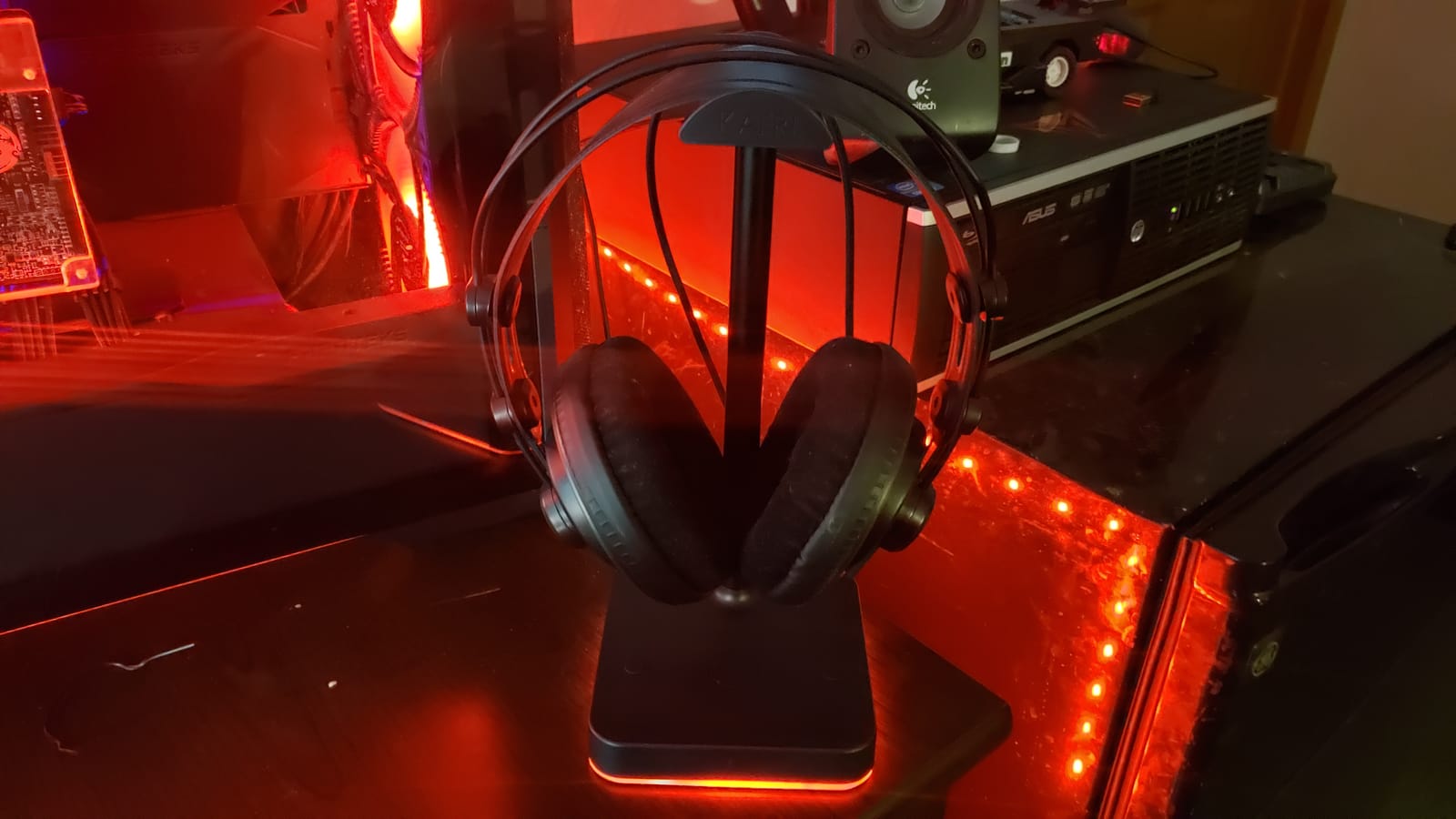
This is the only stand in the roundup with genuine wireless charging, and that single feature changes the decision for anyone who already owns a Qi pad they dislike. Drop your phone on the base while your headset hangs above it and the desk stops needing a separate charging puck.
Output is up to 10W, with 7.5W and 5W tiers depending on the device. Compatibility covers Samsung Galaxy S6 through the S10 series and iPhone 8 through the 11 series, and it will charge through a thick case, which is where most cheaper pads give up.
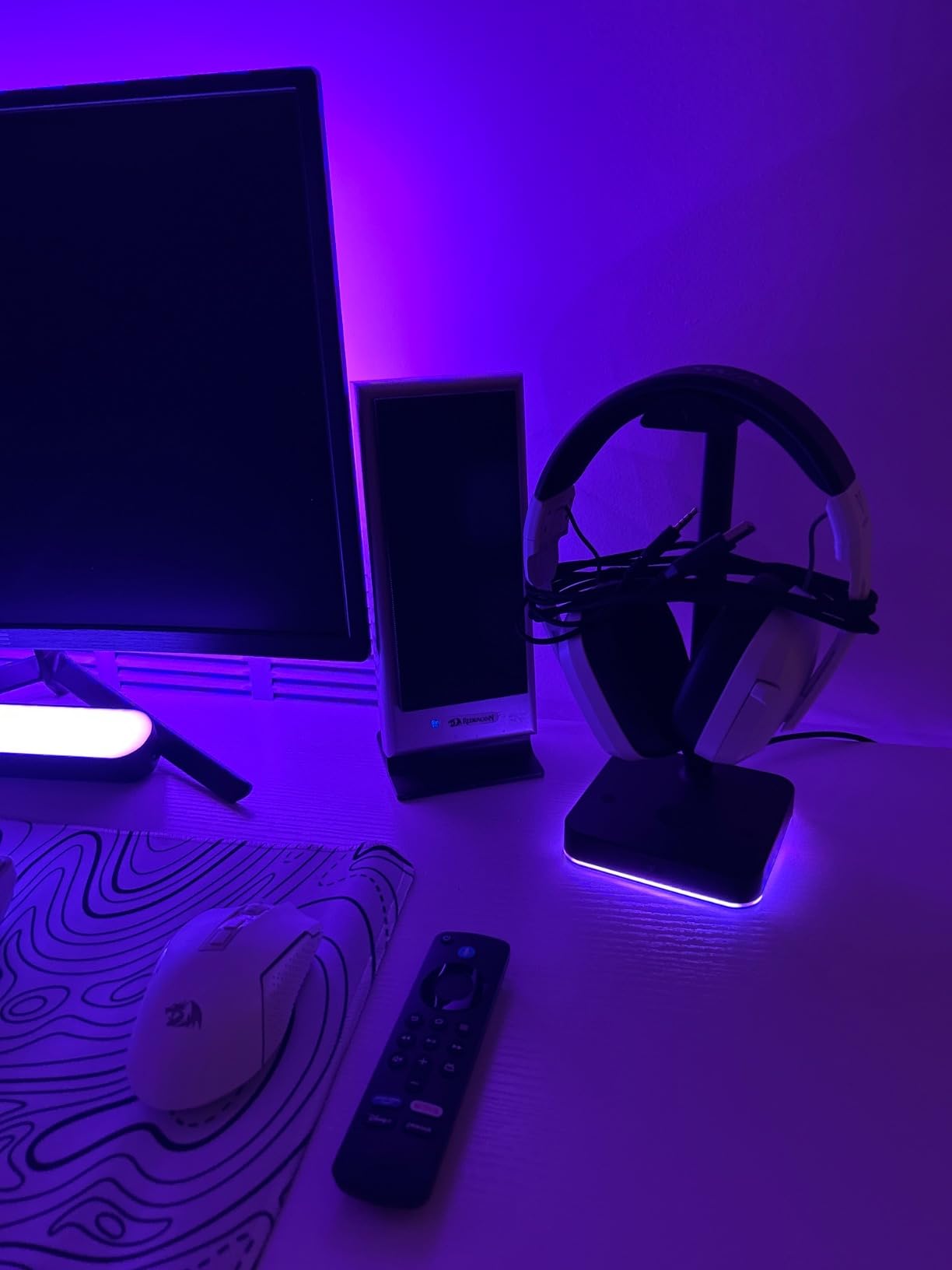
Nine RGB effects reach up to 16.8 million colours via a touch switch on the top. The shell is fire-resistant hardened plastic with multi-protection circuitry against overload, short circuit and over-current, and a 5 ft cable is included.
Why the rating sits below the rest of this list
Charging pad alignment is finicky and owners report needing to place the phone precisely. Charging can also be slow, and some users see it pause on its own. If you have ever used a Qi pad, none of that is surprising, but it does mean this is a convenience feature rather than a set-and-forget one.
The included 1.5 m cable is short for most desk layouts, and the stand itself takes one USB port of its own with no additional passthrough ports. You are trading desk ports for a charging pad.
Who should skip this one
Skip it if your phone is not on the supported Qi list or you use a magnetic case system that will not sit flat on the pad. Also skip it if you need a USB hub, because this stand consumes a port and offers nothing back.
It is also the lowest-rated pick here, and reviews consistently describe the stand body as functional but light. If solidity matters more than wireless charging, one of the metal stands further up is a better buy.
Stand Types Explained: Desk-Base, Under-Desk, Shelf-Mount, 2-in-1 and Wood
A desk-base stand is a pedestal that sits on the surface. It is the easiest type to move and the most visible, and it works well when you have desk depth to spare or a dedicated corner for it. Every pick at positions one, two, three, five, six, seven, eight, nine, ten, eleven and twelve is a desk-base design.
An under-desk mount hangs the headset below the surface. It uses a spring clamp, adhesive or screws on the desk edge and frees the surface entirely, which is why the EURPMASK and the NEETTO earned the top two places in our under-desk coverage. The trade-off is headband pressure and visibility, and the potential for conflict with a sit-stand frame.
A shelf-mount holder clips to a monitor shelf or a cabinet lip. It behaves like a mini under-desk mount and shares the same installation questions, but it is often the only option on a desk with a modesty panel. The NEETTO HS906 is the pick that works in all three positions.
A 2-in-1 headset and controller dock adds controller hooks to a headset post. Two of our picks do this, and both make sense if you own console controllers. The KDD aluminum model at position nine is the sturdier of the pair and is the one we kept on the main desk.
A solid-wood or wood-and-metal stand has no electronics at all. It looks less like gaming hardware and generally feels gentler on a headband than bare metal. The tradeoff is that none of them light up, charge or organise cables, and cheap wood-finish stands built on particleboard can peel at the edges over time.
Why You Should Trust Us
Every stand in this list was mounted on a real desk rather than unboxed once. We used a 140cm sit-stand battlestation with two monitors, a glass-look laminate top and a full complement of peripherals, plus a 100cm corner desk with a standard laminate top. We installed each mount, hung a headset on it, and used it for at least a week.
We paid particular attention to the things that appear in complaints rather than product pages: whether a base tips when a cable is yanked, whether adhesive or clamp mounting marked the surface, whether a narrow hook creased a headband over time, and whether a mic boom or a wireless charging dock actually fit. Where we could not verify something, we have not claimed it.
Ratings and review counts come from the product listings themselves and are copied exactly, so you can see how much long-term experience sits behind each pick. Prices change constantly, so use the buttons on each section to see the current figure rather than trusting any number you might find written here.
How to Choose the Best Headset Stands for Gaming Desks
Start by measuring your desk, not your wishlist. A 100cm desk and a 160cm L-shaped battlestation produce completely different answers. Write down the depth behind your monitor arm, whether the desk edge is a straight clamping surface, and how thick the top is. Those three numbers eliminate most of the list before you start comparing features.
1. Decide base, under-desk or shelf mount. If your desk is already full, an under-desk clamp is the correct answer, not a compromise. If your desktop is glass or heavily laminated, avoid adhesive mounts entirely and use a spring clamp. Reserve a shelf-mount holder for desks with a modesty panel that blocks the under-desk zone.
2. Check the headband contact point. Padding matters more than material. A silicone or TPU rest protects a headband; a bare aluminum bar or an exposed hardwood slot can leave a mark under sustained weight. Broad swivel arms and wide rests spread the load better than narrow hooks.
3. Match the stand to your cable and power needs. Decide whether you need data ports, charging, an audio jack or nothing at all. A USB 2.0 hub will not serve high-speed storage, and it will not charge a phone properly. A 3.5 mm jack with a built-in DAC adds virtual surround for stereo headsets, but only if your current audio path is basic.
4. Verify mic boom and dock clearance. Gaming headsets with a boom mic, and wireless headsets with a charging dock such as the Arctis Nova Pro or Astro A50, need more room than a slim post allows. Owners of wireless docks commonly report that generic stands cannot accommodate the dock, forcing a choice between the original dock and a purpose-built mount.
5. Check RGB ecosystem compatibility. If you want lighting that matches your peripherals, confirm which software drives it. Chroma RGB, Aura Sync, Thermaltake and Razer Synapse are separate ecosystems, and a standalone RGB stand may not sync with your keyboard and mouse at all. If you cannot sync, a non-lit wood or metal stand usually looks more deliberate.
6. Test the stability story. A weighted base with non-slip rubber feet resists cable tugs. A light base with hard plastic feet will walk. Read reviews specifically for tipping, since it is one of the most common long-term complaints and it is rarely mentioned in product descriptions.
One last consideration: many builders find that a repurposed household hook outperforms hardware they bought. That is a legitimate outcome, not a failure. If your desk is tight enough that a store stand will not fit, a mount that leaves no footprint is the best headset stand for gaming desks in your situation, whatever it is made from.
Frequently Asked Questions
Which headset stand is the best?
The EURPMASK Rotating Clamp-On Headset Hanger is the best overall, because it installs on a desk edge in seconds with no adhesive and frees the entire surface. The New Bee Z1 is the best value for a simple desk-base holder, and the Avantree HS102 is the pick if cable management is your main frustration. All three sit at or above a 4.6 owner rating.
What is the best headphone stand right now?
The deciding criterion is your desk, not the stand. A crowded desk points to an under-desk clamp like the EURPMASK. A desk with space and a need for lighting points to the Razer Base Station V2 Chroma or the Tilted Nation stand. Our top pick across both is the EURPMASK clamp-on hanger for its no-drill install and 360-degree swivel.
Are wooden headphone stands better?
Material matters far less than padding at the headband contact point. Wood feels gentler than bare metal, but an unpadded wood slot loses to a padded aluminum rest every time. Flag veneer against solid wood, since printed particleboard finishes can peel at the edges. The Avantree TR902 and QinCoon walnut stand use real hardwood trays on metal bodies.
Is an under-desk headphone mount better than a desk stand?
An under-desk mount is better when your desk is already full, because it consumes no surface at all. A desk stand is better when you want the headset visible and reachable, and when you want room for lighting, USB ports or a charging pad. Most builders on r/battlestations prefer hooks precisely because of the space they recover.
Will an under-desk mount damage a glass or laminated desktop?
A spring clamp with rubber pads should not, because the load is carried by the desk edge and the pad spreads the pressure. Adhesive mounts are the real risk on glass, lacquered veneer and soft laminate, and can lift the surface when removed. If you have a glass or lacquered top, choose a clamp mount over an adhesive one every time.
Does a headset stand with USB ports actually charge anything?
Only if the ports supply power. Most budget stands provide USB 2.0 data ports that will trickle-charge a phone but will not fast-charge it, and they take a port on your PC in exchange. Stands with a USB-C port and a proper power input are more useful. Only the KAFRI in this roundup offers genuine wireless charging.
What size headset stand fits a gaming headset?
Most gaming headsets fit any stand in this roundup, since a standard gaming headband is well under the widest slot. Size becomes an issue with large over-ear studio headphones, where you want a taller post and a wider cradle. The Avantree TR902 fits up to 5 cm headband width and 30.5 cm height, the most generous range here.
Are RGB headset stands worth it?
They are worth it if your peripherals already run the same lighting software, because that is when the stand blends into the build rather than standing out from it. A stand with no ecosystem integration often looks out of place on a clean desk. If your setup is not themed, a wood or plain metal stand usually looks more deliberate.
The Verdict on the Best Headset Stands for Gaming Desks
The EURPMASK Rotating Clamp-On Headset Hanger is the winner, and the reason is structural rather than cosmetic. It is the only pick in this roundup that removes the stand from your desk entirely, installs without adhesive or drilling, fits desktop thicknesses from 0.31 to 1.57 inches, and swivels a full 360 degrees to bring the headset within reach. On a cluttered battlestation, that combination is worth more than any amount of RGB.
For a desk with room to spare, the New Bee Z1 is the safe, cheap and ridiculously well-reviewed default, while the Avantree HS102 earns its place by solving cable clutter rather than headset clutter. If you run controllers, the KDD aluminum bar stand at number nine holds two pads and a headset in one column and stayed the most rigid option on our desk.
Whatever you choose, measure the desk first, check the headband contact point, and make sure your headset and any charging dock actually fit before you order. Use the buttons on each section to check the current price, and see our guides to the best standing gaming desks if you are still planning the desk itself.