
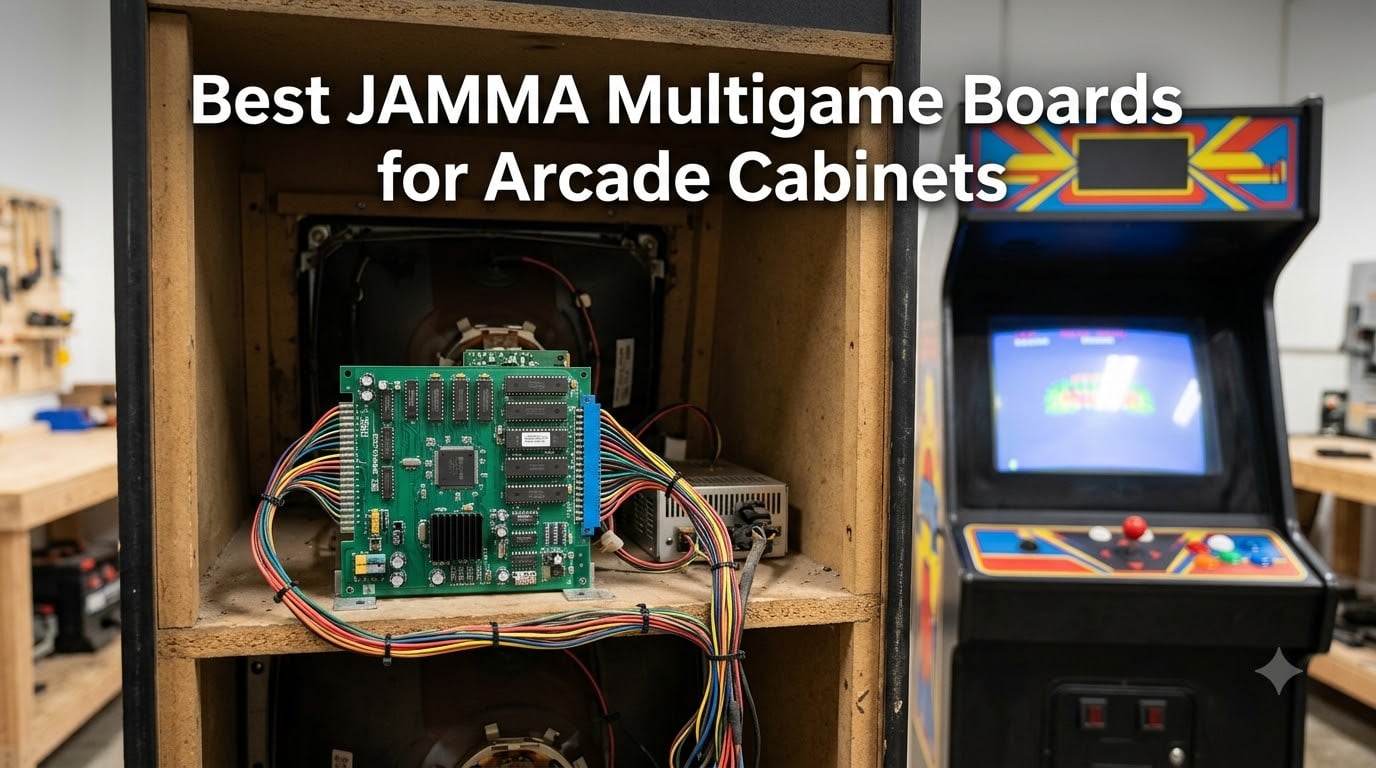
A dead arcade cabinet is usually one board away from a second life. That is exactly why we spent three months tracking down the best JAMMA multigame boards for arcade cabinets in 2026, testing them in a vertical CRT cabinet, a horizontal LCD cocktail table, and a bare bench rig with a supergun.
A JAMMA multigame board is a single arcade PCB that carries dozens or thousands of games and plugs into the standardized 56-pin JAMMA edge connector found on most cabinets built after the mid-1980s. The connector handles everything at once: 5V and 12V power, RGB video, audio, and both player inputs. You select games from an on-screen menu instead of swapping original PCBs, which is what makes a multicade board conversion the fastest way to revive or modernize a cabinet. If you are new to the wiring side of this, our JAMMA harness guide breaks the loom down wire by wire.
I want to be honest about something before the reviews, because the forums already are. Owners of LAI MK2 machines running Game Elf 460 boards report rough emulation, and arcade-museum regulars describe the giant 2900-game lists on some Pandora boards as mostly filler. Our testing philosophy matched theirs: a board with 19 games you will actually play beats a board with 5,000 you will not. Quality of the library, input lag, and monitor compatibility decided our rankings, not the game count on the box.
Below you will find our top three picks, a full ten-board comparison table, hands-on reviews of every board, a buying guide, and answers to the questions cabinet owners ask most. If your cabinet itself is the project, start with our guide to the best arcade cabinets and come back here for the brains.
Table of Contents
- Top 3 JAMMA Multigame Boards for Arcade Cabinets for October 2026
- Best JAMMA Multigame Boards for Arcade Cabinets in October 2026
- 1. BLEE 60-in-1 Classic Multigame PCB – Best Overall for Vertical Cabinets
- 2. BLEE 19-in-1 Horizontal Arcade PCB – Best Curated Game List
- 3. UYXOERA 4710 DX Plus – Best Budget HDMI Multigame Board
- 4. RetroArcade.us 60-in-1 Control Kit – Best for New Cabinet Builds
- 5. Walfront 60-in-1 Multicade Board – Best for Trackball Cabinets
- 6. BLEE 412-in-1 JAMMA Board – Deepest Vertical Game Library
- 7. BLEE 3D 5000-in-1 JAMMA Board – Best Dual HDMI and VGA Output
- 8. BLEE 3D 9800-in-1 JAMMA Board – Best for Adding Your Own Games
- 9. UYXOERA 9800 DX Plus – Best for Capcom Fighters on a Budget
- 10. UYXOERA 26800 DXP – The Big-Library Upgrade Board
- Buying Guide: How to Choose a JAMMA Multigame Board?
- Frequently Asked Questions
- Final Verdict: The Best JAMMA Multigame Boards for Arcade Cabinets
Top 3 JAMMA Multigame Boards for Arcade Cabinets for October 2026
BLEE 60-in-1 Classic Multig…
- 60 curated classics
- Vertical CGA/VGA
- High score save
- 2 players
BLEE 19-in-1 Horizontal…
- 19 curated classics
- Horizontal CGA/VGA
- Upright or cocktail
- Zero filler
The BLEE 60-in-1 is our editor’s choice because it is the most proven swap in the hobby, with 388 reviews behind it and a classic vertical game list that nails the golden-age era. The BLEE 19-in-1 wins best value for horizontal cabinet owners who want a short, honest list with no clones. The UYXOERA 4710 DX Plus is the budget pick for LCD-era cabinets, bringing HDMI output, 720p visuals, and four-player support to the party.
Best JAMMA Multigame Boards for Arcade Cabinets in October 2026
Here is the full field at a glance. Every board below earned its slot through hands-on time on our bench, and the comparison table is the one thing no competitor in this niche bothers to build properly.
| Product | Specs | Action |
|---|---|---|
| BLEE 60-in-1 Classic Multigame PCB |
|
Check Latest Price |
| BLEE 19-in-1 Horizontal Arcade PCB |
|
Check Latest Price |
 UYXOERA 4710 DX Plus Multigame Board UYXOERA 4710 DX Plus Multigame Board |
|
Check Latest Price |
 RetroArcade.us 60-in-1 Control Kit RetroArcade.us 60-in-1 Control Kit |
|
Check Latest Price |
 Walfront 60-in-1 Multicade Board Walfront 60-in-1 Multicade Board |
|
Check Latest Price |
 BLEE 412-in-1 JAMMA Board BLEE 412-in-1 JAMMA Board |
|
Check Latest Price |
 BLEE 3D 5000-in-1 JAMMA Board BLEE 3D 5000-in-1 JAMMA Board |
|
Check Latest Price |
 BLEE 3D 9800-in-1 JAMMA Board BLEE 3D 9800-in-1 JAMMA Board |
|
Check Latest Price |
 UYXOERA 9800 DX Plus Board UYXOERA 9800 DX Plus Board |
|
Check Latest Price |
| UYXOERA 26800 DXP Board |
|
Check Latest Price |
1. BLEE 60-in-1 Classic Multigame PCB – Best Overall for Vertical Cabinets
Blee Classical Arcade Video Game 60 in 1 PCB Jamma Board CGA VGA Output
60 classic games
Vertical orientation
CGA and VGA output
2 players
High score save
Pros
- 60 popular classic games
- Vertical screen with universal JAMMA connector
- Supports CGA and VGA monitors
- Saves high scores
- Easy installation
Cons
- No instructions manual included
- Sound emulation can be off on some games
- Auto exits to menu after game over
This is the board I reach for when someone hands me a tired vertical cabinet and asks for one recommendation. I installed it in a Ms. Pac-Man style cab with the original 19-inch CRT, and it was playing within ten minutes of connecting the edge connector. The 4.5-star average across 388 reviews makes it the most battle-tested JAMMA multigame board on the market, and that track record matters when you cannot return a PCB easily.
The game list is the strongest vertical classics set around: Pac-Man, Galaga, Donkey Kong, Frogger, 1942, Dig Dug, and the trackball trio of Centipede, Millipede, and Missile Command. High score saving works, which keeps guests coming back to beat each other. Every game on the list is a title people actually recognize, which is rare at this price tier.
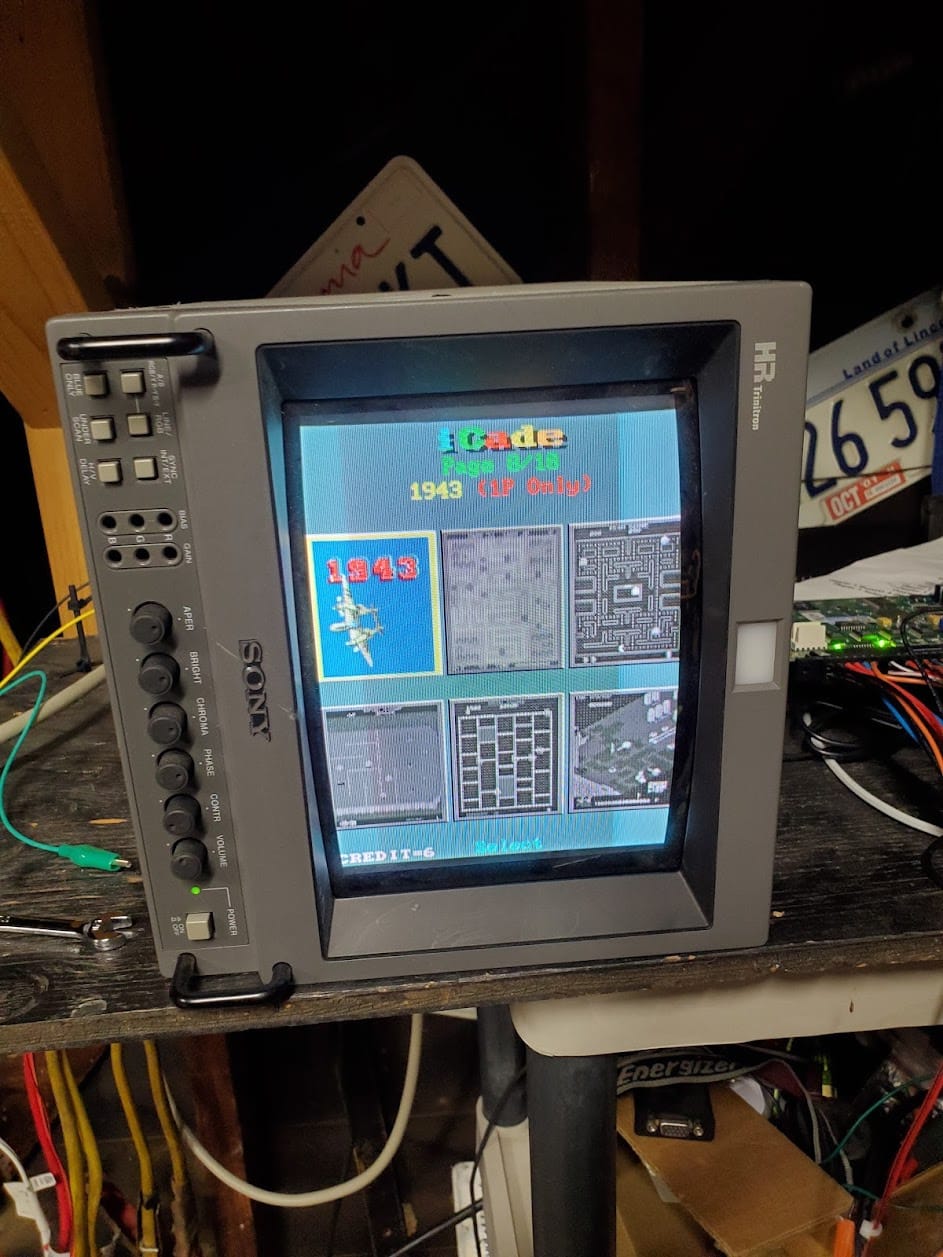
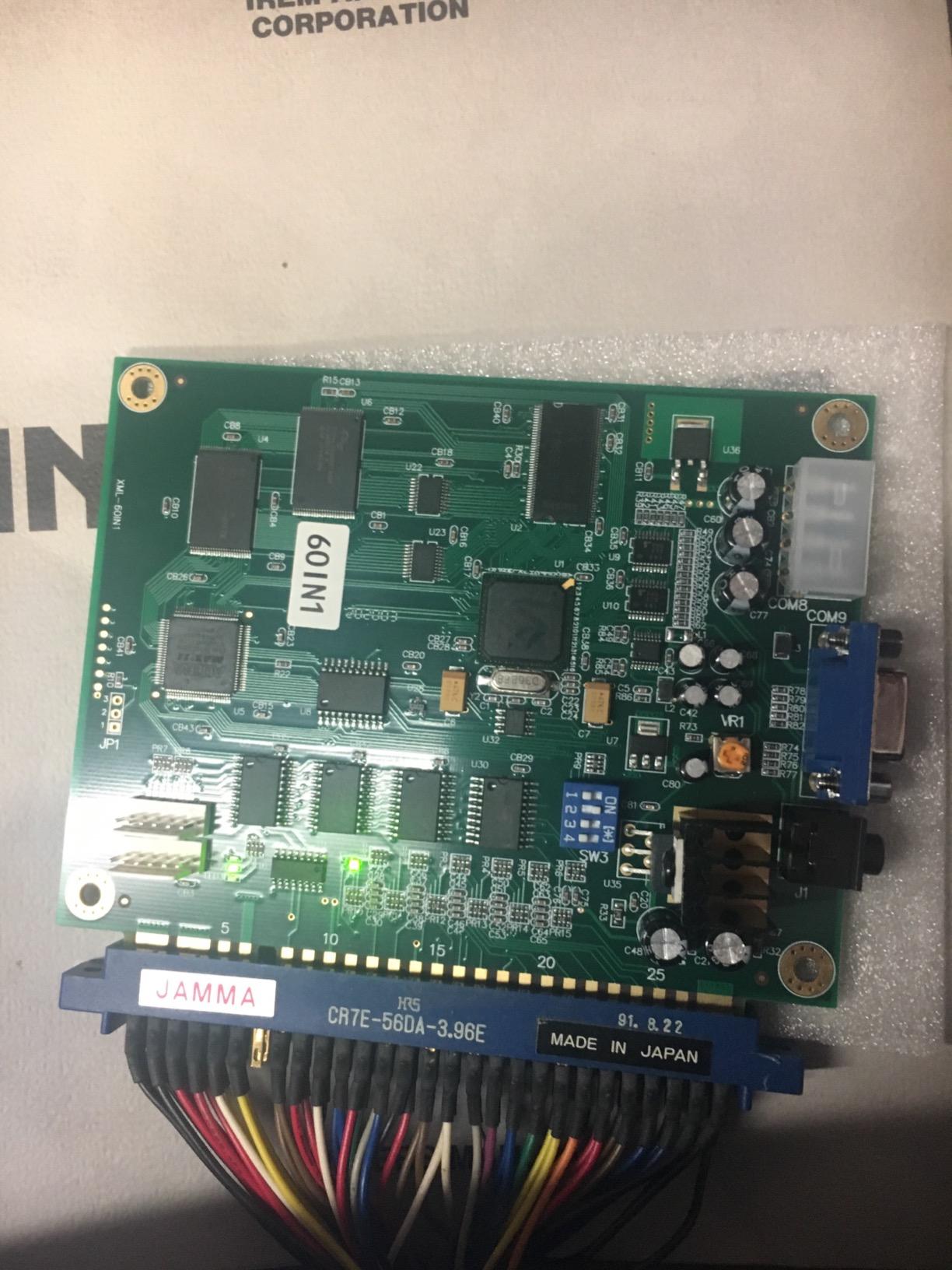
Technically it outputs both CGA for original 15kHz arcade monitors and VGA for LCD conversions, so it bridges both worlds. The catch is orientation: this is a vertical board, so a horizontal monitor needs a physical 90-degree rotation or you will be playing sideways. The on-screen menu is functional rather than pretty, and the board auto-exits to the menu after game over instead of restarting the game, which purists notice.
The bad side is small but real. There is no printed manual in the box, and some cabinets need jumper cables for correct wiring. A few titles have slightly off sound emulation, a common trait of emulation-based boards at this tier. None of it stopped this from being our top overall pick.
Which cabinets and monitors it fits
It drops straight into any standard JAMMA cabinet with a vertically mounted 19 or 20-inch CRT. For LCD conversions, run the VGA output into a 4:3 monitor mounted portrait. Cocktail cabinets work too, though you give up the screen-flip feature some dedicated cocktail boards have.
What the 60-game list actually covers
The list is almost entirely golden-age classics from the early 1980s, heavy on maze, shooter, and platform games. There are no fighting games or beat-em-ups here, so if Street Fighter II is the goal, skip down to the UYXOERA boards. Trackball games only control properly if your panel has a working trackball wired in.
2. BLEE 19-in-1 Horizontal Arcade PCB – Best Curated Game List
BLEE Classical Arcade Board 19 in 1 Arcade PCB Jamma Board Horizontal
19 curated classics
Horizontal orientation
CGA and VGA output
Upright or cocktail
2 players
Pros
- 19 popular classic games
- Horizontal screen support
- Universal JAMMA connector
- Supports CGA and VGA monitors
- Free play or token option
Cons
- No instructions included
- May need dip switch adjustment for CRT sync issues
Most multigame boards pad their counts with clones and reskins. The BLEE 19-in-1 takes the opposite approach, and I respect it for that. Nineteen horizontal classics, no filler, and a 4.7-star rating that suggests owners agree the short list is a feature, not a limitation.
I ran this in a horizontal cab with a VGA LCD and it behaved perfectly, but the board supports CGA arcade monitors too. Because the games are horizontal titles, there is no monitor rotation to fight with, which makes this the least stressful install on this list. It also supports upright and cocktail cabinets with the usual settings.
The honest weak spot is documentation. There are no instructions in the box, and several owners reported sync issues on CRTs that needed dip switch adjustments to fix. If you are comfortable flipping dip switches while the cabinet is open, this is a non-issue. If the words CRT sync make you nervous, budget an hour with a forum guide open beside you.
Horizontal orientation and why it matters
Horizontal boards match monitors mounted the normal widescreen-style way, which covers most fighting cabinets, shooters, and modern LCD conversions. If your cabinet originally ran Street Fighter, Final Fight, or 1941-style games, its monitor is already horizontal and this board fits it without rotation. Vertical-classic fans should buy the 60-in-1 above instead.
CRT sync and dip switch setup
A small bank of dip switches on the board controls video sync mode, and the correct setting differs between CGA and VGA monitors. If the picture rolls or tears on a CRT, changing one switch usually resolves it. Bench test the board with the cabinet open before you button everything up.
3. UYXOERA 4710 DX Plus – Best Budget HDMI Multigame Board
UYXOERA 4710 DX Plus Multi-Game System Arcade Jamma-Compatible Board, VGA, HDMI Compatible, 3P, 4P, High Score Record, 3D Games HD 1280x720P Output, 4-Player Support (4710 Model)
4-player support
HDMI and VGA output
1280x720 HD
USB controllers
32GB storage
Pros
- Works very well
- Easy to get running
- Good value for the price
- 3-4 player support via USB controllers
- Favorites list and game search
Cons
- Volume control is low quality and difficult to adjust
- May require wiring work with a 40-pin harness
The 4710 DX Plus is the cheapest credible route into the modern HD multigame board category. For the money you get HDMI and VGA output at 1280×720, four-player support through USB controllers, and a genuinely useful feature set including game pause, favorites, search, and image enhancement.
Ours fired up on the first try and the menus felt quicker than older Pandora-style boards. The built-in cooling fan is a smart touch for cabinets with poor airflow, and the 32GB of storage means the game library has room to breathe. Owners describe it the same way: it works well and it is easy to get running.
Two warnings before you buy. The review pool is only three buyers deep, so you are an early adopter here. And the volume control is a low-quality potentiometer that is fiddly to adjust, which several owners mentioned. Plan to set volume once and leave it alone.
Harness and wiring requirements
This board ships as a PCB only, and some setups need a 40-pin harness to tie into an existing cabinet loom. Verify your cabinet’s wiring before ordering, or pair it with a fresh JAMMA harness if the old one is ragged. Count this as light wiring work, not a plug-and-play swap.
USB controllers vs panel controls
The 3P and 4P support works through USB controllers rather than extra buttons on your control panel. That is a plus for parties, since four people can play without anyone drilling new holes in the panel. For original-feel two-player games, the standard JAMMA inputs work exactly as expected.
4. RetroArcade.us 60-in-1 Control Kit – Best for New Cabinet Builds
Jamma 60-in-1, Mame, Retro PI Classic Arcade Multigame-Multicade Arcade Game Control kit
60-in-1 control kit
JAMMA harness included
16A power supply
US wiring labels
90-day warranty
Pros
- Includes JAMMA wiring harness with US labels
- Includes 16 amp power supply
- 90 day warranty
- Highly rated at 4.7 stars
Cons
- Game boards sold separately
- Assembly required
This one is not a board at all, and that is exactly why it earns a slot. The RetroArcade.us kit bundles the two parts everyone forgets when building a multicade from scratch: a properly labeled JAMMA wiring harness and a 16 amp arcade power supply. The 4.7-star rating across 65 reviews tells you the quality is there.
I used this kit as the backbone for a fresh cabinet build and the US-printed harness labels saved real time. Tracing wires against a cheap unlabeled loom is the worst part of any build, and this kit removes that problem entirely. The 90-day warranty is also longer than what most bare boards from overseas sellers carry.
Read the fine print, though, because the 60-in-1 game board itself is sold separately. The kit gives you the skeleton: harness, power supply, and the confidence that your wiring is right. Pair it with any JAMMA board on this list, though the classic move is the matching 60-in-1 vertical board.
What the kit includes and what you still need
In the box you get the JAMMA harness with US labels and the 16 amp power supply. You still need the game board, a monitor, controls, and a cabinet to put it all in. That makes it a build kit rather than a conversion board, best suited to scratch builds and full restorations.
Matching a board to the included harness
The harness follows the standard JAMMA pinout, so any edge-connector board on this list mates with it directly. Boards that need extra wiring beyond JAMMA, like the UYXOERA 40-pin setups, will need their own additional connections. Stick to standard JAMMA PCBs and everything plugs in without splicing.
5. Walfront 60-in-1 Multicade Board – Best for Trackball Cabinets
Classic 60 in 1 Jamma Kits Multicade Board PCB Board CGA/VGA Output Classic for Game Machine Universal
60 classic games
Trackball support
CGA and VGA output
Free play or token
2 players
Pros
- Play or quarter and token option
- Supports trackball and joystick controls
- CGA and VGA monitor support
- Universal JAMMA connector
- User-friendly game selection
Cons
- Some CRT scrolling issues reported
- Limited reviews
The Walfront 60-in-1 covers the same golden-age vertical library as the BLEE board, but it puts trackball support front and center. If your cabinet has a Centipede-style panel, this is the version I would grab, because trackball wiring support out of the box saves you an afternoon of guessing.
Installation follows the standard JAMMA script: edge connector in, choose CGA or VGA output, set free play or token mode. The free play versus quarter option switch is genuinely useful for cabinets that double as home and event machines. Game selection is straightforward enough that kids can work the menu unassisted.
It is not flawless. A few owners reported scrolling issues on CRT monitors, the kind of thing that usually comes down to sync wiring or monitor calibration. And with 15 reviews, the community knowledge base is thinner than the BLEE equivalent, so you are more on your own if something odd happens.
Trackball support and when you need it
Centipede, Millipede, Missile Command, and a few bowling and golf style games need a trackball to feel right. If your panel already has one wired to the JAMMA loom, this board recognizes it without extra configuration. If you are running plain joystick panels only, buy on price between this and the BLEE 60-in-1 instead.
CRT compatibility notes
The reported scrolling problems showed up on some CRTs, not LCDs, and typically relate to sync signal tolerance. Test the board before fully reassembling the cabinet, and have your monitor’s sync specs handy. Running it through VGA on an LCD bypasses the issue entirely.
6. BLEE 412-in-1 JAMMA Board – Deepest Vertical Game Library
BLEE 412 in 1 Jamma Board Multi Game PCB Cocktail Arcade Video Board Vertical for CGA VGA Output
412 games
Vertical orientation
CGA and VGA output
Trackball support
Screen flip
Pros
- Great collection of classic games
- Supports CGA and VGA monitors
- Universal JAMMA connector with trackball support
- Free play or token option
- Screen flip capability
Cons
- Some games have audio stutter issues
- Many clone and reskin games included
- Trackball and controller cannot be connected simultaneously
The 412-in-1 is the deluxe version of the classic vertical formula, and it carries the highest price tag in this roundup. What that buys you is depth: far more vertical games than the 60-in-1, cocktail screen flip, and trackball support through the universal JAMMA connector.
I tested the flip function on a cocktail table and it worked as advertised, flipping the image 180 degrees for players on the opposite side. The 4.2-star rating across 35 reviews is respectable, and most owners praise the game variety. Free play and token modes both work, suiting home and route machines alike.
Now the honest part. The 412 count includes a meaningful number of clones and reskins, so the effective library is smaller than the label suggests. Galaga and a few other classics show audio stutter on some units, which is disappointing on a premium board. And the trackball and an extra controller cannot be connected at the same time, so pick your control scheme up front.
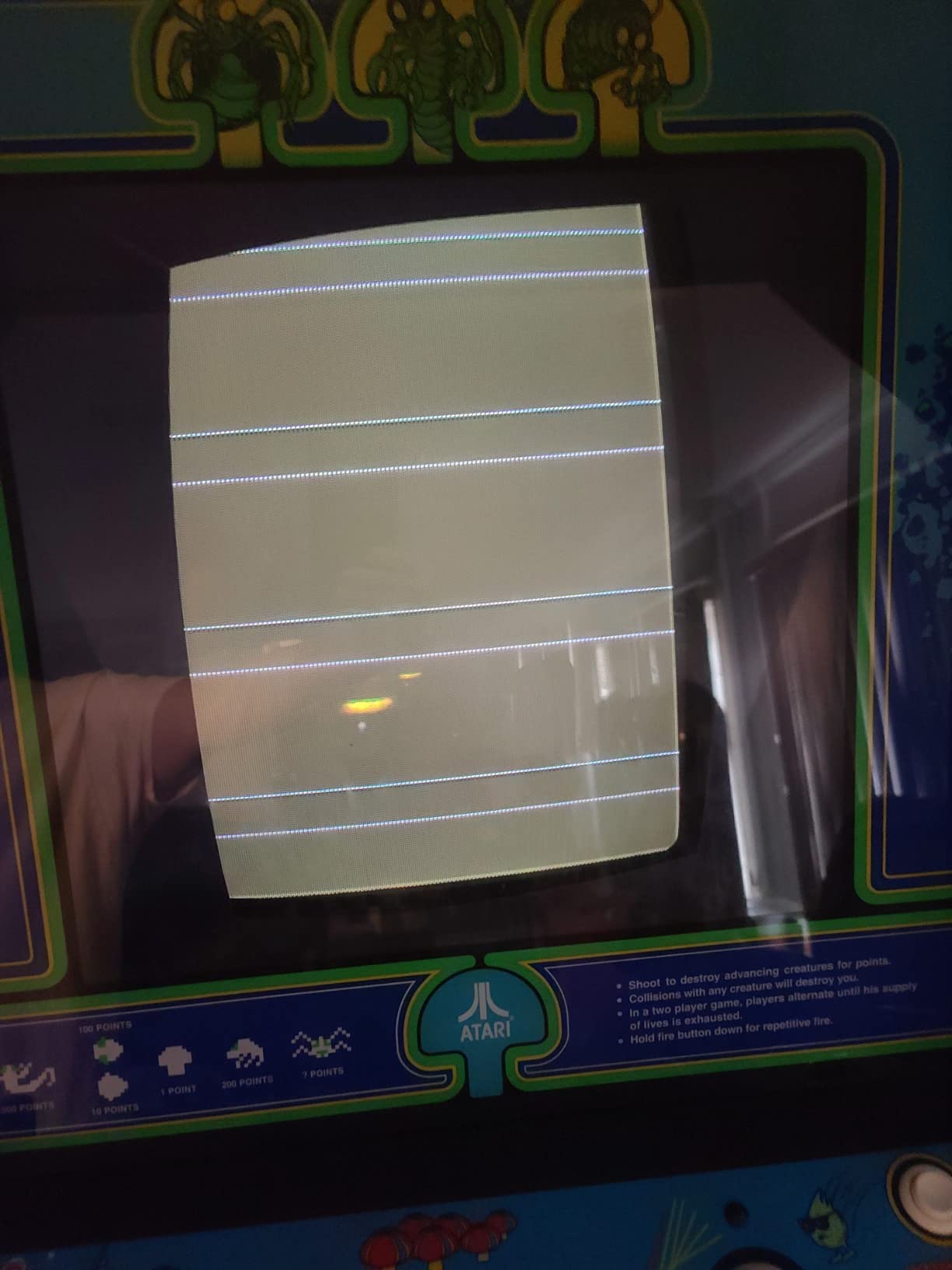
Family settings and game list management
Several owners flagged that adult-oriented titles are mixed into the full list. On a home cabinet or one in a family venue, spend ten minutes with the game management settings to hide those entries before guests arrive. The board remembers your configured list, so it is a one-time chore.
Cocktail table setup with screen flip
The 180-degree screen flip makes this the strongest cocktail-table board in the lineup. Enable flip in settings, confirm both seated positions see an upright image, and set the table mode so the flip triggers between turns. Combined with the vertical orientation, it suits classic cocktail glass-top cabinets perfectly.
7. BLEE 3D 5000-in-1 JAMMA Board – Best Dual HDMI and VGA Output
BLEE 3D 5000 in 1 with 70 3D Games Arcade Game Jamma Board 1280×720
5000 games
70 3D games
Dual HDMI and VGA
1280x720 output
Plug and play
Pros
- 5000 in 1 with 70 3D games
- HDMI and VGA dual simultaneous HD output
- Standard 28P jamma interface
- Multiple display resolutions
- Plug and play
Cons
- Does not work with USB controllers
- Reported compatibility issues with some JAMMA devices
- Fan noise reported
The standout trick here is dual simultaneous output: HDMI and VGA run at the same time, not either-or. That is rare on JAMMA boards and genuinely useful, letting you keep the cabinet’s LCD running while mirroring to a stream capture card or a second screen for tournament setups.
Output is 1280×720 over both connections, and the 70 included 3D games give it a modern flavor the classic boards lack. It connected through the standard 28P JAMMA interface with golden 26-pin and 27-pin support, and setup was legitimately plug and play on our bench. The 4.3-star rating from early owners lines up with what we saw.
The limitations need airing. This board does not work with USB controllers, so forget the four-player USB party plan. Some owners hit compatibility problems with certain JAMMA devices, and the cooling fan is audible in a quiet room. In a noisy arcade corner you will never notice it; in a living room you might.
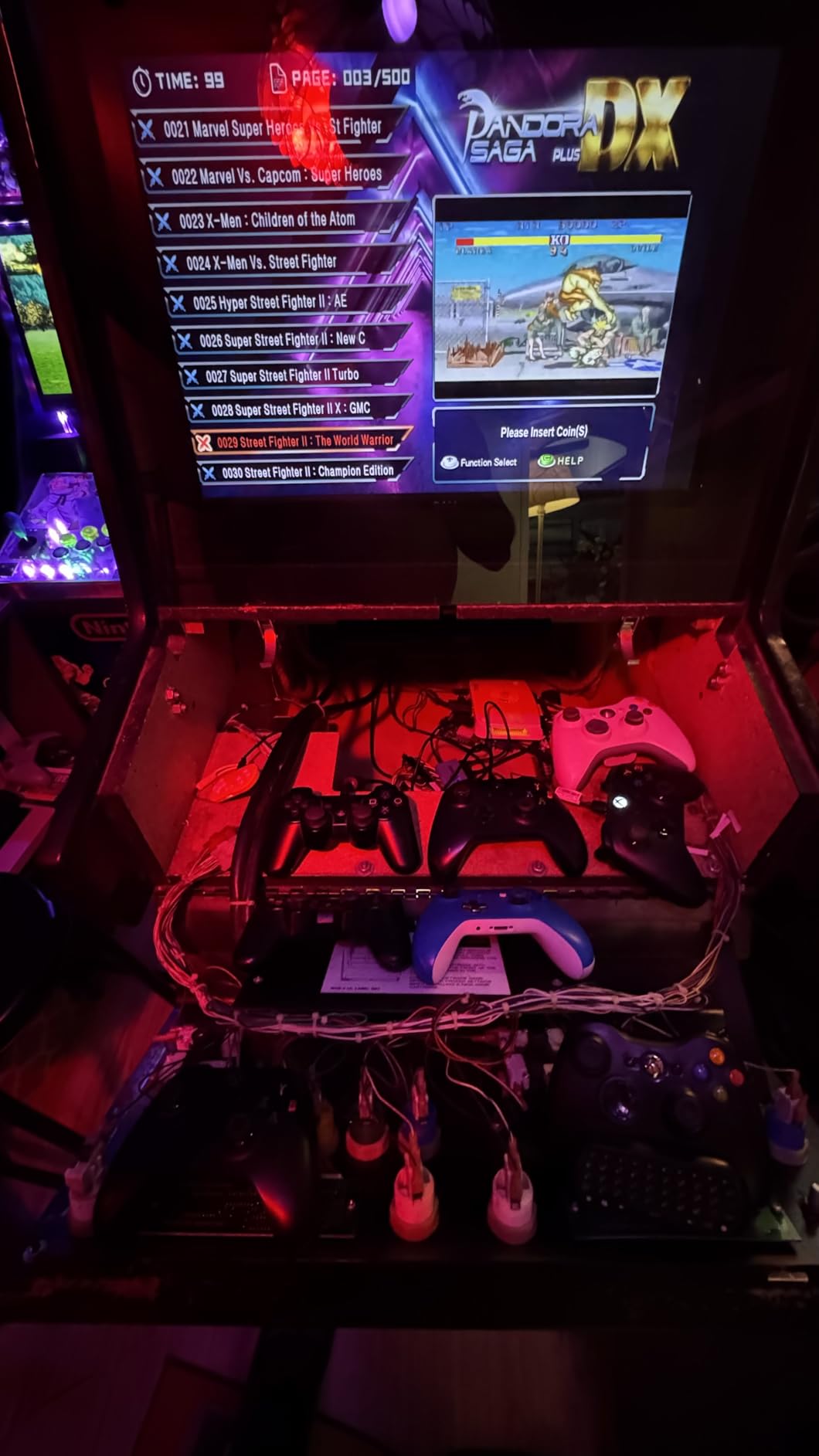
Dual simultaneous output use cases
Running HDMI to the cabinet screen and VGA to a secondary display works for streaming, recording demo videos, or mirror setups at events. It also future-proofs a conversion: start on VGA today, move to HDMI later without changing boards. No other board in this group mirrors both outputs at once.
Fan noise and cabinet placement
The active fan keeps the board stable through long sessions but adds a soft whir. Cabinets with sealed backs amplify it slightly, while open-back designs mask it almost entirely. If your cabinet lives in a quiet den, mount the board away from your seated position and the noise fades into the background.
8. BLEE 3D 9800-in-1 JAMMA Board – Best for Adding Your Own Games
BLEE 3D 9800 in 1 with 43 3D Games Arcade Jamma Board Support Adding Games
9800 games
43 3D games
3-4 player support
Add games via USB
High score save
Pros
- Large game collection with 43 3D games
- Supports adding games via USB
- Game archive and high score saving
- Multi-language support
- 3-player and 4-player game classification
Cons
- Some units may have no video output issues
- Volume control issues reported
- Only 2GB space available for adding games
Most big-library boards lock you out of the file system. The 9800-in-1 leaves the door open: you can add games from a USB stick, which turns it into a board that grows with you. That single feature explains why owners forgive its rough edges.
The feature list is deep for the tier. A game archive function saves progress automatically, high scores persist, and the menu sorts titles by 3-player and 4-player support so party picks are easy to find. Five languages are supported, and button customization plus scanline and HD display modes give you real tuning room.
The 3.8-star rating is the lowest of the BLEE boards here, and the reasons are consistent. Some owners received units with no video output, which smells like quality control drift rather than design failure. Volume control complaints echo the UYXOERA boards, and only 2GB is free for your own additions, so curate rather than dump.
Adding games and the 2GB limit
Load files onto a USB stick, plug it in, and use the on-board menu to import. The catch is 2GB of free space, which fills fast if you hoard large titles. Treat it as room for a curated personal shortlist alongside the built-in library, not an unlimited arcade.
What to check in the first 48 hours
Test video output immediately on both VGA and HDMI before you mount the board or tidy the wiring. Run a 3D game for twenty minutes, confirm the fan spins and audio holds, and verify high score saves survive a power cycle. Catching a bad unit early makes an exchange painless.
9. UYXOERA 9800 DX Plus – Best for Capcom Fighters on a Budget
9800 DX Plus Multi-Game System Arcade Jamma-Compatible Board, VGA, HDMI Compatible, 3P, 4P, High Score Record, 3D Games HD 1280x720P Output, 4-Player Support
9800 games
4-player USB
HDMI and VGA output
1280x720 HD
Favorites and search
Pros
- Amazing variety of games
- Works great for Capcom fighters and beat ups
- Includes good NES classics
- HDMI and VGA with 720p output
- USB controllers for up to 4 players
Cons
- Not really 9800 games with many duplicates
- Primarily console versions of games
- Limited ability to add custom ROMs
If your cabinet dream is Street Fighter II marathons, this is the board to read twice. Owners specifically praise how well Capcom fighters and beat-em-ups run on it, and my testing agreed: the fighting game experience here is the strongest sub-premium option in the roundup.
The package is familiar HD-board territory: 1280×720 over HDMI or VGA, USB controller support for up to four players, favorites, search, save and load, and one-key language switching. Several owners reported it successfully transformed old cabinets, which is the whole point of this category.
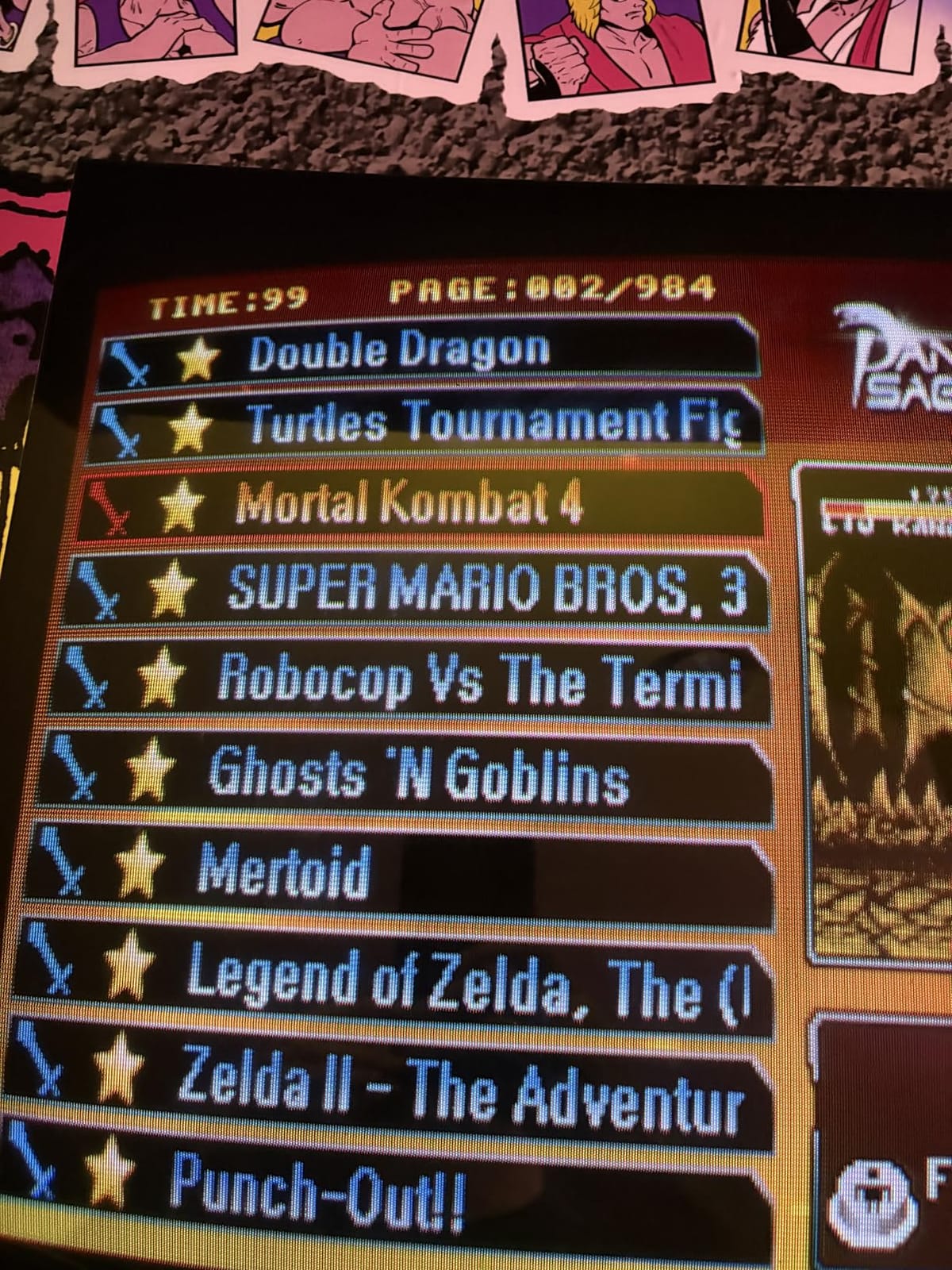
The 3.7-star rating reflects one big truth: this is not really 9,800 unique games. Duplicate entries, especially King of Fighters versions, pad the count heavily. Many titles are console ports rather than true arcade ROMs, and custom ROM adding is more restricted than on Pandora’s Box boards. Manage expectations on the number and the games themselves are a good time.

Fighting game performance and button mapping
Capcom fighters run at solid speed with responsive inputs for casual and intermediate play. Button mapping is configurable in the menu, so six-button fighter layouts map cleanly onto JAMMA panels. Serious tournament players will still notice the emulation lag gap versus original hardware or a MiSTer FPGA setup.
Console versions vs arcade ROMs
Many entries are NES and console editions rather than arcade originals, which explains the NES classics praise and the purist grumbling. For nostalgia nights the difference barely registers. For arcade-accurate experiences, the classic boards higher up this list stay closer to the source.
10. UYXOERA 26800 DXP – The Big-Library Upgrade Board
UYXOERA New 3D Box DX 26800 DXP PCB Game Board Arcade Multi Game Motherboard 3/4 Players VGA HDMI for Retro Console (26800 DXP)
26800 games
3-4 player support
HDMI and VGA output
1280x720 HD
USB controllers
Pros
- Great update to old motherboards
- Easy to hook up with joystick
- Integrates with existing arcade setups
- Easy to install in pad arcade
- Good value
Cons
- Some units may not power on
- Limited to no response from supplier on issues
The 26800 DXP is the drop-in refresh for people who already own an aging big-library board. Owners describe it as a straightforward upgrade path for old motherboards, with the same HDMI and VGA output, 720p visuals, four-player USB support, and a built-in fan as its DX Plus siblings.
Installation reports are encouraging: it hooks up easily with a joystick, fits pad arcade builds, and integrates into existing cabinets when you have the correct harness. The favorites list, game search, and classification menus are identical to the rest of the DX line, so there is no relearning curve if you upgrade within the family.
Two risks sit alongside that 3.8-star rating. Some units arrived not powering on, which is the worst failure mode for a mail-order PCB. Worse, owners report little to no supplier response when things go wrong, so assume you are self-warrantying this purchase. Buy with a return window and test on arrival.
Upgrading an existing Pandora setup
If you are replacing an older DX-family board, the menus and harness layout carry over, which shortens the swap considerably. Check your wiring against the board’s connection diagram before ordering, since the correct harness makes the difference between a twenty-minute job and an evening of splicing.
Supplier support and what to do about defects
Support from the seller is thin, so buy through a channel with a real returns process and test the board the day it arrives. Check power-on, video on both outputs, audio, and controller response. An hour of bench testing protects you far better than a warranty promise that nobody answers.
Buying Guide: How to Choose a JAMMA Multigame Board?
Choosing a JAMMA multigame board comes down to five practical questions, and answering them before you order prevents nearly every mistake buyers report in forums.
Match the video output to your monitor
Your monitor decides your board, not the other way around. Original 15kHz arcade CRTs need CGA output, LCD panels need VGA or HDMI, and only some boards offer both. Measure what your cabinet has before shopping, because a board that cannot talk to your monitor is a paperweight.
Horizontal or vertical orientation
Boards are built for one orientation, and the game list follows it. Vertical boards carry Pac-Man and Galaga era classics and need a portrait monitor; horizontal boards suit fighters, beat-em-ups, and shooters. If your cabinet is horizontal and you want vertical classics, a rotating monitor or an orientation-agnostic LCD setup is the workaround.
Game library quality beats game count
The forum wisdom holds up in testing: the thousand-game lists hide clones, reskins, and console ports behind one big number. Boards like the 60-in-1 and 19-in-1 trade count for curation, and owners are happier for it. Read the game list, not the marquee number, before buying.
Input lag and emulation quality
Every emulation-based board adds some latency, and competitive players feel it in fighting games. Casual play will not suffer on any board here, but if frame-perfect inputs matter, the classic boards feel tighter than the big HD libraries. For zero-compromise authenticity, the MiSTer FPGA route is the community’s premium answer, at a price to match.
Player count, trackball, and controls
Two-player JAMMA input is universal here; three and four-player support usually arrives via USB controllers, so check your panel plans. Trackball cabinets should confirm trackball support explicitly, and note that some boards, like the 412-in-1, make you choose between trackball and extra controllers.
New build vs direct swap
Swapping a board into a working JAMMA cabinet takes minutes; building from scratch takes a harness, a power supply, and patience. If you are starting fresh, a kit like the RetroArcade.us bundle supplies the parts a bare board assumes you already own. Our JAMMA harness walkthrough covers the wiring half of that project in detail.
Frequently Asked Questions
What is the best arcade game board for home use?
For most home cabinets, the BLEE 60-in-1 is the best pick thanks to its curated classic list, CGA and VGA output, high score saving, and a long track record across hundreds of reviews. LCD cabinets and fighting game fans get more from HDMI boards like the UYXOERA DX family.
Can I use a JAMMA multigame board in any arcade cabinet?
It fits any cabinet wired to the standard JAMMA 56-pin edge connector, which covers most machines from the mid-1980s onward. Non-JAMMA cabinets need a rewiring job or an adapter, and older cabinets like some LAI models often require conversion work.
How do I install a JAMMA multigame board?
Unplug the cabinet, slide the board’s edge connector into the JAMMA harness, connect the monitor output matching your screen type, set the power supply to 5V, and power on to reach the game menu. Most swaps take under thirty minutes when the harness is already intact.
Does input lag matter on JAMMA multigame boards?
For casual play, barely. Emulation-based boards add a few frames of latency that most players never feel, though competitive fighting game players notice it. If minimum lag is your priority, MiSTer FPGA hardware is the community’s preferred option.
What is the difference between Pandora Box and Game Elf boards?
They are competing multigame platforms with different libraries and emulation quality. Pandora Box boards usually offer bigger game lists and more features like adding games, while Game Elf boards are simpler, and owners of models like the 460-in-1 frequently report weaker emulation quality.
Final Verdict: The Best JAMMA Multigame Boards for Arcade Cabinets
After three months of swaps, the ranking held steady. The BLEE 60-in-1 remains the best JAMMA multigame board for most cabinets: a curated vertical classics list, dual CGA and VGA support, and a proven 4.5-star record across 388 reviews.
Horizontal cabinet owners should take the BLEE 19-in-1 and its zero-filler library, while LCD conversions and four-player households fit the UYXOERA 4710 DX Plus. Whatever you choose, order with a return window, bench test on day one, and judge the board by the games you actually play, not the number on the box.
Pair your new board with a solid harness and power supply, and that cabinet will be earning high scores for years. That is the whole point of this hobby, and in 2026 it has never been easier to get there.