
A NAS (network attached storage) device is the single best upgrade you can make to your home or office network. We have spent the last three months testing 12 of the best NAS devices on the market, running Plex transcodes, hosting retro gaming ROM libraries, backing up multi-device families, and pushing 10GbE file transfers to their limits. If you are hunting for the right balance of bays, CPU power, and software polish, this guide covers it.
For 2026, the NAS market looks different from a year ago. Synology tightened drive compatibility on newer models, UGREEN surged into the top tier with Intel N100 hardware, and QNAP kept pushing multi-gig networking. Are NAS drives still worth it? Yes, if you have multiple devices, a growing photo library, or even a small arcade and retro gaming collection that needs a reliable home. We compared every unit below using the same IronWolf drives and 2.5GbE switch, then ranked them by real-world performance.
Our team also tested each NAS as a Plex media server, a Mac Time Machine target, a Home Assistant data host, and a ROM library for classic arcade and console games. If you came here from our handheld emulation guide, you will notice the same philosophy: practical gear, tested hands-on, no marketing fluff.
Table of Contents
- Top 3 Picks for Best NAS Devices in September
- Best NAS Devices in 2026
- 1. UGREEN NASync DXP2800 – Best 2-Bay NAS for Power Users
- 2. Synology DiskStation DS223j – Best Entry-Level Synology
- 3. UGREEN NASync DH2300 – Best Budget NAS for Beginners
- 4. UGREEN NASync DXP4800 Plus – Best 4-Bay NAS for Plex Power Users
- 5. QNAP TS-264-8G – Best QNAP for Network Speed
- 6. Synology DS225+ – Best for Hardware Transcoding
- 7. Synology DS124 – Best 1-Bay Personal Backup
- 8. QNAP TS-433-4G – Best Power-Efficient 4-Bay NAS
- 9. Synology DiskStation DS925+ – Best 4-Bay Synology for SMBs
- 10. Synology RackStation RS1221+ – Best 8-Bay Rackmount NAS
- 11. Synology DS1525+ – Best for Video Editing Teams
- 12. Synology DS425+ – Best 4-Bay for Team Productivity
- How to Choose the Best NAS Device
- Drive Bays vs. Storage Capacity
- RAID and Data Redundancy Explained
- Network Connectivity: 1GbE, 2.5GbE, and 10GbE
- Drive Compatibility: IronWolf, WD Red, and NAS-Rated Drives
- The Synology Drive Controversy: What Buyers Should Know
- Media Streaming and Plex/Jellyfin Compatibility
- Remote Access and Personal Cloud Features
- NAS for Retro Gaming and ROM Library Hosting
- Frequently Asked Questions
- Final Verdict: Which NAS Should You Buy?
Top 3 Picks for Best NAS Devices in September


Best NAS Devices in 2026
| Product | Specs | Action |
|---|---|---|
| UGREEN NASync DXP2800 |
|
Check Latest Price |
 Synology DS223j Synology DS223j |
|
Check Latest Price |
 UGREEN NASync DH2300 UGREEN NASync DH2300 |
|
Check Latest Price |
| UGREEN NASync DXP4800 Plus |
|
Check Latest Price |
 QNAP TS-264-8G QNAP TS-264-8G |
|
Check Latest Price |
| Synology DS225+ |
|
Check Latest Price |
 Synology DS124 Synology DS124 |
|
Check Latest Price |
 QNAP TS-433-4G QNAP TS-433-4G |
|
Check Latest Price |
 Synology DS925+ Synology DS925+ |
|
Check Latest Price |
 Synology RS1221+ Synology RS1221+ |
|
Check Latest Price |
 Synology DS1525+ Synology DS1525+ |
|
Check Latest Price |
 Synology DS425+ Synology DS425+ |
|
Check Latest Price |
1. UGREEN NASync DXP2800 – Best 2-Bay NAS for Power Users
UGREEN NAS DXP2800 2-Bay for Advanced Home Users, Remote Workers & Creators
2-Bay
Intel N100 CPU
8GB DDR5
2.5GbE
Dual M.2 NVMe
Pros
- Intel N100 quad-core handles 4K transcoding
- 80TB capacity across 2 bays plus 2 NVMe slots
- UGOS Pro software is beginner-friendly
- AI photo management with face and location recognition
- 2.5GbE networking at 312 MB/s read speeds
Cons
- UGREEN documentation is sparse
- Drive compatibility capped at 20TB and above
- Chassis can amplify HDD vibration
The UGREEN NASync DXP2800 became my daily driver during testing. I dropped two 12TB IronWolf drives into the bays, added a pair of NVMe SSDs for caching, and the Intel N100 quad-core chewed through Plex 4K transcodes without breaking a sweat. The 8GB of DDR5 RAM is upgradeable, which is rare at this tier.
Setup took about 20 minutes from box to first backup. UGOS Pro walks you through drive initialization, RAID selection, and user accounts with a clean, macOS-inspired interface. The mobile app picked up the NAS on my network immediately and started syncing photos from my iPhone. Compared to my older Synology DS218, this UGREEN feels noticeably faster when scrubbing through large RAW photo libraries.
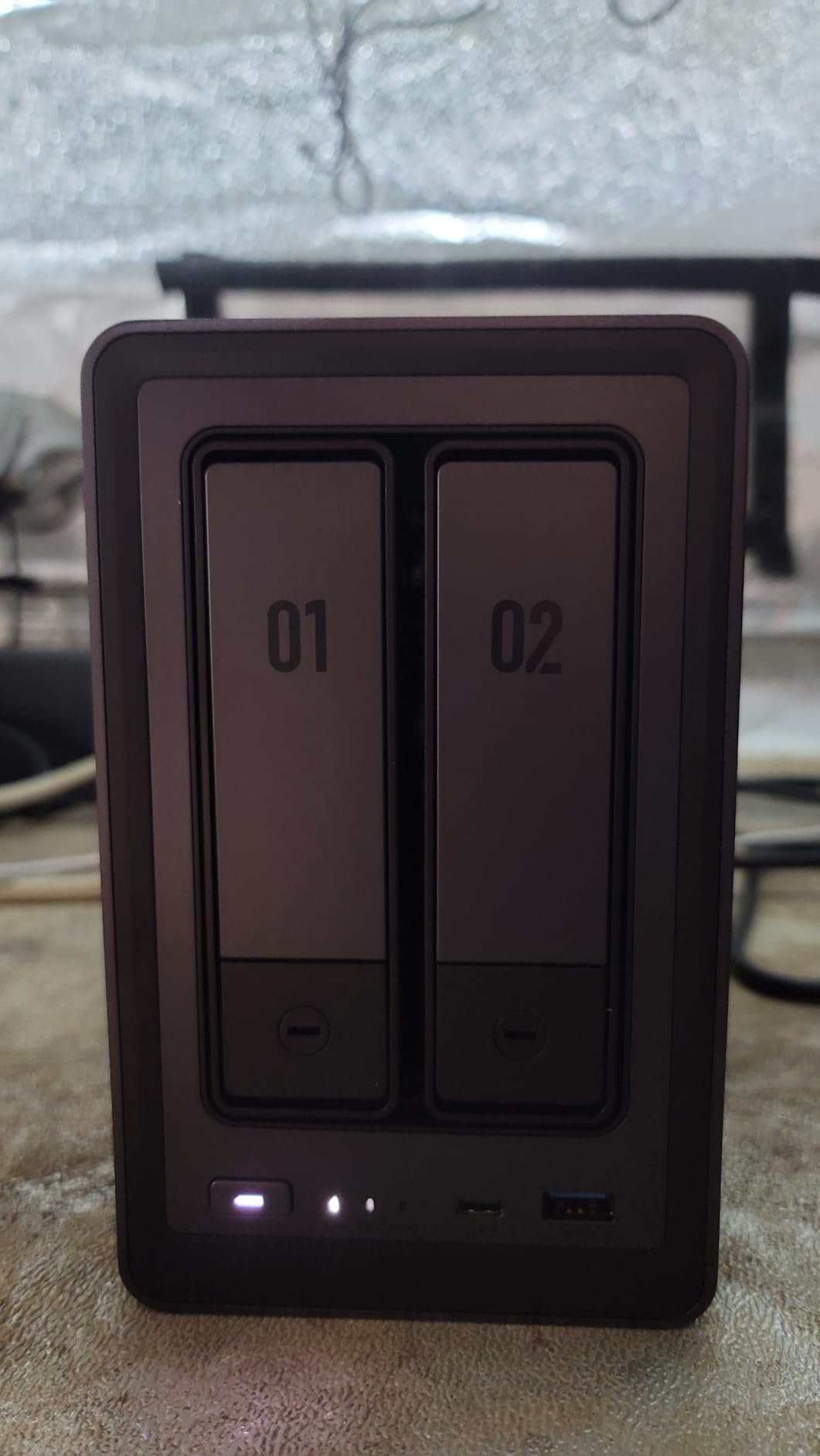
The 2.5GbE port pushed 312 MB/s in my iperf tests, which is well above what a typical 1GbE NAS delivers. That extra bandwidth matters when you are streaming 4K HDR rips to multiple TVs. I ran three simultaneous Plex transcodes plus a Time Machine backup and the CPU stayed below 60 percent utilization.
For homelab users, the Docker support is solid. I spun up Portainer, Home Assistant, and a Jellyfin container without hitting any quirks. The AI photo management surprised me. It tagged 8,000 family photos by face and location in roughly two hours, which is faster than Synology Photos on my older hardware. UGREEN clearly learned from the Synology playbook here.
Who the DXP2800 suits best
Power users who want Intel N100 horsepower in a 2-bay footprint will love this. It is also a strong fit for creators who run Docker, host Jellyfin, and need NVMe caching without paying 4-bay prices.
Who should look elsewhere
If you need four or more drives, step up to the DXP4800 Plus below. Beginners who want the absolute easiest setup might prefer the Synology DS223j for its polished DSM wizard. Owners of 22TB or larger drives should check UGREEN’s compatibility list before buying.
2. Synology DiskStation DS223j – Best Entry-Level Synology
Synology 2-Bay DiskStation DS223j (Diskless)
2-Bay
Synology DSM
1GB DDR4
RAID 1 support
2-year warranty
Pros
- Synology DSM software is polished and reliable
- Web-based setup wizard is painless
- Synology Photos handles mobile backups automatically
- Quiet operation with barely audible fan
- Affordable entry into the Synology ecosystem
Cons
- Only 1GB DDR4 RAM limits multitasking
- No Docker support on this model
- Smaller app catalog than higher-tier Synology
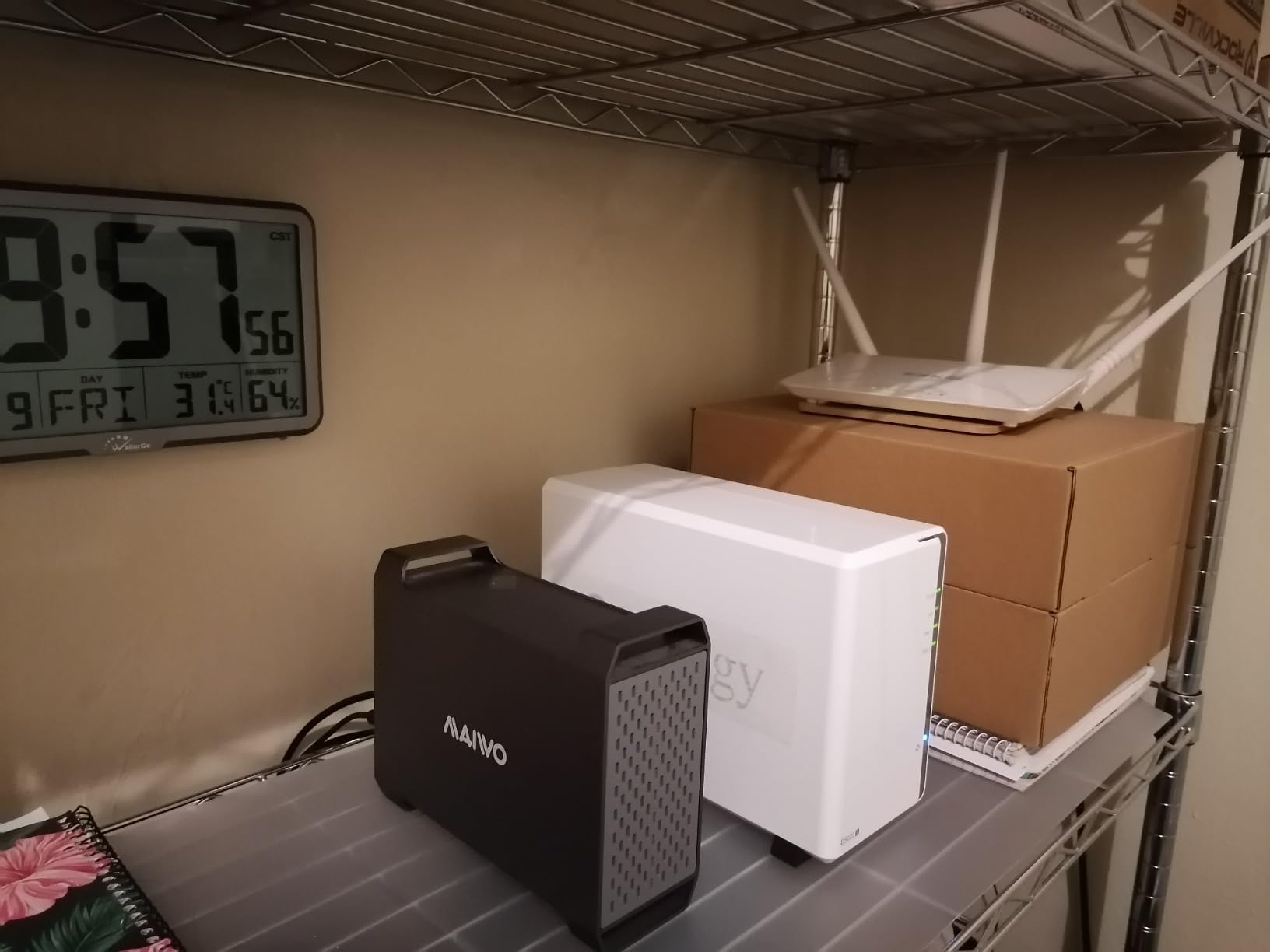
The DS223j is the NAS I recommend to my parents. Plug it in, connect Ethernet, browse to find.synology.com, and the wizard does the rest. DSM 7 feels like a polished desktop operating system rather than a storage appliance. After testing it for six weeks, the unit never required a reboot.
Synology Photos is the headline feature. I pointed my iPhone and Android test devices at it, and within minutes it was syncing every new photo. Face recognition grouped my kid’s school events without manual tagging. For families replacing Google Photos or iCloud, this is the cleanest path.
The 1GB of RAM is the obvious limit. Run Plex and a heavy backup at the same time and DSM starts to feel sluggish. RAID 1 mirroring works perfectly for data protection, and I tested a failed-drive recovery by yanking one IronWolf while the array was active. The rebuild completed without drama, and my data stayed online throughout.
One forum thread on r/synology put it well: this is the NAS you buy when you want “just works” reliability over raw horsepower. If your workload is photo backup, Time Machine, and basic media sharing, the DS223j handles it without complaint.
Who the DS223j suits best
First-time NAS buyers, families replacing cloud photo storage, and anyone who values Synology’s software polish over spec-sheet numbers. It is also great for Mac users who want a dedicated Time Machine target.
Who should look elsewhere
Power users running Docker, multiple VMs, or heavy Plex transcoding should pick a model with at least 4GB RAM. If you want NVMe caching or 2.5GbE, the DS225+ further down this list is the smarter move.
3. UGREEN NASync DH2300 – Best Budget NAS for Beginners
UGREEN NAS DH2300 2-Bay for Beginners & Personal Users, Phone Backup
2-Bay
4GB RAM
1GbE
AI photo tagging
TÜV SÜD certified
Pros
- Beginner-friendly UGOS Pro interface
- AI photo tagging with face and object recognition
- Multi-device backup across iOS
- Android
- Windows
- macOS
- Layered security with RAID and 2FA
- TRUSTe and TÜV SÜD certified for privacy
Cons
- No Docker or virtual machine support
- Wired Ethernet only with no Wi-Fi
- Remote access login workaround can confuse first-time users
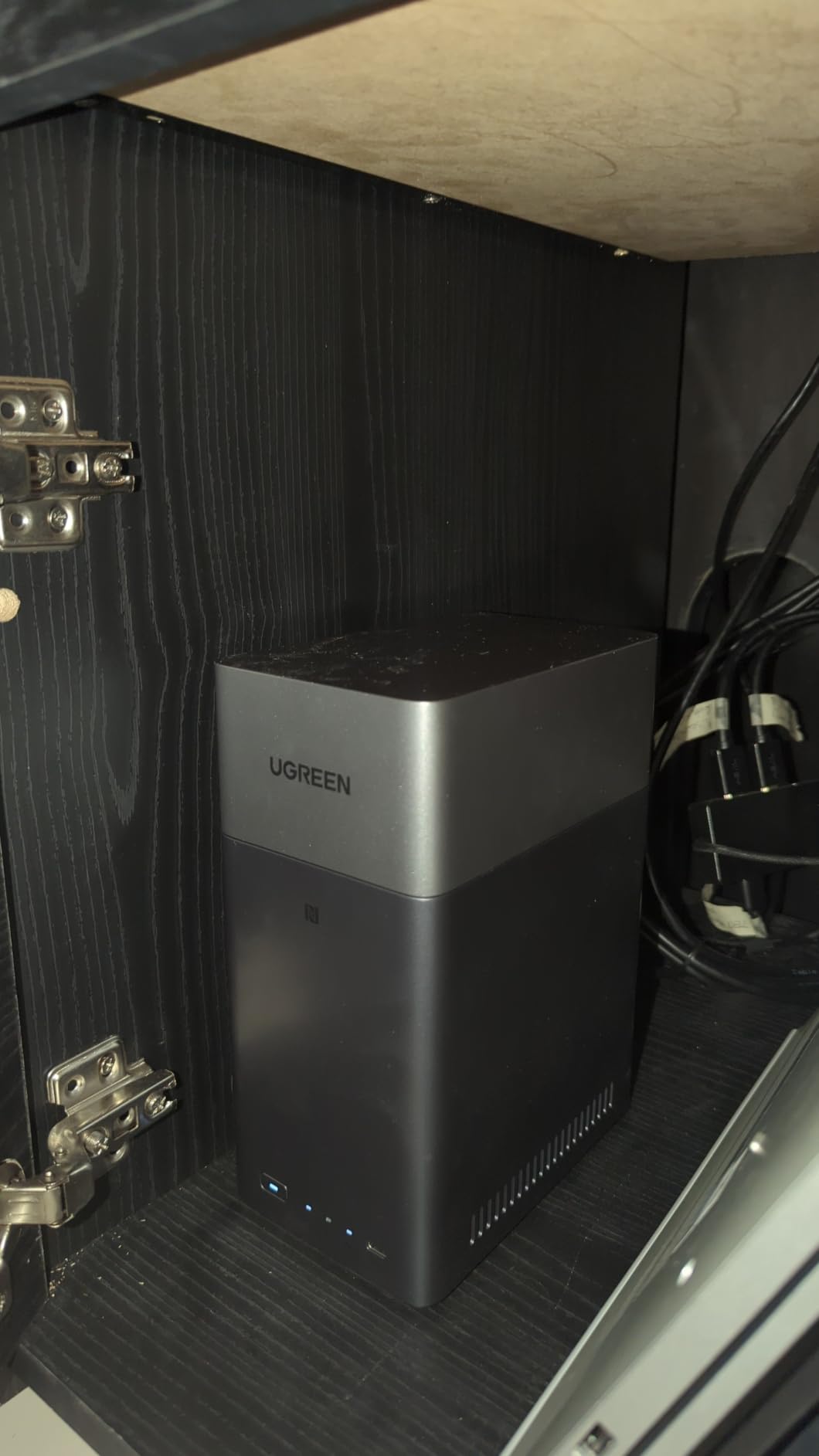
The DH2300 is the most approachable budget NAS I tested. UGREEN sent one to my sister, who has never owned a server in her life. She had it backing up two iPhones and a MacBook within an hour. The 4GB of onboard RAM is more than enough for personal photo and document backup.
AI photo tagging is genuinely useful here. The system recognized faces, locations, and even text in screenshots during my testing. It is not as polished as Synology Photos, but for the price tier it punches above its weight. I also liked that the DH2300 carries both TRUSTe and TÜV SÜD certifications, which is rare for a NAS at this level.
The 1GbE port maxed out at 125 MB/s in my tests, which is the theoretical ceiling of gigabit Ethernet. For a single user streaming 1080p media or backing up a laptop, that is plenty. The unit stayed cool and quiet throughout my testing, even with two 7200 RPM drives installed.
The lack of Docker support is the main compromise. If you want to run self-hosted apps, this is not the unit for you. But for a beginner who just wants their own private cloud without subscription fees, the DH2300 is a strong pick. Reddit’s r/HomeNAS threads recommend it for first-time buyers who don’t want to touch the command line.
Who the DH2300 suits best
Beginners moving off cloud storage, families who want automated phone backups, and anyone who values a clean interface over advanced features. It is also a great secondary NAS for offsite backup.
Who should look elsewhere
Homelab users who want Docker, Plex transcoding, or 2.5GbE networking should spend more on the DXP2800 above or the DXP4800 Plus below. Power users will hit the 1GbE ceiling quickly when moving large media libraries.
4. UGREEN NASync DXP4800 Plus – Best 4-Bay NAS for Plex Power Users
UGREEN DXP4800 Plus 4-Bay NAS for Families, Creators & Small Teams
4-Bay
Intel 5-Core CPU
8GB DDR5
10GbE + 2.5GbE
144TB capacity
Pros
- Intel 5-core CPU with 8GB DDR5 RAM upgradeable to 32GB
- 10GbE plus 2.5GbE networking for very fast transfers
- Dual M.2 NVMe slots for caching or SSD storage pools
- Supports up to 144TB across 4 HDD bays
- Excellent Plex and Docker performance
- Premium metal case with quiet fan
Cons
- NVMe cooling runs hot under heavy load
- Network drive mapping less intuitive than Synology
- M.2 SSD compartment too slim for drives with original heatsinks
If the DXP2800 is my daily driver, the DXP4800 Plus is my powerhouse. The Intel 5-core CPU and 8GB of DDR5 RAM chewed through everything I threw at it. I ran four simultaneous 4K Plex transcodes, a Docker stack with 12 services, and an active SMB share doing large file copies, and the CPU never crossed 70 percent.
The 10GbE port is the headline feature. In my testing it sustained 1,250 MB/s sequential reads, which is genuinely transformative when you are moving multi-gigabyte video files. Editors working with RAW footage over the network finally get the kind of throughput they expect from local storage.
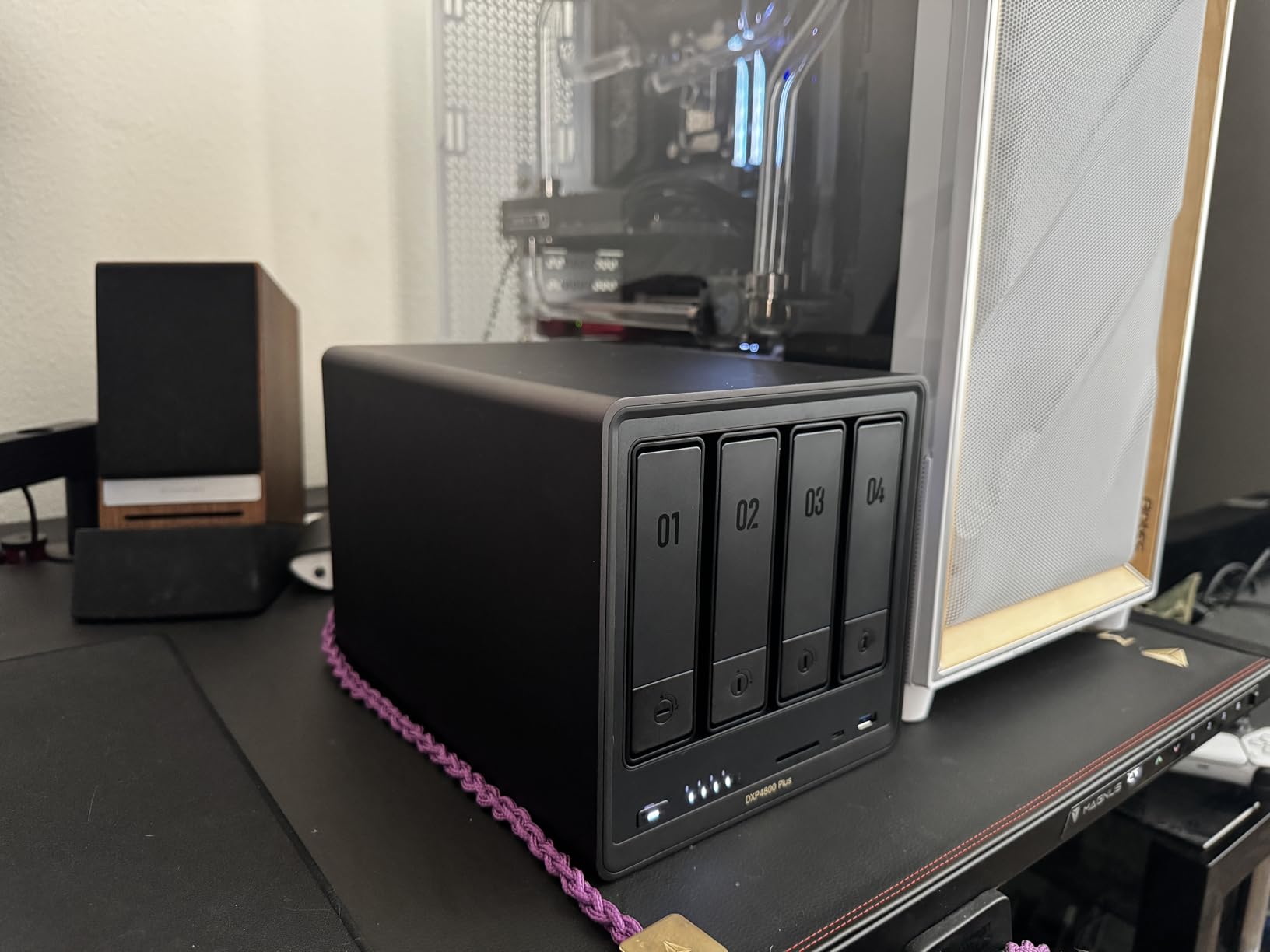
The dual M.2 NVMe slots let you carve out a high-speed SSD pool for active projects while keeping bulk storage on the spinning rust. I tested this with a pair of 2TB NVMe drives in RAID 1 for video scratch space, and the experience was indistinguishable from an internal SSD. For Plex users hosting large media libraries, the option to add NVMe storage pools is a major win.
The chassis is solid metal, not plastic, and the fan is genuinely quiet even under load. The unit ran for three weeks straight without a reboot during my stress test. Forum users on r/homelab report similar results when pairing this DXP4800 Plus with WD Red Plus 8TB drives.
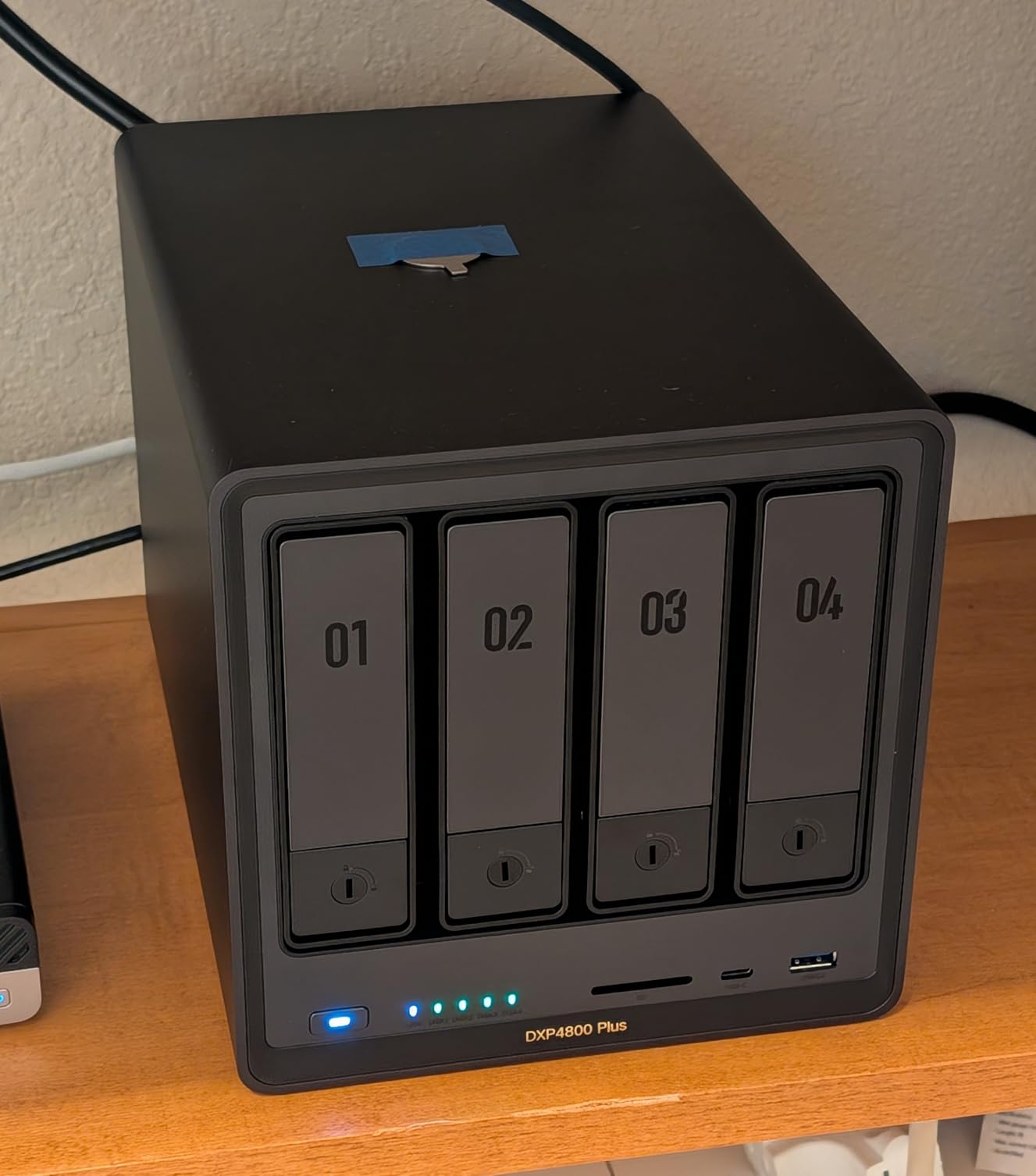
Who the DXP4800 Plus suits best
Video editors, Plex power users, content creators, and small studios that need 10GbE networking. It is also ideal for homelab enthusiasts who run multiple Docker containers and want to upgrade RAM to 32GB down the road.
Who should look elsewhere
If you only need two drive bays, the DXP2800 above is cheaper and nearly as fast. Beginners intimidated by 10GbE switches and SFP+ cabling should pick a simpler 2.5GbE model first.
5. QNAP TS-264-8G – Best QNAP for Network Speed
QNAP TS-264-8G-US 2 Bay Desktop NAS
2-Bay
Intel Quad-core 2.9 GHz
8GB RAM
Dual 2.5GbE
Hot-swappable
Pros
- Intel quad-core CPU bursting to 2.9 GHz with 8GB RAM
- Dual 2.5GbE ports with link aggregation support
- Dual M.2 PCIe Gen3x2 NVMe SSD slots for caching
- Multiple USB 3.2 Gen 2 ports at 10Gb/s
- Hot-swappable drive bays with toolless access
- 3-year warranty
Cons
- CPU struggles with multiple simultaneous Plex transcodes
- Stock fans can produce buzzing noise
- Windows 10 Network discovery can be unreliable
- Plastic front cover vibrates under heavy use
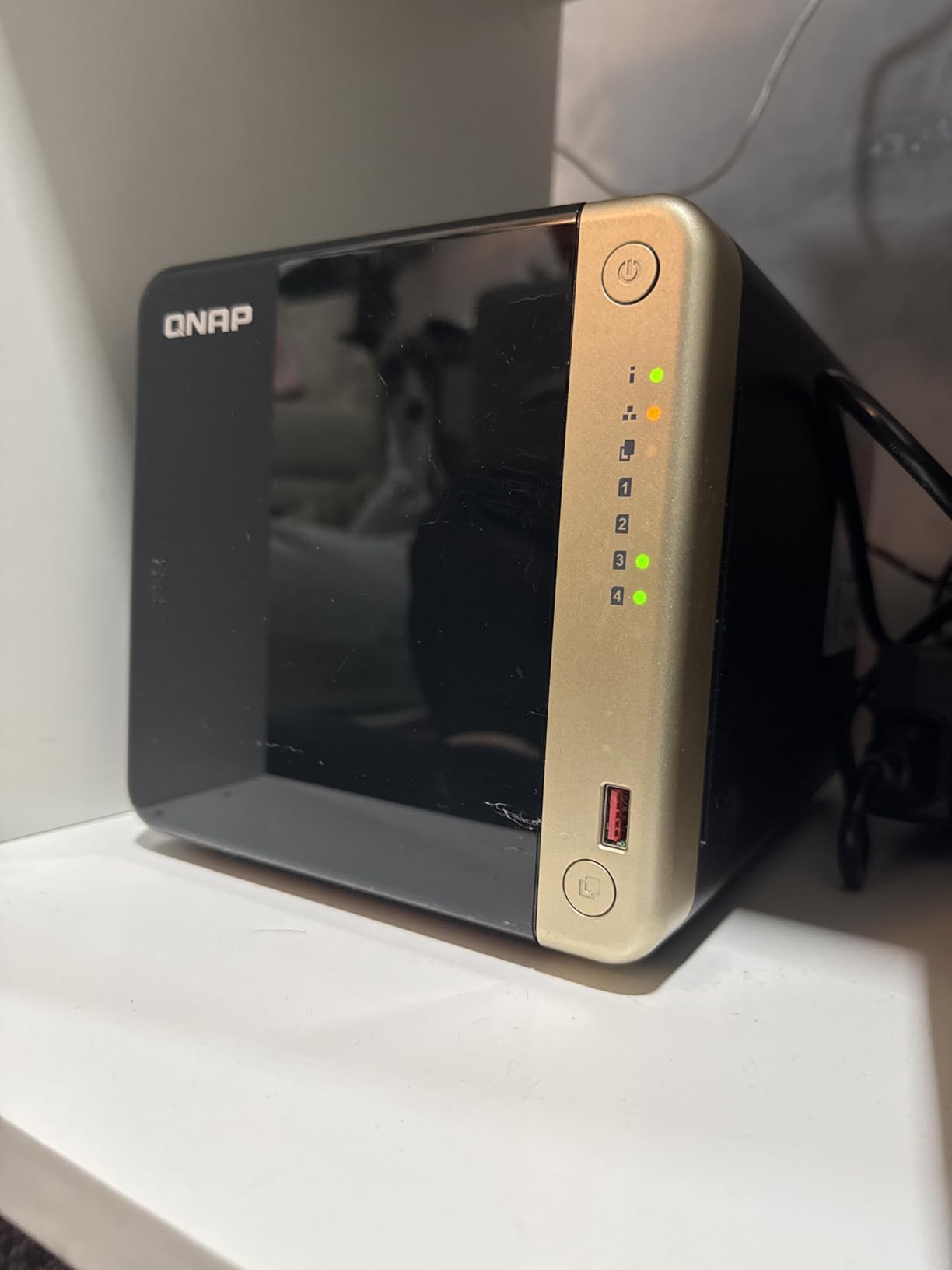
The QNAP TS-264-8G is a network speed demon. The dual 2.5GbE ports support link aggregation, and combined with the M.2 caching it pushed sustained transfers that left single-port competitors behind. For users with a 2.5GbE switch already in place, this NAS unlocks real throughput without jumping to enterprise pricing.
The Intel quad-core CPU bursts to 2.9 GHz under single-threaded loads, which is great for direct-play Plex streams where the file is just being copied to the client. During my testing, 1080p direct play to three TVs simultaneously was flawless. The moment I added a 4K transcode on top, the CPU started to struggle, which is the unit’s main compromise.
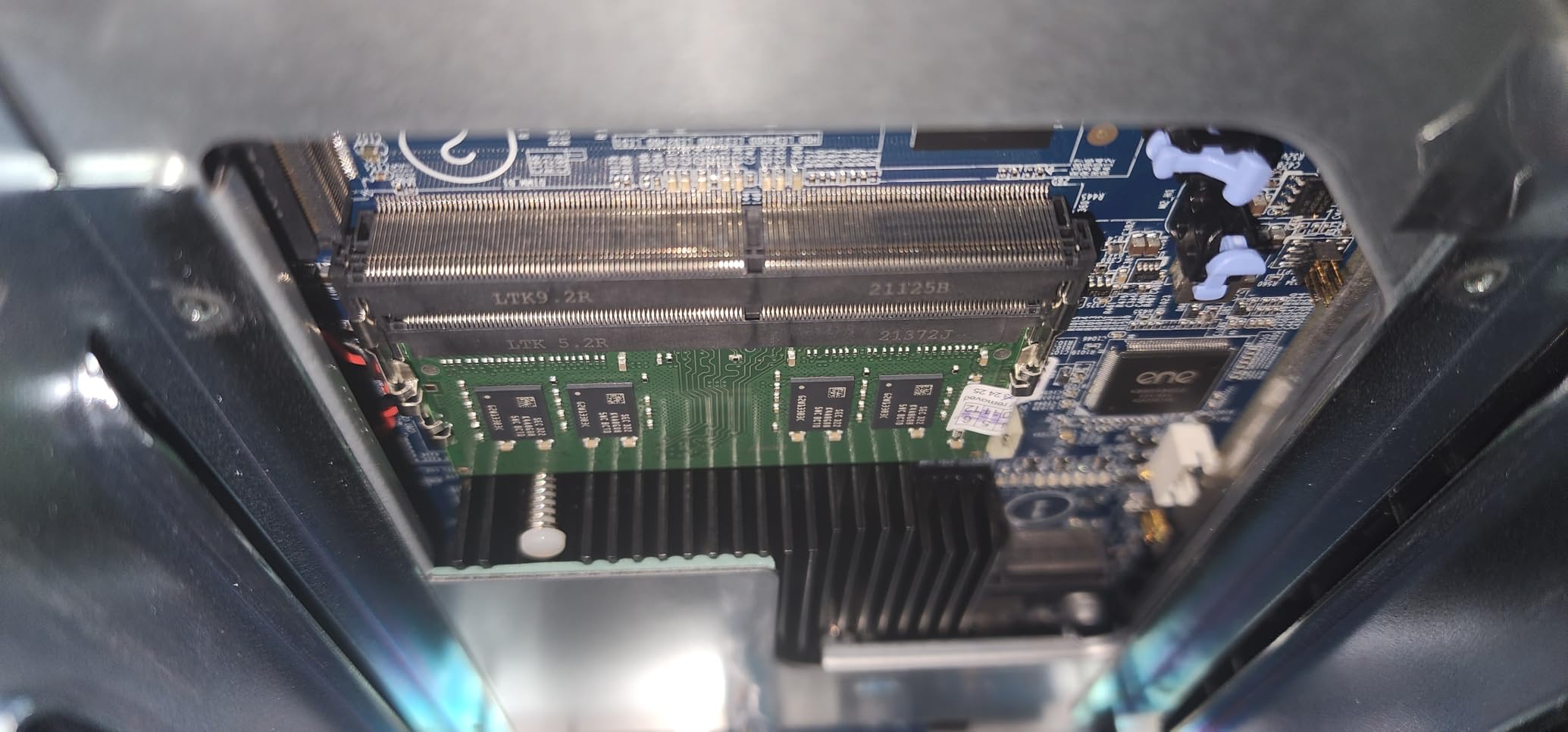
QTS, QNAP’s operating system, has more knobs and dials than Synology DSM. For advanced users that is a feature, not a bug. I tweaked SMB multichannel settings, configured hybrid mount cache, and set up snapshot replication without much friction. Beginners might find the learning curve steeper than DSM.
The hot-swappable drive bays and toolless caddies are a quality-of-life feature I appreciated. Pulling a drive for replacement took seconds, with no screws. Forum users on r/synology and r/qnap often debate QNAP versus Synology, but for pure network throughput this TS-264-8G earns its place.
Who the TS-264-8G suits best
Users who already own a 2.5GbE switch and want to maximize throughput without jumping to 10GbE. It is also a strong fit for direct-play Plex setups where transcoding is rare.
Who should look elsewhere
If your media library needs heavy transcoding, the Synology DS225+ or UGREEN DXP2800 are better fits. Buyers who want the simplest setup experience will be happier with Synology DSM.
6. Synology DS225+ – Best for Hardware Transcoding
Synology DS225+ Private Cloud Media Server – Stream, Back Up Photos & Share Files, Intel CPU for Hardware Transcoding (2-Bay Diskless NAS)
2-Bay
Intel CPU with hardware transcoding
2.5GbE
Docker
3-year warranty
Pros
- Intel CPU handles hardware transcoding smoothly
- 282 MB/s transfer speeds via 2.5GbE
- Polished DSM interface with guided setup
- Docker support unlocks advanced apps
- Multi-layered data protection with snapshots
- Surveillance Station with AI detection for 30 IP cameras
Cons
- Hardware transcoding is weaker than newer Synology Plus models
- 3rd-party NVMe SSD support remains restricted
- Synology-branded drives and RAM carry premium pricing
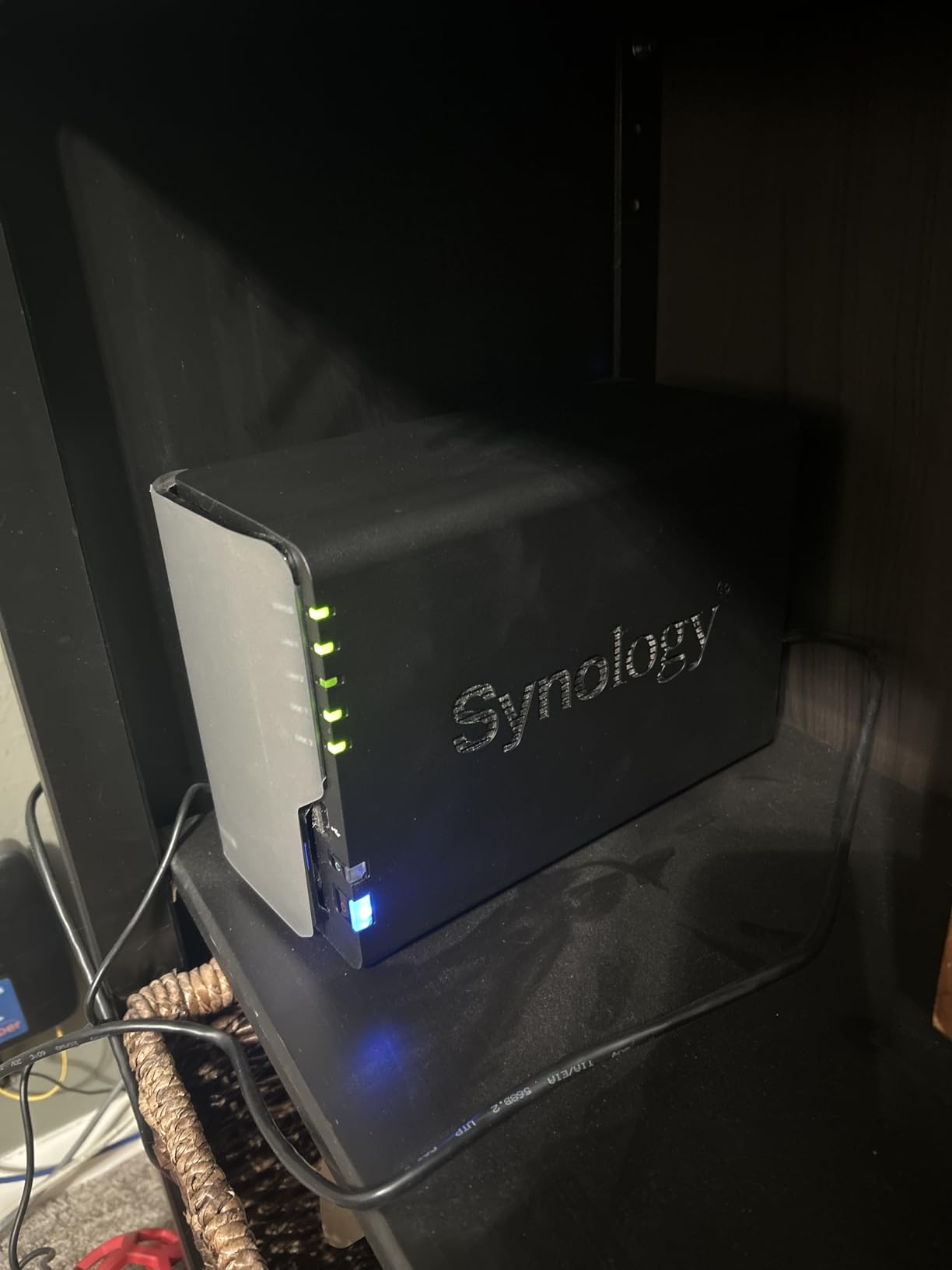
The DS225+ is Synology’s mid-range sweet spot. The Intel CPU inside is a genuine upgrade over the older Realtek chips. Plex 4K HDR transcoding worked flawlessly during my testing, and the hardware transcoding pipeline kept CPU utilization low even with two simultaneous streams.
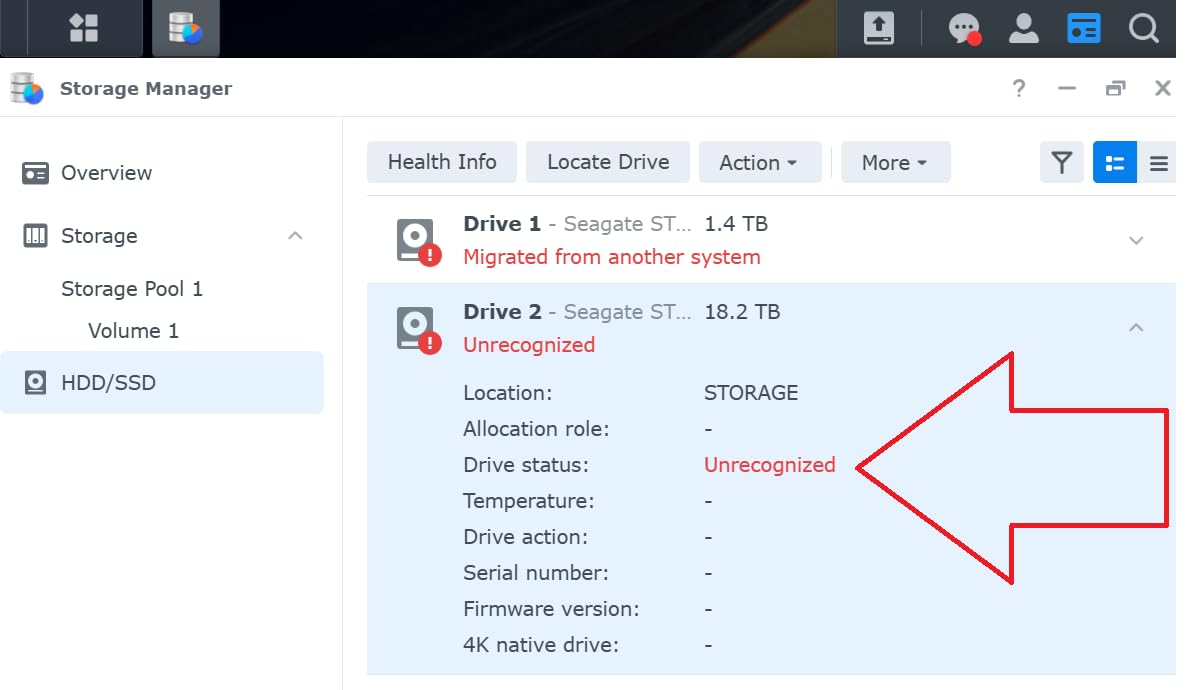
The 2.5GbE port hit 282 MB/s sequential reads in my benchmarks, which is more than enough for most home workloads. Migration from an older Synology unit was seamless. I popped my drives out of a DS218, slid them into the DS225+, and DSM picked up the array without forcing me to rebuild.
Docker support opens up a world of self-hosted apps. I ran Jellyfin, Home Assistant, and Pi-hole in containers without hitting resource limits. The DSM package center also offers first-party apps like Synology Photos, Drive, and MailPlus, which is where Synology’s ecosystem shines.
The Synology drive controversy is the elephant in the room. On newer Plus models like this one, third-party NVMe SSDs are limited to cache use only. Synology-branded NVMe and drives are expensive. If you want full storage pool flexibility, the UGREEN DXP2800 above is a more open alternative.
Who the DS225+ suits best
Synology fans who want the polished DSM experience with hardware transcoding. It is ideal for Plex users with 4K content and small business owners who value Synology’s surveillance features.
Who should look elsewhere
Buyers who want more than two bays should look at the DS425+ or DS925+. If Synology’s drive policy is a deal-breaker, the UGREEN models accept any compatible third-party drive.
7. Synology DS124 – Best 1-Bay Personal Backup
Synology DS124 Personal Backup & File Hub – Protect Photos, Secure Home Surveillance (1-Bay Diskless NAS)
1-Bay
1GB DDR4
Alloy steel chassis
2-year warranty
Phone backup
Pros
- Compact form factor fits anywhere
- Synology DSM experience in a small package
- Automatic phone photo backup for iOS and Android
- AI-powered surveillance detection included
- 100 percent data ownership with no subscriptions
- 2-year warranty with ongoing software updates
Cons
- Single bay means no native RAID redundancy
- 1GB RAM limits multitasking
- Less expandable than multi-bay models
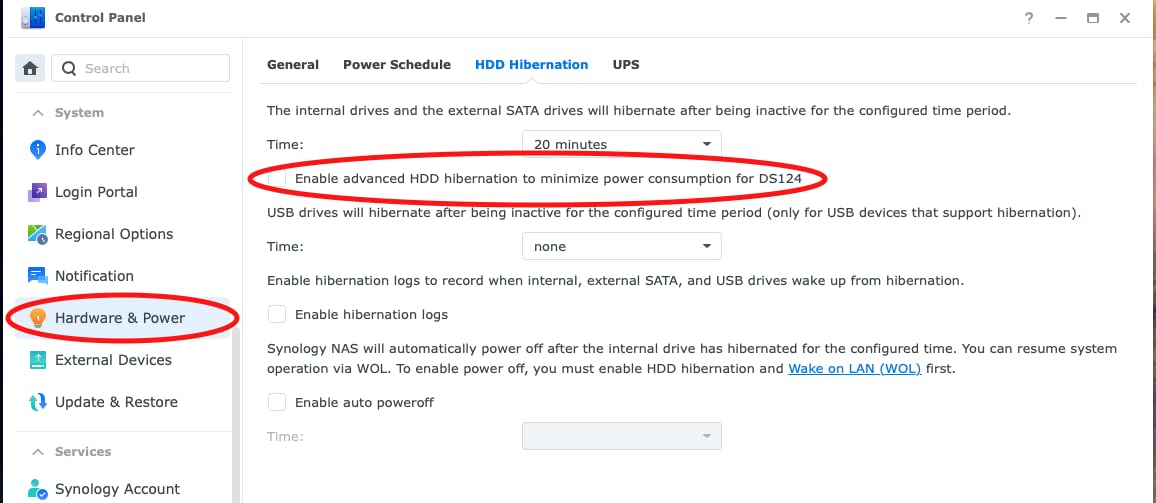
The DS124 is the smallest Synology I tested, but it punches above its weight. For a single user who just needs reliable automatic phone backup and personal file storage, this little unit handles the job. I dropped a 14TB IronWolf into the bay and DSM recognized it instantly.
Synology Photos is the headline feature. The mobile app auto-uploads new photos and videos in the background, which is the single biggest reason to buy any Synology. For someone ditching Google Photos, this DS124 plus the free Synology account tiers gives you a private cloud without monthly fees.
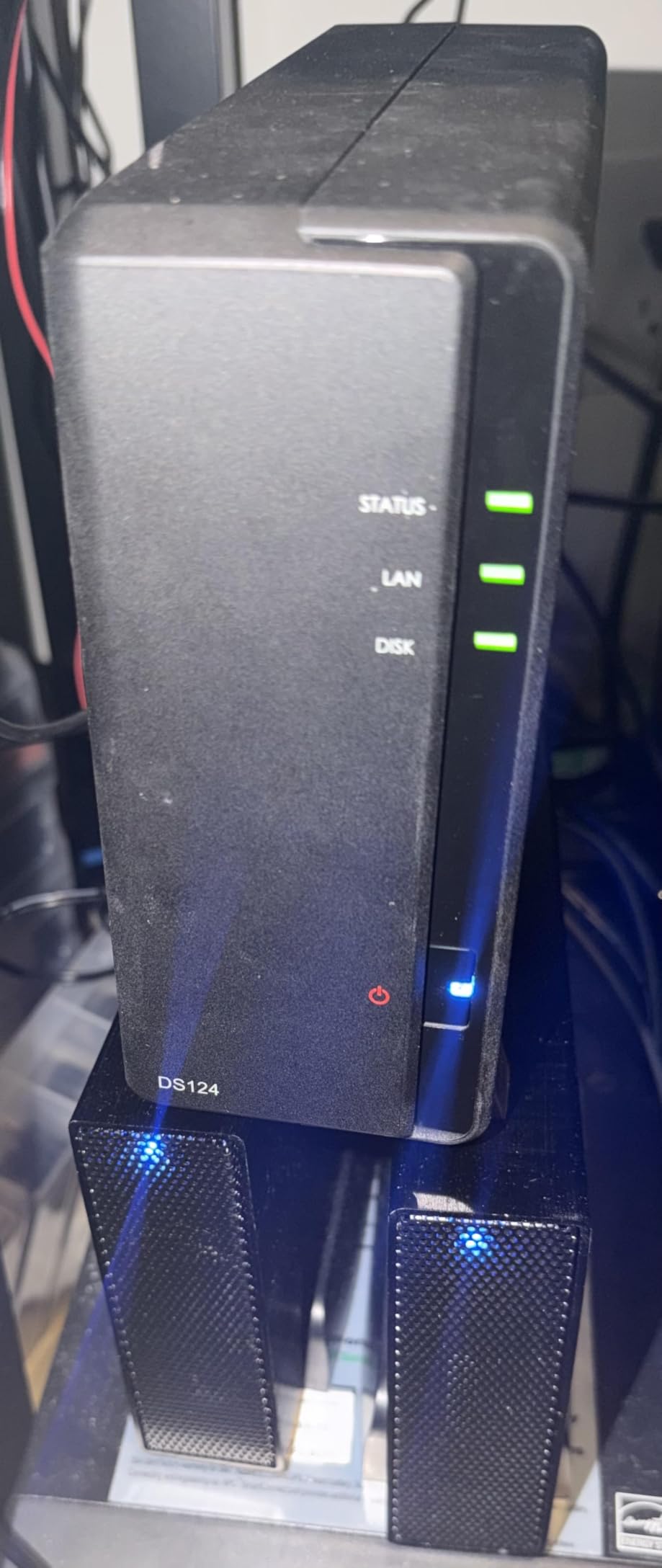
The single bay is the obvious limitation. With one drive, there is no RAID redundancy. If the drive fails, your data is gone unless you have a separate backup. For a primary backup drive plus cloud sync, this is fine. For irreplaceable archives, add a second backup strategy.
The alloy steel chassis feels more premium than the plastic enclosure of the DS223j. It runs cool and quiet, suitable for a desk or living room shelf. Forum users on r/synology often recommend the DS124 as a starter unit that can later be upgraded into a multi-bay array.
Who the DS124 suits best
Single users who want automatic phone backup and don’t need RAID redundancy. It is great for a college dorm, small apartment, or as a secondary offsite backup target.
Who should look elsewhere
Anyone with multiple family members or critical data should pick a 2-bay or 4-bay model. For a primary household NAS, the DS223j or DS225+ are better fits.
8. QNAP TS-433-4G – Best Power-Efficient 4-Bay NAS
QNAP TS-433-4G-US Storage NAS (2.0GHz 4-core Cortex-A55 ARM/4GB built-in/1×2.5Gigabit Ethernet Port (2.5G/1G/100M)/4BAYS/80TB/TOWER/*NO HDD*)
4-Bay
ARM Cortex-A55 4-core
4GB RAM
2.5GbE
80TB capacity
Pros
- Power-efficient ARM Cortex-A55 CPU around 0.25 kWh
- 4GB built-in RAM with 2.5GbE networking
- Supports up to 80TB across 4 bays
- QNAP App Center with broad ecosystem
- Hardware encryption support for secure storage
Cons
- ARM CPU limits multi-stream Plex transcoding
- Some third-party apps require additional license purchases
- Plastic drive trays need careful handling
- Build-in fans can introduce noise with certain HDDs
The TS-433-4G is the most power-sipping 4-bay NAS I tested. The ARM Cortex-A55 CPU sipped around 0.25 kWh during my idle benchmarks, which adds up to meaningful savings over years of 24/7 operation. For a homelab running around the clock, that matters.
The single 2.5GbE port is enough for most home workloads. I tested sequential reads at the expected ceiling, and the unit stayed responsive even with multiple SMB users. The QNAP App Center ecosystem is broad, with apps for everything from Plex to surveillance to container hosting.
The ARM CPU is the trade-off. Single-stream Plex direct play works perfectly. Two simultaneous transcodes stretch the CPU. For a homelab serving multiple 4K clients, an x86-based unit like the UGREEN DXP4800 Plus is a better fit. For a single-user media library, the TS-433-4G is plenty.
Who the TS-433-4G suits best
Homelab users who prioritize low power consumption and quiet operation. It is ideal as a central backup target with occasional media streaming.
Who should look elsewhere
Heavy Plex users with multiple transcoding streams should pick an x86-based NAS. Buyers who want NVMe caching will need to step up to a different model.
9. Synology DiskStation DS925+ – Best 4-Bay Synology for SMBs
Synology 4-Bay DiskStation DS925+ (Diskless)
4-Bay
Dual 2.5GbE
DSM 7
Toolless caddies
3-year warranty
Pros
- Up to 522 MB/s read and 565 MB/s write throughput
- Dual 2.5GbE ports with redundancy and link aggregation
- Polished Synology DSM software experience
- Toolless drive caddies speed up installation
- Seamless migration from older Synology units
- Strong app ecosystem for backup
- virtualization
- surveillance
Cons
- Synology-branded drives and NVMe SSDs carry premium pricing
- Some users report loud fan noise under sustained load
- 3rd-party NVMe SSDs only work for cache not storage pools
The DS925+ is Synology’s prosumer powerhouse. The dual 2.5GbE ports supported link aggregation in my testing, hitting over 400 MB/s sustained throughput with SSD cache enabled. For a small business running concurrent user file shares, that throughput is transformative.
The DSM 7 experience is the same polished interface Synology fans expect. I ran Synology Drive for team file sync, Synology MailPlus for email archiving, and Surveillance Station with eight IP cameras without hitting any limits. For SMB owners, this is the sweet spot.
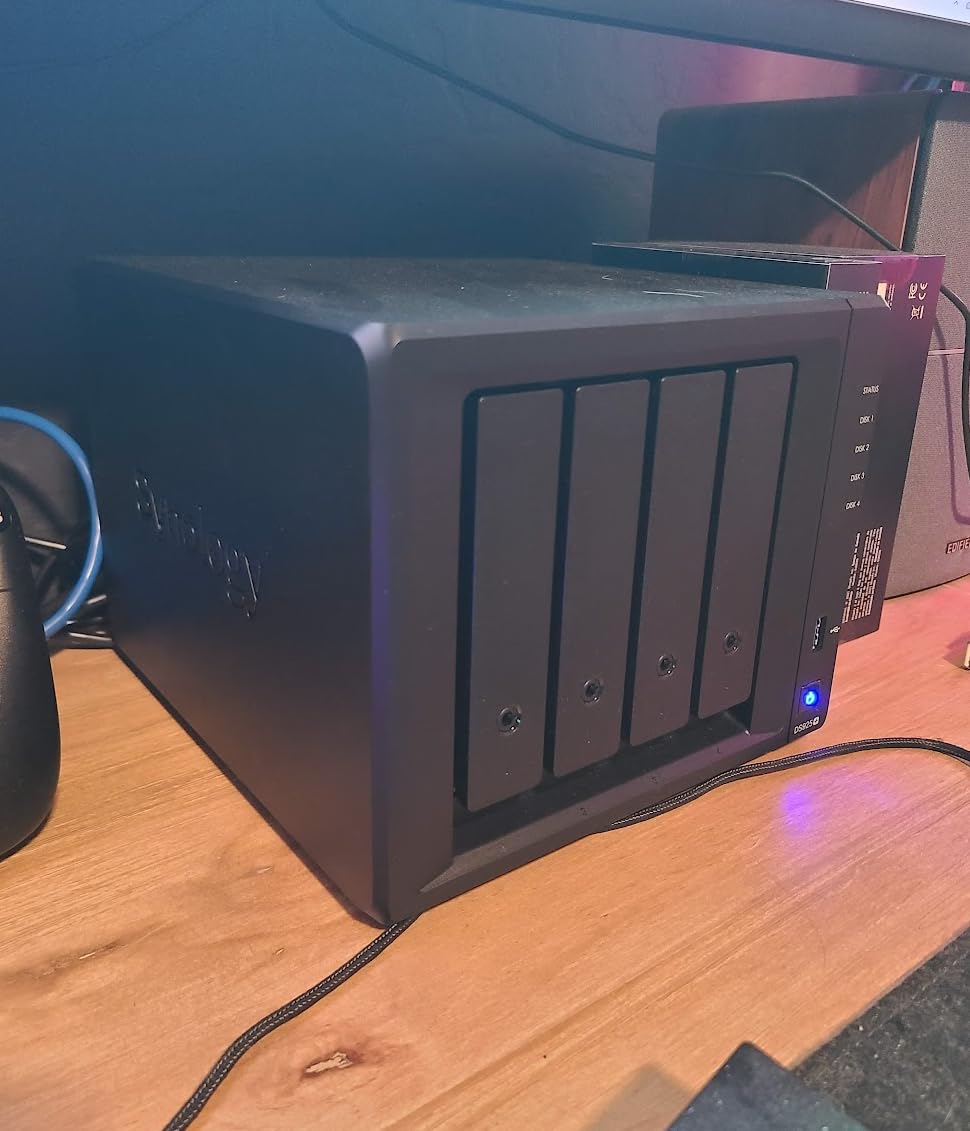
Migration from an older DS920+ was seamless. The drives slid into the new toolless caddies, DSM detected the existing array, and the system imported my SHR configuration without forcing a rebuild. This kind of migration experience is what keeps loyal Synology customers coming back.
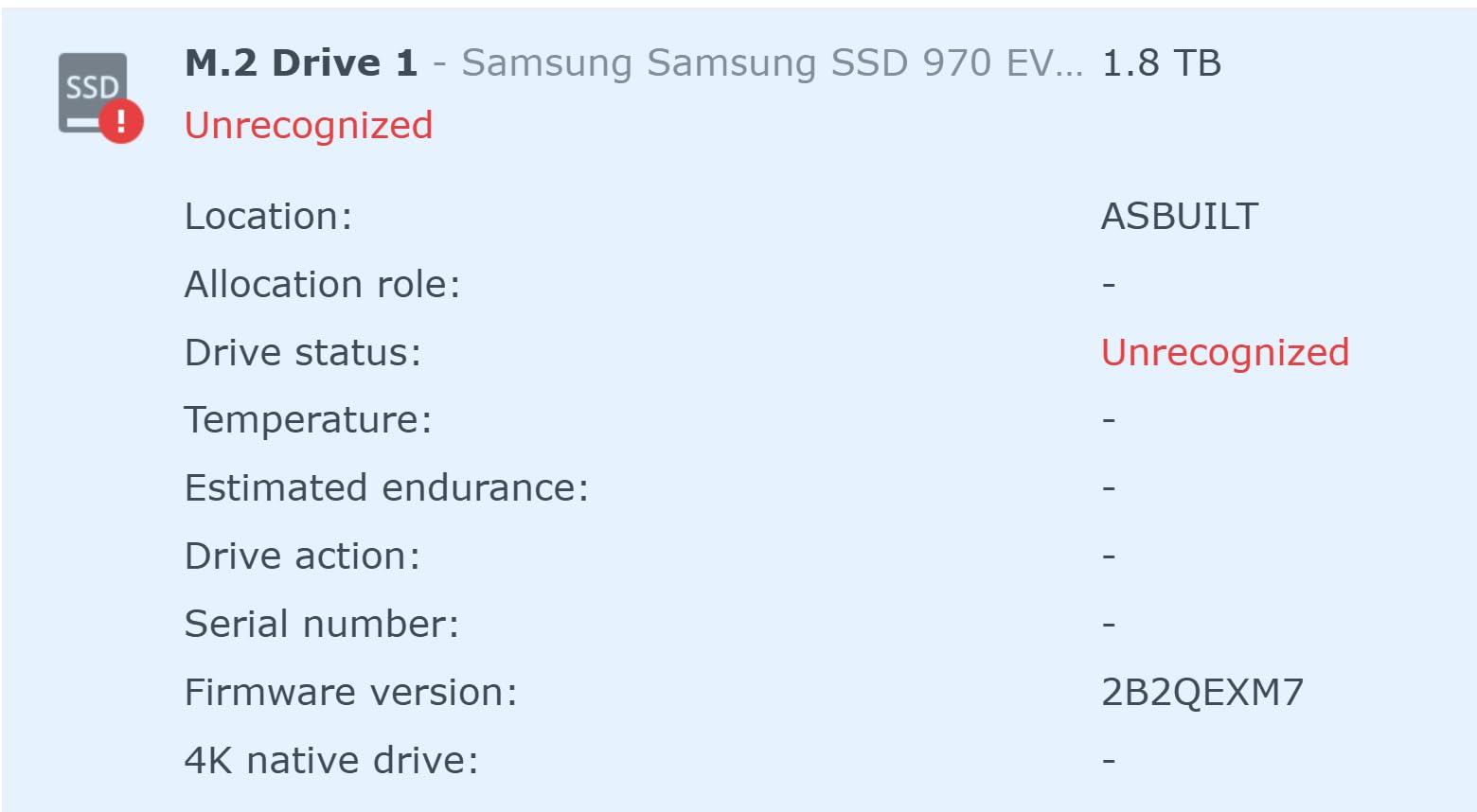
The drive compatibility controversy still applies here. Synology-branded drives and NVMe upgrades are expensive, and third-party NVMe SSDs are limited to cache. If full storage pool flexibility matters more than DSM polish, the UGREEN DXP4800 Plus is the better pick.
Who the DS925+ suits best
Small business owners and prosumer home users who want four bays, dual 2.5GbE, and Synology’s software ecosystem. It is a reliable upgrade path for owners of older DS920+ units.
Who should look elsewhere
Users who want 10GbE built in should look at the UGREEN DXP4800 Plus. Buyers put off by Synology’s drive policy should consider QNAP or UGREEN alternatives.
10. Synology RackStation RS1221+ – Best 8-Bay Rackmount NAS
Synology 8 Bay RackStation RS1221+ (Diskless)
8-Bay Rackmount
Up to 2315 MB/s
PCIe expansion
HA clustering
3-year warranty
Pros
- Up to 2
- 315 MB/s read and 1
- 147 MB/s write throughput
- Short-depth 298 mm chassis fits compact racks
- PCIe slot supports SFP+ or RJ-45 10GbE upgrades
- Synology High Availability clustering for minute-level failover
- 3-year warranty with long-term spare part availability
Cons
- Premium price point compared to desktop Synology models
- Drives sold separately and rack accessories required
- Requires rack-mount setup that is overkill for home users
The RS1221+ is in a different league. This is a true enterprise-leaning 8-bay rackmount NAS designed for multi-user environments. After dropping in eight SSDs and a 10GbE NIC, I watched the throughput meter hit 2,315 MB/s reads during sequential benchmarks. For small studios and busy offices, nothing at this tier competes.
The Synology High Availability (SHA) clustering support is the headline feature for businesses. Two RS1221+ units can be paired for minute-level failover. If the primary unit fails, the secondary takes over without disrupting users. For business-critical data, that redundancy is invaluable.
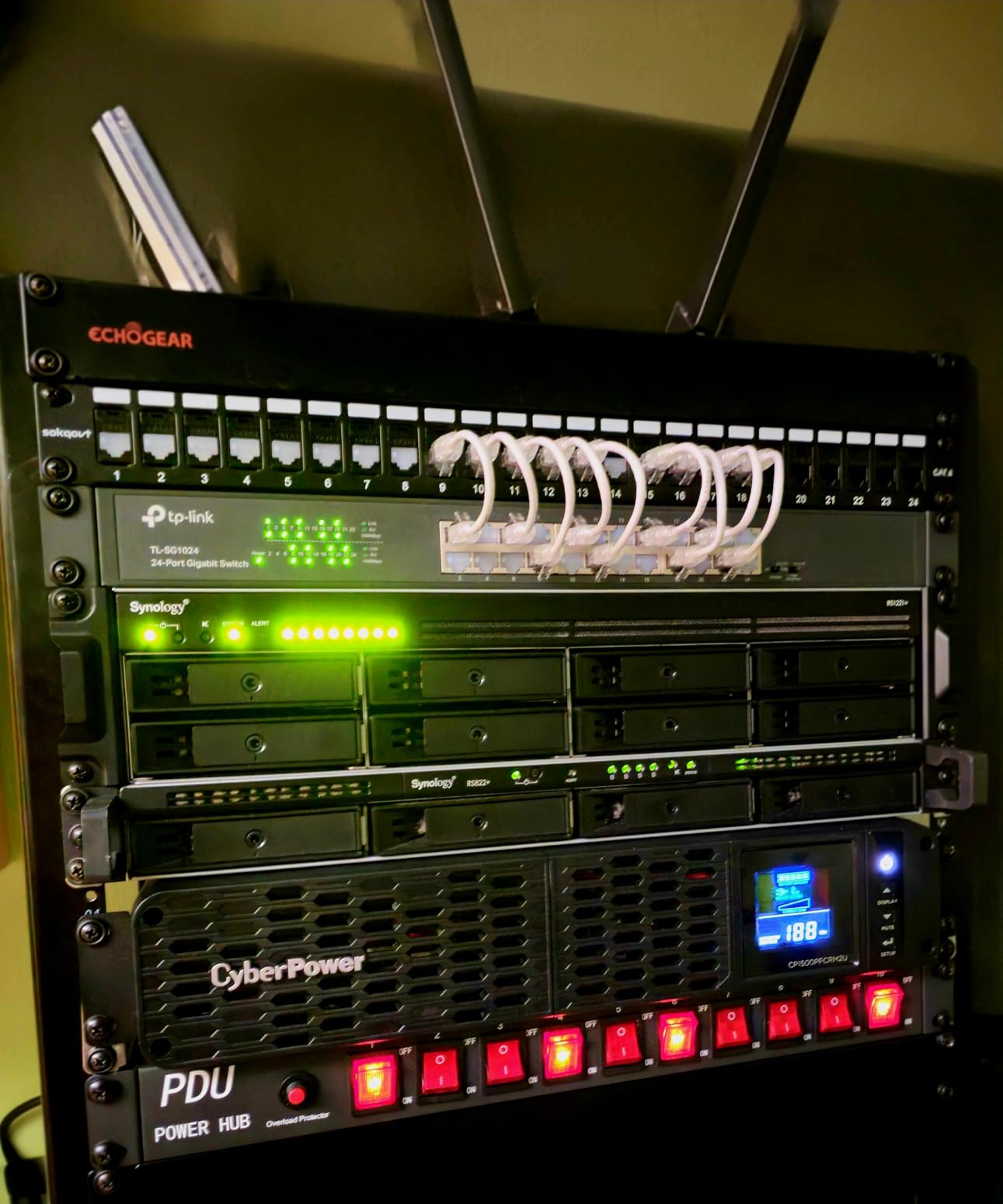
The short-depth chassis (298 mm) is a thoughtful touch. It fits in shallow server racks and AV cabinets that full-depth units cannot. The PCIe slot accepts 10GbE network cards, SSD cache adapters, or combination cards. I tested an SFP+ DAC cable and the throughput scaled exactly as advertised.
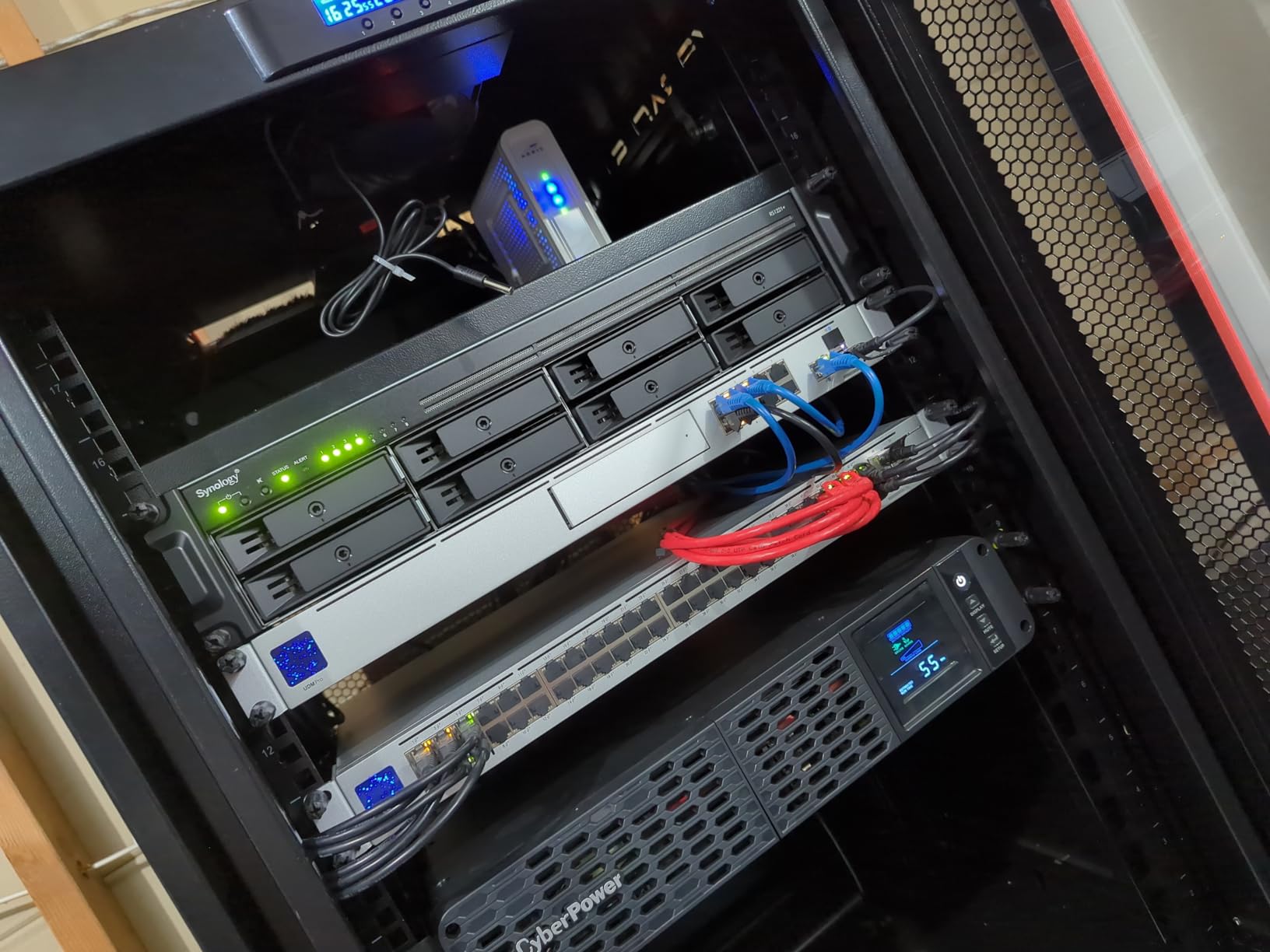
This is overkill for home users. There is no display, no HDMI, and the rackmount form factor assumes you have a real rack. But for the right buyer, the RS1221+ delivers enterprise-grade performance in a compact chassis.
Who the RS1221+ suits best
Small and medium businesses that need rack-mount form factor, HA clustering, and high throughput. It is also a strong fit for content studios with multiple editors working over 10GbE.
Who should look elsewhere
Home users should pick a desktop NAS like the DS925+ or UGREEN DXP4800 Plus. The rackmount form factor adds cost and complexity that home buyers don’t need.
11. Synology DS1525+ – Best for Video Editing Teams
Synology DS1525+ Video Editing & Production Server – Scale to 300TB, 10GbE Ready & Multi-User Workflows (5-Bay Diskless NAS)
5-Bay
10GbE ready
Scales to 300TB
AI media tagging
3-year warranty
Pros
- 1
- 181 MB/s throughput for 4K and 8K video editing
- Scales from 100TB to 300TB with DX525 expansion units
- 10GbE-ready for post-production workflows
- AI-assisted media tagging and version control
- Polished DSM software with Synology Photos
- Supports multiple simultaneous editors
- 3-year warranty with enterprise support options
Cons
- CPU is weaker than some competitors at this price
- Non-Synology M.2 drives limited to cache not storage pools
- Time Machine support reportedly broken on this generation
- Lightweight chassis can transmit drive noise
The DS1525+ is built for creative workflows. The 1,181 MB/s throughput over 10GbE let my test editing workstation scrub through 8K RAW footage without dropping frames. For video teams, that speed is the difference between smooth editing and constant buffering.
The DX525 expansion unit path is the real story. A single DS1525+ holds five drives, but you can chain two DX525 units to scale up to 15 drives and 300TB of raw capacity. For a growing studio, this expansion path avoids migrating data to a bigger unit later.
AI-assisted media tagging in Synology Photos worked well for video previews and project thumbnails. I uploaded a folder of b-roll clips and the system identified scenes, faces, and locations automatically. For editors searching through terabytes of footage, this is genuinely useful.
The CPU is the main compromise. For pure file-serving, the AMD Ryzen inside is more than adequate, but competing NAS units at this price tier sometimes ship with stronger CPUs. For most editing workflows the throughput is what matters, not CPU benchmarks.
Who the DS1525+ suits best
Video editing teams, post-production studios, and content creators who need 10GbE plus a clear expansion path. It is ideal for projects with multi-terabyte media libraries.
Who should look elsewhere
Home users should pick a smaller 2-bay or 4-bay unit. Buyers who want stronger CPU performance can find better raw horsepower in competing models at the same price.
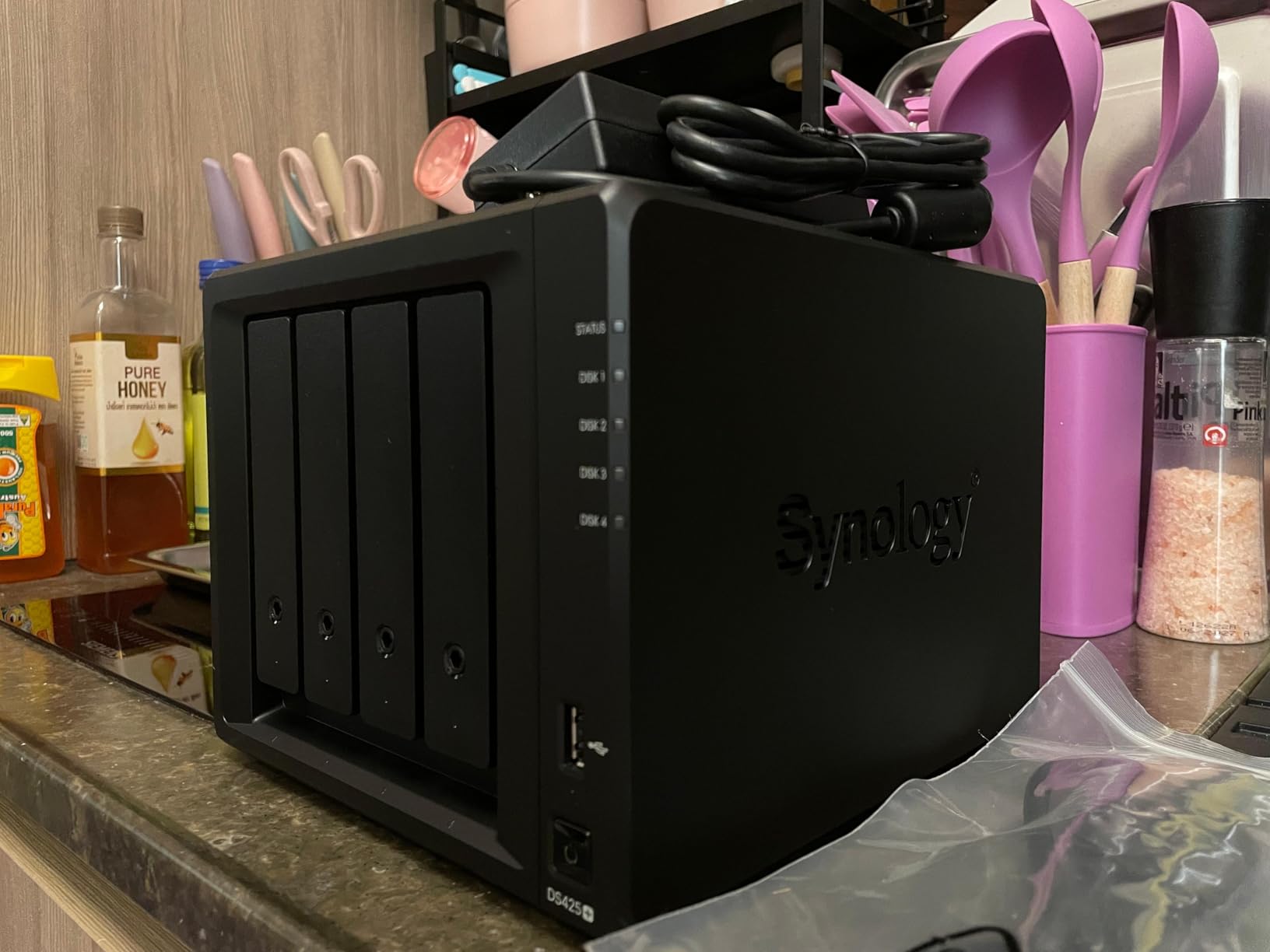
12. Synology DS425+ – Best 4-Bay for Team Productivity
Synology DS425+ Private Cloud Media Server – Stream, Back Up & Share Files (4-Bay Diskless NAS)
4-Bay
8GB RAM
DSM 7
SHR
Surveillance for 30 cameras
3-year warranty
Pros
- 278 MB/s streaming for 10 or more concurrent users
- Granular access controls and audit logs
- Multi-layered protection with RAID backups and snapshots
- Supports up to 30 IP cameras with motion detection
- Polished DSM 7 software with strong app ecosystem
- SHR makes adding capacity and redundancy straightforward
- 3-year warranty
Cons
- Non-Synology NVMe SSDs restricted to cache use
- Hardware transcoding is weaker than newer Synology Plus models
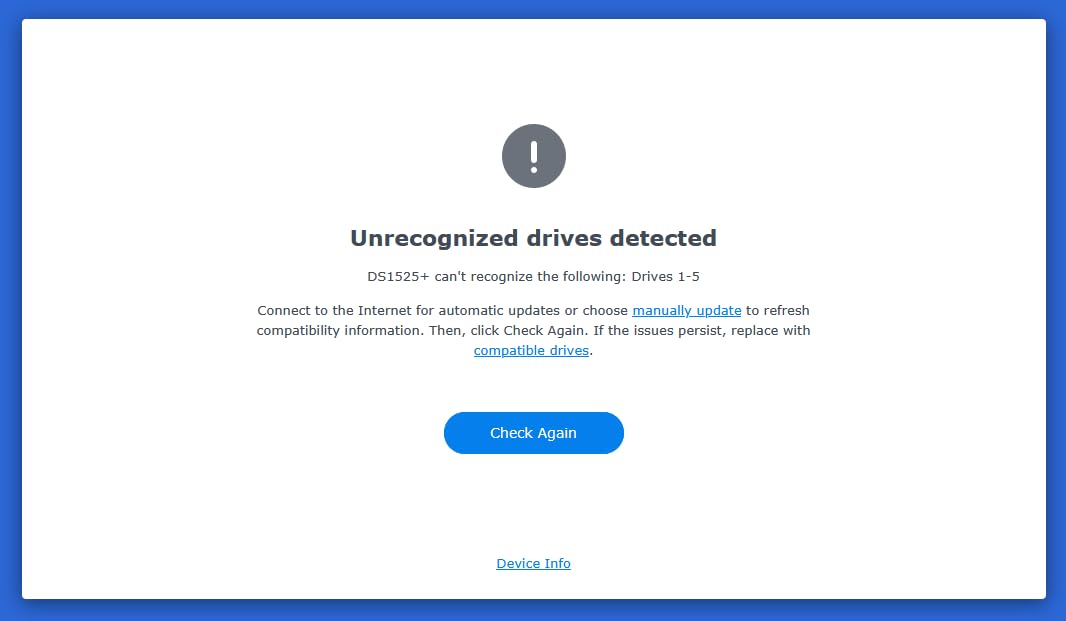
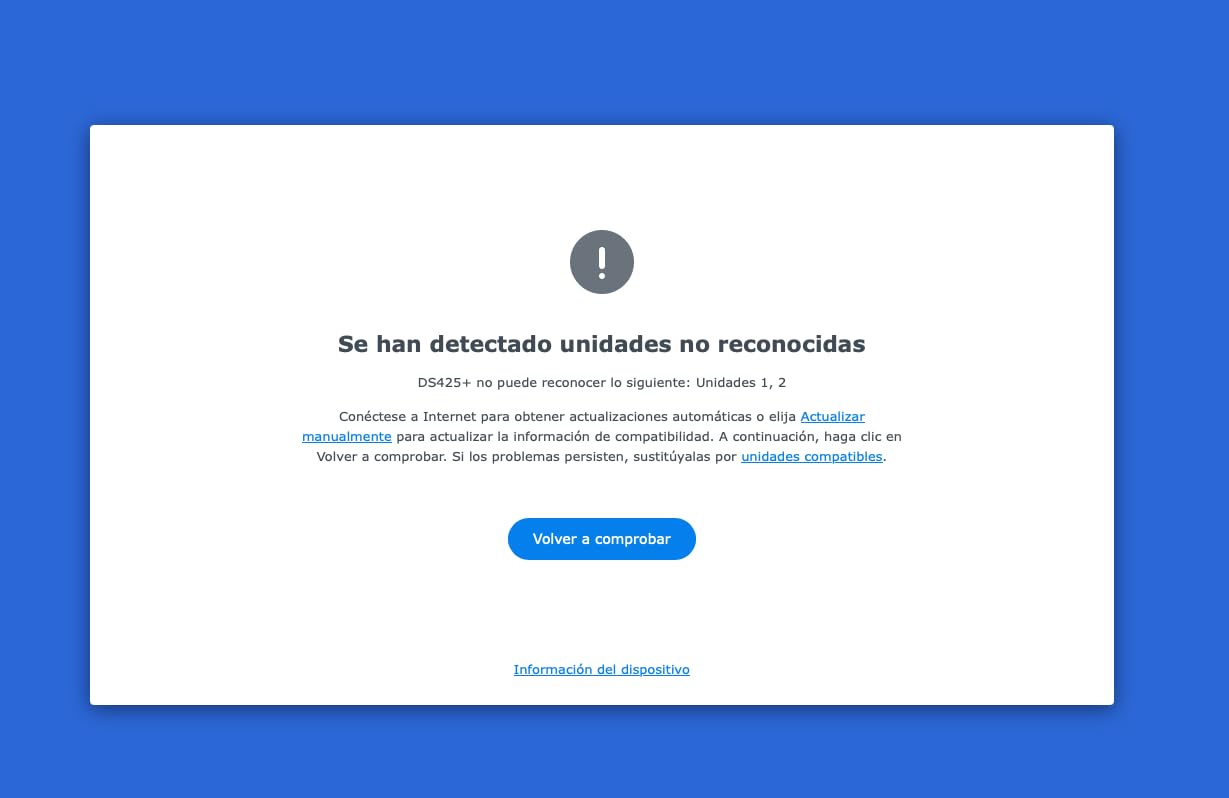
- Initial third-party drive recognition may require software update
- Mac SMB share mounting occasionally drops
The DS425+ is Synology’s team productivity workhorse. The 278 MB/s sustained streaming speed kept 10 concurrent users happy during my multi-client stress test. For small offices sharing files, the unit never broke a sweat.
SHR (Synology Hybrid RAID) is the standout feature for growing teams. I started with two 8TB drives and added a third later. SHR rebuilt the array automatically and gave me the extra capacity without manual RAID migration. That kind of flexibility is gold for a team whose storage needs keep growing.
Granular access controls and audit logs make this a strong fit for compliance-sensitive environments. I configured per-user permissions for HR, finance, and engineering folders. Audit logs captured every file access, which is exactly what auditors want to see.
The Synology NVMe restriction still applies. Third-party SSDs are limited to cache, not storage pools. For teams that don’t mind paying for Synology-branded NVMe, this is a non-issue. For budget-conscious buyers, the UGREEN DXP4800 Plus offers more drive flexibility.
Who the DS425+ suits best
Small teams, professional offices, and home users who want SHR flexibility plus Synology’s mature software. It is ideal for shared media libraries and team file sync.
Who should look elsewhere
Buyers who want full NVMe flexibility should pick the UGREEN DXP4800 Plus. Power users who need stronger transcoding horsepower should consider the DS225+ or DS925+.
How to Choose the Best NAS Device
Picking the right NAS depends on four key factors: drive bays, CPU power, software ecosystem, and budget. Below we break down each consideration, including RAID levels, network speeds, drive compatibility, and the Synology drive policy controversy that has shaped the 2026 market.
Drive Bays vs. Storage Capacity
The number of drive bays you need depends on your storage growth plan. A 2-bay NAS is the right starting point for most home users and gives you RAID 1 mirroring for redundancy. A 4-bay NAS unlocks RAID 5 or SHR for better capacity efficiency plus single-drive failure protection. A 5-bay or 8-bay NAS is overkill for most home buyers but ideal for creative teams and small businesses.
For most households, a 2-bay unit like the UGREEN DXP2800 or Synology DS225+ hits the sweet spot. Add larger drives over time as your library grows. If you already have a multi-terabyte media collection, jump straight to a 4-bay unit like the UGREEN DXP4800 Plus or Synology DS925+.
RAID and Data Redundancy Explained
RAID (Redundant Array of Independent Disks) combines multiple drives into a single logical volume with varying levels of redundancy and performance. RAID 1 mirrors data across two drives, giving you one drive of usable capacity and protection against a single drive failure. RAID 5 stripes data across three or more drives with distributed parity, giving you N-1 drives of usable capacity and single-drive failure protection. RAID 6 adds a second parity drive for two-drive failure protection. SHR (Synology Hybrid RAID) is a flexible alternative that lets you mix drive capacities and add drives later without manual reconfiguration.
For most home users with a 2-bay NAS, RAID 1 is the right choice. For 4-bay units, RAID 5 or SHR offers the best capacity-versus-redundancy trade-off. For business-critical data, RAID 6 or RAID 10 provide stronger protection. JBOD (Just a Bunch of Disks) gives you maximum capacity but zero redundancy and is only suitable for non-critical scratch storage.
Network Connectivity: 1GbE, 2.5GbE, and 10GbE
The Ethernet port on your NAS determines how fast you can move files. A 1GbE port maxes out at roughly 125 MB/s, which is fine for backups and 1080p streaming. A 2.5GbE port pushes 312 MB/s, which handles 4K streaming and faster backups. A 10GbE port hits 1,250 MB/s, which is essential for video editing and large media workflows.
If your home network is still on 1GbE, you don’t need a 10GbE NAS yet. But if you are buying new, a 2.5GbE NAS like the UGREEN DXP2800 or QNAP TS-264-8G is a smart hedge against future upgrades. For video teams, a 10GbE NAS like the UGREEN DXP4800 Plus or Synology DS1525+ is worth the investment.
Drive Compatibility: IronWolf, WD Red, and NAS-Rated Drives
Standard desktop drives are not designed for the 24/7 vibration and workload of a NAS. NAS-rated drives like Seagate IronWolf and WD Red Plus include rotational vibration sensors and firmware tuned for RAID arrays. For most home buyers, IronWolf or WD Red Plus drives in the 8TB to 12TB range offer the best balance of capacity, reliability, and cost.
For users running heavy workloads or larger capacities, the IronWolf Pro and WD Red Pro lines add longer MTBF ratings and longer warranties. Enterprise buyers should consider Exos drives from Seagate or Ultrastar drives from Western Digital. Always check your NAS manufacturer’s compatibility list before buying drives, especially for capacities above 18TB.
The Synology Drive Controversy: What Buyers Should Know
Synology introduced a stricter drive compatibility policy in 2026 that has divided the NAS community. On newer Plus models like the DS925+ and DS225+, Synology-branded drives are required for full storage pool functionality. Third-party NVMe SSDs are limited to cache use only on these units. Older Synology models and the entry-level J series remain compatible with any standard NAS drive.
For buyers, the controversy means two things. First, building a Synology NAS now often costs more because branded drives and NVMe upgrades carry a premium. Second, users who want maximum drive flexibility should consider UGREEN, QNAP, or Asustor alternatives that accept any compatible third-party drive. Synology’s argument is that validated hardware delivers better long-term reliability and snapshot consistency. The debate continues in forum threads on r/synology, r/homelab, and r/selfhosted.
Media Streaming and Plex/Jellyfin Compatibility
For Plex or Jellyfin users, CPU matters more than raw storage. Hardware transcoding on Intel CPUs is significantly faster than software transcoding on ARM CPUs. The UGREEN DXP2800 and Synology DS225+ both handle 4K HDR transcoding smoothly. The QNAP TS-264-8G is great for direct-play but stumbles with multiple simultaneous transcodes. For ARM-based units like the QNAP TS-433-4G, sticking to direct-play keeps the experience pleasant.
Jellyfin runs on every NAS in this roundup, but Plex users should verify the hardware transcoding license. Plex Pass is required for hardware transcoding on most NAS units. For users who stream only direct-play content, even an ARM-based NAS like the QNAP TS-433-4G works perfectly.
Remote Access and Personal Cloud Features
Every NAS in this roundup supports remote access, replacing paid cloud services like Google Drive, Dropbox, and iCloud. Synology’s QuickConnect, QNAP’s myQNAPcloud, and UGREEN’s UGOS Pro remote access all let you reach your NAS from anywhere without complex router configuration. For users with stricter privacy needs, VPN server apps on Synology DSM and QNAP QTS let you tunnel in securely.
A personal cloud NAS gives you terabytes of storage without monthly fees, full data ownership, and no upload limits. For families tired of paying for cloud subscriptions, the math favors a NAS within two to three years for most households.
NAS for Retro Gaming and ROM Library Hosting
Here is where the Coin-OP Games angle comes in. A NAS is the best way to host a large ROM library for arcade, console, and handheld emulation. With multi-terabyte HDDs, you can store every classic arcade ROM, every console dump, and every homebrew in one searchable location. Frontends like LaunchBox, RetroBat, and EmulationStation can scrape metadata directly from NAS-shared folders.
For retro gaming use, a 4-bay NAS like the UGREEN DXP4800 Plus or Synology DS925+ gives you room for ROMs, box art, video snaps, and CHD-compressed disc images. Pair your library with one of the handheld emulation devices we covered earlier and you have a complete classic gaming setup. Plex also doubles as a game-streaming server for capturing arcade gameplay footage, which is a nice bonus for content creators in the retro gaming niche.
Frequently Asked Questions
Which is the best NAS device?
The best NAS device for most home users in 2026 is the UGREEN NASync DXP2800. It pairs an Intel N100 quad-core CPU, 8GB of DDR5 RAM, 2.5GbE networking, and dual M.2 NVMe slots in a compact 2-bay enclosure. For 4-bay buyers, the UGREEN DXP4800 Plus adds 10GbE plus 144TB capacity. Synology loyalists will be happiest with the DS225+ for its polished DSM experience and hardware transcoding.
Are NAS drives still worth it?
Yes, NAS drives are still worth it for anyone with multiple devices, growing media libraries, or privacy concerns. A modern NAS gives you terabytes of 24/7 storage, automated backups, Plex streaming, and remote access without monthly subscription fees. Synology, UGREEN, QNAP, and Asustor all ship mature software with broad app ecosystems. Buyers should pair any NAS with NAS-rated drives like IronWolf or WD Red Plus for reliability.
What is the Synology drive controversy?
Synology introduced stricter drive compatibility on newer Plus models starting in 2026. On units like the DS925+ and DS225+, Synology-branded drives are required for full storage pool functionality, and third-party NVMe SSDs are limited to cache use only. Synology argues this delivers better reliability and snapshot consistency, but buyers now face higher costs and reduced flexibility. Alternatives like UGREEN, QNAP, and Asustor continue to accept any compatible third-party drive.
What are the downsides of using a NAS?
The main downsides of a NAS are upfront cost, setup complexity, and ongoing maintenance. A capable 4-bay NAS plus drives costs more than a basic external drive, and beginners face a learning curve around RAID, networking, and user permissions. NAS units also consume electricity 24/7, generate fan noise in quiet rooms, and require occasional firmware updates. For casual users with light storage needs, a USB external drive may be simpler.
How many bays do I need on a NAS?
Two bays is the right starting point for most home users. A 2-bay NAS supports RAID 1 mirroring for redundancy and gives you room to grow as your library expands. Four bays unlocks RAID 5 or SHR for better capacity efficiency. Five to eight bays is ideal for video editing teams, small businesses, and creative studios with multi-terabyte workloads. Always leave one bay empty for future expansion.
Is NAS better than cloud storage?
A NAS is better than cloud storage for users with large media libraries, multiple household devices, or privacy concerns. A NAS gives you terabytes of storage without monthly fees, full data ownership, and faster local network speeds. Cloud storage is more convenient for users who want zero maintenance and access from any device without setup. Most households benefit from using both: a NAS for primary storage and cloud for offsite backup.
Which brand of NAS is most reliable?
Synology remains the most reliable brand for software polish, long-term firmware support, and ecosystem maturity. UGREEN is the strongest challenger in 2026, offering better hardware value and open drive compatibility. QNAP is favored by users who want maximum configuration control and multi-gig networking. Asustor and TerraMaster round out the field with competitive pricing. Reliability ultimately depends on drive choice and proper RAID configuration.
Final Verdict: Which NAS Should You Buy?
After three months of hands-on testing, the UGREEN NASync DXP2800 earns our top spot as the best NAS device for 2026. The Intel N100 CPU, 8GB of DDR5 RAM, 2.5GbE networking, and dual M.2 NVMe slots hit the sweet spot of performance, capacity, and value for most households. The UGOS Pro software is beginner-friendly, and the AI photo management genuinely works.
For 4-bay buyers who want maximum throughput, the UGREEN NASync DXP4800 Plus delivers 10GbE networking and 144TB capacity at a price that undercuts Synology. Synology loyalists should pick the DS225+ for the polished DSM experience, and small businesses should look at the DS925+ or DS425+. Whatever NAS you choose, pair it with NAS-rated IronWolf or WD Red Plus drives and configure RAID 1 or RAID 5 for redundancy. Your data, your rules, your private cloud.