
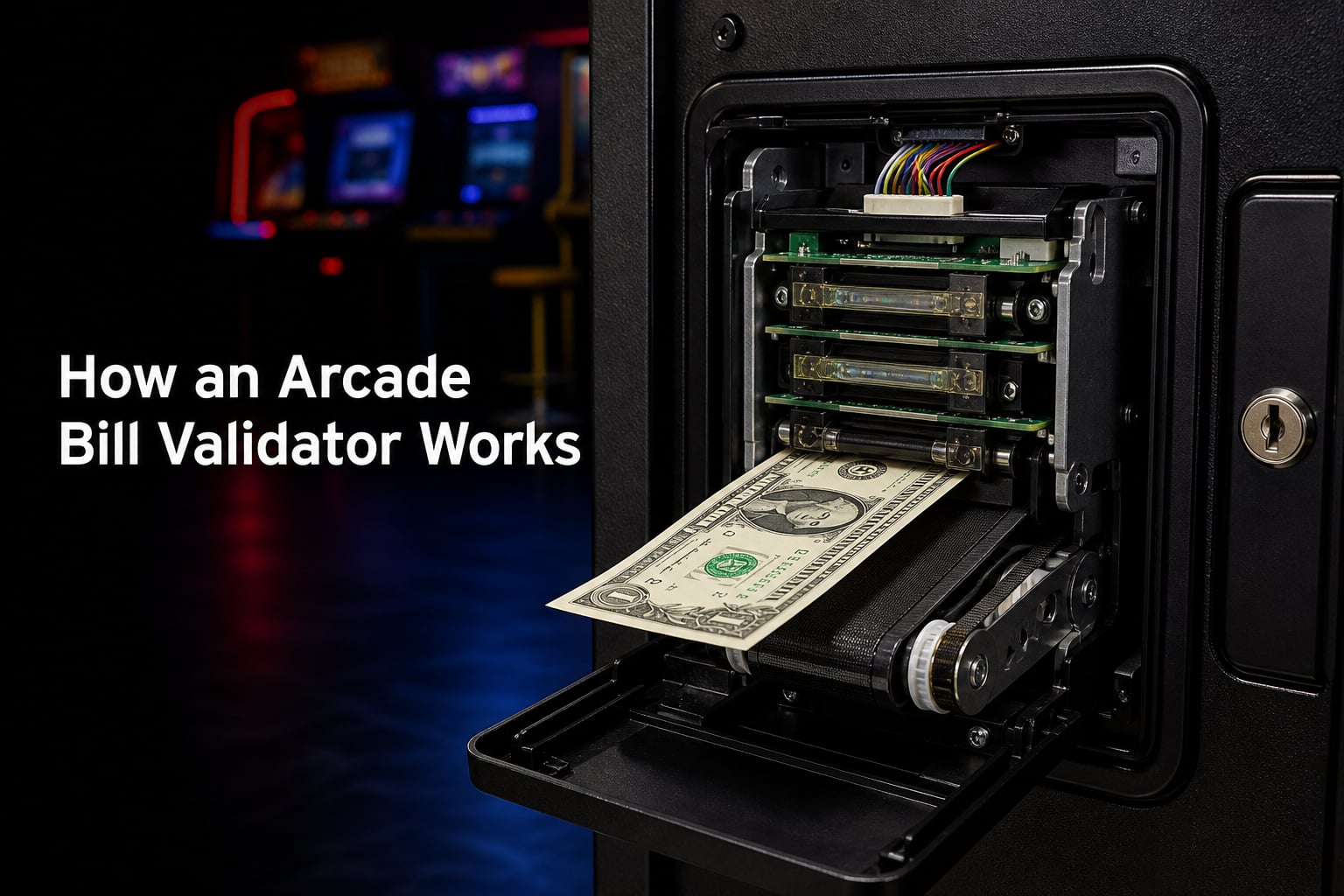
Every time someone slides a dollar into an arcade machine, a small device decides in about two seconds whether that bill is real. That device is the arcade bill validator, and it is the unsung workhorse of any coin-operated game. If you operate a route, restore cabinets, or build a home MAME setup, you have probably wrestled with one already.
I have spent years around coin-op equipment, and the single biggest source of confusion I see is how the validator actually does its job. People guess at the sensors, miswire the credit lines, and blame the stacker when the real problem is a dirty sensor or a wrong DIP switch setting. Most guides online focus on vending machines and gloss over the arcade-specific details that actually matter.
This guide closes that gap. I will walk through how an arcade bill validator works from the moment a bill enters the slot to the instant credits appear on screen, then cover the detection methods, the pulse-versus-serial debate, JAMMA and MAME wiring, and the troubleshooting steps that fix most rejections. Everything here is written for arcade operators and builders, not vending technicians.
Table of Contents
- How an Arcade Bill Validator Works: The Short Answer
- The Step-by-Step Process of Bill Validation
- Key Components of an Arcade Bill Validator
- How Arcade Bill Validators Detect Fake Bills?
- Pulse vs Serial: How the Validator Talks to Your Arcade Board
- Wiring a Bill Validator to JAMMA and MAME Cabinets
- Common Troubleshooting: Why Your Bill Validator Rejects Bills
- Maintenance and Cleaning Guide
- Frequently Asked Questions
- Wrapping Up: How an Arcade Bill Validator Works
How an Arcade Bill Validator Works: The Short Answer
An arcade bill validator is a device that authenticates paper currency inserted into an arcade machine, compares it against stored reference data, and if valid, sends a credit signal to the game board while moving the bill into a stacker or cash box. It uses a combination of optical, magnetic, infrared, and sometimes laser sensors to check the bill’s security features in roughly two seconds.
The process is simple in concept but tightly engineered in practice. The bill enters the transport, sensors scan its physical and chemical properties, an onboard processor compares those readings to known-good profiles, and the result is either an acceptance that triggers game credits or a rejection that kicks the bill back to the player.
The Step-by-Step Process of Bill Validation
Understanding how an arcade bill validator works means following a single bill through the machine. Here is the validation flow broken into five stages.
Step 1: Insertion and Entry Detection
The player pushes the bill into the slot. An optical sensor at the entry detects the leading edge of the bill and wakes up the transport motor. At this point the validator is already checking the bill’s width, because a bill that is too narrow or too wide gets rejected immediately.
Step 2: Transport and Scanning
A rubber drive belt pulls the bill past a sensor stack at a controlled speed. The sensor stack typically contains an optical array, a magnetic head, an infrared emitter, and in higher-end units a laser scanner. Each sensor captures a different property of the bill as it slides through.
The readings are passed through an A/D converter that turns the analog sensor signals into digital data the processor can evaluate. This is where the validator decides whether the bill matches a known currency profile stored in its memory or external storage.
Step 3: Validation and Decision
The onboard processor compares the digitized sensor data against reference templates for each denomination the validator supports. If the match score is high enough, the validator accepts the bill. If anything falls outside tolerance, the validator reverses the motor and pushes the bill back out the slot.
Step 4: Stacking
Once a bill is accepted, the transport moves it into the stacker, which is the storage bin inside the cabinet. Some validators use a simple gravity drop, while others use a motorized stacking wheel that neatly piles each bill on top of the last. The stacker has a finite capacity, and when it fills up the validator stops accepting bills until it is emptied.
Step 5: Credit Communication
After the bill lands in the stacker, the validator sends a credit signal to the arcade machine’s control board. That signal is either a series of electrical pulses or a serial data message, depending on how the validator is configured. The game board then adds the corresponding number of credits to the player’s session.
Key Components of an Arcade Bill Validator
A bill validator is a small system, not a single part. Knowing the pieces helps when you are diagnosing failures or shopping for a replacement unit.
The sensor assembly is the heart of the validator. This is the stack of optical, magnetic, and infrared sensors that reads the bill’s properties. Dirty or misaligned sensors are the number one cause of rejected bills, which is why cleaning matters so much.
The motor and transport belt move the bill through the sensor path. A worn or glazed belt causes slipping, which throws off the timing of sensor readings and leads to false rejections even on perfectly good bills.
The A/D converter translates the analog signals from the sensors into digital data. This feeds the processor that runs the validation logic against stored bill templates.
The stacker is the storage area for accepted bills. Capacity varies widely, from a few hundred bills in compact arcade units to over a thousand in commercial route equipment. Operators I talk to emphasize that stacker capacity is a real operational constraint, not a spec to ignore.
The DIP switch bank (or programming card) sets the validator’s configuration, including the currency, the pulse-per-dollar setting, and the communication mode. This is where arcade builders get tripped up, because a wrong DIP switch means the game never registers credits.
The power supply board delivers the voltage the validator needs. Pay attention to this, because arcade bill validators run on different voltages, commonly 12V DC, 24V DC, 24V AC, and even 120V AC. Mismatched voltage will either fry the unit or leave it dead.
How Arcade Bill Validators Detect Fake Bills?
This is the question that comes up in nearly every forum thread: how does the machine actually know the bill is real? The answer is that arcade bill validators use multiple overlapping detection methods. No single sensor is enough on its own, which is why modern validators stack several together.
Optical and Fluorescence Detection
The optical sensors read the visible properties of the bill, including the print pattern and the paper’s optical density. Fluorescence detection goes further by shining ultraviolet light on the bill and measuring how the paper glows. Genuine currency paper has a specific fluorescence signature that differs from most counterfeits, because real bills use a cotton and linen blend rather than standard wood-pulp paper.
Magnetic Detection
Genuine currency uses magnetic ink in specific locations on the bill. A magnetic head in the validator reads the magnetic pattern as the bill passes by, and the processor compares that pattern to the stored template. Counterfeit bills often fail this test because they either lack magnetic ink entirely or have it in the wrong places.
Infrared Penetration Detection
Infrared sensors shine light through the bill and measure how much passes through. Different areas of a genuine bill absorb infrared differently because of the special inks and metal strips embedded in the paper. This creates an infrared “fingerprint” that is extremely hard to fake with standard printers.
Laser Detection
Higher-end validators add a laser scanner that reads fine surface details and microprint features on the bill. Laser detection catches high-quality counterfeits that fool optical and magnetic sensors, because it can resolve features that inkjet and laser printers simply cannot reproduce accurately.
Anti-Sandwich Detection
One classic trick is the “sandwich bill,” where someone glues or tapes two bills together with the goal of triggering the validator on the outer layer while the second layer never gets properly read. Anti-sandwich detection uses thickness and opacity sensors to catch exactly this. I have seen forum posts where operators discovered players taping two bills together to trick older validators, and anti-sandwich detection is the feature that stops it.
Pulse vs Serial: How the Validator Talks to Your Arcade Board
Once a bill is accepted, the validator has to tell the game board to add credits. There are two ways this happens, and confusing them is one of the most expensive mistakes an arcade builder can make.
Pulse communication is the older and simpler standard. The validator sends a fixed number of electrical pulses for each accepted bill, and the game board counts those pulses. A one-dollar bill might send four pulses, a five might send twenty, and so on. The pulse-per-dollar ratio is usually set with DIP switches or a programming card. Pulse mode works with virtually any arcade board because the game just sees pulses the same way it sees coin switch inputs.
Serial communication sends a digital data message that includes the exact bill denomination and other details. This is more precise and supports features like audit reporting, but it requires a game board or interface that understands the specific serial protocol. Many older arcade boards do not.
The practical takeaway from forum discussions is this: if you are wiring a validator to a classic JAMMA board or a MAME cabinet, pulse mode is the safe choice because it behaves like a coin switch. Serial mode is for modern machines with compatible interfaces. Always check what your board expects before you buy a validator.
Wiring a Bill Validator to JAMMA and MAME Cabinets
Most online guides skip the arcade-specific wiring, which is exactly what home builders need. Here is how the credit relay output connects to the two most common arcade setups.
JAMMA Cabinets
In a standard JAMMA cabinet, the bill validator’s credit relay output is wired in parallel with the common and normally-open contacts of coin switch on the coin door. When the validator accepts a bill, its relay closes briefly, and the JAMMA harness sees the same signal it would see from a coin drop. To the game board, the validator is just another coin switch.
The validator also needs power, typically pulled from the cabinet’s power supply. Match the voltage to your validator’s requirement, because JAMMA supplies commonly provide both 5V and 12V rails and some validators need 24V. If your cabinet only has 12V and your validator needs 24V, you will need a separate power supply.
MAME Cabinets
For a MAME cabinet, the validator’s pulse output connects to an encoder like a J-Pac, IPAC, or similar board that maps physical inputs to keyboard commands. You wire the validator’s pulse output to a spare input on the encoder and configure your MAME frontend to treat that input as a coin or credit key. This is the same approach used for wiring coin switches in MAME builds, which makes pulse-mode validators the natural choice.
If you want to read more about how coin doors integrate with these builds, check out our related coverage on coin door wiring for arcade cabinets on Coin-OP Games.
Common Troubleshooting: Why Your Bill Validator Rejects Bills
This is the most-asked question in the forums, and the answer is almost always one of a handful of causes.
Dirty sensors: Dust and ink residue build up on the optical and magnetic sensors over time. Clean the transport path and sensor lenses with the recommended cleaning bill or a lint-free wipe. This fixes the majority of rejections.
Outdated software for new bill designs: When a new currency design launches, older validators that have not been updated with the new bill templates will reject genuine bills. Check with the manufacturer for firmware or update-card revisions.
Bill jams in the transport: A torn, crumpled, or wet bill can jam the drive belt. Clear the jam, inspect the belt for wear, and test with a clean, crisp bill.
Tilt errors: Tilt is a security flag triggered when the validator detects tampering, abnormal movement, or an attempt to cheat. A persistent tilt usually means the validator’s anti-tamper sensor was tripped, and you may need to reset power or inspect for physical interference.
Voltage mismatch: If the validator is underpowered or wired to the wrong voltage, it may power up but fail to accept bills reliably. Verify the supply voltage matches the validator’s rated input.
Maintenance and Cleaning Guide
Regular cleaning is the single highest-impact maintenance task for a bill validator. Run a cleaning bill (a specially treated paper strip) through the validator every few weeks on a route machine, or monthly on a home cabinet. Wipe the sensor lenses and transport rollers with a lint-free cloth and isopropyl alcohol if the manufacturer recommends it.
Empty the stacker before it fills completely, because an overfull stacker causes jams and can damage the stacking mechanism. Keep a log of cleanings and stacker empties so you can spot units that need service more often than the rest.
Frequently Asked Questions
How does a bill validator work?
A bill validator uses optical, magnetic, infrared, and sometimes laser sensors to scan a bill’s security features as it passes through the transport. The onboard processor compares the readings to stored reference data, and if the bill matches, the validator moves it to the stacker and sends a pulse or serial credit signal to the game board.
Why isn’t my bill validator accepting bills?
The most common causes are dirty sensors, outdated software that does not recognize newer bill designs, bill jams in the transport, tilt errors from anti-tamper sensors, and voltage mismatches. Start by cleaning the sensor path and transport rollers, then verify the validator has the latest firmware for your currency.
How do vending machines know what bill you put in?
Vending machines use the same bill validator technology as arcade machines. The validator reads the bill’s optical, magnetic, and infrared properties, compares them against stored templates for each denomination, and accepts or rejects the bill based on how closely the readings match the reference profile.
What does bill validator tilt mean on a slot machine?
Tilt is a security state the validator enters when it detects tampering, abnormal movement, or an attempt to cheat the machine. When tilt triggers, the validator stops accepting bills until the condition is cleared, which usually requires resetting power or resolving whatever tripped the anti-tamper sensor.
Wrapping Up: How an Arcade Bill Validator Works
Understanding how an arcade bill validator works comes down to five steps: insertion, transport and scanning, validation, stacking, and credit communication. The validator pulls this off with a stack of optical, magnetic, infrared, and laser sensors that compare each bill to a stored reference profile, all in about two seconds.
For arcade operators and home builders, the practical edge comes from knowing the difference between pulse and serial communication, wiring the credit relay correctly to a JAMMA or MAME board, and keeping the sensors clean. If you take those three things seriously, your validator will accept bills reliably and your players will never notice the technology at all, which is exactly the goal.