
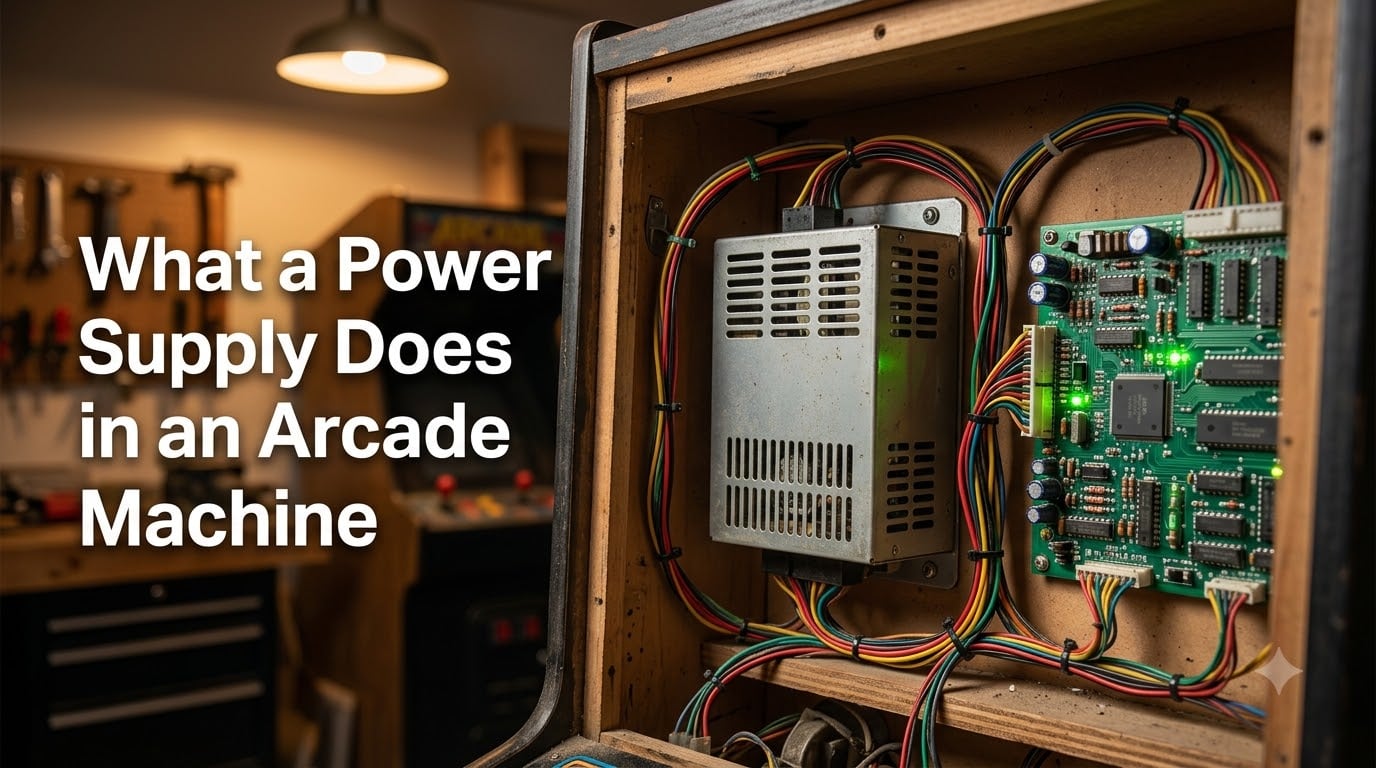
If you have ever cracked open an arcade cabinet and wondered what that metal box with cooling vents actually does, you are not alone. A power supply is the part that takes what comes out of your wall outlet and turns it into something your arcade board, monitor, and lights can actually use. Without it working properly, the most expensive JAMMA board in the world is just a paperweight.
I have been restoring cabinets for the better part of a decade, and the power supply is the first thing I check on every machine that comes through the shop. It is also the component most new owners overlook until their game starts freezing mid-credit. This guide walks through what a power supply does in an arcade machine, the voltages it produces, and the warning signs you should never ignore.
Table of Contents
- What a Power Supply Does in an Arcade Machine?
- AC to DC Conversion Explained
- Voltage Outputs and What Each One Powers
- Why Stable Power Matters for Arcade Games
- Switching vs Linear Power Supplies
- Multiple Power Supplies in Modern Arcade Cabinets
- Common Symptoms of a Failing Power Supply
- Safety Tips When Working With Arcade Power Supplies
- FAQs
- Final Thoughts on Arcade Power Supplies
What a Power Supply Does in an Arcade Machine?
A power supply in an arcade machine converts the alternating current (AC) from your wall outlet into the specific direct current (DC) voltages that arcade boards, monitors, and accessories need to run. It also filters electrical noise and keeps those voltages stable so the game does not crash when the lights in your house flicker.
Think of it as a translator and a referee at the same time. Your wall sends AC at 110 or 120 volts. Your arcade hardware speaks a totally different language: low-voltage DC on several rails. The power supply bridges that gap, then makes sure nothing spikes or sags while the game is running.
Every arcade cabinet has at least one power supply. Most modern ones have two or more, with separate units for the monitor and the game electronics. Together they handle the entire electrical load of the machine, from the coin door lights to the audio amplifier.
AC to DC Conversion Explained
AC, or alternating current, is what comes out of every wall outlet in North America. The voltage swings back and forth 60 times per second, which is great for moving power over long distances but terrible for sensitive electronics.
DC, or direct current, flows in one direction at a steady voltage. That is what every chip, transistor, and LED on your game board needs to operate. Arcade hardware cannot run on AC directly because the swinging voltage would scramble the digital signals.
Inside the power supply, a rectifier changes AC into a rough DC signal. Capacitors smooth that signal out, and a regulation circuit holds it at the correct voltage. By the time the electricity leaves the supply and reaches your board, the noise is filtered out and the rails are clean.
Voltage Outputs and What Each One Powers
Most arcade power supplies deliver three DC rails. Each rail has a job, and if one is missing or weak, specific parts of your cabinet will misbehave.
+5V DC: Powering the Game Board
The +5V rail is the heart of any arcade system. It feeds the logic chips, ROMs, RAM, and CPU on your game board. Almost every signal on a JAMMA harness uses 5-volt logic, so this rail carries the heaviest data load in the cabinet.
If your +5V sags under 4.9 volts, you will see glitches, sprites corrupting, or the board refusing to boot at all. This is the rail I check first on any non-working board.
+12V DC: Running Motors, Lights, and Audio
The +12V rail handles the heavier electrical accessories. Coin door lights, marquee bulbs, LED strips, and audio amplifiers all draw from this voltage. In driving and shooting games, the force-feedback motors in the steering wheel or recoil gun also pull from the +12V line.
When +12V drops, lights dim and audio amps clip or distort. You may also hear buzzing through the speakers when the rail is dirty.
-5V DC: Legacy Voltage for Older Boards
The -5V rail is a holdover from early arcade hardware. Some pre-1990 boards need a negative voltage for certain analog circuits, and the JAMMA standard still includes it for compatibility. Many modern multi-game boards ignore this pin entirely.
If your board does not need -5V, leaving it disconnected is fine. The supply simply does not load that rail, and nothing else changes.
Why Stable Power Matters for Arcade Games
Stable power is the difference between a cabinet you can leave on for a trade show and one that crashes every twenty minutes. Arcade boards run on tight voltage tolerances, and even small dips cause real problems.
When the +5V rail wobbles, you see random freezes, graphical glitches, or the board silently resetting mid-game. Long-term undervoltage can also weaken the electrolytic capacitors on the board itself, leading to failures months later.
Wire length matters more than most people realize. A long run from the supply to the board can drop the voltage enough that the board sees 4.8V even when the PSU is putting out 5.0V. That is why adjustable arcade supplies include a small potentiometer to bump the output up and compensate for the drop.
Switching vs Linear Power Supplies
Older arcade cabinets often used linear power supplies, which use a heavy transformer to step the voltage down. Linear supplies are simple, produce very clean output, and were the standard through the 1980s.
Switching power supplies do the same job using high-frequency electronic switching instead of a big transformer. They are lighter, run cooler, and waste far less energy as heat. Almost every arcade supply sold today is a switching model.
For restoration work, I prefer a modern switching supply with a wide input range and overcurrent protection. The output is clean enough for any JAMMA board, and the built-in safety features save you from a fried PCB if you short something during a repair.
Multiple Power Supplies in Modern Arcade Cabinets
Many arcade cabinets ship from the factory with more than one power supply. A common split is one supply for the monitor and another for the game board and accessories. Some premium cabinets add a third small supply just for the LED lighting.
Splitting the load this way isolates noisy components. A monitor can pull a lot of current when it first warms up, and keeping that surge off the board supply prevents the game from glitching every time the screen powers on.
If you are building a cabinet from scratch, using two separate supplies is one of the easiest ways to make the system more reliable. A small 12V supply for the marquee and a JAMMA switching supply for the board is a solid starting point.
Common Symptoms of a Failing Power Supply
Power supplies rarely die all at once. They usually give you weeks or months of warning signs before they finally quit. Here are the symptoms I see most often in the shop.
The first warning is random freezes or reboots during gameplay. If a board that ran fine for years suddenly starts locking up, the supply is the first thing I test. Buzzing or whining from inside the supply is another red flag, usually pointing to a failing fan or a capacitor about to pop.
Visual symptoms include a flickering or dimming monitor, dim coin door lights, or graphics corruption that follows the rhythm of the marquee lighting cycling on and off. Any of these point to a supply that cannot keep up with the load.
Safety Tips When Working With Arcade Power Supplies
Arcade power supplies connect directly to mains voltage, and that is enough to kill you. Always unplug the cabinet and wait a few minutes before opening anything. Large capacitors inside the supply can hold a dangerous charge even after the power is off.
Use a multimeter to confirm the rails are at the right voltage before you connect a board. Never assume a supply is good just because the fan spins. And always connect the ground wire from the cabinet chassis back to the supply’s ground terminal. Skipping the ground is one of the fastest ways to introduce hum and noise into your audio.
FAQs
Does an arcade machine use a lot of electricity?
A typical home arcade cabinet draws between 150 and 300 watts while running, similar to a gaming PC or a small space heater. The biggest power draw is the monitor, especially older CRT tubes. Leave a standard cabinet on for an eight-hour day and you will add roughly 1 to 2 kWh to your bill.
What is the main purpose of a power supply?
The main purpose of a power supply in an arcade machine is to convert AC from the wall into stable DC voltages that the game board, monitor, and accessories need. It also filters out electrical noise and protects the rest of the system from voltage spikes.
What does a power supply do for gaming?
For gaming, a power supply keeps the game board running on clean, regulated voltage so the digital signals stay accurate. Without stable power, the board would freeze, glitch, or refuse to boot. The supply also feeds the audio amp, lights, and any motors the cabinet uses.
How do I know if my arcade power supply is bad?
The most common signs of a bad arcade power supply are random game freezes, graphics glitches, flickering or dim monitor, and a buzzing sound from inside the supply. The fastest way to confirm is to measure the +5V rail with a multimeter while the cabinet is running. A healthy reading is between 5.0 and 5.1 volts.
Final Thoughts on Arcade Power Supplies
A power supply is the unsung hero of every arcade machine. It quietly converts wall AC into clean DC, holds the voltages steady, and protects everything downstream from spikes and noise. When it works, nobody thinks about it. When it fails, the whole cabinet goes dark.
If you are bringing a new cabinet home or reviving an old one, take ten minutes to verify the +5V rail with a multimeter before you plug in any expensive board. Replace the supply at the first sign of buzzing, dimming, or random resets. And keep a spare on the shelf so a failure during a tournament does not ruin the night.
Stable power is the foundation of every reliable arcade setup. Get that right, and the rest of your restoration can focus on the fun parts.