
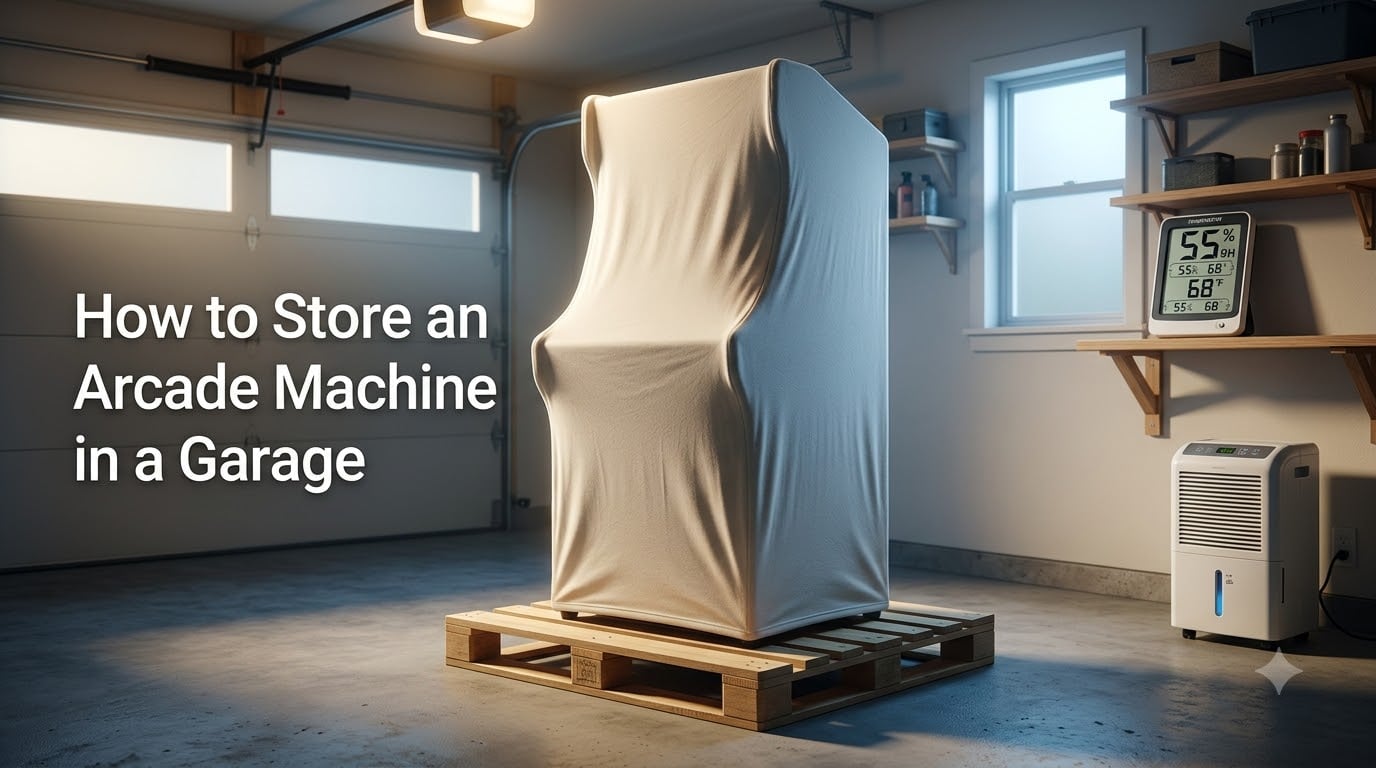
If you need to store an arcade machine in a garage, you are probably wondering whether your cabinet will survive the experience. The short answer is yes, garage storage can work, but only if you control temperature, manage humidity, and follow the right power-on procedure when you bring it back out. I have talked to dozens of collectors who have stored cabinets in garages for years without a single issue, and others who lost monitors and circuit boards after one bad winter.
The difference always comes down to preparation. In this guide, I will walk you through everything you need to know about how to store an arcade machine in a garage safely, from pre-storage cleaning to the critical acclimation period before you power it back on.
Table of Contents
- Why Garage Storage Is Risky for Arcade Machines?
- How to Store an Arcade Machine in a Garage: Step-by-Step
- Temperature Requirements for Arcade Cabinet Storage
- Humidity and Moisture Control
- How to Power On a Cold Arcade Machine Safely?
- Seasonal Storage Checklist
- Long-Term Storage Tips (6+ Months)
- FAQs
- Conclusion
Why Garage Storage Is Risky for Arcade Machines?
Arcade machines were designed for indoor commercial environments where temperature and humidity stayed relatively constant year-round. A garage is the opposite of that environment. Fluctuating temperatures, ground moisture, and poor ventilation all threaten the sensitive electronics inside your cabinet.
The single biggest risk is condensation, not cold itself. When warm, moist air hits cold surfaces inside your cabinet, water droplets form on circuit boards, power supplies, and monitor components. That moisture causes corrosion, short circuits, and permanent damage that can be expensive or impossible to repair.
Temperature swings are more dangerous than steady cold. A cabinet sitting at a constant 45 degrees in an insulated detached garage will fare better than one bouncing between 30 degrees at night and 65 degrees during a sunny afternoon. The wider the swing, the more condensation forms inside.
The CRT monitor is the most vulnerable component. Cold makes the glass brittle, and the narrow neck of the picture tube can crack under thermal shock if the machine warms up too quickly. Older capacitors also lose effectiveness in extreme cold and can fail when voltage hits them before they have warmed up.
Circuit boards suffer from humidity-driven corrosion over time. Edge connectors tarnish, traces oxidize, and chip legs develop green or black buildup that breaks electrical contact. Once corrosion sets in, you are looking at hours of careful cleaning or full board replacement.
How to Store an Arcade Machine in a Garage: Step-by-Step
Follow these steps in order before you wheel your cabinet into the garage. Each step addresses a specific risk that collectors on forums like Arcade-Museum and Reddit have identified through years of trial and error.
Step 1: Clean and Inspect the Cabinet
Start by giving the cabinet a thorough cleaning. Dust and grime attract moisture, which accelerates corrosion during storage. Use a dry microfiber cloth on the exterior and a soft brush to dust the interior.
Open the back panel and inspect every board, connector, and wire harness. Look for cold solder joints, bulging capacitors, or burnt components that should be repaired before storage. A problem that is minor now can become a major failure after months of temperature cycling.
Take photos of the interior before you disconnect anything. If you need to remove boards for separate storage, those photos will save you hours of confusion when it is time to reassemble.
Step 2: Remove Batterables and Perishables
If your cabinet has a battery-backed RAM chip or coin cell battery on the PCB, remove it before storage. Batteries leak over time, and a leaking battery on a board will destroy traces and corrode everything around it. This is one of the most common ways stored arcade boards get ruined.
Label each battery and its location so you can reinstall the correct replacement later. Store removed batteries in a dry indoor location.
Step 3: Elevate Off the Ground
Never place an arcade cabinet directly on a garage floor. Concrete wicks moisture from the ground, and even a dry-looking slab will transfer dampness into the wood base of your cabinet. Over weeks and months, that moisture causes swelling, delamination, and rust on the bottom panel and leg levelers.
Place the cabinet on wood pallets, foam boards, or rubber mats at least one inch thick. Multiple Reddit users from cold and humid climates specifically recommend pallets as the single most effective thing you can do for garage storage. If you use a pallet, make sure the cabinet sits flat and stable so it does not tip.
Step 4: Cover With a Breathable Material
Cover your cabinet with a cotton sheet, canvas tarp, or dedicated breathable furniture cover. The goal is to keep dust off while allowing air circulation. Avoid plastic tarps or shrink wrap for long-term storage.
Plastic covers trap moisture. If any condensation forms under plastic, it has nowhere to go and will sit against your cabinet for days or weeks. Breathable fabric lets moisture escape while still protecting the exterior from dust and scratches.
If you must use plastic temporarily, leave the bottom open for airflow and check underneath every few weeks.
Step 5: Position Away From Walls and Doors
Where you place the cabinet in the garage matters as much as how you prepare it. Exterior walls transfer cold from outside and can create localized condensation zones. Garage doors let in cold drafts every time they open, and they often have gaps that let in moisture and pests.
Park your cabinet against an interior wall, away from the garage door and any water heater or furnace vents. Leave at least six inches of clearance on all sides for air circulation. If your garage has windows, keep the cabinet out of direct sunlight to avoid temperature swings from solar heating.
Temperature Requirements for Arcade Cabinet Storage
Temperature is the factor that makes or breaks garage storage. The consensus among experienced collectors is that arcade machines should be stored above 50 degrees Fahrenheit (10 degrees Celsius) whenever possible. Below that threshold, components start to behave unpredictably and the risk of damage increases.
However, steady cold is less dangerous than rapid temperature swings. A cabinet stored at a constant 40 degrees in an insulated detached garage will usually survive the winter fine. The real danger comes when temperatures fluctuate 30 degrees or more in a single day, which causes repeated condensation cycles inside the cabinet.
Here is a quick reference for temperature thresholds:
Above 50 degrees F (10 C): Safe for long-term storage, ideal for all components.
32 to 50 degrees F (0 to 10 C): Acceptable if temperature is stable. Avoid rapid swings.
Below 32 degrees F (0 C): Risky. Capacitors and CRT glass become vulnerable. Not recommended for valuable or rare cabinets.
Below 0 degrees F (-18 C): Do not store arcade machines at these temperatures. Damage is likely.
If your garage drops below freezing regularly, consider adding a small electric space heater with a thermostat set to 45 degrees. A radiant heater placed several feet from the cabinet keeps the surrounding air above the danger zone without creating hot spots. Never point a heater directly at the cabinet.
Attached vs. Detached Garage
An attached garage shares at least one wall with your heated house, which means it stays significantly warmer and more stable than a detached garage. Forum collectors consistently report better outcomes with attached garages because the shared wall acts as a passive heat source that buffers temperature swings.
A detached garage follows outdoor temperatures more closely. In cold climates, a detached garage can drop well below freezing and experience wide daily swings. If your only option is a detached garage, insulation and supplemental heating become much more important.
Humidity and Moisture Control
Humidity is the silent killer of stored arcade machines. Even at safe temperatures, high humidity causes slow corrosion of contacts, rust on metal chassis parts, and mold growth on wood and particle board. The ideal humidity range for electronics storage is between 30 and 50 percent relative humidity.
A hygrometer is your best friend here. You can pick up a basic digital hygrometer for under fifteen dollars, and it will tell you exactly what conditions your cabinet is sitting in. Check it weekly during storage, especially during seasonal transitions when humidity levels shift.
If your garage humidity exceeds 60 percent, run a dehumidifier. A small compressor dehumidifier rated for the square footage of your garage will pull excess moisture out of the air and keep condensation risk low. Empty the reservoir regularly or set up a continuous drain hose.
For smaller spaces or cabinet interiors, silica gel desiccant packs work well. Place several large desiccant packs inside the cabinet through the back panel and replace them every few months. They absorb localized moisture and are especially useful for protecting individual PCBs and monitor chassis.
Ground moisture deserves special attention. Concrete garage floors pull moisture from the ground below, and that moisture travels upward into anything sitting on the floor. This is why elevation matters so much. Even a thin barrier of foam insulation board between the cabinet and the concrete breaks the moisture path.
How to Power On a Cold Arcade Machine Safely?
This is where most storage damage actually happens. The cabinet survived the winter fine, but the owner wheels it inside and immediately powers it on to test it. That sudden rush of current through cold capacitors and brittle CRT glass is what causes cracks, pops, and permanent failures.
The rule is simple: let the machine acclimate. After removing the cabinet from cold storage, leave it powered off in a room-temperature environment for at least 24 hours. For cabinets stored below freezing, wait 48 hours. This gives every internal component time to reach a stable, uniform temperature so condensation has fully evaporated.
After acclimation, do a visual inspection before flipping the switch. Open the back panel and look for moisture, corrosion, loose connectors, or signs of pest intrusion. Check that all boards are seated properly and that no wire harnesses have come loose during the move.
Pre-Power-On Checklist
Cabinet has been at room temperature for 24 to 48 hours.
No visible moisture or condensation inside the cabinet.
All connectors and boards are seated correctly.
No burnt smell or visible damage on power supply.
Fuse is correct amperage and in good condition.
Monitor chassis shows no signs of cracking or corrosion.
For collectors with valuable or rare cabinets, a variac is worth the investment. A variac lets you ramp up voltage gradually instead of hitting cold components with full 120 volts at once. Start at around 30 percent voltage and increase slowly over several minutes. This gently warms capacitors and reduces thermal shock to the monitor tube.
If you do not have a variac, at least power the machine on briefly and then shut it off after 30 seconds. Let it sit for a minute, then power on again for a few minutes. This staged approach lets components warm up gradually without the cost of specialized equipment.
Seasonal Storage Checklist
Treat garage storage as an active process, not a set-it-and-forget-it situation. A few minutes of attention each month prevents the vast majority of storage-related damage.
Pre-Winter Preparation (October to November)
Clean interior and exterior thoroughly.
Remove all batteries from PCBs.
Elevate cabinet on pallets or foam board.
Install or refill desiccant packs inside cabinet.
Place a breathable cover over the cabinet.
Verify hygrometer is working and log baseline humidity.
If using a heater, test it and set thermostat to 45 degrees F.
During Storage (Monthly)
Check hygrometer readings and adjust dehumidifier if needed.
Inspect for pest signs, water intrusion, or cover displacement.
Replace desiccant packs if indicator shows saturation.
Visually confirm heater is functioning if applicable.
Spring Startup (March to April)
Move cabinet indoors and let acclimate for 24 to 48 hours.
Run the full pre-power-on checklist above.
Inspect all boards for corrosion or loose connections.
Power on using variac or staged power-up method.
Test all controls, monitor, and audio.
Replace any batteries removed before storage.
Long-Term Storage Tips (6+ Months)
If your cabinet will sit in the garage for six months or longer, a few extra precautions will keep it in working condition. Long-term storage is where small problems compound into major damage if left unchecked.
Every four to six weeks, briefly open the back panel and visually inspect the interior. Look for moisture, pest activity, dust accumulation, and any signs of corrosion on metal parts. Catching a slow leak or a mouse nest early saves you from catastrophic damage.
Some collectors recommend powering on stored machines periodically to keep capacitors healthy. If your garage stays above 50 degrees, a brief 15-minute power-on session every month or two circulates current through the boards and helps capacitors maintain their charge capacity. Do not do this if the garage is cold, as you will reintroduce the thermal shock risk.
Watch for these warning signs that storage is causing damage:
Musty or mildew smell when you open the back panel.
Green or black buildup on chip legs or connector edges.
White powder on battery contacts or capacitor leads.
Swollen or delaminating wood on the cabinet base.
Rust on metal chassis, brackets, or leg levelers.
Damp spots on the cover or inside the cabinet.
If you notice any of these, address the root cause immediately. Move the cabinet to a better environment, increase dehumidification, and clean affected areas with isopropyl alcohol before corrosion spreads.
FAQs
Can you store an arcade machine in an unheated garage?
You can store an arcade machine in an unheated garage, but it carries risk. If the garage is insulated and temperatures stay above 32 degrees F (0 C), most cabinets will survive with proper preparation. Remove batteries, elevate the cabinet off the floor, use breathable covers, and add desiccant packs inside. Avoid unheated garages in climates where temperatures drop below freezing for extended periods.
What temperature is too cold for arcade machine storage?
Below 32 degrees F (0 C) is risky for arcade machines, and below 0 degrees F (-18 C) will likely cause damage. The safest minimum is 50 degrees F (10 C). However, steady cold is less dangerous than rapid temperature swings, which cause condensation inside the cabinet. If your garage drops below freezing regularly, add a small thermostatically controlled heater.
How heavy is an arcade machine?
A standard full-size arcade cabinet weighs between 150 and 300 pounds depending on the model and construction. Older wooden cabinets from the 1980s tend to be heavier than later models. Always use a furniture dolly and have at least two people when moving a cabinet, and never lift by the control panel or monitor bezel.
Can a pinball machine be stored in a garage?
Pinball machines can be stored in garages with the same precautions as arcade cabinets: climate control, humidity management, and elevation off the floor. Pinball machines have additional sensitive components like playfield mylar and rubber rings that degrade in extreme temperatures. For pinball storage, keep the playfield level, remove the balls, and store the machine above 50 degrees F whenever possible.
Do arcade machines use a lot of electricity?
A typical arcade machine draws between 100 and 200 watts when running, which is comparable to a desktop computer. Over a month of continuous operation, that translates to roughly 70 to 145 kilowatt-hours. Periodic power-on sessions during storage add negligible cost to your electric bill. CRT monitors draw more power than LCD-converted cabinets.
What items should not be stored in a garage?
Electronics, wood furniture, photographs, important documents, and anything sensitive to temperature or humidity should not be stored in an uncontrolled garage. Arcade machines fall into this category but can tolerate garage storage with proper preparation. Avoid storing food, candles, paint, and medications in garages as well, since temperature extremes degrade them quickly.
Conclusion
Learning how to store an arcade machine in a garage comes down to controlling three things: temperature, humidity, and how you power the machine back on. Keep the cabinet above 50 degrees F (10 C), maintain humidity between 30 and 50 percent, and always let the machine acclimate to room temperature for 24 to 48 hours before powering it on after cold storage.
Elevate the cabinet off concrete, remove batteries before storage, use a breathable cover, and check on it monthly. These steps, drawn from years of collector experience on forums, will protect your cabinet through winter, a move, or a renovation. The extra preparation takes an afternoon and can save you hundreds of dollars in repairs and replacement parts.
Whether you have a vintage cabinet, an Arcade1Up, or a custom build, the same principles apply. Take the time to prepare properly, monitor conditions during storage, and follow a careful startup procedure. Your arcade machine will be ready to play when you are.