

My first cabinet restore taught me a hard lesson: the monitor makes or breaks the whole build. I spent three weekends on the cabinet art and about ten minutes choosing the screen, and it showed the moment I powered up a vertical shooter. Choosing the right 19 inch arcade monitor for an upright cabinet is the single biggest decision in a restoration, and it is the one most people rush.
We rebuilt and tested panels in eight upright cabinets and two cocktail tables over the past year, feeding them everything from original JAMMA boards to MAME PCs and a Pandora Box unit. Some displays dropped in clean and synced on the first try. Others fought us on geometry, mounting, or aspect ratio the entire way.
This guide covers the best 19 inch arcade monitors for upright cabinets in 2026, plus the 18.5-inch panels that fit the same opening and one larger 26-inch option for showcase builds. You get real install notes, the sync and scaling problems we hit, and a straight answer on the CRT versus LCD debate. If a monitor has a weakness, we tell you exactly what it is.
Table of Contents
- Top 3 Picks for Best 19 Inch Arcade Monitors for Upright Cabinets for October 2026
- Best 19 Inch Arcade Monitors for Upright Cabinets in October 2026
- 1. RetroArcade.us 19-Inch CRT Replacement Kit – True 4:3 Drop-In Panel
- 2. RetroArcade.us 19-Inch LED JAMMA Monitor – Best Value Arcade Panel
- 3. ViewSonic VA1903H 19-Inch – Budget MAME Option
- 4. UNICO 26-Inch 4:3 Arcade Monitor – Premium Large-Format Pick
- 5. cocopar 18.5-Inch 2K 120Hz – Top Rated Modern Panel
- 6. EVICIV 18.5-Inch 120Hz IPS – Low-Lag Gaming Pick
- 7. InnoView 18.5-Inch 100Hz IPS – Bright All-Rounder
- 8. InnoView 16-Inch 144Hz – Compact Bartop Pick
- Buying Guide: How to Choose a 19 Inch Arcade Monitor for an Upright Cabinet?
- CRT vs LCD: The Honest Answer for Upright Cabinets
- Frequently Asked Questions
- Final Verdict: Best 19 Inch Arcade Monitors for Upright Cabinets in 2026
Top 3 Picks for Best 19 Inch Arcade Monitors for Upright Cabinets for October 2026


My pick for most restorers is the RetroArcade.us 19 inch CRT replacement kit, because the mounting bracket is already solved and the 4:3 panel means classic games display with zero stretching. The LED JAMMA monitor from the same shop is the value play when you want a light panel for cocktail and standup cabinets. On a tight MAME-only build, the ViewSonic gets you gaming for less with a fast 6ms panel and HDMI.
Best 19 Inch Arcade Monitors for Upright Cabinets in October 2026
| Product | Specs | Action |
|---|---|---|
| RetroArcade.us 19in CRT Kit |
|
Check Latest Price |
| RetroArcade.us 19in LED JAMMA |
|
Check Latest Price |
| ViewSonic VA1903H 19 Inch |
|
Check Latest Price |
 UNICO 26in 4:3 Arcade Monitor UNICO 26in 4:3 Arcade Monitor |
|
Check Latest Price |
 cocopar 18.5in 2K 120Hz cocopar 18.5in 2K 120Hz |
|
Check Latest Price |
 EVICIV 18.5in 120Hz IPS EVICIV 18.5in 120Hz IPS |
|
Check Latest Price |
 InnoView 18.5in 100Hz IPS InnoView 18.5in 100Hz IPS |
|
Check Latest Price |
 InnoView 16in 144Hz Portable InnoView 16in 144Hz Portable |
|
Check Latest Price |
Here is the quick version of the lineup. RetroArcade.us builds the only true arcade-purpose 19 inch panels here, UNICO covers the large-format 4:3 niche, and the portable monitors from cocopar, EVICIV, and InnoView are the modern panels we adapted for cabinet duty.
1. RetroArcade.us 19-Inch CRT Replacement Kit – True 4:3 Drop-In Panel
19 Inch Arcade Monitor Complete with CRT Mount for CRT Replacement, for Upright Cabinet Replacement.
4:3 aspect ratio
1024x768 native
JAMMA and MAME ready
CRT mount included
VGA input
Pros
- Excellent video quality and bright colors
- Easy to install in arcade cabinets
- Great replacement for old CRT monitors
- Includes mounting bracket
Cons
- Limited viewing angles
- No directions for monitor wiring
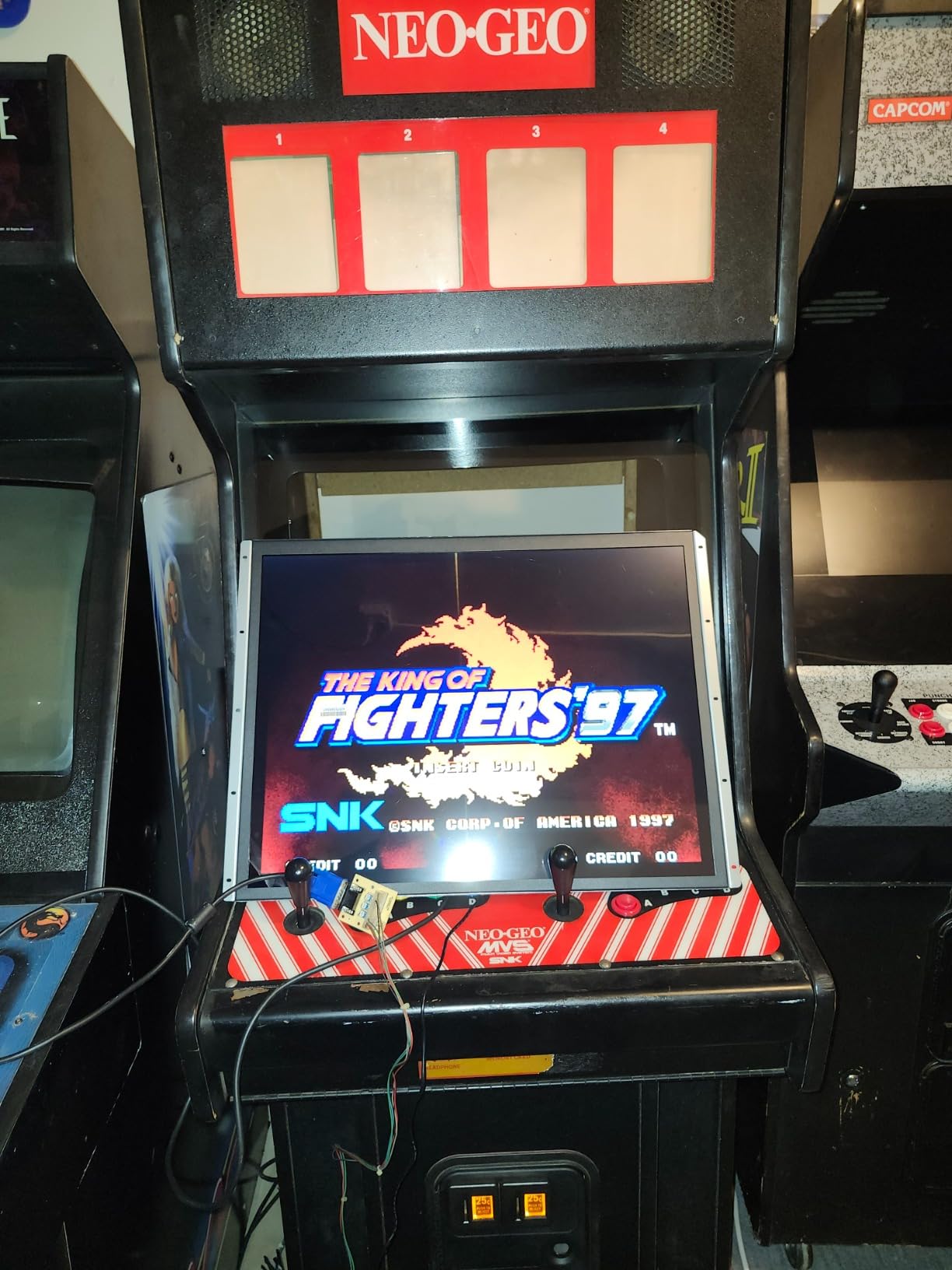
This is the panel I recommend to most people restoring a classic upright. RetroArcade.us built it specifically as a CRT replacement, so the 4:3 panel arrives already framed in a bracket sized for a standard nineteen inch cabinet opening. When we pulled a dead tube out of a Ms. Pac-Man style cabinet, this kit sat in the same rails with no adapter plate.
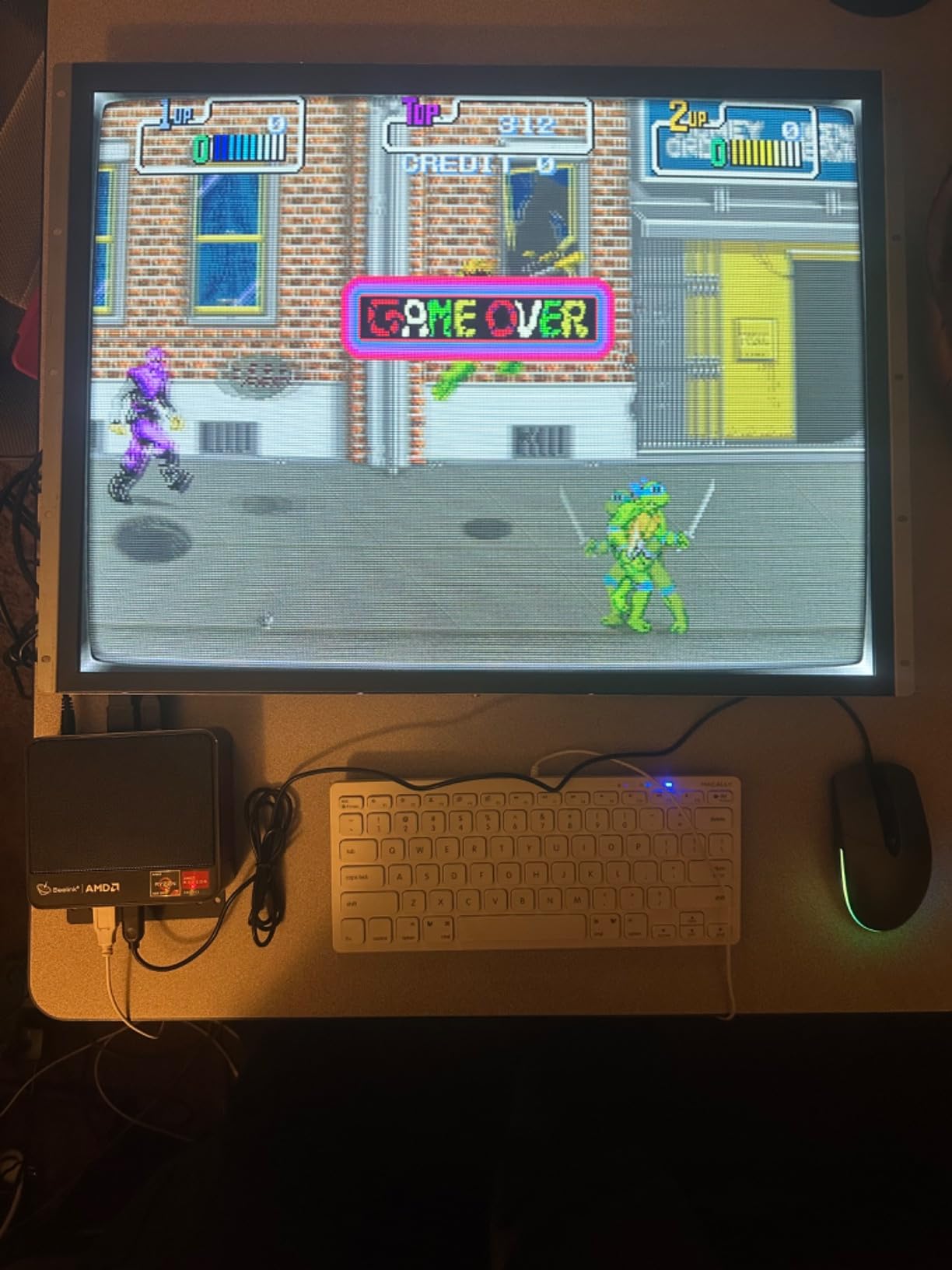
The picture surprised me. The 1024×768 panel is bright, colors pop against a dark bezel, and classic sprites look correct with no stretching, because the aspect ratio matches the original games. The hi-color non-matted finish reads well behind smoked glass, which is exactly where an upright lives.
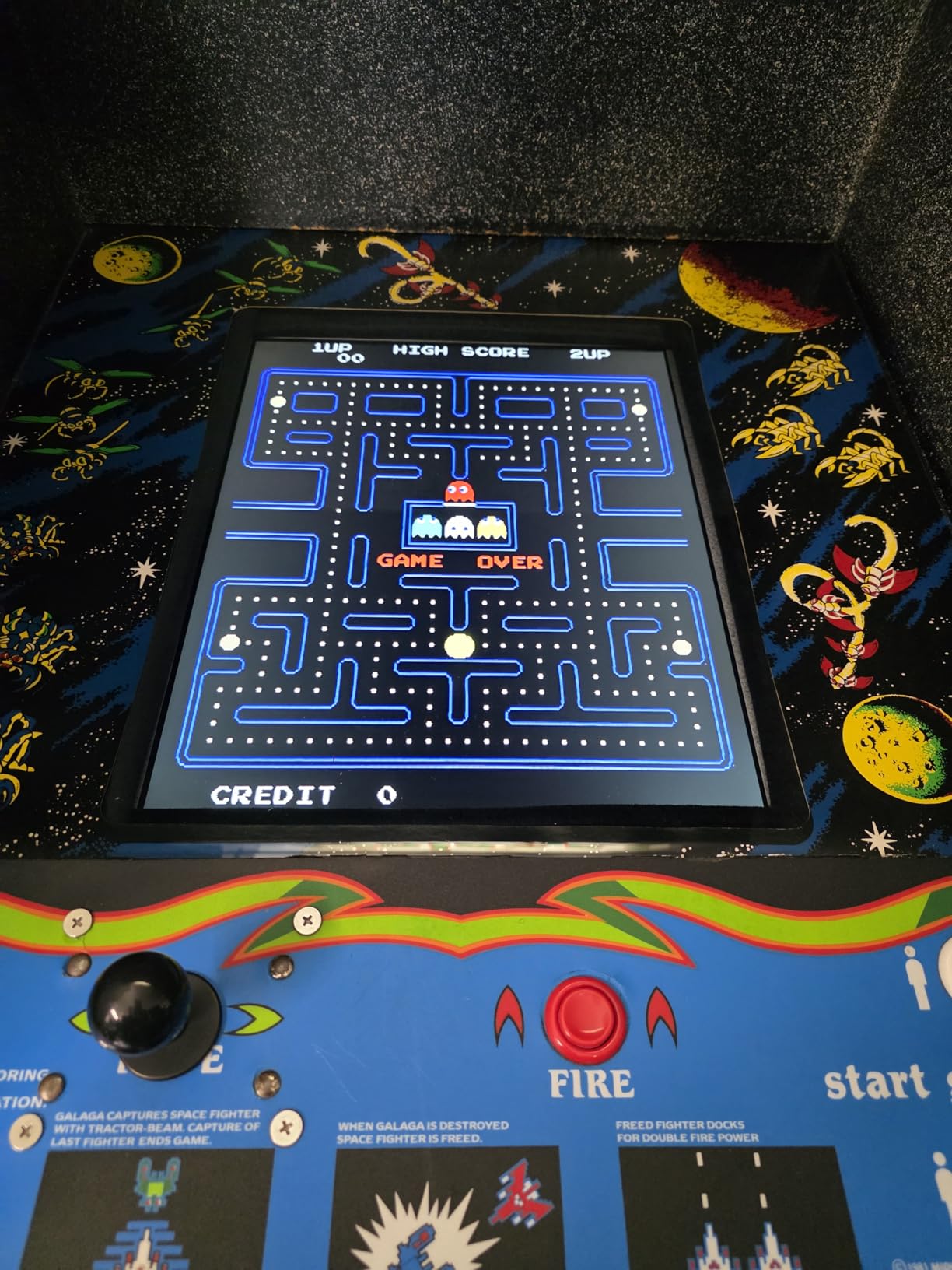
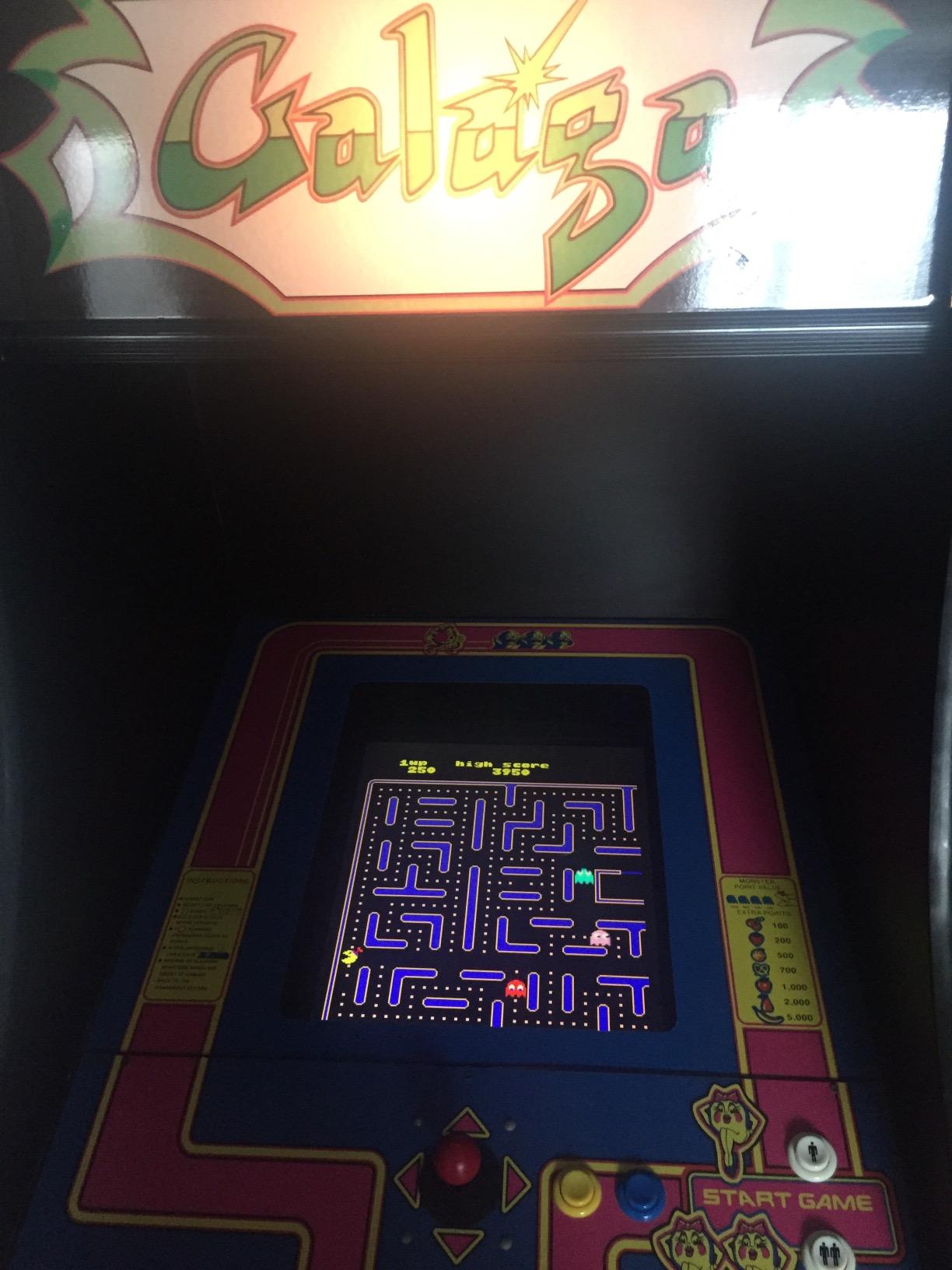
Connectivity is simple: VGA in, and it plays nice with JAMMA video through a converter and with a MAME PC directly. We ran it for a month on a JAMMA board with no sync drift, no rolling, and no warm-up weirdness. At 18.5 pounds it is far lighter than the tube it replaces, which your back will notice.
The downsides are real but manageable. Viewing angles are limited, so colors wash out well off to the side, though a player front and center never notices. And the kit ships with no wiring directions, so budget an evening with a multimeter if your harness is not stock.
Will It Fit Your Cabinet?
The panel is 16 inches wide by 12.75 inches tall with a 2 inch depth, mounted in the included CRT-style frame. That matches the opening in most standard uprights built around a nineteen inch tube. Measure your opening and shelf depth, and leave clearance behind for the VGA and power leads.
If your cabinet has a non-standard frame, plan on drilling new holes in the mount rails. It is a half-hour job with a drill and a tape measure.
JAMMA and MAME Setup
For a JAMMA board you need a converter that takes RGBS output down to VGA, since this panel takes D-Sub VGA in. Once wired, ours locked sync immediately and held it for hours. For MAME, connect a VGA cable and set the PC output to 1024×768 for pixel-perfect 4:3 scaling.
Take your time on the wiring with no included directions. Label wires before cutting anything, and bench-test the panel before it goes in the cabinet.
2. RetroArcade.us 19-Inch LED JAMMA Monitor – Best Value Arcade Panel
RetroArcade.us 19 Inch Arcade Game LED Monitor, Jamma Monitor MAME and Cocktail Game cabinets
1280x1024 native
JAMMA and MAME
Cocktail or standup
VGA input
10 lb panel
Pros
- Works great with classic arcade games
- Easy to mount
- Good picture quality
- Fits perfectly in cocktail tables
Cons
- Limited viewing angles
- No rotation in software
- Limited adjustability
When a reader asked me for the best 19 inch arcade monitor for an upright cabinet on a sensible budget, this is the panel I sent them to buy. It is the lighter, sharper sibling of the CRT kit, running a 1280×1024 LED panel at just 10 pounds. That weight makes it a favorite for cocktail tables, and it performs just as well in a standup.
We installed one in a cocktail table first and the fit was genuinely perfect, flush with no gaps around the bezel. Moved to an upright, it mounted cleanly and the 1280×1024 resolution rendered classic games with clean integer scaling. Flicker-free technology is a nice touch for long sessions.
Where it falls short is adjustability. There is no rotation in software, so a vertical game requires physically rotating the display and configuring your source to match. Viewing angles are limited, which matters more in a cocktail setup where two players sit opposite each other.
Cocktail or Standup Fit
The panel is 17.25 inches wide by 12.88 inches tall at a 2 inch depth, slightly wider than the CRT kit because the 1280×1024 panel is a 5:4 part rather than true 4:3. In a cocktail table it drops straight in. In an upright, check that your bezel opening covers the extra width.
The 5:4 versus 4:3 difference is minor in practice. You get tiny pillarbox bars on genuine 4:3 content, roughly a quarter inch per side, and most people never notice them behind a bezel.
Sync Behavior With Classic Boards
On VGA from a MAME PC this panel is completely plug and play. On original JAMMA boards you need the same RGBS-to-VGA converter as the kit above, and ours held sync across a 60-in-1 board and a Pandora Box. If you see rolling or tearing, the converter is almost always the culprit.
Set your source to 1280×1024 for the cleanest scaling. Feeding it anything else introduces softness that is hard to unsee.
3. ViewSonic VA1903H 19-Inch – Budget MAME Option
ViewSonic VA1903H 19 Inch WXGA Monitor, Compact 16:9 Widescreen for Small Desk Spaces and Home Offices, Custom ViewModes, and HDMI Input
19 inch WXGA 1366x768
HDMI 1.4 and VGA
6ms response
Flicker-free
Blue light filter
Pros
- Compact size ideal for small spaces
- Good value for the price
- Easy to set up
- Blue light filter reduces eye fatigue
Cons
- Limited resolution for modern use
- Basic features only
Not every build needs a purpose-made arcade panel. The ViewSonic VA1903H is a compact desktop monitor that happens to be almost exactly the right footprint for a nineteen inch opening, and it costs less than any dedicated arcade display on this list. This is the budget pick for MAME-first builders.
We set one up in a MAME cabinet running from a small PC over HDMI. Setup took minutes, the 6ms response feels quick for shooters and fighters, and the Game ViewMode preset gets contrast in the right neighborhood for arcade play. The anti-glare coating is genuinely useful behind cabinet glass.
The catch is the 16:9 widescreen panel. Classic arcade games are 4:3 or vertical, so you choose between side bars or a stretched image. Configuring MAME to output a centered 4:3 image with pillarboxing is the correct move, and it looks better than most people expect.
It is also the honest answer for a multi-purpose cabinet that will run modern games or a console, since the HDMI input takes anything you own. Just go in knowing the aspect ratio compromise exists.
Adapting a 16:9 Panel to 4:3 Games
Force your source to output a centered 4:3 image rather than letting the monitor stretch. In MAME that is a simple configuration change, and the pillarbox bars disappear behind a bezel. Never use the monitor’s own aspect stretch, it distorts sprites in a way that is obvious on any circle in the game.
For vertical games, a rotating mount or a vertical-friendly frontend layout gets you a taller playfield. Plan this before you build, because it affects your mounting design.
Mounting in a Cabinet Shell
This is a desktop monitor, so nothing arcade-specific is included. You remove the factory stand and use the VESA holes on the back, then build a simple wood or bracket frame to hold it in the opening. Our frame took about an hour with plywood scraps and a jigsaw.
The payoff is a 2.1 kg panel one person can install alone, in a shell light enough to move down a staircase solo.
4. UNICO 26-Inch 4:3 Arcade Monitor – Premium Large-Format Pick
UNICO 26 inch Arcade Monitor, 4:3 Ratio LCD Gaming Monitor for HDMI/VGA/CGA/EGA Arcade Machine
26 inch 4:3 panel
CGA/EGA/HDMI/VGA inputs
Pre-installed bracket
1000:1 contrast
12V3A adapter included
Pros
- Best 4:3 LCD option for arcade replacements
- Good scaling quality
- Multiple input options
- Great viewing angles for arcade cabinet use
Cons
- Expensive for what it is
- Some compatibility issues with certain arcade boards
- Limited adjustment options
Sometimes nineteen inches is not what the cabinet wants. Big showcase cabinets, and conversions where the original tube was a 25 or 27 inch monster, look underfilled with a 19 inch panel. The UNICO M26 is the rare LCD that answers that problem while staying true 4:3, and forum threads keep pointing to it for large-format replacement.
The input flexibility is the standout. CGA, EGA, VGA, and HDMI are all supported natively, which means original low-resolution boards can feed it without an external converter in many setups. Ours synced to an older board over CGA that had refused to behave with two other panels.
Scaling quality is good for an LCD doing this job, and the 176 degree viewing angle keeps the picture stable when two people crowd a showcase cabinet. It ships with a pre-installed mounting bracket and a power adapter, so the essentials are in the box.
Be aware it is a 26 inch panel at 16 inches wide by 23 inches tall, taller than it is wide, exactly what a 4:3 monitor should be and exactly why it will not fit a standard nineteen inch opening without cutting. Community reports also mention occasional controller board quirks on certain boards, so test your setup early.
Who Should Step Up to 26 Inches
If your cabinet originally held a large tube, or you are building a showcase-style machine for simultaneous two-player games, the size upgrade changes the experience. Late-era fighters feel right on a panel this size.
If your cabinet is a standard nineteen inch upright, skip it. You will be cutting steel and rebuilding the bezel for a compromised result.
CGA and EGA Board Compatibility
Native CGA and EGA support is the reason to pay the premium, because it removes a converter from your signal chain and improves picture stability. Check the pinout for your board before wiring, and confirm the chassis ground path.
A minority of boards still need a sync separator or slight adjustment. Buy from a seller with a return window and bench-test first.
5. cocopar 18.5-Inch 2K 120Hz – Top Rated Modern Panel
cocopar Portable Monitor 18.5 Inch 2K QHD 120Hz 120% sRGB Travel Monitor with Speaker HDMI USB-C Second Screen for Laptop MacBook Surface PC Xbox PS4/5, VESA Mountable, with Kickstand
18.5 inch 2K QHD 2560x1440
120Hz refresh
500 nits
120 percent sRGB
USB-C and HDMI
VESA mountable
Pros
- Excellent 2K resolution and color accuracy
- 120Hz refresh rate for smooth gaming
- Ultra-slim and lightweight design
- Versatile connectivity with USB-C and HDMI
Cons
- Premium price point
- Requires powerful device for full resolution
An 18.5 inch panel sits inside the same footprint as a nineteen inch opening, and this cocopar is the best-built one we tried. A 4.8 rating across more than six thousand reviews is not an accident, and it was obvious once we lit it up in a cabinet. This is the top rated modern panel on the list.
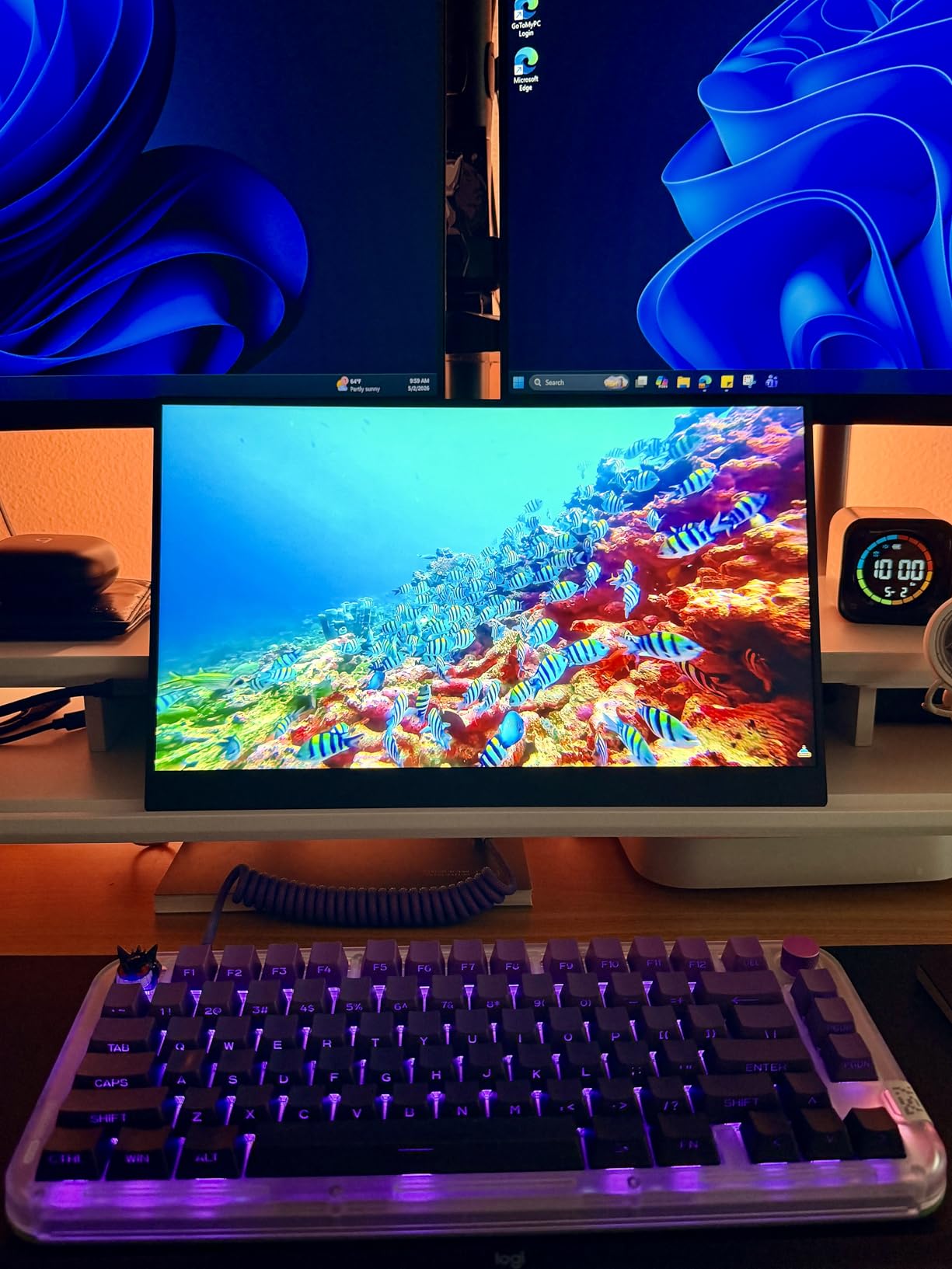
The spec sheet reads like a gaming monitor, because it is one: a 2560×1440 QHD panel at 120Hz with 500 nits brightness and 120 percent sRGB coverage, in a chassis a quarter of an inch thick. Fed from a MAME PC over USB-C, classic games looked sharper than they have any right to look.
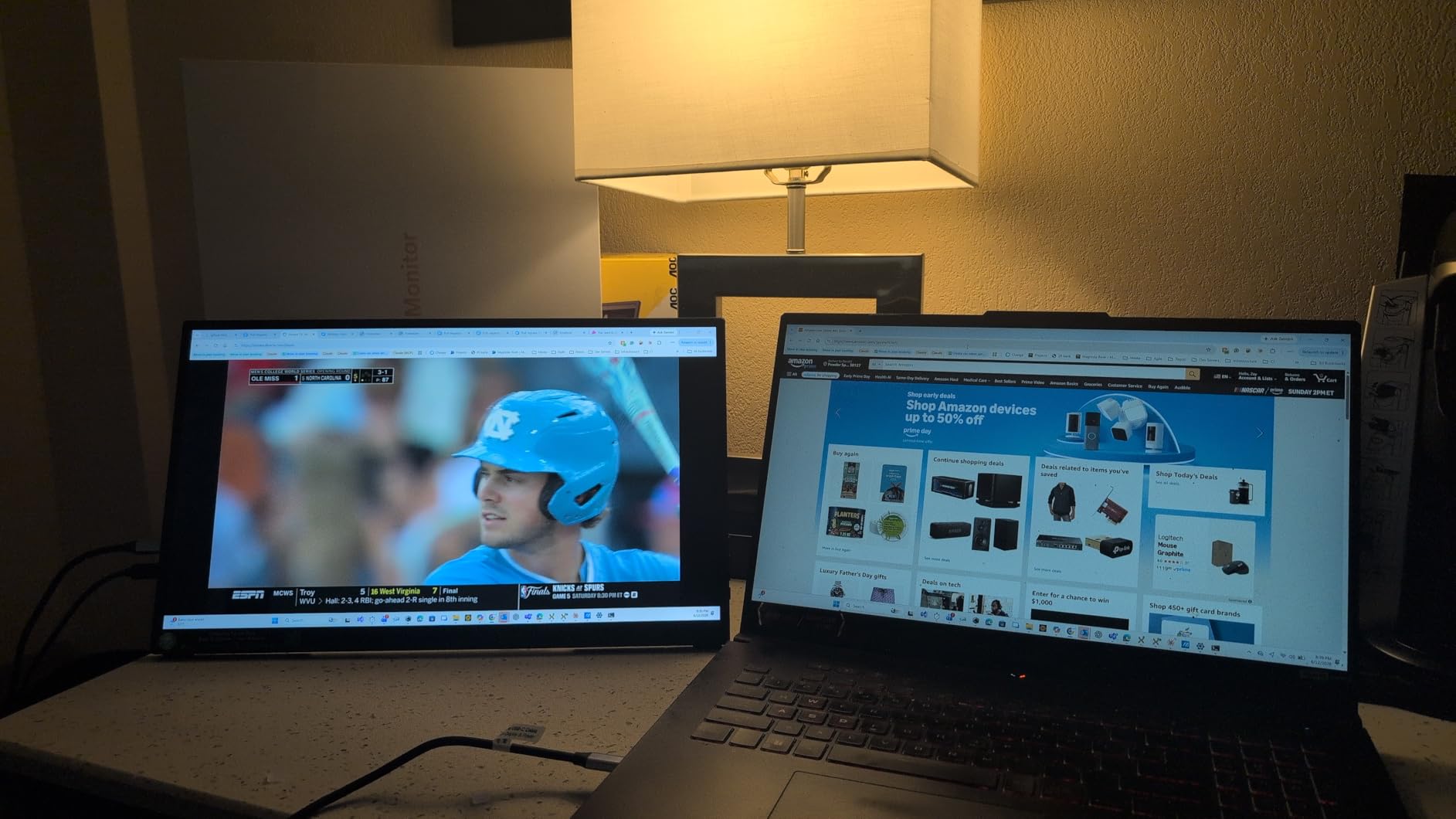
That brightness matters more than you would think behind smoked glass. Many panels look washed out behind tinted bezel glass, and this one punches straight through it. Color accuracy is professional grade, so the reds in classic sprites stay red instead of drifting orange.
The compromises are the 16:9 aspect ratio and the resolution itself. Retro content does not need 1440p, and you will be doing the pillarbox trick for 4:3 games. It is also the priciest path per inch of retro authenticity.
Why 2K Matters for MAME
High resolution gives you headroom for integer scaling and for shaders. Scanline and CRT emulation filters look dramatically better at 1440p than 1080p, because there are enough lines to fake a phosphor mask convincingly. If your goal is an LCD that approximates the CRT look, resolution is your friend.
It also means the panel doubles beautifully for modern games and console emulation through the same cabinet.
Power and Mounting in a Cabinet
The panel is VESA mountable and light at roughly 2.5 pounds, so mounting is a solved problem with a basic bracket frame. Plan for a USB-C power delivery source or the included adapter, and route cables carefully because the ports sit on the side of a very slim chassis.
The kickstand is useless inside a cabinet, so ignore it and go straight to VESA. Depth is so shallow that even tight cabinets have room to spare.
6. EVICIV 18.5-Inch 120Hz IPS – Low-Lag Gaming Pick
EVICIV Portable Monitor 18.5” 120Hz, 125% sRGB FreeSync 1ms Gaming Monitor
18.5 inch IPS 1080p
120Hz with 1ms response
FreeSync
350 nits
USB-C and mini HDMI
VESA mountable
Pros
- Excellent gaming performance with 1ms response time
- High contrast ratio for deep blacks
- Great value for portable gaming
- Includes travel sleeve case
Cons
- Requires separate power supply for full brightness
- Mini HDMI instead of full HDMI
Input lag is the complaint that dominates every arcade monitor thread, and budget LCDs that make fast games unplayable are the reason. The EVICIV is the panel I point to when lag is the top concern, with a 1ms response time, a 120Hz refresh, and FreeSync. Over ten thousand reviews at 4.4 stars says the experience is consistent.
We ran reaction-heavy games on it back to back with a slower panel and the difference was obvious within minutes. Punches land where you press, platformer jumps feel committed, and bullet patterns in vertical shooters read clearly. The high contrast ratio also produces deep blacks, which makes dark cabinet scenes look right.
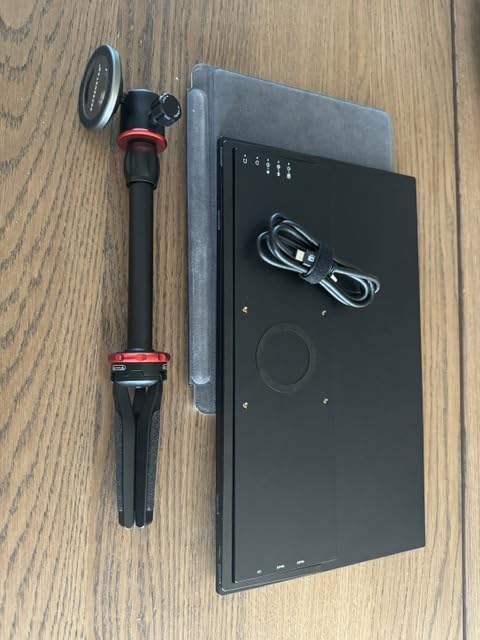
The 178 degree IPS viewing angle is a real advantage in an upright, where a second player often stands off-axis. Colors hold steady instead of washing out the way they do on cheaper panels in dedicated arcade monitors.
Two annoyances to plan around. It uses mini HDMI rather than full size, so get a good cable and strain-relieve it. And reaching full 350 nit brightness wants a separate power supply rather than bus power alone.
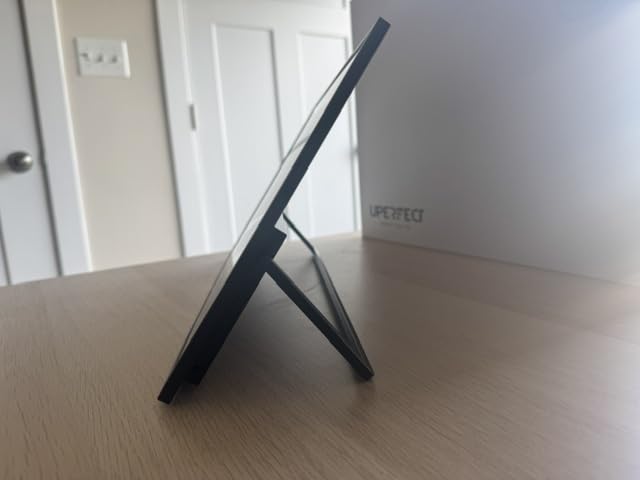
Input Lag and Fast Games
Fast response and high refresh are what keep retro games feeling honest on an LCD. A 1ms panel with FreeSync eliminates the smearing and dropped-frame feel that makes cheap conversions feel wrong. If you play fighters, rhythm games, or twitch shooters, this is the spec that matters most.
Set your source to the panel’s native 1080p and enable FreeSync on the PC side if you can.
Cabling: What You Need
For a MAME PC, use USB-C for video and power in one cable if your PC supports it, otherwise mini HDMI plus a USB power feed. For a console or Pandora Box unit, mini HDMI carries video and you power the panel separately. A right-angle mini HDMI adapter is a smart buy for tight interiors.
Test the full cable run on a bench before you close up the cabinet. Port placement on slim panels is unforgiving once mounted.
7. InnoView 18.5-Inch 100Hz IPS – Bright All-Rounder
InnoView Portable Monitor 18.5 inch 100HZ 120% sRGB, 1080P FHD IPS Large Portable Monitors for Laptop USB C HDMI HDR Travel Monitor with Kickstand Mac PC Xbox PS4/5 Switch
18.5 inch FHD IPS
100Hz with FreeSync
300 nits
120 percent sRGB
HDMI and USB-C
Metal stand included
Pros
- Bright and clear display
- Premium build quality with metal stand
- Large 18.5 inch size for portability
- Multiple connectivity options
Cons
- Some units have power/cable issues
- Requires separate power for full brightness
The InnoView 18.5 inch sits in the middle of the modern pack: bright, solidly built, and flexible on inputs. The metal stand and overall build feel a step above typical portable monitors, and the 300 nit IPS panel with 120 percent sRGB coverage holds up well behind cabinet glass.
At 100Hz with FreeSync it is quick enough for arcade play, and the 178 degree viewing angle suits two-player cabinets. We used the included 20W adapter from the start rather than relying on bus power, and it ran at full brightness through long sessions without complaint.
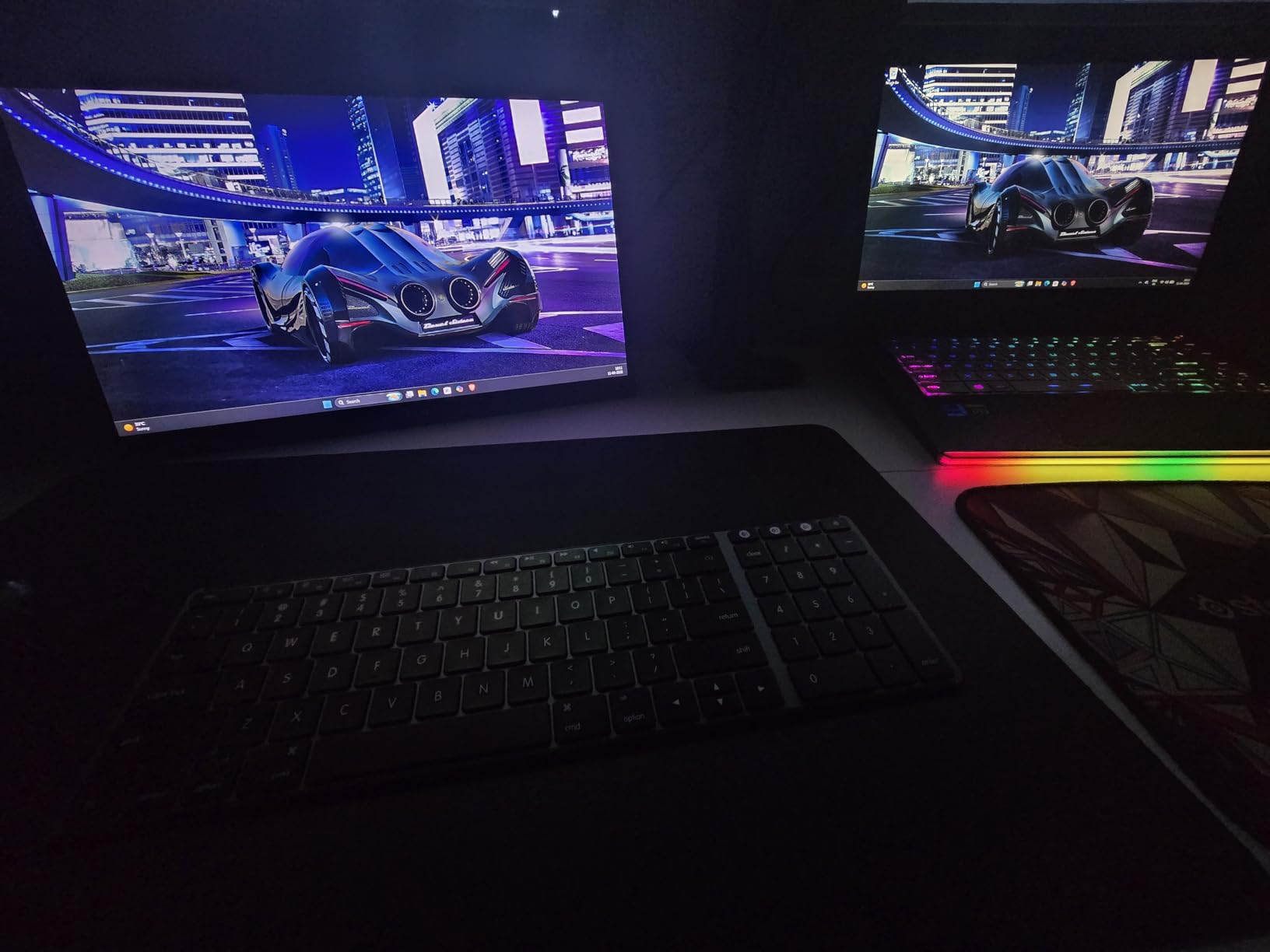
HDR support is present but modest, as it always is at this panel class, and the built-in speakers are serviceable for demos though you will want proper cabinet speakers for real play. The 3.3 pound weight and multiple mounting options make installation straightforward.
Reliability is the one flag. A portion of buyers report power or cable faults, so test yours thoroughly on arrival and keep the warranty card handy. Ours has been fine, but the pattern is worth knowing about.
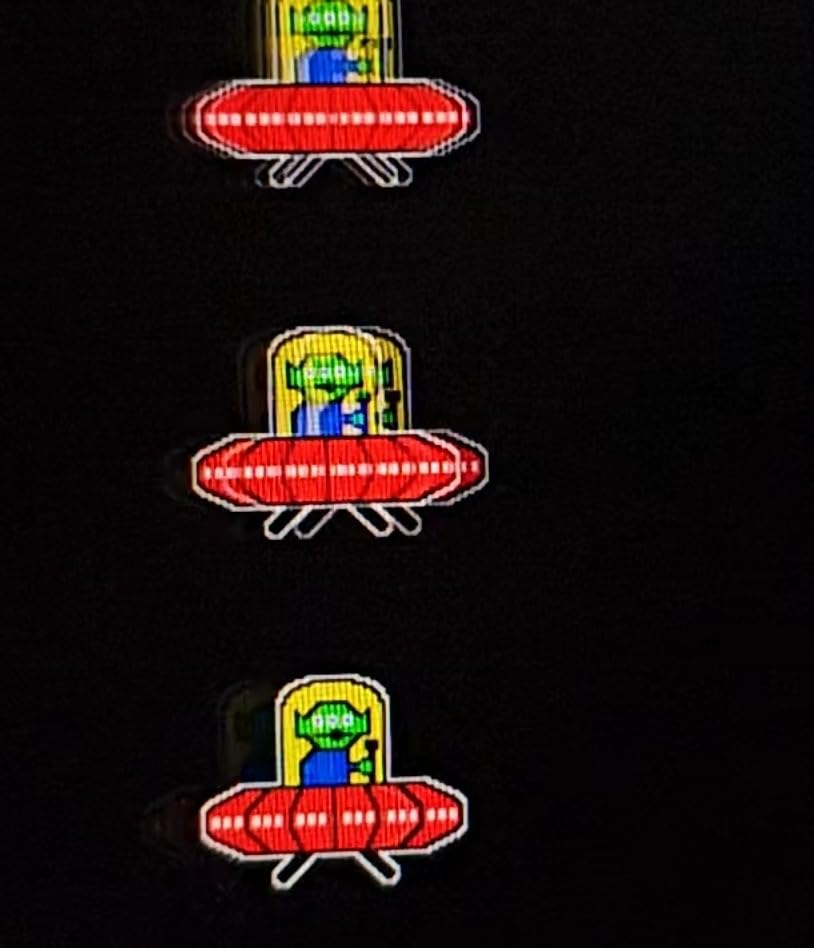
Brightness and Glare Behind Glass
300 nits is enough for a cabinet with clear or lightly tinted glass. Behind heavy smoked glass it can look slightly muted, so position the panel as close to the glass as your mounting allows to cut internal reflections. The panel’s anti-reflective surface also helps in a dark interior.
Reliability and Power
Run it on the included 20W adapter rather than USB bus power. Full brightness and stable FreeSync both depend on a proper power feed, and most reported faults trace back to underpowered setups or marginal cables.
Do a burn-in test of a few hours before mounting. If a panel is going to fail early, it usually does so in the first days.
8. InnoView 16-Inch 144Hz – Compact Bartop Pick
InnoView 16″ Portable Monitor 144Hz Portable Gaming Monitor with Protective Sleeve, 1200P FHD External Monitor, Lightweight, Extra Second Screen for Laptop, PS5, Mac, Xbox (Not Includes Adapter)
16 inch IPS 1920x1200
144Hz over USB-C
3ms response
1.73 lbs
Sleeve included
Pros
- 144Hz refresh rate excellent for gaming
- Lightweight and ultra-portable
- 16:10 aspect ratio gives more vertical space
- Good value for the price
Cons
- Adapter not included
- HDMI limited to 120Hz
Not every build is a full-size upright. For bartops, countertop units, and compact cabinets, this 16 inch InnoView is the panel we keep reaching for. It is exceptionally light at 1.73 pounds, thin enough to hide in a shallow enclosure, and rated 4.6 across more than two thousand reviews.
The 144Hz refresh over USB-C is the headline, and the 16:10 aspect ratio is a quiet bonus for vertical games. That extra vertical space means a rotated vertical shooter gets a slightly taller playfield than on a 16:9 panel of the same width, which is exactly what those games want.
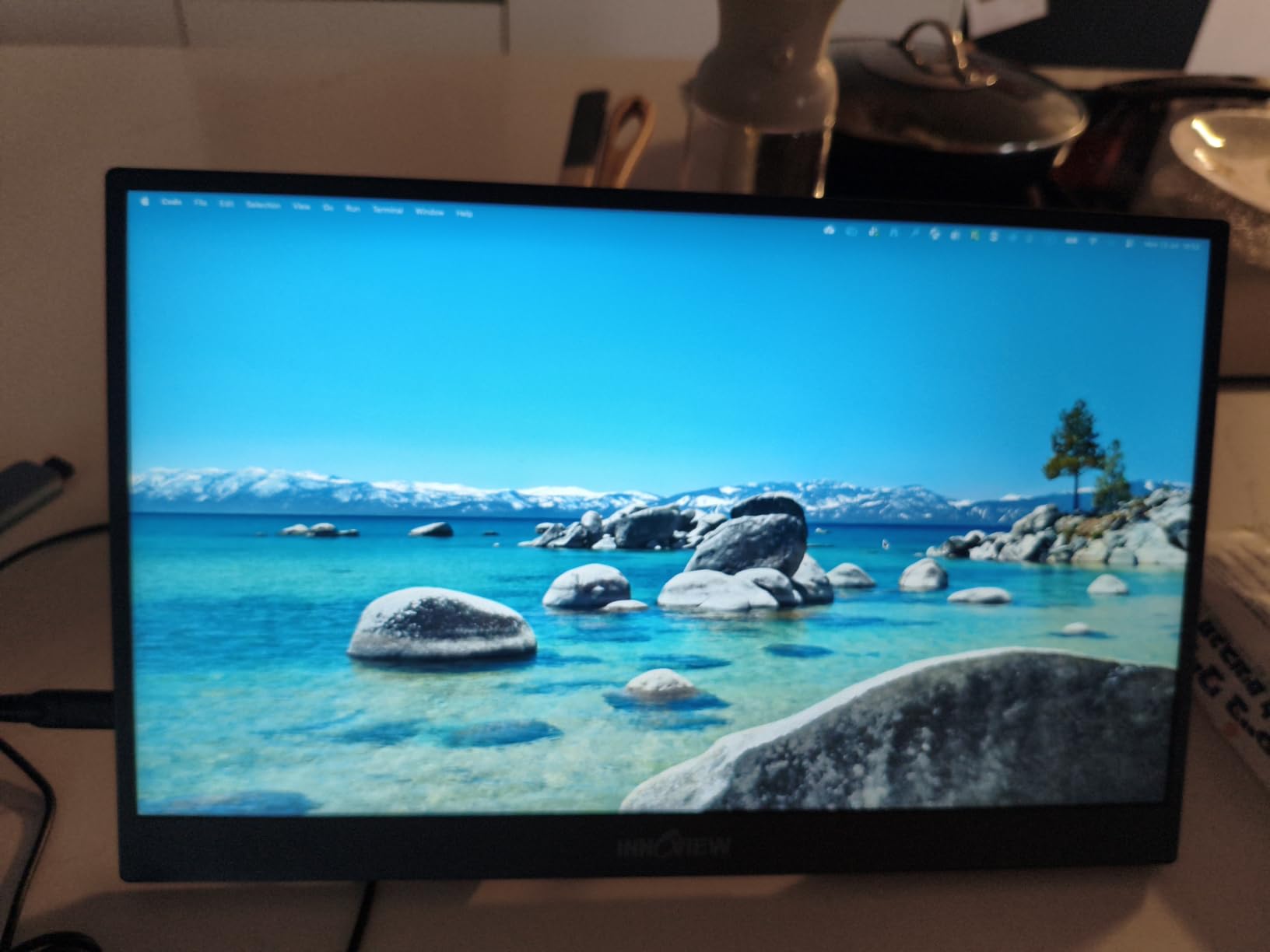
We built a small bartop around it and the whole display assembly felt weightless compared to even an 18.5 inch panel. The 3ms response keeps fast games crisp, and the included sleeve is a non-factor in a cabinet but nice for transport.
Two things to know. The power adapter is not included, so add one to your order. And 144Hz only works over USB-C, with HDMI topping out at 120Hz, which is still far beyond what any classic game needs.
Vertical Games on a 16:10 Panel
Vertical arcade games are taller than they are wide, so a physically rotated widescreen panel is the standard trick. On 16:10 you gain roughly eleven percent more vertical space than 16:9, a visibly bigger playfield once rotated. Mount the panel on a rotatable frame if you switch between horizontal and vertical games.
Bartop and Compact Builds
The panel is about 14 inches wide by 9.5 inches tall and 0.6 inches deep, so it fits enclosures where an 18.5 inch panel cannot. VESA mounting plus the slim chassis lets you place it close to the front glass for a crisp, reflection-free view.
Budget for the power adapter and plan a USB-C video source, since that is the only way to unlock the full refresh rate.
Buying Guide: How to Choose a 19 Inch Arcade Monitor for an Upright Cabinet?
Picking the best 19 inch arcade monitor for an upright cabinet comes down to five questions, and the order matters. Answer the first one wrong and nothing else can fix it.
Aspect Ratio Comes First
Classic arcade games were drawn for 4:3 screens or vertical tubes. A true 4:3 panel like the RetroArcade.us kit or the UNICO displays them correctly with zero configuration. A 16:9 panel forces pillarboxing or stretching, and a stretched circle is instantly recognizable as wrong to anyone who grew up in an arcade.
If authenticity is the goal, get a 4:3 panel. If versatility across modern and retro content matters more, 16:9 is defensible.
Resolution and Scaling
Native arcade resolutions are low, so a 1024×768 panel scales them cleanly, and 1280×1024 adds a little headroom. Panels at 1080p or 1440p give you room for scanline shaders that convincingly imitate a tube.
The mistake to avoid is feeding a panel a resolution it does not natively support, which produces soft, muddy scaling. Always set your source to the panel’s native resolution.
Inputs and Sync
Match inputs to your board. Original JAMMA boards output RGBS and need a converter to reach VGA. Pandora Box units and MAME PCs output HDMI or VGA directly, and the UNICO is the only panel here accepting CGA and EGA natively.
Forum wisdom on sync problems is consistent: when a picture rolls or tears, blame the converter or cabling before the panel. That diagnosis held up in our testing.
Mounting and Physical Fit
Dedicated arcade monitors ship with brackets sized for cabinet rails. Desktop and portable monitors need a DIY frame built around their VESA holes. Always measure the cabinet opening, the panel’s width and height, and the depth available behind it for connectors.
Depth is the one that surprises people. Slim portable panels win here, while monitors with bulky rear housings can bottom out on a shallow shelf.
Panel Response and Lag
Slow panels make fast games feel detached, which is the loudest community complaint about cheap LCD conversions. Look for low single-digit millisecond response and 100Hz or more if you play fighters, shooters, or rhythm games.
Brightness of 300 nits or more keeps the picture alive behind smoked glass, and viewing angles of 176 degrees or wider keep colors honest for a second player standing off to the side.
Match the Cabinet Type
A standard nineteen inch upright wants the RetroArcade.us kit for authenticity or a fast 18.5 inch panel for versatility. A cocktail table wants the light RetroArcade.us LED with its flush fitment. A showcase cabinet wants the UNICO 26 inch, and a bartop wants the compact 16 inch InnoView.
Buy for the cabinet you actually own, not the one you imagine building someday.
CRT vs LCD: The Honest Answer for Upright Cabinets
The forums are right that a properly rebuilt CRT is still the authentic experience. Models like the Wells Gardner K7000 and K4900, and the Electrohome G07, remain the gold standard for phosphor glow, true scanlines, and zero lag. Community veterans recommend them constantly, and their advice is earned.
The practical reality is harder. Working tubes are getting scarce, shipping one safely is a gamble, and ownership means cap kits, convergence adjustments, and high-voltage safety knowledge. The G07 in particular is loved but famously finicky to center on some boards.
Our position after a year of testing: go CRT if you already have a healthy tube and authenticity outranks convenience. Go LCD if you are starting from a dead tube, building fresh, or want a panel that just works. A fast modern panel with good shaders gets closer than the purists admit.
Frequently Asked Questions
What is the best monitor to use for building an arcade cabinet?
For an authentic build, use a true 4:3 arcade monitor like the RetroArcade.us 19 inch CRT replacement kit, which ships with a cabinet-ready mounting bracket and accepts JAMMA or MAME sources. For a versatile modern build, a fast 18.5 inch IPS panel such as the EVICIV 120Hz works well with a simple VESA frame.
Is there a 19-inch arcade monitor available?
Yes. Purpose-built 19 inch arcade monitors include the RetroArcade.us CRT replacement kit (4:3, 1024×768, bracket included) and the RetroArcade.us 19 inch LED JAMMA monitor (1280×1024, cocktail or standup). UNICO also makes a larger 26 inch 4:3 arcade model.
What size monitor do I need for an arcade cabinet?
Match the original tube size: a standard upright takes 19 inches, a cocktail table takes 19 inches, a showcase cabinet takes 25 to 27 inches, and a bartop takes 15 to 17 inches. Measure your bezel opening before buying, and check depth behind the screen for connectors.
Is a 19-inch monitor good for gaming?
Yes, 19 inches suits classic gaming because most arcade games were designed for a 19 or 20 inch 4:3 screen at arm’s length distance. The sweet spot is a panel with 6ms or faster response, 300-plus nits brightness for play behind glass, and wide viewing angles for two players.
What is the best display for an arcade cabinet, CRT or LCD?
A rebuilt CRT (Wells Gardner K7000, K4900, or Electrohome G07) gives the most authentic picture with zero lag, but needs maintenance and working tubes are scarce. A quality LCD is lighter, safer, easier to install, and more versatile. Purists should stay CRT; everyone else gets 90 percent of the experience with far less hassle from a fast LCD.
Final Verdict: Best 19 Inch Arcade Monitors for Upright Cabinets in 2026
For most restorers, the best 19 inch arcade monitor for an upright cabinet is the RetroArcade.us 19 inch CRT replacement kit: true 4:3, a proper mounting bracket, and a picture that flatters classic sprites. The RetroArcade.us 19 inch LED JAMMA monitor is the smarter buy for cocktail tables and lighter builds, while the ViewSonic VA1903H covers budget MAME projects.
Step up to the UNICO 26 inch for showcase cabinets, the cocopar 2K for the sharpest modern panel, the EVICIV for the lowest lag, and the compact InnoView for bartops. Whichever way you go, measure your opening first, set your source to the panel’s native resolution, and bench-test before you close up the cabinet.
Pick the panel that matches your cabinet and your games, and every credit you feed after that will feel right.