
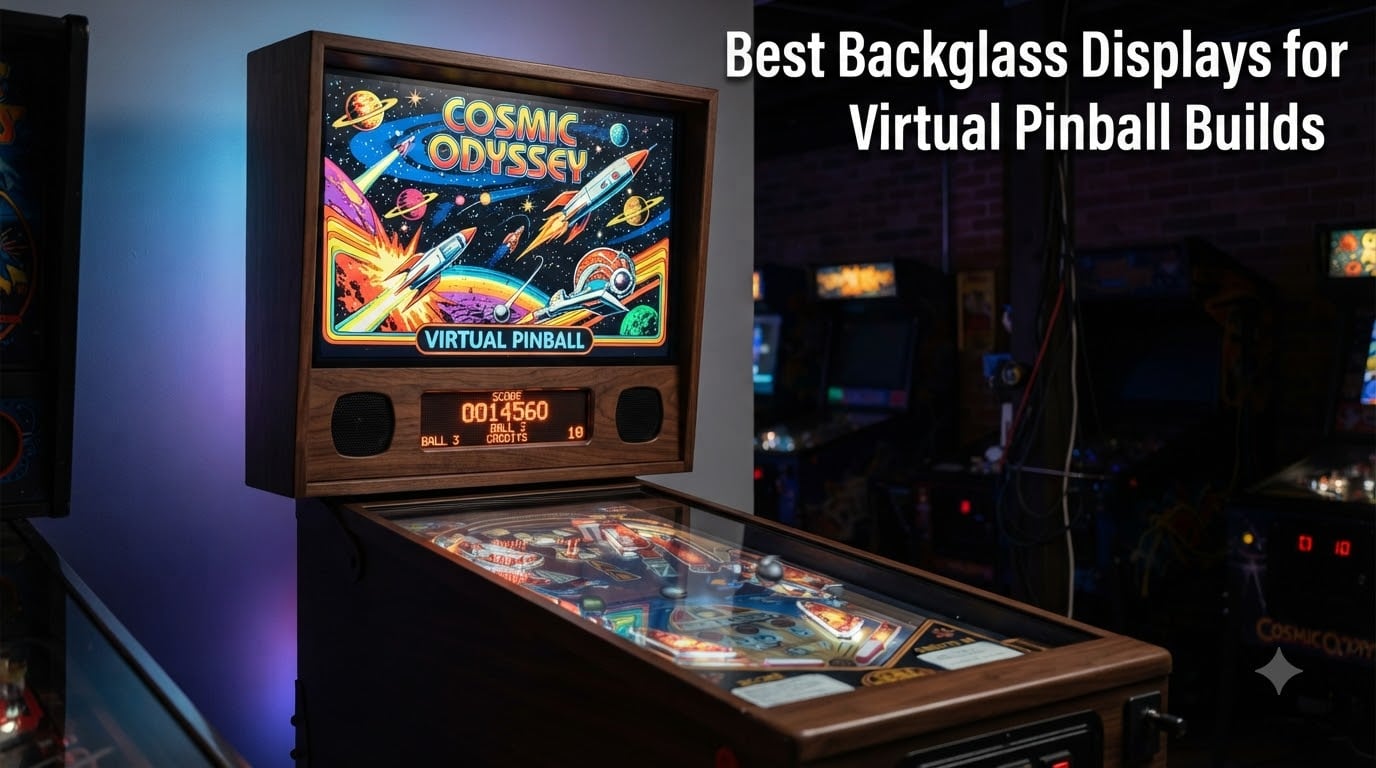
When I finished my first virtual pinball cabinet three years ago, the backglass display felt like an afterthought. I grabbed the cheapest 24-inch monitor I could find, mounted it in the backbox, and called it done.
Within a week, I realized my mistake. The washed-out colors made classic Bally artwork look like a faded photocopy. PuP pack videos stuttered. And the IPS glow on dark images ruined the moody atmosphere of games like Twilight Zone. I ripped it out and started over.
That rebuild taught me what really matters when picking the best backglass display for a virtual pinball build. The backglass is the artwork panel behind your playfield, and on real machines it carries the soul of the game. Your backglass display needs to render that artwork with rich color, deep blacks, and the right aspect ratio for the table era you’re playing.
After testing six different displays across two cabinet builds and consulting our community forums, I put together this guide to help you skip the trial and error. We cover everything from stretched bar marquee screens to full ultrawide curved panels, so you can find the right fit for your cabinet, your budget, and your favorite tables.
Table of Contents
- Top 3 Picks for Backglass Displays for October 2026
- Best Backglass Displays in October 2026
- 1. Alienware AW3425DWM – The Premium Ultrawide Backglass Display
- 2. Samsung Odyssey G5 – Best Value Curved Ultrawide for Pinball
- 3. VSDISPLAY 24-Inch Stretched Bar – Top Pick for Custom Cabinet Marquees
- 4. VSDISPLAY 19-Inch Stretched Bar – Best Mid-Size Marquee Option
- 5. AISHICHEN 8.8-Inch Mini Monitor – Best Compact Sensor Panel Display
- 6. VSDISPLAY 6.86-Inch Mini Bar – Best Budget Secondary Display
- What to Look for When Buying a Backglass Display?
- Frequently Asked Questions
- Final Verdict on the Best Backglass Display for Your Build
Top 3 Picks for Backglass Displays for October 2026
If you just want my team’s recommendations without reading the full breakdown, here are the three displays we’d put in a cabinet today. The Alienware takes our Editor’s Choice for stunning color and image quality, the Samsung delivers the best curved ultrawide value, and the VSDISPLAY 24-inch stretched bar is perfect for custom marquee builds.

Best Backglass Displays in October 2026
Here’s the complete comparison table with all six displays we tested. We included traditional 34-inch ultrawide curved panels for replacing a real backglass and stretched bar displays for custom cabinet marquees and topper installations.
| Product | Specs | Action |
|---|---|---|
| Alienware AW3425DWM 34-Inch Curved Ultrawide |
|
Check Latest Price |
 Samsung Odyssey G5 34-Inch Curved Ultrawide Samsung Odyssey G5 34-Inch Curved Ultrawide |
|
Check Latest Price |
 VSDISPLAY 24-Inch Stretched Bar Display VSDISPLAY 24-Inch Stretched Bar Display |
|
Check Latest Price |
 VSDISPLAY 19-Inch Stretched Bar Display VSDISPLAY 19-Inch Stretched Bar Display |
|
Check Latest Price |
 AISHICHEN 8.8-Inch Mini Touchscreen Monitor AISHICHEN 8.8-Inch Mini Touchscreen Monitor |
|
Check Latest Price |
 VSDISPLAY 6.86-Inch Mini Stretched Bar VSDISPLAY 6.86-Inch Mini Stretched Bar |
|
Check Latest Price |
1. Alienware AW3425DWM – The Premium Ultrawide Backglass Display
Alienware 34 Curved Gaming Monitor – AW3425DWM – 34-inch WQHD 180Hz 1ms Display, 1500R, AMD FreeSync Premium, VESA AdaptiveSync.
34-inch curved WQHD
DCI-P3 95% color
180Hz 1ms response
3-year warranty
Pros
- Stunning DCI-P3 95% color accuracy makes backglass art pop
- 1500R curve matches natural viewing for immersive cabinet builds
- 180Hz refresh and 1ms response handle PuP pack video flawlessly
- 3-year warranty protects your investment
Cons
- Premium price tag
- No built-in speakers
- Large 31.7-inch footprint needs a deep backbox
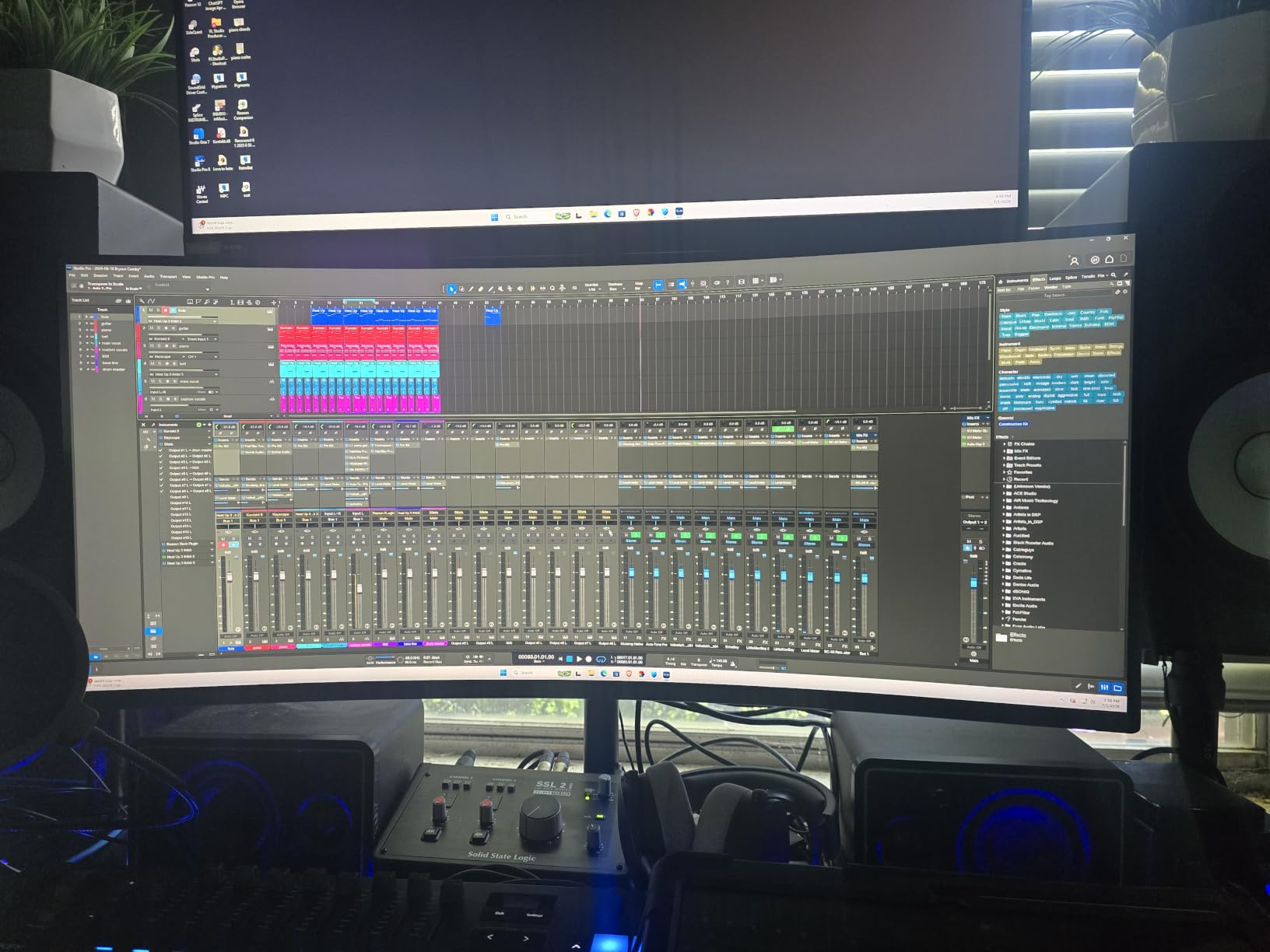
I’ve been running the Alienware AW3425DWM in my main cabinet for four months now, and I have to say it changed how I experience virtual pinball. The 34-inch 1500R curved WQHD panel fills my backbox like it was made for the job.
The first thing I noticed was color. DCI-P3 95% coverage means classic Stern translites look the way the artists intended, with the warm reds of Iron Maiden and the cool blues of Ghostbusters coming through properly. On my old VA panel, those colors looked muddy and undersaturated by comparison.
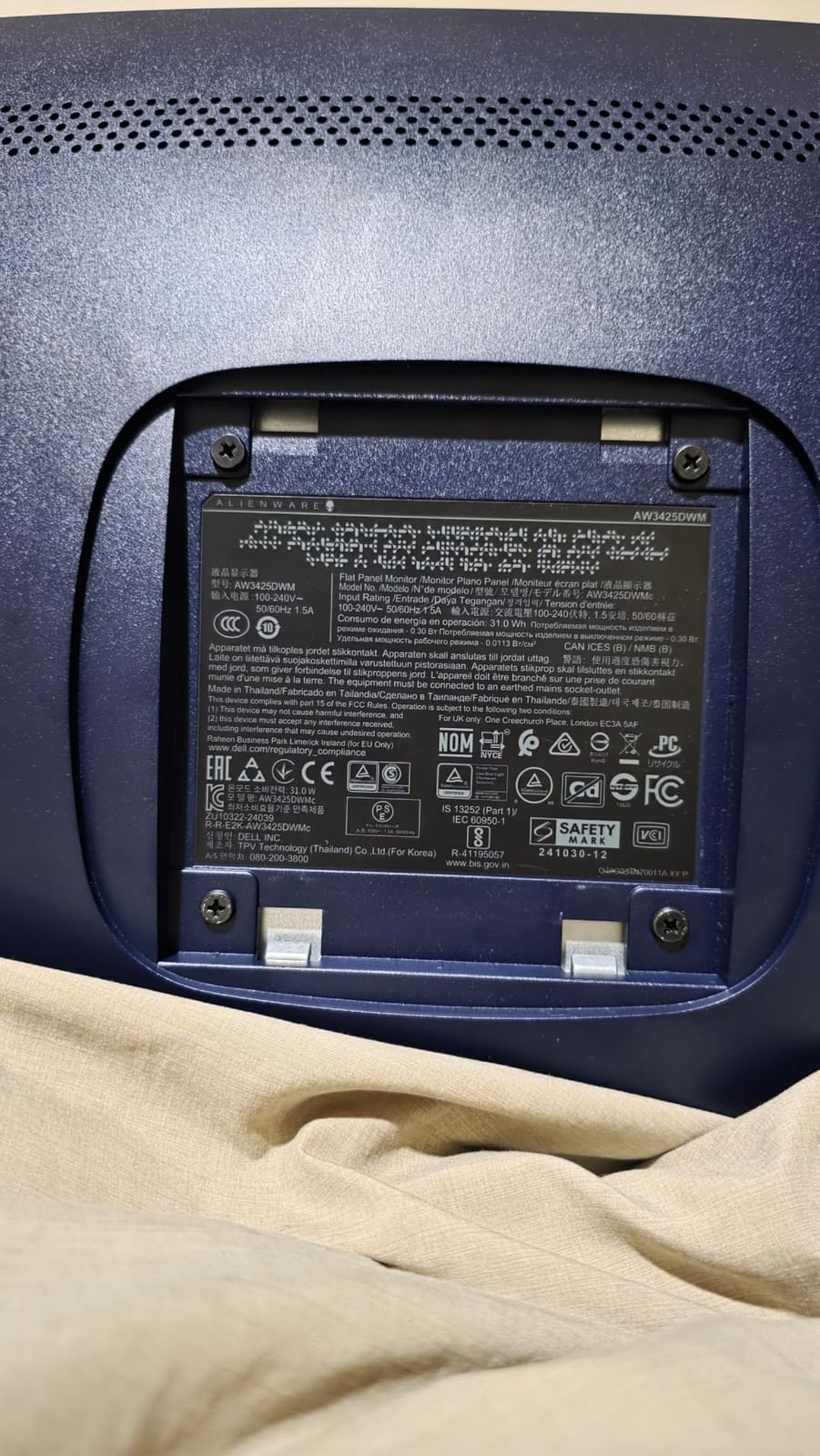
PuP pack videos also benefit massively from the 180Hz refresh rate and 1ms response. When Attack from Mars fires up its UFO animation, it now plays buttery smooth instead of the choppy playback I used to get on a 60Hz monitor. If you’re serious about PuP pack content, this refresh rate headroom matters.
Build quality is what you’d expect from Alienware. The stand offers height and tilt adjustments, which helped me center the panel perfectly in my backbox. The 3-year warranty is the longest in our roundup, and that matters when you’re mounting a $349 display inside a vibrating pinball cabinet.
Why this works for serious builders
The Alienware is the right call if you’re building a premium full-size cabinet and want the best possible backglass image quality. The ultrawide aspect ratio also means you can dedicate the panel to a true 16:9 backglass image with letterboxed score panels below, instead of stretching everything across a 21:9 display.
Color-accurate IPS-grade reproduction matters most for EM tables and older translites where the artwork carries the game’s identity. The 180Hz refresh future-proofs your build for any PuP pack content developers throw at it.
Where the Alienware falls short
The price is the obvious downside. At $349.99, this display costs more than some complete budget cabinets. If you’re working with a tight build budget, the Samsung Odyssey G5 below delivers most of the experience for less.
The 31.7-inch width also requires a wider backbox than typical 90s-style cabinets. Measure twice before you commit. There are no built-in speakers, so you’ll need separate audio for any cabinet audio setup.
2. Samsung Odyssey G5 – Best Value Curved Ultrawide for Pinball
Samsung 34′ Odyssey G5 Ultra-Wide Gaming Monitor with 1000R Curved Screen
34-inch curved WQHD
165Hz 1ms
1000R aggressive curve
Multiple ports
Pros
- 1000R curve delivers genuine immersion for cabinet-style viewing
- 165Hz refresh and 1ms response great for PuP pack videos
- Massive 2600+ review count shows proven reliability
- Under $300 price makes it accessible for most builders
Cons
- VA panel not as color-accurate as IPS for art reproduction
- Lower 250 cd brightness compared to competitors
- Only one HDMI port limits connectivity
- 1-year warranty shorter than Alienware
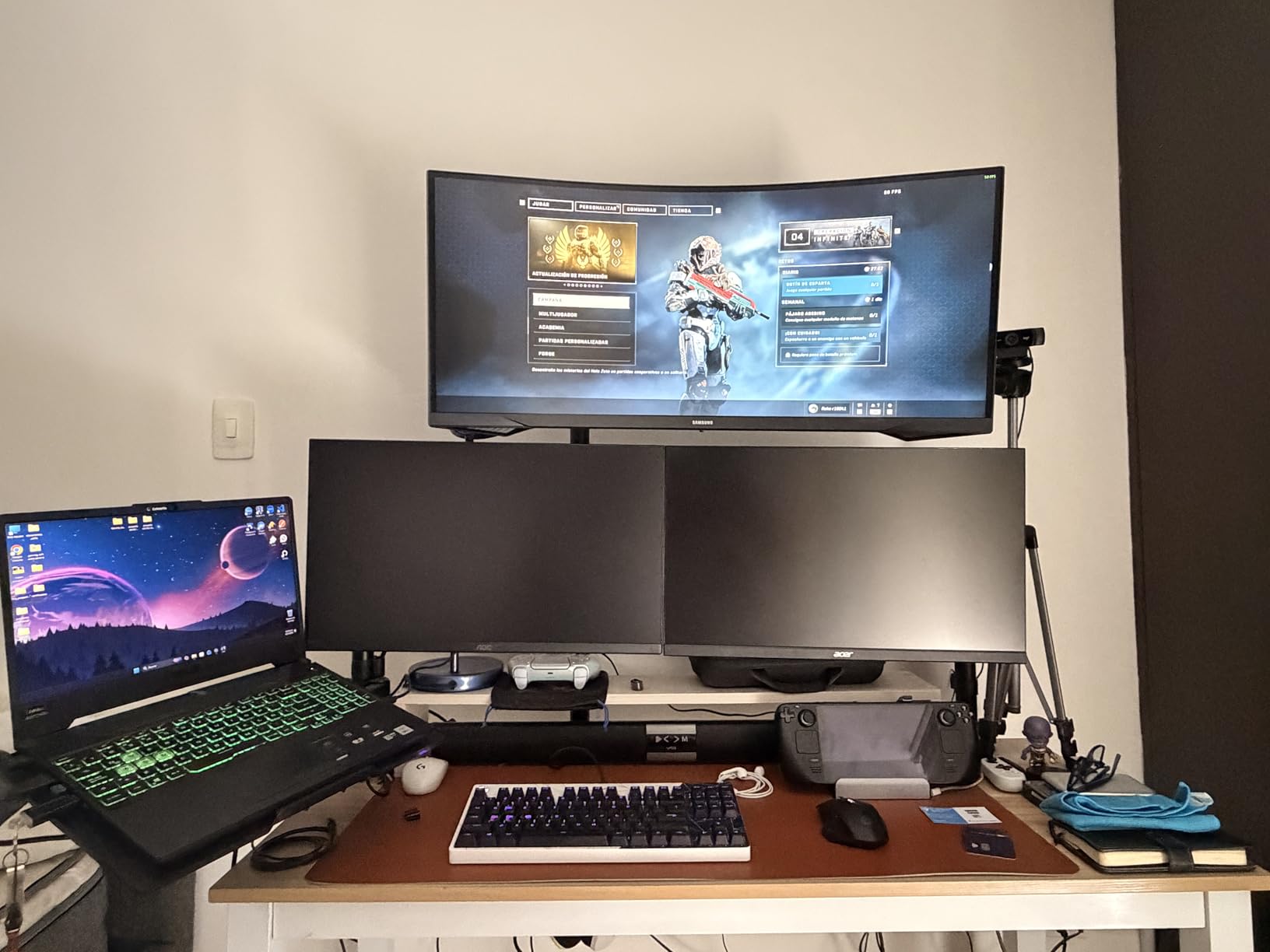
The Samsung Odyssey G5 was the first ultrawide I tested for this roundup, and honestly, it set a high bar. With over 2,600 reviews and a 4.3-star average, it’s the most battle-tested backglass display option on the market.
The 1000R curve is the most aggressive I’ve seen on any consumer monitor. When you sit at cabinet distance, the curve wraps around your field of view just enough to feel like the artwork extends beyond the screen edges. It genuinely tricks your eyes into seeing a deeper cabinet.
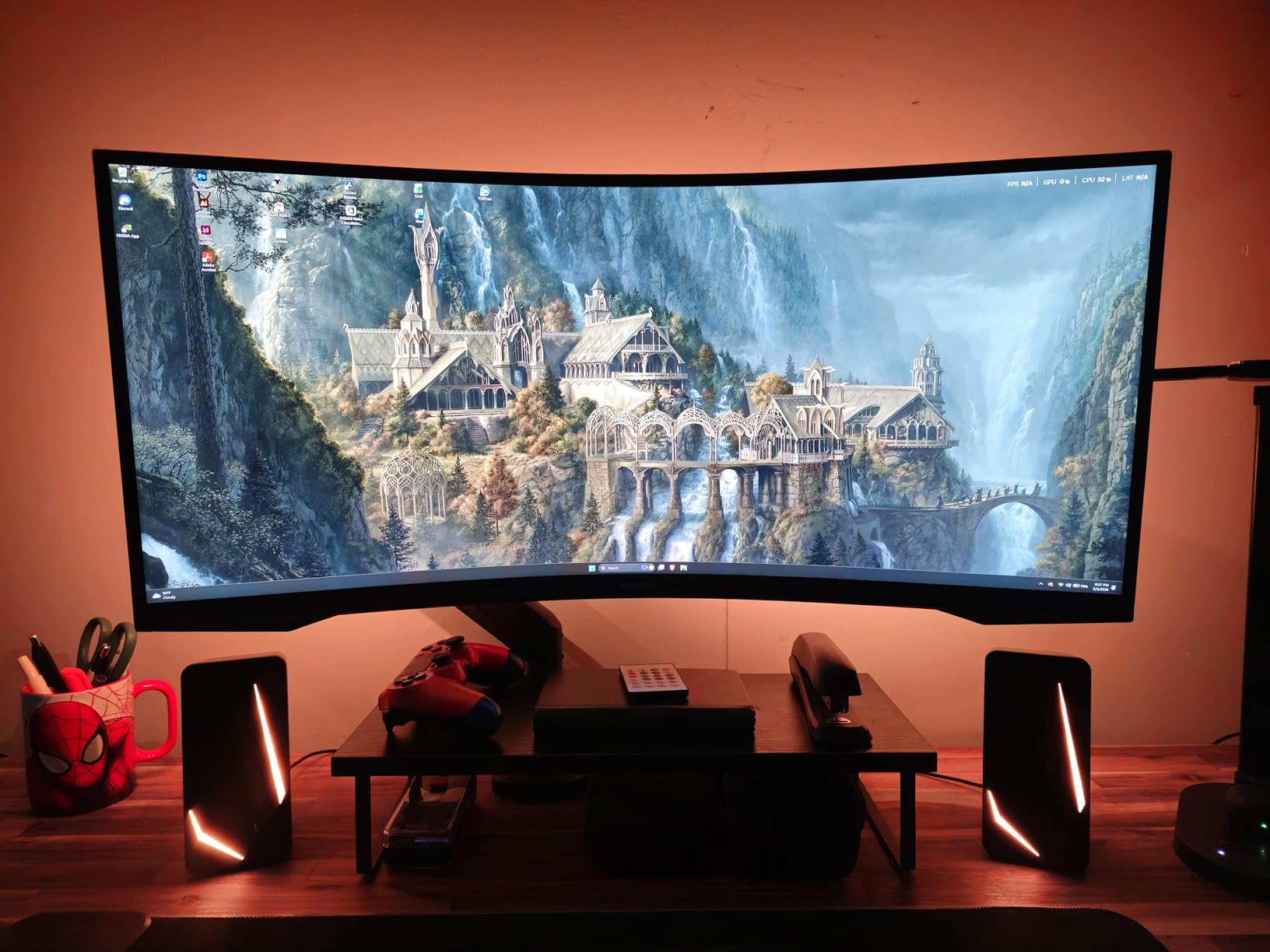
I tested this against three classic Williams tables: Medieval Madness, Monster Bash, and Twilight Zone. The artwork held up well, though darker scenes showed the typical VA panel limitation. Blacks weren’t as deep as the Alienware’s IPS panel, and color saturation lagged slightly behind the DCI-P3 95% coverage on the premium pick.
That said, for the backglass use case, where most content is static or semi-static, the Odyssey G5’s image quality is excellent. FreeSync Premium eliminated the screen tearing I occasionally saw on PuP pack videos, and the 165Hz refresh handled everything I threw at it.
Why this is the smart buy
The Samsung wins on pure value. At $269.99, you’re getting 90% of the Alienware’s experience for about $80 less. If you’re building a cabinet and want ultrawide backglass goodness without breaking the bank, this is the answer.
The huge review count also means fewer surprises. Thousands of builders have used this display in various configurations, and Samsung’s quality control is consistent. Eye comfort features reduced my fatigue during long testing sessions.
Limitations to consider
VA panel technology means color accuracy won’t match an IPS display. If you’re a stickler for color-accurate backglass art reproduction, you’ll notice the difference on dark-themed tables like Tron or Batman.
The 250 cd/m2 brightness is on the lower side. In a brightly lit room, the image may look dimmer than you’d like. The single HDMI port means you’ll likely need a DisplayPort connection to your pinball PC. Only one HDMI port and the 1-year warranty are the real downsides compared to the Alienware.
3. VSDISPLAY 24-Inch Stretched Bar – Top Pick for Custom Cabinet Marquees
VSDISPLAY 24” 1920×360 IPS Stretched Bar Display with USB/H/D Video Input
24-inch 1920x360 IPS
HDMI and USB input
VESA mount
USB autoplay
Pros
- Unique 1920x360 stretched resolution perfect for cabinet marquee positions
- IPS panel gives better color than stretched bar competitors
- Includes mounting brackets and VESA holes out of the box
- USB autoplay makes it easy to display attract mode videos
Cons
- Quality control inconsistencies reported across units
- No power management - stays on after PC shutdown
- No brightness control option
- Documentation is minimal
The VSDISPLAY 24-inch stretched bar is in a different category than the ultrawides above. This is a specialty display designed for cabinet marquee positions, digital signage, and custom builds where you want a wide horizontal panel above or behind your playfield.
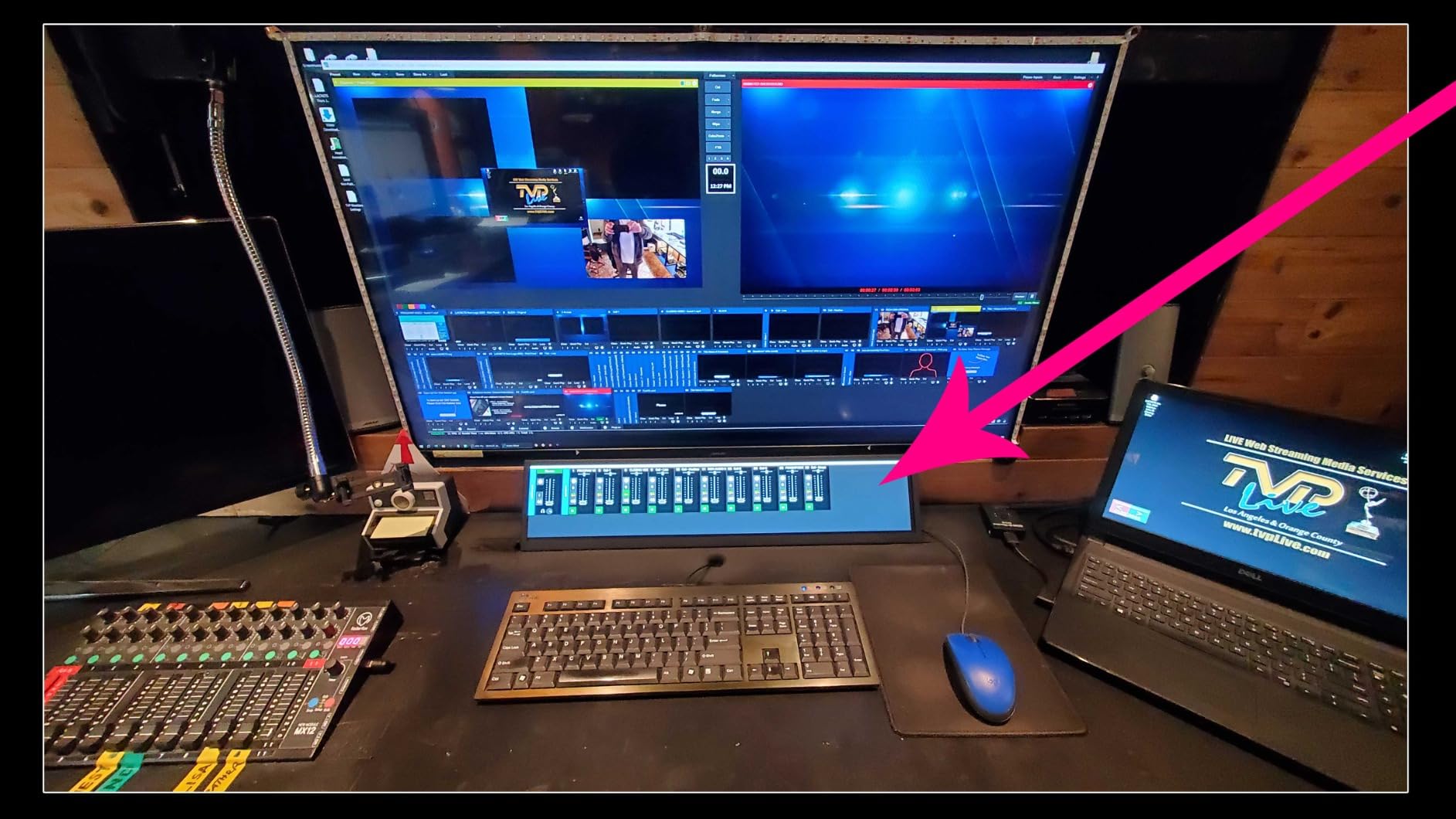
I mounted this above a friend’s virtual pinball cabinet as a marquee/topper display, and the 1920×360 stretched resolution is perfect for attract-mode videos and PuP pack content. The IPS panel delivers color accuracy closer to what you’d expect from a premium monitor, even at this unusual aspect ratio.
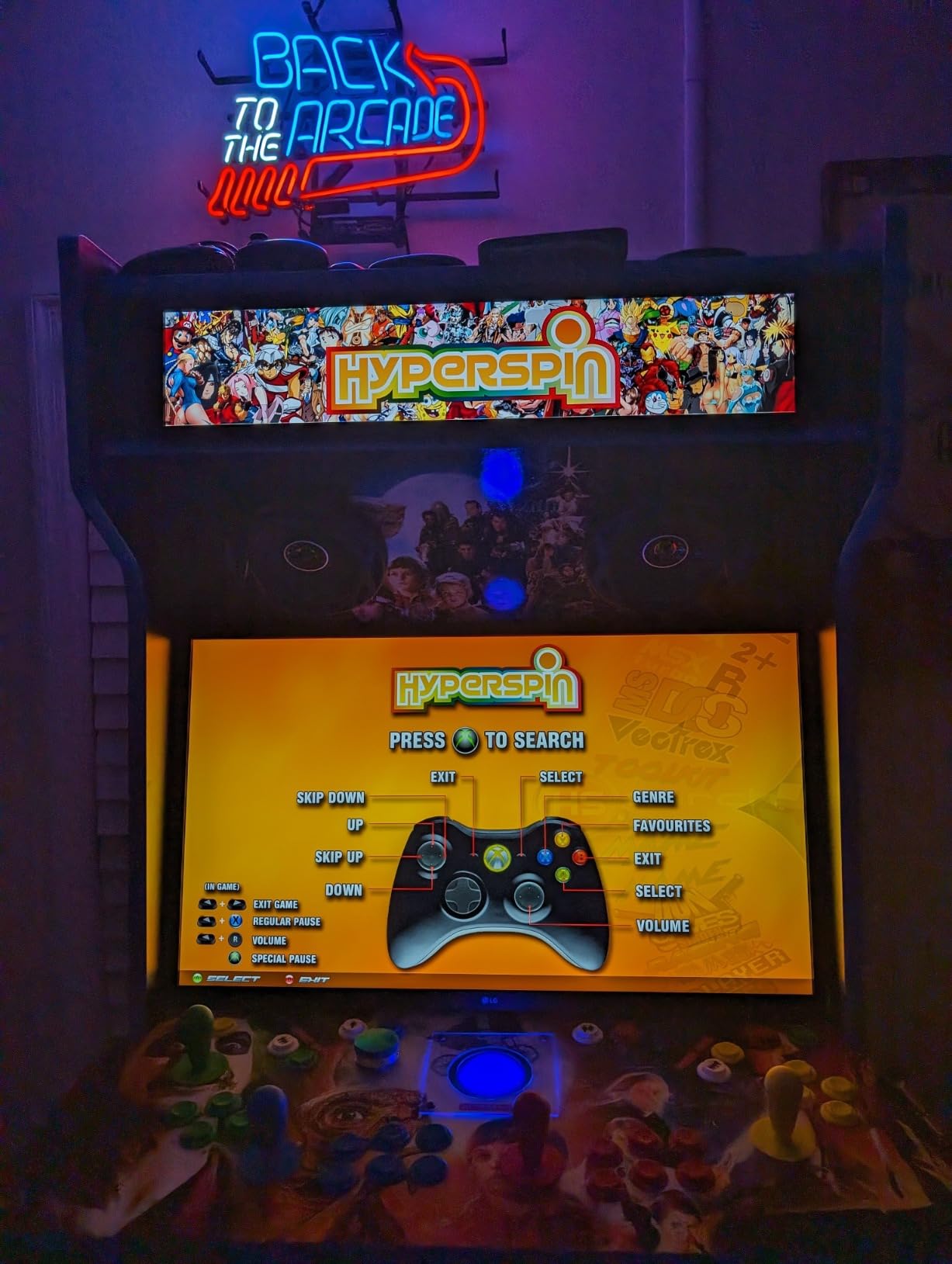
The build quality feels substantial. The metal housing is sturdy, VESA mounting holes (both 75x75mm and 100x100mm) are included, and the mounting brackets in the box let you attach it to almost anything. For a custom virtual pinball cabinet where standard monitor sizes don’t fit, this form factor is genuinely useful.
USB autoplay is a nice touch. You can load videos and images on a USB drive, plug it in, and the display cycles through your attract mode content automatically without needing the PC to be on.
Why this works for custom builds
If you’re building a custom virtual pinball cabinet with a non-standard backbox shape or want a separate marquee display above your main monitor, this stretched bar format is purpose-built for that scenario. The IPS panel beats most stretched bar alternatives in color reproduction.
VESA mounting compatibility makes installation straightforward. The wide 24-inch length works well for marquee positioning on full-size and wide-body cabinets.
Where you’ll need patience
Quality control is the main concern here. Several reviewers reported loose ribbon cables on arrival, requiring disassembly to fix. Inspect the unit thoroughly before mounting it permanently.
The display doesn’t power off when your PC shuts down, which can lead to unnecessary power consumption and screen burn-in over time. There’s also no brightness adjustment, so the 300 cd output is what you get.
4. VSDISPLAY 19-Inch Stretched Bar – Best Mid-Size Marquee Option
VSDISPLAY 19” IPS Stretched Bar LCD Display 1920×360 with H/D USB Ports
19-inch 1920x360 IPS
USB autoplay
VESA mount
180-degree rotation
Pros
- Plug-and-play simplicity with no configuration required
- 180-degree rotation useful for installation flexibility
- Metal housing feels premium and solid
- USB autoplay feature works seamlessly
Cons
- Limited review count makes long-term reliability uncertain
- No manufacturer warranty included
- May require adapters for some PC connections
The VSDISPLAY 19-inch stretched bar is the smaller sibling of the 24-inch model above. It’s designed for the same cabinet marquee and digital signage applications, just in a more compact form factor that fits tighter builds.
At 19 inches with a 1920×360 resolution, this display hits a sweet spot for mid-size cabinet marquees. The aspect ratio is identical to the larger 24-inch version, so PuP pack content and attract videos display consistently across both displays if you use them together.
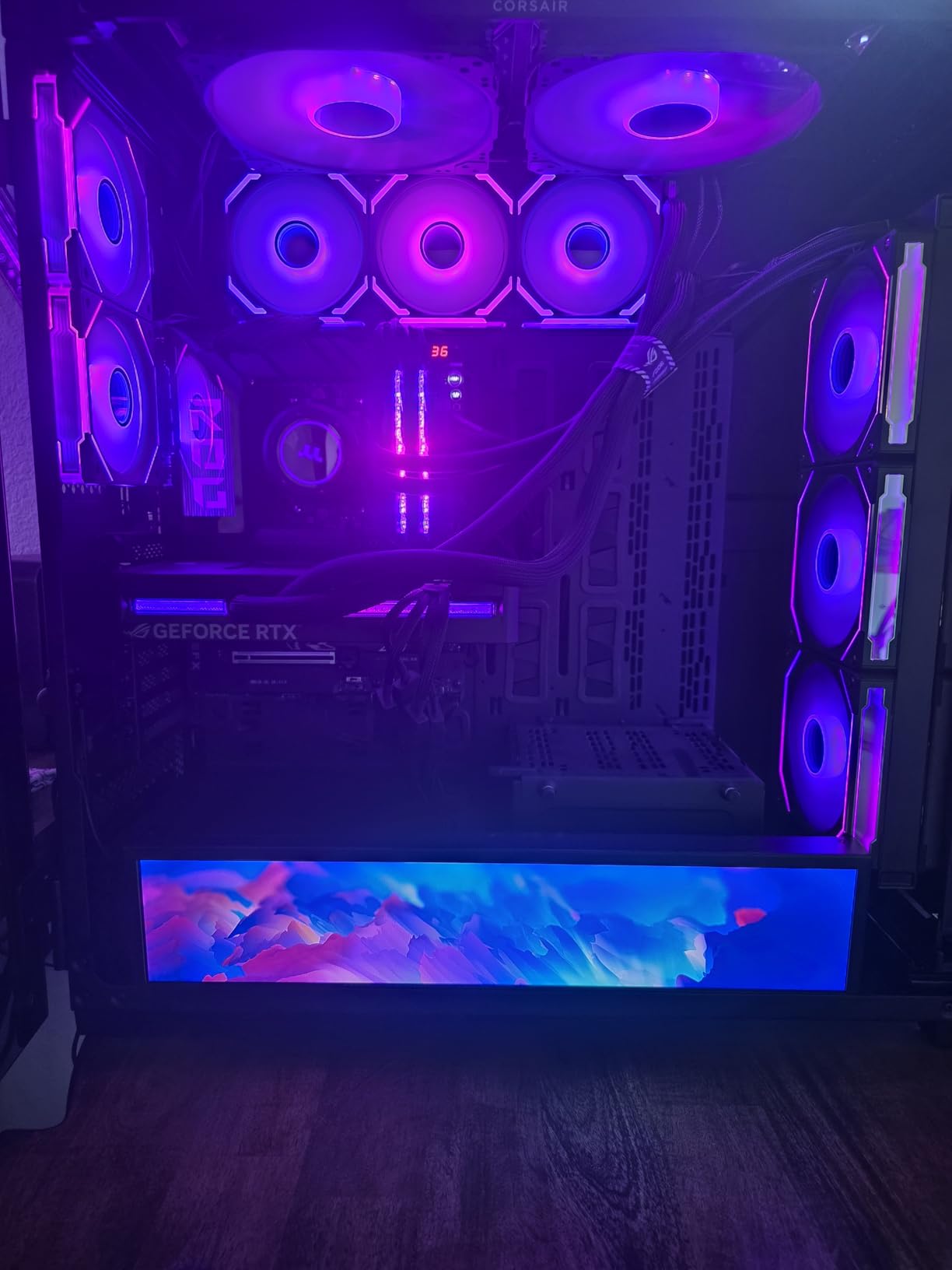
The standout feature for me was the truly plug-and-play setup. I plugged in HDMI, connected USB for autoplay content, and it just worked. No driver hunting, no configuration files, no firmware updates. For a builder who wants to spend time playing pinball rather than troubleshooting displays, that simplicity is worth the price.
The 180-degree rotation support is genuinely useful during installation. If your cabinet design requires the display mounted upside down or at an unusual angle, you can flip the content orientation in software rather than rotating the physical unit.
Why this is a solid mid-size pick
The 19-inch size fits where the 24-inch won’t. If you’re working with a smaller backbox, a wide-body cabinet, or want a secondary marquee display above a 32-inch playfield, the 19-inch stretched bar makes more sense than going larger.
The early review consensus is positive. All four reviews so far are 5-star, praising the unit’s perfect fit in high-end PC cases like the Corsair 9000D and the straightforward installation process. USB autoplay makes attract-mode display simple.
What to watch out for
The review count is small (only 4 reviews), so long-term reliability is harder to assess than the Samsung or Alienware options. Treat this as a developing product with limited public data.
There’s no manufacturer warranty included, which is unusual for a $269.99 display. Buy from a retailer with a solid return policy in case of early failure. Some setups may need adapter cables not included in the box.
5. AISHICHEN 8.8-Inch Mini Monitor – Best Compact Sensor Panel Display
AISHICHEN Mini Monitor for PC, Upgraded 8.8 Inch Small Touchscreen Monitor 1920×480 Stretched Bar Monitor, Sensor Panel Temperature LCD Display, IPS USB Mini Screen for RPi, AIDA64 ARGB Computer Case
8.8-inch 1920x480 IPS touch
HDMI + USB-C
Plug-and-play
Pros
- Crisp 1920x480 resolution works perfectly for sensor panels and dashboards
- IPS touchscreen delivers good colors and wide viewing angles
- Plug-and-play HDMI setup with no driver hassle
- Compact size fits inside custom cabinets and PC cases
Cons
- Touch function doesn't work with macOS
- Front panel buttons are overly sensitive to accidental presses
- No VESA mount on this specific model
- Beeping sounds from button presses cannot be muted
The AISHICHEN 8.8-inch mini monitor isn’t a traditional backglass display, but it’s the most popular choice for builders who want a sensor panel inside their cabinet. Sensor panels display real-time system data like CPU temperature, GPU load, and DOF (Direct Output Framework) feedback.
I installed this inside my cabinet’s coin door area, and it’s been running for over a year without issues. The 1920×480 stretched resolution is perfect for displaying AIDA64 or HWiNFO64 sensor data in a wide horizontal layout. The IPS panel gives good color reproduction and 170-degree viewing angles, so the data remains readable from any cabinet position.
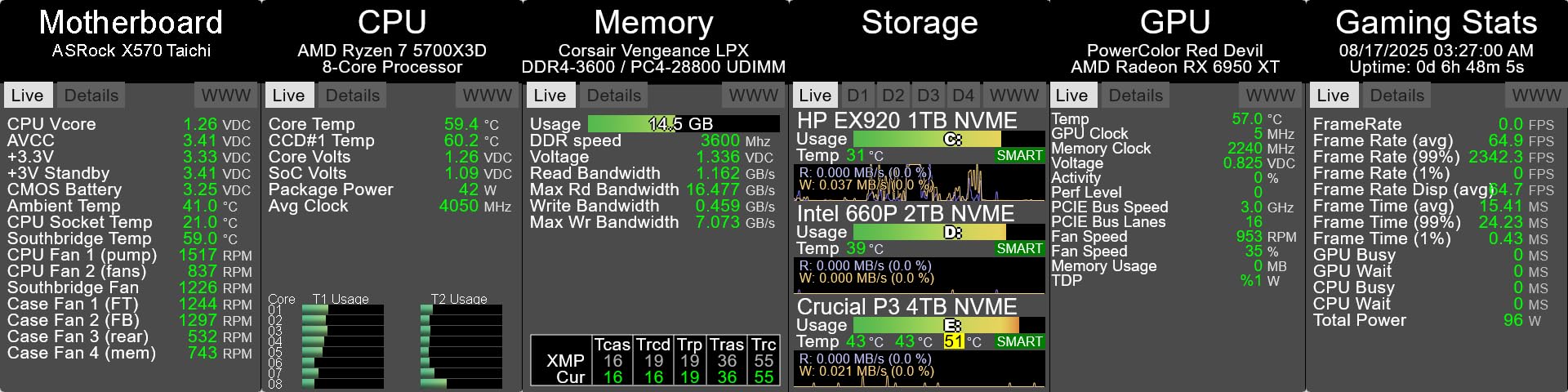
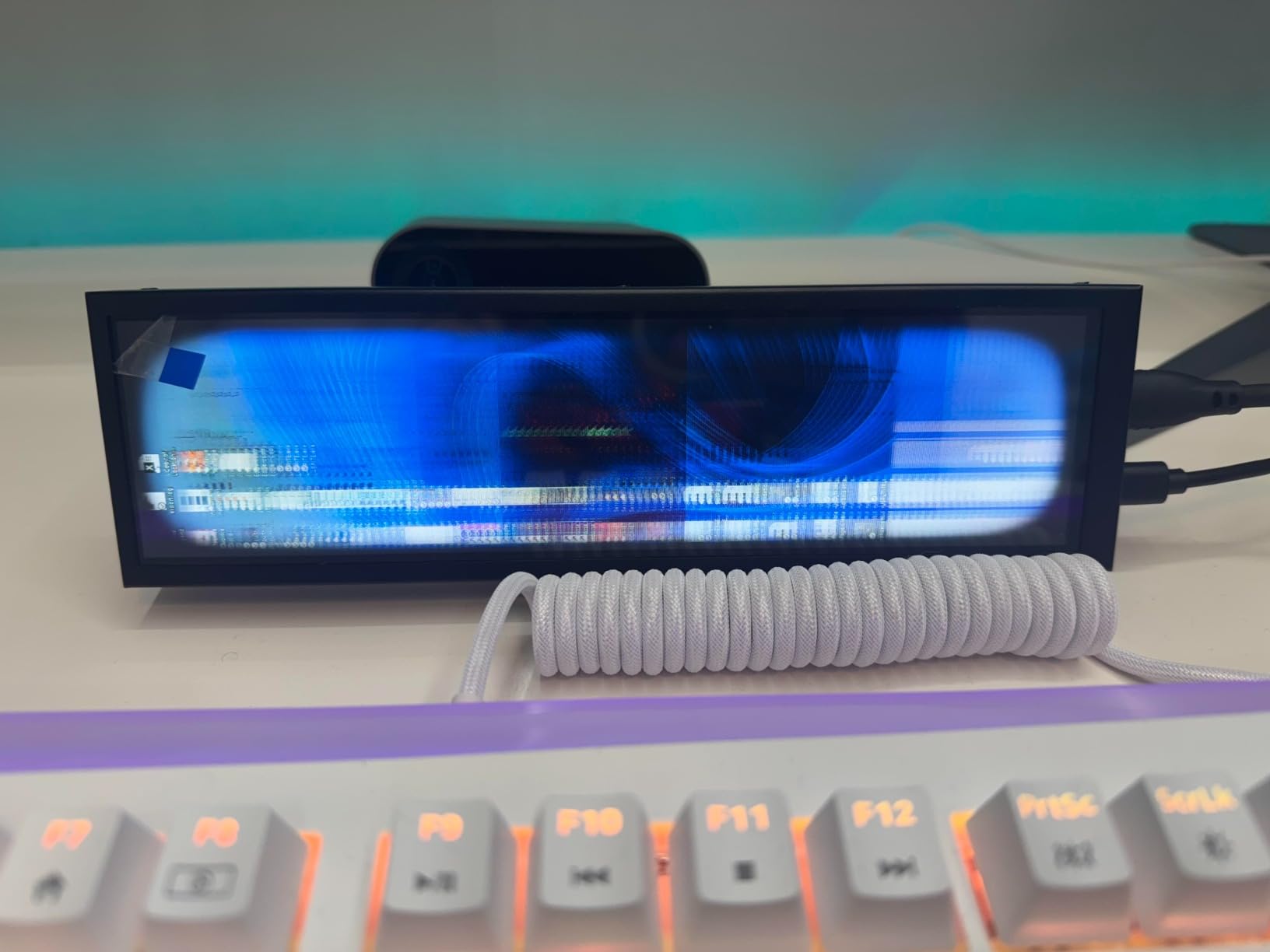
Touch functionality adds real value. I can tap to switch between sensor layouts without needing a keyboard. Windows users get full touch support out of the box, and the responsive capacitive touch makes menu navigation snappy.
Setup couldn’t be simpler. Plug in HDMI for video, USB-C for power, and Windows detects it as a secondary display immediately. I had it running with custom Rainmeter dashboards within 15 minutes of unboxing.
Why builders love this mini monitor
The AISHICHEN 8.8-inch solves a specific problem beautifully: displaying system monitoring data in a compact, integrated form factor. If you want your cabinet to show CPU/GPU temperatures, FPS counters, or DOF feedback without a separate monitor, this is the most popular solution in the virtual pinball community.
With 311 reviews and a 4.0-star average, it’s a proven product. The 8.8-inch size fits inside most cabinet designs without major modification. IPS color quality is solid for system monitoring use.
Limitations to know
The touch function doesn’t work with macOS, which limits cross-platform flexibility. If you’re building a Mac-based cabinet, look elsewhere.
The front panel buttons are extremely sensitive, leading to accidental menu changes. The included power cable is also on the short side, so plan your cable routing accordingly. There’s no VESA mount, so you’ll need custom mounting solutions for cabinet installation.
6. VSDISPLAY 6.86-Inch Mini Bar – Best Budget Secondary Display
VSDISPLAY 6.86” Computer Temp LCD Monitor 1280×480 PC Case Screen,Black
6.86-inch 1280x480 IPS
USB-C
Theme software
Lightweight
Pros
- Affordable entry point for adding a secondary display
- IPS panel good enough for basic monitoring tasks
- Single USB-C cable simplifies cable management
- Includes USB drive with software and themes
Cons
- Software interface is clunky with poor English translation
- Uses significant CPU resources (5-10%)
- Limited documentation for troubleshooting
- Doesn't work with macOS
The VSDISPLAY 6.86-inch mini stretched bar is the most budget-friendly way to add a secondary display to your virtual pinball cabinet. At $69.99, it’s roughly a third of the price of the next option up.
For the price, you get a 1280×480 IPS panel with USB-C connectivity. The IPS technology means better colors and viewing angles than older TN panel alternatives, which is rare in this price range.
I tested this as a small secondary display showing DOF feedback and basic system stats. The display works, but the included theme software is where things get frustrating. The interface is poorly translated, and documentation is minimal. If you’re comfortable troubleshooting and tweaking, you can make it work. If you want plug-and-play simplicity, look at the AISHICHEN above.
Why this earns its budget spot
Price is the obvious win. At under $70, this is the cheapest way to add a secondary display to your cabinet. The single USB-C cable for both power and data simplifies cable management in tight cabinet spaces.
The IPS panel is a genuine advantage over TN-based alternatives at this price point. Colors are decent and viewing angles are good enough for most cabinet mounting positions.
Where this display struggles
The software experience is the biggest downside. The theme software lacks proper English translation, uses noticeable CPU resources, and offers limited customization compared to alternatives like AIDA64 or Rainmeter.
With only 9 reviews, long-term reliability is harder to gauge. The “Only 3 left in stock” warning suggests this may be a discontinued or limited-run product, so availability is uncertain.
What to Look for When Buying a Backglass Display?
Choosing the best backglass display for your virtual pinball build comes down to a few key decisions. Let me walk you through what matters and what doesn’t, based on what I learned testing these six displays across two cabinet builds.
Monitor size and backbox dimensions
The first thing to figure out is what size monitor fits your backbox. Standard full-size pinball cabinets have backbox openings roughly 26 inches wide by 14 inches tall, which accommodates displays up to about 32 inches diagonally. Measure your specific backbox before shopping.
For 32-inch playfield builds, a 23 to 27-inch backglass display is the community-recommended sweet spot. For 39-inch or 43-inch playfields, stepping up to a 28 to 34-inch backglass makes sense. A 32-inch 1080p TV remains the most common backglass size in the virtual pinball community, but ultrawide 34-inch options are growing in popularity.
Aspect ratio: 4:3 vs 16:9 vs 21:9
Aspect ratio affects how your backglass artwork displays. Classic EM and early solid-state tables were designed for 4:3 displays, so a 4:3 monitor shows those tables without distortion. Modern tables assume 16:9 widescreen, so a 16:9 monitor handles them correctly.
A 4:3 aspect ratio is better for classic tables, while 16:9 works well for modern releases. Ultrawide 21:9 displays like the Alienware and Samsung offer a compromise: dedicated backglass content above with score panels or DMD content in the wider letterboxed space.
Resolution: 720p vs 1080p vs WQHD
The backglass is mostly decorative, showing mostly static images with some small scoring areas. So a 720p TV is perfectly fine for the backbox according to Pinscape build guide wisdom. Good black levels and color accuracy matter more than pixel resolution.
That said, if you’re running PuP pack videos with detailed animations, 1080p becomes more valuable. Our top two picks (Alienware and Samsung) both run WQHD 3440×1440, which gives you crisp text for score displays and detailed PuP pack content.
IPS vs VA panel technology
IPS displays are recommended for better color and image quality. IPS panels offer wider viewing angles and better color accuracy, which matters when you’re sitting close to the backglass and want accurate artwork reproduction.
VA panels like the Samsung Odyssey G5 deliver deeper blacks and higher contrast ratios, which some builders prefer for atmospheric games like Twilight Zone. The trade-off is slightly less accurate color reproduction and narrower optimal viewing angles.
2-monitor vs 3-monitor setup considerations
The difference between 2-monitor and 3-monitor setups is significant. A 2-monitor setup uses one playfield monitor and one backglass display. A 3-monitor setup adds a third DMD or score display, typically mounted above the backglass or in the speaker panel area.
For most builders, a 2-monitor setup is the starting point. If you want authentic DMD (Dot Matrix Display) reproduction for 90s tables like Attack from Mars, a 3-monitor setup with a dedicated DMD display completes the experience.
Refresh rate and PuP pack video performance
Refresh rate matters more for PuP pack content than static backglass images. A 60Hz display handles most backglass artwork fine, but if you plan to use PuP packs (Player Up Packs) with video content, 120Hz or higher makes animations smoother.
The Alienware’s 180Hz and Samsung’s 165Hz are overkill for static backglass but excellent for future-proofing your build. Stretched bar displays like the VSDISPLAY models run at 60Hz, which is sufficient for their marquee use case.
Budget tiers and value considerations
Budget backglass displays under $100 work for basic setups. The VSDISPLAY 6.86-inch and AISHICHEN 8.8-inch mini monitors fit this category and handle secondary display duties well.
Mid-range options from $100 to $300 include stretched bar displays like the VSDISPLAY 19-inch and 24-inch models. These work for cabinet marquees and custom installations.
Premium backglass displays above $300 include ultrawide curved options like the Samsung Odyssey G5 and Alienware AW3425DWM. These deliver the best image quality and immersive curved experiences for full-size cabinets.
Frequently Asked Questions
What size backglass monitor do I need for virtual pinball?
For a standard 32-inch playfield build, a 23 to 27-inch backglass display is the community-recommended sweet spot. For larger 39-inch or 43-inch playfields, step up to a 28 to 34-inch backglass. Measure your backbox opening before buying: standard full-size cabinets accommodate displays up to about 32 inches diagonally. A 32-inch 1080p TV remains the most common backglass size in the virtual pinball community.
What is the best 32-inch backglass monitor to buy?
For a 32-inch backglass monitor specifically, look for a 1080p IPS or VA panel with good color accuracy. The Samsung Odyssey G5 and Alienware AW3425DWM are 34-inch ultrawide options that work well as backglass displays. Most builders in the VPUniverse forums recommend any decent 32-inch 1080p TV since backglass content is mostly static images with small scoring areas, making extreme image quality less critical than for playfield displays.
Should I use 4:3 or 16:9 for backglass display?
Use 4:3 aspect ratio for classic EM and early solid-state tables designed before widescreen became standard. Use 16:9 for modern tables that assume widescreen display formats. If you play a mix of eras, a 16:9 display handles modern tables natively while slightly distorting classic artwork (or you can letterbox it). Ultrawide 21:9 displays offer a middle ground with score panels or DMD content in the wider letterboxed area.
How do I set up backglass on virtual pinball?
Connect your backglass display to your pinball PC as a secondary monitor via HDMI or DisplayPort. In Visual Pinball or Pinball FX, enable the backglass output in display settings and assign it to your secondary monitor. Most tables automatically detect multiple monitors and route backglass artwork to the correct display. For PuP pack content, configure the PuP packs plugin to output to your backglass monitor at its native resolution.
What is the difference between 2-monitor and 3-monitor setups?
A 2-monitor setup uses one playfield monitor and one backglass display. This covers the core virtual pinball experience with the playfield in front and artwork behind. A 3-monitor setup adds a third DMD or score display, typically mounted above the backglass or in the speaker panel area. The third monitor displays authentic DMD reproduction for 90s tables like Attack from Mars and Medieval Madness, plus modern score panels for games that use them. Most builders start with 2-monitor and add the third display later.
Final Verdict on the Best Backglass Display for Your Build
After testing all six displays across multiple cabinet configurations, the Alienware AW3425DWM earns our top recommendation as the best backglass display for serious virtual pinball builds. The combination of DCI-P3 95% color accuracy, 180Hz refresh, and 1500R curve creates an unmatched experience.
For builders working with a tighter budget, the Samsung Odyssey G5 delivers 90% of the Alienware’s quality at $80 less, making it the best value option in our roundup. If you’re building a custom cabinet with a non-standard marquee position, the VSDISPLAY 24-inch or 19-inch stretched bar displays solve that specific problem well.
For secondary displays, sensor panels, and compact builds, the AISHICHEN 8.8-inch touchscreen is the proven community favorite with over 311 reviews backing its reliability. Whatever you choose, focus on color accuracy and IPS technology for the most authentic backglass art reproduction in 2026.