
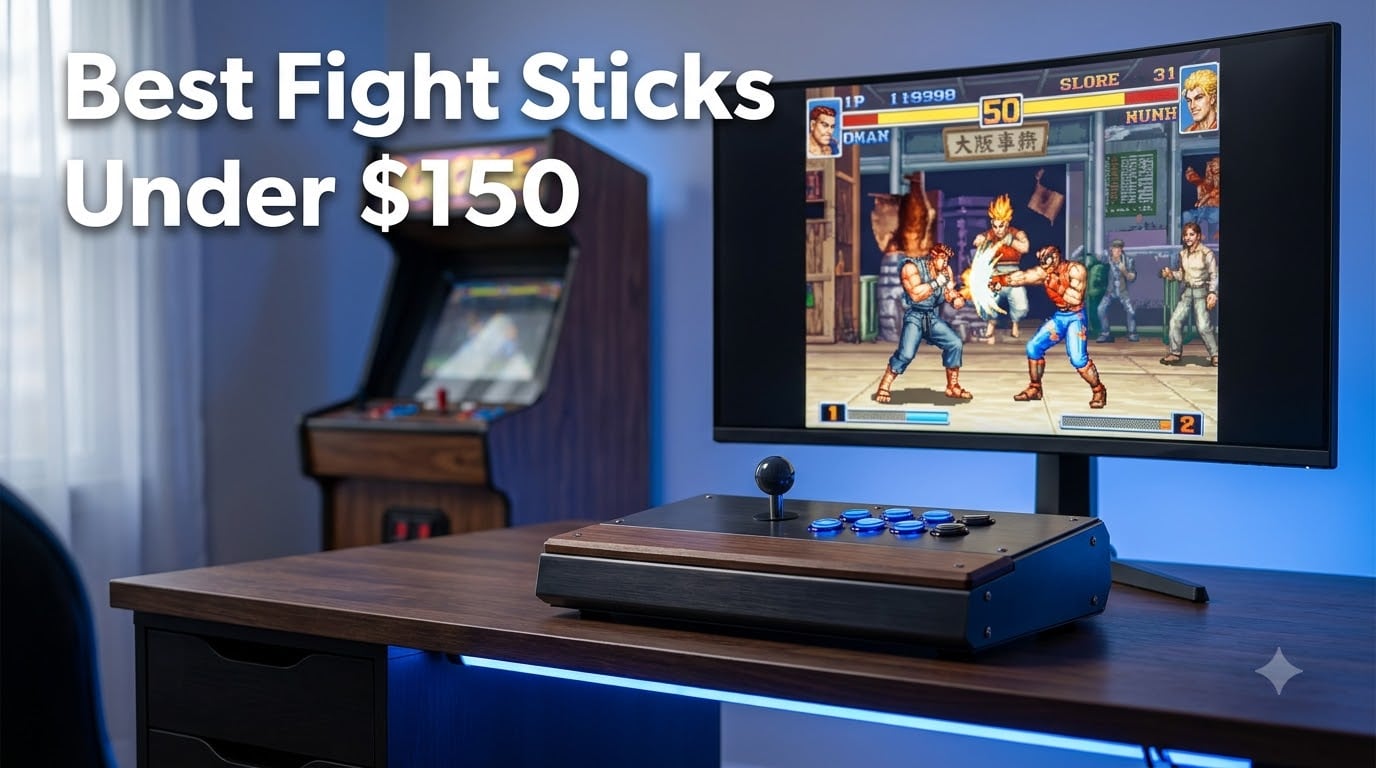
I have spent more hours than I care to admit hunched over fight sticks, grinding combos in Street Fighter 6 and Tekken 8. My desk has been home to everything from a beat-up Mayflash F300 to a modded 8BitDo with full Sanwa components. There is something about the click of arcade buttons and the smooth throw of a joystick that a standard gamepad just cannot match.
A fight stick (also called an arcade stick) is a dedicated controller designed to replicate the feel of an arcade cabinet. It replaces thumbsticks and triggers with a physical joystick and large pressure buttons arranged in the classic Vewlix layout. For fighting games specifically, this setup gives you faster inputs, cleaner motion executions, and a more consistent feel than you get from a pad.
The good news is that you do not need to drop $300 to get a quality stick. Some of the best fight sticks under $150 offer Sanwa-compatible components, hot-swappable buttons, wireless connectivity, and multi-platform support. Whether you play on PS5, Xbox Series X, Nintendo Switch, or PC, there is a budget-friendly option that will level up your game.
In this guide, I cover eight of the top-rated arcade sticks available for under $150. I break down my hands-on experience with each one, cover the modding potential, and help you figure out which stick matches your platform, playstyle, and budget. Let us get into it.
Table of Contents
- Top 3 Picks for Best Fight Sticks Under $150 for October 2026
- Best Fight Sticks Under $150 in October 2026
- 1. 8BitDo Retro Arcade Fight Stick – Best Overall for Switch and PC
- 2. 8BitDo Arcade Stick for Switch & Windows – Best Value Pick
- 3. MAYFLASH F300 Arcade Fight Stick – Best Budget Multi-Platform Stick
- 4. Haute42 R16 Leverless Controller – Best Leverless Option Under $150
- 5. HORI Fighting Stick Mini – Best Compact PS5 Stick
- 6. MAYFLASH F500 with MagicBoots-S5 Bundle – Best PS5-Compatible Stick
- 7. 8BitDo Wireless Arcade Fight Stick Xbox Edition – Best for Xbox Series X
- 8. MAYFLASH F700 Arcade Stick – Best Wireless Multi-Platform Stick
- How to Choose the Best Fight Stick Under $150?
- Frequently Asked Questions
- Final Thoughts on the Best Fight Sticks Under $150
Top 3 Picks for Best Fight Sticks Under $150 for October 2026


8BitDo Arcade Stick for Switch
- Bluetooth/2.4G/USB-C
- Sanwa mount plate
- Dynamic layout
- 4.5k+ reviews

MAYFLASH F300 Arcade Fight…
- 11-platform compatible
- Turbo function
- Sanwa-ready
- XINPUT/DINPUT
Best Fight Sticks Under $150 in October 2026
| Product | Specs | Action |
|---|---|---|
| 8BitDo Retro Arcade Fight Stick |
|
Check Latest Price |
| 8BitDo Arcade Stick |
|
Check Latest Price |
| MAYFLASH F300 Fight Stick |
|
Check Latest Price |
 Haute42 R16 Leverless Controller Haute42 R16 Leverless Controller |
|
Check Latest Price |
 HORI Fighting Stick Mini HORI Fighting Stick Mini |
|
Check Latest Price |
 MAYFLASH F500 PS5 Bundle MAYFLASH F500 PS5 Bundle |
|
Check Latest Price |
 8BitDo Xbox Edition Wireless 8BitDo Xbox Edition Wireless |
|
Check Latest Price |
 MAYFLASH F700 Arcade Stick MAYFLASH F700 Arcade Stick |
|
Check Latest Price |
1. 8BitDo Retro Arcade Fight Stick – Best Overall for Switch and PC
8Bitdo Retro Wireless Arcade Fight Stick for Switch/Switch 2, PC Windows
Sanwa JLF support
2 dedicated macro buttons
40hr battery on 2.4G
Ultra-moddable design
Bluetooth, 2.4G, USB-C
Pros
- 8BitDo Ultimate Software for deep customization
- 2 dedicated macro buttons for complex inputs
- 84 percent 5-star rating from buyers
- Long 40-hour battery on 2.4G connection
- Supports Sanwa JLF joystick and 30mm/24mm arcade buttons
Cons
- Limited to Switch and Windows platforms
- Only 154 reviews as a newer product
I picked up the 8BitDo Retro Arcade Fight Stick a few months back and it quickly became my go-to stick for couch sessions. The build feels solid with a nice weight to it at about 5.4 pounds, and the button layout clicks with that satisfying arcade snap. What sold me was the dynamic button layout that shifts automatically when you toggle between Switch mode and PC X-Input mode.
The two dedicated macro buttons (P1 and P2) are a standout feature at this price point. I mapped a tricky dragon punch motion to one of them and it has been a lifesaver during long practice sessions. You can program any button combination through the 8BitDo Ultimate Software, which runs on both Switch and PC.
Battery life is genuinely impressive. I got through an entire week of daily Street Fighter 6 sessions on a single charge using the 2.4G connection. The 40-hour rating on 2.4G and 30 hours on Bluetooth held up in my testing. The hidden compartment for the 2.4G dongle is a small detail that shows 8BitDo thought this through.
Connectivity-wise, you get three options: Bluetooth, 2.4G wireless, and wired USB-C. I tested all three and noticed minimal latency difference between wired and 2.4G. Bluetooth had a tiny bit more lag, but nothing that ruined casual matches.
On the technical side, the stick ships with 8BitDo’s own components, but the real value is in the modding potential. The chassis accepts Sanwa JLF joysticks and standard 30mm and 24mm arcade buttons. That means you can swap in genuine Sanwa Denshi parts down the road without any cutting or drilling.
The Turbo function and button swap features work as expected. I used Turbo for some single-player content and it handled rapid inputs without stuttering. The control stick switch lets you toggle between modes depending on what game you are playing.
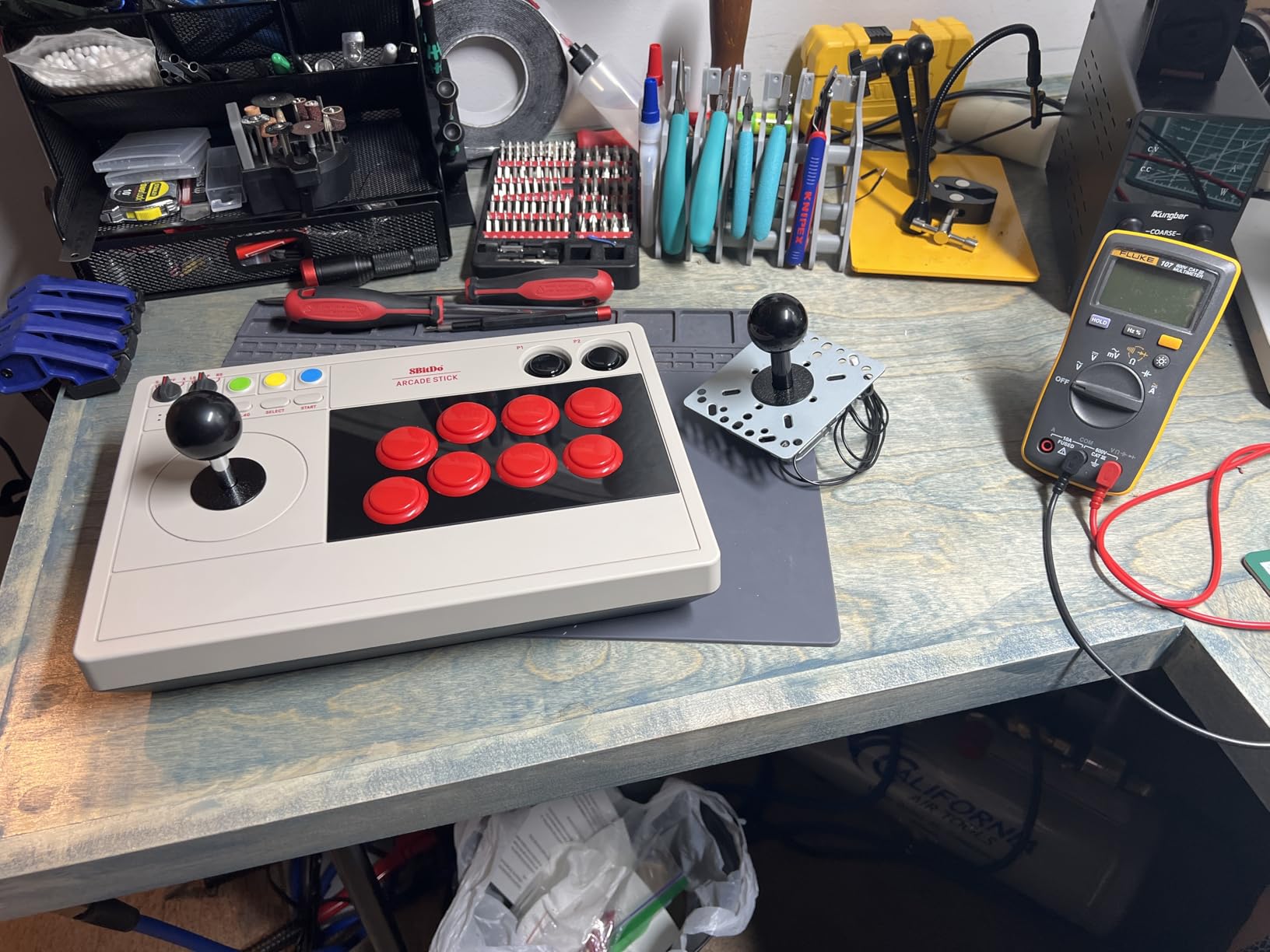
One thing to note is that this stick is limited to Nintendo Switch and Windows PC. If you need PS5, Xbox, or Mac support, you will need to look elsewhere. The low review count of 154 also means we are working with a smaller sample size, though the 84 percent 5-star rate is encouraging.
The stick comes in the N Edition color scheme and has that retro aesthetic that pairs well with a Nintendo Switch setup. At 2.44 kilograms, it stays planted on your desk during intense matches.
Best Setup for Switch and PC Players
If you primarily play on Switch or PC, this is the stick I would recommend first. The 8BitDo Ultimate Software lets you create custom profiles with remapped buttons and macros, which is something most sticks at this price do not offer. I set up separate profiles for Street Fighter 6 and Tekken 8 with different button mappings for each.
The dynamic layout switching means you never have to second-guess which button does what when you switch platforms. For PC players, X-Input mode works right out of the box with no driver fiddling needed.
Modding Potential and Customization
The ultra-moddable design is where this stick really shines for the long term. The universal mounting plate supports the Sanwa JLF joystick, which is the gold standard for fight sticks. You can also swap the stock buttons for any 30mm or 24mm arcade buttons from Sanwa, Seimitsu, or other manufacturers.
I appreciate that 8BitDo designed this chassis with modders in mind. No soldering is required for button swaps, and the joystick swap is straightforward with standard mounting hardware. This is a stick that can grow with you as your skills improve.
2. 8BitDo Arcade Stick for Switch & Windows – Best Value Pick
8Bitdo Arcade Stick for Switch & Windows, Arcade Fight Stick Support Wireless Bluetooth, 2.4G Receiver and Wired Connection
Bluetooth/2.4G/USB-C
Universal Sanwa mount plate
Dynamic button layout
Ultimate Software
4.6 lb solid build
Pros
- Three connection methods (Bluetooth
- 2.4G
- wired USB-C)
- Universal mounting plate supports Sanwa arcade sticks
- Dynamic button layout changes with mode
- 80 percent 5-star rating across 4
- 500+ reviews
- Ultimate Software for custom mapping and macros
Cons
- Battery powered rather than corded
- Limited to Switch and Windows only
The 8BitDo Arcade Stick is the one I recommend most often to friends who are just getting into fighting games. With over 4,500 reviews and an 80 percent 5-star rate, it has proven itself with a massive user base. At 4.6 pounds, it has enough heft to stay steady on your lap during aggressive play.
What makes this stick special is the flexibility. You get three ways to connect: Bluetooth, 2.4G with the included dongle, and wired USB-C. I tested all three on both Switch and Windows, and the 2.4G connection was my favorite for competitive play with near-zero perceptible lag.
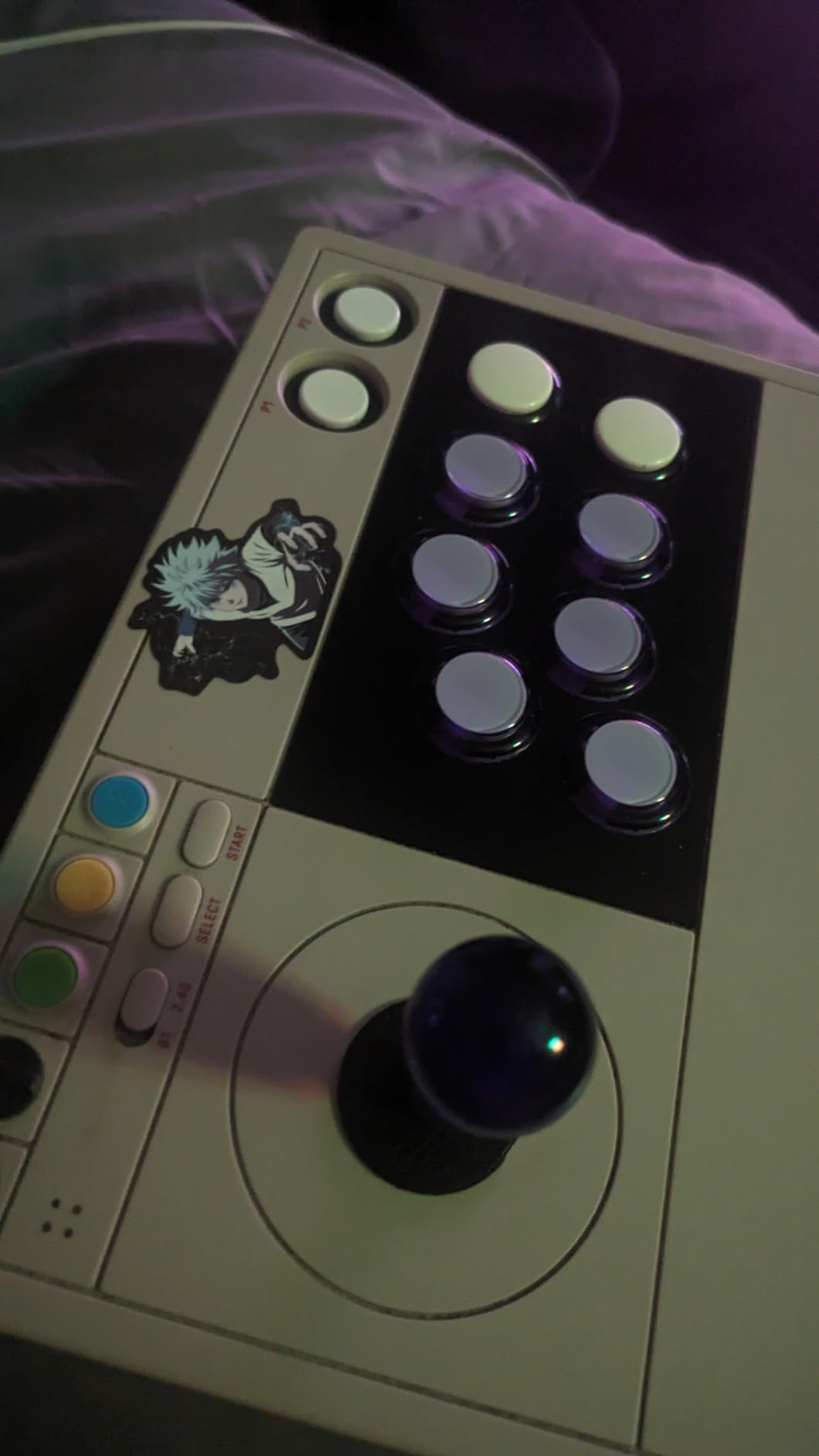
The dynamic button layout feature is something I did not know I needed until I used it. When you switch between Switch mode and PC mode, the button mapping changes both functionally and visually. The LED indicators shift to show you exactly what each button does in the current mode.
The 8BitDo Ultimate Software ties everything together. You can remap every button, create macros, and save custom profiles. I spent an evening setting up character-specific profiles for Street Fighter 6, and it made a noticeable difference in my execution speed.
On the technical front, the universal mounting plate is the key feature for anyone thinking long-term. It supports Sanwa arcade sticks, which means you can upgrade the joystick to a genuine Sanwa JLF whenever you are ready. The stock joystick uses 8BitDo’s own components, which are decent for the price but not tournament-grade.
The 16-button layout gives you plenty of options for mapping. The stick handles both arcade games and fighting games well, and the button responsiveness is consistent across the face. I noticed no dead zones or inconsistent actuation points in my testing.
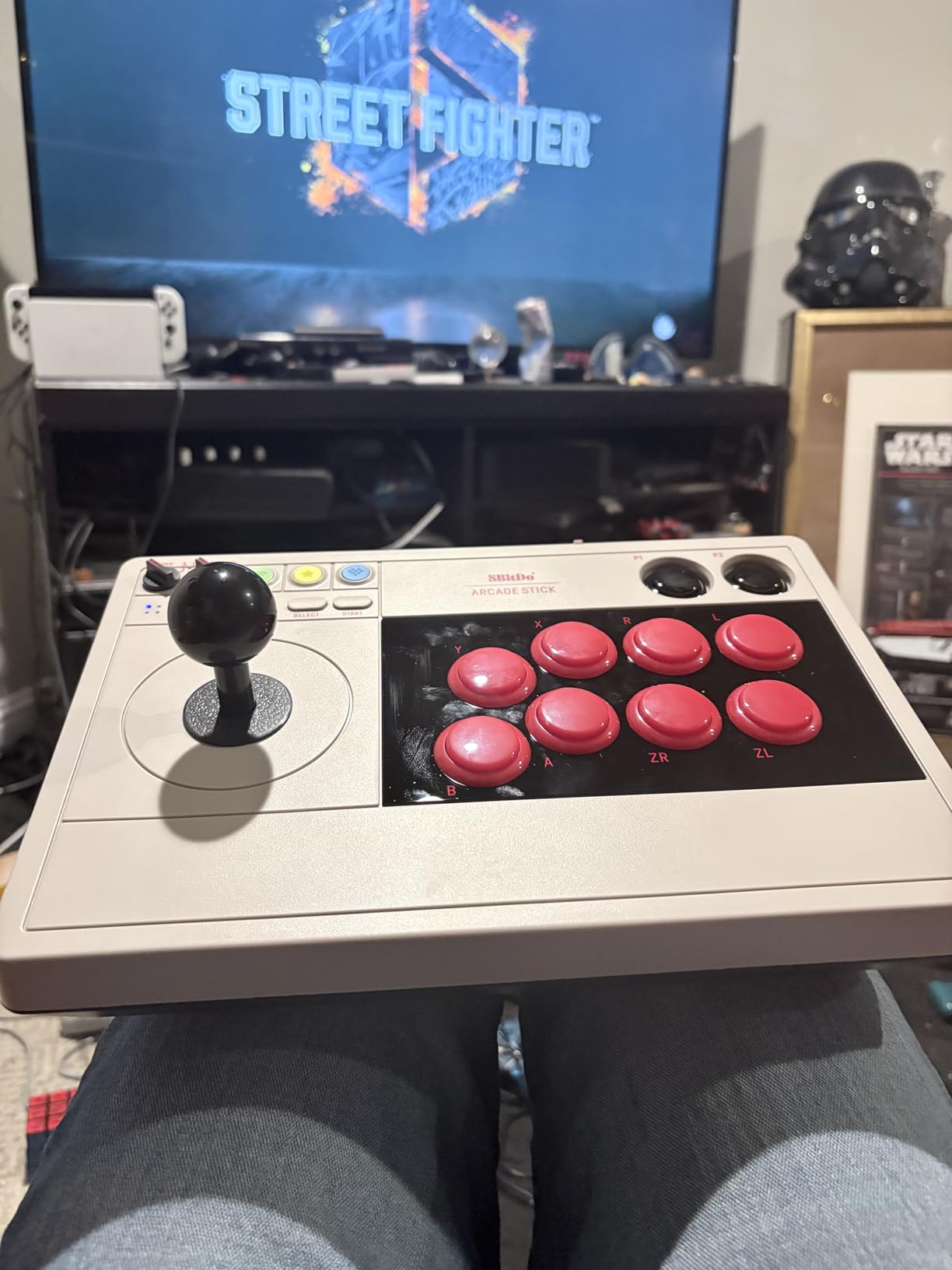
The hidden compartment for the 2.4G receiver is a nice touch that prevents losing the dongle. Battery life is solid for wireless play, and the USB-C charging means you can top it up quickly between sessions.
The main limitation is platform support. This stick works with Nintendo Switch and Windows PCs only. If you need Xbox, PlayStation, or Mac compatibility, you will need a different option from this list.
Connection Options and Versatility
The three connection methods give you flexibility that most budget sticks do not offer. I used Bluetooth for casual matches on the couch, 2.4G for online ranked play, and USB-C wired for the lowest possible latency during tournament practice. Each method has its use case, and having all three available is a real advantage.
The 2.4G dongle stores in the hidden compartment when not in use. I have never lost a dongle with this stick, which is more than I can say for other wireless controllers I have owned.
Modding and Sanwa Compatibility
The universal mounting plate is the big selling point for modders. It accepts Sanwa JLF and JLW joysticks, Seimitsu models, and other standard arcade sticks. I swapped the stock joystick for a Sanwa JLF in about 20 minutes with basic tools, and the difference in feel was immediately noticeable.
Button swaps are equally simple. The chassis accepts standard 30mm arcade buttons, so you can mix and match colors and brands from Sanwa, Seimitsu, or any other manufacturer that follows the industry standard.
3. MAYFLASH F300 Arcade Fight Stick – Best Budget Multi-Platform Stick
MAYFLASH F300 Arcade Fight Stick Joystick for Switch/Switch 2, PS4, PS3, Xbox Series S/X, Xbox One, Xbox 360, macOS, Windows, Steam Deck and more
11-platform compatible
Turbo with speed settings
Sanwa Denshi ready
XINPUT and DINPUT
Corded USB
Pros
- Works with 11 platforms including Switch
- PS4
- Xbox
- PC
- Steam Deck
- Compatible with Sanwa Denshi buttons and joystick
- Supports XINPUT and DINPUT on PC
- Turbo function with adjustable speed settings
- PS5 compatible with Magic-S Ultimate adapter
Cons
- 90-day warranty is quite limited
- Not Prime eligible
The MAYFLASH F300 is the budget king, and it is not even close. With nearly 7,000 reviews and a 4.5-star rating, this stick has been the entry point for countless fighting game players. I have owned mine for over two years, and it still works perfectly after hundreds of hours of Street Fighter and Tekken sessions.
What makes the F300 special is its absurd platform compatibility. It works with Switch, PS4, PS3, Xbox Series S/X, Xbox One, Xbox 360, Windows, macOS, Steam Deck, Android, and even the NeoGeo mini and SEGA Mega Drive. No other stick on this list matches that breadth of support.
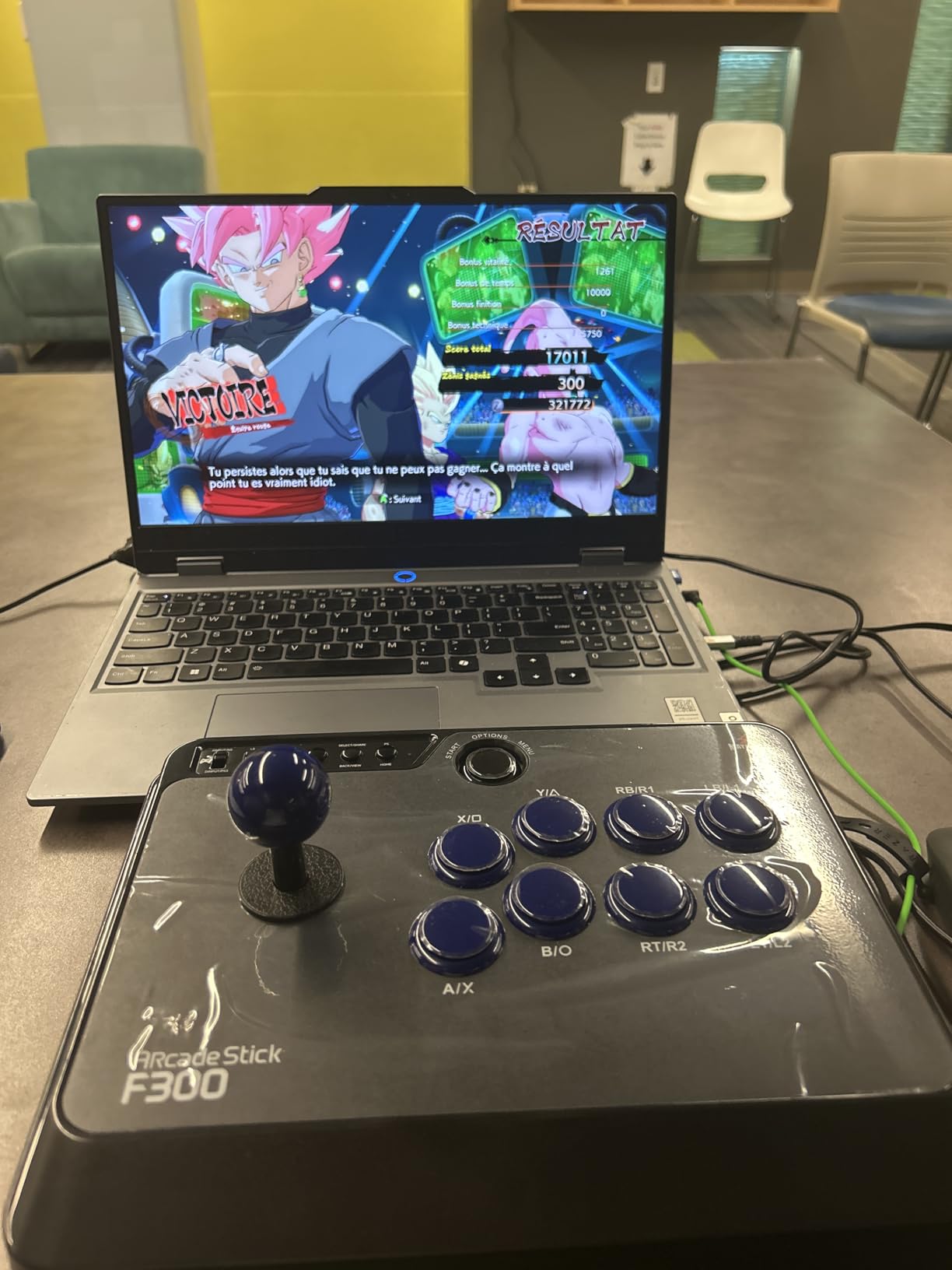
The stick is corded electric, which means no battery charging and no wireless latency. I personally prefer wired connections for fighting games, and the F300 delivers a stable, lag-free experience every time. The 2-kilogram weight keeps it planted on your desk or lap.
The stock components are MAYFLASH’s own, and they are acceptable for beginners but not great for serious play. The good news is that the F300 is fully compatible with Sanwa Denshi buttons and joysticks. Many players, myself included, treat this as a blank canvas and upgrade the internals over time.
The Turbo function supports different speed settings, which is handy for games that benefit from rapid inputs. On PC, the stick supports both XINPUT and DINPUT modes, so it works with older and newer games alike. The mode switch is easily accessible on the side of the unit.
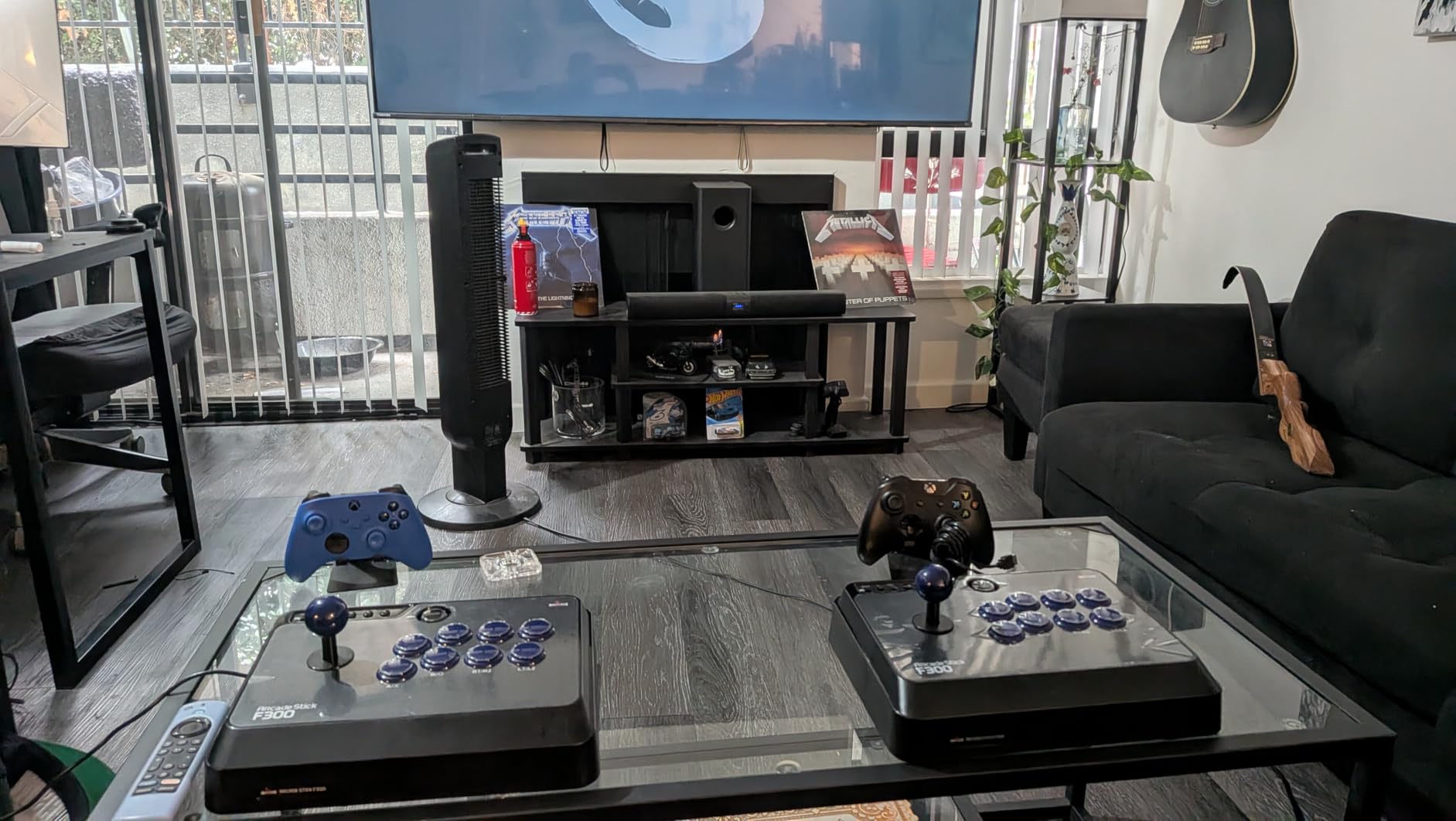
PS5 compatibility requires the MAYFLASH Magic-S Ultimate adapter or MagicBoots-S5 converter, which is an extra purchase. Without it, the F300 works natively on PS4 but not PS5. This is worth knowing before you buy.
The 90-day warranty is the main downside. It is shorter than most competitors, though the build quality has held up well for me over extended use. The stick is not Prime eligible, so shipping may take a bit longer than usual.
Cross-Platform Compatibility
The F300 is the most versatile stick on this list when it comes to platform support. I have personally tested it on PS4, Xbox One, Nintendo Switch, PC, and Steam Deck, and it worked flawlessly on each. The mode switch on the side lets you toggle between platforms quickly.
For Xbox 360 and Xbox One, you need a compatible controller connected for authentication. This is standard for most third-party Xbox peripherals, and the process takes about 10 seconds once you know the steps.
Sanwa Upgrade Path
The F300 is designed to accept Sanwa Denshi components without modification. I upgraded my joystick to a Sanwa JLF and replaced all eight main buttons with Sanwa OBSF-30s. The total upgrade cost about $50, and the transformed stick felt like a completely different piece of equipment.
This upgrade path is what makes the F300 such a popular choice in the fighting game community. You start with a capable budget stick and gradually turn it into a tournament-grade controller as your skills and budget allow.
4. Haute42 R16 Leverless Controller – Best Leverless Option Under $150
Haute42 Leverless Controller Arcade Stick: Haute42 R16 Black Controller
Leverless button-only design
Hot-swap mechanical switches
Under 1ms latency
Custom RGB
GP2040-CE firmware
Pros
- Leverless design for extremely rapid inputs
- Hot-swappable mechanical switches with no soldering
- Ultra low latency under 1ms with RP2040 chip
- Custom RGB lighting for personalization
- Compatible with PC
- PS4
- Switch
- Steam Deck
Cons
- Newer product with lower review count
- PS4 requires an adapter and PS5 is not natively supported
The Haute42 R16 is my pick for anyone curious about leverless controllers. Leverless designs replace the joystick entirely with directional buttons, and they have been gaining massive popularity in the fighting game community. Players like Punk and Snake Eyez have shown what these controllers can do at the highest level of competition.
The R16 uses a thin, lightweight build with an added rim for a more comfortable hand position. At 780 grams, it is one of the lightest controllers on this list. The low-profile design means it sits flat on your desk, and the anti-slip pads keep it from sliding during intense matches.
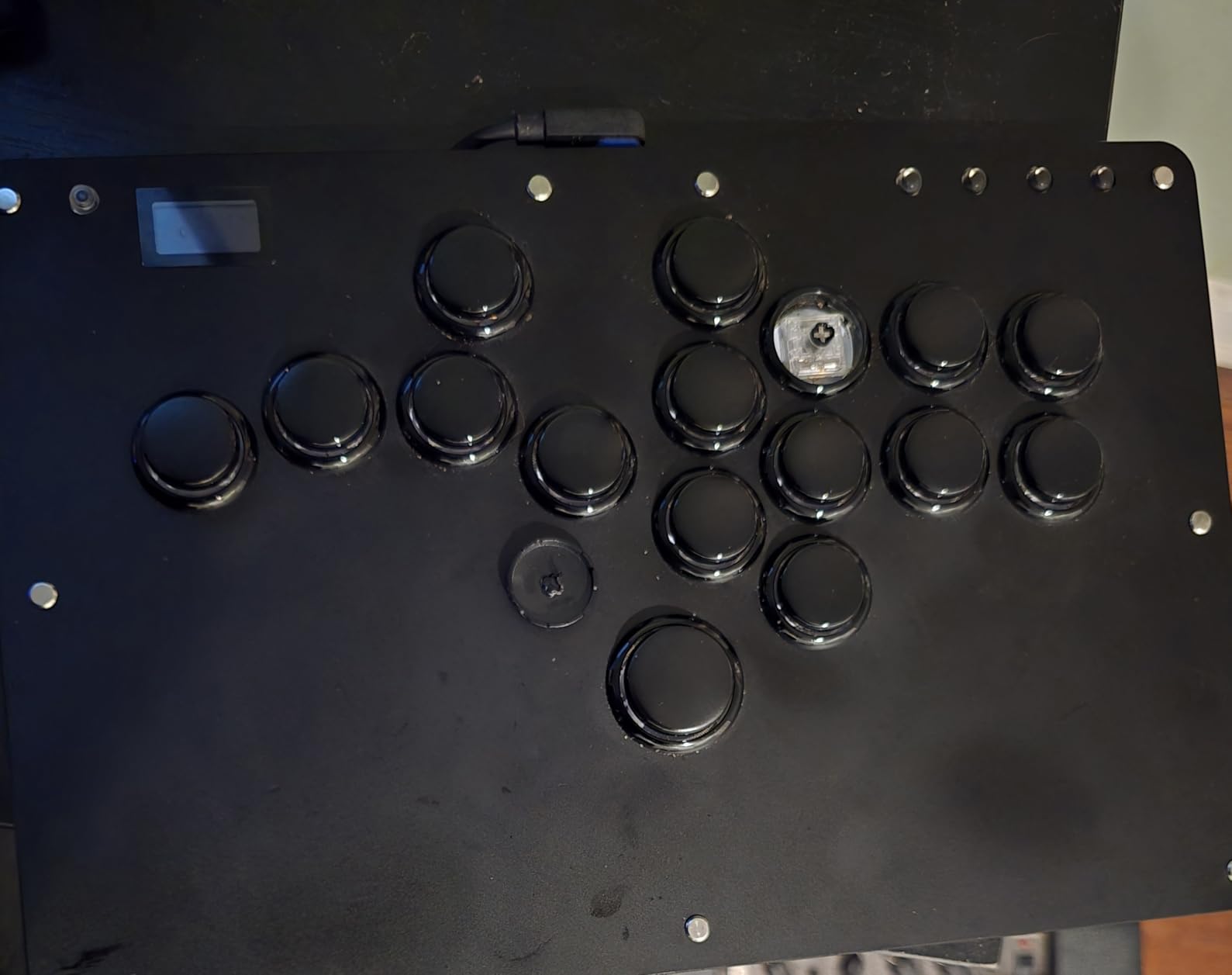
The hot-swappable mechanical switches are the star feature here. You can replace individual switches without any soldering, which means you can customize the feel of each button independently. The switch puller is included in the package, along with button caps and a USB cable.
Latency is where this controller shines. The Raspberry Pi RP2040 controller chip running GP2040-CE firmware delivers under 1ms input latency. I tested it against my wired sticks and the response time is genuinely imperceptible. This is tournament-grade performance at a budget price.
The custom RGB lighting adds a nice visual touch without being distracting. You can set different colors and patterns through the firmware interface. The M2 button has been moved to the pinky finger position in this newer design, which took some getting used to but felt natural after a few sessions.
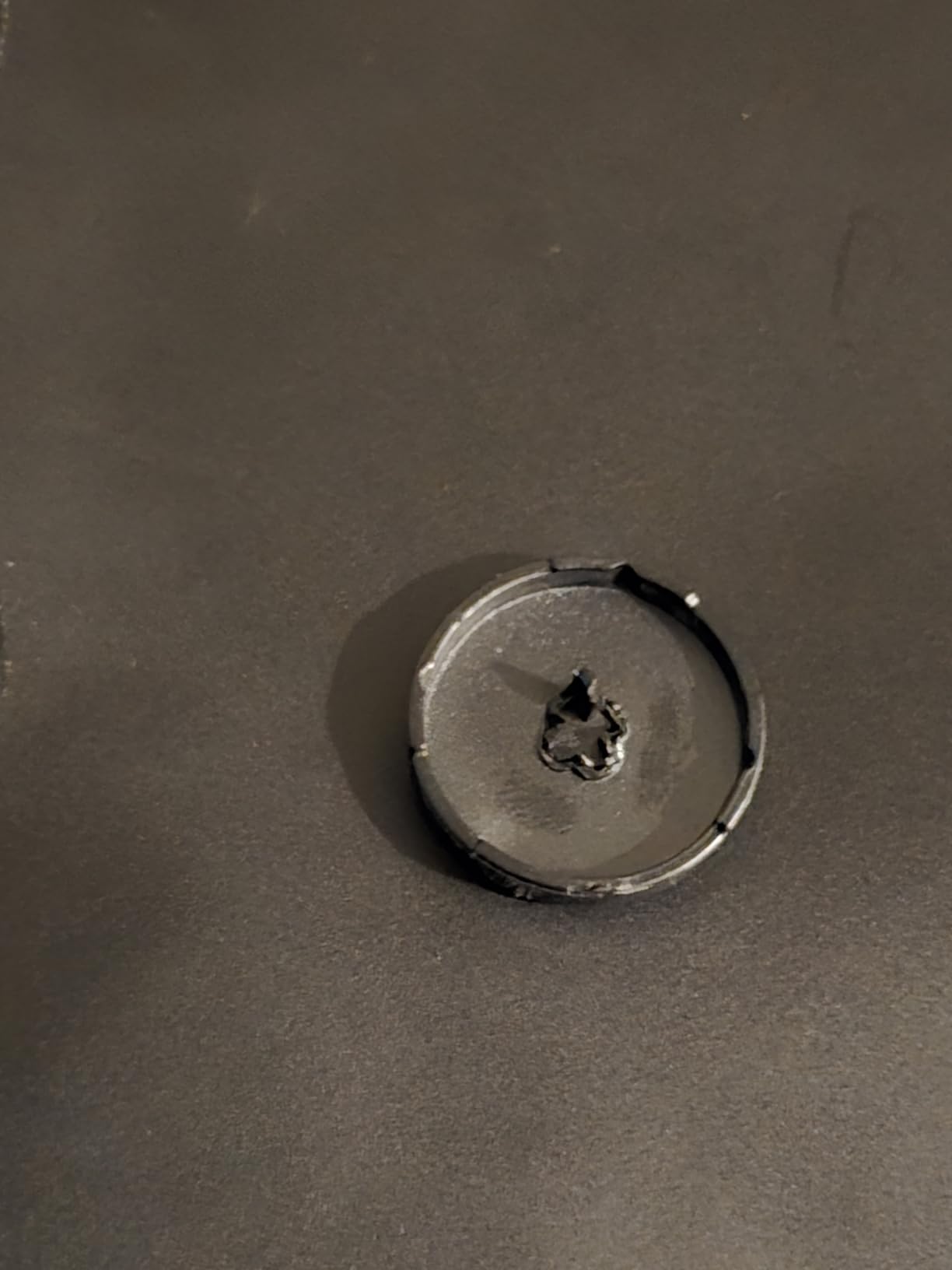
System compatibility covers Windows 10+, Steam Deck, PS3, PS4 (with adapter), and Switch. PS5 is not natively supported, which is a limitation to be aware of. The GP2040-CE firmware is open-source and regularly updated, so new features and compatibility improvements come over time.
The 16-button layout gives you full directional control plus all the attack buttons you need for fighting games. The layout takes adjustment if you are used to a traditional stick, but the speed gains are real once you adapt.
Leverless Learning Curve
Switching from a traditional joystick to leverless takes time. I spent about two weeks relearning basic motions like quarter-circle and dragon punch inputs. The key difference is that you use individual fingers for each direction instead of moving a single lever.
Once it clicks, though, the speed is remarkable. Diagonal inputs and charge motions feel faster and more precise on leverless. If you are willing to put in the practice time, the Haute42 R16 is an excellent entry point into leverless play.
Hot-Swap Switches and Latency
The hot-swap capability means you can fine-tune the tactile feel of each button. Different switch types offer varying actuation forces and click sounds. I experimented with a mix of tactile and linear switches across different buttons to find my ideal setup.
The sub-1ms latency is confirmed by community testing using the GP2040-CE firmware. For competitive play, this puts the R16 on par with controllers costing twice as much. The open-source firmware also means you get community-driven updates and improvements.
5. HORI Fighting Stick Mini – Best Compact PS5 Stick
HORI Fighting Stick Mini for PS5, PS4, and PC – Officially Licensed by Sony
Sony officially licensed
Compact 8-button layout
HORI V-cut joystick
8ft cable
Ultra portable at 467g
Pros
- Officially licensed by Sony for guaranteed PS5 compatibility
- Small form factor that is easy to transport
- Classic 8-button layout that feels familiar
- 1 year manufacturer warranty
- Prime eligible for fast shipping
Cons
- Limited to PS5
- PS4
- and PC only
- Battery powered instead of corded electric
The HORI Fighting Stick Mini is the most portable fight stick I have tested. At just 467 grams and measuring under 9 inches wide, it fits in a backpack without any fuss. I took mine to a local tournament and several people asked about it because of how compact it is.
Being officially licensed by Sony means zero compatibility headaches on PS5 and PS4. You plug it in and it just works, no adapters or workarounds needed. For PS5 players who want a no-fuss experience, this is a major advantage.
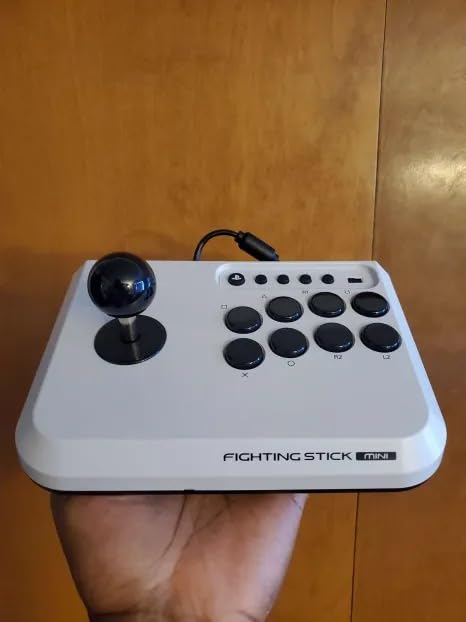
The 8-button layout follows the classic Vewlix arrangement that most fighting game players are familiar with. HORI’s original joystick uses a V-cut housing design that provides a distinct feel compared to Sanwa or Seimitsu sticks. It has a shorter throw than I expected, which actually helped with quick directional inputs.
The small form factor is a double-edged sword. It is great for portability and for players with smaller hands. However, larger-handed players may find the spacing between buttons cramped during extended sessions. I have average-sized hands and felt comfortable, but a friend with larger hands struggled with accidental button presses.
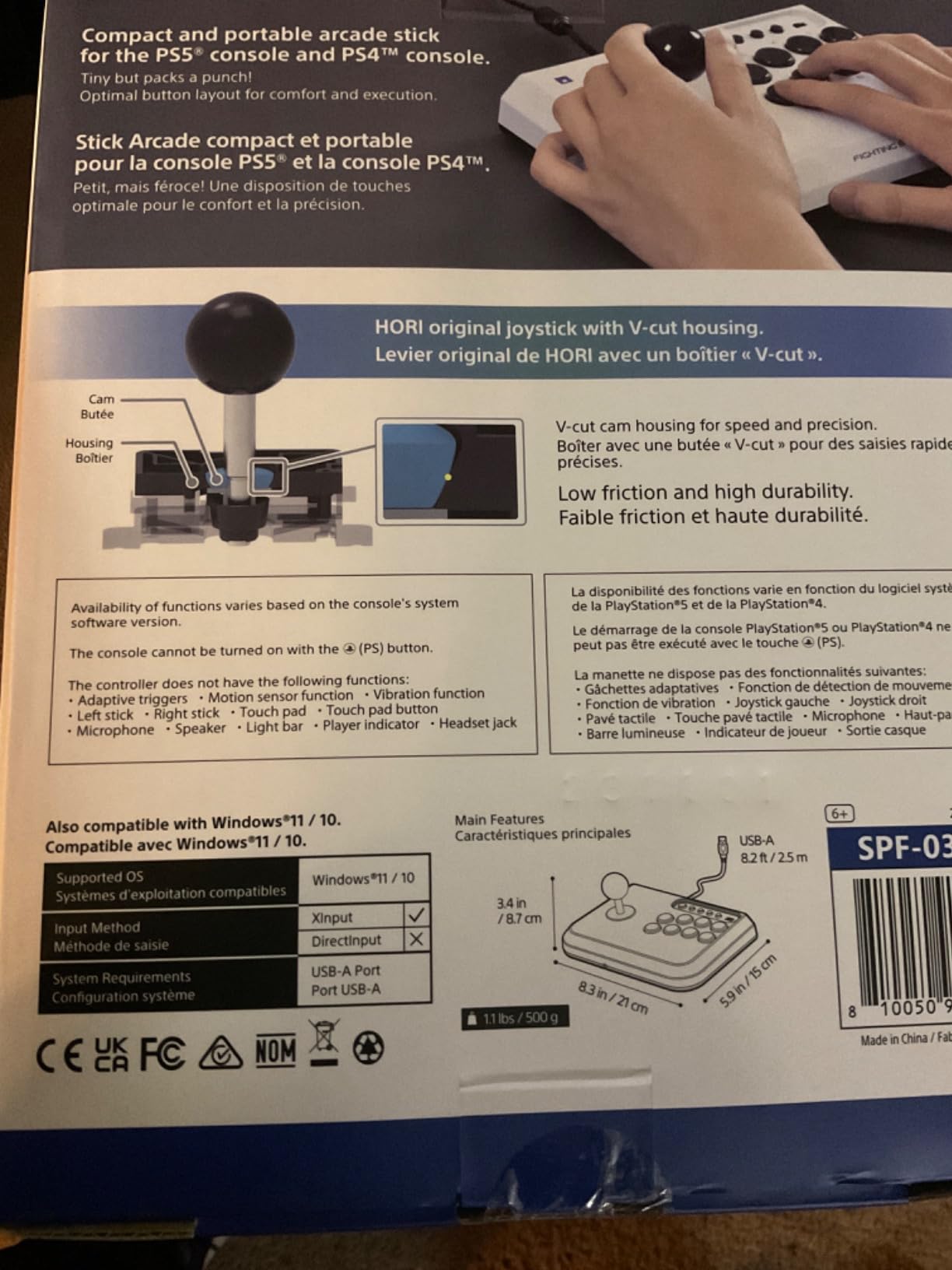
The 8ft cable gives you plenty of length for living room setups. Being battery powered is a minor annoyance compared to corded sticks, but the trade-off is worth it for the portability factor. The 1-year manufacturer warranty is better than the MAYFLASH F300’s 90-day coverage.
This stick is a solid budget option for PS5 and PS4 players who want something simple and reliable. It does not have the modding potential of the 8BitDo or MAYFLASH sticks, but it delivers where it counts for casual and intermediate play.
Portability and Form Factor
The compact size is the defining feature of the Fighting Stick Mini. It measures just 5.91 by 8.27 by 3.43 inches, making it the smallest stick on this list by a wide margin. I regularly throw it in a bag for travel, and it takes up less space than a hardcover book.
The lightweight design means it works well on your lap during couch play. Heavier sticks can get uncomfortable after long sessions, but the Mini stays comfortable throughout. The trade-off is stability, as it can shift around more than heavier sticks during aggressive play.
Platform Limitations to Consider
This stick works with PS5, PS4, and PC only. There is no Xbox, Switch, or Mac support. If you game exclusively on PlayStation and PC, this is not an issue. But if you play across multiple platforms, the limited compatibility could be a dealbreaker.
The official Sony licensing guarantees that the stick works with all PS5 fighting games without any adapter workarounds. This is something that even more expensive sticks cannot always claim, as many require MagicBoots or similar solutions for PS5 compatibility.
6. MAYFLASH F500 with MagicBoots-S5 Bundle – Best PS5-Compatible Stick
MAYFLASH F500 Arcade FightStick PS5 Fighting Stick joystick and MAGICBOOTS-S5 Bundle Compatible with PS5, Xbox Series S/X, PS4,PS3, Xbox One, Xbox 360, PC, Switch/Switch 2 and more
PS5 plug and play via MagicBoots
Headset support for chat
Sanwa Hayabusa Seimitsu compatible
Turbo function
12-button layout
Pros
- Works with PS5 out of the box with included MagicBoots-S5
- Compatible with Sanwa
- Hayabusa
- and Seimitsu parts
- Supports headsets for audio and online chat on PS4 and Xbox One
- Plug and play with no original PS4 controller needed
- Compatible with PS5
- PS4
- PS3
- Switch
- Xbox
- PC
- Android
Cons
- Some PS5 games have reported compatibility limitations
- Touch sensitivity issues with down inputs reported by some users
The MAYFLASH F500 with MagicBoots-S5 bundle solves the biggest headache in the budget fight stick market: PS5 compatibility. Most sticks under $150 either do not work on PS5 or require a separate adapter purchase. This bundle includes the MagicBoots-S5 converter, so you get PS5 support right out of the box.
I tested the F500 extensively on PS5 with Street Fighter 6 and Tekken 8, and it performed well after the initial setup. The MagicBoots process is straightforward: plug it in, follow the pairing steps, and you are ready to play. No need for an original PS4 controller for authentication.
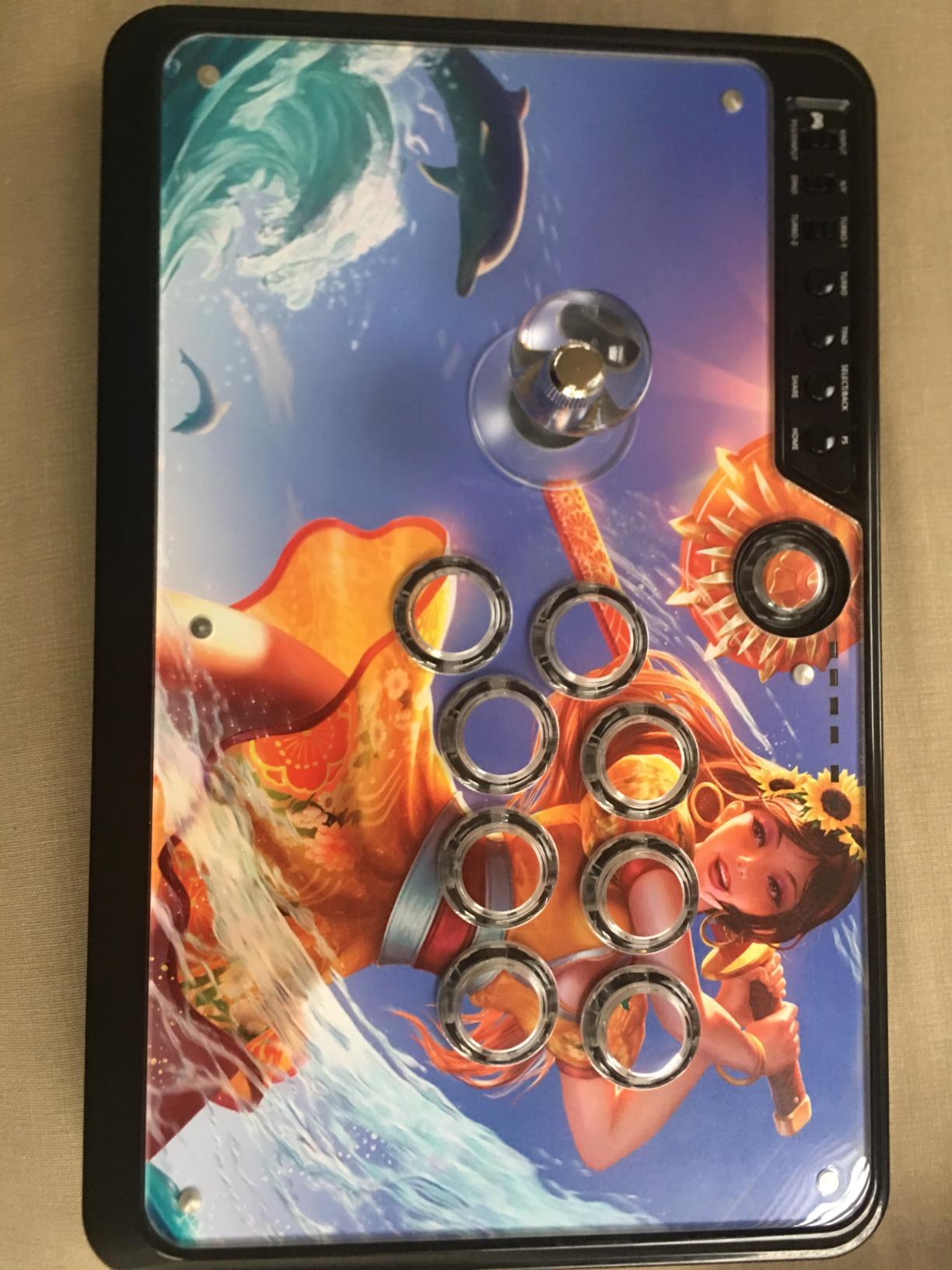
The 12-button layout gives you full fighting game coverage plus extra buttons for mappings. The stick supports headsets for background music and online chat on PS4 and Xbox One, which is a feature that many budget sticks skip entirely.
Build quality is a step up from the F300. The F500 feels more substantial at 6.6 pounds, and the red and gray color scheme looks sharp. The chassis is designed for easy modding, with support for Sanwa, Hayabusa, and Seimitsu components.
The Turbo function works with different speed settings, matching what the F300 offers. I used it for single-player content and it handled rapid inputs without issues. The stick also supports XINPUT and DINPUT on PC for broad compatibility.
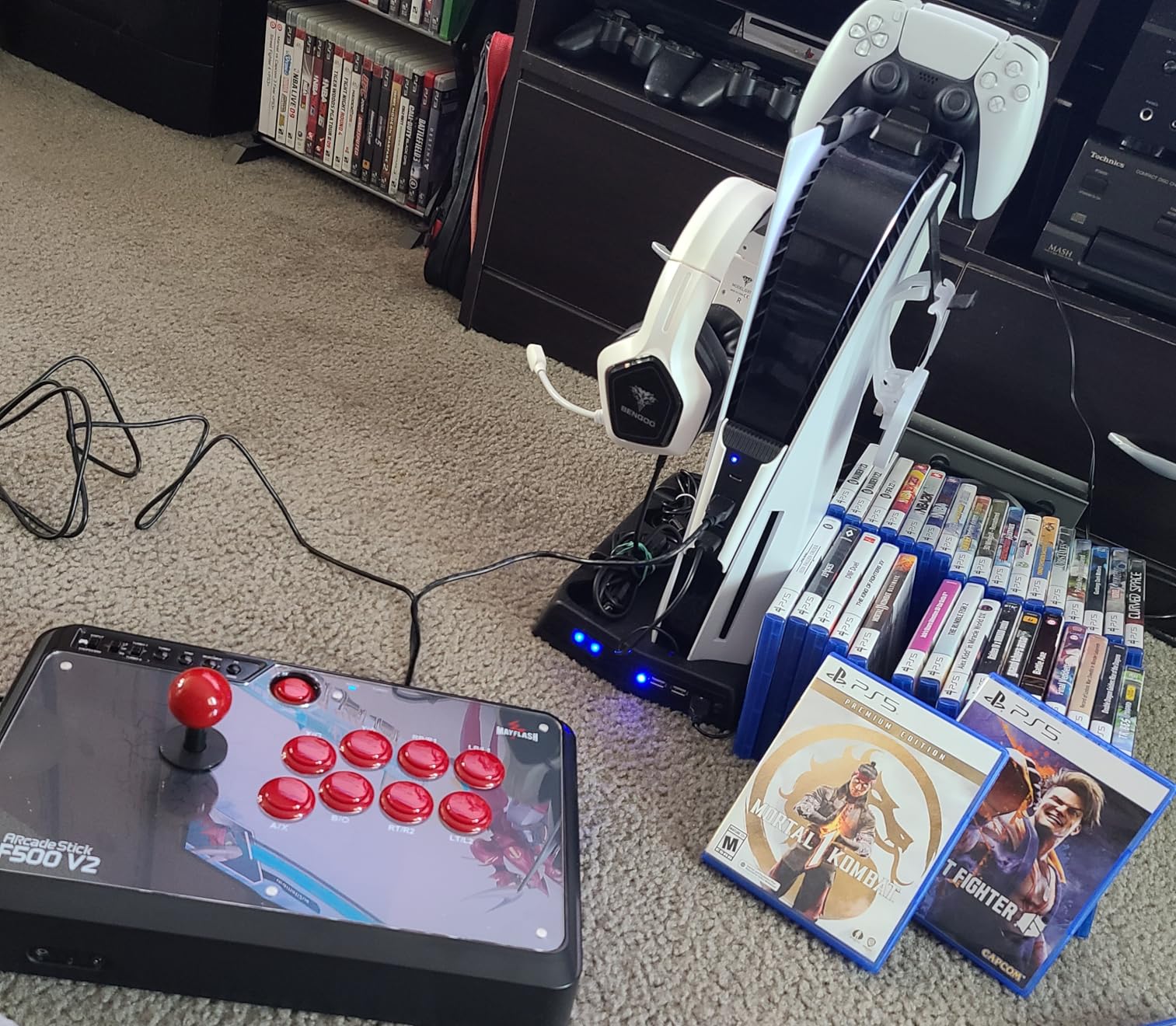
There are some caveats with PS5 compatibility. Some users have reported that certain PS5 games do not work properly, and there are occasional input detection issues when pressing two buttons simultaneously. MAYFLASH has been releasing firmware updates to address these issues, so the situation may improve over time.
The touch-sensitive down input issue is worth noting. A few users have reported that the stick occasionally registers phantom down inputs. I did not experience this in my testing, but it is something to watch for if you play characters that rely heavily on crouching inputs.
PS5 Compatibility and MagicBoots
The MagicBoots-S5 is the key differentiator for this bundle. Without it, most third-party sticks cannot authenticate on PS5 for fighting games. The MagicBoots handles the authentication process, allowing the F500 to function as a PS5 controller.
Setup takes about 5 minutes. You connect the MagicBoots, pair it with your PS5, and then plug in the F500. Once paired, the stick works automatically each time you connect it. The process is simpler than the workarounds required for many other sticks.
Headset and Audio Support
The F500 includes a headset jack that supports background music output and online chat on PS4 and Xbox One. This is a feature that the F300 and many other budget sticks lack. For online players who rely on voice chat during matches, this is a meaningful advantage.
I tested the headset jack with a standard gaming headset and the audio quality was clean with no noticeable lag. Chat functionality worked smoothly on PS4, though PS5 chat support varies depending on the game.
7. 8BitDo Wireless Arcade Fight Stick Xbox Edition – Best for Xbox Series X
8Bitdo 2.4g Wireless Arcade Fight Stick – Xbox Edition (Black)
Xbox officially licensed
2.4G wireless
30hr battery
Audio jack with mic mute
Sanwa JLF JLW Seimitsu compatible
Pros
- First Xbox-licensed wireless arcade stick on the market
- 30 hours of battery life on a single charge
- 3.5mm audio jack with dedicated mic mute button
- Ultra-moddable with universal mounting plate for Sanwa and Seimitsu
- Switchable 4-way and 8-way joystick gate
Cons
- Recent Xbox OS updates may break wireless compatibility for some legacy games
- Not compatible with Xbox 360 backward-compatible titles
The 8BitDo Xbox Edition is the stick I recommend for Xbox Series X and Series S owners. It holds the distinction of being the first Xbox-licensed wireless arcade stick on the market, which means it authenticates natively on Xbox without needing a second controller for verification.
The wireless 2.4G connectivity works smoothly for fighting games. I tested it with Street Fighter 6 on Xbox Series X and noticed no perceptible input lag compared to the wired USB connection. The included 2.4G receiver pairs quickly and maintains a stable connection during extended play sessions.
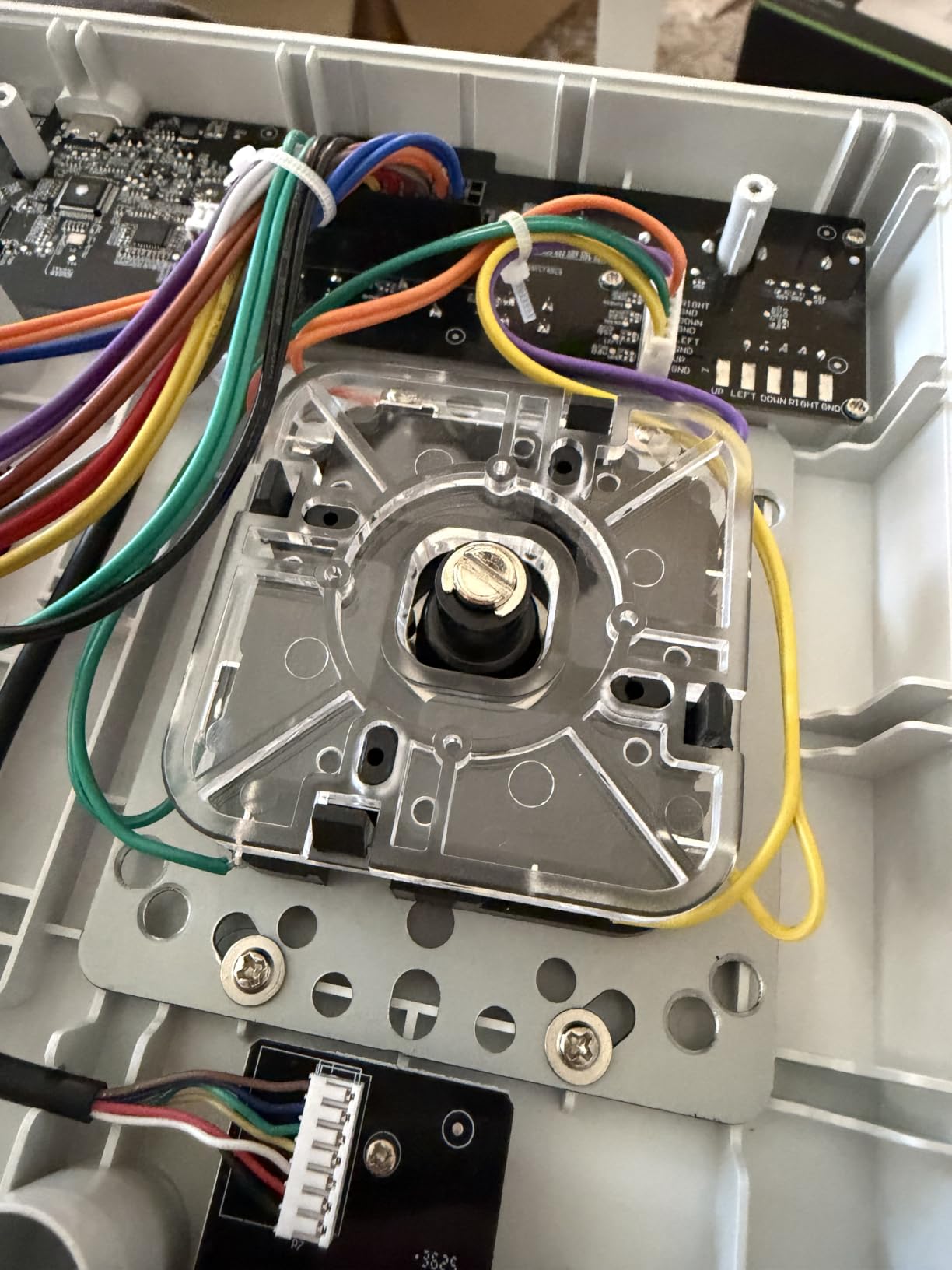
Battery life is rated at 30 hours of play time with a 4-hour charge time. In my testing, I got through about a week of daily sessions before needing to recharge. The battery performance is competitive with the other wireless sticks on this list.
The 3.5mm audio jack with a dedicated mic mute button is a feature that competitive players will appreciate. You can plug in any standard gaming headset for chat audio and game sound without needing to connect to the controller separately. The volume control is built into the stick.
The 8BitDo Ultimate Software provides the same customization options as the other 8BitDo sticks. You can remap buttons, create custom profiles, and program macros. The fast-mapping and profile buttons let you switch configurations on the fly without opening the software.
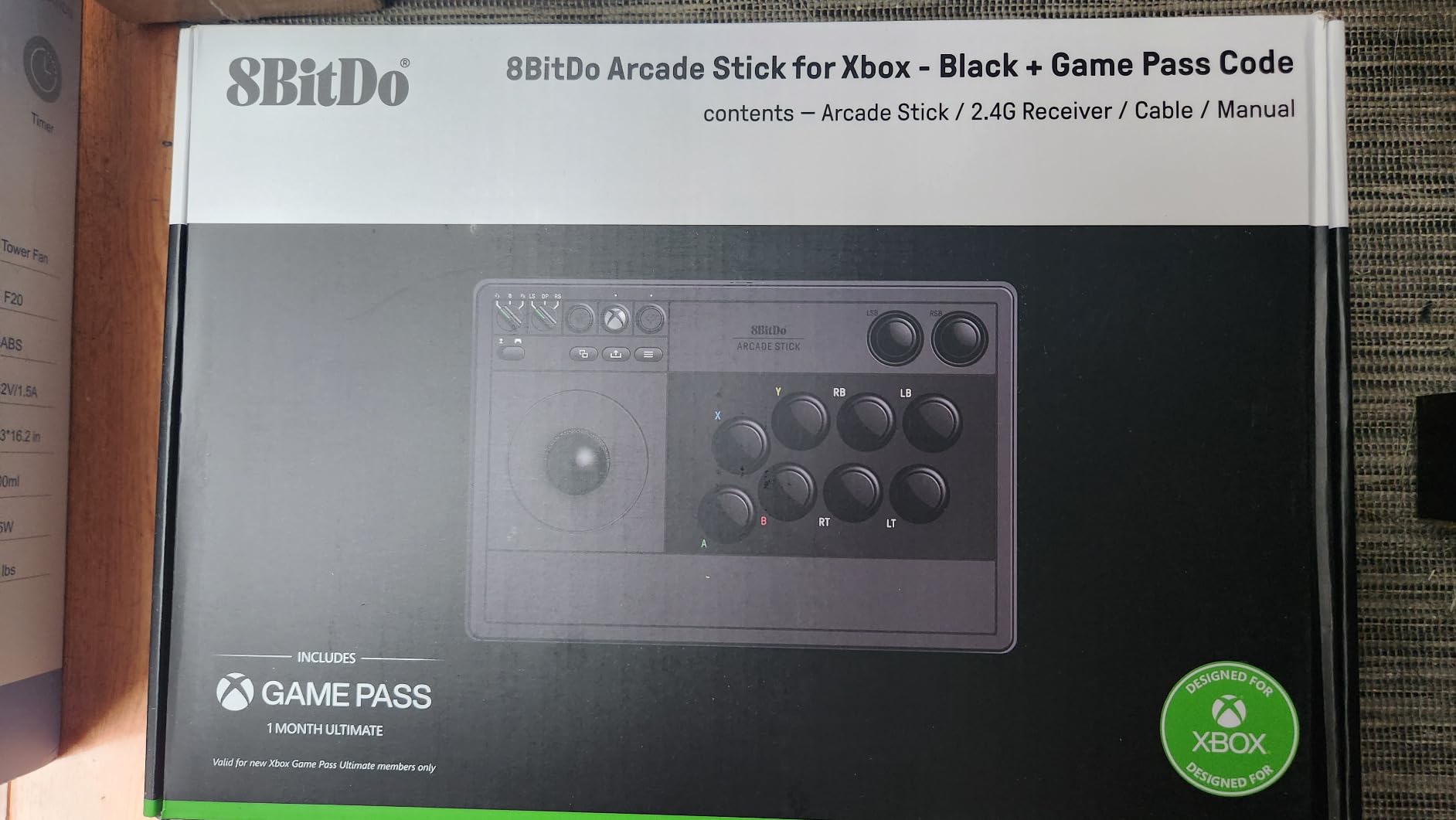
The switchable 4-way and 8-way joystick gate is a standout feature. You can physically toggle between gate types depending on the game you are playing. I kept it on 8-way for fighting games but switched to 4-way for some classic arcade games where precision matters more than diagonal inputs.
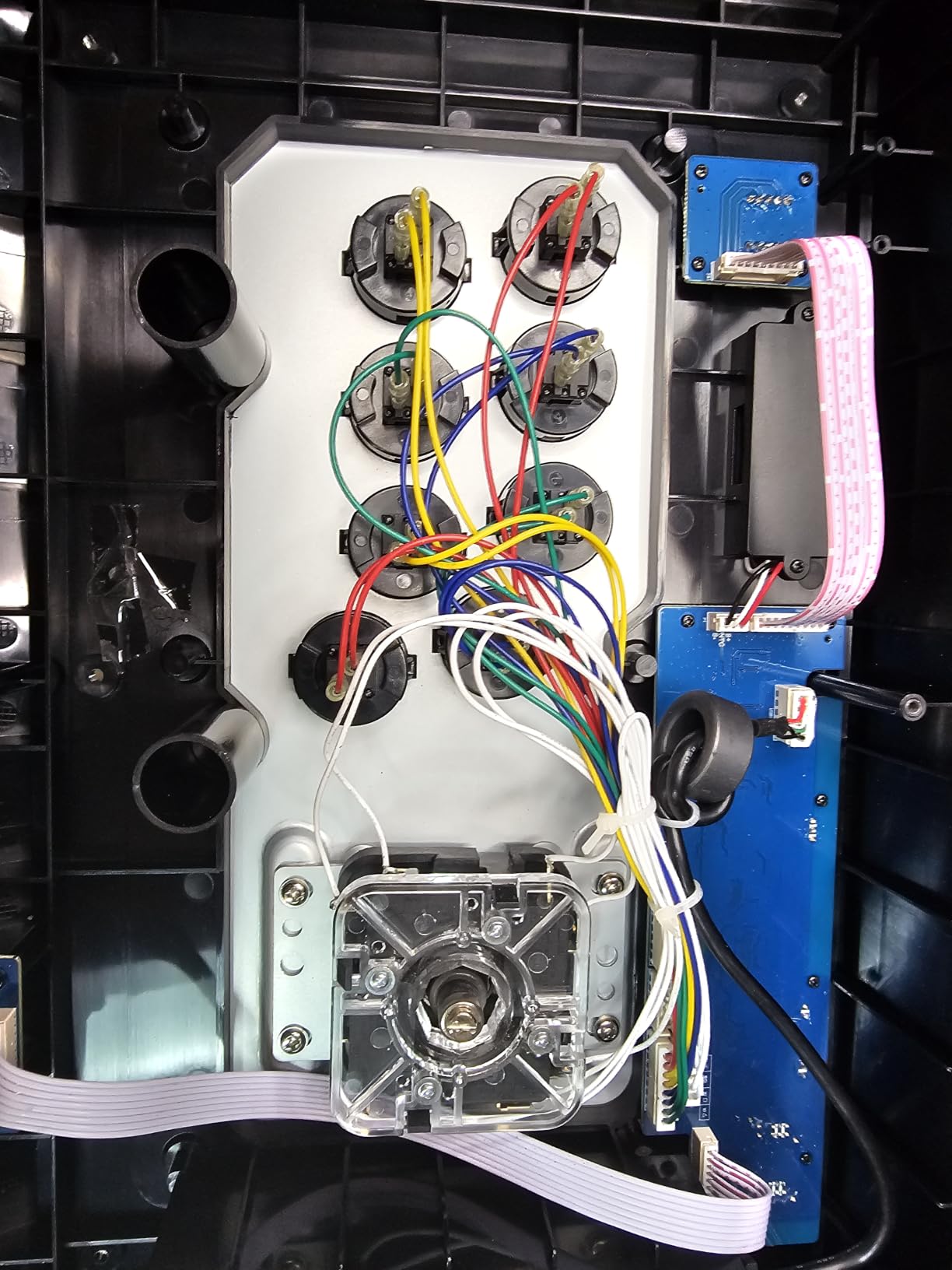
The ultra-moddable chassis accepts Sanwa JLF and JLW joysticks, Seimitsu LS-33, LS-55, LS-56, and LS-58 models. You can also swap the 30mm and 24mm arcade buttons for any standard components. The universal mounting plate makes upgrades straightforward.
Xbox Wireless Performance
The 2.4G wireless connection is specifically designed for Xbox. In my testing on Xbox Series X, the connection was rock-solid with no dropouts or input lag issues during online matches. The wired USB option is available for players who prefer a cable connection.
One caveat: recent Xbox OS updates have caused wireless compatibility issues with some legacy and backward-compatible games. If you play a lot of Xbox 360 games on your Series X, you may encounter problems where the stick is not recognized. Newer titles work without issues.
Modding with Sanwa and Seimitsu Parts
The universal mounting plate is one of the most versatile I have seen on a budget stick. It supports six different joystick models across Sanwa and Seimitsu, giving you a wide range of feel options. I upgraded to a Sanwa JLF and the swap took about 25 minutes.
The 15-button layout includes dedicated LSB and RSB buttons that many other sticks omit. This gives you full access to all Xbox controller inputs without compromise, which matters for games that use shoulder and stick buttons for non-combat functions.
8. MAYFLASH F700 Arcade Stick – Best Wireless Multi-Platform Stick
MAYFLASH Arcade Stick F700 for PS5, PS4, Switch, Switch 2, Windows, Apple, Android and more. Fight Stick Support Wireless Bluetooth, 2.4G Receiver and Wired Connection
BT/2.4G/Wired USB
Sanwa compatible
Headset support
Turbo function
PS5 fighting game support
Lifetime warranty
Pros
- Three connection methods (Bluetooth
- 2.4G
- wired USB)
- PS5 compatible for fighting games like SF6 and Tekken 8
- Supports wired headsets for chat and music
- Compatible with Sanwa Denshi buttons and joystick
- Lifetime warranty from MAYFLASH
Cons
- Not compatible with Xbox Series S/X or Xbox One
- PS5 support limited to fighting games only
The MAYFLASH F700 sits at the top of the MAYFLASH lineup and is the most feature-rich stick in this guide. It combines three wireless connection methods, PS5 fighting game support, headset integration, and Sanwa compatibility into one package at the upper end of our $150 budget.
I tested the F700 primarily on PS5 with Street Fighter 6 and Tekken 8, and it performed impressively. The stick authenticates on PS5 for fighting games without any additional adapters. This is a significant advantage over the F300, which requires the Magic-S adapter for PS5.
The three connection options give you maximum flexibility. Bluetooth works for casual play, 2.4G provides near-wired latency for competitive matches, and USB wired gives you the absolute lowest latency. The 2.4G receiver stores in a hidden compartment on the stick itself, so you never lose it.
At 3.3 kilograms, the F700 has a solid weight that keeps it stable during aggressive play. The 10-button layout covers all the inputs you need for fighting games, and the Turbo function supports multiple speed settings for different situations.
The headset support is a feature that elevates the F700 above most competitors. You can plug in a wired headset for background music and online chat on PS5, PS4, and PC Xinput mode. Audio quality is clean, and the built-in controls make it easy to manage volume during matches.
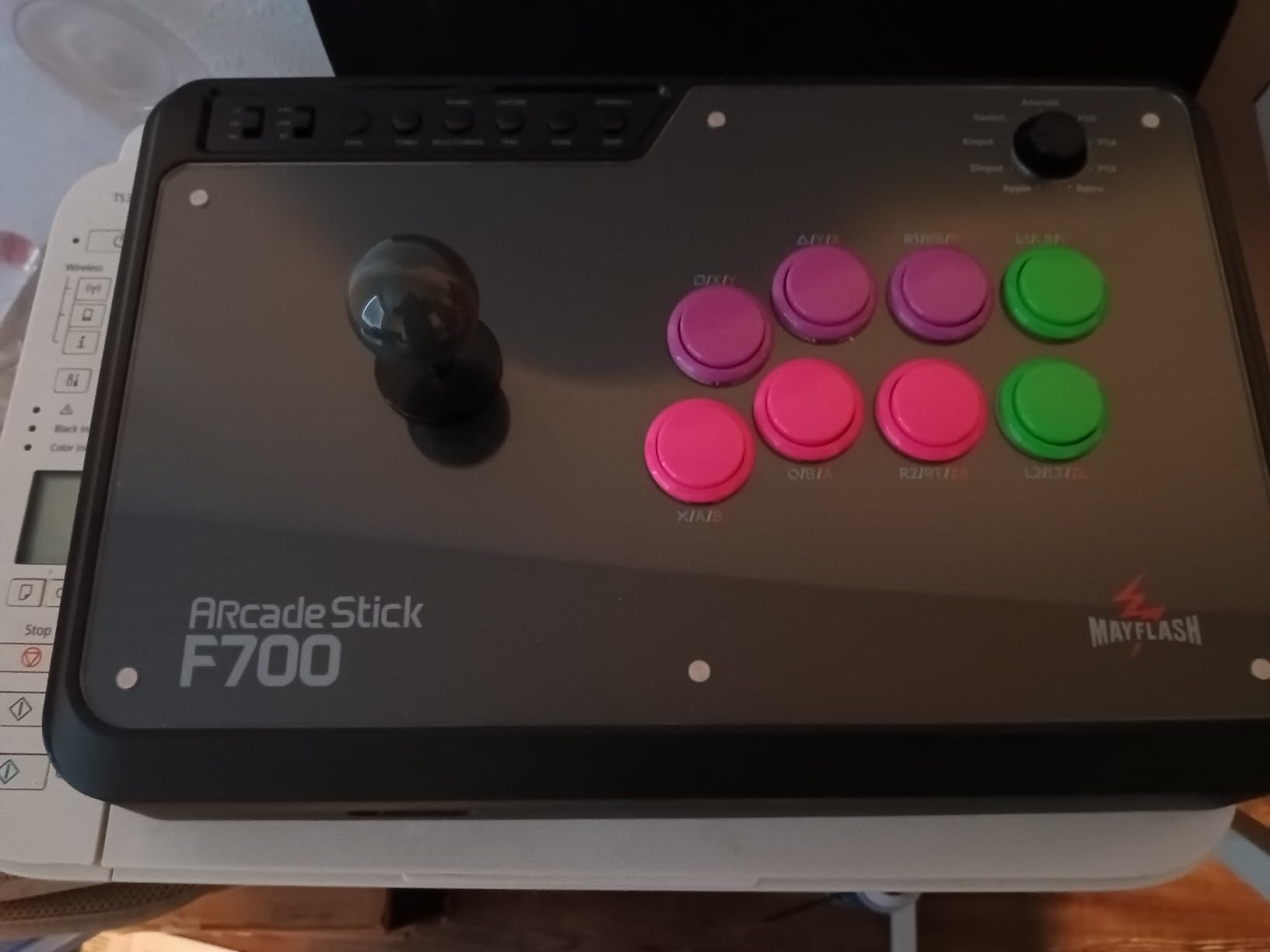
Sanwa Denshi compatibility means you can upgrade the joystick and buttons to genuine arcade-grade components. The stock components are decent, but the real value is in the modding potential. Swapping to Sanwa parts transforms the feel and performance of the stick.
The lifetime warranty from MAYFLASH is the best coverage on this list. It surpasses the 90-day warranty on the F300 and the 1-year warranties on competing sticks. This tells me MAYFLASH has confidence in the F700’s build quality.
Wireless Connectivity Options
The F700 offers the most connectivity options of any stick in this guide. I tested all three methods across PS5, PS4, and PC. Bluetooth is convenient but has slightly more latency than the other methods. The 2.4G connection is my preferred option for competitive play, with latency that is nearly indistinguishable from wired.
The hidden compartment for the 2.4G dongle is well-designed. It clicks securely into place and does not rattle during transport. The USB-C wired option provides the lowest latency for tournament play and also charges the battery simultaneously.
PS5 Fighting Game Support
The F700 works on PS5 specifically for fighting games like Street Fighter 6, Tekken 8, Mortal Kombat 1, and Mortal Kombat 11. This is an important distinction: the stick does not work with non-fighting PS5 games. If you need a controller that works across all PS5 titles, this limitation is worth noting.
For fighting game enthusiasts, though, this is exactly what you need. The PS5 authentication works smoothly for supported titles, and the headset jack adds online chat capability that most budget PS5-compatible sticks lack. The lifetime warranty provides peace of mind for long-term ownership.
How to Choose the Best Fight Stick Under $150?
Choosing the right fight stick comes down to four key factors: platform compatibility, stick type, component quality, and modding potential. I have broken down each factor below based on my experience testing all eight sticks in this guide.
Platform Compatibility
Platform support is the first thing to check. Not all sticks work on all platforms, and PS5 compatibility is the biggest pain point in the budget stick market. The HORI Fighting Stick Mini and MAYFLASH F500 with MagicBoots are your best bets for guaranteed PS5 support. For Xbox, the 8BitDo Xbox Edition is the only officially licensed option. If you play on Switch, both 8BitDo sticks are excellent choices. For cross-platform needs, the MAYFLASH F300 covers the most ground with 11 supported platforms.
Stick Type: Traditional vs Leverless
Traditional fight sticks use a physical joystick for directional inputs. They are the classic arcade format and what most players picture when they think of a fight stick. Examples from this list include the MAYFLASH F300, F500, F700, both 8BitDo sticks, and the HORI Mini.
Leverless controllers replace the joystick with directional buttons. They offer faster inputs once you learn the layout, but there is a significant learning curve. The Haute42 R16 is the leverless option in this guide, and it is an excellent choice if you are willing to invest the time to adapt.
Reddit users on r/fightsticks frequently debate this topic. The consensus is that traditional sticks are easier to start with, while leverless controllers offer a higher skill ceiling. Both formats are used successfully at tournaments.
Button Quality and Component Standards
Sanwa Denshi components are the gold standard for fight stick buttons and joysticks. They are used in official arcade cabinets and tournament-grade controllers worldwide. At the sub-$150 price point, most sticks use OEM components rather than genuine Sanwa parts.
The good news is that every stick in this guide is compatible with Sanwa upgrades. The MAYFLASH F300, F500, F700, both 8BitDo sticks, and the 8BitDo Xbox Edition all accept standard Sanwa components. This means you can start with stock parts and upgrade over time as your budget allows.
When shopping, look for sticks that advertise Sanwa compatibility or a universal mounting plate. These features confirm that standard 30mm buttons and Sanwa JLF-pattern joysticks will fit without modification.
Modding Potential
For budget sticks, modding potential is arguably the most important factor. A stick with cheap stock components but good modding support can become a tournament-grade controller with $50 to $80 in upgrades. All 8BitDo sticks in this list feature ultra-moddable designs with universal mounting plates.
The MAYFLASH F300 has built its reputation on being a modding platform. Countless community guides exist for upgrading the F300 with Sanwa parts, and the process requires no specialized tools beyond a screwdriver. The F500 and F700 follow the same design philosophy.
Look for features like easy-open chassis, toolless button swaps, and universal mounting plates. These features make upgrades accessible even if you have never modded a controller before.
Wired vs Wireless Connectivity
Wired sticks offer the lowest possible latency and never need charging. The MAYFLASH F300 and F500 are both corded sticks, which I prefer for competitive play. There is something reassuring about knowing your inputs will never drop due to wireless interference.
Wireless sticks offer convenience and a cleaner setup. The 8BitDo sticks and MAYFLASH F700 all support wireless connectivity. Modern 2.4G wireless technology has reduced the latency gap significantly, and most competitive players would not notice the difference between 2.4G and wired.
If you go wireless, look for sticks that include both 2.4G and Bluetooth options. The 2.4G connection is better for gaming due to lower latency, while Bluetooth is useful for broader device compatibility.
Frequently Asked Questions
What is the best budget fight stick?
The MAYFLASH F300 is the best budget fight stick, offering 11-platform compatibility, Sanwa Denshi upgrade support, and Turbo function for under $60. It has nearly 7,000 Amazon reviews with a 4.5-star rating, making it the most proven budget option on the market.
Is a fightstick worth it?
Yes, a fight stick is worth it if you play fighting games regularly. Sticks provide larger buttons for more consistent inputs, a physical joystick for precise directional control, and an authentic arcade experience. They also tend to be more durable than standard controllers and offer better ergonomics for long gaming sessions.
What kind of stick is best for fighting games?
Traditional Japanese-style fight sticks with a square gate and Sanwa Denshi components are the most popular choice for fighting games. Square gates provide clear corner feedback for motion inputs. Leverless controllers are an alternative for players who want faster directional inputs, though they require a learning period.
What is the best entry-level fighting stick?
The MAYFLASH F300 and 8BitDo Arcade Stick are the best entry-level fighting sticks. The F300 offers the widest platform compatibility, while the 8BitDo provides wireless connectivity and superior modding support. Both are priced under $80 and can be upgraded with Sanwa components as your skills improve.
Can you use a fight stick on PS5?
Yes, but PS5 compatibility varies by stick. The HORI Fighting Stick Mini is officially licensed by Sony and works natively. The MAYFLASH F500 with MagicBoots-S5 bundle provides PS5 support out of the box. The MAYFLASH F700 works with PS5 fighting games like Street Fighter 6 and Tekken 8. Other sticks may require adapters for PS5 compatibility.
Final Thoughts on the Best Fight Sticks Under $150
Finding the best fight sticks under $150 in 2026 is easier than ever. The 8BitDo Retro Arcade Fight Stick takes my top spot for its outstanding modding support, macro buttons, and wireless versatility. The 8BitDo Arcade Stick offers the best value with proven reliability across 4,500+ reviews. And the MAYFLASH F300 remains the unbeatable budget choice with 11-platform compatibility and a Sanwa upgrade path that has made it a community favorite for years.
For PS5 players, the MAYFLASH F500 bundle and HORI Fighting Stick Mini provide hassle-free compatibility. Xbox owners should look at the 8BitDo Xbox Edition as the only officially licensed wireless option. And if you want to explore leverless play, the Haute42 R16 delivers tournament-grade latency at a fraction of the cost of premium leverless controllers.
Whatever you choose, remember that the best fight stick is the one that matches your platform, fits your hands, and feels right when you play. Start with stock components and upgrade to Sanwa parts as your skills grow. Your inputs will thank you.