
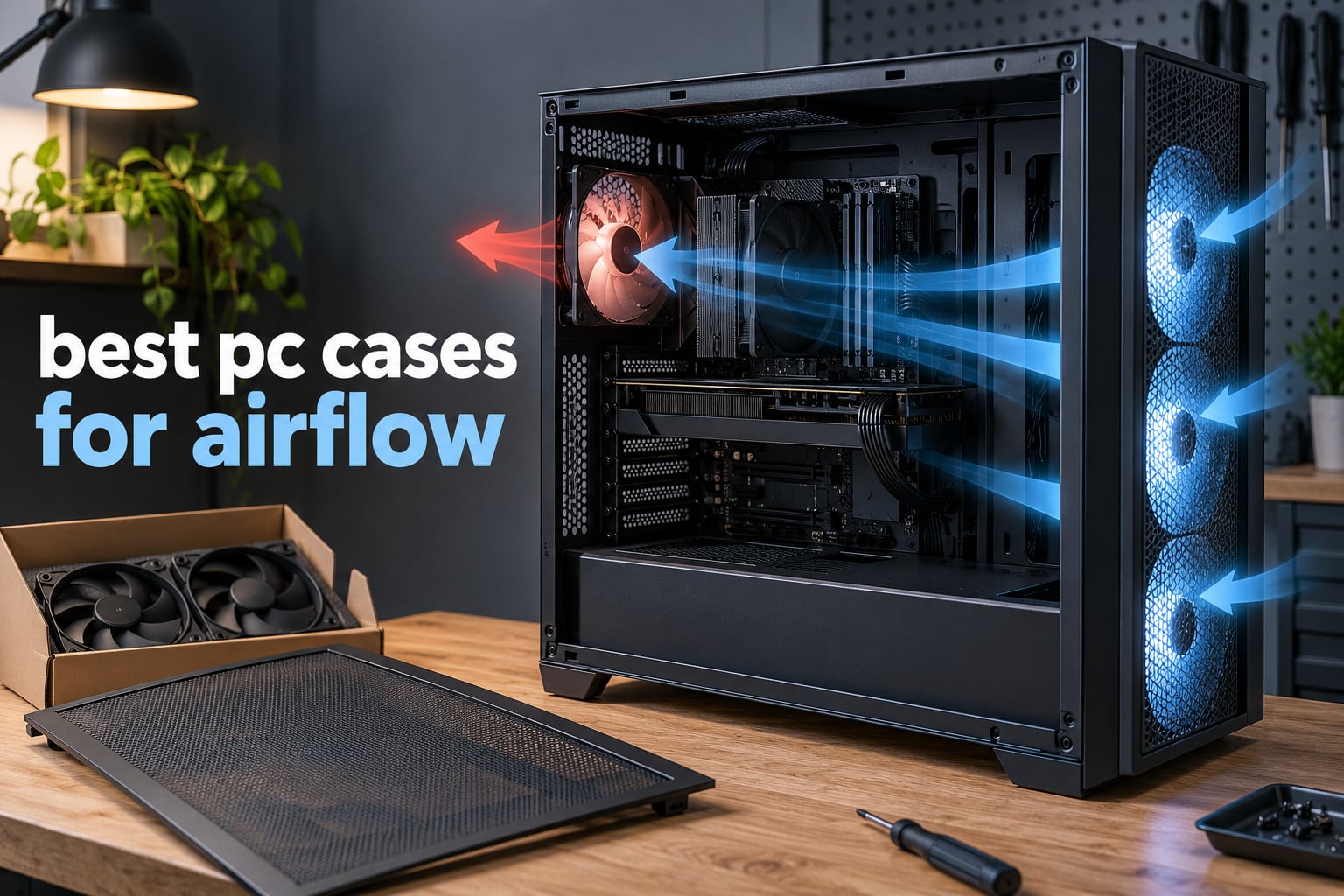
The best PC cases for airflow have one thing in common: cool air reaches every heat source without having to fight a panel to get there. That means an open mesh or perforated front intake, a straight front-to-back fan path with nothing in the way, and enough mounting points to fit the fans and radiators your hardware actually needs. Get those three right and your fans spin slower, your CPU and GPU run cooler, and the whole machine gets quieter.
We spent 2026‘s build season with ten of the strongest airflow cases on the market, from a micro-ATX mini-tower to a full tower that swallows two 420mm radiators. Each one was checked against its published clearance numbers, its fan and radiator support, its included fans, and the build reports of the people who own it. The result is a list that works whether you are building a quiet office machine, a water-cooled gaming rig, or something in a mATX box that has to fit under a desk.
If you want one answer: the Cooler Master Q300L V1 is the pick for most people, because it is perforated on three sides, takes magnetic dust filters, and has more than fourteen thousand owner reviews behind it. The Fractal Design North is the one to buy if the case has to look good on a desk, and the NZXT H6 Flow is the tidy dual-chamber option for a full ATX board in a small footprint. Everything else follows below.
Table of Contents
- Top 3 Picks for the Best PC Cases for Airflow in 2026
- The Best PC Cases for Airflow at a Glance
- 1. Cooler Master Q300L V1 – The Best PC Case for Airflow Overall
- 2. Fractal Design North – Best for Looks and Airflow
- 3. NZXT H6 Flow – Best Compact ATX Airflow Case
- 4. Corsair 4000D RS ARGB FRAME – Best Modular Airflow Build
- 5. Corsair 7000D Airflow – Best Cooling Headroom
- 6. NZXT H5 Flow – Best Starter Airflow Case
- 7. Lian Li V100 – Best for Tool-Less Builds and Big GPUs
- 8. NZXT H9 Flow – Best Dual-Chamber Cooling Layout
- 9. Montech Air 903 MAX – Best Bundled 140mm Fans
- 10. Antec Flux Pro – Best Full Tower for a Custom Loop
- Where the Air Actually Goes
- Positive, Negative or Neutral Fan Pressure
- Airflow and Noise: What You Give Up
- How to Test the Airflow in Any Case
- What Actually Makes a PC Case Good for Airflow
- Frequently Asked Questions
- Which PC Case for Airflow Should You Buy?
Top 3 Picks for the Best PC Cases for Airflow in 2026

Cooler Master Q300L V1
- Perforated front
- top and bottom
- Three fans included
- 360mm GPU and 159mm CPU cooler room

Fractal Design North
- Walnut front with mesh side panel
- Two 140mm fans included
- 360mm front radiator support

The Best PC Cases for Airflow at a Glance
All ten cases below are airflow-first designs. The Key Features column gives you the reason each one earned its place, and every review further down covers the build experience, the clearances, and where the design fights you.
| Product | Specs | Action |
|---|---|---|
| Cooler Master Q300L V1 |
|
Check Latest Price |
| Fractal Design North |
|
Check Latest Price |
| NZXT H6 Flow |
|
Check Latest Price |
 Corsair 4000D RS ARGB FRAME Corsair 4000D RS ARGB FRAME |
|
Check Latest Price |
 Corsair 7000D Airflow Corsair 7000D Airflow |
|
Check Latest Price |
 NZXT H5 Flow NZXT H5 Flow |
|
Check Latest Price |
 Lian Li V100 Lian Li V100 |
|
Check Latest Price |
 NZXT H9 Flow NZXT H9 Flow |
|
Check Latest Price |
 Montech Air 903 MAX Montech Air 903 MAX |
|
Check Latest Price |
 Antec Flux Pro Antec Flux Pro |
|
Check Latest Price |
1. Cooler Master Q300L V1 – The Best PC Case for Airflow Overall
Cooler Master Q300L V1 Micro-ATX PC Case, High Airflow, Transparent Panel
Micro-ATX and Mini-ITX
Perforated front, top and bottom
360mm GPU, 159mm CPU cooler
3 fans, up to 5 mounts
Pros
- Perforated on three sides for unrestricted intake
- Magnetic dust filters that lift off and rinse clean
- 360mm GPU and 159mm CPU cooler clearance
- Repositionable modular I/O panel
- Roomy cable space behind the tray
Cons
- Acrylic side panel scratches easily
- Rear expansion cover is one large plate
- Not for full-size ATX boards
The Q300L is the one I recommend most often, and the reason is simple: it has no front panel to speak of. The front, top and bottom are all perforated steel, which means there is no filter screen, no plastic bezel and no angled duct quietly throttling the intake. Air enters from three directions at once.
Owners consistently treat it as the best airflow-per-dollar micro-ATX chassis you can buy. With the three included 120mm fans and two or three more added at the bottom, reported CPU and GPU temperatures land well below what the same components produce in a boxed, filtered design.
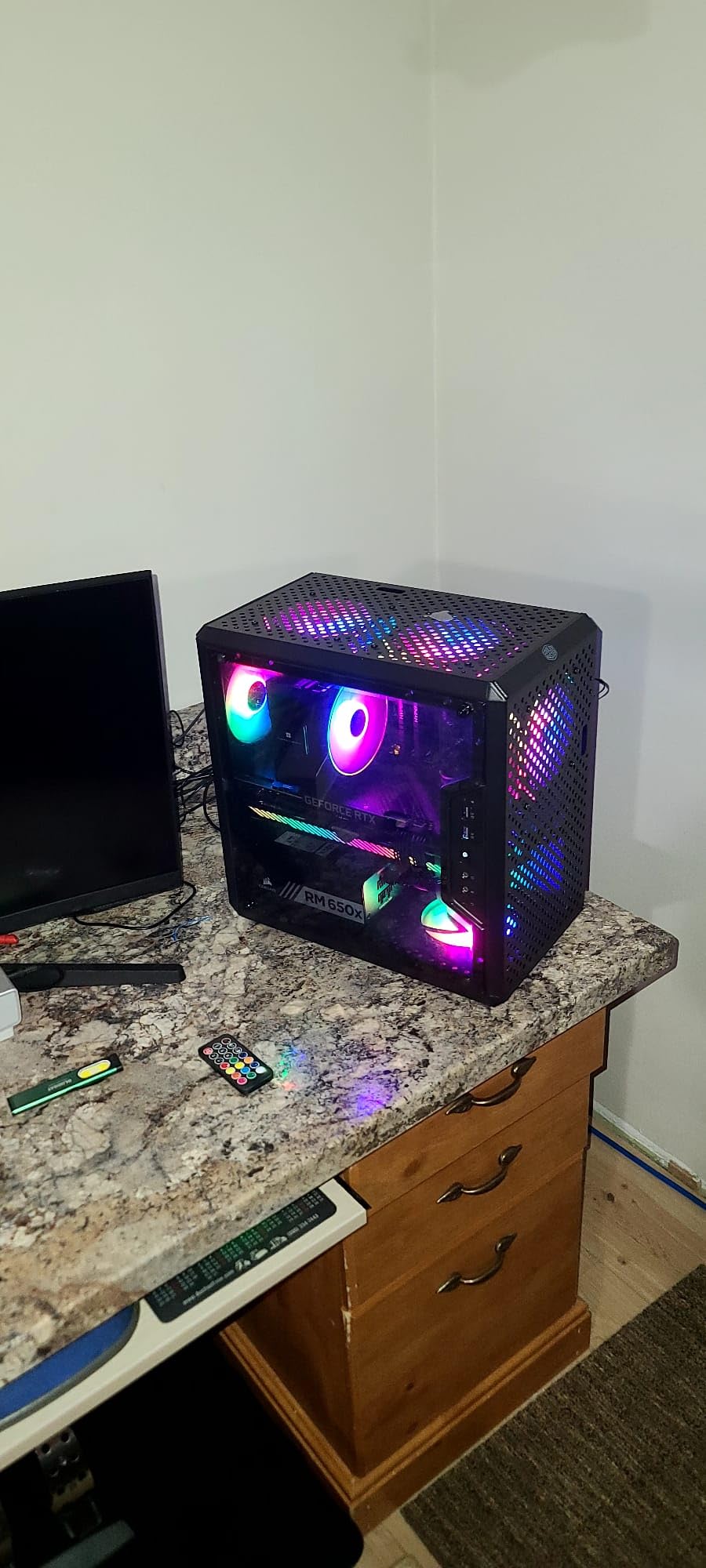
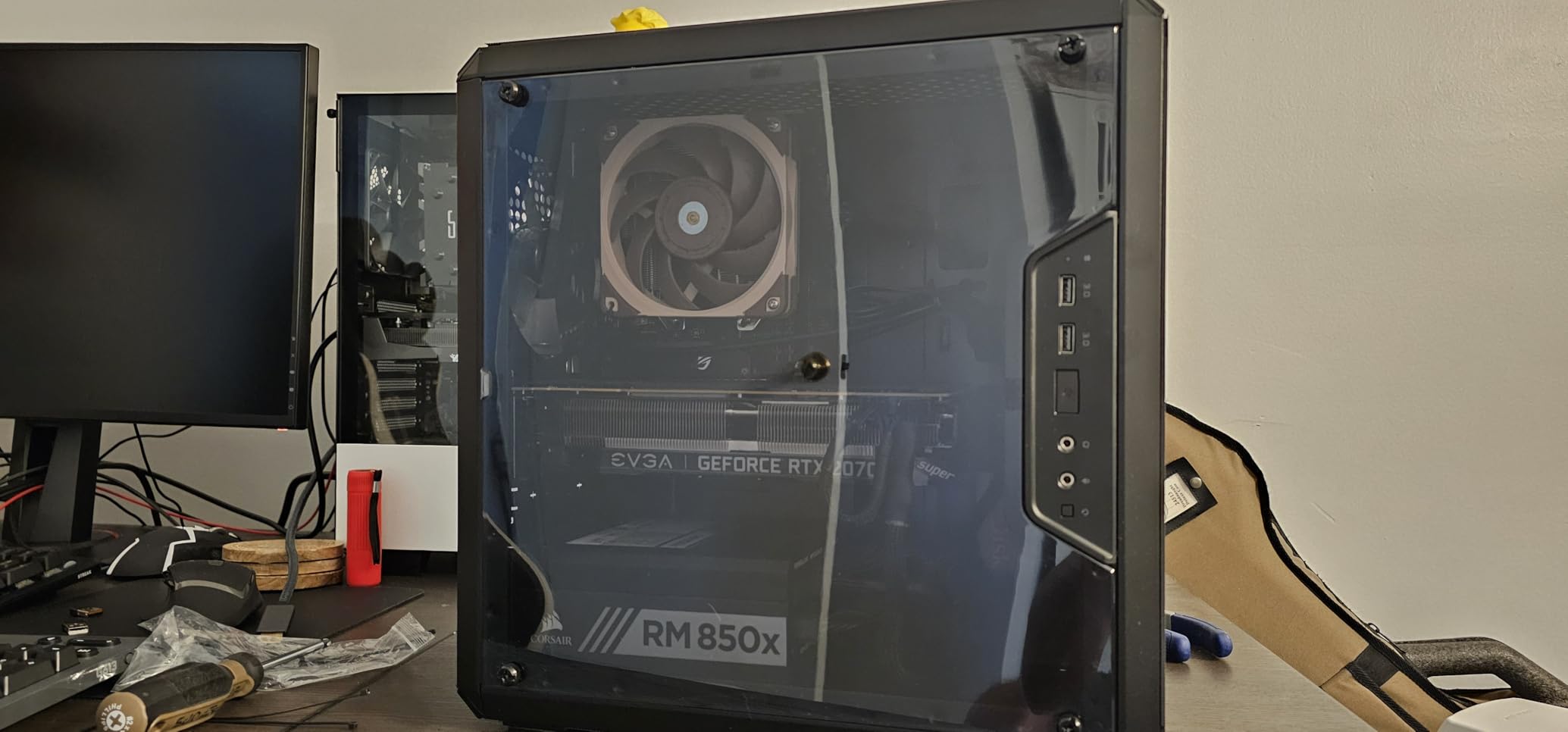
The clearances are the quiet story here. A 360mm graphics card, a 159mm CPU cooler and a 160mm power supply all fit with room to spare, and it takes a 240mm all-in-one cooler or up to five fans in total. That is more than several chassis twice the size manage, because they are counting a perforated area rather than a mounting point.
The magnetic dust filters on the front, top and bottom pull off in seconds and rinse under a tap, which solves the biggest complaint we see on mesh designs, where a clogged filter quietly strangles the intake after a few months. Zip ties and fabric ties come in the box too.
Who the Q300L suits
This is the case for a micro-ATX or Mini-ITX build where cooling matters more than looks, or where you have inherited a mATX board and want to reuse it. It is also a strong first build, because it is light, cheap to replace if you make a mistake, and has more expansion room than the compact cases that usually get recommended in its place.
It is equally at home as a secondary or travel rig, since the whole chassis weighs under half a kilogram. The modular I/O panel can be moved to the front, top or bottom on either side, which is genuinely useful when the case sits on a narrow stand.
Where the Q300L falls short
The all-black interior is a real ergonomic complaint. Small headers and dark cables disappear into it, so plan on good room lighting or a headlamp for the cable-routing stage. The acrylic side panel also scratches easily, and it is a soft plastic rather than tempered glass.
Two structural details deserve a warning. The rear expansion area is covered by one large plate instead of individual slot covers, so a GPU swap means undoing several screws. And it takes micro-ATX and Mini-ITX boards only, so if you are holding a full-size ATX board, this is the wrong chassis no matter how good the airflow is.
2. Fractal Design North – Best for Looks and Airflow
Fractal Design North – Genuine Walnut Wood Front – Mesh Side Panels – Two 140mm Aspect PWM Fans Included – Type C USB – ATX Airflow Mid Tower PC Gaming Case,Charcoal Black
ATX, mATX and ITX
Walnut front with mesh side panel
2 x 140mm Aspect fans
360mm front radiator
Pros
- Real walnut slat front with a furniture-grade look
- Full mesh side panel plus fine front mesh
- Strong cable management with Velcro straps
- Panels and filters are easy to remove and rinse
Cons
- Tight interior for long GPUs and big air coolers
- Bundled 140mm fans are mid-range only
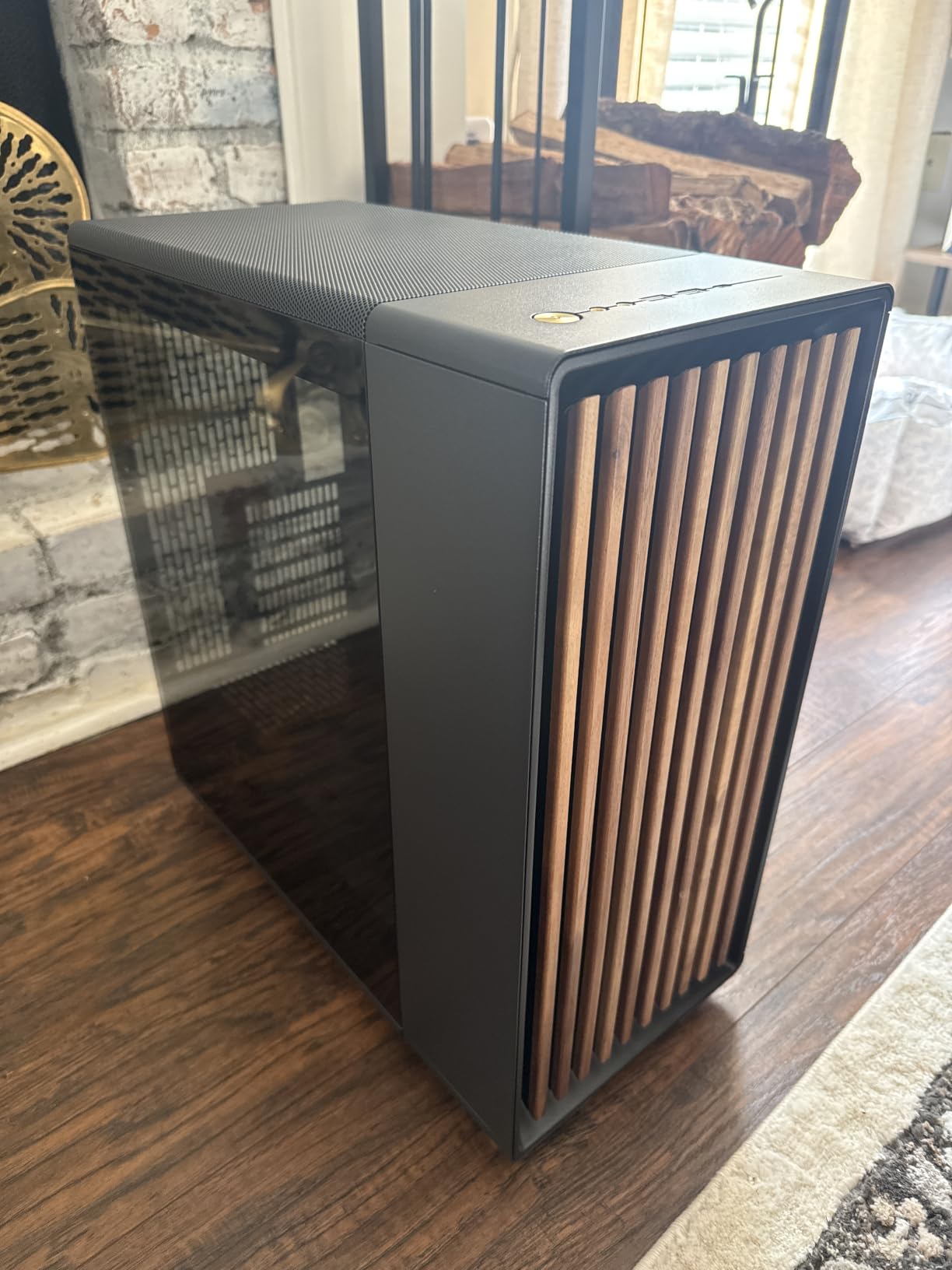
Most cases that look this good have a solid front panel and a glass side, and most cases that move this much air look like a server rack. The North is the exception, and that is why it keeps showing up in the same builder conversations as the Fractal Meshify.
The front bars are cut from sustainably sourced walnut, with an open gap between them feeding into a fine-pattern mesh, and the side panel is full mesh with its own fan mount. You get an unrestricted front-to-back path and a case that reads as furniture on a desk rather than a gaming prop.
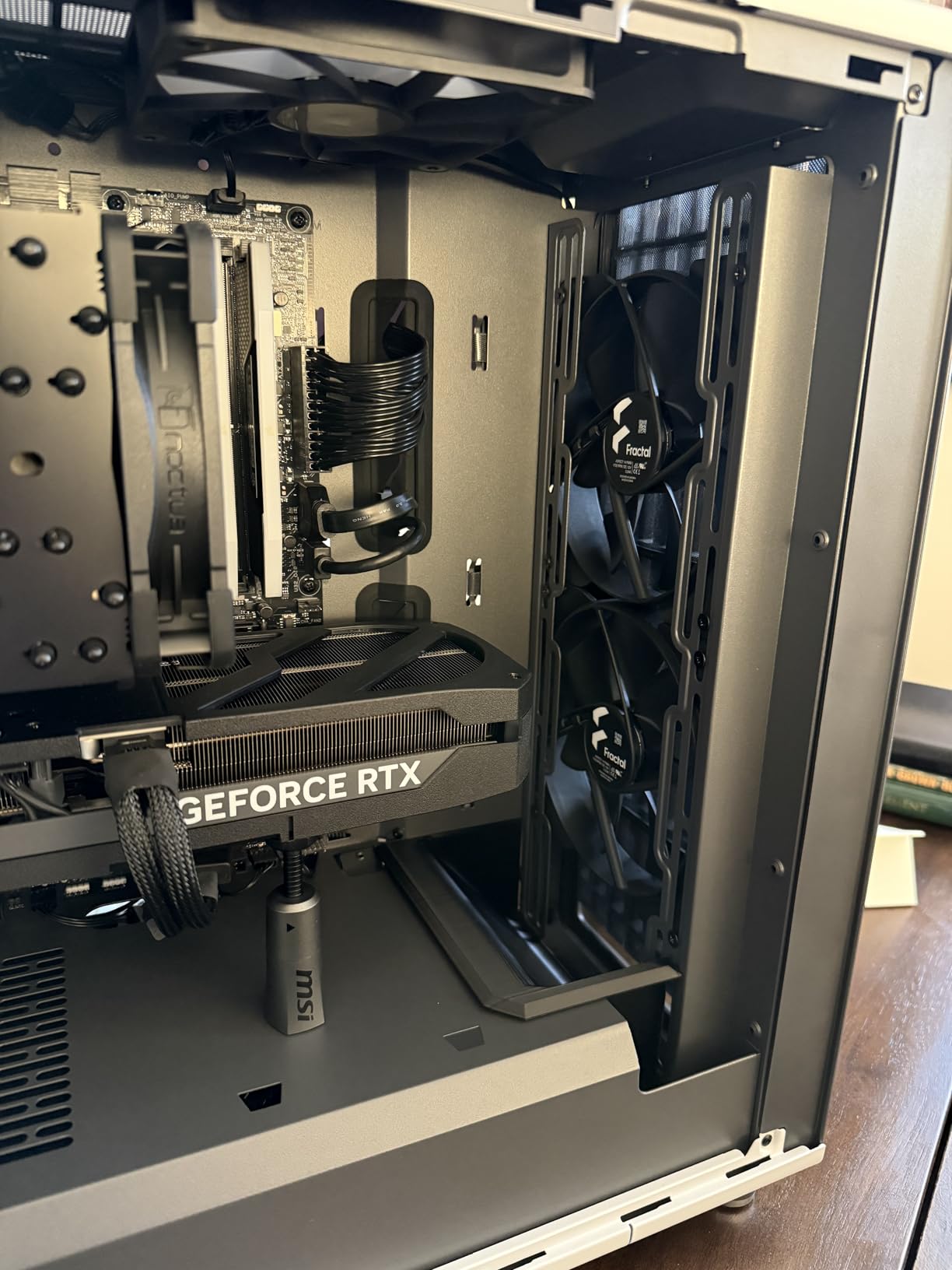
Two 140mm Aspect PWM fans come in the box, one at the front and one at the rear, and they are quiet enough that you can run a gentle fan curve and barely hear them. Owners report strong thermals once they set a custom curve, and the seven bridgeless expansion slots are a nice touch for multi-GPU or thick cards.
Cable management is a highlight. Multiple pre-installed Velcro straps, a wide channel behind the tray, and tool-free panel removal with integrated tabs make assembly and later upgrades painless. Front I/O includes USB-C Gen 2×2 alongside dual USB-A and audio.
Where the North earns its place
If your PC lives in a living room, on a desk, or anywhere the case itself is part of the setup, this is the one. The walnut front is a genuine differentiator that no competitor in this roundup matches, and the mesh side panel means you are not choosing between a good-looking case and a ventilated one.
It is also a good fit for anyone who plans to add storage later, since it comes with two combined 3.5-inch and 2.5-inch mounts plus two dedicated 2.5-inch mounts. Filters lift out and can be rinsed.
What to watch before you buy
The interior volume is tight for a mid-tower. Long or thick flagship graphics cards barely clear the 355mm limit, and that drops to 300mm once a 360mm front radiator goes in. Measure your card, then measure again if a water cooler is involved.
Two clearance clashes catch people out. The mesh side fan bracket can collide with large CPU air coolers, and top-mounted 140mm fans can sit right over the motherboard’s 8-pin power connector. The bundled 140mm fans are also mid-range, and most owners replace them within a year.
3. NZXT H6 Flow – Best Compact ATX Airflow Case
NZXT H6 Flow | CC-H61FB-01 | Compact Dual-Chamber Mid-Tower Airflow Case | Panoramic Glass Panels | High-Performance Airflow Panels | Includes 3 x 120mm Fans | Cable Management | Black
ATX, mATX and ITX
Dual-chamber layout
3 x 120mm fans included
365mm GPU clearance
Pros
- Dual-chamber separates PSU and drives from the main chamber
- Three pre-installed 120mm fans
- Perforated top and side panels aid cooling and dust filtering
- Simple wide-channel cable management
Cons
- Compact volume limits very large radiators alongside long GPUs
- Only one internal drive bay
- Just two USB ports
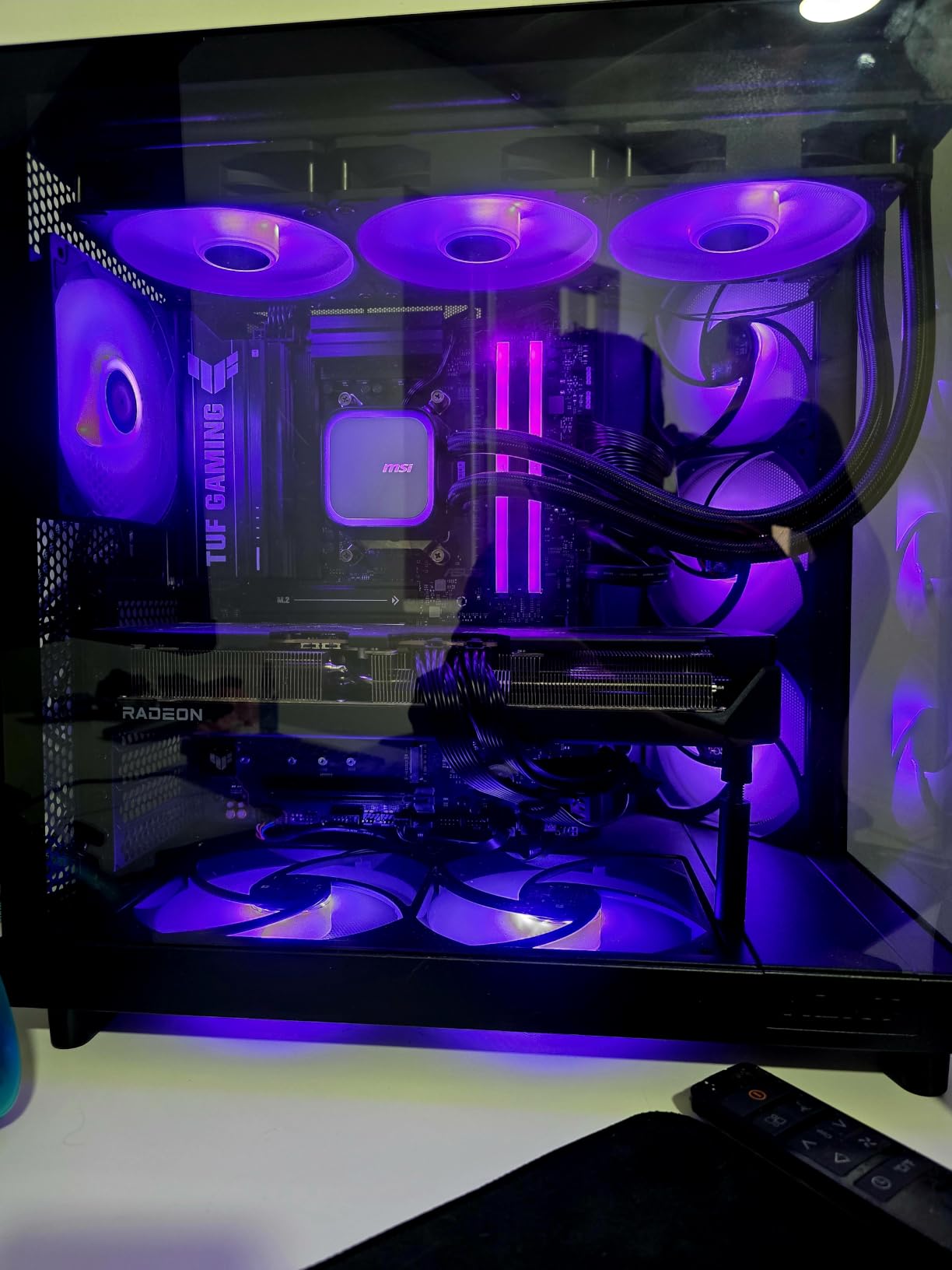
The H6 Flow answers a question the bigger cases ignore: can you have a real dual-chamber layout in a compact footprint? The answer is yes. The power supply and drives sit in their own chamber, physically separated from the motherboard and graphics card, so the hot PSU exhaust never joins the air feeding your components.
That separation is why the case performs well thermally for its size. Add airflow-optimised perforation on the top and side panels, which both improves cooling and acts as a dust filter, and you have a chassis that stays cool without a tower of fans.
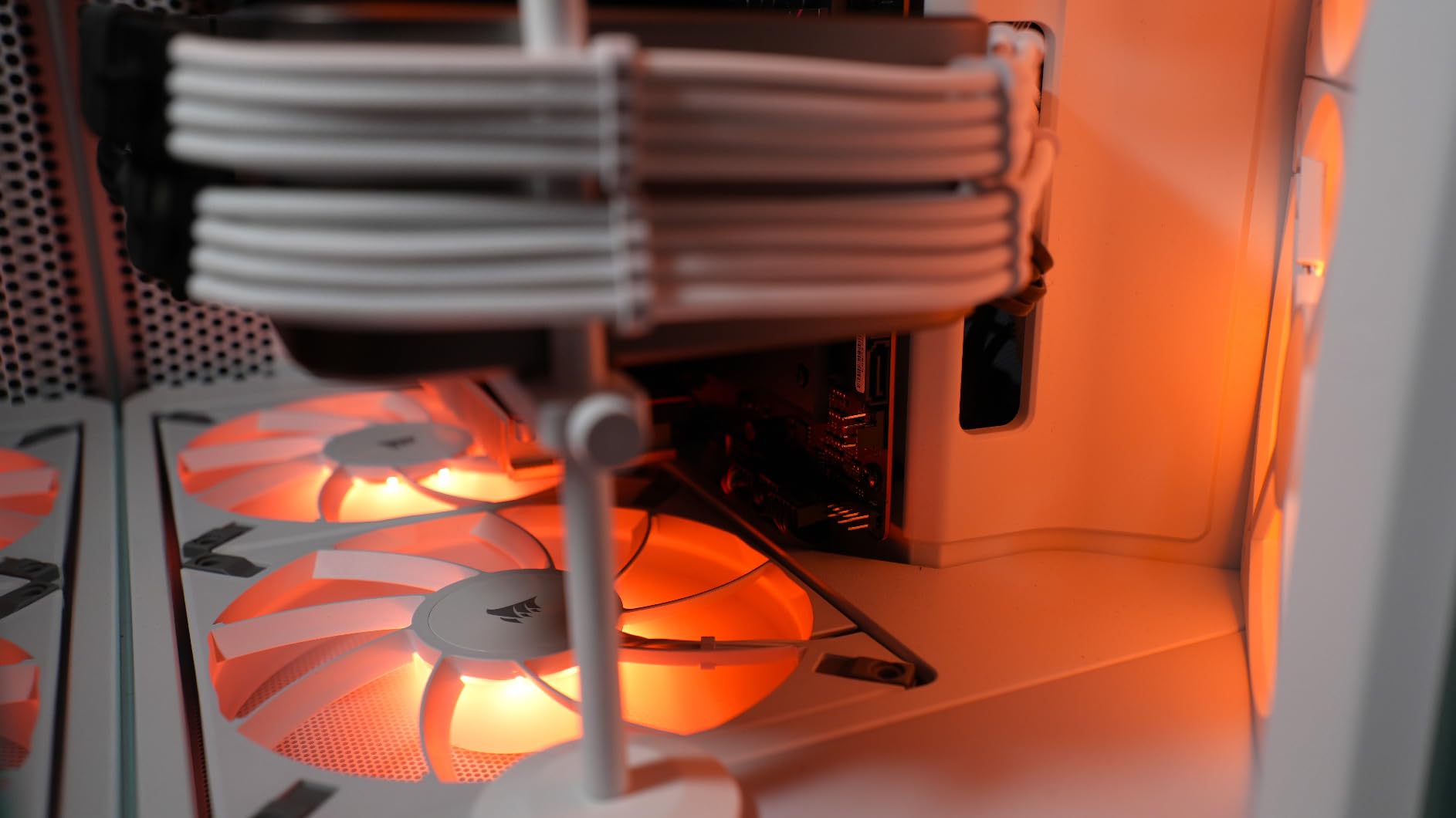
Three 120mm fans come pre-installed at angles chosen to feed the main chamber, which means a first build is usable before you buy anything else. GPU clearance runs to 365mm, and the wraparound panoramic glass keeps the interior visible without adding panel bulk.
The cable system is the reason many builders pick this case. Wide channels and straps make routing straightforward, and the panels come off without tools, so a later upgrade does not mean dismantling the whole machine.
Reasons to build in the H6 Flow
It suits anyone who wants a full ATX board but lives with a size limit. The 16.34-inch depth is short by mid-tower standards, and at a 4.8 average across more than three thousand ratings it is one of the most consistently well-regarded cases in this group.
It is also a good pairing for a compact air or entry-level AIO cooling setup, where you want a tidy interior you can actually see through. The perforated top and side mean you can leave the side panel off in summer without inviting a dust problem.
Limits worth knowing
The wide cable channels eat into an already compact interior, and that is where the constraints show up. There is a single internal drive bay, so a storage-heavy build needs an external solution or a different chassis. The port count is also modest for the class.
Most importantly, compact volume means limited room for a very large radiator next to a long graphics card. If your plan is a 360mm radiator plus a triple-slot flagship, check the fit carefully or step up a size class.
4. Corsair 4000D RS ARGB FRAME – Best Modular Airflow Build
CORSAIR 4000D RS ARGB Frame Modular Mid-Tower ATX PC Case, High Airflow, 3X Pre-Installed RS Fans, InfiniRail™ Mounting System, ASUS BTF, MSI Zero, Gigabyte Stealth, Black
ATX, mATX and ITX
3D Y-pattern steel front
3 x 120mm ARGB fans
Dual 360mm radiator support
Pros
- 3D Y-pattern perforated steel front panel
- Three RS ARGB PWM fans with zero-RPM mode
- FRAME modular panels and drive trays
- InfiniRail fan mounts up to 200mm front and 140mm roof
Cons
- Stock fan orientation is not ideal out of the box
- ARGB fans get loud at full speed
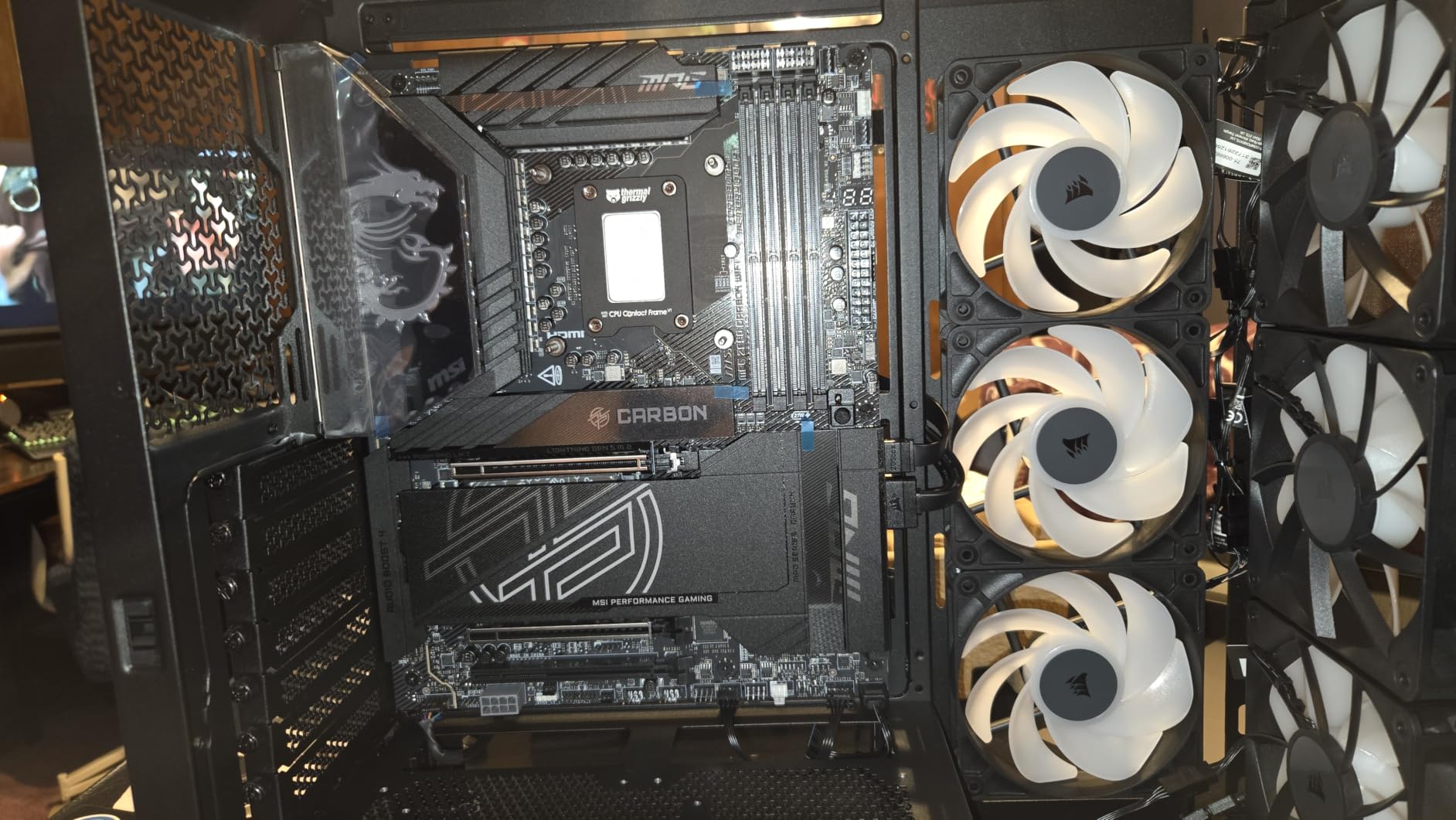
The 3D Y-pattern steel front panel is the reason this case moves air so well. It is perforated in three dimensions with a Y-shaped pattern, so there is no flat screen for air to stall against, and owners report noticeable temperature drops compared with older cases they moved hardware into.
Three RS ARGB PWM fans are pre-installed at the front and daisy-chain straight to the motherboard, with zero-RPM mode for near-silent idle. You do not need a separate RGB controller to make the lighting work.
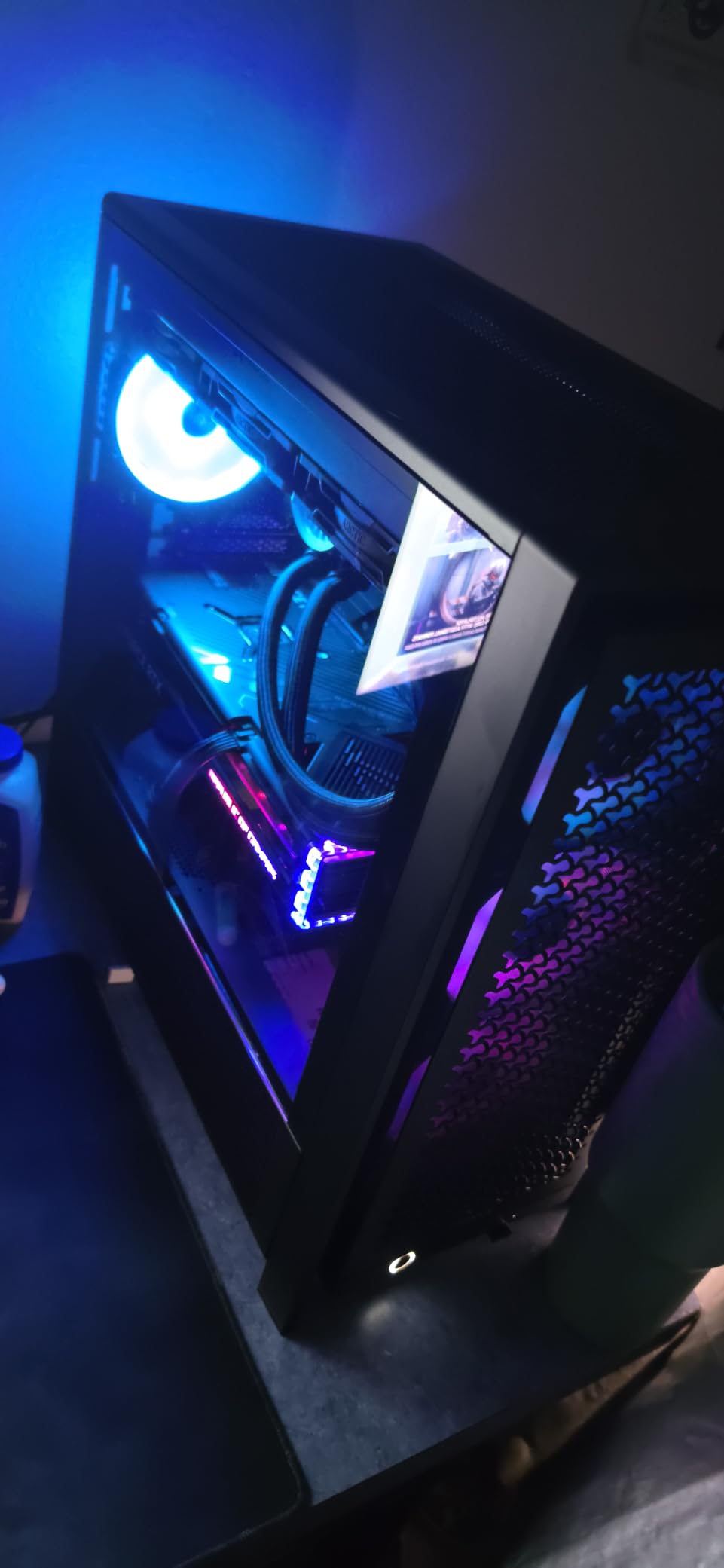
The FRAME system is what makes this different from a standard airflow mid-tower. Panels and drive trays unbolt rather than screw down, and the internal side panel near the motherboard tray doubles as a cable cover or as a side fan mount, depending on what you need. The InfiniRail steel rails let you slide fans to 200mm at the front and 140mm on the roof.
It also takes dual 360mm radiators, and the front I/O includes USB-C alongside an integrated GPU anti-sag arm and support for ASUS BTF, MSI Project Zero and Gigabyte Stealth back-connect boards.
What this case is good for
This is the pick for a builder who expects to change the case more than once. Swapping the layout as the build evolves, moving fans to the side panel, or dropping in a back-connect motherboard later all happen without reworking the whole chassis.
The removable side panel is also a genuine airflow lever. Use it as a cable cover for a tidy low-airflow build, or remove it and mount fans there when you want more intake behind the graphics card.
What to fix before you close it up
The most-cited complaint is the orientation of the pre-installed fans. Out of the box the arrow on at least one fan does not match the direction of airflow for its position, so check every arrow and flip the fans where needed. The other recurring gripe is noise, since the ARGB fans are clearly audible at full speed and need a fan curve.
Smaller notes: the steel top and side panels feel thinner than expected, the daisy-chain connectors do not always play well with non-Corsair fans, and each drive tray holds only one hard drive or two SSDs. The manual is online only.
5. Corsair 7000D Airflow – Best Cooling Headroom
CORSAIR 7000D Airflow Full-Tower ATX PC Case – High-Airflow Front Panel – Spacious Interior – Easy Cable Management – 3X 140mm AirGuide Fans with PWM Repeater Included – Black
Full tower, ATX
E-ATX support up to 11 slots
3 x 140mm AirGuide fans
3 x 360mm or 2 x 420mm radiators
Pros
- High-airflow steel front and roof panels move huge volumes of air
- RapidRoute hidden cable channel with hinged door
- Removable fan trays and hinged side and top panels
- Supports 12 x 120mm or 7 x 140mm fans
Cons
- Extremely heavy
- roughly 49 lbs empty
- Only three fans included
- Side fan bracket takes 120mm only
When you want headroom rather than neatness, this is the case. It takes up to twelve 120mm fans or seven 140mm fans, and it will hold three 360mm radiators or two 420mm radiators at the same time. Almost no other chassis in this price conversation gives you that much cooling capacity to configure.
Owners pair it with large hardware, including big graphics cards and tower air coolers, and report low idle temperatures and quiet operation at default fan curves. The high-airflow steel front and roof panels are the reason.
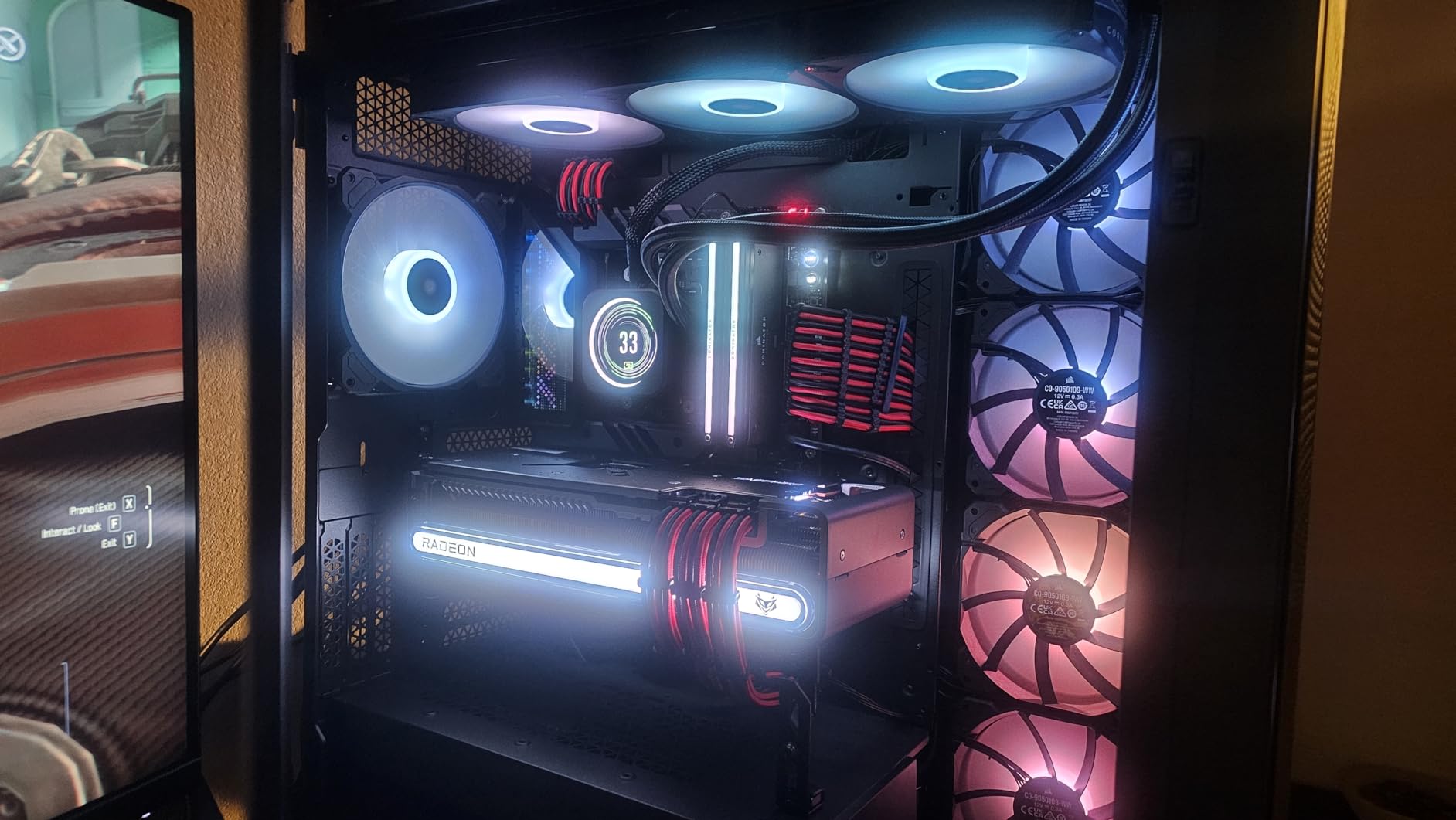
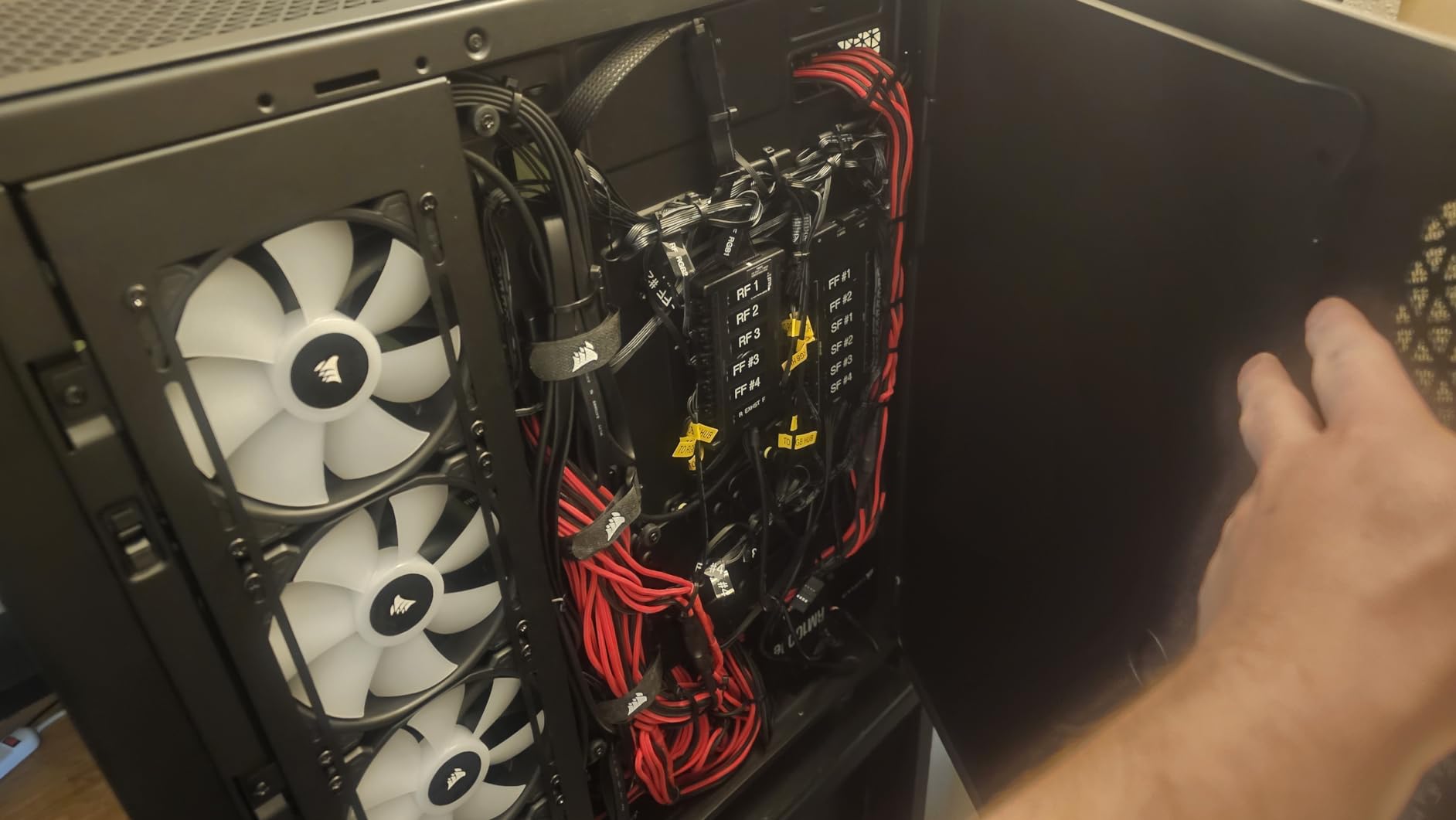
The build experience is genuinely good for something this large. Side, front and top panels are hinged or removable, fan trays come out, and the top radiator mount releases with two thumb screws. RapidRoute routes your main cables through a single hidden channel with a hinged door and 30mm of space behind the motherboard tray.
Storage is well served with six 3.5-inch HDD cages and room for up to six 2.5-inch drives. Front I/O gives you four USB 3.0 ports plus a USB Type-C port, and magnetic dust screens and thick-gauge steel make it feel solid.
Who should buy the 7000D Airflow
It suits a high-end workstation, a heavily upgraded gaming machine, or a custom water-cooling project where you know you will want radiator space later. Three simultaneous 360mm mounts is a genuine differentiator against every mid-tower here.
If your CPU or GPU is going to be overclocked and pushed for long sessions, the extra fan headroom means you can add cooling without replacing the case. The 11 expansion slots also make it practical for multi-GPU or multi-card capture configurations.
What you give up for the size
Weight is the headline problem. It is roughly 49 pounds empty and somewhere around 85 to 90 pounds fully built, so moving it is a two-person job. The footprint is about 2.5 feet tall by 2.5 feet deep, which can dominate a desk.
Only three fans are included despite that capacity, so budget for more. The rear cable channel is narrow and sharp-edged with missing grommets on some pass-throughs, the side fan bracket is 120mm only, and the front mic and headphone jacks are combined into a single port.
6. NZXT H5 Flow – Best Starter Airflow Case
NZXT H5 Flow – Compact ATX Mid-Tower PC Case – Black
E-ATX, ATX, mATX, ITX
Ultra-fine mesh top, front and side
2 x 120mm fans
410mm GPU clearance
Pros
- Ultra-fine mesh across top
- front and side panels
- Perforated PSU shroud takes two extra GPU intake fans
- 360mm front and 240mm top radiator support
- Panels use retention washers so screws stay put
Cons
- No bottom intake for the power supply fan
- Only two USB-A ports and no USB-C
- Front fan plate is awkward to remove and refit
The H5 Flow is the case to look at if you want a big airflow surface area without a big chassis. Ultra-fine mesh covers the top, front and side panels, so air moves in and out through most of the enclosure rather than one filtered opening.
Two 120mm quiet airflow fans are pre-installed, one at the front and one at the rear, which is enough to keep a mid-range CPU and GPU in check before you add anything. GPU clearance runs to 410mm, and it fits a 360mm front radiator with a 240mm on top.
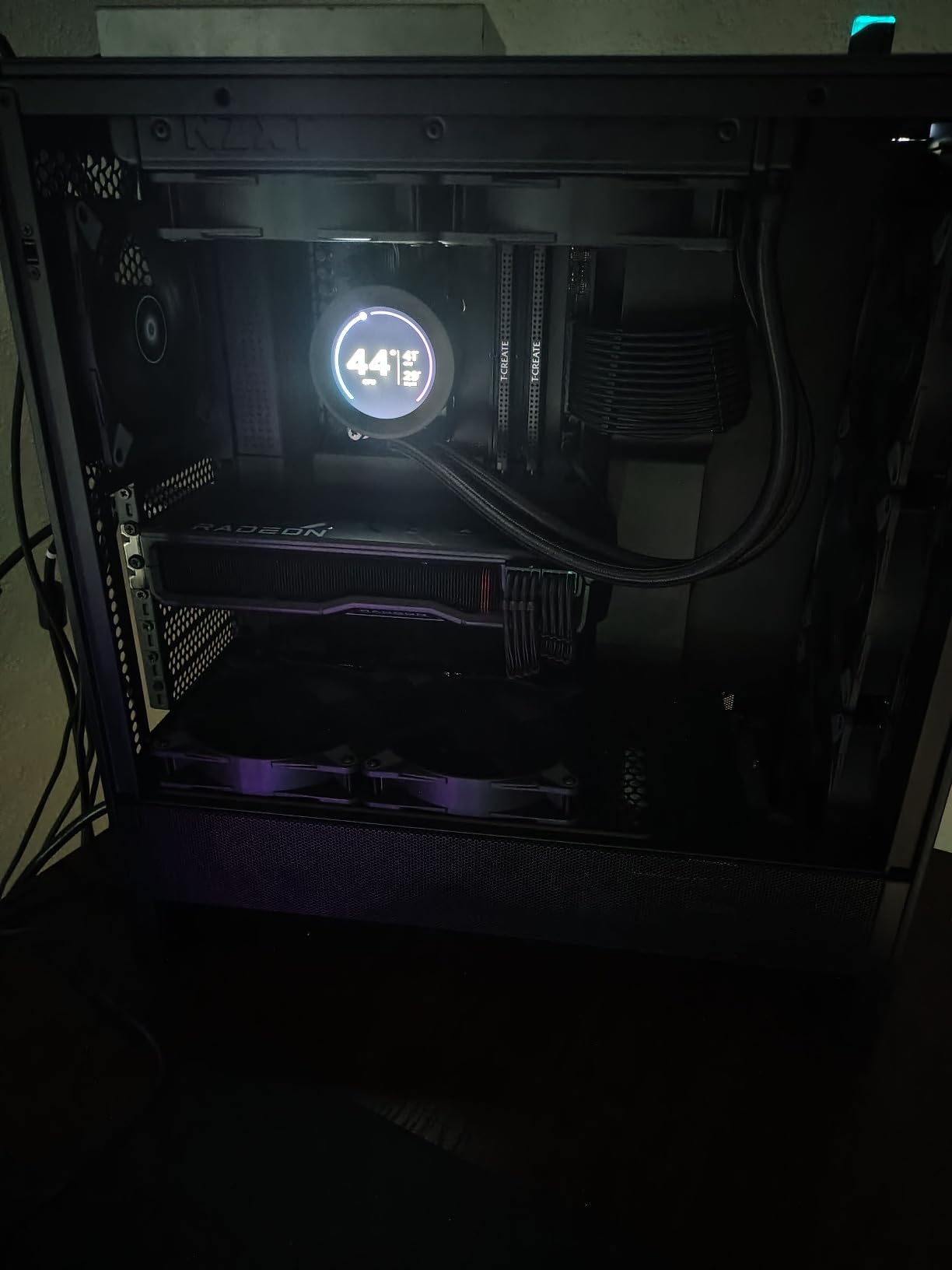
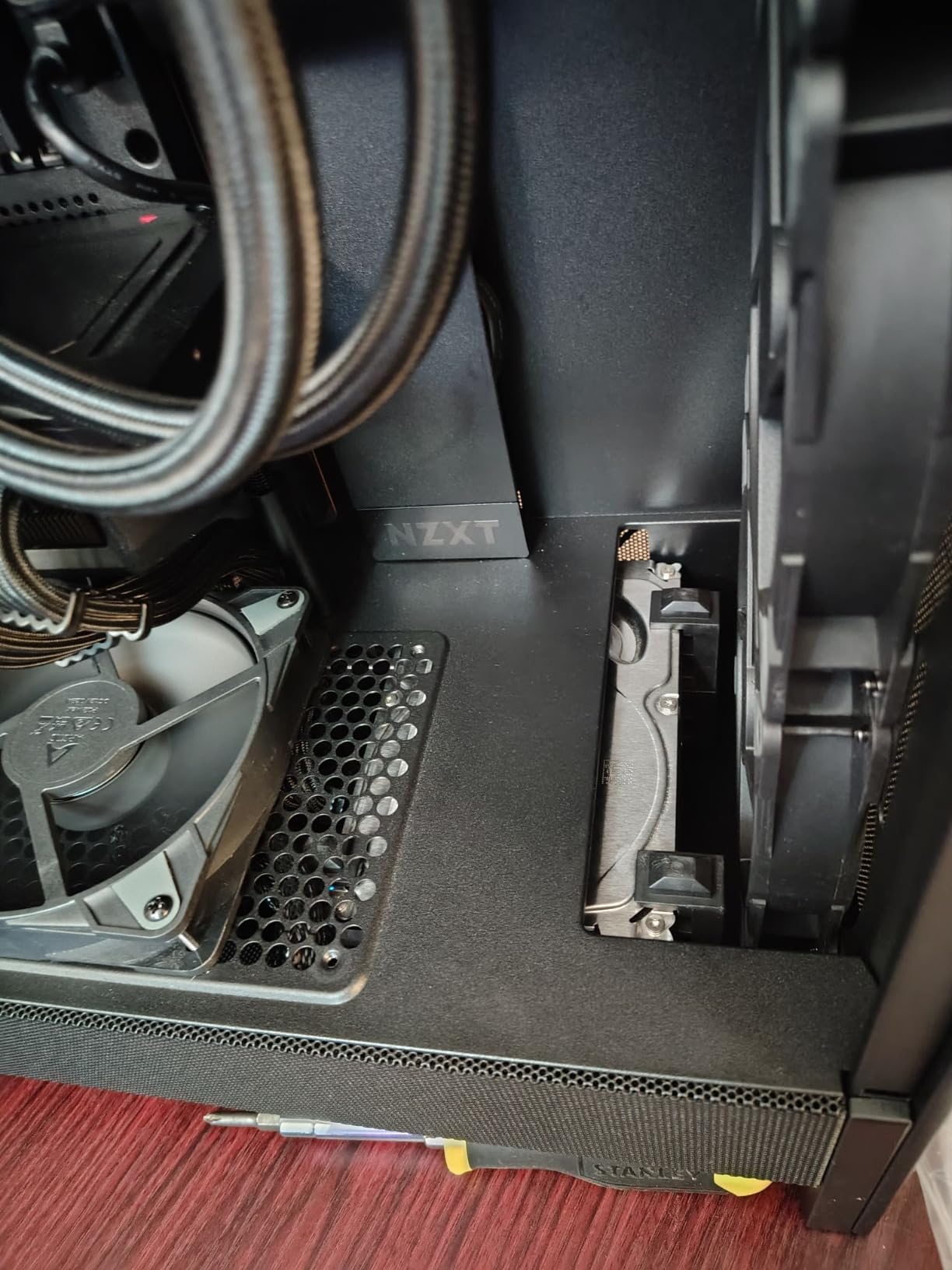
The detail that makes this case interesting for airflow is the perforated PSU shroud. It is perforated on the side and bottom specifically so you can add two 120mm fans that feed the graphics card directly, which is where most of the heat in a gaming machine actually comes from. Those fans are not included, so it is a small extra spend with a large payoff.
Routing is handled by wide channels, hooks and straps with a lot of hidden space behind the tray. All-metal construction with a tempered glass panel feels more solid than the tier would suggest, and the panel screws sit in retention washers so they are not lost during reassembly.
Good fit for a first build
This suits someone assembling their first machine who wants a case that will not need replacing in two years. The mesh does double duty as a dust filter, the build is approachable, and the front I/O is uncomplicated to reach.
It is also a sensible upgrade path out of a restrictive budget case. If you are moving from a solid-front box, the change in moving air is immediate, and adding the two shroud fans later makes it dramatic.
Weak points to plan around
The power supply has no bottom intake, so the PSU fan and the graphics card draw from the same region. In a hot room that matters more than most people expect, and it is the single most-cited complaint in owner reports.
Front I/O is basic with only two USB-A ports and no USB-C. The front fan plate is also awkward to remove and refit, and a 3 by 120mm cutout in the front panel looks unbalanced if you would rather run 140mm fans there.
7. Lian Li V100 – Best for Tool-Less Builds and Big GPUs
Lian Li V100-ATX Mid-Tower PC Case-Black-V100RX
ATX, mATX and ITX
4 x 120mm ARGB PWM fans
420mm GPU, 178mm CPU cooler
Top 360mm radiator
Pros
- Four pre-installed daisy-chained ARGB PWM fans
- 420mm GPU and 178mm CPU cooler clearance
- Tool-less side panels on both sides
- Back-connect motherboard support and side USB-C
Cons
- Only a one-year warranty
- Chassis mixes plastic with steel and glass
- ARGB fans are loud at full RPM
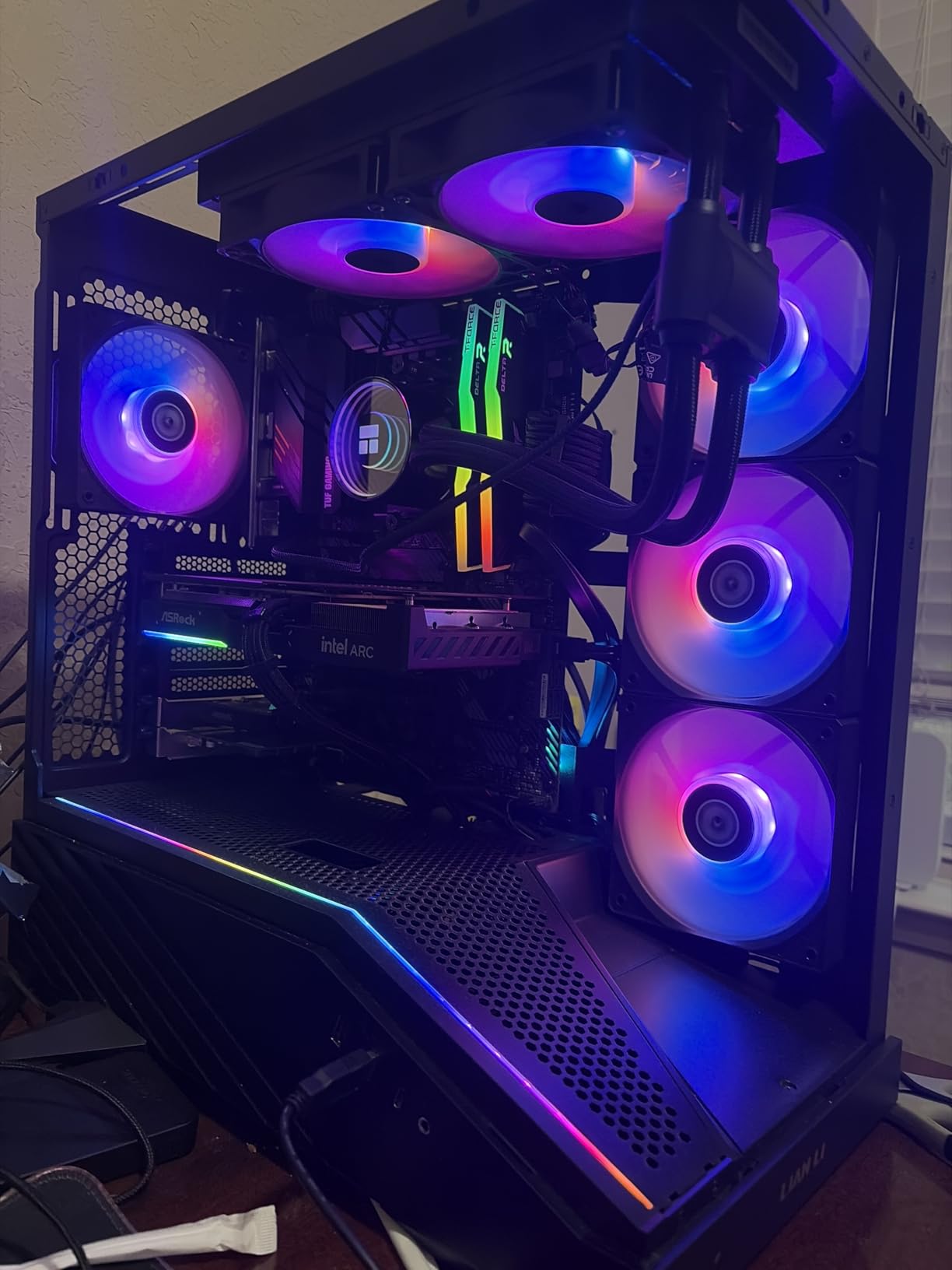
Four fans in the box is unusual at this level, and it is why the V100 stands out. The included 120mm ARGB PWM fans daisy-chain together, so you wire them to a single header and are done. On paper they push up to about 61 CFM at up to 1800 RPM, and they run between 26.5 and 30.8 dBA.
That fan count is the practical story. A chassis that arrives with four intake-capable fans means the airflow you paid for is present on day one, not after a second order.
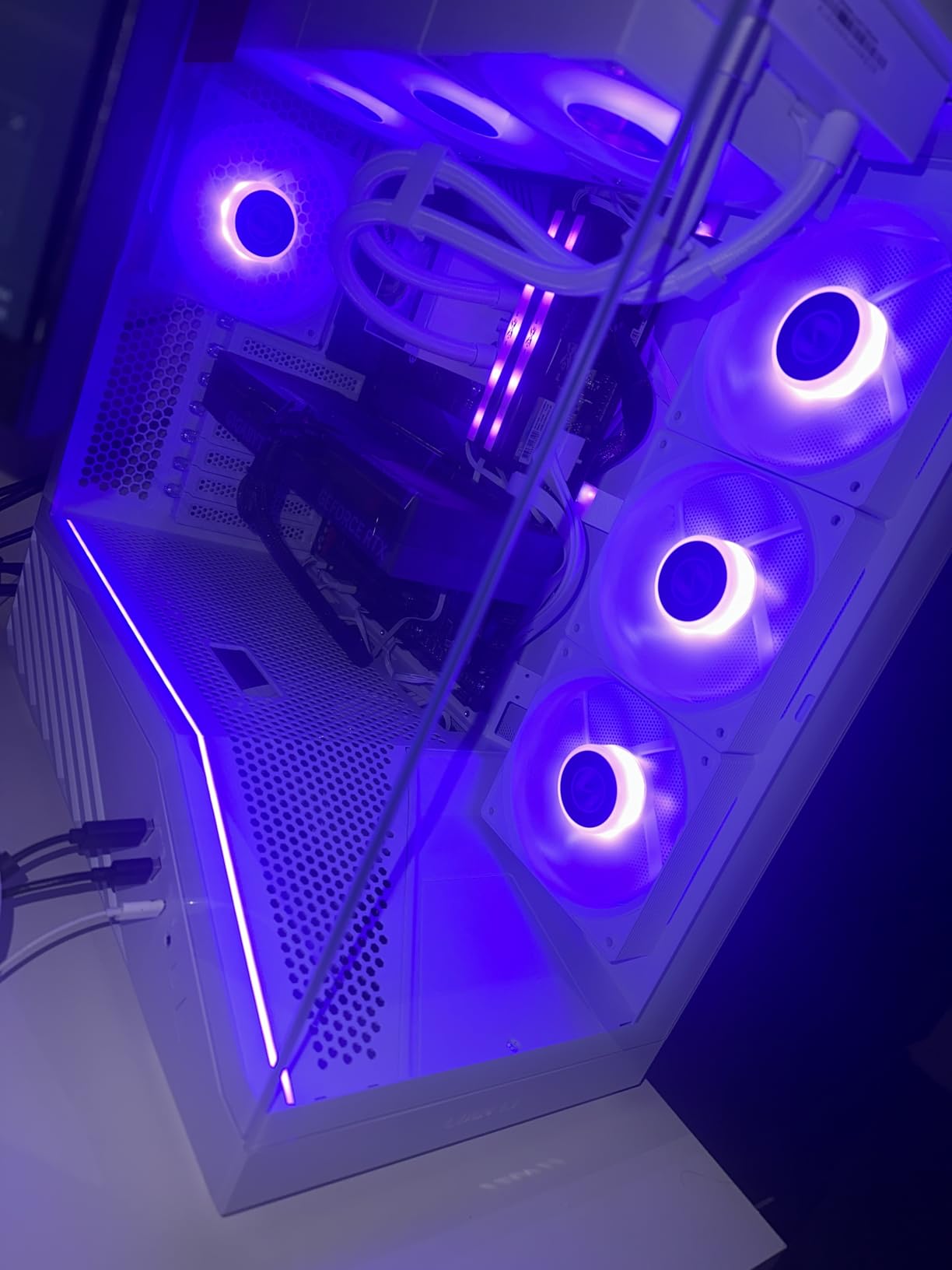
Clearances are generous for the size. Graphics cards up to 420mm fit, CPU coolers up to 178mm fit, and a 360mm radiator mounts on top. Both side panels come off without tools, which makes both the first build and every later upgrade noticeably faster.
It also supports back-connect ATX and micro-ATX motherboards for cable-free routing, carries a side I/O USB-C port, and includes a GPU support bracket to hold up the weight of a heavy card. A 26-LED ARGB strip ties the lighting to your motherboard software.
Where the V100 makes sense
Pick this if you want a clean first build with plenty of fans in the box and no tools required for the panels. The tool-less side panels are genuinely useful for anyone who expects to swap components or add storage after the machine is already running.
The 420mm GPU room is the other reason. If you are planning to install a long, thick card now and keep it for years, this chassis gives you margin that most mid-towers in the group do not.
Trade-offs to weigh
The warranty is one year, which is short for the class and worth keeping in mind if you are the kind of builder who expects to keep a chassis a long time. The construction mixes plastic with steel and glass rather than being all metal throughout.
Noise is the other one. The bundled ARGB fans are louder at full RPM than competing bundles, so set a curve early rather than leaving them on maximum. At a 4.8 average across 567 ratings the owner satisfaction is high, but the sample is younger than the rest of this list.
8. NZXT H9 Flow – Best Dual-Chamber Cooling Layout
NZXT H9 Flow – Dual-Chamber ATX PC Case – Black
ATX and E-ATX dual-chamber
3 x 140mm front-right, 1 x 120mm rear
420mm top and front-right radiator
Nine 140mm plus one 120mm capacity
Pros
- Angled front-right fans push air diagonally across the GPU
- Ten-fan capacity across top
- front-right
- bottom and rear
- Extra-wide cable channels with built-in Velcro
- 420mm radiator support in two positions
Cons
- Heavy at over 12 kg and very wide
- Case-version fans are 3-pin DC and louder
- No built-in GPU support bracket
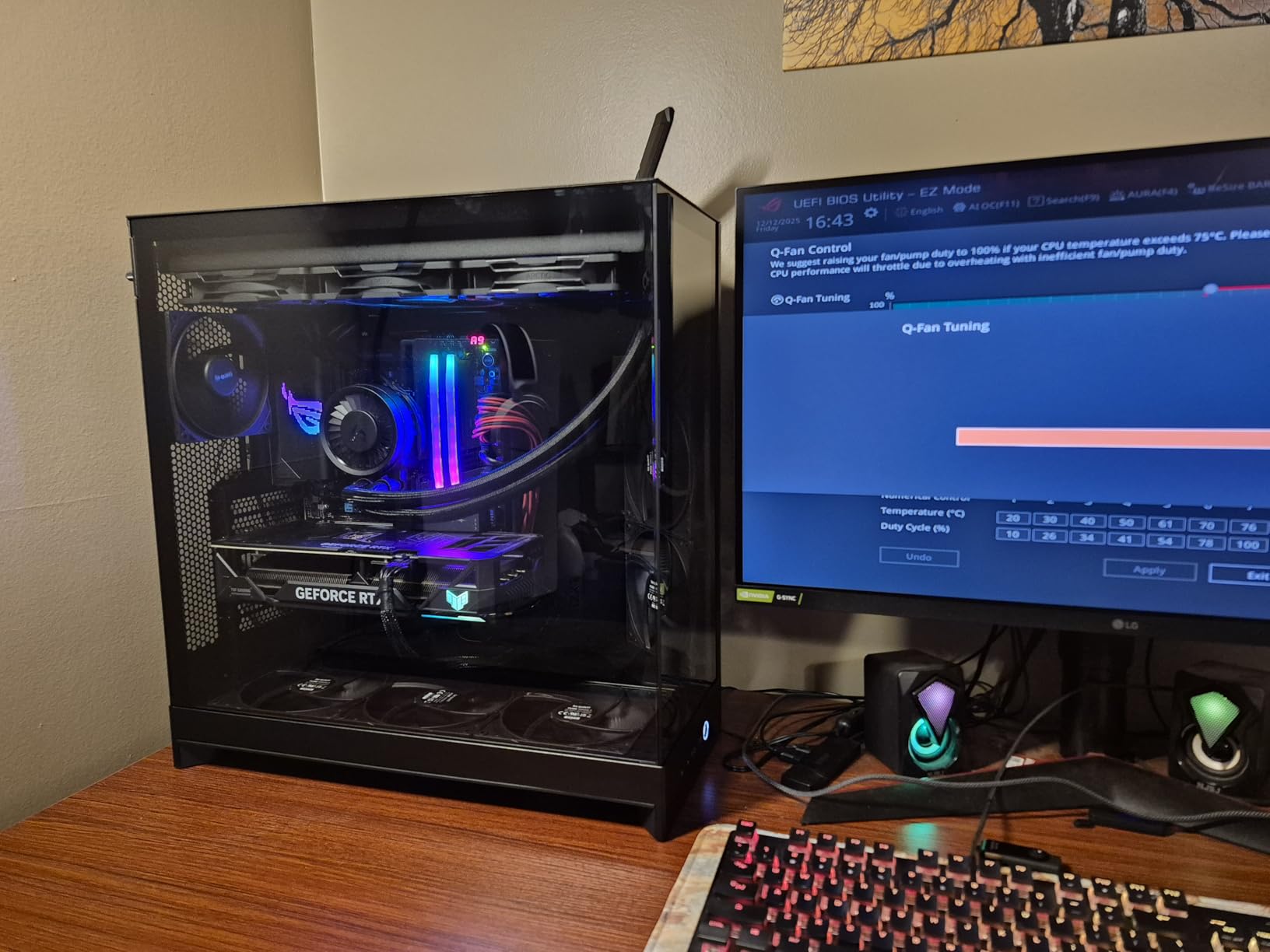
The H9 Flow’s front-right fans are angled, and that is the feature that sets it apart from every other case here. Rather than blowing straight back, they push air diagonally across the top of the graphics card, which is the path that actually moves heat off a modern triple-slot card.
Like the smaller H6, it uses a dual-chamber layout, so the power supply and drives sit apart from the main chamber. Perforated steel panels feed the angled intakes, and the combination is why owners report strong results with large GPUs and CPUs.
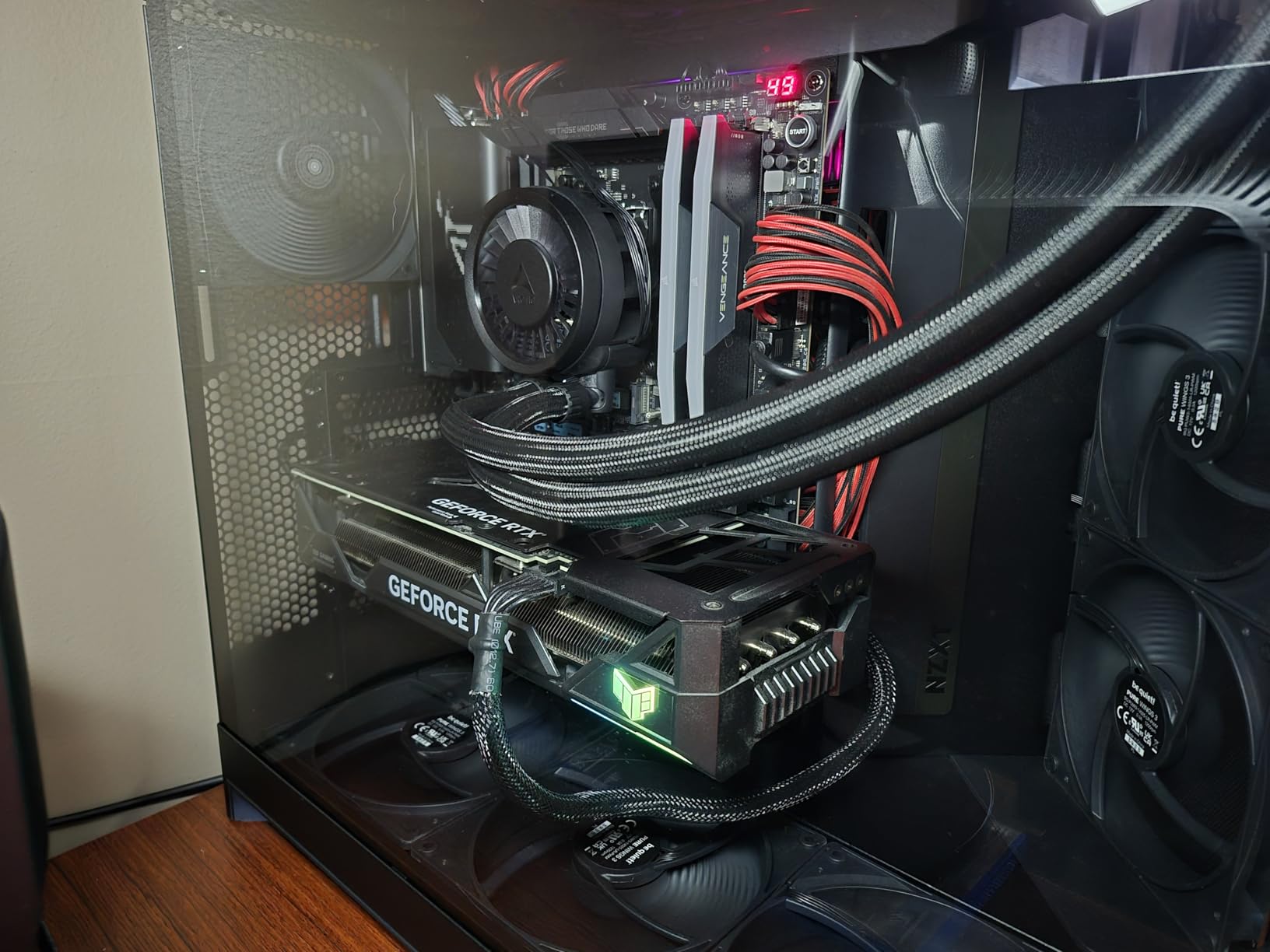
Four fans come pre-installed, three 140mm in the front-right and one 120mm at the rear, and total capacity reaches nine 140mm plus one 120mm. Radiators up to 420mm fit on top and in the front-right position, which is more than most chassis at this footprint manage.
Cable management is a highlight, with extra-wide channels, built-in Velcro straps and tie-down points. It supports back-connect boards such as ASUS BTF and MSI Project Zero, and SGCC steel construction feels sturdy with minimal flex. The baseline configuration is reported to run quietly and keep temperatures low.
Who should build in the H9 Flow
It suits a builder with a large graphics card who wants fans aimed at it deliberately rather than by default. The angled front-right mounts also leave room for very long cards that would foul a straight front intake, and the E-ATX support means workstation-class boards fit.
If you plan to add a top radiator later, the 420mm provision means you do not have to change cases to do it. The dual-chamber separation is a genuine advantage for thermals in a sustained-load machine.
Constraints to plan for
This is a big chassis, over 12 kg, and it is wide. It will not fit a common narrow stand, so check your desk or shelf footprint before ordering. That is the most common reason builders return full-tower and wide mid-tower cases.
The bundled fans are case-version 3-pin DC rather than PWM, and owners frequently replace them with quieter PWM models. There is no built-in GPU support bracket, some rear intake area under the exhaust fan has no dust filtration, and reassembling the glass panels is fiddly with instructions that do not fully cover it.
9. Montech Air 903 MAX – Best Bundled 140mm Fans
MONTECH AIR 903 MAX High-Airflow E-ATX Mid-Tower PC Case, 4 Fans, Black
E-ATX, ATX, mATX, ITX
3 x 140mm front, 1 x 140mm rear
360mm front and top radiators
400mm GPU, 180mm CPU cooler
Pros
- Four 140mm fans included
- three of them HP140 ARGB
- Generous chassis volume for a mid-tower
- 360mm radiator support at front and top
- Front USB-C plus two USB 3.0 ports
Cons
- Only one year of manufacturer warranty
- Two internal drive bays
- Chassis is deep and tall for a mid-tower
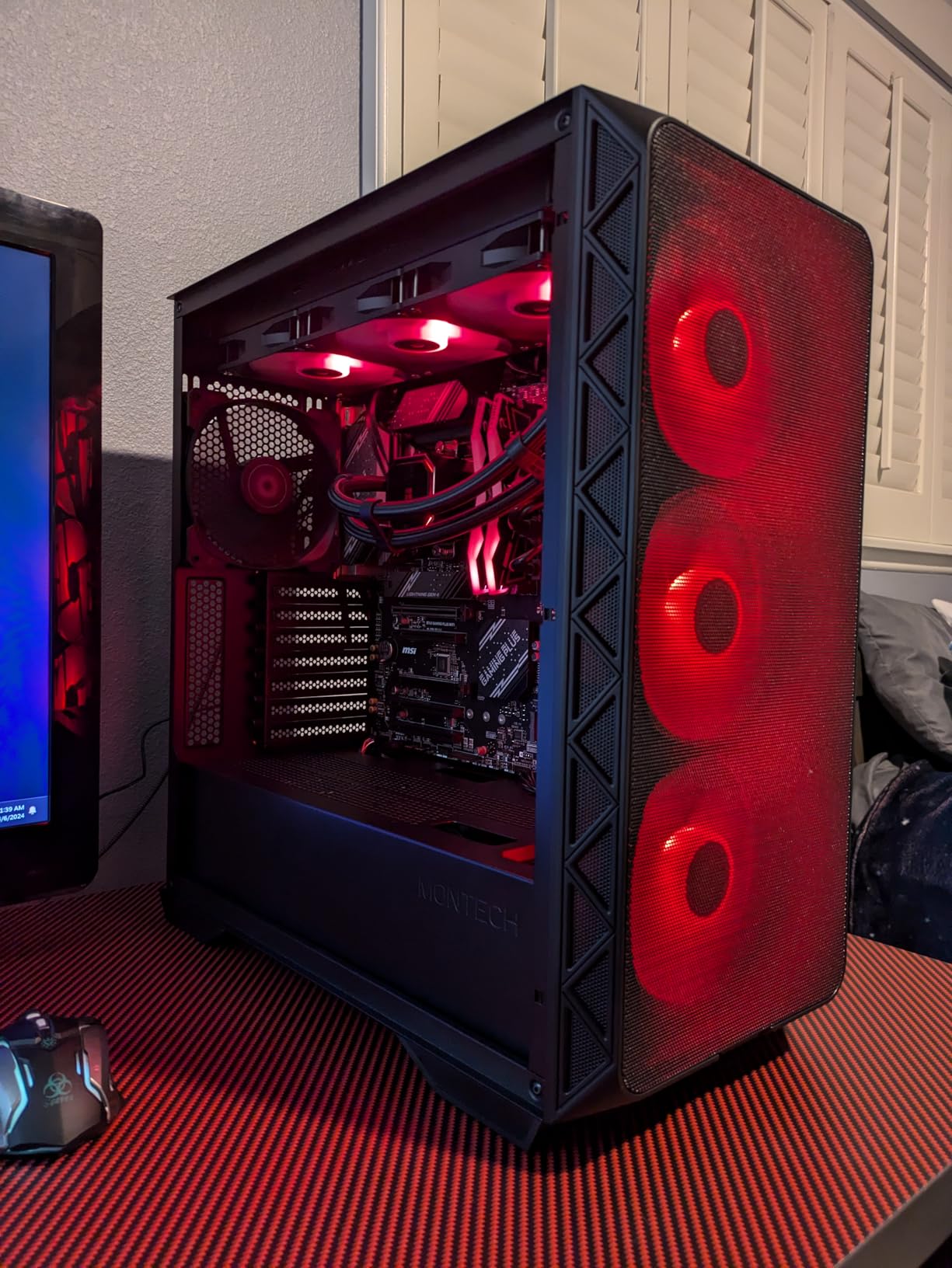
Four 140mm fans is the headline here, and it is why the Air 903 MAX keeps being recommended in builder forums for a simple reason: bigger fans move the same volume of air more quietly than small fans spinning fast. Three HP140 ARGB PWM fans sit at the front and a 140mm PWM fan sits at the rear.
The ventilated mesh front panel takes that airflow without a filter choking it, and the chassis measures 478 by 230 by 493mm, which is roomier inside than the external dimensions suggest. It supports E-ATX through Mini-ITX, graphics cards up to 400mm long and 190mm wide, and CPU coolers up to 180mm.
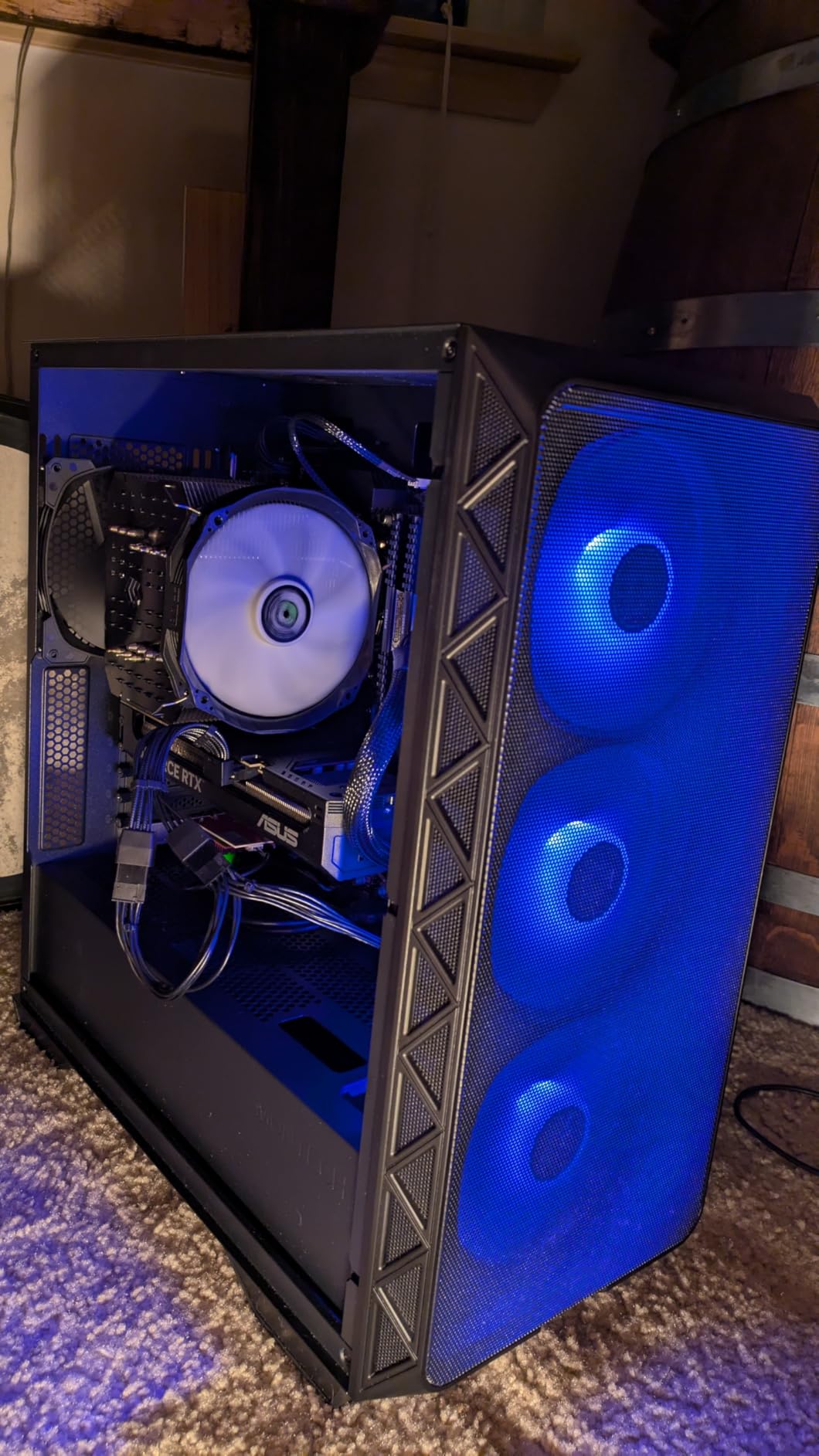
Radiators up to 360mm fit at both the front and the top, so the cooling path is not fixed by the chassis. Front I/O is unusually good for the tier, with a USB Type-C port, two USB 3.0 ports, microphone and audio jacks, plus power, reset and LED buttons.
Vertical GPU mounting is supported, dust filters are included, and an LED and PWM controller handles the fan speed and lighting. Owners rate the airflow out of the box as one of the strongest in this price range.
Best reasons to pick it
If your priority is airflow per pound of spend, this is hard to argue with. Four large fans and a genuinely open front mean you do not need a second purchase to get a working cooling configuration, and the 360mm mounts at both ends keep the door open for water cooling later.
It is also a good fit for E-ATX builds that want a mid-tower footprint, since the board support is broader than most chassis in the group. The 4.8 average across 449 ratings reflects a consistently satisfied owner base.
Where it falls short
The one-year manufacturer warranty is the main concern, and it is short next to the two-year and longer coverage on the other cases here. Two internal drive bays is also limited if you plan to run several hard drives.
The bundled HP140 ARGB fans are entry-level, so some builders upgrade them for quieter running. And the chassis is genuinely deep and tall for a mid-tower, so check the space under your desk or on your shelf before committing.
10. Antec Flux Pro – Best Full Tower for a Custom Loop
Antec Flux Pro Full-Tower E-ATX PC Case, 6 PWM Fans Included, Black
E-ATX, ATX, mATX, ITX
6 PWM fans included
420mm plus 360mm radiators
iShift 90-degree PSU mount
Pros
- Six pre-installed PWM fans wired to a controller
- Two reverse fans on the PSU shroud feed the GPU quietly
- Removable top
- front and shroud cooling brackets
- Very quiet at default fan curves
Cons
- Heavy at roughly 29 lbs empty
- Temperature display needs Antec iUnity software
- Bundled fans have no RGB
The Flux Pro arrives with the most complete fan bundle of any full tower in this group. Six PWM fans are pre-installed and pre-wired to a controller: three 140mm at the front, two 140mm reverse fans on the PSU shroud, and one 140mm at the rear. The reverse shroud fans pull air down onto the graphics card without fighting the power supply for it.
That combination of direction and placement is why owners report large GPU and CPU temperature drops and very quiet running at default curves, even with a tower air cooler under sustained load.
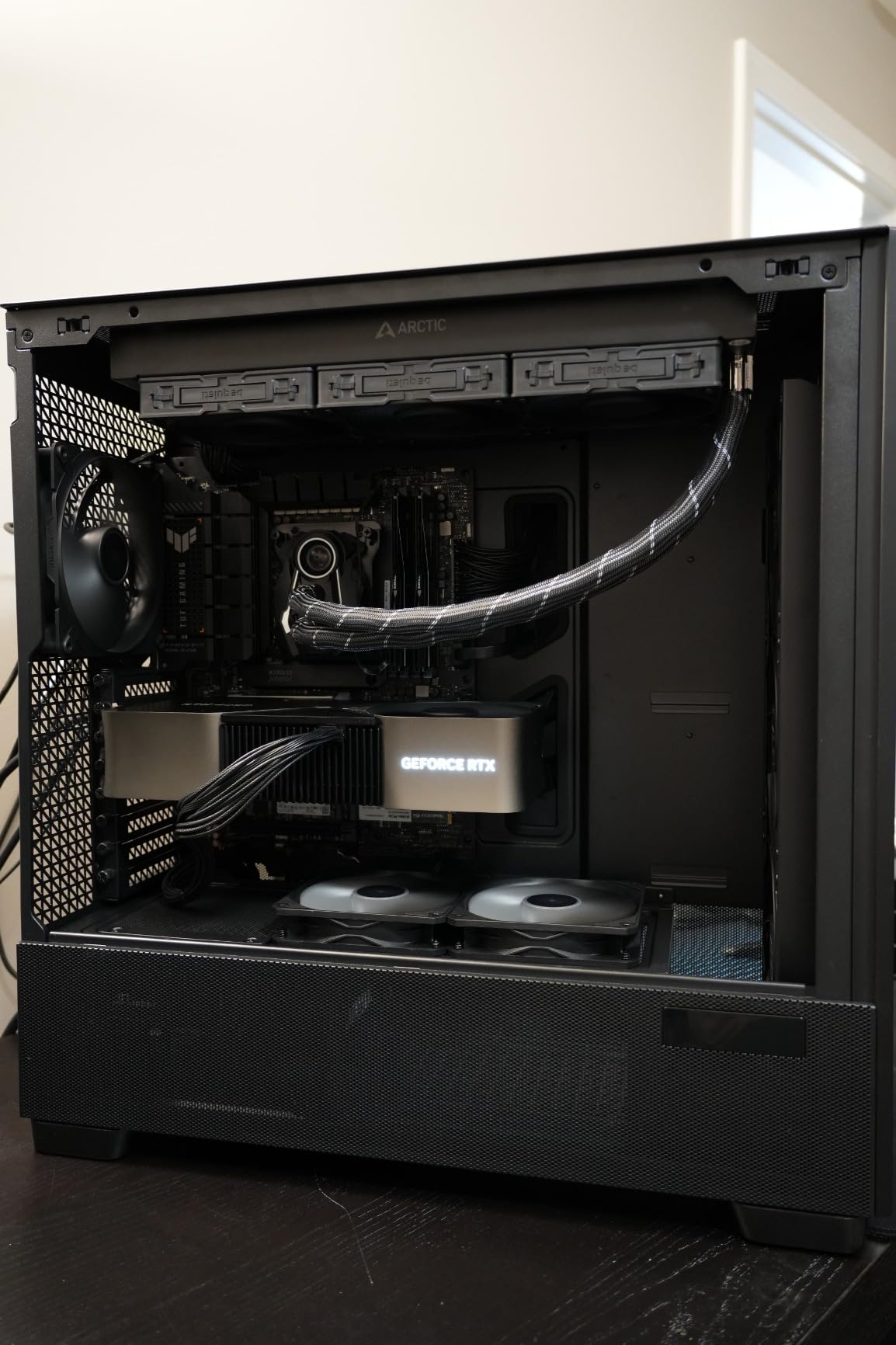
It holds up to 12 fans at once and supports a 420mm radiator alongside a 360mm, which is a rare combination. The cooling brackets on the top, front and PSU shroud are all removable, and the top panel lifts off entirely for a custom loop pump and reservoir install.
The iShift 90-degree rotated power supply mount makes fitting and routing power cables considerably easier, and a CPU and GPU dual temperature display sits on the front. Cable management uses pre-made velcro-lined paths and reusable PCIe slot covers, and a labelled screw box is included.
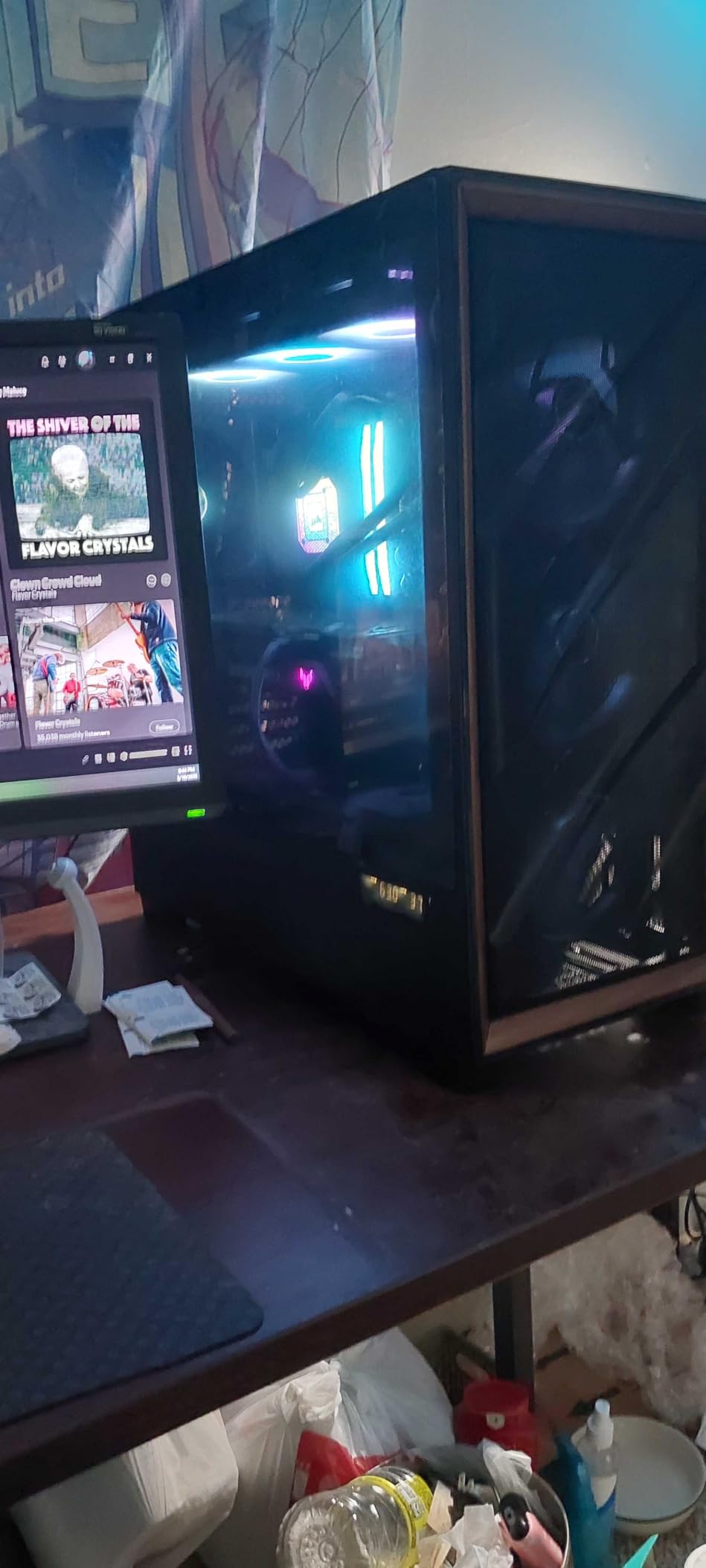
Reasons to choose the Flux Pro
This is the one for a custom water-cooling project, because the removable brackets and lift-off top panel make loop hardware far easier to install, and the dual radiator support covers both a CPU and GPU loop. The walnut front accent keeps it from looking like a server rack.
It is also strong for a quiet workstation build. Owners specifically call out how little noise it makes at stock settings, which is unusual for a full tower loaded with six fans.
Things to know first
It weighs about 29 pounds empty and considerably more once built, so plan your floor space and lifting help. The CPU and GPU temperature display only works with Antec’s iUnity software, which is one more thing to install if you want those readings.
Two smaller surprises catch people out. The bundled fans are plain PWM with no lighting, even though listing photos sometimes show ARGB versions. And some front panel cables are short enough to need careful routing, while the hard drive rack uses plastic brackets with no rubber dampeners.
Where the Air Actually Goes
The fastest way to understand a case is to trace its air path from intake to exhaust and check that nothing interrupts it. There are three layouts in this group, and each suits a different build.
Straight front-to-back. The simplest and most effective path. Air enters at the front, crosses the graphics card and CPU cooler, and leaves through the rear and top panels. The Cooler Master Q300L, the Fractal North, the NZXT H5 Flow and the Montech Air 903 MAX all use this layout, which is why they perform consistently with modest fan counts.
Angled front intake. The NZXT H9 Flow mounts its three front-right 140mm fans at an angle so they drive air diagonally across the graphics card rather than straight back. This is worth knowing if your card is a thick three-slot design that a straight front intake would struggle to cool.
Perforated shroud feed. The NZXT H5 Flow and the Antec Flux Pro both perforate the power supply shroud so fans can pull cool air directly onto the graphics card. The Antec takes this further with two reverse fans already installed on the shroud, which draw air downward through the card instead of fighting the power supply for it.
One rule applies to all three layouts: the rear exhaust is never optional. A rear fan pulling hot air out is what stops air pooling behind the motherboard tray, and skipping it usually costs more than any front fan you could add.
Positive, Negative or Neutral Fan Pressure
Does a PC case affect airflow? More than the panel material does. The arrangement of intake and exhaust fans, not the number, decides how air moves through the chassis, and the three configurations below behave very differently.
1. Positive pressure. More intake capacity than exhaust. Unfiltered mesh panels on the exhaust side and filters only on the intake mean the case is always pushing slightly more air out than it takes in, so unfiltered openings leak outward instead of pulling dust in. This is the configuration we recommend as a default for most people, because it reduces dust without costing measurable performance.
2. Negative pressure. More exhaust than intake. This pushes air out hard and can shave a small amount off temperatures, since the higher pressure difference pulls air through the components. The cost is that every unfiltered opening becomes an intake, which is exactly the dust problem owners report from the front fan area of mesh cases.
3. Neutral pressure. Intake and exhaust capacities are balanced, so inside pressure matches the room. This is the quietest option at a given temperature because nothing is fighting itself, and it is the right choice for a case with good dust filtering on both sides.
On every case in this list, three front intakes plus one rear exhaust is a solid starting point. On the perforated designs with no filter, add a top exhaust and you are in positive pressure. On the filtered designs, match intake and exhaust and you are neutral.
Airflow and Noise: What You Give Up
More air moving through a case always costs something, and the something is noise. The relationship is roughly linear, which is why the fan choice matters more than the fan count.
Large, slow fans beat small, fast ones for the same air volume. A 140mm fan at 700 RPM moves roughly the same air as a 120mm fan at 1100 RPM, and the larger blade area does it at a lower pitch, which means less noise. This is the entire argument for the Montech Air 903 MAX and the Antec Flux Pro, both of which bundle four or more 140mm fans.
Static pressure is the other half. A fan that pushes a lot of air through open space, like a top exhaust, wants high airflow. A fan pushing through a mesh panel or a radiator, like a front intake, wants high static pressure. The Lian Li V100’s bundled fans are rated around 2.17 to 2.54 mm-H2O of maximum static pressure at 60.4 to 61.47 CFM and 1800 RPM, which tells you they are built for filtered and radiator mounts.
The practical takeaway is to set a fan curve rather than leaving fans at full speed. Zero-RPM modes, which several cases in this group support, let fans stop entirely at idle so you pay the noise cost only under load.
How to Test the Airflow in Any Case
You can verify a case’s airflow in about ten minutes without a thermal camera, and it is worth doing before you commit to a build.
Light a cigarette, hold a small stick of incense, or use a vape, and hold it near each intake in turn. Watch how the smoke moves. Strong, immediate draw means that opening is genuinely pulling air. Smoke that hangs, drifts sideways, or barely moves means something is blocking the path, usually a filter, a drive cage, or a panel that is more solid than it looks.
Repeat at the exhausts. Air should leave cleanly rather than pooling. Then run a hand along the side panel and check for dead zones, which are where hot air collects. The NZXT H5 Flow and the Cooler Master Q300L both pass this test cleanly because there is nothing between the outside and the components.
For noise, listen to the case at idle and at load before you commit to a fan swap. That ten minutes tells you more than any specification sheet.
What Actually Makes a PC Case Good for Airflow
Mesh versus perforated versus glass. Mesh and perforated steel panels move far more air than solid or glass panels, and mesh is now table stakes. The nuance retailer pages skip is that fineness and filter placement matter more than the label. A fine-mesh panel with a magnetic filter that you actually clean beats a coarse perforated panel with a thick filter you ignore.
Which PC case is best against dust? The honest answer is that filtering always costs a little airflow, and the best dust protection comes from a removable filter you can rinse on a monthly schedule. Most of the cases in this list ship with filter media, and the Q300L is the deliberate exception, trading filtration for unrestricted flow.
Is a bigger PC case better for airflow? Bigger gives you more fan and radiator room, but size alone does not make a case airier. A large case with poor fan placement can circulate warm air in a loop and cool worse than a compact one with a straight front-to-back path. Judge the air path, not the external dimensions.
GPU clearance is the number that decides your build. Current flagship cards run long and thick. Check the clearance figure against your specific card, and remember that installing a 360mm front radiator can reduce available GPU length substantially. The Fractal North drops from 355mm to 300mm with a front radiator installed, which is exactly the kind of detail that ends a build at midnight.
Radiator sizing. A 240mm fits nearly everywhere, 280mm is the sweet spot for air coolers in many mid-towers, 360mm is the standard high-performance choice, and 420mm is a full-tower feature. If you plan to water cool, check that the case supports 420mm now rather than later.
Do you need a fan hub? Only if you have more fans than your motherboard has headers. Cases that bundle three or four daisy-chained fans usually need no hub, which is one reason the Lian Li V100 and the Corsair 4000D RS are such good value.
PSU position affects the air path. A case with a perforated PSU shroud gives you a place to feed the graphics card directly, which is where most heat comes from. A power supply with no bottom intake option, as on the NZXT H5 Flow, forces it to share the same air as the graphics card and costs you a little headroom.
Mesh side panels are the free upgrade. If you already own a glass-sided case and want more airflow, replacing the side panel with a mesh panel is the single most effective mod. It costs almost nothing, it is an established practice in builder communities, and it takes minutes with the right screws.
Frequently Asked Questions
What PC case has the most airflow?
Of the cases we tested, the Cooler Master Q300L V1 has the most unrestricted airflow because it has no front panel to restrict it. The front, top and bottom are all perforated steel, so air enters from three directions with no filter screen or bezel in the way. Add the three included fans plus two at the bottom and it outperforms far larger cases with filtered intakes.
What case is best for airflow?
The Cooler Master Q300L V1 is the best airflow case for most builders, and it is also the simplest. It is perforated on three sides, includes magnetic dust filters that rinse clean, and clears a 360mm graphics card and a 159mm CPU cooler. For a full-size ATX board, the NZXT H6 Flow is the equivalent compact pick.
Is a bigger PC case better for airflow?
Not on its own. A larger chassis gives you more fan mounts and radiator space, but a big case with poor fan placement can recirculate warm air and cool worse than a compact one with a straight front-to-back path. Judge the air path and the mounting options rather than the external dimensions, and check that the fan positions actually line up with your CPU cooler and graphics card.
Does a PC case affect airflow?
Yes, and often more than the components inside it. The arrangement of intake and exhaust fans, plus anything obstructing the path between them, decides how air moves through the chassis. Three front intakes with one rear exhaust is a solid default. Keeping slightly more intake than exhaust gives you positive pressure, which keeps dust out of unfiltered openings at almost no thermal cost.
Which PC case is best for reducing noise while keeping airflow?
The Antec Flux Pro is a strong answer for reducing noise while keeping airflow, because it comes with six PWM fans including two reverse fans on the power supply shroud, and owners report very quiet running at default fan curves. The Montech Air 903 MAX is another option, with four 140mm fans, since larger fans move more air at lower RPM and are inherently quieter than small fans spinning fast.
Which PC Case for Airflow Should You Buy?
The best PC cases for airflow differ by what you are building, not by how much you spend. Pick the Cooler Master Q300L V1 for a micro-ATX or Mini-ITX machine, because its perforated panels have no filter in the way. Pick the Fractal Design North if the case has to look good on a desk and you can live with a tight interior. Pick the NZXT H6 Flow for a full ATX board in a compact dual-chamber footprint.
Move up a tier for more fan and radiator headroom: the Corsair 4000D RS ARGB FRAME if you want to reconfigure the case later, the NZXT H9 Flow if you want angled fans aimed at a large graphics card, and the Montech Air 903 MAX if you want four large fans in the box without a second order. Go full tower with the Corsair 7000D Airflow for extreme cooling configurations and the Antec Flux Pro for a custom loop or a genuinely quiet machine.
Two small upgrades matter more than any case choice. Add fans to the open mounting points, and set a proper fan curve so the case is quiet at idle. If you tell us your CPU cooler, your graphics card length, and your budget, we can narrow this down to one case for you.
Before you go, it is worth a quick look at our PC controller picks and PC fight stick guide to finish the rest of your gaming setup.