
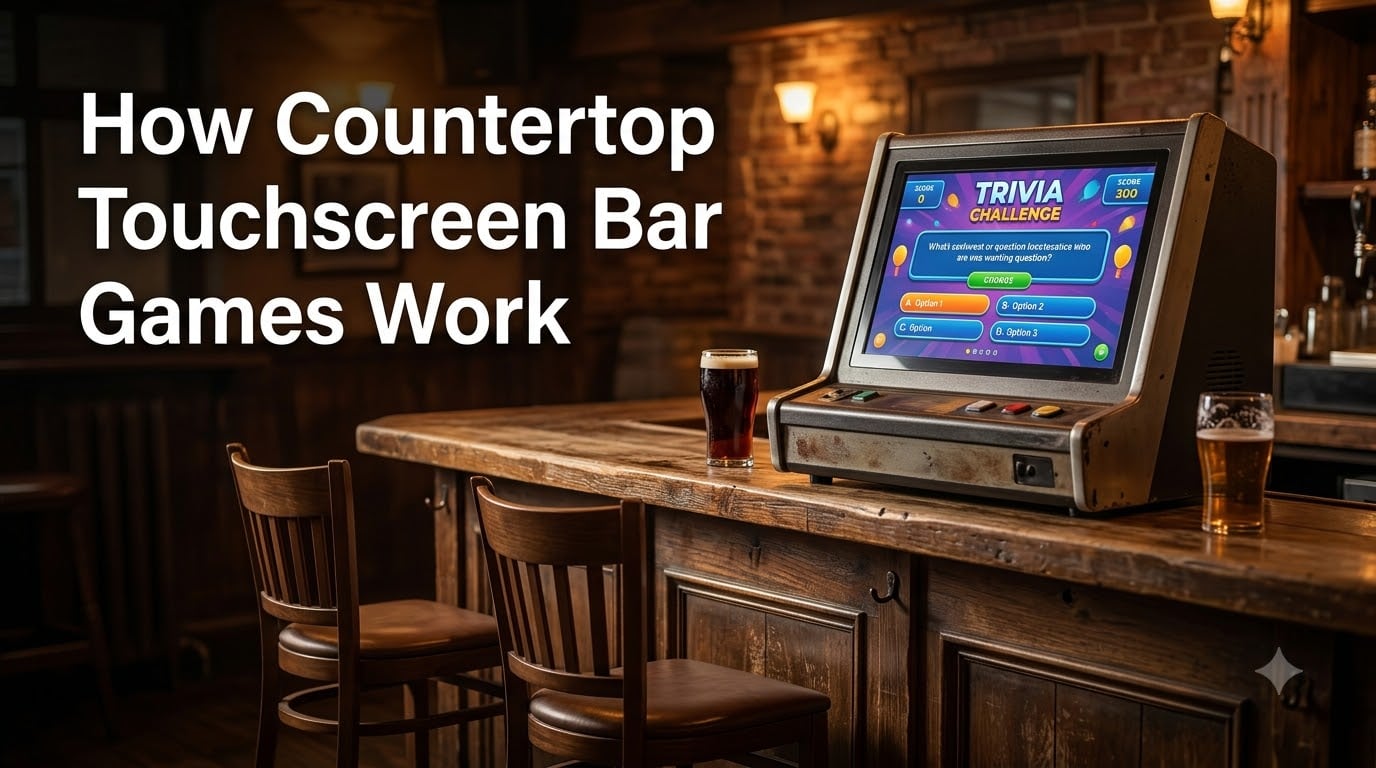
If you have ever sat at a bar, ordered a drink, and found yourself tapping away at a colorful screen built into the counter, you have used a countertop touchscreen bar game. These compact entertainment machines sit on bar tops and tables in pubs, restaurants, and clubs, offering dozens of games ranging from trivia to poker to solitaire. Understanding how countertop touchscreen bar games work means looking at the interaction between three core systems: a touchscreen display, an embedded computer, and custom game software.
Countertop touchscreen bar games work through a combination of a touch-sensitive LCD display (either resistive or capacitive), a dedicated motherboard running embedded game software, and a payment system. When a player touches the screen, the touchscreen controller detects the exact location of that touch and sends coordinates to the processor, which triggers the corresponding game action in real time.
In this guide, I will break down every layer of these machines. We will cover the hardware components, how touch detection actually functions at a technical level, the software that powers multi-game libraries, the brands that built this industry, and the revenue models that keep them on bar counters worldwide.
Table of Contents
- What Are Countertop Touchscreen Bar Games?
- Core Components and Hardware Overview
- How the Touchscreen Interface Works
- Software Platform and Game Architecture
- Popular Game Types and Software
- Major Brands and Manufacturers
- Revenue Model: How These Machines Make Money
- Installation and Maintenance Considerations
- FAQs
- Conclusion
What Are Countertop Touchscreen Bar Games?
Countertop touchscreen bar games are compact, self-contained gaming terminals designed to sit on the bar or table surface at drinking and dining establishments. Unlike full-size arcade cabinets that stand on the floor, these machines are small enough to share counter space with drinks and plates. They are sometimes called bartop arcades, bar top video games, or touchscreen pub games.
If you are wondering what the game machines at bars are called, the most recognized name is Megatouch, produced by Merit Entertainment. Other common names include JVL Echo, Nexus, and Touchmaster. Collectively, the category is known as countertop touchscreen bar games or bartop arcade machines.
These machines typically offer anywhere from 30 to over 150 games on a single unit. Players select games from an on-screen menu, and the machine tracks high scores, timers, and sometimes prize payouts. Most modern units accept bills, coins, or tokens, while home-use versions often include a freeplay mode that skips payment entirely.
Core Components and Hardware Overview
Every countertop touchscreen bar game is built around a small set of hardware components that work together to deliver the gaming experience. I like to think of these machines as a purpose-built computer housed inside a rugged, spill-resistant shell. Here are the main parts.
Touchscreen Display: The centerpiece is an LCD monitor ranging from 12 to 22 inches, depending on the model. This screen serves as both the output (showing game graphics) and the input (accepting touch commands). The display sits flat or at a slight angle for comfortable reach from a bar stool.
Motherboard and Processor: Behind the screen sits a dedicated computer motherboard. Early machines ran on simple embedded processors, while newer units like the JVL Echo HD use more powerful chips capable of rendering high-definition graphics and running complex game logic simultaneously.
Touchscreen Controller: This is a small circuit board that sits between the touch sensor layer and the motherboard. It reads raw touch data from the screen, calculates the X and Y coordinates of each touch point, and sends that positional data to the processor at high speed.
Coin Mechanism and Bill Acceptor: Commercial units include a locking coin box and a bill validator. When a player inserts payment, the mechanism sends a signal to the software that credits the machine and unlocks gameplay for a set number of minutes or rounds.
Audio System: Built-in speakers provide game sound effects, music, and prompts. Most machines include volume controls so bar owners can keep noise levels appropriate for their venue.
Housing and Durability Features: The outer shell is typically made of reinforced plastic or metal, designed to withstand spilled drinks, rough handling, and constant use in busy bar environments. Many units feature sealed edges around the screen to prevent liquid from reaching the electronics underneath.
How the Touchscreen Interface Works
The touchscreen is the heart of these machines, and it is also the part that most people misunderstand. When you tap a card in a poker game or select a trivia answer, a precise chain of events happens in milliseconds. Understanding how countertop touchscreen bar games work means understanding the two main touchscreen technologies they use.
Resistive Touchscreen Technology
Older bar top machines, including most classic Megatouch and Touchmaster models, use resistive touchscreen technology. A resistive screen consists of two thin, flexible layers separated by a tiny gap of air. The top layer is a clear plastic film, and the bottom layer is a rigid glass surface. Both layers are coated with a conductive material.
When you press on the screen, the top layer flexes downward and makes contact with the bottom layer. This contact closes an electrical circuit at that specific point. The touchscreen controller measures the change in electrical resistance at that location and calculates the exact X and Y coordinates of your touch.
Resistive screens work with any input source. You can use a finger, a fingernail, a stylus, or even a gloved hand. This made them popular in bar environments where accuracy mattered more than multi-touch gestures. The tradeoff is that resistive screens are slightly less responsive and can wear down over time from repeated pressing.
Capacitive Touchscreen Technology
Newer machines, including modern JVL Echo units and next-generation systems, use capacitive touchscreen technology. A capacitive screen is coated with a material that stores an electrical charge across its surface. Your finger is also conductive, so when you touch the screen, it draws a small amount of charge from that specific point.
The touchscreen controller detects this change in capacitance at the exact location of your touch. Sensors at the corners of the screen measure the charge disturbance and triangulate the position. This process happens faster than resistive detection and supports multi-touch input, allowing for more interactive game mechanics.
The limitation of capacitive screens is that they only respond to conductive inputs. A regular gloved hand or plastic stylus will not register. This is usually not a problem in bars, but it is worth knowing if you are comparing technologies for a custom build.
Step-by-Step: From Touch to Game Action
Here is exactly what happens when you touch the screen on a bar top game, broken into steps:
Step 1: Your finger contacts the screen surface, either pressing two layers together (resistive) or drawing charge from the coating (capacitive).
Step 2: The touchscreen controller reads the raw sensor data and calculates the precise X and Y coordinates of the touch point.
Step 3: The controller sends these coordinates to the motherboard via a data connection, typically a USB or serial interface.
Step 4: The game software running on the processor checks whether those coordinates fall within a clickable area, such as a button, a card, or a trivia answer.
Step 5: If a valid touch is detected, the software executes the corresponding game action, updates the display, plays a sound, and advances the game state.
This entire sequence happens in under 50 milliseconds, which is why the games feel responsive even during fast-paced play. The touchscreen controller refreshes its readings dozens of times per second, allowing for smooth dragging and rapid tapping.
Software Platform and Game Architecture
The software side of these machines is just as important as the hardware. Most countertop touchscreen bar games run on an embedded operating system stored in the machine’s firmware. This is not Windows or macOS. It is a lightweight, purpose-built platform designed to boot straight into a game selection menu and stay running for thousands of hours without crashing.
The game library is typically stored on flash memory or a solid-state drive inside the machine. Each game is a self-contained program that loads on demand when a player selects it from the menu. The main software shell handles navigation, high score tracking, payment processing, and session timing. When a game ends, control returns to the shell and the player can choose another title.
Major brands used different approaches. Megatouch machines ran on Merit’s proprietary platform, which evolved through multiple generations from the early 1990s through the late 2000s. JVL built its own software for the Echo line, supporting high-definition graphics and expanded game libraries. Nexus systems by Coastal Amusements run a different architecture entirely, focusing heavily on casino-style games and prize payout capability.
One advantage of this embedded approach is reliability. Because the software does only one thing (run games) and runs on hardware optimized for that task, bar top machines can operate for years with minimal intervention. The downside is that updating or adding games usually requires a service technician to swap storage media or flash new firmware.
Popular Game Types and Software
The game selection is what draws players back to these machines night after night. Most countertop touchscreen bar games ship with a mix of categories designed to appeal to a broad audience. Here are the main types you will find.
Trivia and Word Games: Trivia is arguably the most popular category on bar top machines. Players answer multiple-choice questions across topics like sports, history, entertainment, and science. Word games such as anagram and word-find puzzles are also common. These games work well in bars because they encourage group participation and conversation.
Card and Casino Games: Poker, blackjack, solitaire, and slot-style games are staples of the format. The Nexus system in particular is known for its casino-style library, including roulette and virtual slot machines. Some commercial machines even offer prize payout capability for jurisdictions where that is legal.
Arcade and Skill Games: Classic arcade experiences adapted for touch include target shooting, golf, racing, and puzzle games. These require quick reflexes and precise touch input, which is why touchscreen accuracy matters so much for player satisfaction.
Photo and Social Games: Some newer machines include photo-based games that use a built-in camera. These let players take selfies and incorporate them into game scenarios, adding a social and shareable element to the experience.
Major Brands and Manufacturers
Several companies shaped the countertop touchscreen bar game industry. Knowing the major players helps you understand the evolution of the technology and the differences between machines you might encounter.
Merit Entertainment (Megatouch): Merit is the most recognized name in bar top gaming. The Megatouch line launched in the 1990s and went through multiple generations, including the XL, Aurora, Force, and Ion series. Megatouch machines became so ubiquitous that the brand name became synonymous with bar touchscreen games, much like Kleenex is to facial tissue. Merit discontinued the Megatouch line in the early 2010s, but used and refurbished units remain highly sought after by collectors and home bar enthusiasts.
JVL (Echo Series): JVL positioned itself as the premium modern alternative after Megatouch exited the market. The JVL Echo line, including the HD and HD3 models, is marketed as the first high-definition countertop video game entertainment center. These machines feature larger screens, sharper graphics, and expanded game libraries compared to older units.
Coastal Amusements (Nexus): The Nexus system is built specifically for bar, pub, and club environments. It offers 43 or more touchscreen games with a strong emphasis on casino-style content. Coastal Amusements designed the Nexus with prize payout capability, making it popular in venues where cash or ticket payouts are permitted.
Midway (Touchmaster): The Touchmaster series by Midway, including the popular Touchmaster Infinity from 1999, was an early pioneer of the multi-game touchscreen format. These machines helped establish the template of trivia, cards, and arcade games on a single countertop unit.
Revenue Model: How These Machines Make Money
For bar and restaurant owners, the business case for countertop touchscreen bar games is straightforward. These machines generate revenue with almost no ongoing staffing cost. Here is how the economics work.
Pay-Per-Play Pricing: The most common model charges players per session. A player inserts coins or bills, and the machine grants a set amount of play time or a fixed number of game rounds. Typical pricing ranges from 50 cents to a few dollars per session, depending on the venue and the machine configuration.
Revenue Split: In many cases, the machine is owned by a route operator or distributor who installs and maintains it at no cost to the venue. The revenue is then split between the operator and the bar owner, often 50/50. This arrangement removes the upfront cost and maintenance burden from the venue owner entirely.
Extended Dwell Time: Beyond direct play revenue, bar top games keep customers seated longer. A player engaged in a trivia game or a poker session is likely to order another round of drinks. This indirect revenue benefit is a major reason venues install these machines even when the direct play income is modest.
Freeplay for Home Use: Machines built for home use skip the payment system entirely. A freeplay mode unlocks all games without requiring coins, making the unit a pure entertainment device for a home bar, game room, or man cave. Many buyers seek out refurbished commercial Megatouch units and convert them to freeplay for this purpose.
Installation and Maintenance Considerations
Installing a countertop touchscreen bar game requires some planning. The machine needs a stable, flat surface with enough depth for the unit and clearance for ventilation. Most models also require a standard power outlet nearby, since they are designed for continuous operation.
Space is the first consideration. Countertop units typically measure between 15 and 24 inches wide and 10 to 16 inches deep. You need to ensure there is still enough bar surface for drinks and food alongside the machine. Venues with narrow bars may only fit one or two units.
Power consumption is modest but constant. These machines run whenever the bar is open, so they draw power 8 to 14 hours a day. Most units plug into a standard 120-volt outlet, but you should verify the specifications for your specific model.
Maintenance mostly involves keeping the touchscreen clean. Fingerprints, spilled drinks, and dust accumulate quickly in a bar environment. A soft microfiber cloth and a mild screen cleaner are usually all you need. Avoid harsh chemicals that could damage the touch sensor coating.
For older machines, especially discontinued Megatouch units, finding replacement parts is a real challenge. Forum users on Reddit frequently mention difficulty sourcing touchscreen controllers, motherboards, and game storage media for these older systems. If you are buying a used machine, check whether parts and service are available for that specific model before committing.
FAQs
What are the game machines at bars called?
The game machines found on bar counters are most commonly called Megatouch machines, named after the popular brand by Merit Entertainment. The general category is known as countertop touchscreen bar games, bartop arcades, or bar top video games. Other recognized brands include JVL Echo, Nexus by Coastal Amusements, and Touchmaster by Midway.
Are arcade machines worth it?
Arcade machines can be worth the investment for bar and restaurant owners because they generate direct play revenue and increase customer dwell time, which leads to additional food and drink sales. For home use, they are worth it if you value the entertainment experience and have the space. Commercial-grade machines hold their value well, and refurbished units offer a lower-cost entry point for home bar setups.
How does an arcade punching machine work?
An arcade punching machine works differently from touchscreen bar games. It uses a physical sensor, typically a force-sensitive pad or load cell, to measure the impact of a punch. When you strike the bag or pad, the sensor converts the force into an electrical signal, the processor calculates a score based on the measured force, and the machine displays the result on screen.
What does it take to run an arcade?
Running an arcade or a bar with gaming machines requires reliable equipment, a maintenance plan, and a revenue management system. You need machines that can operate for long hours without failure, access to replacement parts and service technicians, a way to collect and secure cash from coin mechanisms, and compliance with local amusement and gambling regulations. Many venue owners partner with route operators who handle installation and maintenance in exchange for a share of revenue.
Conclusion
Understanding how countertop touchscreen bar games work comes down to three interconnected systems: a touch-sensitive display that detects finger input, an embedded computer that processes game logic, and specialized software that ties it all together into a seamless player experience. Whether the screen uses resistive or capacitive technology, the basic principle is the same. Your touch becomes coordinates, those coordinates become commands, and those commands drive the game on screen.
The brands that built this category, from Megatouch to JVL to Nexus, each contributed their own hardware and software approaches. But the core architecture remains remarkably consistent across all of them. If you are a venue owner considering adding a machine, a collector hunting for a refurbished Megatouch, or just someone who always wondered what was happening under that bar top screen, you now have the full picture.
Next time you tap a trivia answer on a bar counter, you will know exactly what is happening inside the machine. And if you want to explore more about coin-op gaming technology, keep an eye on our growing collection of arcade and entertainment guides.