
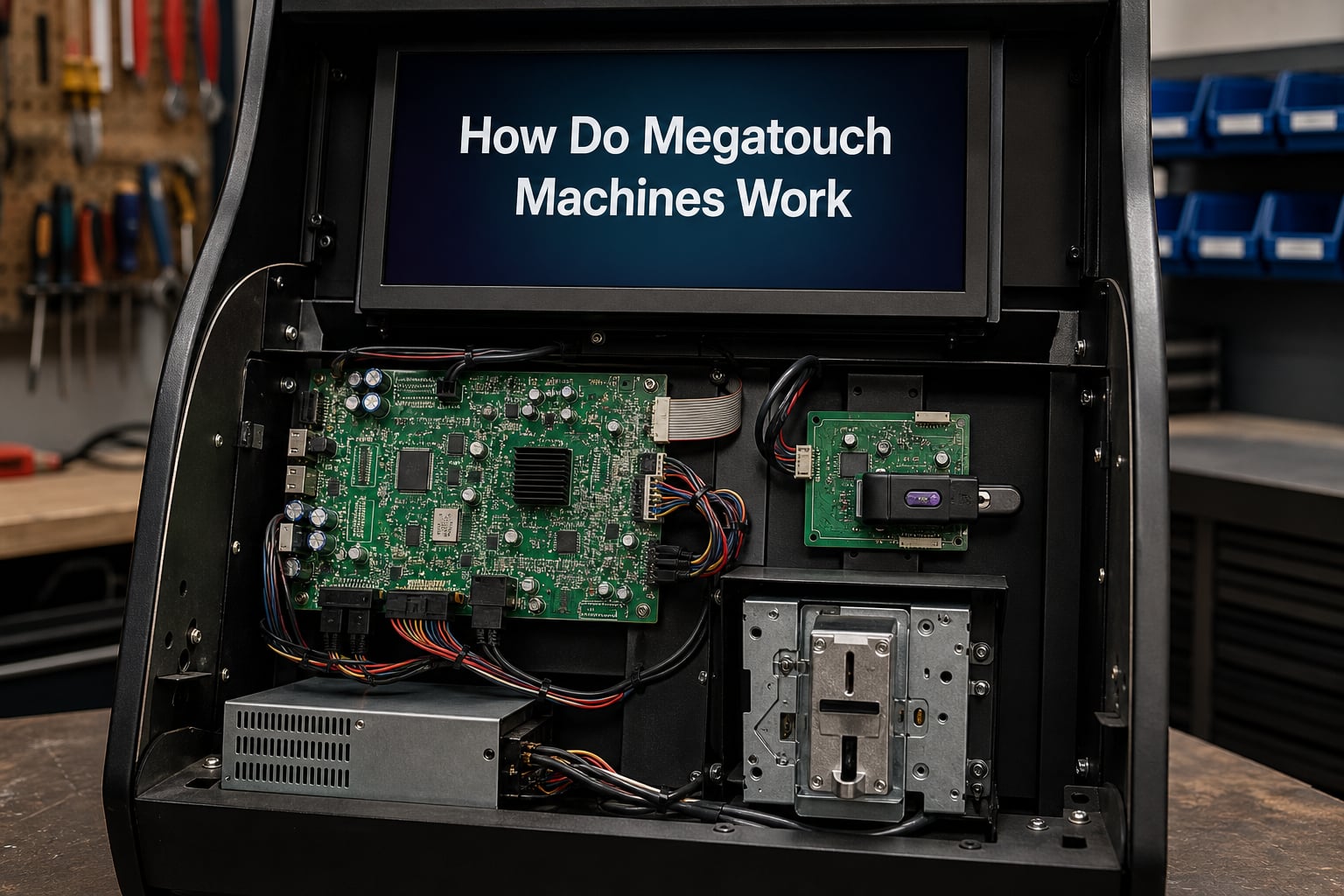
A Megatouch machine is a coin-operated, multi-game touchscreen arcade system developed by Merit Industries since the mid-1990s. It combines a touch-enabled display, a PC-style motherboard, an I/O board, and a physical security key dongle to deliver a library of bundled games to bars, restaurants, and home game rooms.
I have spent years around these machines, and they remain one of the most fascinating blends of consumer-grade PC hardware and arcade engineering ever sold at scale. In this guide, our team walks through every layer of how Megatouch machines work, from the touch panel on the front to the security dongle on the motherboard.
You will see how four hardware generations evolved, how the touch controller interprets your finger, and why you cannot simply copy a game onto a different machine.
Table of Contents
- Quick Answer: How Do Megatouch Machines Work?
- What Is a Megatouch Arcade Machine?
- Megatouch Hardware Platforms: Four Generations Explained
- How the Megatouch Touch Interface Works?
- The I/O Board: Connecting Inputs to the System
- Megatouch Software System and Security Keys
- Megatouch Game Library: How Games Are Bundled and Delivered
- Network Connectivity: Wi-Fi, Ethernet, and Online Play
- Cabinet Models and Form Factors
- Common Megatouch Problems and Troubleshooting
- Maintenance Tips for Long-Lasting Megatouch Machines
- Frequently Asked Questions About Megatouch Machines
- What is a Megatouch arcade machine?
- How many games do Megatouch machines offer?
- Are Megatouch machines suitable for home use?
- Can Megatouch machines connect to the internet?
- What is the average lifespan of a Megatouch machine?
- Do Megatouch machines require special maintenance?
- What types of games are available on Megatouch machines?
- Can Megatouch machines be linked for multiplayer games?
- Wrapping Up: Understanding How Megatouch Machines Work
Quick Answer: How Do Megatouch Machines Work?
A Megatouch machine works by combining a touchscreen controller, an I/O board, a standard PC motherboard, and a proprietary software package authenticated by a physical security key dongle. When you tap the screen, the controller sends coordinates to the motherboard, the I/O board handles coin and bill inputs, and the software renders the next frame based on the game logic.
Here are the core components working together inside every Megatouch unit:
Touchscreen controller: ELO, SMT-2, SMT-3, SMT-4, or USB-based board that translates finger taps into coordinates.
Motherboard: Standard PC architecture (originally 486, then Pentium III, then modern Atom-class processors) running the Megatouch software.
I/O board: Handles the coin mechanism, bill acceptor, security key, and front-panel inputs.
Security key dongle: A small hardware device plugged into the I/O board that authenticates the running software version.
Display: CRT in early units, LCD in most modern cabinets.
Power supply: AT or ATX unit feeding the motherboard, touchscreen, and I/O board.
What Is a Megatouch Arcade Machine?
A Megatouch machine is a commercial touchscreen arcade cabinet designed by Merit Industries that runs a rotating library of games bundled into a single annual software release. Players insert coins or bills, tap the screen to choose a game, and play titles ranging from trivia to card games to puzzle challenges.
Merit introduced the first Megatouch in the mid-1990s, and the platform quickly spread to bars, restaurants, bowling alleys, and family entertainment centers. The appeal was simple: one machine, dozens of games, no need for a stack of cartridges.
Owners earn revenue from every credit, while players get a social experience that does not require any controller skill. That combination made Megatouch the default bar-top touchscreen in many markets, and it remains common in home game rooms today.
Megatouch Hardware Platforms: Four Generations Explained
The Megatouch line went through four major hardware generations, each with a different motherboard, chipset, and compatibility profile. Knowing which platform a machine runs on is essential because hardware generations are not cross-compatible in every direction.
| Platform | Era | Processor | Motherboard | Display | Touch Controller |
|---|---|---|---|---|---|
| XL | Late 1990s to early 2000s | AMD 486 / early Pentium | Zeus | CRT | ELO serial |
| MAXX | Early to mid 2000s | Pentium III | Titan | CRT transitioning to LCD | SMT-2 / SMT-3 |
| FORCE | Mid to late 2000s | Pentium 4 / early Atom | Custom Merit | LCD flat panel | SMT-3 / SMT-4 / USB |
| ION | 2010s onward | Intel Atom / Celeron | ION-based Mini-ITX | LCD widescreen | USB capacitive/infrared |
XL Platform (Generation 1)
The XL platform launched Megatouch into bars and restaurants. It used a Zeus motherboard, often paired with a 486-class processor, and shipped with CRT monitors and ELO serial touchscreen controllers.
XL units are workhorses, but parts are now scarce and CRT replacement is expensive. Many operators keep XL machines running because the software library is large and the cabinets feel solid.
MAXX Platform (Generation 2)
MAXX moved Megatouch to the Titan motherboard with Pentium III processors. This generation introduced better graphics and the transition from CRT to early LCD displays.
MAXX added support for SMT-2 and SMT-3 touchscreen controllers, which improved accuracy over the older ELO serial boards. Most MAXX cabinets run software versions from the early-to-mid 2000s.
FORCE Platform (Generation 3)
FORCE is where Megatouch went fully digital. The architecture switched to flat-panel LCD displays across most cabinet models and adopted SMT-3, SMT-4, and early USB touchscreen controllers.
FORCE units, especially the FORCE Evo and FORCE Ion variants, dominate the refurbished market today. They balance modern features with a deep software library, which makes them a popular choice for home game rooms and small bars.
ION Platform (Generation 4)
The ION platform is the current-generation architecture. It uses Mini-ITX motherboards with Intel Atom or Celeron processors, widescreen LCD displays, and USB-based touch controllers.
ION units support Wi-Fi and Ethernet out of the box, run the largest game libraries, and remain in active production through Merit and its successor JVL. If you are buying new in 2026, ION is the platform you will encounter.
How the Megatouch Touch Interface Works?
The Megatouch touch interface relies on a controller board mounted behind the display that interprets physical contact on the screen as X/Y coordinates. Different platform generations used different controller types, but the underlying flow is the same.
Touchscreen Controller Types
Megatouch machines have used several touchscreen controller families over the years:
ELO serial controllers: Found in XL and early MAXX units. Communicate over RS-232 with the motherboard.
SMT-2 / SMT-3: Improved accuracy and response, used through the MAXX and FORCE eras.
SMT-4: Late-generation serial-style controller with better calibration stability.
USB controllers: Used in FORCE Ion, ION, and modern cabinets. Plug and play on the motherboard.
Resistive vs Infrared Touch Technology
Most classic Megatouch machines use resistive touchscreens. A resistive panel has two thin conductive layers separated by a tiny gap. When you press the surface, the layers touch and the controller calculates the coordinates based on the voltage change at that point.
Newer ION and FORCE Ion units often use infrared touch. Infrared panels project a grid of light beams across the screen, and a sensor detects when a finger or stylus breaks the beams. Infrared supports multi-touch and does not require pressure, which makes the experience feel more modern.
Step-by-Step: How a Tap Becomes a Game Action
You tap the screen during a game.
The touch controller detects the contact point and translates it into X/Y coordinates.
The controller sends those coordinates to the motherboard through a serial or USB cable.
The Megatouch software receives the coordinates and matches them to the active game element.
The game logic updates, and the next frame renders the result on the display.
This whole loop happens in milliseconds. Calibration ensures the controller’s coordinate space matches the display pixel space, which is why touchscreen drift is one of the most common service issues on older machines.
The I/O Board: Connecting Inputs to the System
The I/O board is the unsung hero of every Megatouch machine. It is a custom Merit-designed circuit board that sits between the motherboard and the cabinet’s physical controls.
Its job is to translate real-world inputs into signals the motherboard can read. The coin mechanism, bill acceptor, push-button volume control, and security key dongle all connect through the I/O board.
When you insert a quarter, the coin mech closes a circuit on the I/O board, which then sends a credit signal to the motherboard. The same board reads the security key on boot, which is why a missing or damaged dongle leaves the machine stuck on an error screen.
Most platforms also route audio and sometimes video signals through the I/O board, especially on early XL and MAXX units. If your machine loses audio or stops recognizing credits, the I/O board is one of the first components to inspect.
Megatouch Software System and Security Keys
The software side of a Megatouch machine is just as important as the hardware. Merit released new software versions roughly once per year from 1997 through the mid-2010s, and each version contained an entirely refreshed game library.
How Software Versions Work
Each Megatouch software version is a complete package: game engine, game library, attract mode, and operator menus. Operators received new versions on CD-ROM or pre-imaged hard drives, depending on the era.
Once loaded, the software would only run if the matching security key dongle was plugged into the I/O board. The dongle is matched to a specific software version, which is why you cannot run a 2008 software package with a 2012 security key.
The Security Key Dongle Explained
The security key is a small hardware device, usually a green or black PCB with a connector that plugs into the I/O board. It contains a unique identifier that the software checks on every boot.
If the key is missing or damaged, the machine refuses to start the game library. This system is the reason why you cannot copy a Megatouch hard drive and run it on a different cabinet, even if the hardware is identical. The software expects a specific dongle ID.
Why Games Cannot Be Freely Swapped
This business model was deliberate. Merit sold machines and software as a paired system, with the dongle acting as the licensing enforcement. Operators who wanted a new game library had to buy a new dongle and either the matching hard drive or the matching CD-ROM.
For collectors today, this means a Megatouch machine is only as good as the security key plugged into it. Losing a dongle can effectively brick a machine unless you can source a replacement from a parts dealer or another machine.
Megatouch Game Library: How Games Are Bundled and Delivered
Each Megatouch software version includes a curated library of games bundled together. Modern versions ship with 140+ titles, while older versions had fewer but still substantial libraries.
The game categories cover a wide range of player preferences:
Puzzle: Match-3 style games, tile rotations, logic challenges.
Card games: Solitaire, poker, blackjack variants.
Trivia: Multiple-choice quizzes across topics like music, sports, and pop culture.
Sports: Quick-tap sports simulations such as basketball, boxing, and bowling.
Photo hunt: Spot-the-difference style games using photographs.
Word games: Anagrams, word searches, and crossword-style challenges.
Head-to-head: Multiplayer versus titles for two players.
Games are not installed individually. You cannot add a single new title to an existing software version. To get a new game, you either move to the next annual software release or buy a different version from the secondary market.
Network Connectivity: Wi-Fi, Ethernet, and Online Play
Network features arrived with later Megatouch platforms. XL and most MAXX units have no networking at all. FORCE models introduced Ethernet, and ION platforms added Wi-Fi support.
What you can do online depends on the software version. Earlier FORCE releases supported operator accounting over Ethernet. Later FORCE and ION releases added community features, online tournaments, and the ability for operators to push updates remotely.
Multiplayer linking is a separate question. Many Megatouch games support head-to-head play on the same machine, but only newer software versions on the same network can link cabinets for true multi-machine tournaments. If you are running a tournament at home, two machines on the same network running the same software version is the standard setup.
Cabinet Models and Form Factors
Megatouch machines came in several cabinet styles, and each form factor was available across multiple hardware platforms. The platform is the internal architecture, while the cabinet is the physical shell.
Common cabinet types include:
Countertop: Compact units designed to sit on a bar. Small footprint, often 15-inch displays.
Upright: Full-size floor-standing cabinets with larger 19-inch or widescreen displays.
Countertop Elite: Premium countertop models with widescreen LCD panels.
Upright Elite: Premium floor models, often the last released before a platform was discontinued.
Cabinet models do not automatically equal platform. A countertop cabinet could ship with either MAXX or FORCE hardware depending on the production year. When buying parts or software, you need to confirm both the cabinet model and the platform.
Common Megatouch Problems and Troubleshooting
Megatouch machines are durable, but they have known failure points. The following issues come up repeatedly across operator forums and repair communities.
Touchscreen Calibration Drift
Symptoms include taps registering slightly off, or taps not registering at all in certain screen regions. Most platforms have a built-in calibration routine accessible through the operator menu.
If calibration does not help, the touch controller itself may be failing. Swapping the controller between two known-good machines is the fastest way to confirm.
Power Supply Failures
Old AT and ATX power supplies are the most common cause of a dead Megatouch. Capacitors dry out, voltages drift, and the motherboard refuses to boot.
Replacing the power supply with a modern equivalent is a standard repair. Many refurbishers install a new supply on every machine before resale.
Overheating and Dust Buildup
Compact LCD cabinets have limited airflow. Dust accumulates on the motherboard and I/O board, raising temperatures and shortening component life.
Blowing out dust every 6 to 12 months and ensuring the cooling fan still spins can add years to a machine’s life.
Security Key Not Detected
If the machine boots to a “key not found” or “invalid security key” screen, the dongle is either missing, corroded, or has failed. Cleaning the connector pins can sometimes help, but a failed key usually requires sourcing a replacement.
Wi-Fi Adapter Issues
Later FORCE Ion and ION units rely on specific USB Wi-Fi adapters that may not work with modern routers. Operators sometimes replace the stock adapter with a compatible unit from a verified parts list.
Maintenance Tips for Long-Lasting Megatouch Machines
A well-maintained Megatouch can run for 10 to 15 years or more in a commercial setting. Our team has seen units from the early 2000s still pulling credits in bars thanks to regular care.
A short maintenance routine covers most of what owners need:
Clean the touchscreen weekly with a soft microfiber cloth and a non-abrasive cleaner. Avoid ammonia-based products.
Vacuum or blow out dust every 6 months, focusing on the motherboard, I/O board, and power supply.
Inspect the coin mech and bill acceptor for jams monthly.
Check the security key seating every time you open the cabinet.
Replace the power supply preventively after 8 to 10 years, even if it still works.
If you are buying a used unit, ask whether the power supply has been replaced. A fresh supply is one of the strongest signals that a refurbisher has done the job properly.
Frequently Asked Questions About Megatouch Machines
What is a Megatouch arcade machine?
A Megatouch arcade machine is a coin-operated, multi-game touchscreen system developed by Merit Industries. It runs a bundled library of games on a PC-style motherboard, uses an I/O board for coin and bill handling, and requires a physical security key dongle to authenticate the software.
How many games do Megatouch machines offer?
Modern Megatouch software versions ship with 140 or more games bundled together. Older versions carried smaller libraries, typically ranging from 30 to 80 titles depending on the era and platform.
Are Megatouch machines suitable for home use?
Yes, Megatouch machines work well in home game rooms. Many owners buy refurbished FORCE or ION units because they have modern LCD displays, quiet operation, and large game libraries. Countertop models fit easily on a bar or shelf.
Can Megatouch machines connect to the internet?
FORCE and ION platform Megatouch machines can connect via Ethernet or Wi-Fi, depending on the model. Network features include online tournaments, community leaderboards, and remote operator accounting on supported software versions.
What is the average lifespan of a Megatouch machine?
A well-maintained Megatouch machine typically lasts 10 to 15 years in commercial use and longer in home settings. Lifespan depends heavily on power supply condition, dust buildup, and touchscreen wear.
Do Megatouch machines require special maintenance?
Megatouch machines benefit from regular touchscreen cleaning, dust removal every 6 to 12 months, coin mech inspection, and preventive power supply replacement. No specialized tools are required for routine care.
What types of games are available on Megatouch machines?
Megatouch game libraries include puzzle games, card games, trivia, sports simulations, photo hunt, word games, and head-to-head multiplayer titles. Each annual software release rotates and refreshes the available lineup.
Can Megatouch machines be linked for multiplayer games?
Yes, modern FORCE and ION Megatouch machines can link over a network for head-to-head tournaments and shared leaderboards. All linked machines must run the same software version and have working network connections.
Wrapping Up: Understanding How Megatouch Machines Work
Megatouch machines work by combining proven PC hardware with a custom I/O board, a touchscreen controller, and a security key dongle that protects the software. The XL, MAXX, FORCE, and ION generations show how the platform evolved from CRT-era 486 systems to modern widescreen Atom-powered cabinets, while the annual software release model kept the game library fresh.
Now that you understand how Megatouch machines work, you can shop for a refurbished unit with confidence, troubleshoot common issues, and choose the right platform for your home game room or commercial location. If you want to keep learning, explore the technical manuals and field bulletins published by Merit for deeper service documentation.