
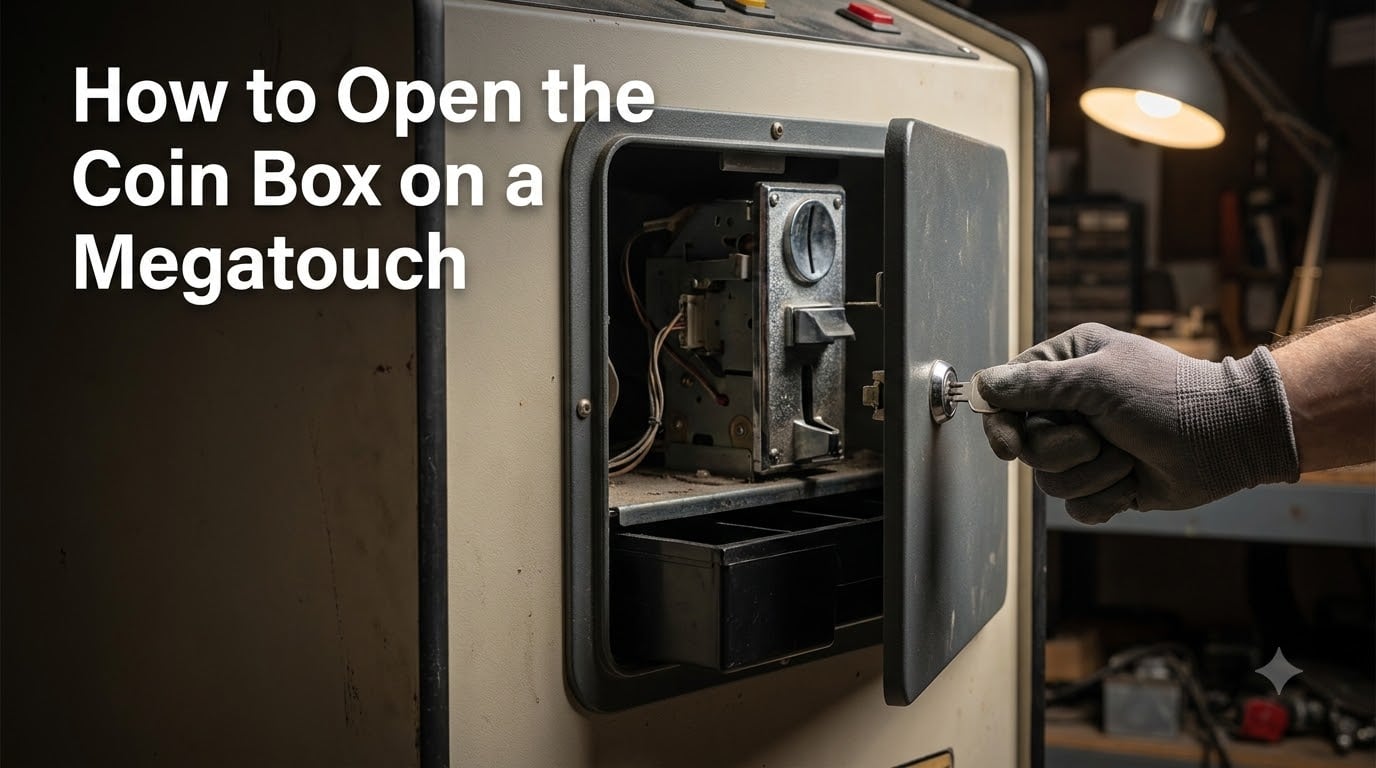
To open the coin box on a Megatouch, power off the machine, locate the key-locked rear door, insert your coin box key, turn it counterclockwise, and pull the door open to access the cash box and coin mech inside. The coin box on a Megatouch is a separately key-locked compartment built by Merit Industries that sits behind the rear cabinet door. Coins dropped by players travel through the coin mech (the coin acceptor) and fall into the cash box below. You need to open this compartment regularly to collect revenue, clear coin jams, and access the SETUP and CALIBRATE buttons for machine configuration.
Our team has worked on Megatouch machines across multiple generations, from the original Classic series through the XL, Force, Ion, and Aurora platforms. The process shares the same basic steps across all models, but each generation has small differences in latch type, lock position, and internal layout that can trip up operators who have only worked on one version.
This guide walks you through the complete process: safety precautions, the tools you need, a numbered step-by-step procedure, model-specific differences, what to do if you lost your key, troubleshooting for coin jams and full cash boxes, and how to lock everything back up when you are done.
If you maintain Megatouch machines in a bar, restaurant, arcade, or private collection, knowing how to open the coin box correctly saves you time and prevents damage to the coin mechanism. Forum operators consistently report that the most common call they get is a false coin jam caused by a cash box that simply needs emptying. That is a five-minute fix once you know where everything is.
Table of Contents
- Safety Precautions Before You Start
- Tools You Will Need
- How to Open the Coin Box on a Megatouch: Step-by-Step
- Model-Specific Differences: XL, Force, Ion, Classic, and Blue Maxx
- Accessing the SETUP and CALIBRATE Buttons
- What to Do If You Lost the Coin Box Key
- Troubleshooting: Coin Jams and Full Cash Box
- After Collection: Securing the Machine
- Frequently Asked Questions
- Conclusion
Safety Precautions Before You Start
Always power off the Megatouch before opening the coin box. The machine runs on standard wall power, and the coin mech wiring connects to the main board through normally closed and normally open contacts. Working on a live machine risks shorting those contacts, which can trigger false coin jam signals or damage the coin acceptor board.
Unplug the machine from the wall outlet rather than just using the rear power switch. The power switch on some Megatouch models leaves certain circuits live. Pulling the plug guarantees no current flows through the coin mech wiring while you work.
Work in a dry area with stable footing. Spilled coins roll, and a wet floor near an unplugged arcade machine is a slip hazard. If your Megatouch sits in a bar or restaurant location, schedule your collection during off-hours when the area is clear.
Ground yourself before touching internal components. Touch a grounded metal surface to discharge static. The coin mech board and the main system board both contain static-sensitive electronics. This step matters most if you plan to remove the coin mech for deep access or recalibration work.
One warning that comes up repeatedly in forum discussions: do not open the monitor door while the machine is powered on. If the monitor door is opened while power is live, the touchscreen will need recalibration afterward. Power off first, always.
Tools You Will Need
The coin box key is the single most important tool. Merit Industries ships each Megatouch with a specific barrel-style key for the coin box lock. Without it, you cannot open the compartment the standard way. Keep a spare in a secure location separate from the machine.
Beyond the key, gather these items before you start:
- Flashlight or headlamp – The inside of the cabinet is dark, and the coin mech cavity is recessed. A headlamp keeps both hands free.
- Phillips and flathead screwdrivers – Some Megatouch models use thumbscrews for the rear door panels, but others use machine screws for internal brackets and mech mounting.
- Coin collection bag or container – Use something with soft sides and a wide opening. Hard containers let coins bounce out.
- Soft cloth or microfiber towel – For wiping dust from the coin path and cleaning the coin acceptor sensor.
- Small pliers or needle-nose pliers – Useful for pulling jammed coins from the mech if the reject button does not clear them.
If you plan to access the SETUP and CALIBRATE buttons, you may also need a small pen or stylus. Those buttons are recessed inside the coin mech cavity and can be hard to reach with fingers alone.
How to Open the Coin Box on a Megatouch: Step-by-Step
The following procedure works for the majority of Megatouch models, including the XL, Force, Ion, Classic, and Aurora series. I have broken it into four clear steps that cover locating the access point, unlocking the compartment, opening the cash box, and removing the coin mech for deeper access.
Step 1: Locate the Coin Mech and Rear Door
Walk around to the back of the Megatouch cabinet. The coin mech and cash box are accessed from the rear door, not the front. The rear door is the large panel on the back of the cabinet that may be held closed by monitor door latches, thumbscrews, or a combination of both depending on the model.
On a Megatouch XL, the rear door swings open on hinges after you release the latches at the top. The coin mech sits in the lower portion of the cabinet behind this door. On the Megatouch Force and Ion models, the layout is similar, but the rear panel may use quarter-turn thumbscrews instead of spring-loaded latches.
Look for the key lock cylinder on the lower section of the rear panel. This is the coin box lock, and it is separately keyed from any other locks on the cabinet. The coin meter (a small counter that tracks total credits) is usually mounted near the lock cylinder and gives you a visual confirmation you are in the right area.
Step 2: Unlock the Coin Box
Insert the coin box key into the lock cylinder on the rear panel. Turn the key counterclockwise to unlock. You should feel the lock mechanism release with a slight click. On some models, the key also releases a spring-loaded lever that partially pushes the cash box drawer outward.
If the key turns but nothing happens, check that you are using the correct key. Megatouch cabinets have multiple locks (rear door, coin box, and sometimes a separate cash door), and they are frequently keyed differently. The coin box key is typically a barrel key, not a flat key.
If the key will not turn at all, do not force it. A stuck lock usually means debris in the cylinder or a corroded mechanism. Apply a small amount of graphite lock lubricant and gently work the key back and forth. Forcing a stuck key can snap it off inside the lock, which turns a simple collection run into a lockout situation.
Step 3: Open the Cash Box Compartment
Once the lock releases, pull the cash box drawer straight out toward you. It slides on rails or a simple shelf. The cash box is a metal tray that collects all the coins that pass through the mech. On most models it holds several hundred coins before it needs emptying.
Lift the cash box out of the cabinet and set it on a flat surface. Transfer the coins into your collection bag. Take a moment to wipe the inside of the cash box with your cloth to remove dust and grime that can build up over months of use.
Before sliding the empty cash box back in, look up into the coin mech cavity above where the cash box sat. You should see the bottom of the coin acceptor, the wiring harness, and the coin path where coins travel from the slot to the cash box. This is where coin jams occur, and it is worth a visual check every time you collect.
Forum operators share an important tip here: a cash box that is too full can trigger a continuous tone that sounds exactly like a coin jam alarm. If your machine has been sounding the jam alarm but the coin path looks clear, the cash box being full is the likely culprit. Empty it and the alarm stops.
Step 4: Remove the Coin Mech for Deep Access
For maintenance, coin jam clearing, or accessing the SETUP and CALIBRATE buttons, you need to remove the coin mech from its mounting. The coin mech is held in place by two thumbscrews on most Megatouch models, one on each side of the mechanism.
Loosen both thumbscrews by hand. They should back out without tools. Once both are loose, tilt the top of the coin mech toward you and lift it up and out of its bracket. The wiring harness stays connected, so you will not be able to pull the mech far from the cabinet. Set it gently to the side.
With the coin mech removed, you now have clear access to the coin mech cavity. This is where the SETUP button and CALIBRATE button are located on most Megatouch models. You can also inspect the full coin path, check the wiring contacts (normally open and normally closed), and verify the coin meter is functioning.
To reinstall the coin mech, reverse the process. Slide the bottom of the mech into the bracket first, tilt the top back into position, and hand-tighten both thumbscrews. Do not overtighten. The thumbscrews only need to be snug. Overtightening can crack the mounting bracket or make the mech difficult to remove next time.
Model-Specific Differences: XL, Force, Ion, Classic, and Blue Maxx
Merit Industries produced Megatouch machines over many years, and the coin box access method evolved across generations. The basic principle stays the same (key-locked rear door, cash box slides out, coin mech held by fasteners), but the details differ. Here is how each major model varies.
The Megatouch Classic (the original series) uses a traditional key-locked rear door with spring-loaded latches at the top of the panel. The cash box slides out horizontally. The coin mech uses side-mounted thumbscrews. This is the model most forum repair threads reference when discussing basic coin box access.
The Megatouch XL introduced the Six Stars Enabled feature and added a coin meter to the rear panel. The rear door uses the same latch system as the Classic, but the coin mech cavity layout was redesigned to accommodate the printer port and updated wiring. The coin and credit setup screen is accessible through the SETUP button, which sits behind the coin mech in the same location as earlier models.
The Megatouch Force shifted to quarter-turn thumbscrews for the rear panel on many units, replacing the spring-loaded latches. The coin box lock is in the same lower-rear position. The Force series also introduced electronic coin mech options alongside the traditional mechanical mechs, so the wiring harness configuration in the cavity may differ.
The Megatouch Ion and later Aurora platforms continued with the thumbscrew rear panel approach. Some Aurora systems were covered by a field bulletin from Merit Industries for free wide-mouth coin box replacement due to coin acceptance failures. If your Aurora machine has inconsistent coin acceptance, check whether this bulletin applies to your serial number.
The Blue Maxx (an older countertop Megatouch variant) has a more compact cabinet. The coin box is smaller and the access door is on the side rather than the rear. The coin mech uses the same thumbscrew mounting, but the tight cabinet space makes removal more fiddly.
Across all models, the key is the same fundamental barrier. If you have the correct coin box key and know whether your rear panel uses latches or thumbscrews, the process is essentially identical.
Accessing the SETUP and CALIBRATE Buttons
The SETUP and CALIBRATE buttons on a Megatouch are located inside the coin mech cavity, accessible only after you open the rear door and remove the coin mech. These buttons control machine configuration: coin and credit settings, volume, pricing, touchscreen recalibration, and content filtering.
To reach the buttons, follow Steps 1 through 4 above to power off, open the rear door, remove the cash box, and pull out the coin mech. Once the mech is out, look into the cavity. You will see two small recessed buttons, typically labeled SETUP and CALIBRATE on or near the mounting plate.
Press SETUP to enter the machine setup menu. From here you can navigate using the touchscreen to adjust coin and credit settings, volume levels, game pricing, and other operator parameters. Press CALIBRATE to initiate touchscreen recalibration. The recalibration routine displays crosshair targets on the screen that you tap to realign the touch layer.
Forum users frequently ask whether there is a way to enter the SETUP menu without removing the coin box. On Megatouch XL models with the Six Stars Enabled feature, the answer is yes. Six Stars allows operators to access Clear High Scores and Volume Control directly from the game screen without opening the coin box. However, full SETUP menu access and touchscreen calibration still require physical access to the buttons behind the coin mech.
If the SETUP or CALIBRATE buttons are not responding, check the wiring harness that connects the button board to the main system. A loose connector is the most common cause. Also verify that you powered the machine back on after removing the coin mech. The buttons only function when the machine is running, but you should always power off before removing the mech to protect the electronics.
What to Do If You Lost the Coin Box Key
Losing the coin box key is the most common problem Megatouch operators report on forums. Without the key, you cannot open the rear coin compartment through normal means. There are several paths forward depending on your situation.
First, contact Merit Industries technical support at 1-800-445-9353. Merit can provide replacement keys if you have your machine serial number. They maintain records of key codes tied to serial numbers for many models. This is the cleanest solution and the one forum consensus recommends first.
Second, check with the Arcade Doctor community at meritgames.com. This community-supported resource has parts, manuals, and experienced operators who can point you to key sources. Aftermarket barrel keys for Megatouch locks are available from arcade parts suppliers, and many use common key codes.
Third, if you need immediate access and cannot wait for a replacement key, a locksmith can pick the barrel lock and make a new key. This preserves the lock so you can continue using it. A locksmith visit costs less than replacing the entire lock assembly and is non-destructive.
As a last resort, the lock can be drilled out. Use a drill bit matched to the lock pin size and drill through the keyway. This destroys the lock, so you will need to install a replacement barrel lock afterward. Replacement locks are available from arcade parts suppliers. After drilling, vacuum out any metal shavings before they fall into the coin mech cavity.
Once you have a working key again, make at least two spares immediately. Store one off-site (not in the machine) and give another to a trusted backup person. Most lost-key situations happen because the only copy was kept in a drawer next to the machine.
Troubleshooting: Coin Jams and Full Cash Box
Megatouch machines signal a coin problem with a continuous tone from the speaker. According to the official Megatouch operations manual, this tone fires when a coin is jammed in the mech, when someone attempts to string the mech (use a cheat device), or when the cash box is full. All three conditions produce the same alarm.
When you hear that continuous tone, follow this troubleshooting sequence:
- Power off the machine and open the rear door using your coin box key.
- Check the cash box first. Remove it and see if it is full. If coins are piled above the tray walls, that is your problem. Empty the cash box, reinstall it, and power on. The tone should stop.
- Inspect the coin path. If the cash box is not full, look into the coin mech cavity. Shine your flashlight into the slot where coins enter the mech. Look for a stuck coin, a bent coin, or foreign objects.
- Press the coin reject button on the mech. Most Megatouch coin mechs have a small reject or return button that pushes jammed coins back out the front slot. Press it several times.
- Remove the coin mech if the reject button does not clear the jam. Loosen the thumbscrews, tilt the mech out, and use needle-nose pliers to extract the stuck coin from the coin path or sensor channel.
- Clean the coin path with a soft cloth. Dust and grime buildup causes recurring jams. Wipe the sensor area and the rail the coin slides down.
- Check the wiring contacts. Verify the normally open and normally closed contacts on the coin mech wiring harness are securely connected. A loose wire can cause false jam signals.
- Reinstall the mech, tighten the thumbscrews snugly, and power on. Insert a test coin to confirm the machine credits properly and the alarm is gone.
If the alarm persists after all of these steps, the coin mech itself may be failing. Mechanical mechs wear out over years of use. Electronic mechs can develop sensor faults. Contact an arcade parts supplier for a replacement mech matched to your Megatouch model.
One more note from forum experience: if you remove the coin lockout coils (the anti-stringing device) from the coin door, tape over and tie back the wire ends. Loose wires from removed lockouts can short against the cabinet metal and cause persistent false jam errors.
After Collection: Securing the Machine
Once you have collected the coins and completed any maintenance, securing the machine properly is just as important as opening it. A coin box that is not locked or a coin mech that is not seated correctly causes problems on the next play cycle.
Start by reinstalling the coin mech. Slide it into the bracket, tilt it into position, and hand-tighten both thumbscrews. Confirm the wiring harness is connected and not pinched between the mech and the cabinet. Reconnect any contacts you disconnected during maintenance.
Slide the empty cash box back into its compartment. Push it all the way in until it seats against the back wall. A cash box that is not fully seated can cause coins to miss the tray and pile up inside the cabinet.
Close the rear door and secure it. If your model uses spring-loaded latches, snap both latches closed. If it uses thumbscrews, tighten them until snug. Push the door to confirm it is fully closed with no gaps.
Turn the coin box key clockwise to lock the compartment. Remove the key and confirm the door cannot be opened without it. Store the key in your secure location.
Plug the machine back in and power it on. Insert a test coin. The machine should credit the coin, the coin meter should advance, and no alarm tone should sound. If you opened the monitor door during your work, run the touchscreen calibration routine using the CALIBRATE button before returning the machine to service.
Keep a simple log of each collection: date, coin count or revenue, and any issues you noticed. This helps you spot patterns like increasing jam frequency (which signals a worn mech) or unusually low collections (which may indicate a coin acceptance problem).
Frequently Asked Questions
How do you open the coin box on a Megatouch?
Power off the machine, go to the rear of the cabinet, insert the coin box key into the lock cylinder on the lower rear panel, turn it counterclockwise, and pull the cash box drawer out. For full coin mech access, loosen the two thumbscrews on the sides of the coin mech and tilt it out of its bracket.
What is the coin box key for Megatouch?
The coin box key is a barrel-style key shipped by Merit Industries with each Megatouch machine. It is separately keyed from other cabinet locks and opens the coin and cash box compartment on the rear panel. Replacement keys are available from Merit Industries at 1-800-445-9353 or from arcade parts suppliers using your machine serial number.
How do you empty the coin box on a Megatouch?
Power off, unlock the rear coin compartment with your key, pull the cash box drawer straight out, lift the metal cash tray from the cabinet, and transfer the coins into a collection bag. Wipe the tray clean, slide it back into position, close and lock the door, then power on and test with a coin.
How do you fix a coin jam on a Megatouch?
Power off and open the rear door. First check if the cash box is full, since a full box triggers the same continuous tone as a jam. If the box is not full, press the coin reject button on the mech several times. If that fails, remove the coin mech by loosening the thumbscrews and use needle-nose pliers to extract the stuck coin from the coin path.
Where is the coin mech on a Megatouch XL?
On a Megatouch XL the coin mech is located in the lower rear section of the cabinet, behind the key-locked rear door. Open the rear panel using the spring-loaded latches at the top, and the coin mech sits in the lower portion of the cavity above the cash box, held by two side-mounted thumbscrews.
How do you access the SETUP and CALIBRATE buttons on Megatouch?
Power off, open the rear door, remove the cash box, then loosen the two thumbscrews and pull out the coin mech. The SETUP and CALIBRATE buttons are recessed inside the coin mech cavity and become visible and reachable once the mech is removed. Use a pen tip to press them if your fingers cannot reach.
Conclusion
Learning how to open the coin box on a Megatouch comes down to a few repeatable steps: power off, locate the key-locked rear door, unlock with your barrel key, pull out the cash box, and loosen the thumbscrews to remove the coin mech when you need deeper access. The process is consistent across the XL, Force, Ion, Classic, and Aurora models, with only minor differences in latch type and cabinet layout.
The two biggest headaches operators face, lost keys and false coin jam alarms from a full cash box, both have straightforward solutions. Keep spare keys in a secure off-site location, and always check the cash box level first when that continuous jam tone sounds.
If you run multiple Megatouch machines, build a collection kit with your key, flashlight, screwdrivers, coin bag, and pliers so you can service any unit without hunting for tools. A simple maintenance log helps you track revenue patterns and catch worn coin mechs before they fail. With these habits in place, coin box collection becomes a quick routine rather than a troubleshooting session.