
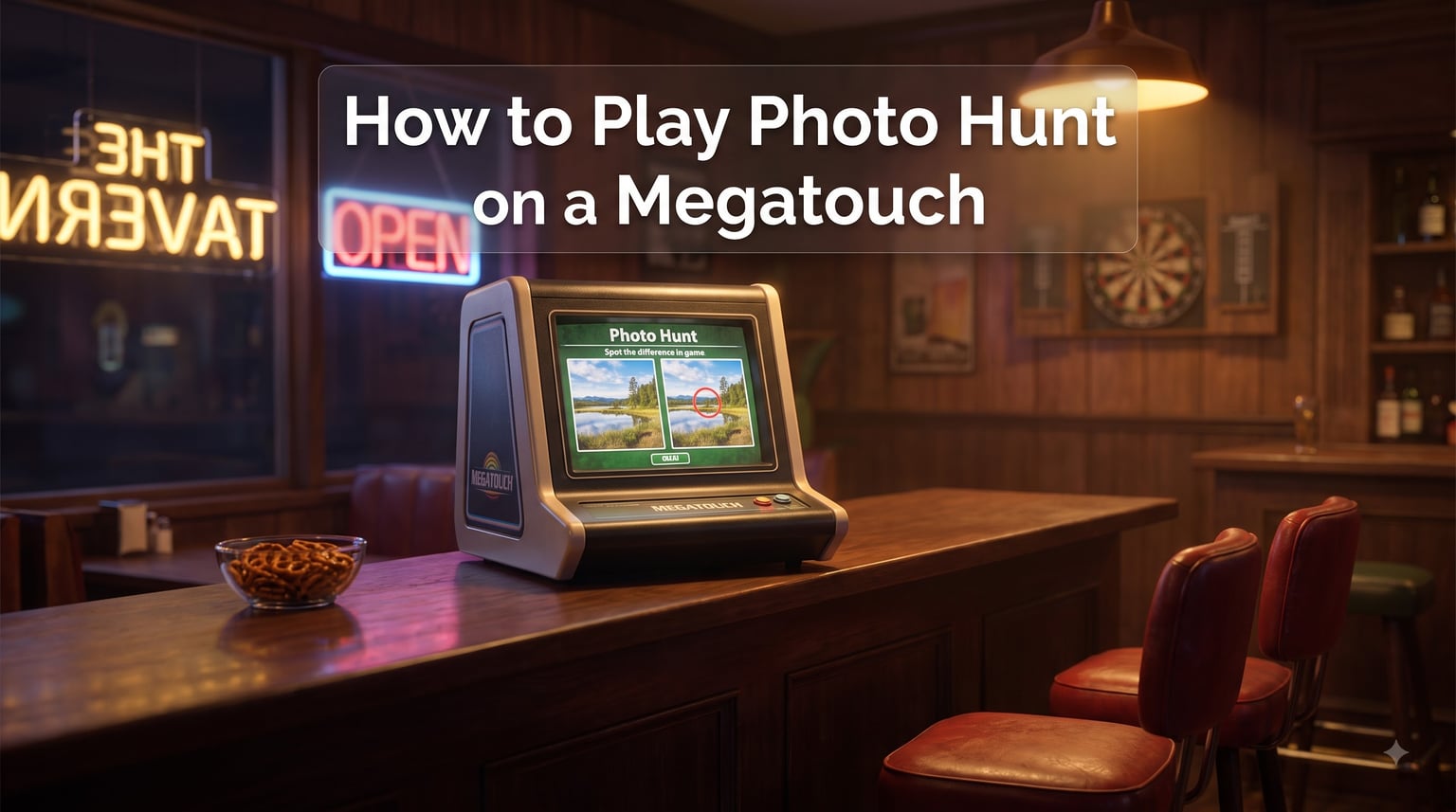
Photo Hunt is a spot-the-difference arcade game featured on Megatouch touchscreen machines, and it has been one of the most recognizable bar games in America since the late 1990s. In this guide, I will walk you through how to play Photo Hunt on a Megatouch from the moment you walk up to the cabinet, all the way to chasing a high score.
You will learn the rules, the on-screen feedback for correct and incorrect taps, how scoring and timers work, and the strategies that experienced players use to spot differences faster. I have spent more late nights than I care to admit leaning on Megatouch counters in dive bars, and the tips below are what actually moved my average score up.
Table of Contents
- What Is Photo Hunt on a Megatouch?
- The Objective: Find Five Differences Before Time Runs Out
- Step-by-Step: How to Start a Game on a Megatouch Machine
- Gameplay Mechanics: How Each Round of Photo Hunt Works
- Scoring System, Time Limits, and Level Progression
- Correct Tap vs. Incorrect Tap: What Happens on Screen
- Pro Tips: How to Find Differences Faster in Photo Hunt
- A Brief History of Photo Hunt and the Megatouch Machine
- How to Play Photo Hunt as a Group at a Bar?
- Is Megatouch Photo Hunt Still Available Today?
- Frequently Asked Questions
- How do you play Photo Hunt on a Megatouch machine?
- What are the rules of Megatouch Photo Hunt?
- How many differences do you find in Photo Hunt?
- What happens when you tap the wrong spot?
- How do you get a high score in Photo Hunt?
- Is Megatouch Photo Hunt still available?
- What replaced Photo Hunt on Megatouch?
- How do you find differences faster in Photo Hunt?
- Final Thoughts on Mastering Photo Hunt
What Is Photo Hunt on a Megatouch?
Photo Hunt is a touchscreen arcade game where two near-identical photos appear side by side, and your job is to tap the five spots where they differ before the timer runs out. It was originally developed by Merit Industries for their Megatouch line of coin-operated touchscreen cabinets.
The Megatouch itself is a countertop or upright arcade machine built around a 19-inch touchscreen. Merit Industries manufactured it starting in 1997, and over the next decade it became a fixture in bars, taverns, restaurants, and bowling alleys across the United States.
Photo Hunt was one of the flagship titles in the Megatouch software library. Its simple rules, fast rounds, and two-player option made it a perfect fit for the social setting where most people actually played it. Two friends could finish a quick round between drinks, and groups could huddle around the screen calling out differences.
If you have never seen a Megatouch in person, picture a thick, flat touchscreen sitting on a bar countertop or mounted in a tall upright cabinet, with coin and bill acceptors on one side and a row of game tiles on screen. Tapping a tile launches the game, and from there everything is touch-driven.
The Objective: Find Five Differences Before Time Runs Out
The objective of Photo Hunt is simple: find five differences between two side-by-side photos before the timer hits zero. Every round has exactly five differences, no more and no fewer.
The two images look almost identical at first glance. Each one contains small, deliberate changes. Common differences include a missing object, a shifted object, a color change, an added item, or a subtle detail that has been altered. Your only job is to spot those five changes and tap each one on the screen.
Each correct tap is confirmed instantly, and the round ends as soon as you have found all five. If the timer runs out first, the round ends in failure and you lose that round’s points. The game keeps going round after round until you run out of lives or end your session.
Step-by-Step: How to Start a Game on a Megatouch Machine
If you have never touched a Megatouch before, the screen menu can look confusing. Here is exactly what to do, in order, to get a game of Photo Hunt running.
Step 1: Walk Up to the Machine and Wake the Screen
Most Megatouch cabinets in bars are set to attract mode when nobody is playing. The screen shows a rotating slideshow of game tiles and short demo clips. Touch anywhere on the screen to bring up the game-selection menu.
Step 2: Insert Coins or Switch to Free Play
Standard Megatouch machines cost a few quarters or a dollar per play, depending on how the owner has set the pricing. Drop the coins into the slot or feed a bill into the acceptor. Some machines, especially in private homes, are set to free play, so a single tap is all it takes.
Step 3: Tap the Photo Hunt Tile
The on-screen menu shows a grid of game tiles, each one labeled with the title and a small thumbnail image. Find the tile marked “Photo Hunt” and tap it once. Loading is usually two or three seconds.
Step 4: Read the Brief On-Screen Rules
The first screen inside Photo Hunt is a short rules panel. It tells you to find five differences, shows a sample of the green and red feedback icons, and tells you the round length. Read it once and then tap “Start” or anywhere on the screen to begin.
Step 5: Begin Round One
Two photos appear on screen with the timer counting down. Start scanning. Your first tap on a true difference begins the clock for your score.
Gameplay Mechanics: How Each Round of Photo Hunt Works
Each round of Photo Hunt follows the same loop: look, compare, tap, react. Once you understand the rhythm, the game becomes second nature.
The Two-Image Layout
The two photos are placed side by side, each filling about half of the touchscreen. They share a similar composition but never look exactly the same. The five differences are scattered throughout the image, and on harder rounds they are placed in busy areas where they are harder to spot.
Touching to Mark a Difference
When you believe you have found a difference, tap directly on that spot in either photo. The game treats both images as one shared puzzle, so tapping the same area in either picture counts as long as the location matches a true difference.
Live On-Screen Feedback
The game responds to every tap within a fraction of a second. A green circle appears for a correct find, and a red X appears for a miss. This instant feedback is what makes Photo Hunt feel fast and tactile.
Round Completion
When you have found all five differences, the round ends immediately. The screen shows your score for that round, adds it to your running total, and then loads the next, harder round. If time expires first, the round ends in failure and you drop back to a lower score or lose a life, depending on the mode.
Scoring System, Time Limits, and Level Progression
Photo Hunt keeps its scoring simple so you can focus on the pictures. Every correct tap earns points, and speed matters because of the time bonus.
Points Per Correct Difference
Each of the five differences is worth a base amount of points when you tap it. The base value is the same for every difference in a given round, so you do not need to hunt for a “high-value” target. Just find them all.
Time Bonus
The remaining time on the clock converts into a bonus at the end of a successful round. The faster you clear all five differences, the larger your bonus. This is why speed matters: two players who both find all five differences can end up with very different scores based on how much time was left.
Round Time Limit
Each round gives you roughly 60 to 90 seconds to find all five differences, depending on the software version and difficulty tier. The clock ticks down visibly in a corner of the screen so you always know how much time you have left.
Level Progression
After you clear a round, the next round loads automatically with a new pair of photos. Higher levels use images with more visual noise and place the differences in harder-to-spot locations. The timer may also get tighter. Your score carries over across rounds until you fail a round or end the session.
Correct Tap vs. Incorrect Tap: What Happens on Screen
The instant feedback is one of the best parts of Photo Hunt, and it is worth understanding exactly what each icon means.
Correct Tap Feedback
When you tap a true difference, a green circle flashes briefly on that spot in both photos. The circle confirms the difference has been logged, and you move on to hunt the remaining differences. The green circle fades in under a second.
Incorrect Tap Feedback
When you tap somewhere that is not a difference, a red X appears at the spot you touched. The round does not end, but the game applies a small time penalty. The exact penalty varies by software version, but it usually costs you a couple of seconds off the clock.
How to Recover
One wrong tap will not ruin a round, but several in quick succession can chew through your timer. If you see two red X’s in a row, slow down and switch to a more methodical scanning method before tapping again. The clock can recover if you find the remaining differences quickly.
Pro Tips: How to Find Differences Faster in Photo Hunt
These are the techniques that took my average score from decent to actually competitive at the bar. Most of them come from either personal play or from the Technical.ly interview with A.J. Russo, the creative director at AMI Entertainment who oversaw Photo Hunt’s content.
Use the Grid-Pattern Scan Method
Do not dart your eyes around the image. Mentally divide each photo into a 3×3 or 4×4 grid, and compare one cell at a time. Move from the top-left cell to the top-right cell, then drop down a row, and so on. This systematic approach catches differences that pure glance scanning misses, especially in busy backgrounds like foliage or crowd scenes.
Try the Cross-Eye Method
This is the trick A.J. Russo mentioned in his interview, and it sounds strange until you try it. Hold your face about 18 inches from the screen and very gently cross your eyes until the two photos overlap into a single blended image. The differences will sometimes jump out as spots that “flicker” or “shift” because the eye cannot fuse the mismatched pixels.
Do not force your eyes to cross too hard. A slight, lazy cross is enough. If you feel eye strain, back off and try the grid method instead. This is a great technique for particularly tricky rounds where the differences are nearly invisible at a normal viewing distance.
Look for Color Changes First
Color shifts are usually the easiest differences to spot because the human eye is extremely sensitive to color contrast. Before scanning shapes, glance at both photos and look for any spot where one image has a noticeably different color. A red shirt in one image versus blue in the other is the classic giveaway.
Check the Edges and Corners
Game designers often hide differences near the edges of the photo, where players tend to look last. Spend extra time on the borders of the image and on the four corners. You will be surprised how often a missing object or a small extra item is hiding in plain sight along the edge.
Use a Light Tap
Touchscreens sometimes register a single tap as two if you press too hard or hold your finger too long. Use a quick, light tap rather than a press. If your machine seems to be double-counting, this is usually the cause, not a hardware problem.
Play the Levels You Know
Higher levels have more subtle differences, but they also tend to recycle visual themes. Once you have played a few sessions, you will start recognizing the types of photos used and the kinds of differences hidden in them. Stick with the game for at least a few rounds in a session to get the feel before chasing a big score.
A Brief History of Photo Hunt and the Megatouch Machine
Photo Hunt did not appear out of nowhere. It was part of a wave of touchscreen arcade games that transformed the American bar in the late 1990s and 2000s.
Merit Industries and the Birth of Megatouch
Merit Industries, based in Bensalem, Pennsylvania, released the first Megatouch cabinet in 1997. The idea was straightforward: a flat, reliable touchscreen loaded with simple, fast games that anyone could walk up to and play without instructions. Early titles focused on classics like solitaire, trivia, and reaction-based mini-games.
Photo Hunt Became a Flagship Title
Photo Hunt joined the Megatouch library in the early 2000s and quickly became one of the most-played games on the platform. Its appeal was the social element: two people could compete head-to-head, and groups could call out differences like a team sport. It also had an adult-oriented variant called Erotic Photo Hunt that appeared on machines in certain bars after a certain hour, which cemented the game’s reputation as a bar-staple.
Megatouch Photo Pack Updates
Merit released new “photo packs” on a regular basis, refreshing the image library so that regular players always had new pictures to scan. This content treadmill kept the game fresh and gave players a reason to come back for another round.
The End of an Era
Merit Industries closed its doors in 2014. After that, no new official Megatouch software was released, no new Photo Hunt photo packs came out, and parts and support became harder to find. Existing machines kept running for years through fan-supported hard drive clones and community-maintained software compilations, but the era of official support was over.
How to Play Photo Hunt as a Group at a Bar?
Photo Hunt is one of the rare arcade games that actually gets better with more people around. Most of my best memories of the game are nights when three or four friends were shouting “there, there, no the other side” at the screen.
Split Into Teams or Play Solo With a Cheering Section
Two-player mode is built into the game, but you can absolutely play with more people. One option is to have one person tap while the rest call out suspected differences. Another is to split into two teams and take turns, comparing high scores at the end of a session.
Call Out Suspected Differences Quickly
Time is tight, so call out suspected differences in the form of “top right, behind the chair” rather than “I think something is missing in the upper-right area.” Clear, fast calls give the tapper enough information to react before the timer ticks down another second.
Take Turns on Harder Rounds
If one player is having a cold streak, swap them out for the next round. Photo Hunt rounds are short, so rotating players keeps the energy up and prevents one bad streak from ruining the night.
Use It as an Icebreaker
If you are new to a bar or just met someone at a counter, the Megatouch is one of the best social tools ever made. Two strangers can start a friendly Photo Hunt competition and walk away as friends by the end of the session. I have watched this happen more times than I can count.
Is Megatouch Photo Hunt Still Available Today?
The honest answer is yes, but it takes some effort to find a working machine. Merit Industries has been closed for over a decade, and new production stopped in 2014. The games that exist today are running on used hardware, often with community-built software backups.
Used Machines in the Wild
Some bars, especially in smaller towns and rural areas, still have working Megatouch cabinets on their back counters. Walk into any older tavern, especially one that has not renovated in the last decade, and you have a decent chance of finding one.
Buying a Machine for Home
Used Megatouch cabinets show up on auction sites, marketplace listings, and dedicated arcade forums. Owners trade photo pack software on community forums, and there are active Facebook groups for Megatouch technical support. If you want the genuine experience at home, buying a used cabinet is the most direct route.
Modern Successors
The closest modern replacement for Photo Hunt is the JVL ECHO HD3 touchscreen, which carries over 100 bar games including several spot-the-difference titles. New commercial cabinets like this one have started filling the gap in bars where Megatouch machines have finally died.
Free Online Alternatives
Several websites host spot-the-difference games inspired directly by Photo Hunt. They will not give you the touchscreen feel or the social setting, but they are a free way to practice your scanning technique anywhere with a browser.
Frequently Asked Questions
How do you play Photo Hunt on a Megatouch machine?
To play Photo Hunt on a Megatouch machine, tap the screen to wake it up, insert a coin or bill, select the Photo Hunt tile from the game menu, and tap Start. Two near-identical photos will appear side by side, and you tap the spots where they differ. Find all five differences before the timer runs out to win the round.
What are the rules of Megatouch Photo Hunt?
The rules are simple. Two photos appear side by side. You must find exactly five differences between them by tapping each spot on the touchscreen. Correct taps show a green circle, while incorrect taps show a red X and cost you a small time penalty. Find all five before the clock hits zero to clear the round and add to your score.
How many differences do you find in Photo Hunt?
Every round of Photo Hunt has exactly five differences. No round has more and no round has fewer. Your job is to find all five before time expires.
What happens when you tap the wrong spot?
When you tap a spot that is not a difference, a red X appears at that location and the game subtracts a small amount of time from your remaining clock. The round does not end, but several wrong taps in a row can drain your timer fast.
How do you get a high score in Photo Hunt?
To get a high score in Photo Hunt, find all five differences as quickly as possible, because the leftover time converts into a bonus at the end of each round. Scan the image systematically, hunt for color changes first, check the edges and corners, and avoid tapping until you are confident.
Is Megatouch Photo Hunt still available?
Megatouch Photo Hunt is no longer in official production because Merit Industries closed in 2014. However, used Megatouch machines still operate in some bars and in private collections, and community-built photo pack software keeps the games running. Modern touchscreen cabinets like the JVL ECHO HD3 carry similar spot-the-difference games as successors.
What replaced Photo Hunt on Megatouch?
There is no single direct replacement. Modern touchscreen bar cabinets like the JVL ECHO HD3 carry spot-the-difference style games that fill a similar niche. Free online spot-the-difference websites are another option for casual players who want the gameplay without the hardware.
How do you find differences faster in Photo Hunt?
To find differences faster, use a grid-pattern scan instead of darting your eyes around. Look for color changes first because they jump out at the eye. Check the corners and edges of the photo, where differences are often hidden. The cross-eye method, where you gently cross your eyes so the two photos overlap into one image, can also reveal subtle differences as flickering or shifting spots.
Final Thoughts on Mastering Photo Hunt
Learning how to play Photo Hunt on a Megatouch takes about 30 seconds, but actually getting good at it takes a few sessions. Once you have the basics down, the real game becomes a contest between your scanning speed and your impulse control.
If you take only one tip from this guide, take this: slow your eyes down. Use the grid method, look for color shifts first, and only tap when you are confident. A steady player will outscore a frantic one every single time.
Photo Hunt is more than a game. For a generation of bar-goers, it was the reason a quiet Tuesday night turned into a three-hour competition with strangers who became friends. Whether you are hunting down an old Megatouch cabinet or just curious about the game that defined bar-top arcade gaming for two decades, those five differences are waiting.