
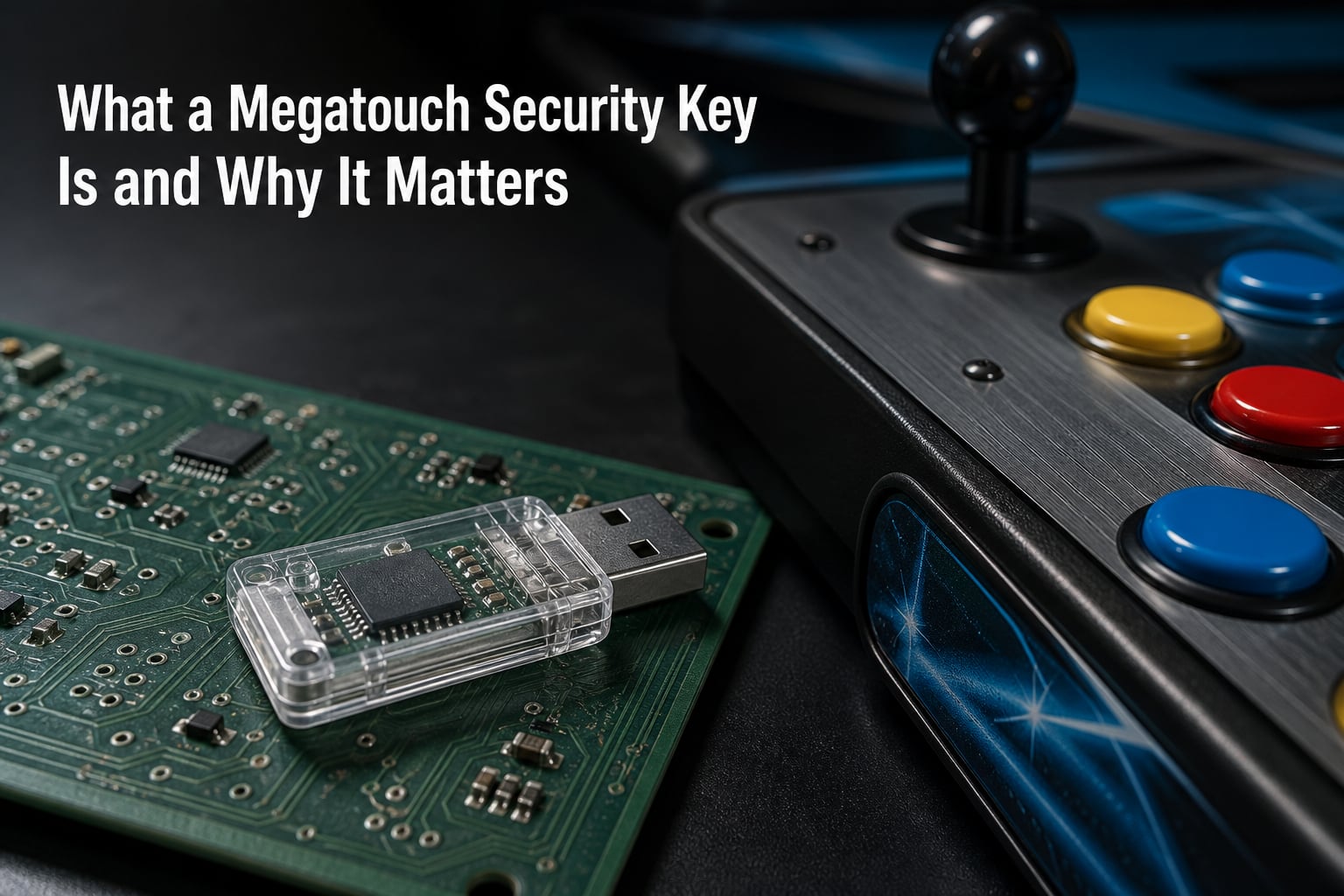
A Megatouch security key is a small USB dongle that stores an encrypted authentication number, and without it the arcade machine will not boot its software. At coin-opgames.com we have worked on dozens of these cabinets over the years, and the security key is the single piece most likely to turn a working game into a brick. If you own a Megatouch XL, MAXX, Force, ION, or Aurora, this little piece of hardware matters more than almost any other component.
Megatouch machines built by Merit Industries have run in bars, restaurants, and family entertainment centers since the mid-1990s. Every release of the touchscreen software depends on a security key, also called a Megatouch dongle or USB key, to verify it is running on licensed hardware. The key is genius engineering that fights piracy, but it also creates a single point of failure. We have seen keys lose their memory, lose contact, and disappear from inventory. When that happens, the entire machine shuts down.
This guide explains what a Megatouch security key physically is, how the encryption works, which key fits which machine, how to identify the key you already own, and what to do when you see an “invalid key” error. We will also cover backup options and where to find replacements for out-of-production arcade hardware.
Table of Contents
- What Is a Megatouch Security Key?
- How Megatouch Security Keys Work?
- Megatouch Security Key Models and Compatibility
- How to Identify Your Megatouch Security Key?
- Troubleshooting Invalid Key Errors
- Key Backup and Preservation Options
- Where to Find or Replace a Megatouch Security Key?
- Frequently Asked Questions
- Why Your Megatouch Security Key Matters
What Is a Megatouch Security Key?
A Megatouch security key is a USB hardware dongle containing a small security chip that holds a unique digitally stored number. The number identifies the key to the Megatouch software, and the software refuses to load if the key is missing or does not match. Without the matching key, the game shows an “invalid key” message and the machine is essentially dead.
The key looks like a small USB thumb drive, often a clear or amber plastic block about the size of a keychain. Inside is a Dallas Semiconductor or Maxim security chip soldered to a USB board. The chip runs a cryptographic challenge and response handshake with the Megatouch software at boot. If the response matches what the software expects for that release, the game loads. If not, the system halts.
The purpose of the key is piracy protection. Megatouch software was a major revenue source for Merit Industries, and a single software release could be sold to hundreds of operators. The USB key tied each licensed copy to a physical token, which made it harder to copy the hard drive and run the game on unlicensed hardware. That is why the key is sometimes called a “software lock” or “ROM key” in older forum threads.
For thousands of operators, the key was an invisible piece of insurance. They plugged it in once, stuck it behind the monitor, and forgot it existed. The problem is that the security chip is a wear item. Over time, the memory on the chip can degrade or the USB connector can fail. When the key dies, the community calls it a “suicide key” because the key has effectively killed the machine it was protecting.
How Megatouch Security Keys Work?
Megatouch security keys work using a simple but effective challenge and response authentication system. The key holds a digitally stored number that identifies itself to the software on request. The software asks the key for its number, and if the number matches what the software expects for that release, the game proceeds. If the number is wrong, missing, or the key is not plugged in, the boot process stops and the screen shows an error.
Inside the key is a small security chip that performs this authentication. The chip is a one-wire or I2C device that handles the cryptographic handshake internally. The Megatouch software never reads the raw number off the chip over USB. Instead, it sends a challenge, the chip signs or hashes it with the stored secret, and the software verifies the response. This protects the stored number from being dumped with a normal USB sniffer.
Each Megatouch software release is compiled with a specific expected key value. That is why keys are not interchangeable across releases. A key that works for Megatouch Force 2013 will not work for Megatouch ION 2016, even if both dongles look identical on the outside. The number etched on the case is a part number, not the authentication value, and it is the encrypted number inside the chip that determines compatibility.
The security chip on older Megatouch keys used Dallas iButton or Maxim 1-Wire parts. Newer keys migrated to more standard USB bridge chips with built-in security. The physical USB interface is just a transport. The actual authentication happens at the silicon level on the security chip, which is why a simple clone of the USB board does not work without reproducing the cryptographic data.
For arcade operators, the practical takeaway is that the key is a hardware root of trust. The software trusts the machine only as much as it trusts the key. That makes the key both a security tool and a liability. Operators who lost a key or owned a machine with a dead key often had a working cabinet with no way to run the original software.
Megatouch Security Key Models and Compatibility
Megatouch security keys fit specific machine platforms and software releases. The five major platforms are XL, MAXX, Force, ION, and Aurora. Each platform uses its own family of keys, and within each family there are sub-models for individual software releases. A release-specific key will not work across platforms, and the wrong key for a release will trigger an “invalid key” error.
The Megatouch XL platform ran from the late 1990s through the early 2000s. XL keys come in two main variants: the Button security key (with a physical button used during security pairing) and the Standard security key. Early XL Gold CD R00 releases did not work with the Button security key, so identification matters when buying replacements.
The Megatouch MAXX platform succeeded the XL and added larger touchscreens and improved hardware. MAXX keys are physically similar to XL keys but the encrypted values are different. A MAXX key will not boot an XL and vice versa, even if they share the same USB board design.
The Megatouch Force platform launched in the mid-2000s and represented a major hardware refresh. Force keys moved to a more modern security chip and introduced stricter encryption. Some Force keys are region-specific or operator-specific, which is why forum members often warn about “leftover” keys from one operator not working in another machine.
The Megatouch ION platform debuted in the late 2000s and was the first Megatouch to use a true x86 PC-based motherboard. ION keys still use the same authentication model, but the software is Windows-based and the key is checked by a custom driver. ION keys are the most common ones you will find on the secondary market today.
The Megatouch Aurora platform was the final major Megatouch release before Merit transitioned to newer game hardware. Aurora keys are the rarest and most expensive on the secondary market. Aurora cabinets are still in active use, and operators tend to hold onto their keys tightly.
| Platform | Years Active | Key Type | Compatible Software |
|---|---|---|---|
| Megatouch XL | Late 1990s to early 2000s | Button or Standard USB key | XL releases only |
| Megatouch MAXX | Early to mid 2000s | MAXX USB key | MAXX releases only |
| Megatouch Force | Mid 2000s to early 2010s | Force USB key | Force releases only |
| Megatouch ION | Late 2000s to mid 2010s | ION USB key | ION releases only |
| Megatouch Aurora | Mid 2010s and up | Aurora USB key | Aurora releases only |
How to Identify Your Megatouch Security Key?
You can identify a Megatouch security key by reading the part number etched on the case, matching the connector style to the platform, and cross-referencing with community-maintained lists. The TAPP Fandom wiki maintains the most complete lookup table, and the museum forums have decades of operator experience with identification.
Step 1: Inspect the physical key. Look for a small sticker, laser etch, or printed number on the flat side of the USB body. There are usually two numbers on the bottom of the key. The number across the center of the key is the part number that identifies the platform and software release. The other number is usually a manufacturer batch or date code.
Step 2: Note the connector style. Older XL and MAXX keys sometimes used a USB-A plug with a thumb drive form factor. Newer Force, ION, and Aurora keys use the same USB-A plug but with a slimmer case. Some keys have a clear LED indicator that flashes when the machine is on and the key is responding.
Step 3: Match the part number to a release. The Touchscreen Arcade Preservation Project (TAPP) wiki maintains a public list of Megatouch security keys organized by platform. You can search the table by part number to find the matching software release. The TAPP Table of Megatouch Software Releases and Respective Security Keys is the most reliable cross-reference for matching a key to a specific Megatouch software version.
Step 4: Cross-verify with the official Merit support documentation. Merit Games publishes security key part numbers by platform and software release on their official support site. Operators with active Merit accounts can look up an exact part number to confirm the key they have is correct for their machine.
If you have a collection of unidentified keys with no paperwork, the arcade-museum and arcadecontrols forums are the best places to ask for help. Veteran operators often recognize a key by sight and can match it to a release in seconds. Take a clear photo of both sides of the key, note any etchings, and share the platform you are trying to support.
Troubleshooting Invalid Key Errors
An “invalid key” error on a Megatouch machine means the security key authentication failed. The most common causes are a missing key, a failed key, the wrong key for the software release, a damaged USB port, or a corrupted software installation. The error can also appear when the software was reinstalled without backing up the key data, or when the key’s internal memory has degraded.
Step 1: Confirm the key is plugged in. Open the CPU section, locate the USB port on the motherboard, and reseat the key. Unplug it, blow out any dust, and plug it back in firmly. A loose USB connection is the most common cause of intermittent key failures.
Step 2: Test the key on a known-good machine. If you have a spare Megatouch of the same platform, swap the key into that machine and see if it boots. This confirms whether the key is the problem or the target machine is. A key that works on machine B but not on machine A points to a USB port or motherboard issue on machine A.
Step 3: Check the part number against the installed software. If the key is plugged in but the machine still says “invalid key,” the encryption value may not match the installed software release. Operators sometimes reinstall a different Megatouch software version without realizing the key is tied to a specific release. Match the key part number to the software title using the TAPP wiki’s compatibility table.
Step 4: Inspect the key for physical damage. Look for cracked solder joints, bent USB pins, or corrosion on the security chip. Heat from years of operation can crack the solder joints inside the key, breaking the connection between the chip and the USB board. Some keys can be repaired with a reflow of the joints, but most failures are permanent.
Step 5: Try a known-good replacement. If you have access to a spare key for the same platform and release, swap it in. If the replacement works, the original key has failed at the silicon level. This is the “suicide key” scenario. The machine is fine, but the key is dead and cannot be reset.
When a Megatouch security key fails, the machine is not technically broken. The hard drive, motherboard, monitor, and touchscreen are all probably fine. The only failed component is the tiny USB dongle. That is why experienced operators keep a spare key taped to the inside of every cabinet – because replacing the key is much cheaper than replacing the entire machine.
Key Backup and Preservation Options
Backing up a Megatouch security key is possible in some cases, but it requires specialized hardware and falls into a legal gray area. Community members have built “key saver” devices that read the cryptographic data from a working key and store it on a backup device. These backups are used by arcade preservationists to keep out-of-production machines running when the original key is lost or dead.
The community has developed tools that dump the contents of a Megatouch security key to a PC. The process involves writing the key’s authentication data to a backup file. From there, the backup can be installed on a programmable USB device that mimics the original key. The Touchscreen Arcade Preservation Project (TAPP) wiki documents some of these methods.
From a legal standpoint, key backup sits in a gray area. Megatouch software is licensed by Merit Industries, and the security key is part of the licensing system. Backing up a key you own for personal preservation is generally tolerated by the community, but redistributing key data for games you do not own is treated as piracy. Operators and preservationists should consult local laws and the specific game licenses before creating or sharing backups.
For practical purposes, the safest backup is a photo and written record of the key’s part number. If the original key fails, a documented part number lets you find a compatible replacement quickly. Operators who keep a binder of part numbers for every machine in their route save themselves hours of troubleshooting when a key dies.
Where to Find or Replace a Megatouch Security Key?
Replacement Megatouch security keys are sold through three main channels: eBay listings from arcade operators, TAPP community trades, and Merit support for currently-licensed games. The secondary market has been the most reliable source since Merit stopped manufacturing some platforms, but availability depends on the platform and release.
eBay listings for Megatouch keys appear regularly, but descriptions vary wildly in quality. Some sellers document the exact part number and software release. Others list a generic “Megatouch key” without specifying compatibility. Buy from sellers who photograph the etched part number and report the exact platform the key came from. Avoid sellers who claim one key works for every Megatouch – that is rarely true.
The TAPP community has a Discord and wiki where preservationists trade keys and share part number lists. These communities are the most reliable source for rare keys like Aurora or platform-specific Force releases. Trades are typically free or low-cost, and the community vets sellers to prevent piracy.
Merit Games still supports active Megatouch platforms through their official support site. Operators with current license agreements can request replacement keys directly. The Merit support documentation lists security key part numbers by platform and software release, which is the authoritative reference for compatibility.
If you cannot find a replacement key, the last option is to contact a Megatouch specialist technician. Several arcade repair shops stock common keys and can special-order rare ones. Their prices are higher than eBay but the keys are usually guaranteed to work for a specific release.
Frequently Asked Questions
What is a Megatouch security key?
A Megatouch security key is a small USB hardware dongle that contains a security chip with a unique encrypted number. The chip authenticates the Megatouch software at boot, and the machine will not load the game without the correct matching key. The key is part of Merit’s software licensing system and prevents unauthorized copying of the game.
Why does my Megatouch say invalid key?
An invalid key error means the security key authentication failed. The most common causes are a missing or loose key, the wrong key for the installed software release, a damaged USB port, or a failed security chip on the key itself. Reseat the key first, then verify the part number matches the software release before assuming the key is dead.
How do I identify my Megatouch security key?
Read the part number etched on the bottom of the key, then cross-reference it with the TAPP wiki list of Megatouch security keys or the official Merit support documentation. Two numbers are usually visible on the key: the central number is the part number that ties to a specific platform and software release, while the other number is a manufacturer batch or date code.
Can you backup a Megatouch security key?
Yes, with specialized hardware key saver devices that read the cryptographic data from a working key and store it on a backup. The process is used by arcade preservationists to keep out-of-production machines running. Legal ownership of the original key and the game license is required, and redistributing the backup is not permitted.
What happens when a Megatouch security key fails?
When a Megatouch security key fails, the machine displays an invalid key error and refuses to boot the game. The key’s internal security chip has lost its data or lost its connection to the USB board, which community members call a suicide key. The machine itself is usually fine, but a replacement key tied to the correct software release is required to bring it back online.
Why Your Megatouch Security Key Matters
A Megatouch security key is the small piece of hardware that decides whether your arcade cabinet runs or sits dark. The key holds an encrypted authentication number that the software checks at boot, and without the matching key the machine refuses to load. That single point of failure is why operators, collectors, and preservationists all need to understand what the key is, which platform it fits, and how to identify it.
If you own a Megatouch machine, take five minutes today to locate the key, photograph the etched part number, and write down the matching software release. Tape the key firmly inside the cabinet so it does not work loose. Keep a spare key taped to the inside of the door if you can find one. These three small steps will save you hours of troubleshooting when the original key inevitably wears out.
For more on arcade hardware, security keys, and coin-op game preservation, explore the rest of our site at coin-opgames.com.