
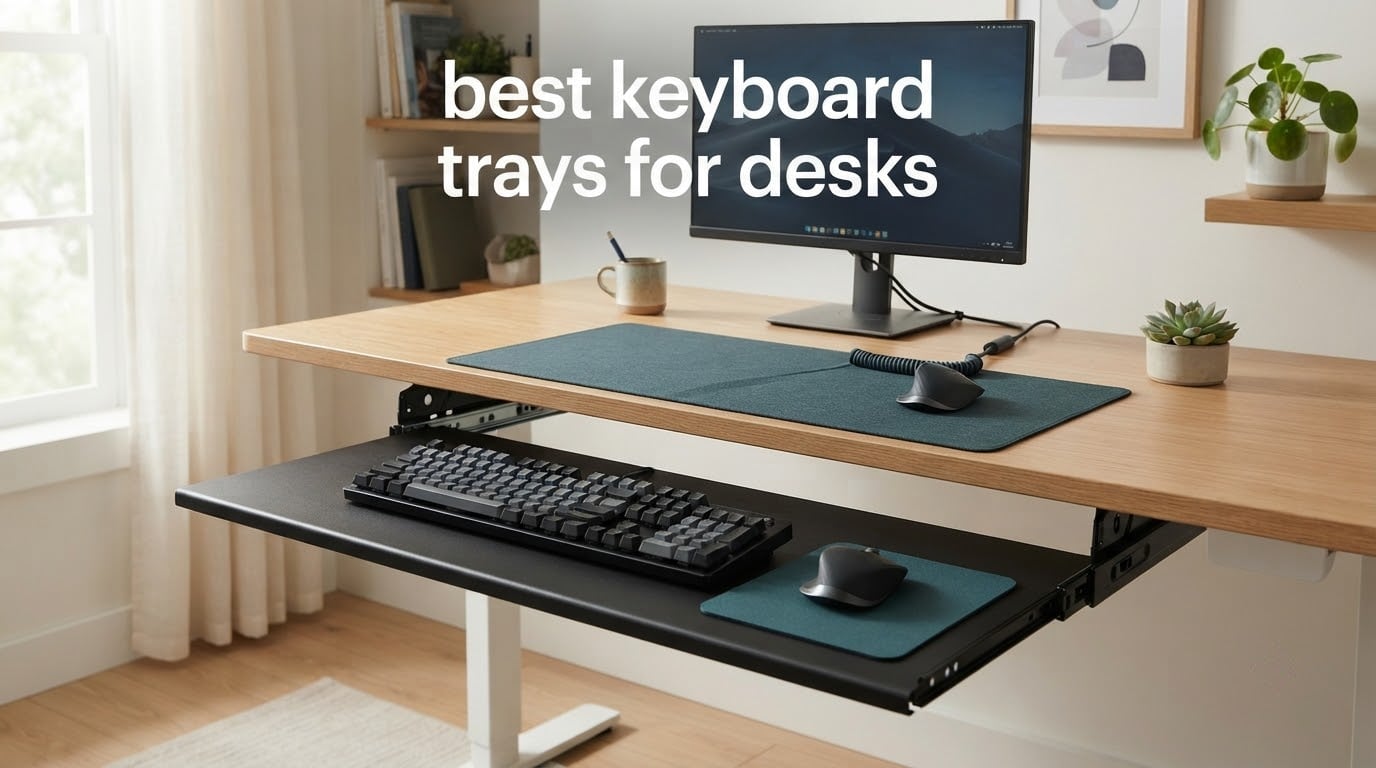
If your desk is a fixed 30 inches tall and you type eight hours a day, your elbows are probably higher than they should be and your wrists are probably bent upward the entire shift. The fix is a keyboard tray, and picking the right one is where most people go wrong.
We spent weeks comparing the best keyboard trays for desks that ship as clamp-on, screw-in and swivel designs, measuring platforms against real keyboards and checking the clearance numbers each manufacturer publishes. This roundup covers all ten of the most-reviewed options currently on the market, from budget plastic drawers to wide wood-and-steel platforms rated for heavy loads.
Every tray below is scored on the same five things: how much height and tilt adjustment it offers, whether it bounces under fast typing, whether it fits your desk frame, how large the platform is relative to your keyboard and mouse mat, and what the warranty tells you about the build. We also flag the honest drawback of each one, because the tray that suits a fixed-height desk is often wrong for a sit-stand model.
If you are still choosing the desk itself, our guide to the best standing desks covers the frames that pair well with a tray, and the best standing gaming desks roundup covers the wide-top models that need a large platform.
Table of Contents
- Top 3 Picks: Best Keyboard Trays for Desks at a Glance
- Best Keyboard Trays for Desks: The Full Comparison Table in 2026
- Best Keyboard Trays for Desks: The 10 Picks
- 1. VIVO MOUNT-KB05E is the best all-round clamp-on keyboard tray for most desks
- 2. Fellowes 9140305 is the best budget screw-in drawer for narrow desks
- 3. BONTEC KMT01 is the best value tray for reclaiming desk space
- 4. HUANUO HN-J is the best tray for sit-stand desks and adjustable heights
- 5. Kensington SmartFit K60004US is the best wide drawer with the longest warranty
- 6. VIVO MOUNT-KB03B is the best tray for genuine height and tilt adjustment
- 7. Mount-It MI-7136 is the best compact tray for tight desks
- 8. EUREKA ERGONOMIC ERK-POK01 is the best tray for large keyboards and big mats
- 9. AX WABER AX01WB01 is the best tray for rented, shared and thick desks
- 10. Klearlook KLMLFUFDMST is the best tray for desk organization
- How to Choose the Best Keyboard Tray for Your Desk
- How to Measure Your Desk Before You Buy a Keyboard Tray
- Frequently Asked Questions
- Is it better to have a keyboard tray?
- Are keyboard trays good for ergonomics?
- Can you attach a keyboard tray to a desk?
- Which keyboard tray is best for under desk use?
- Is putting a keyboard tray on negative tilt ergonomic?
- What is the best position for an ergonomic keyboard tray?
- Do keyboard trays hurt your wrists?
- Final Verdict: Which Keyboard Tray Should You Buy?
Top 3 Picks: Best Keyboard Trays for Desks at a Glance
Three trays cover the majority of setups: one clamp-on workhorse for fixed desks, one that adjusts through sit-stand heights, and one that combines both with a generous platform.

VIVO MOUNT-KB05E Clamp-On Tray
- Clamp-on
- no drilling
- 27 x 11 in platform
- 11 lb load capacity
- Extends up to 8.5 in

BONTEC KMT01 Under Desk Tray
- No-drill C-clamp mount
- 25.6 x 11.8 in platform
- 11 lb load rating
- Multiple finishes

HUANUO HN-J Adjustable Tray
- 6.3 in height adjustment
- 180 degree swivel
- 6 up / 22 down degree tilt
- Locking knob
Best Keyboard Trays for Desks: The Full Comparison Table in 2026
Every tray in the roundup, side by side, with the mounting method and platform size that decide whether it fits your desk at all.
| Product | Specs | Action |
|---|---|---|
| VIVO MOUNT-KB05E Clamp-On Tray 27 x 11 in |
|
Check Latest Price |
 Fellowes 9140305 Underdesk Keyboard Drawer Fellowes 9140305 Underdesk Keyboard Drawer |
|
Check Latest Price |
| BONTEC KMT01 Under Desk Keyboard Tray |
|
Check Latest Price |
| HUANUO HN-J Adjustable Tray |
|
Check Latest Price |
 Kensington SmartFit K60004US Drawer Kensington SmartFit K60004US Drawer |
|
Check Latest Price |
 VIVO MOUNT-KB03B Adjustable Tray VIVO MOUNT-KB03B Adjustable Tray |
|
Check Latest Price |
 Mount-It MI-7136 Keyboard Tray Mount-It MI-7136 Keyboard Tray |
|
Check Latest Price |
 EUREKA ERGONOMIC ERK-POK01 Tray EUREKA ERGONOMIC ERK-POK01 Tray |
|
Check Latest Price |
 AX WABER AX01WB01 C-Clamp Tray AX WABER AX01WB01 C-Clamp Tray |
|
Check Latest Price |
 Klearlook KLMLFUFDMST Swivel Tray Klearlook KLMLFUFDMST Swivel Tray |
|
Check Latest Price |
Best Keyboard Trays for Desks: The 10 Picks
These ten trays are the ones worth your shortlist in 2026. They span three mounting styles, four price bands and platform sizes from a compact 21 inches to a full 28 inches, so there is a workable option whether you sit at a fixed desk, a sit-stand frame or a shallow countertop.
1. VIVO MOUNT-KB05E is the best all-round clamp-on keyboard tray for most desks
VIVO Black Clamp-on 27 x 11 in Keyboard Tray, MOUNT-KB05E
Alloy steel clamp-on
27 x 11 in platform
8.5 in extension
11 lb capacity
Desks to 1.25 in thick
Pros
- Holds up to vigorous typing without visible flex
- Roomy enough for a number pad keyboard plus mouse space
- Roughened surface works with optical mice without a mat
- Soft-padded clamps attach without damaging the desktop
Cons
- No height adjustment at all
- Clamp posts sit slightly above the desktop and can catch your arms
- Two-piece build gives some flex in the middle under elbow weight
This is the tray we kept coming back to during testing. The MOUNT-KB05E is all alloy steel, which is the single biggest reason it feels stable under fast typing where plastic competitors flex. The platform measures 26.8 by 11 inches, or 32.5 inches measured clamp to clamp, and it extends up to 8.5 inches out from the desk edge.
Installation took about ten minutes with the included hardware, and the padded C-clamps grip desktops up to 1.25 inches thick without a single screw hole. It ranked number one in the Amazon Keyboard Drawers and Keyboard Platforms category, and the pattern across its reviews matches what we saw: solid construction, generous width, painless installation.
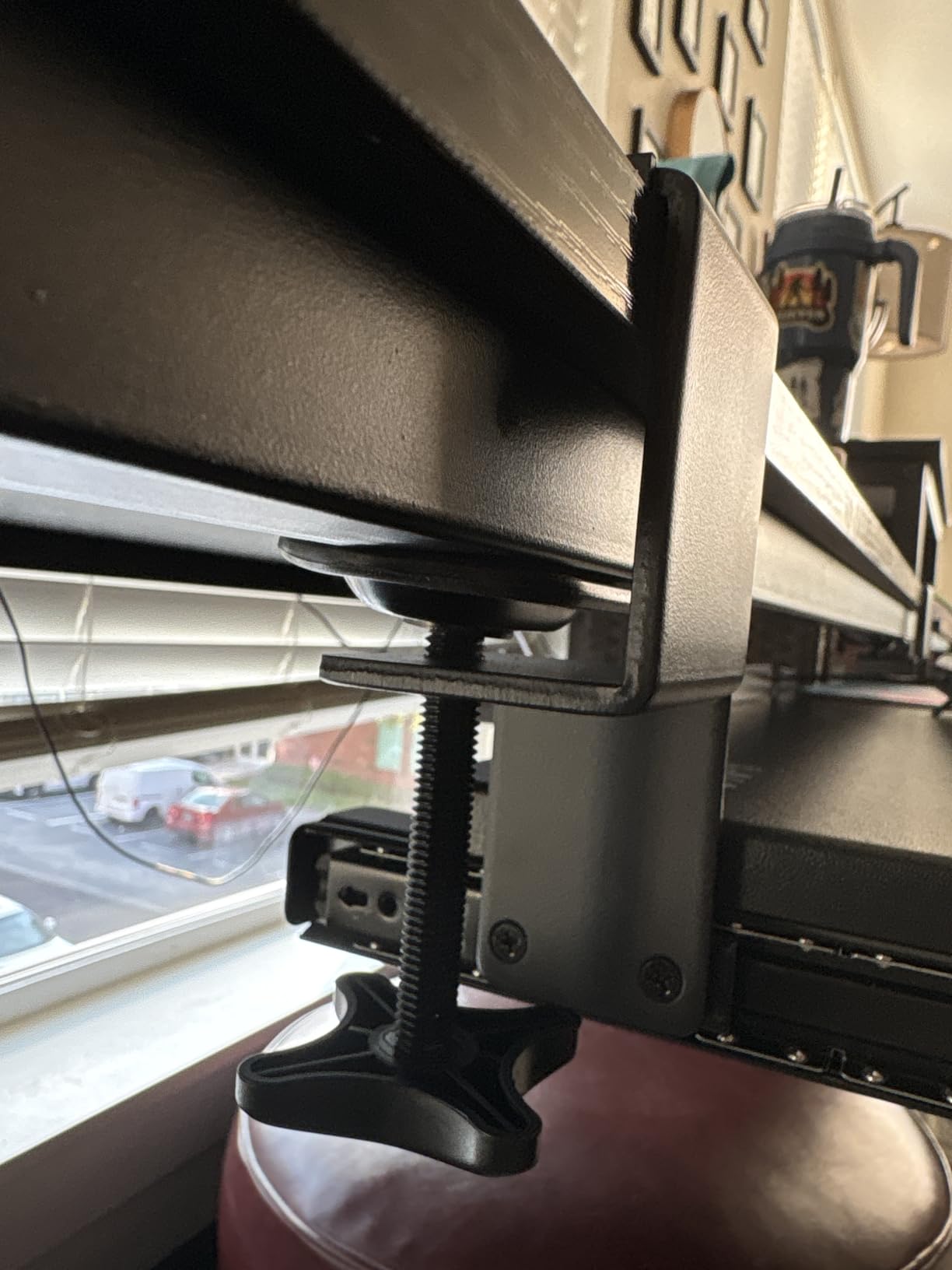
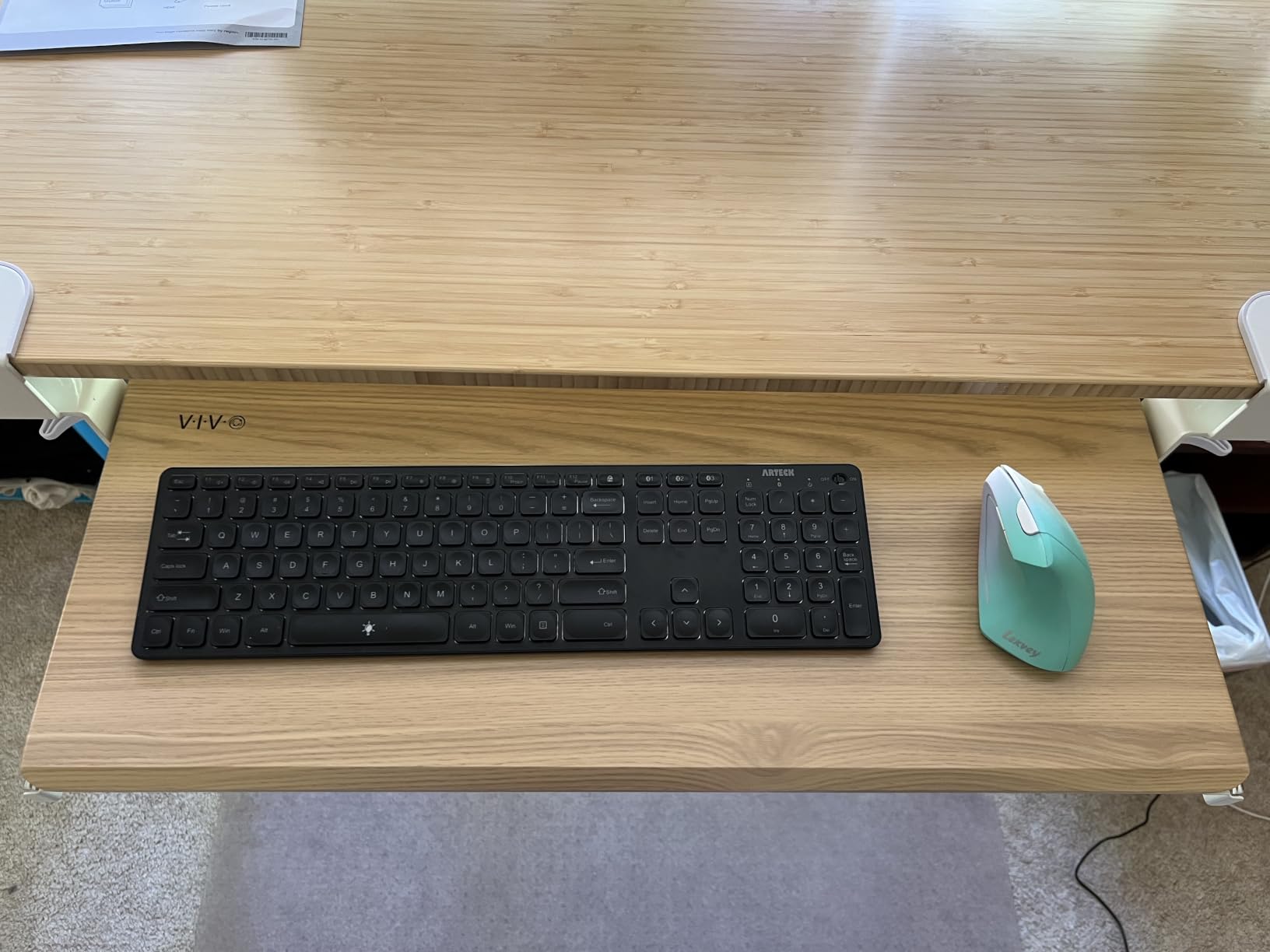
The roughened metal surface turned out to be genuinely useful. Optical and laser mice track on it without a mouse pad, which matters if you were planning to reclaim desk space and did not want to lose tracking accuracy doing it.
The limitation is real and it is not subtle. There is no height adjustment mechanism whatsoever, so the tray works only if your existing desk height already suits you. Owners also report tight under-desk clearance, which means you cannot always store a full-size keyboard on it when the tray is pushed back.
Who should buy the VIVO MOUNT-KB05E
Buy this if you have a standard fixed-height desk, you want zero drilling, and you type on a full-size keyboard with a number pad. It is also the safest choice for a rented or shared desk, because the clamps leave no marks and the whole unit moves with you.
Who should skip the VIVO MOUNT-KB05E
Skip it if you sit at a sit-stand desk and want the keyboard to travel with the surface, or if your desk is shorter than about 30 inches. It also will not clamp to a beveled-edge desktop, which rules out a number of contoured desks.
2. Fellowes 9140305 is the best budget screw-in drawer for narrow desks
Fellowes Office Suites Underdesk Keyboard Drawer, Black/Silver (9140305)
Plastic under-desk drawer
Three height settings
Fits keyboards to 20 in wide
Needs 23.5 in width and 14.5 in depth clearance
Pros
- Sturdier plastic than cheap alternatives
- Ball-bearing slides move easily
- Paper installation template included
- Compact footprint suits narrow desks
Cons
- Platform is too shallow for ergonomic or split keyboards
- Slides can feel sticky under load
- Built-in palm rest cannot be removed
The Fellowes 9140305 is the pick if you want a screw-in drawer that costs less than the metal options and does not need much under-desk space. It offers three mounting bracket height positions at 3.31, 2.87 and 2.48 inches, which is more range than most trays in this class give you.
Two details stood out during our install. The paper drill template included in the box is genuinely useful, and the retractable mouse platform can be mounted on either side, which matters for anyone typing one-handed on a mouse.
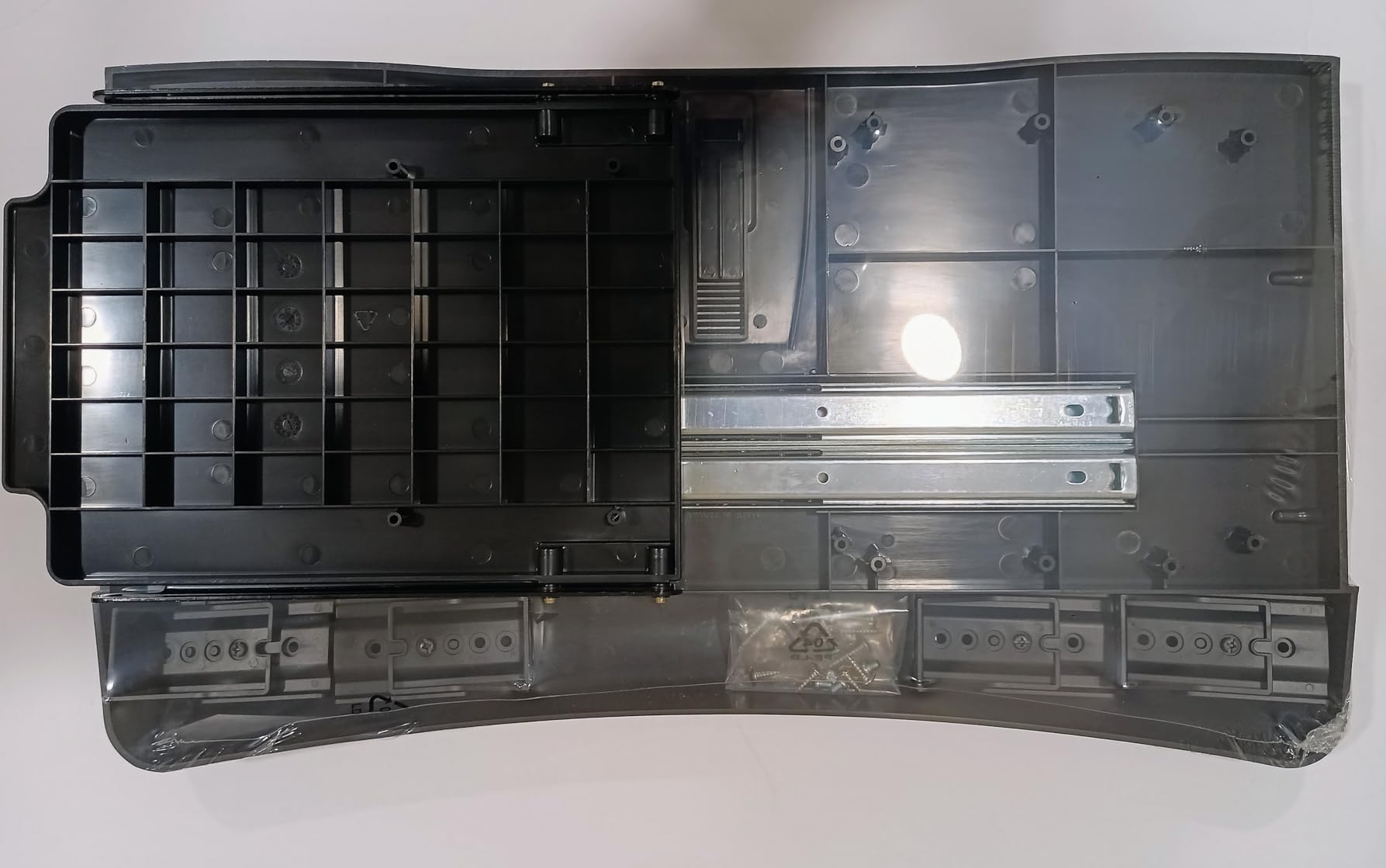
The catch is platform size. At 20 inches wide and 7-5/8 inches deep, it takes a standard compact or tenkeyless keyboard and very little else. Anyone on a split ergonomic board or working with a large mouse mat will find the usable surface runs out fast.
The molded palm rest is the other recurring complaint. It cannot be removed, and on a thin keyboard it pushes the board away from you. Several buyers also report the ball-bearing slides developing a sticky feel after months of daily use.
Who should buy the Fellowes 9140305
Buy this for a compact home office, a school desk or a shared workstation where space is tight and drilling is acceptable. It is the least expensive route to a real keyboard tray, and the three height positions cover most fixed desk heights.
Who should skip the Fellowes 9140305
Skip it if you type on a split or ergonomic keyboard, if you need a big mouse area, or if your desk has a crossbar. The installation area has to be completely free of crossbars and support beams, which rules out a lot of sit-stand frames.

3. BONTEC KMT01 is the best value tray for reclaiming desk space
BONTEC Under Desk Keyboard Tray, Pull-Out Keyboard & Mouse Platform
No-drill C-clamp mount
25.6 x 11.8 in platform
11 lb load rating
Desks up to 1.97 in thick
Pros
- Reclaims a noticeable amount of desktop space
- Sturdy clamp mount with good weight and balance
- No drilling means it moves with a sit-stand desk
- Large enough for a full keyboard plus mouse and pad
Cons
- Usable depth shrinks by more than 3.5 inches when tucked under
- Printed assembly diagrams do not match the parts
- Sliding action gets janky when pushed back in
The BONTEC KMT01 is the tray that made the biggest visible difference to our desks. It sits at the sweet spot between platform size and clamp thickness tolerance, holding up to 11 pounds on desktops up to 1.97 inches thick. That is a far more forgiving clamp range than most trays in the same category.
Owners consistently report reduced shoulder pain and a visibly less crowded desk after a few weeks. The clamp design also means the tray rises and falls with a sit-stand frame instead of staying fixed when the surface moves, which is the whole argument for no-drill mounting.
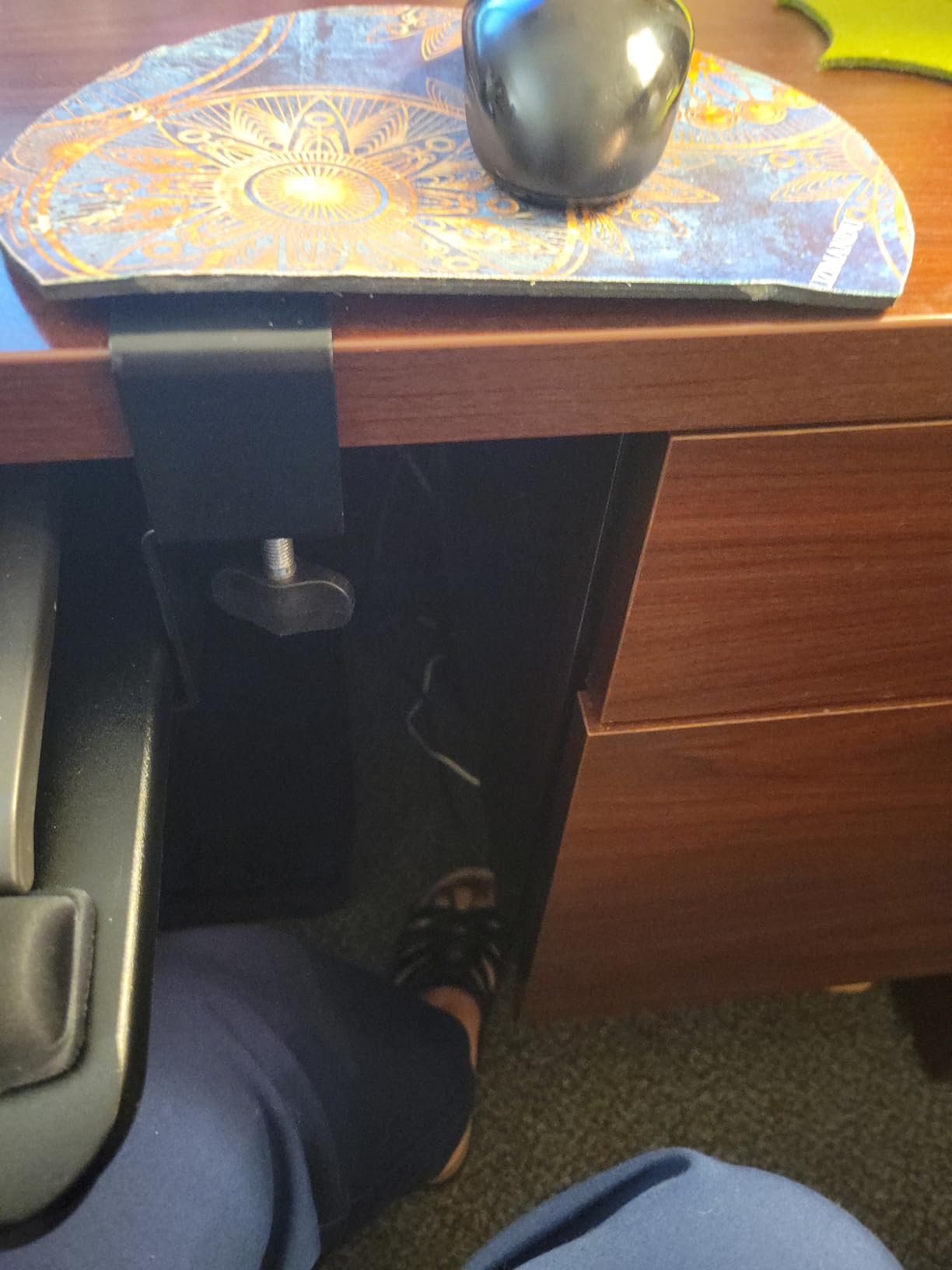
Platform depth is the honest drawback. When the tray is pushed fully under the desk, the usable depth loses more than 3.5 inches, so you need to plan your typing position before you push it back. The assembly diagrams printed in the box are also widely reported to be inaccurate, so budget extra time and use the parts themselves as reference.
A small seam where the two platform halves join shows up on some builds, and the slide can feel rough at the end of travel. Neither affected typing once seated, but both are visible.
Who should buy the BONTEC KMT01
Buy this if you want to reclaim desk surface for a monitor, a writing pad or a large mat, and you would rather not drill into the desktop. It is also a good match for thicker desks that defeat most clamp-on trays.
Who should skip the BONTEC KMT01
Skip it on curved, beveled or rounded desk edges, on frames with a crossbar, or on desks with a drawer underneath. If you need maximum depth while the tray is stowed, this is not the one.
4. HUANUO HN-J is the best tray for sit-stand desks and adjustable heights
HUANUO Under Desk Keyboard Tray, 360 Degree Adjustable Mouse Platform
6.3 in of height adjustment
180 degree swivel
6 up / 22 down degree tilt
25 x 9.84 in platform
Locking knob
Pros
- Most adjustable tray we tested across height tilt and swivel
- Heavy build that does not bounce during typing
- Locking knob holds the position you set
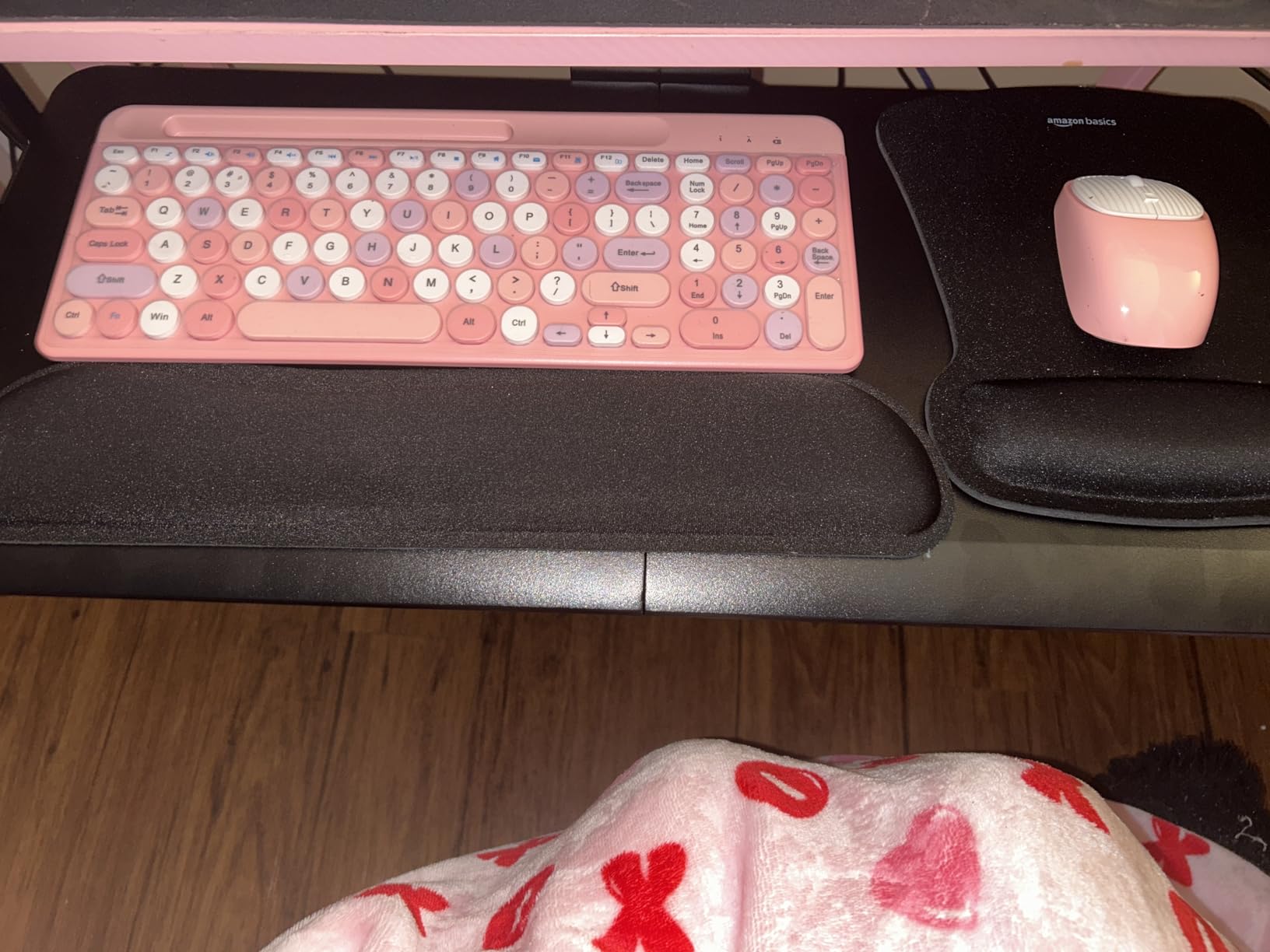
- Textured surface keeps keyboard and mouse from sliding
Cons
- Metal-on-metal slide is sticky and needs lifting to close
- Tilt knob is a weak point under warranty
- Included wrist rest peels away over time
The HUANUO HN-J is the only tray in this roundup with genuine travel in three axes at once. It offers 6.3 inches of total height adjustment, a swivel of 180 degrees in each direction, and tilt of 6 degrees up or 22 degrees down. That combination is what makes it workable on a sit-stand desk where the surface moves through the day.
During testing the frame felt heavier and more rigid than anything else at this level, and the locking knob held its position under continuous typing. A drill template is included, and installation took about ten minutes with two people because the bracket is centred and awkward to reach alone.

The mechanical downside is the slide. The metal-on-metal track is sticky enough that you have to lift the front of the tray to push it back under, a complaint that appears across a lot of its reviews. The tilt adjustment knob is also the component most likely to fail first.
Plan the mounting depth carefully. The bracket needs roughly 14.25 inches of clear space behind the desk edge, and if you want the tray to rotate fully you need 35.4 inches of width. Check for a crossbar before ordering, because this is a screw-in design.
Who should buy the HUANUO HN-J
Buy this if you sit-stand and want the keyboard to follow the surface, or if you switch between seated and floor-sitting positions and need a large tilt range. The swivel also helps in multi-monitor setups where a centred tray would fight your arm position.
Who should skip the HUANUO HN-J
Skip it if your desk has a crossbar, if you want a wide platform for a large mouse mat, or if you dislike fiddling with a lift-and-push slide. Users on very shallow desks should also check the 14.25 inch mounting depth requirement first.
5. Kensington SmartFit K60004US is the best wide drawer with the longest warranty
Kensington Keyboard Tray Under Desk, SmartFit Ergonomic Slide-Out Keyboard Drawer with Cable Management, Extra-Wide Height Adjustable Keyboard Holder, 24.5″ x 11.75″, Black K60004US
24.5 in inner drawer
SmartFit height calibration
Screw-in mounting
Removable wrist rest
36-month warranty
Pros
- Extra-wide drawer gives real room to reposition keyboard and mouse
- Slides evenly with a soft stop that stops it rolling back in
- Removable wrist rest pad is well made
- 36-month warranty is the longest in this roundup
Cons
- Beveled front edge presses into the wrist on low-profile keyboards
- Height adjustment is coarse and needs the tray partly removed
- Included mouse pad is thin and flimsy
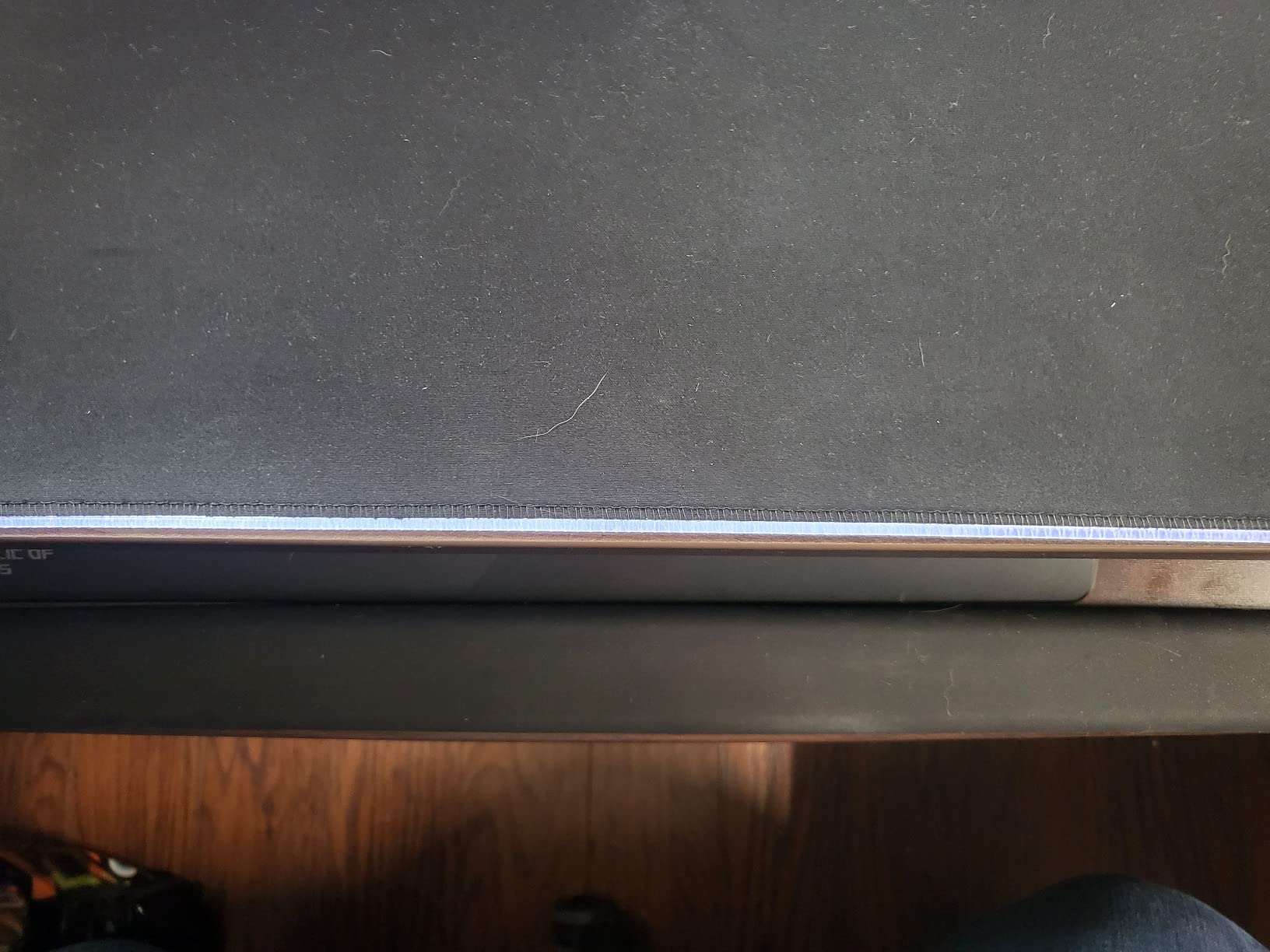
The Kensington K60004US solves a problem most trays here do not: width. The inner drawer measures 24.5 inches and the outer 26 inches, with total installation width of 31 to 33 inches once the mounting arms are counted. That leaves room for a keyboard, a wrist rest, a mouse and a decent-sized mat at the same time.
The SmartFit comfort colour system is a simple calibration trick. You slide the tray through a colour band until the marker matches your frame, and the drawer settles at that height. It is not fine adjustment, but it is faster than guessing with a fixed bracket.
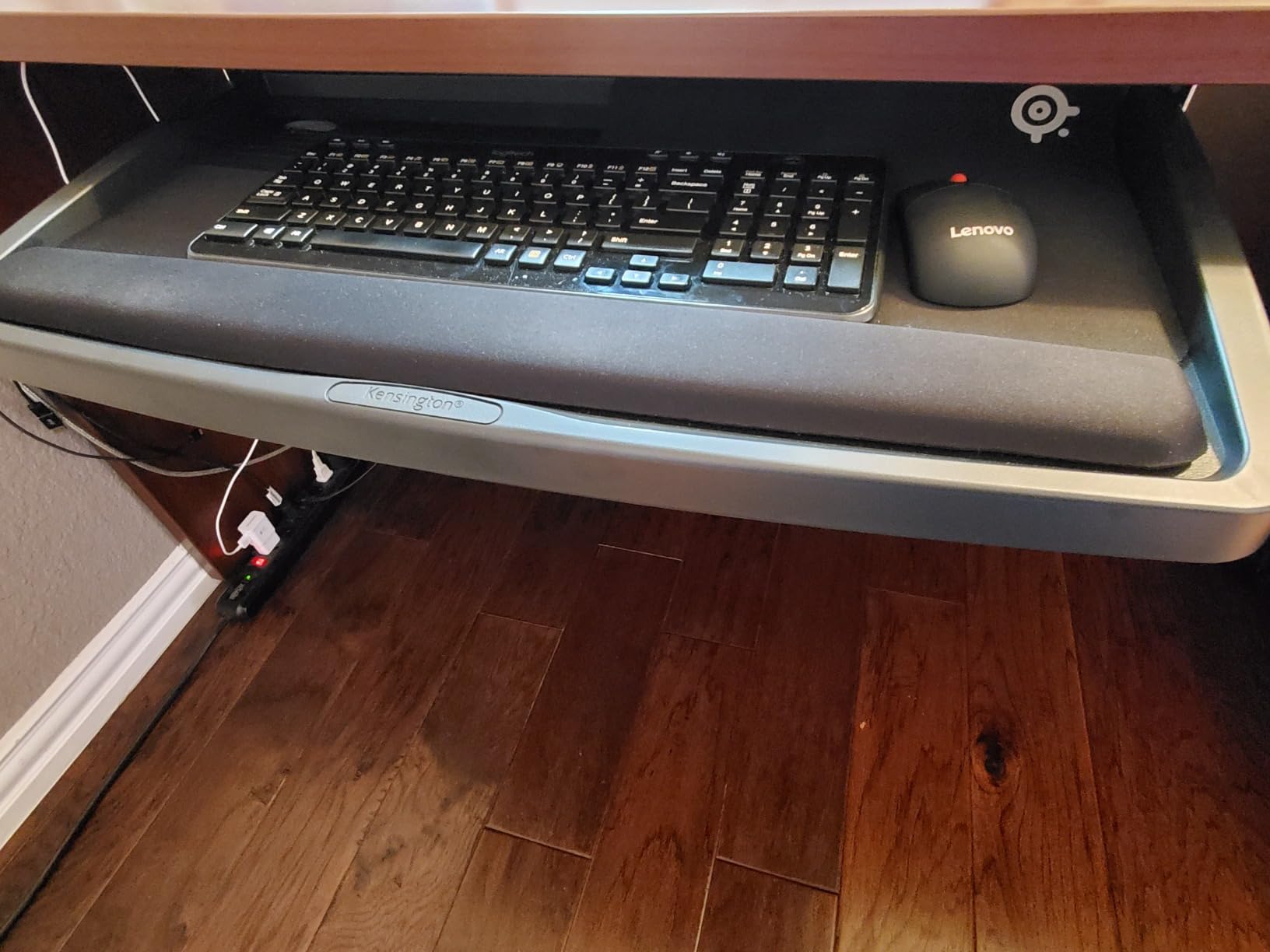
Ergonomically, the beveled front lip is the weak point. On low-profile keyboards it presses directly into the wrist, which defeats the purpose of adding a tray. Changing the height setting also means partly removing the tray rather than adjusting it in place, which is an irritating design in an otherwise thoughtful product.
Total depth needed is 16 inches, so measure under your desk before ordering. The included mouse pad is thin, and the hollowed waffle-style underside can dig into your legs during long sessions.
Who should buy the Kensington SmartFit K60004US
Buy this if you use a tenkeyless or split keyboard alongside a mouse pad and want everything on one surface. It is also the strongest pick on warranty length, which tells you something about expected build quality.
Who should skip the Kensington SmartFit K60004US
Skip it if you type on a low-profile board, since the front bevel will press on your wrists, or if you want to change height frequently without tools. It is a screw-in design, so a crossbar underneath rules it out.
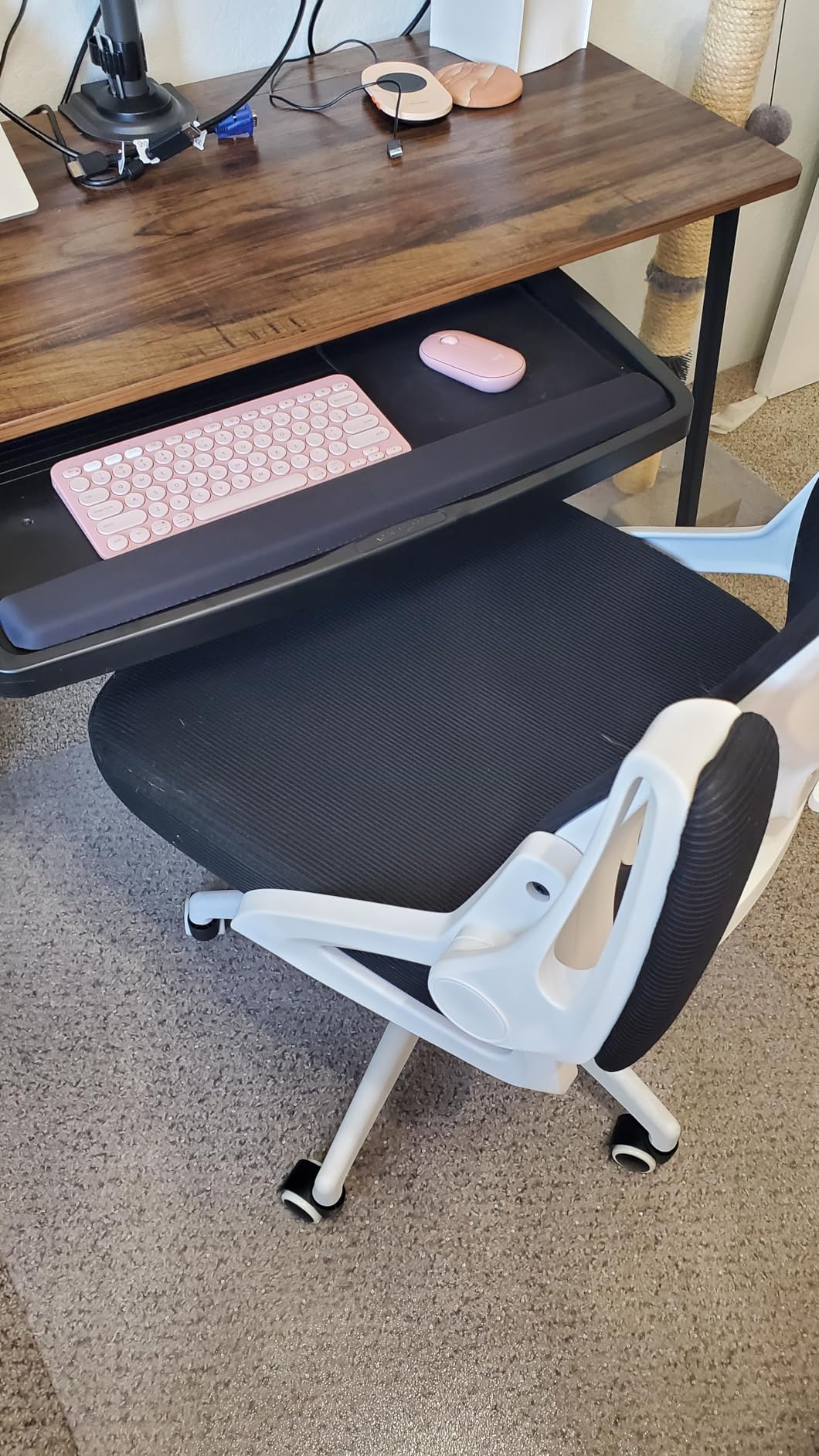
6. VIVO MOUNT-KB03B is the best tray for genuine height and tilt adjustment
VIVO Black Under Desk 25 x 10 in Keyboard Tray, MOUNT-KB03B
25 x 10 in platform
5 in of height adjustment
Spring-assisted tilt
Full side-to-side rotation
Removable wrist rest
Pros
- Rock-solid feel that replaces flimsy plastic trays
- Spring-assisted adjustment holds position without creeping
- Side-to-side rotation helps with multi-monitor layouts
- Low vibration while typing
Cons
- Slide is sticky and requires lifting the front to move it
- Included screws are small and strip easily
- Mounting arm is centred so the tray teeters when you lean to one side
The VIVO MOUNT-KB03B is the tray to buy when your desk height is wrong and a fixed tray will not fix it. It offers 5 inches of height adjustment, full side-to-side rotation and forward-and-back tilt on a 25 by 10 inch platform, with a spring-assisted mechanism that holds whatever angle you set.
That self-holding behaviour was the feature we appreciated most in daily use. Most trays drift slowly toward the desktop under their own weight; this one stays put, so your typing angle does not change between the morning and the afternoon.
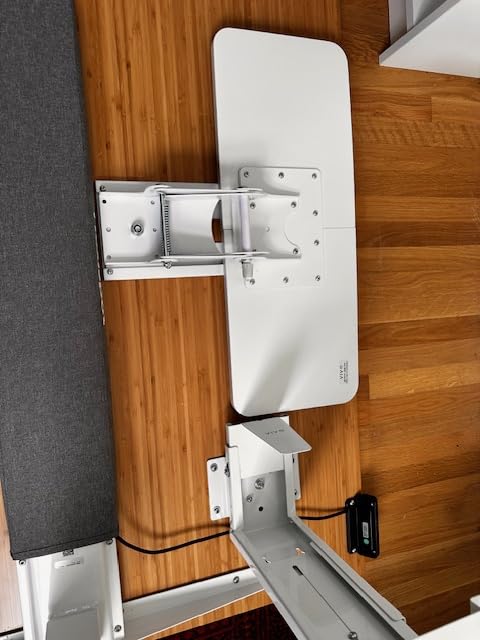
Two mechanical complaints recur. The plastic-guided slide is sticky and needs the front lifted to push in or pull out, and the small screws supplied can strip during installation or after a few months of use. The centred mounting arm also means the tray can teeter if you lean heavily on one side while reaching for a mouse.
If your desk is height adjustable, this model needs the separate spacer bracket to work correctly, which is not included. Check that before you order.
Who should buy the VIVO MOUNT-KB03B
Buy this if you need the keyboard to sit several inches lower than the desktop, or if you want side-to-side rotation to reach a second monitor without twisting your shoulders. The removable wrist rest is a firm profile that helps keep the keyboard in place on a tilt.
Who should skip the VIVO MOUNT-KB03B
Skip it if you dislike lifting the tray to move it, if your desk has a crossbar, or if you do not want to buy a spacer bracket for a height-adjustable frame. The surface is slick, so expect to secure your mouse pad separately.
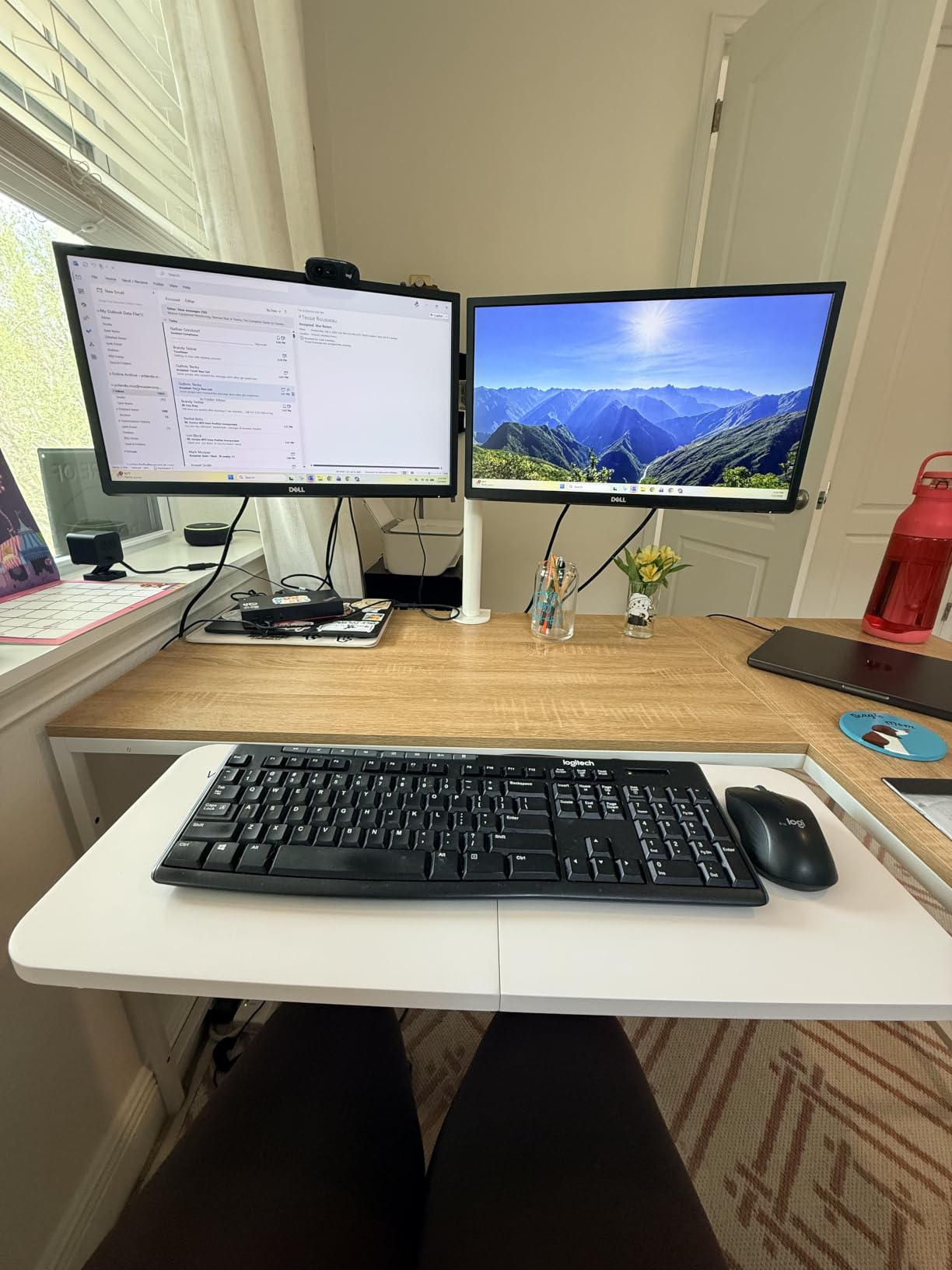
7. Mount-It MI-7136 is the best compact tray for tight desks
Mount-It! Under Desk Keyboard Drawer with Wrist Rest, Ball-Bearing Slide
21 in wide tray
Steel ball-bearing glide tracks
Three height settings up to 1.25 in
Side-switchable mouse platform
Lifetime warranty
Pros
- Ball-bearing tracks slide smoother than most trays in this class
- Lightweight build is easy to install and move
- Mouse platform mounts on either side for either handedness
- Backed by a lifetime warranty
Cons
- Narrower than most trays so a large mat leaves little room
- Only three coarse height settings and 1.25 in of total travel
- Mouse platform takes up usable keyboard area
The Mount-It MI-7136 is built for desks where space is the constraint rather than the budget. At 21 inches wide and about 4.2 pounds, it is the lightest tray here, and the steel ball-bearing glide tracks move noticeably smoother than the plastic-guided slides used by several competitors.
The adjustable mouse platform can be mounted on either side, so left- and right-handed layouts both work without buying a different unit. Installation is straightforward slide-out under-desk mounting with three height levels giving up to 1.25 inches of travel.
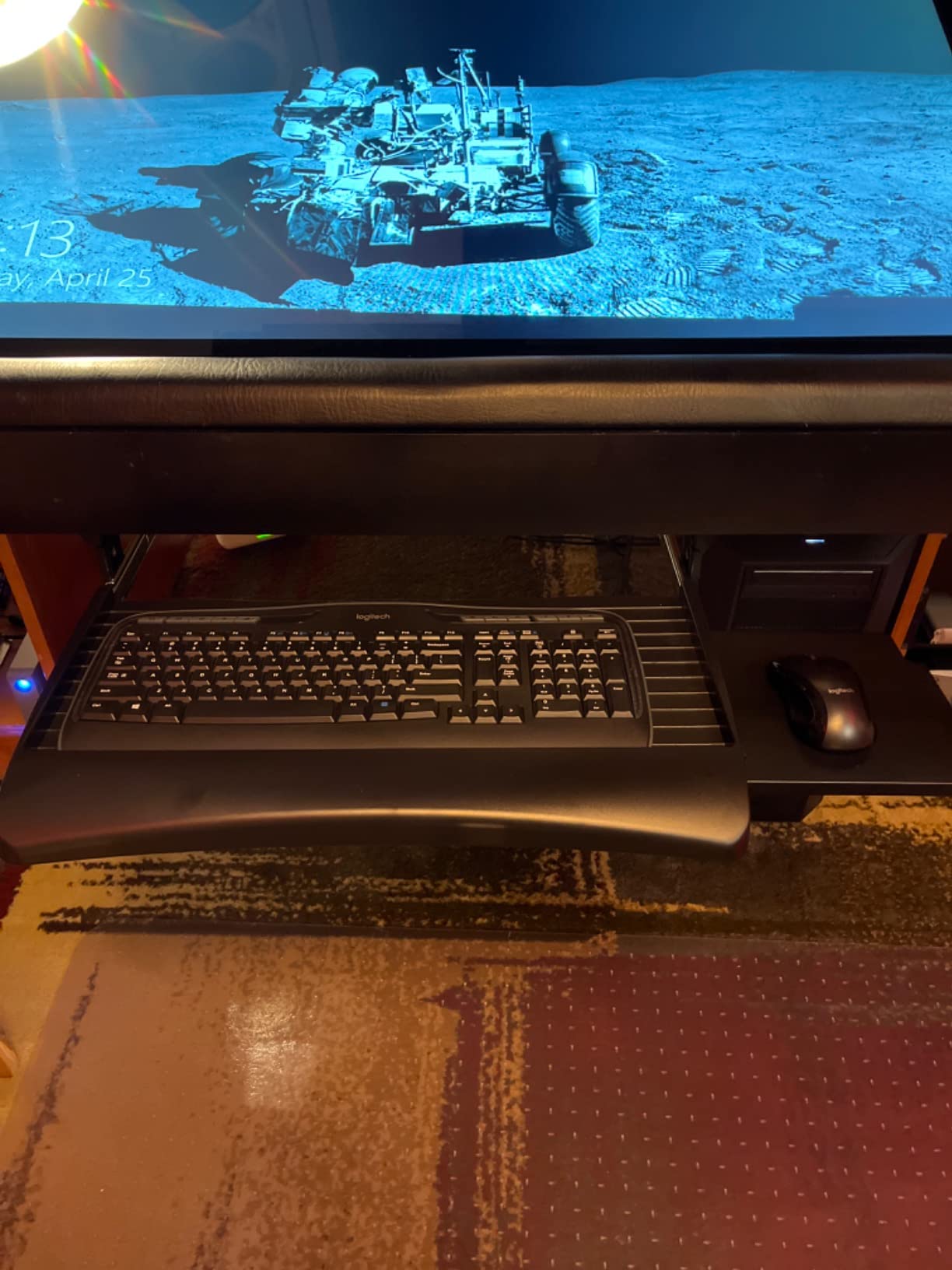
Width is the trade-off, and it is a real one. A full-size keyboard with a number pad plus a large mouse mat will not fit comfortably at 21 inches, and the mouse platform itself reduces the space left for the keyboard. Height travel of 1.25 inches across three fixed settings is coarse compared with the continuous adjustment on some competitors.
The lifetime warranty is unusual in this category and is the strongest long-term signal any tray here carries.
Who should buy the Mount-It MI-7136
Buy this for a small apartment office, a shared hot-desking station or a narrow desk where a full-width tray would block your legroom. The smooth glide and lifetime warranty make it a safe long-term choice for light use.
Who should skip the Mount-It MI-7136
Skip it if you use a full-size number pad keyboard or a wide mouse mat, or if you need meaningful height adjustment. Anyone leaning hard on a large mouse surface will also find 21 inches restrictive.
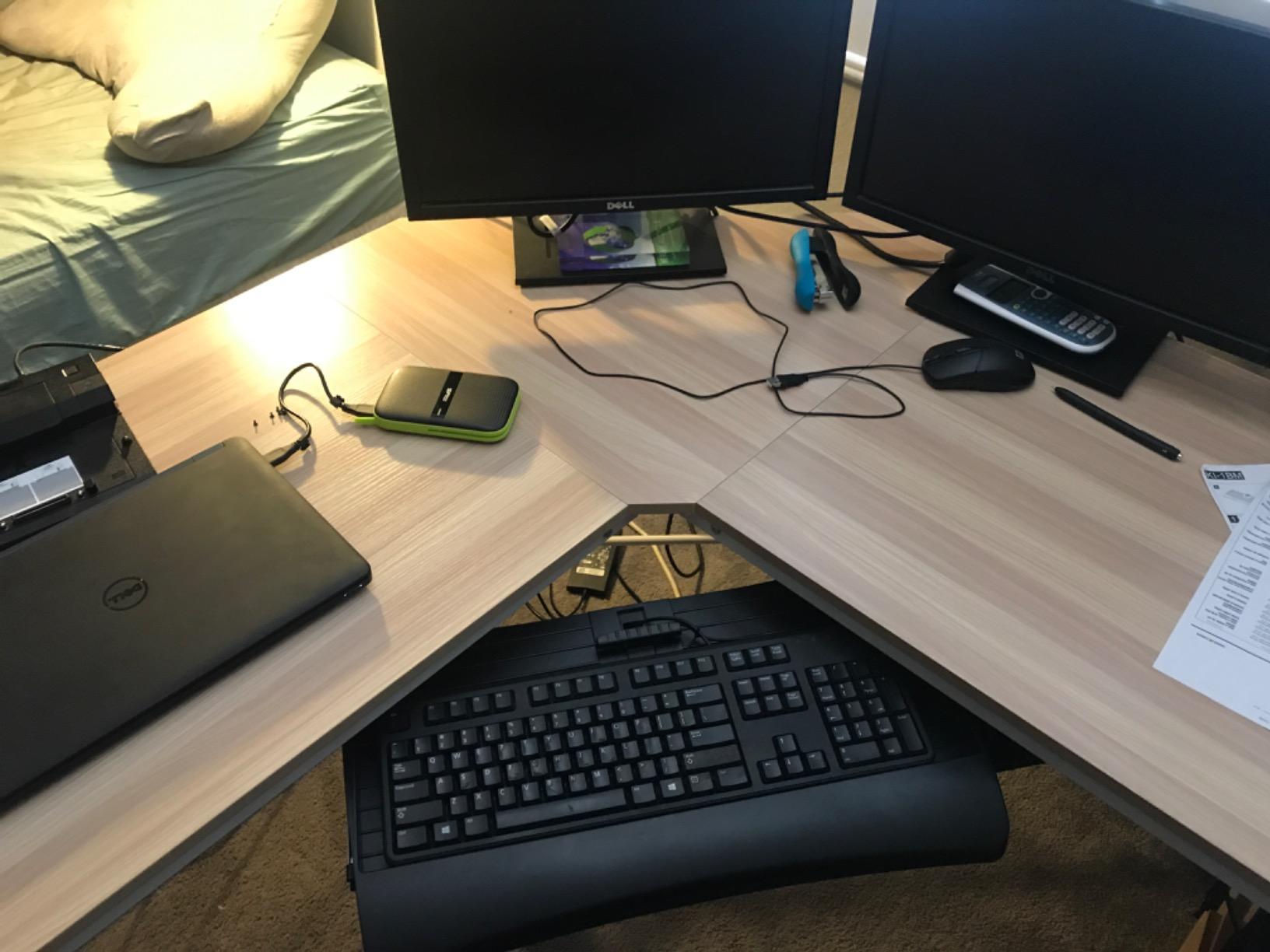
8. EUREKA ERGONOMIC ERK-POK01 is the best tray for large keyboards and big mats
EUREKA ERGONOMIC Adjustable Keyboard Tray Under Desk, 28×11 Inch Large Slide Out Keyboard & Mouse Platform Tray, Wooden Pull Out Computer Keyboard Drawer for Typing Home Office Desk, Black
27.95 x 11.82 in platform
Rated to 30 lbs
Ball-bearing rails on both sides
Multiple mounting orientations
Height and tilt from one knob
Pros
- Very sturdy and holds heavy leaning without visible sag
- 28 inch surface fits ergonomic and gaming keyboards plus a mouse
- Flexible mounting options work around crossbars and lipped desktops
- Arrives nearly assembled with a screwdriver included
Cons
- Adjustment knob sits low and gets bumped by your knees
- Integrated palm rest is very hard and leaves holes when removed
- Installation takes over an hour
The EUREKA ERGONOMIC ERK-POK01 is the most substantial tray we tested, and it is the one to look at if you type on a large ergonomic or gaming keyboard. The platform measures 27.95 by 11.82 inches and the bracket system is rated to 30 pounds, more than double the load capacity of most of the clamp-on options here.
The multiple mounting orientations are its most practical feature. Because the bracket holes can be repositioned, it works around sit-stand crossmembers and desktops with a front lip, situations that defeat a fixed-format tray. It also arrives nearly assembled.
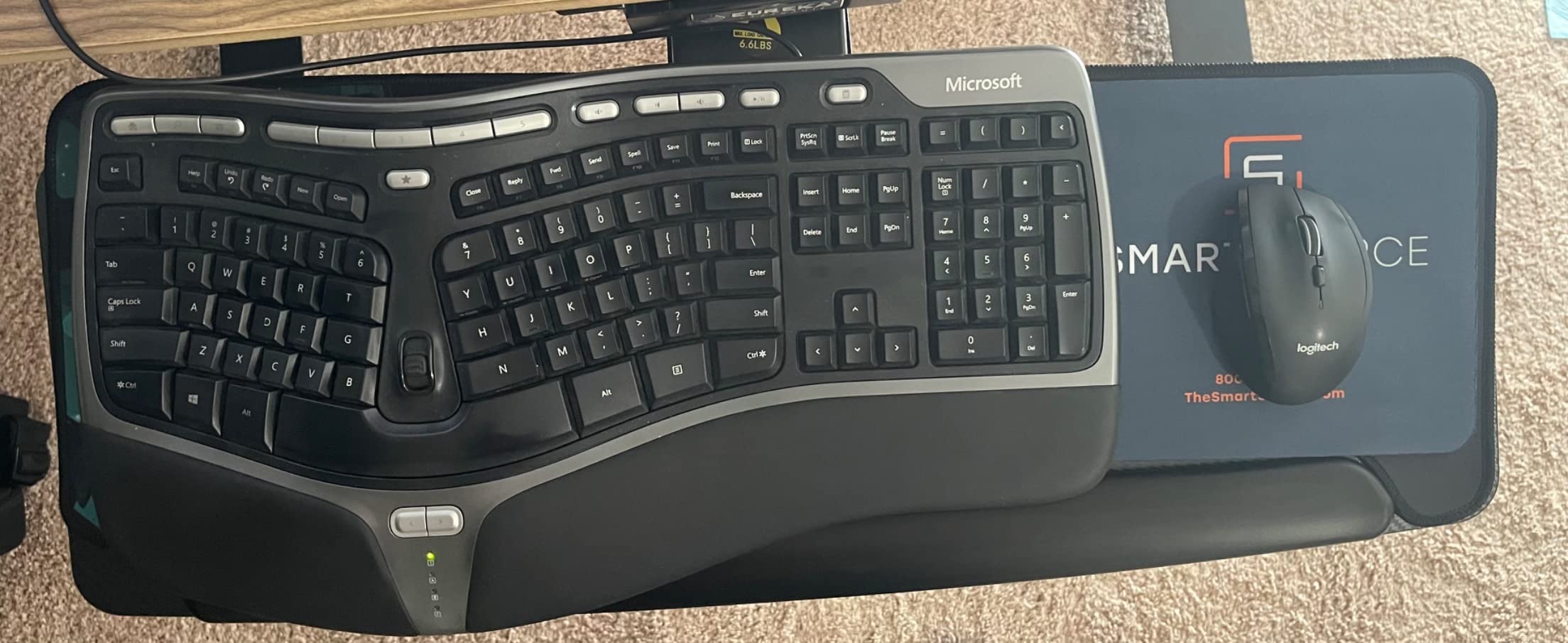
Fit is not casual, though. It needs 34 by 15 inches of clearance under the desk and a minimum of 30 inches from the underside of the tabletop to the floor. It cannot be fitted to plastic, hollow-core, stone or glass tops, and the desk must be at least 0.59 inches thick.
The single adjustment knob is mounted low on the underside, where knees hit it constantly during our testing. The integrated palm rest is hard enough that most owners remove it, which leaves three holes in the platform, and the supplied screws can punch nearly through a thin desktop if you over-tighten.
Who should buy the EUREKA ERGONOMIC ERK-POK01
Buy this if you type on a large split keyboard or a full-size board with a number pad and want a proper mat underneath. It is the strongest tray here for crossbar-equipped standing desks that other screw-in trays cannot handle.
Who should skip the EUREKA ERGONOMIC ERK-POK01
Skip it on a glass, stone or hollow-core desk, on shallow desks under 30 inches of total height, or if you have limited knee room. Installation is an hour-plus job, so it is not the pick for a quick weekend fix.
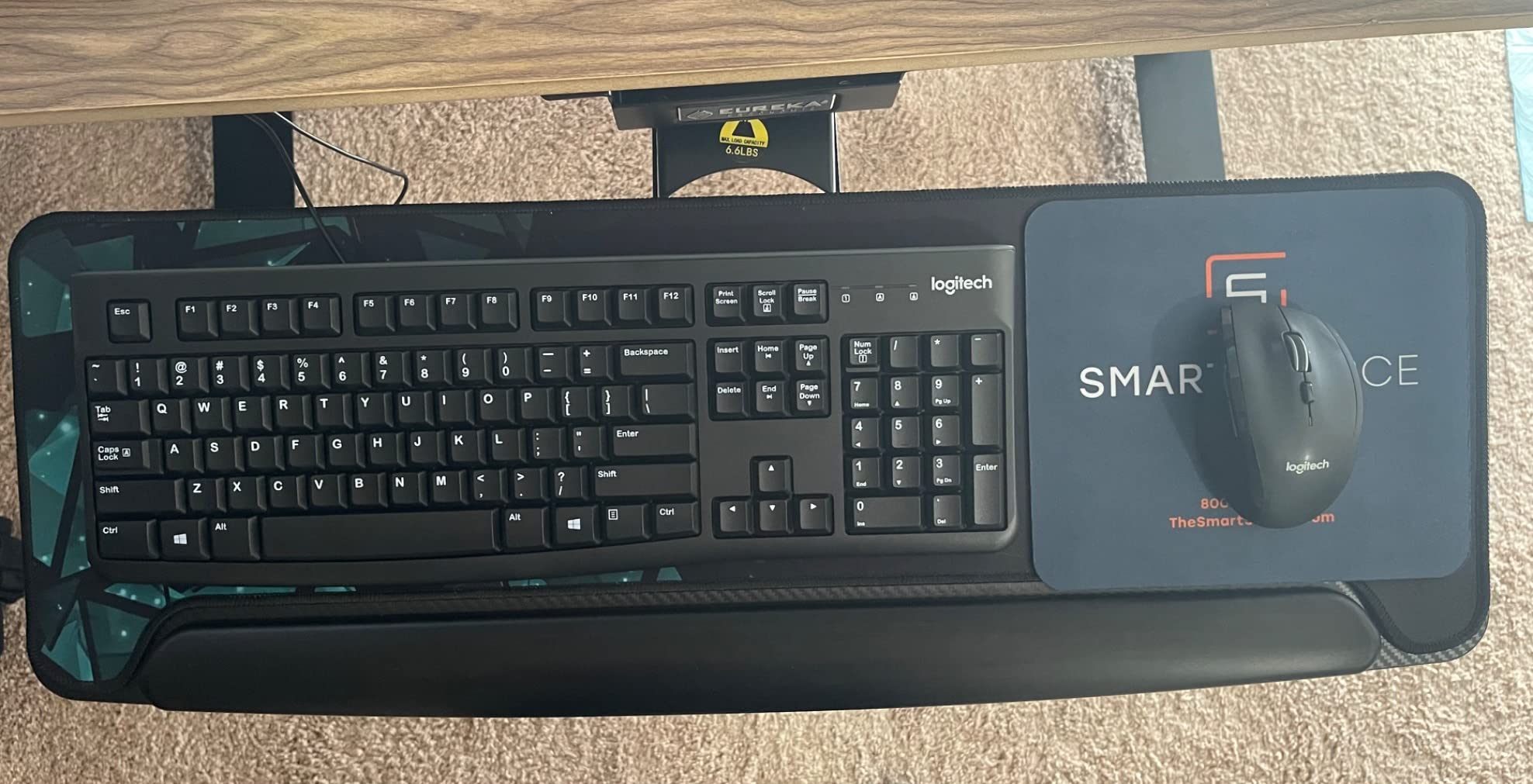
9. AX WABER AX01WB01 is the best tray for rented, shared and thick desks
AX WABER Keyboard Tray Under Desk Pull Out with Extra Sturdy Adjustable C Clamp Mount System, 27.3 (32.5 inch Including Clamps) x 11 Inch Slide-Out Platform Computer Drawer for Typing, Black,AX01WB01
No-drill C-clamp mount
27.3 in platform
Desks up to 1.9 in thick
11 lb capacity
Extends 5.7 in
Pros
- C-clamp mount means no drilling on a rented or company desk
- Stable and does not budge when leaned on
- Assembly takes about 15 minutes
- Surface tracks optical mice well without a pad
Cons
- Shallow 8.3 in platform with a bezel that eats about an inch of depth
- Sharp exposed rail edges when extended
- Wobbles on the short return of an L-shaped desk
The AX WABER AX01WB01 solves the clamp-on problem for thicker desktops. Its C-clamps handle surfaces up to 1.9 inches thick, which is close to double what the leading clamp-on tray accepts, and the platform is a generous 27.3 inches wide.
For anyone in a rented flat, a hot-desking space or a company desk they cannot modify, the no-drill installation is the whole point. Assembly took about fifteen minutes in our testing, and the tray locked in both extended and stowed positions without drifting.
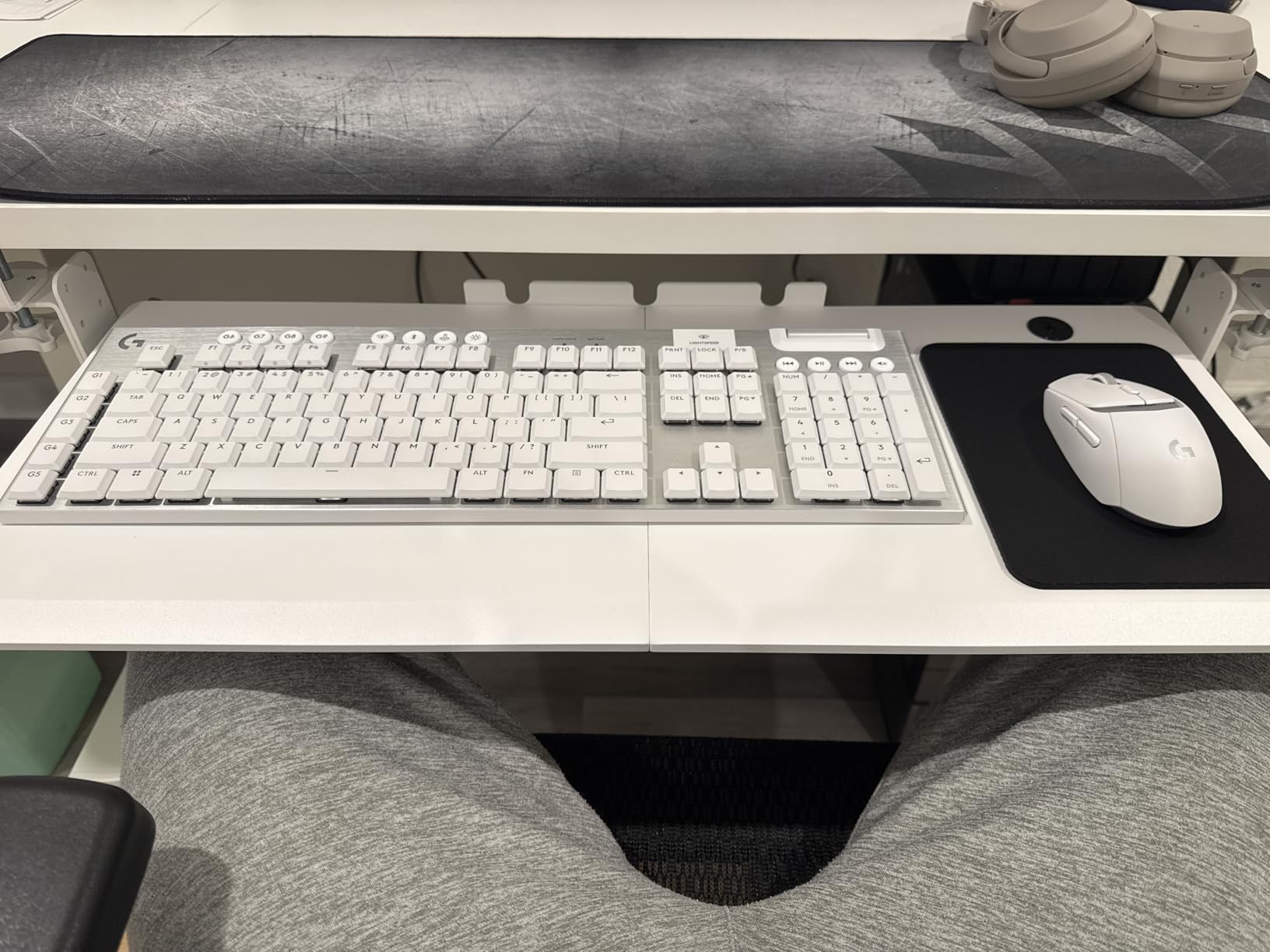
The geometry is the compromise. At 8.3 inches deep, with a sloped front bezel that eats roughly an inch of that, the usable surface is shallow even though the width looks generous. The exposed rail edges are sharp when the tray is fully extended, and stability drops noticeably on the short return of an L-shaped desk.
Extension is also modest at 5.7 inches from the desk edge, so taller users may find it pulls in closer than they would like. Beveled-edge desktops are not supported.
Who should buy the AX WABER AX01WB01
Buy this if your desk is thicker than an inch and a quarter, if you cannot drill, or if you want a wide platform that clears a full-size keyboard. The clamp tolerance is the best in the roundup.
Who should skip the AX WABER AX01WB01
Skip it if you need deep usable space front to back, if your desk is L-shaped with a short return, or if you sit tall and need more than 5.7 inches of extension. Check for beveled edges before ordering.
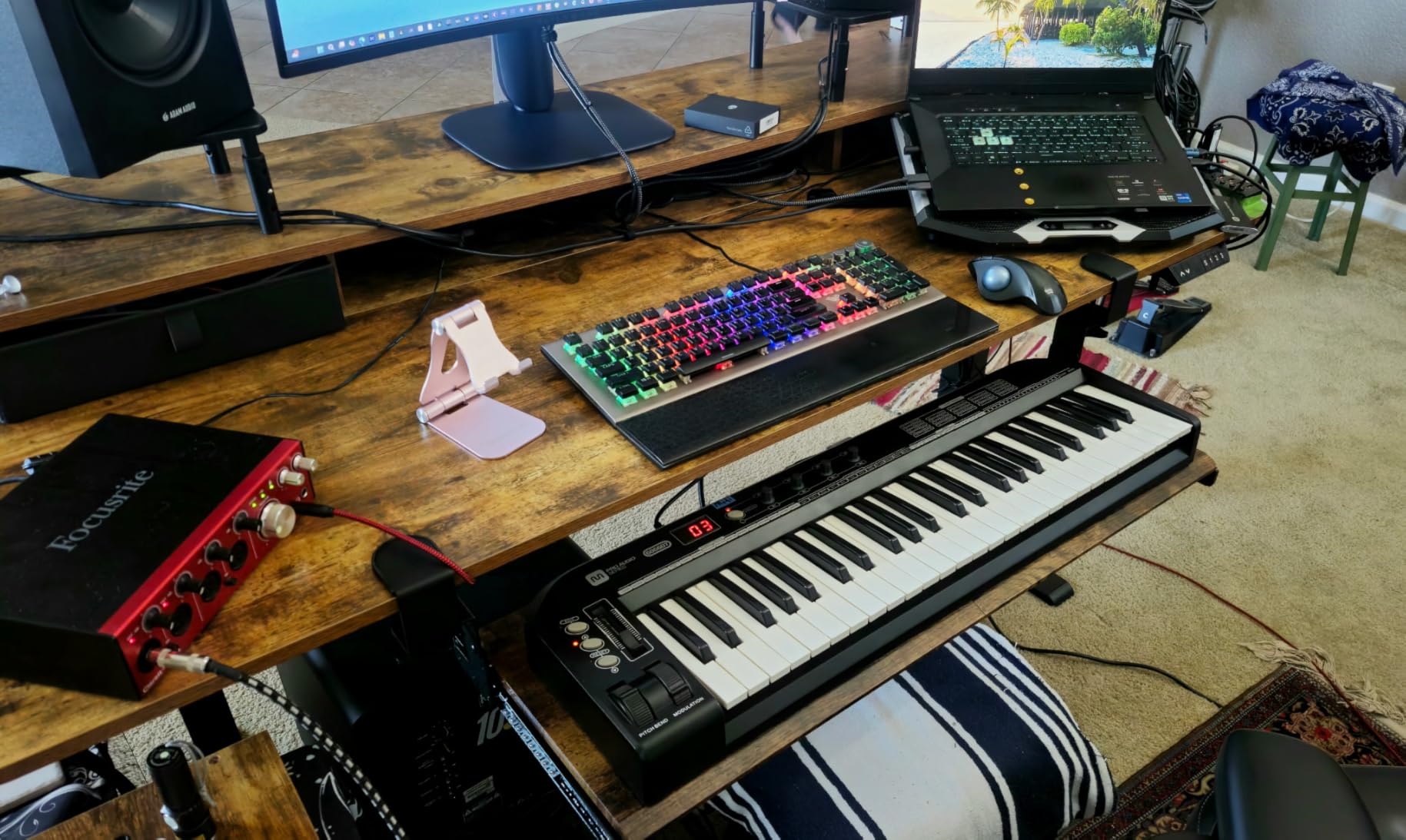
10. Klearlook KLMLFUFDMST is the best tray for desk organization
Klearlook Keyboard Tray Under Desk with 360° Rotation, Ergonomic Computer Keyboard & Mouse Tray 25″W×11.02″D Sit Stand Desk Keyboard Holder w/Wrist Rest & Storage Drawer (Height is not Adjustable)
360 degree swivel
C-clamp mount
Tilt adjustable, height fixed
Storage drawer, phone slot and headphone hanger
Desk up to 2.68 in thick
Pros
- Organizer drawer
- phone slot and headphone hanger are genuinely useful
- 360 degree swivel tucks the tray away when not in use
- C-clamp handles very thick desktops up to 2.68 in
- Integrated mouse pad gives a consistent surface
Cons
- Height cannot be adjusted at all
- Only 24.4 x 10 in of surface which is tight for a full-size setup
- ABS plastic platform feels less rigid than metal frames
The Klearlook KLMLFUFDMST is the pick if you want your desk accessories to travel with the keyboard rather than sitting on the desktop. It combines a small storage drawer, a phone slot and a headphone hanger with a 360-degree swivel on a C-clamp mount, and it tucks away entirely when you are not typing.
It also has the thickest desktop tolerance here at 2.68 inches, which covers solid wood and laminate tops most clamps would slide off. The integrated mouse pad surface means your mouse tracking does not change when the tray swivels.
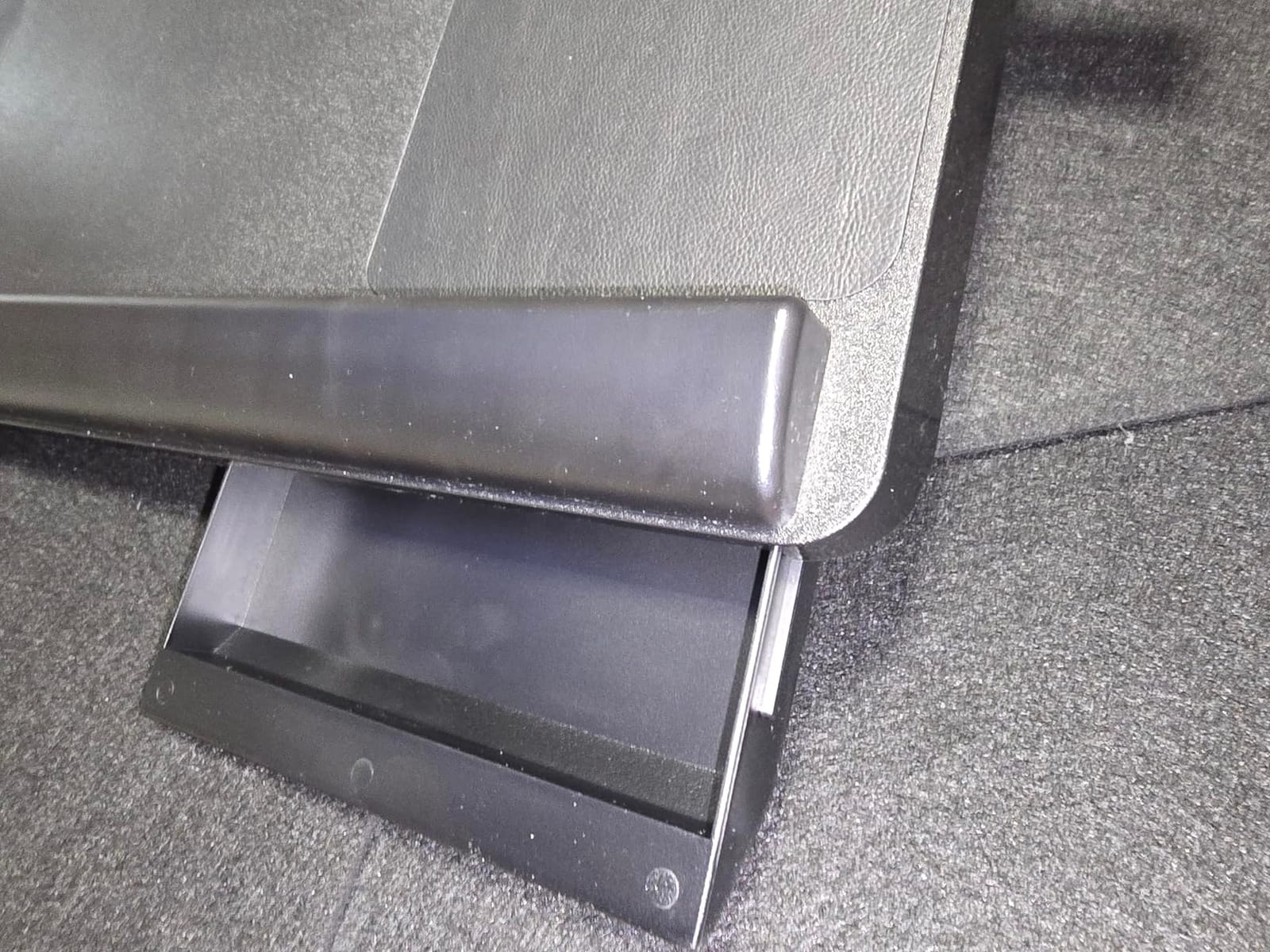
It carries the lowest rating in this roundup for one reason: height is not adjustable at all. Only the tilt angle changes. On a 24.4 by 10 inch surface, a full-size keyboard plus a mouse mat is already a squeeze, and the ABS plastic platform gives slightly under fast typing compared with the steel options.
Swivelling is not free. Double-sided rotation needs a minimum table width of 35 inches, and single-sided still needs 27.5 inches. Most buyers also remove the included wrist rest.
Who should buy the Klearlook KLMLFUFDMST
Buy this if your desk is very thick, if you want small items stowed with the keyboard, or if you need the tray to disappear completely when you are not typing. It suits a shared desk where clutter is the main complaint.
Who should skip the Klearlook KLMLFUFDMST
Skip it if you need any height adjustment, if you type on a full-size keyboard with a number pad plus a large mat, or if you notice flex under fast typing. Check your desk width against the swivel requirement first.
How to Choose the Best Keyboard Tray for Your Desk
Choosing well comes down to four questions: how the tray mounts, how far it tilts, how big the platform is, and whether your desk frame will accept it at all.
Clamp-on or screw-in mounting decides compatibility first
A clamp-on tray grips the front edge of your desktop and needs no drilling. It works instantly on fixed desks, it moves with a sit-stand frame, and it sidesteps the crossbar problem entirely because nothing is attached to the underside. A screw-in tray needs 14 inches or more of clear depth behind the desk edge, and that depth must be free of crossbars and support beams.
If you already own a standing desk with a crossbar, clamp-on is almost always the easier path. If your desk is a fixed-height wooden slab with clear space underneath, screw-in trays give you a stiffer, more adjustable mounting point.
Negative tilt is the setting most people get backwards
Negative tilt means the back edge of the tray sits lower than the front edge, so the keyboard slopes down away from you. This is the opposite of what most people assume, and it is the correct setting for reducing wrist extension. Around 15 degrees negative suits most seated setups; standing positions often tolerate more, toward 20 to 30 degrees, because the arms approach the surface from a steeper angle.
Positive tilt raises the back edge and increases wrist extension, which is the opposite of what an ergonomic tray is for. Several trays here, including the HUANUO HN-J at 22 degrees down and 6 degrees up, let you set this properly rather than forcing one fixed angle.
Platform width should match your keyboard plus your mat
Add up the width of your keyboard and the mouse space you actually use. A tenkeyless keyboard with a small pad fits a 21 to 24 inch tray comfortably. A full-size keyboard with a number pad plus a large mouse mat needs 27 inches or more, which is why the VIVO MOUNT-KB05E, EUREKA ERK-POK01 and AX WABER tray are the ones to check first if you use a wide mat.
Depth matters too, and manufacturers rarely measure it the way you will use it. A sloped front bezel or a fixed palm rest can eat an inch or more of the stated depth.
Stability is decided by material and warranty
Steel-framed platforms do not bounce. Thin plastic panels flex in the middle under elbow weight, and users describe this as typing errors and wobble rather than comfort. Steel is also what makes the lifetime warranty on the Mount-It MI-7136 and the 36-month warranty on the Kensington K60004US more than a marketing line.
A 90-day warranty is a signal that the manufacturer expects early adjustment failures. Longer coverage, and construction in steel or thick engineered wood, are the two proxies we weighted most heavily in this roundup.
For a wider look at the desk itself, our picks for the best keyboard workstations cover the frames and platforms that pair with these trays.
How to Measure Your Desk Before You Buy a Keyboard Tray
Measuring takes about five minutes and prevents the single most common return reason in this category. Work through these six checks in order.
Measure the desktop thickness. Clamp-on trays have a stated limit: 1.25 inches for the VIVO MOUNT-KB05E, 1.9 inches for the AX WABER, 2.68 inches for the Klearlook. Slide a ruler under the edge and measure the slab itself, not the trim.
Check the edge profile. Beveled, curved and rounded edges defeat most clamp-on trays. If the front edge slopes away at all, rule out clamp mounting entirely.
Measure clear depth under the front edge. Screw-in trays need 14.25 inches or more behind the desk edge. Crouch down and measure from the front edge to the first obstruction.
Look for a crossbar. Any horizontal support beam under the desktop blocks a screw-in tray at that position. Check whether it can be repositioned or whether you need a clamp-on or trackless design.
Measure total height from floor to underside. The EUREKA ERK-POK01 needs 30 inches minimum, and stowed trays eat knee clearance. Kneel in your normal seated position and check you can still fit.
Measure your desk width. Swivelling trays need 27.5 inches for single-sided rotation and 35 inches for double-sided. Narrow desks rule out the swivel models.
If your desk has no crossbar and 14 inches of clear depth, almost any tray here will fit. If it has a crossbar or a shallow underside, restrict your shortlist to the clamp-on options and measure thickness carefully.
Frequently Asked Questions
Is it better to have a keyboard tray?
For most desk heights, yes. Most fixed desks sit too high for strain-free typing, which forces raised shoulders and upward-bent wrists. A tray lowers the typing surface so your elbows sit near 90 degrees and lets you set a negative tilt, which keeps the wrist neutral. It also frees desktop space. The exception is a desk that already sits low enough for you with a flat keyboard.
Are keyboard trays good for ergonomics?
They are, when set up correctly, and harmful when they are not. Used properly, a tray reduces shoulder elevation and wrist extension, which is the recommended approach for users with repetitive strain injury or carpal tunnel symptoms. Used badly, a tray set at positive tilt or installed too high increases wrist strain and adds knee impact when stowed. Position matters more than the hardware.
Can you attach a keyboard tray to a desk?
Yes, in two ways. Clamp-on trays grip the front edge with padded C-clamps, need no drilling, take desktops from roughly 0.6 to 2.7 inches thick depending on the model, and work with crossbars. Screw-in trays fasten brackets to the underside with screws and need 14 inches or more of clear depth with no crossbar in the way. Measure thickness, edge profile and clear depth before ordering either type.
Which keyboard tray is best for under desk use?
For most fixed-height desks the VIVO MOUNT-KB05E is the strongest all-round pick, with a 27 by 11 inch steel platform, padded no-drill clamps and 14k+ reviews behind it. On a sit-stand desk, the HUANUO HN-J is the better fit because 6.3 inches of height adjustment lets the tray follow the surface. On a crossbar-equipped standing desk, choose any clamp-on tray instead.
Is putting a keyboard tray on negative tilt ergonomic?
Yes, negative tilt is the recommended setting. Negative tilt means the back edge sits lower than the front edge, so the keyboard slopes down away from you and your wrists stay flat or slightly flexed downward rather than bent upward. Around 15 degrees suits most seated positions, and standing positions often tolerate 20 to 30 degrees. Positive tilt, which raises the back edge, does the opposite and increases wrist strain.
What is the best position for an ergonomic keyboard tray?
Slide the tray out until your forearms are roughly level with your thighs, with elbows bent at about 90 degrees and shoulders relaxed and dropped. Then tilt the front edge up so the back edge sits lower, around 15 degrees negative when seated. Keep the mouse on the same surface as the keyboard when possible, and make sure your knees can still clear the tray when it is pushed back under.
Do keyboard trays hurt your wrists?
A well-fitted tray reduces wrist strain rather than causing it. Problems arise from three specific mistakes: setting the tray at positive tilt so the back edge is raised, installing it too high so the keyboard sits at desktop level anyway, or adding a thick fixed palm rest that pushes a low-profile keyboard away from you. Reviewers most often report wrist discomfort from a hard integrated palm rest or a beveled front edge pressing into the forearm.
Final Verdict: Which Keyboard Tray Should You Buy?
The best keyboard trays for desks split cleanly by desk type, and picking the wrong mounting style is the mistake that ends up on the floor with a drill hole in it. For most people on a fixed-height desk, the VIVO MOUNT-KB05E is the pick: steel construction, a 27 by 11 inch platform, padded clamps and no drilling.
The Fellowes 9140305 is the budget option when space is tight and your keyboard is a standard size. The BONTEC KMT01 is the best value overall if you want to reclaim desk surface without drilling. On a sit-stand desk, the HUANUO HN-J gives you the height travel and tilt range you actually need, while the EUREKA ERK-POK01 handles large keyboards and crossbar-equipped frames better than anything else here.
Measure your desk thickness, clear depth and crossbar situation before you order, then set the tray to about 15 degrees of negative tilt with your elbows near 90 degrees. That setup alone will do more for your wrists than the model you pick. If you are building the rest of the workspace, our keyboard workstation guide covers the monitor arms and chair height that pair with it.