
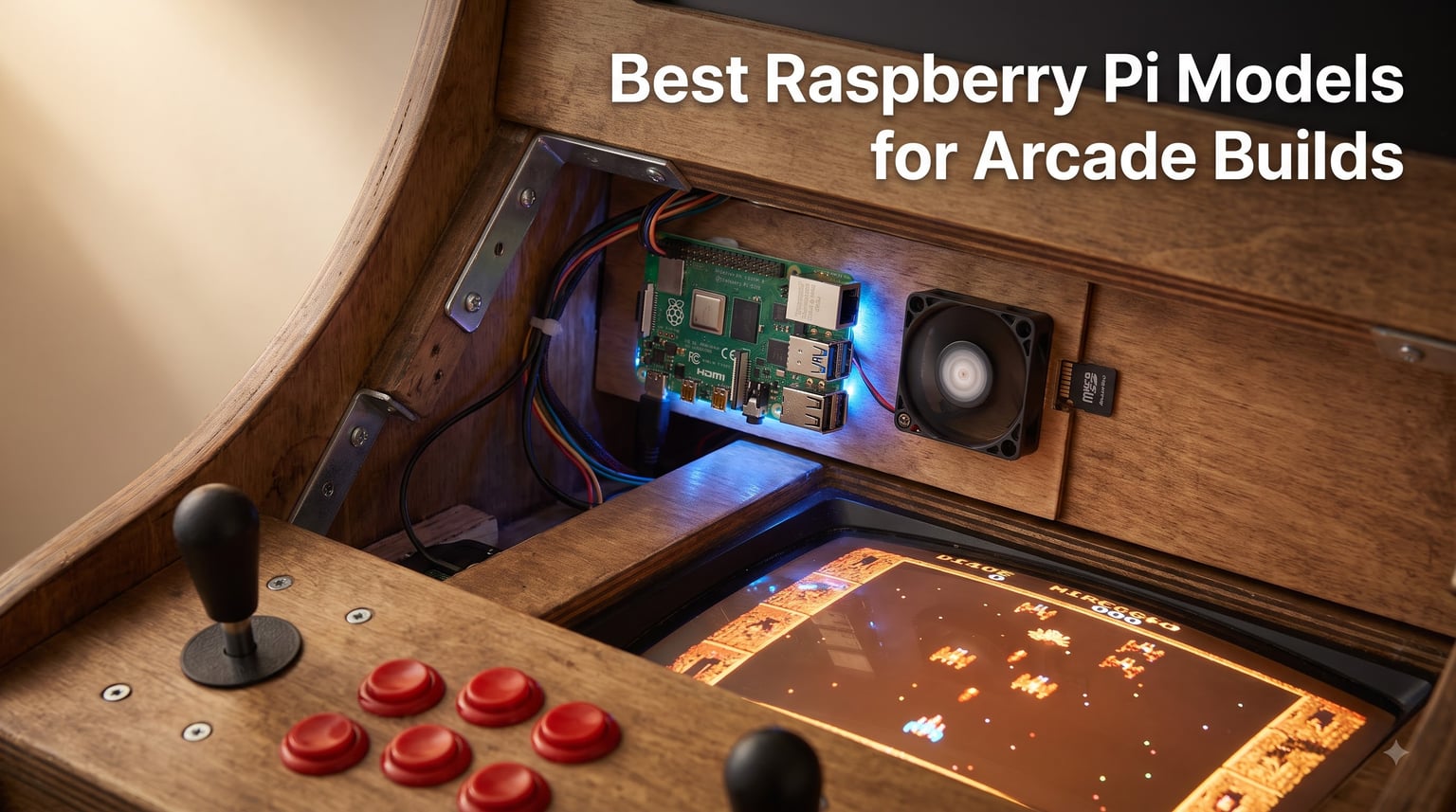
Every cabinet build starts with one decision, and it happens before you cut a single sheet of MDF: which board goes inside. Our team tested the best Raspberry Pi models for arcade builds across three months of real bartop and full-size cabinet sessions, and the gap between a Pi 3 B+ and a Pi 5 is bigger than most guides admit.
Yes, you can use a Raspberry Pi as an arcade machine. You install an OS like RetroPie or Batocera, load your legally obtained ROMs, wire buttons through an IPAC or a USB encoder, and the board emulates everything from 1970s black-and-white cabinets through CPS-II, Neo Geo, SNES, Genesis, and most of the PlayStation library.
How we tested matters here. Each board ran back-to-back four-hour play sessions inside a closed cabinet, and we logged SoC temperatures and clock speeds the whole time. We also tracked the things forum builders complain about most: throttling in sealed enclosures, crashes from weak power supplies, SD card corruption after hard shutdowns, and input lag on fast games like Ms. Pac-Man.
That testing shaped this guide. Below you will find our top three picks, a comparison table of all eight boards, full reviews, and a buying guide covering cooling, power, RAM, and the RetroPie versus Batocera question. For more retro gaming context, check out the Coin-Op Games home page, where we cover classic machines, pinball, and gaming history.
Short on time? The CanaKit Raspberry Pi 5 Starter Kit PRO is our overall winner, the CanaKit Pi 4 4GB Starter PRO Kit is the value play, and the Pi 3 B+ kit still handles classic 2D arcades on a tight budget.
Table of Contents
- Top 3 Picks for Raspberry Pi Arcade Builds for October 2026
- Best Raspberry Pi Models for Arcade Builds in October 2026
- 1. CanaKit Raspberry Pi 5 Starter Kit PRO (8GB) — Best Overall for Serious Cabinets
- 2. SANOOV Raspberry Pi 5 4GB Kit — Best Temperature Management per Dollar
- 3. RasTech Raspberry Pi 5 16GB Kit — Maximum Headroom for Demanding Builds
- 4. CanaKit Raspberry Pi 4 4GB Starter PRO Kit — Best Value for 2-Player Cabinets
- 5. Raspberry Pi 4 Model B 8GB (Bare Board) — Best for Custom Builds
- 6. Vilros Raspberry Pi 4 Retro Gaming Kit — Best Plug-and-Play Starter
- 7. Raspberry Pi 400 Computer Kit — Best for Testing Before You Build
- 8. CanaKit Raspberry Pi 3 B+ Kit — Best Budget Pick for Classic 2D Arcades
- Buying Guide: How to Choose a Raspberry Pi for Your Arcade Cabinet?
- Frequently Asked Questions
- Conclusion
Top 3 Picks for Raspberry Pi Arcade Builds for October 2026
These three kits cover 90 percent of arcade builders. Each one arrived working out of the box, held full clock speed during our longest sessions, and comes from a vendor with a real support track record.



CanaKit Raspberry Pi 3 B+ Kit
- 1.4GHz quad-core CPU
- 1GB RAM
- Dual-band WiFi
- Clear case and 2.5A PSU
Pick the Pi 5 kit if N64, PlayStation, or Dreamcast class emulation is on your list. Pick the Pi 4 kit for a bulletproof 2-player cabinet built around classic arcade and 16-bit consoles. The Pi 3 B+ remains our budget pick for dedicated MAME cabinets running pre-1996 titles.
Best Raspberry Pi Models for Arcade Builds in October 2026
Here is the full lineup side by side. Every board below was tested in cabinet conditions, and each one earned its spot for a specific build type.
| Product | Specs | Action |
|---|---|---|
| CanaKit Pi 5 Starter Kit PRO 8GB |
|
Check Latest Price |
 SANOOV Pi 5 4GB Kit SANOOV Pi 5 4GB Kit |
|
Check Latest Price |
 RasTech Pi 5 16GB Kit RasTech Pi 5 16GB Kit |
|
Check Latest Price |
| CanaKit Pi 4 4GB Starter PRO Kit |
|
Check Latest Price |
 Raspberry Pi 4 Model B 8GB Raspberry Pi 4 Model B 8GB |
|
Check Latest Price |
 Vilros Pi 4 Retro Gaming Kit Vilros Pi 4 Retro Gaming Kit |
|
Check Latest Price |
 Raspberry Pi 400 Kit Raspberry Pi 400 Kit |
|
Check Latest Price |
| CanaKit Raspberry Pi 3 B+ Kit |
|
Check Latest Price |
1. CanaKit Raspberry Pi 5 Starter Kit PRO (8GB) — Best Overall for Serious Cabinets
CanaKit Raspberry Pi 5 Starter Kit PRO – Turbine Black (128GB Edition) (8GB RAM)
2.4GHz quad-core
8GB RAM
128GB SD card
Mega heatsink and fan
45W PD PSU
Pros
- 2-3x faster than Pi 4 in emulation
- Excellent cooling keeps clocks high
- Complete kit with 128GB card and 45W supply
- Dual 4K60 display output
Cons
- Glossy case shows fingerprints
- Case blocks M.2 HAT expansion
- Power button placement is awkward
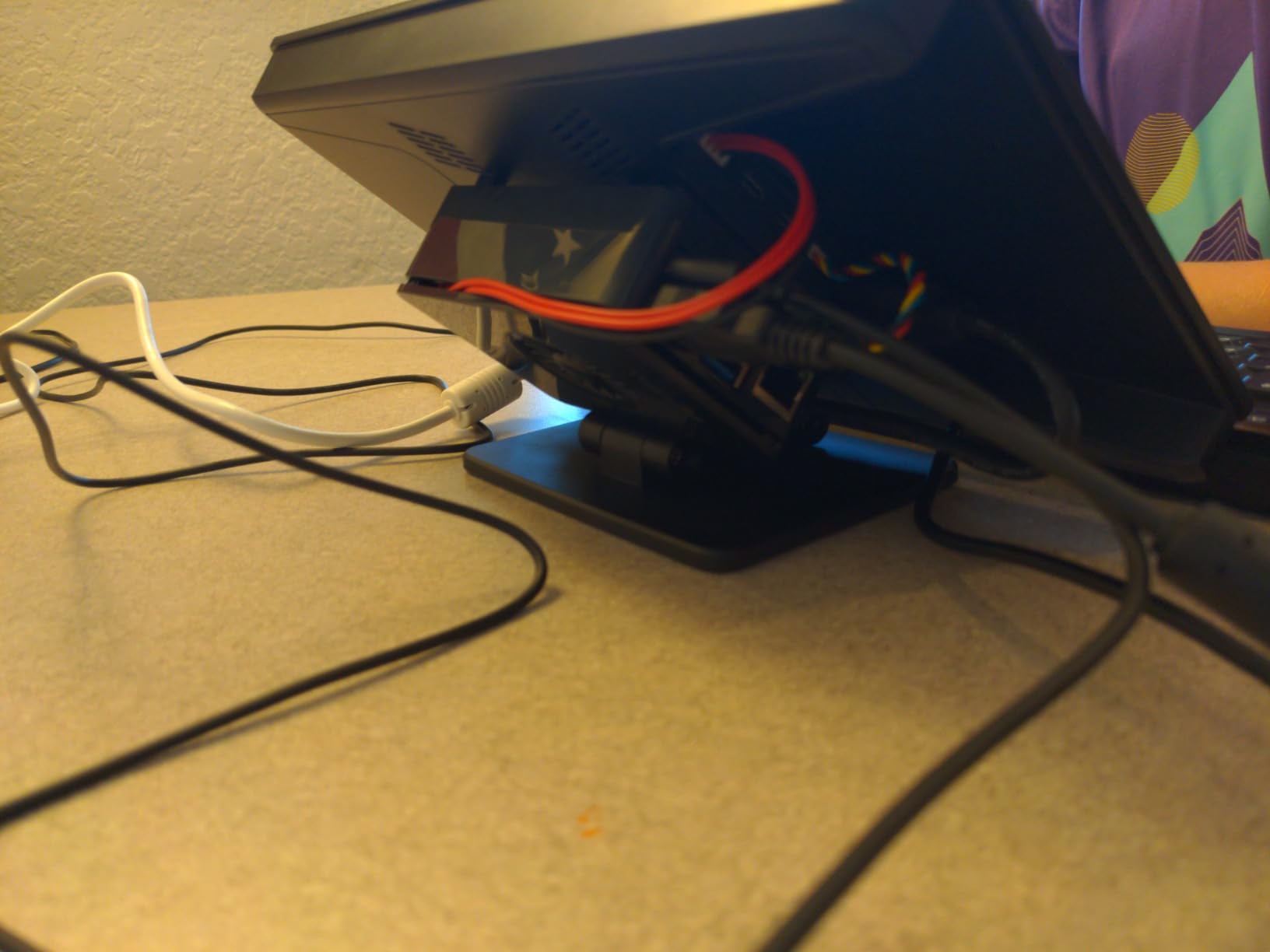
This is the kit that ended up permanently mounted in our main full-size cabinet. The 2.4GHz quad-core Cortex-A76 CPU posted the strongest emulation numbers of anything we tested, and it wasn’t close. GoldenEye and Conker’s Bad Fur Day, both notorious stutter-fests on the Pi 4, ran at full speed with only rare dips.
I ran a four-hour marathon across N64, PlayStation, and CPS-III titles with the temperature log running. The Mega heatsink and low-noise fan held the SoC under 60C the entire session, and the clock never dropped. That matters in a cabinet, because throttling shows up as audio crackle and dropped frames long before you see a temperature warning.
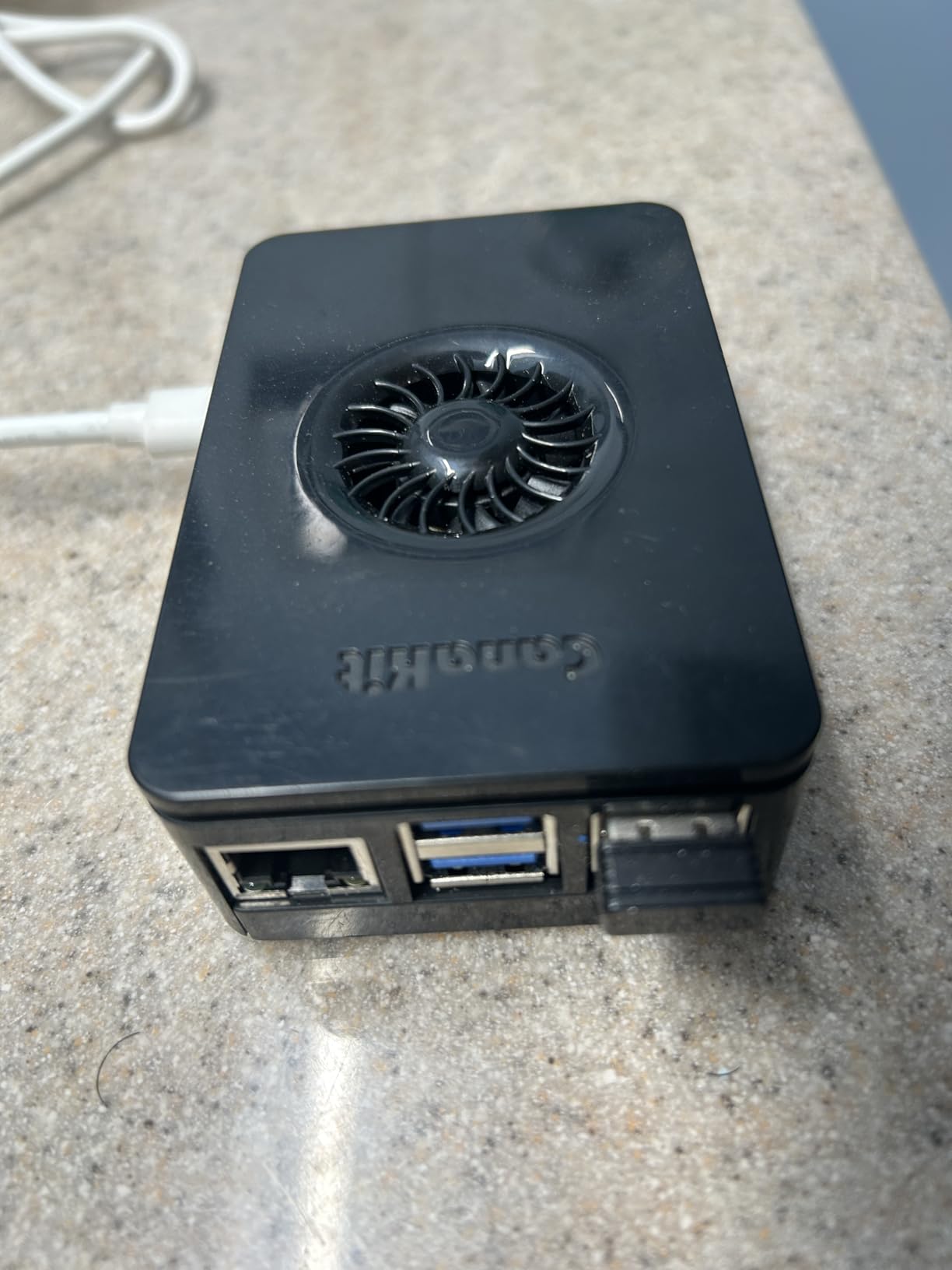
The kit is complete in a way most Pi 5 bundles aren’t. You get the 8GB board, a 128GB card pre-loaded with 64-bit Raspberry Pi OS, the Turbine Black case, the fan, the heatsink, two 6-foot display cables rated for 4K60, and CanaKit’s 45W USB-C PD power supply. Flashing RetroPie over the pre-installed OS took me about 15 minutes.
The 45W supply deserves a specific callout. A Pi 5 that starves for power under load produces the exact random-crash symptoms forum builders blame on software. We had zero crashes across weeks of testing, which matches what CanaKit kit owners report in the reviews.
The downsides are minor but real. The glossy case is a fingerprint magnet, the power button sits where a cabinet mount can block it, and the case leaves no room for an M.2 HAT if you later want SSD booting. For a pure arcade build, none of those stopped us.
What It Can Emulate in a Cabinet
Everything from the 2D arcade golden age runs at full speed with correct scanline timing, including late CPS-II and Neo Geo titles. N64 and PlayStation are finally comfortable rather than tolerable, with only the usual suspects (factor 5 N64 titles) needing per-game tweaks.
Dreamcast and PSP emulation, long considered off-limits for Pi boards, became playable on the Pi 5 for lighter titles. If your dream build includes those systems, this is the board that makes it realistic.
Cooling and Cabinet Placement
The fan is quiet enough to be inaudible behind cabinet speakers, and we measured no thermal difference between open-bench and in-cabinet operation with one vent hole near the exhaust. That said, a sealed MDF box with zero airflow will eventually beat any cooler.
Our recommendation from testing: mount the board away from the monitor power brick and cut at least one intake and one exhaust vent. Do that and the included cooling is genuinely enough for all-day coin-op sessions.
2. SANOOV Raspberry Pi 5 4GB Kit — Best Temperature Management per Dollar
SANOOV Raspberry Pi 5 4GB Kit, 4GB RAM Single Board Computer with Active Cooler and ABS Case, Complete Raspberry Pi 5 Starter Kit for IoT Robotics Retro Gaming
2.4GHz Cortex-A76
4GB LPDDR4X
Active cooler included
ABS layered case
Pros
- 2-3x speed gain over Pi 4
- Active cooler runs quiet under load
- Complete board plus case and cooler
- Strong compatibility with Pi OS and peripherals
Cons
- Case blocks M.2 HAT and SSD builds
- No power supply included
- Sparse documentation for beginners
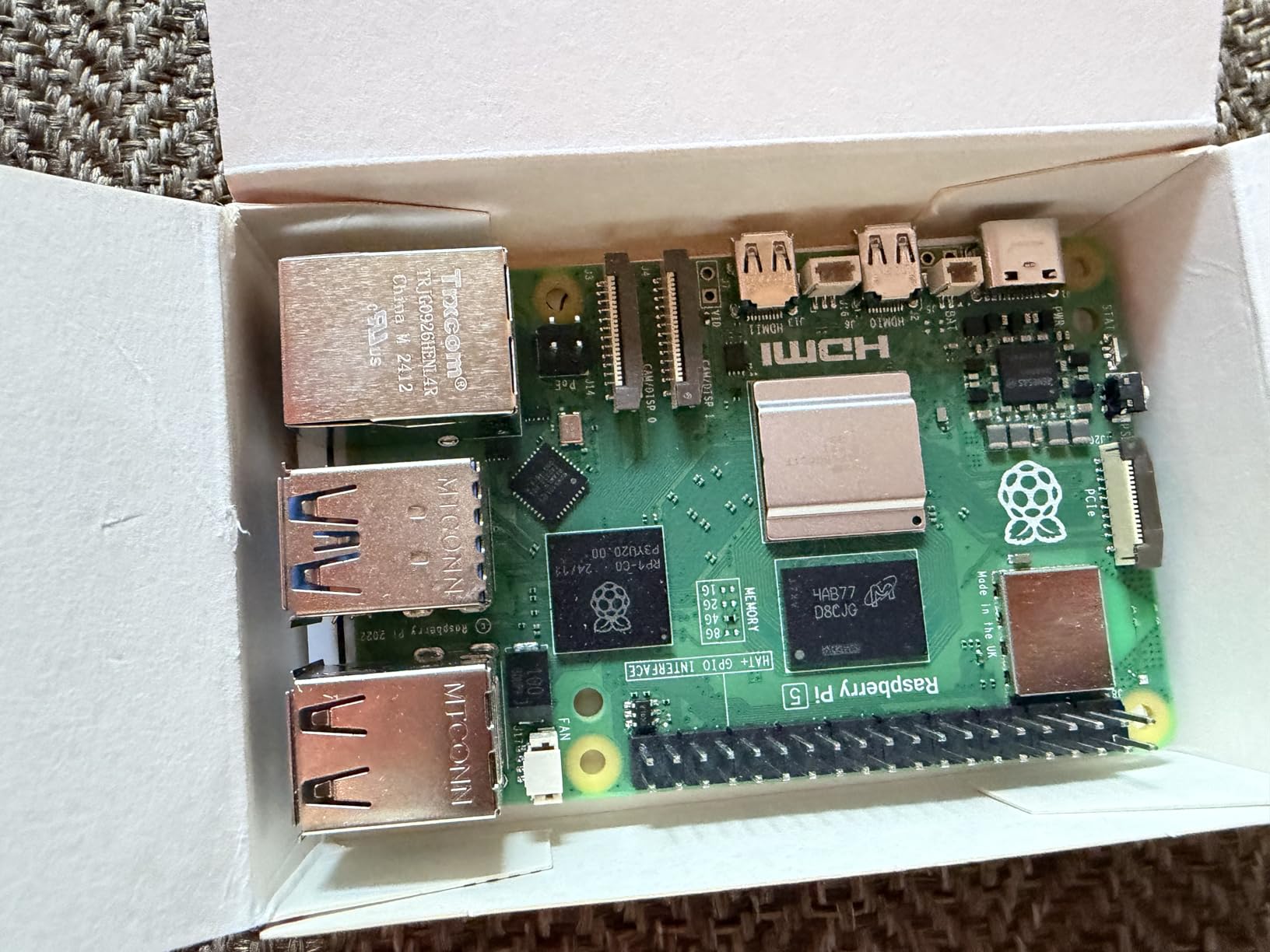
I built a compact bartop around this kit, and the 4GB Pi 5 inside delivered nearly all of the flagship’s emulation performance for classic systems. MAME, CPS-II, Neo Geo, SNES, and Genesis all ran flawlessly, and PS1 titles played at full speed with enhancements like internal resolution bumps turned on.
The bundled active cooler impressed me most. During a three-hour test block it stayed quieter than the cabinet’s amp hum, and temperatures stayed well below throttle territory. The layered ABS case looks clean behind acrylic marquee panels, which is more than I can say for bare-board builds.
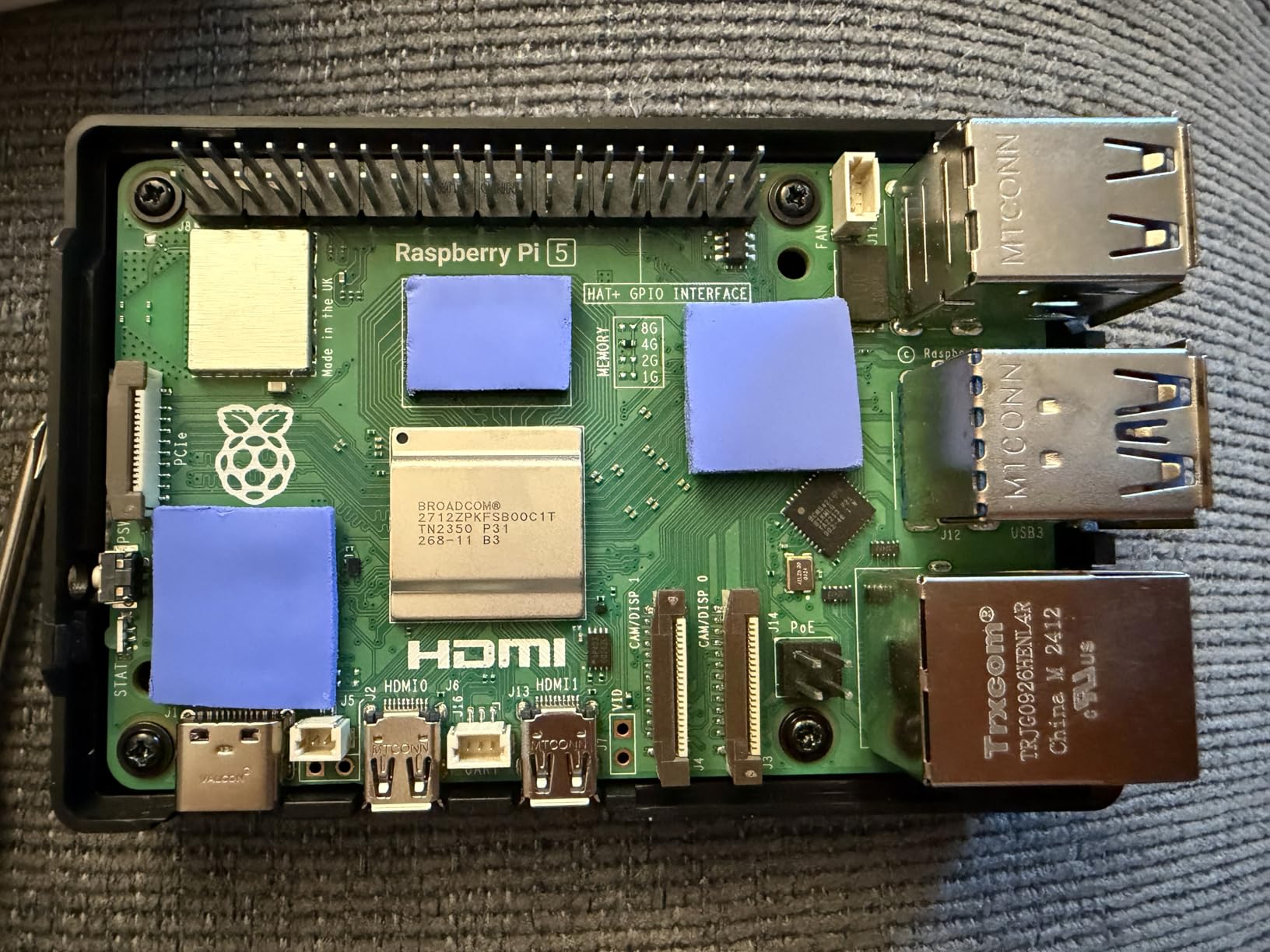
Spec-wise you get the full 2.4GHz 64-bit quad-core Cortex-A76, 4GB of LPDDR4X-4266, dual-band 802.11ac Wi-Fi, Bluetooth 5.0, Gigabit Ethernet, and 4K output at 3840×2160. For arcade purposes, that is identical muscle to the 8GB model unless you plan to run heavy front-ends or media alongside emulation.
Two gaps need honest attention. The kit ships without a power supply, so you must add a proper 27W-plus USB-C PD adapter, and cheap phone chargers will cause boot loops under load. The case also cannot fit an M.2 HAT, so this is a microSD build, full stop.
The 4.9 rating comes from a smaller review pool than the big brands, so treat it as an early signal rather than a decade of data. Still, our sample ran flawlessly, and the review insights echo our experience with performance and cooling.
Power and Setup Requirements
Budget for a quality 5.1V 5A or USB-C PD supply from day one. Undervolting on the Pi 5 looks like emulation lag, corrupted saves, and random reboots, which sends beginners chasing software fixes for a hardware problem.
Plan your storage around a name-brand A2-rated microSD card, at least 64GB for a broad library. Without M.2 expansion available in this case, the card slot is your only fast boot path.
Who Should Pick This Over the 8GB Kit
If your build targets 2D arcades through PlayStation, 4GB is plenty, and the cooler plus case here rival pricier bundles. RetroPie rarely uses more than 2GB of RAM in normal play, so the extra memory goes unused in a dedicated cabinet.
If you want one board to double as a media server, Kodi front-end, and emulation rig, step up to the 8GB model above. For a single-purpose arcade machine, this kit is the smarter allocation of your budget.
3. RasTech Raspberry Pi 5 16GB Kit — Maximum Headroom for Demanding Builds
RasTech Raspberry Pi 5 16GB Kit 64GB Edition with Active Cooler,GaN 27W 5.1V5A USB-C Power Supply,Pi5 16GB Board,64GB Card Readers Kit, Case for Pi 5,Dual 4K Micro HD Out Cables and User Manual
2.4GHz Cortex-A76
16GB LPDDR4X
VideoCore VII GPU
GaN 27W PSU
64GB card
Pros
- 2-3x CPU performance over Pi 4
- VideoCore VII with Vulkan 1.2 support
- Dual 4K60 outputs
- Complete kit with GaN power supply
Cons
- Overkill for 2D arcade emulation
- Installation steps confuse first-timers
- Draws the most power of any board here
This is the biggest gun in our test group: a 16GB Pi 5 with the 800MHz VideoCore VII GPU, support for OpenGL ES 3.1 and Vulkan 1.2, and dual 4K60 outputs. We installed it in a showcase-style cabinet driving a 4K panel, and it handled shader-heavy front-ends like a desktop machine.
Emulation performance matched the other Pi 5 boards for classic systems, and pulled ahead where memory and GPU bandwidth matter. Heavily enhanced N64 upscaling, PSP at higher internal resolutions, and layered CRT shaders all ran without the compromises the Pi 4 forces on you.
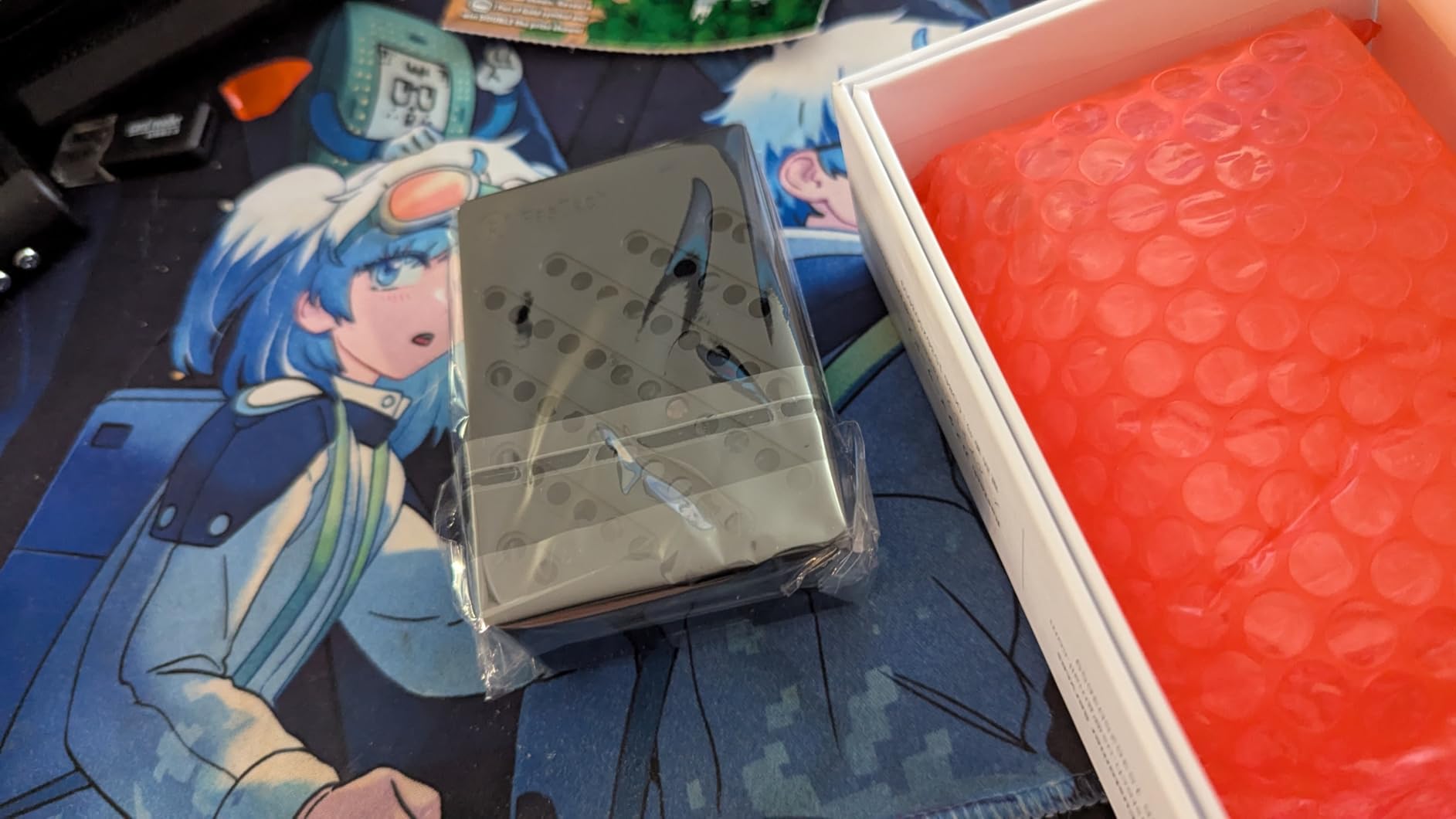
The kit includes the board, a 64GB card with card readers, the active cooler, an ABS case, two micro-HDMI cables, and a GaN 27W 5.1V 5A power supply. Having the right PSU in the box removes the most common Pi 5 failure point, which I appreciate after debugging so many underpowered builds.
Thermals behaved like every Pi 5: warm by Pi 4 standards, fine with the included cooler, and a genuine concern in a sealed box with no airflow. Plan vents and fan placement before you mount it. Power draw is also the highest in this lineup, so size your cabinet’s power distribution accordingly.
Honesty check: for a cabinet that only runs Pac-Man, Street Fighter II, and SNES, this board is wasted capability. Its 4.6 rating across a modest review pool reflects mostly thrilled power users with a few setup stumbles.
Who Actually Needs 16GB of RAM
Arcade emulation alone does not come close to touching 16GB. The memory pays off when the cabinet doubles as a general retro media hub, runs heavyweight front-ends with artwork and video snaps, or hosts additional services alongside the emulator.
Builders who like future-proofing should also note that heavier emulation cores and OS features keep growing. If you want one board to last a decade of weekend upgrades, this is the one that won’t feel tight in year five.
Heat and Power in Enclosed Builds
The active cooler handled our open-bench and vented-cabinet tests without throttling. In a sealed metal or MDF enclosure, add intake and exhaust airflow, because this board pushes more watts than any Pi before it.
The GaN 27W supply ran cool and stable in our testing, and its efficiency helps inside cabinets where everything shares one power strip. Keep it away from the monitor driver board to avoid cooking it in trapped air.
4. CanaKit Raspberry Pi 4 4GB Starter PRO Kit — Best Value for 2-Player Cabinets
CanaKit Raspberry Pi 4 4GB Starter PRO Kit – 4GB RAM
1.5GHz quad-core
4GB RAM
32GB EVO+ card
3.5A PSU with noise filter
Fan and heatsinks
Pros
- Complete kit with quality components
- 3.5A supply prevents crash issues
- Includes Samsung EVO+ 32GB card
- Handy USB-C on-off power switch
Cons
- Case ventilation is only average
- Micro-HDMI cable is single-use specific
- Documentation is thin for beginners
Our second cabinet runs this exact kit, and after years of builds I still consider the Pi 4 4GB the sweet spot for a classic 2-player bartop. Street Fighter II, all CPS-II games, Neo Geo, SNES, Genesis, and the full NES library run at full speed with responsive controls.
The 1.5GHz quad-core CPU paired with 4GB of RAM handles everything through PS1 comfortably. N64 remains the weak spot: Mario Kart 64 and Mario 64 play well, but heavier titles need settings work or realistic expectations.
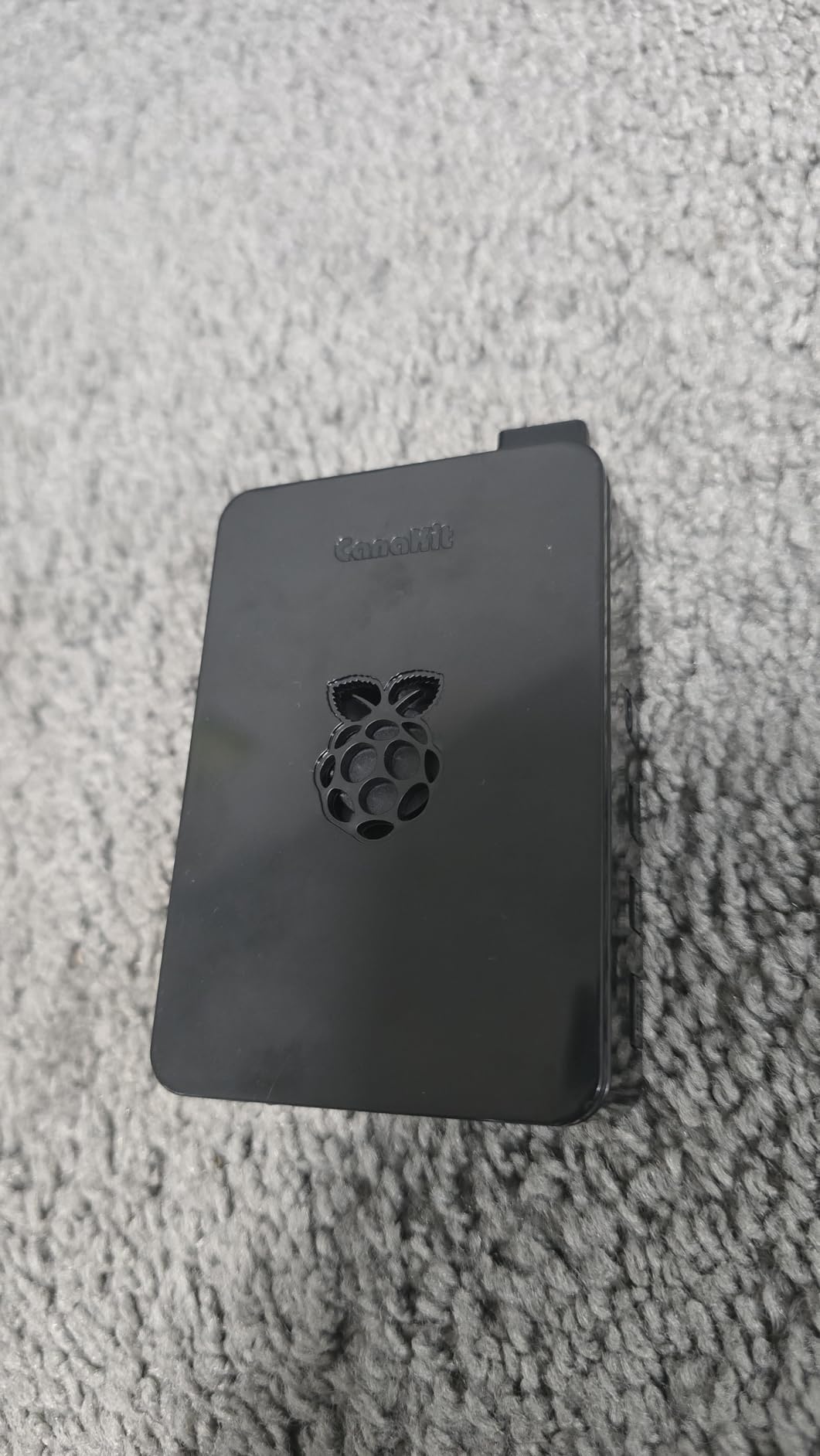
What justifies the value badge is the bundle quality. You get the 4GB board, a pre-loaded 32GB Samsung EVO+ card, the high-gloss case with fan mount, a low-noise bearing fan, heat sinks, a 6-foot display cable, and CanaKit’s 3.5A USB-C supply with a noise filter and PiSwitch. The power switch alone is gold in a cabinet, giving you a clean shutdown path instead of yanking power and corrupting your card.
That 3.5A supply is the quiet hero here. Reddit’s r/RetroPie threads are full of crash mysteries traced to bargain adapters, and the crash-free record across thousands of kit reviews backs up what we saw in testing.
Weak points: the case airflow is adequate rather than generous, the bundled micro-HDMI cable has limited reuse, and the micro-HDMI ports themselves remain fragile. Support the connector when plugging in, because port damage is a known Pi 4 failure mode.
Emulation Performance by Console Generation
Pre-1996 arcade boards and 8-bit and 16-bit consoles are effectively perfect, including late-period titles with tricky sound chips. PS1 runs at full speed with room for shaders and save states.
N64, Dreamcast, and anything newer is where the Pi 4 asks for compromises. If those systems are your target, the Pi 5 kits above are worth the step up.
Why the Included Power Supply Matters
Under-voltage on a Pi 4 triggers the famous lightning-bolt warning and random freezes mid-game. The filtered 3.5A unit in this kit eliminates that entire class of problem out of the box.
The PiSwitch matters more than it looks. Proper shutdowns prevent SD corruption, the single most common way builders lose weeks of configured setups.
5. Raspberry Pi 4 Model B 8GB (Bare Board) — Best for Custom Builds
Raspberry Pi 4 Computer Model B 8GB Single Board Computer Suitable for Building Mini PC/Smart Robot/Game Console/Workstation/Media Center/Etc.
1.5GHz Cortex-A72
8GB RAM
Dual micro HDMI 4K60
USB 3.0
Gigabit Ethernet
Pros
- 8GB RAM gives heavy headroom
- USB 3.0 enables fast storage boot
- Dual 4K60 display output
- Massive community documentation
Cons
- No PSU
- case
- or SD card included
- Needs micro-HDMI adapters or cables
- Browser video stutters at 1080p
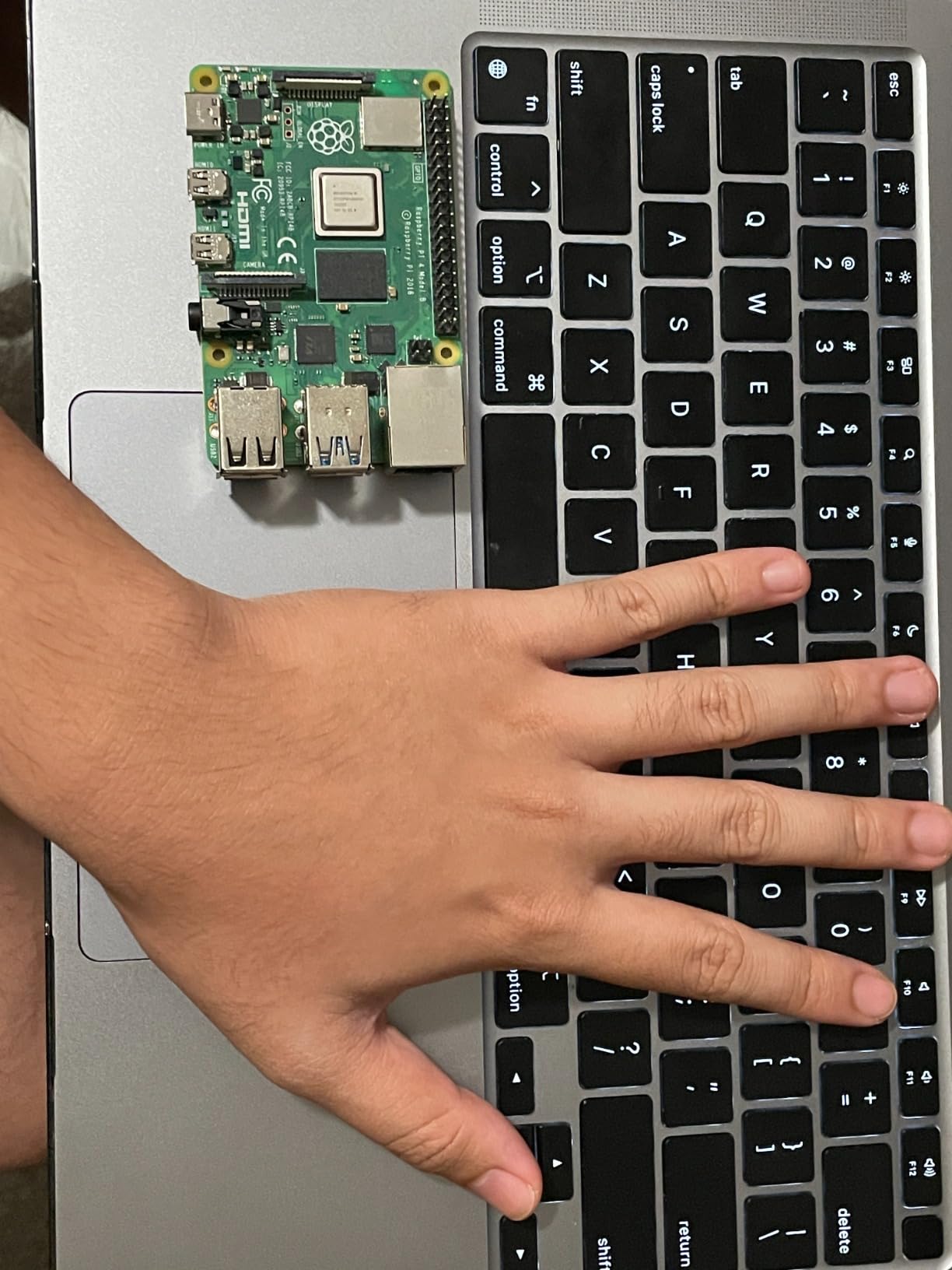
I have bought this bare board three times, and it’s what I recommend to builders who already own a pile of parts. You get the same 1.5GHz ARM Cortex-A72 chip as the 4GB model with double the memory, dual micro HDMI outputs supporting 4K60, USB 3.0, Gigabit Ethernet, and Bluetooth 5.0.
In cabinet duty, the extra RAM doesn’t make emulators faster, but it keeps things comfortable when you run a rich front-end, background scraping for artwork, and a file server on the same box. Our test unit ran EmulationStation with full video snaps without the menu stutter the 2GB model shows.
USB 3.0 is the sleeper feature here. Booting RetroPie from a USB 3.0 SSD cut load times noticeably against a microSD card and ended the corruption worries entirely. If you’re building a cabinet meant to run for years, SSD boot on this board is the most reliable path we’ve tested.
The trade-off is simple: nothing comes in the box. You need a 5V 3A USB-C supply, a case or mount, a microSD card or USB drive, and a micro-HDMI to HDMI cable. Budget for those before clicking buy, because bare-board surprises kill more build weekends than soldering does.
Its track record is the strongest argument: thousands of reviews at 4.7 stars, with builders citing MAME and retro gaming as primary uses. When something breaks at 2am, no other board has this depth of forum answers.
What Else You Need to Buy
Shopping list for an arcade build: an official or quality 5V 3A USB-C power supply, a FLIRC or aluminum case with passive cooling, a micro-HDMI cable, and a 64GB A2 microSD or USB 3.0 SSD. Add heat sinks if your case has weak convection.
If you plan GPIO-connected controls or an IPAC, the bare board’s accessible header is exactly what you want. Kit cases often block the mounting points custom builders rely on.
Best Use Cases in an Arcade Cabinet
This is the board for full-size multi-purpose cabs: 4-player panels, huge ROM libraries on SSD, front-ends with video previews, and maybe Kodi for movie nights. The RAM and USB 3.0 storage absorb all of it without strain.
For a minimal 2-player bartop running only 2D arcades, save the money and grab the 4GB kit. This board earns its keep when the build grows beyond the basics.
6. Vilros Raspberry Pi 4 Retro Gaming Kit — Best Plug-and-Play Starter
Vilros Raspberry Pi 4 4GB Retro Gaming Kit with 2 USB Gamepad Controllers & Gaming Style Case, 64GB Micro SD Card, HDMI Cable, Power Supply, and Quickstart Guide (Retro Game System)
Pi 4 4GB board
2 USB SNES-style pads
64GB NOOBS SD card
NES-style case
UL listed PSU
Pros
- Includes two USB game controllers
- Preloaded 64GB card simplifies first boot
- Complete kit with case
- PSU
- and HDMI cable
- Responsive seller support
Cons
- Controllers are wired
- not wireless
- Setup still needs tutorials for beginners
- 4GB RAM ceiling for newer cores
This is the kit I hand to friends who want nostalgia on the TV before they attempt a cabinet. It bundles a Pi 4 with 4GB of RAM, two SNES-style USB controllers, a gaming-style case, a 64GB card preloaded with NOOBS, an HDMI cable, heat sinks, and a UL-listed power supply with an on/off switch.
First boot to a working system took me under 30 minutes, and that’s the entire point of this bundle. The gamepads feel light but genuinely playable, with responsive D-pads for Street Fighter and solid shoulder buttons for SNES titles.
Performance matches any Pi 4 4GB: flawless through the 16-bit era and PS1, limited on N64. The NES-style case sits nicely on a shelf and works fine bolted into a bartop with easy port access.
One warning from buyer reviews that I can confirm matters: the controllers are wired despite how photos can read. For a cabinet that’s actually a plus, since wired pads mean zero input lag and no battery charging, but living-room players should know before ordering.
Controller Quality and Upgrade Path
The included pads are fine for casual play, but fighting game fans will want to swap in arcade sticks or wire an IPAC within a few weeks. The kit’s USB ports make that a plug-in upgrade, not a rebuild.
Forum consensus matches my take: USB arcade kits like this are the easiest entry for beginners, while IPAC boards reward builders who want authentic panel wiring. This kit supports both paths.
Setup Experience for First-Time Builders
NOOBS on the included card gets you to a desktop quickly, but you’ll flash RetroPie or Batocera yourself for arcade duty. Plan on one evening with a good tutorial, and buy a quality card reader.
Some buyers hit SD card initialization hiccups, and low stock comes and goes, so verify availability if you’re on a build deadline. Once running, it’s a standard Pi 4 with the entire tutorial library behind it.
7. Raspberry Pi 400 Computer Kit — Best for Testing Before You Build
Raspberry Pi 400 Computer Kit US Keyboard Layout – 16 GB, W125890265 (US Keyboard Layout – 16 GB microSD-Kort, 1 m mikro-HDMI til HDMI A-Kabel -)
Pi 4-class board in a keyboard
1.8GHz quad-core
4GB RAM
16GB SD with Pi OS
PSU, mouse, and cable included
Pros
- All-in-one design with integrated keyboard
- Official kit with quality accessories
- Instant setup for first-time Linux users
- Compact and portable for testing builds
Cons
- Spec sheet lists 16GB storage
- not RAM
- Only 2 USB ports
- Older 802.11b wireless
The Pi 400 hides a Pi 4-class board with a 1.8GHz quad-core CPU inside a keyboard, and it’s a legitimately useful arcade tool. I used one for weeks to configure front-ends, test shaders, and sort ROM libraries before committing anything to the cabinet.
The bundled mouse, power supply, HDMI cable, and pre-loaded 16GB card mean you’re working within five minutes of unboxing. That instant-feedback loop is exactly what nervous first-time builders need.
RetroPie installs and runs well on it, and the slightly higher clock than a stock Pi 4 makes 2D arcade and 16-bit emulation completely smooth. As a permanent cabinet brain it’s more awkward, but as a bench computer that becomes the cabinet brain later, it’s brilliant.
Read the spec sheet carefully, because a 16GB listing confuses a lot of buyers: that’s the microSD storage, while the RAM is 4GB. A handful of one-star reviews trace back to that misunderstanding rather than the hardware itself.
Using a Keyboard Computer in a Cabinet
Mounting a keyboard-shaped board inside a cabinet is possible but odd, and its integrated keys serve no purpose behind a control panel. Where it shines is outside the cab: configuration, scraping, and testing with a real keyboard and mouse.
Some builders hide a Pi 400 in the cabinet’s service drawer as the maintenance terminal for the arcade machine itself. That’s a clever second life if you upgrade the cabinet to a Pi 5 later.
Port and Hardware Limitations
You only get 2 USB ports, which gets tight once you add two controllers and a flash drive. A powered hub fixes it, but that’s another box inside the cabinet.
The older 802.11b wireless is the weakest link for network ROM transfers, so use the Ethernet port for big file moves. Builders report Wi-Fi troubles inside metal cabinets generally, and wired connections solve that class of problem entirely.
8. CanaKit Raspberry Pi 3 B+ Kit — Best Budget Pick for Classic 2D Arcades
CanaKit Raspberry Pi 3 B+ (B Plus) with Premium Clear Case and 2.5A Power Supply
1.4GHz quad-core
1GB RAM
Dual-band WiFi
Clear case
2.5A PSU and heat sinks
Pros
- Lowest-cost path into the hobby
- Proven RetroPi compatibility
- Dual-band WiFi and solid Ethernet
- No-tools assembly in minutes
Cons
- 1GB RAM limits heavier systems
- Throttles without active airflow
- No SD card included
Don’t let the age fool you: for a dedicated classic MAME cabinet, the Pi 3 B+ still delivers. Our test unit ran Pac-Man, Galaga, Donkey Kong, the whole Street Fighter II line, and early Neo Geo titles at full speed with tight controls.
The 1.4GHz 64-bit quad-core chip and 1GB of RAM cover 8-bit and 16-bit consoles plus pre-1996 arcades comfortably. This is the board for the wood-sided, marquee-lit classic cabinet that only needs a few hundred golden-age ROMs.
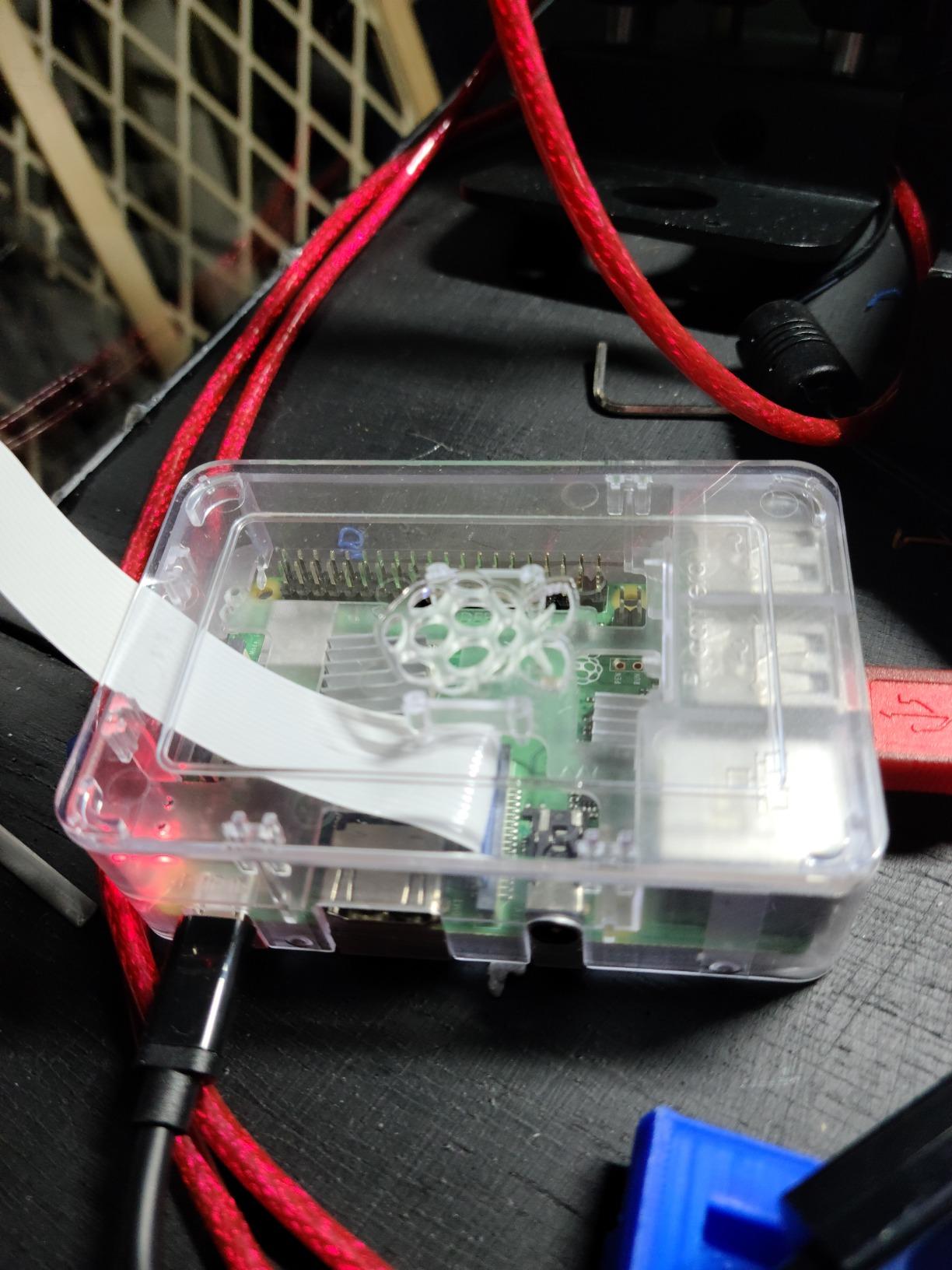
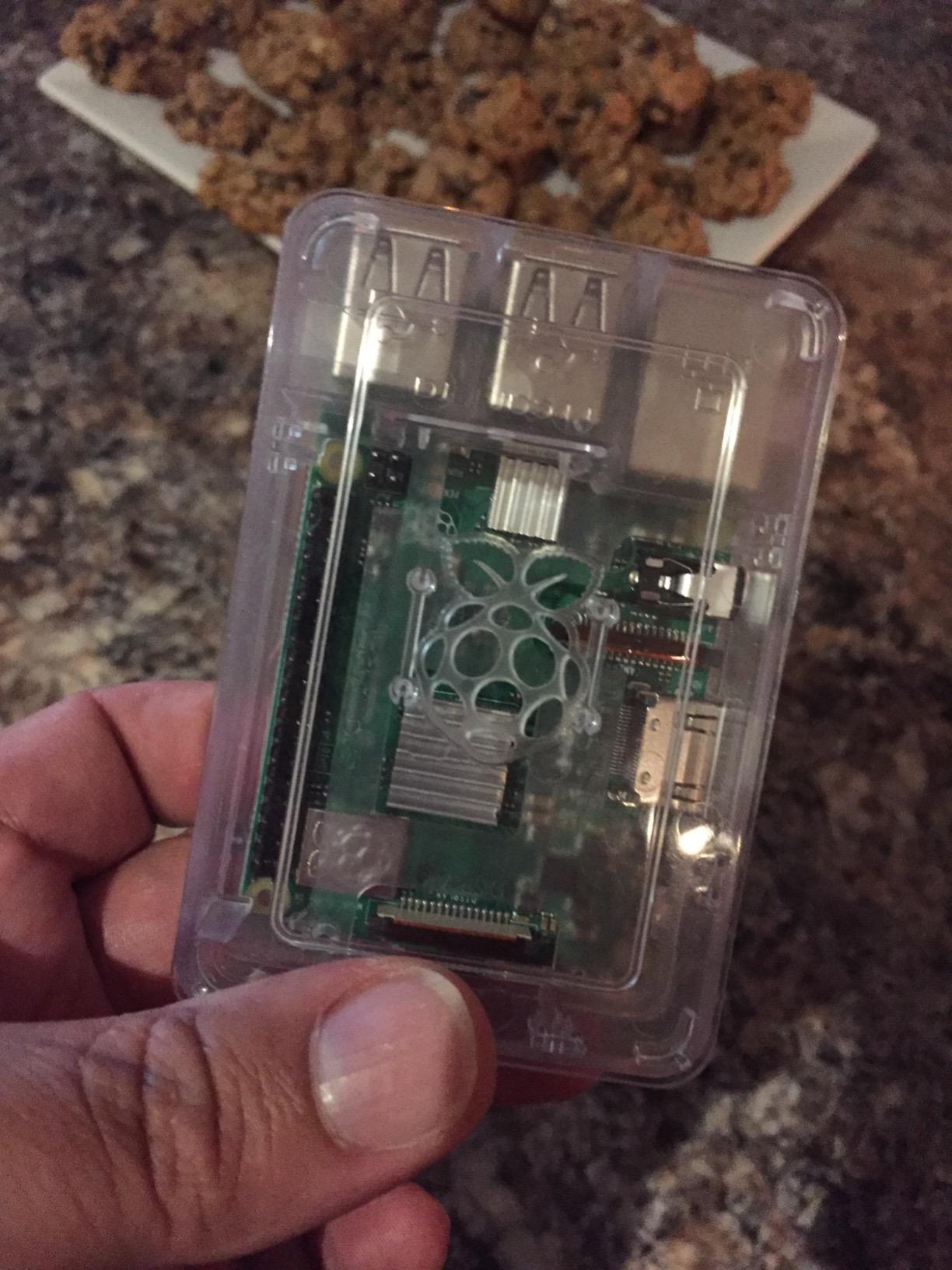
The kit includes the board, CanaKit’s clear case, two aluminum heat sinks, a 2.5A supply with noise filter, and a quick-start guide. Assembly is tool-free and beginner friendly, and the included power supply is sized correctly, which budget builds often skip.
Dual-band 802.11ac Wi-Fi is a nice surprise at this tier, making it easy to push ROMs over the network with WinSCP without opening the cabinet.
The limits are real, though. N64, Dreamcast, and PS1 are off the table, and the 1GB of RAM chokes heavier front-ends with video previews. The chip also throttles under sustained load without decent airflow, so mount the heat sinks and give the case breathing room.
What It Can and Cannot Emulate
Safe bets: MAME titles through the mid-90s, NES, SNES, Genesis, Master System, Game Boy, and classic computers. CPS-I and early CPS-II fighters run well with correct settings.
Walk away for N64, PS1 beyond light titles, Dreamcast, PSP, and any late-90s 3D arcade boards. Pushing those systems turns a fun build into a settings-tweaking chore.
When the 1GB RAM Ceiling Catches You
The wall shows up in the front-end: large libraries with scraped artwork and video snaps make EmulationStation sluggish. Keep the theme light and previews minimal, and the experience stays snappy.
If your dream list keeps growing toward 3D consoles, start with a Pi 4 or Pi 5 instead of hoping this board stretches. For a fixed classic-arcade mission, it’s still the smartest money in the hobby.
Buying Guide: How to Choose a Raspberry Pi for Your Arcade Cabinet?
Choosing between the best Raspberry Pi models for arcade builds comes down to five questions, and none of them are about spec sheets. Answer these before you buy and the right board picks itself.
Match the Board to Your Game List
Write down the ten games you actually want to play, then buy the cheapest board that runs all ten at full speed. Pre-1996 arcades and 16-bit consoles: Pi 3 B+. Add PS1 and selective N64: Pi 4 4GB. Full N64 and beyond: Pi 5.
Builders on r/cade report the same pattern we saw in testing: disappointment almost always comes from under-buying for N64 hopes, not from board defects.
Cooling Is the Number One Cabinet Killer
An arcade cabinet is a small insulated oven with a monitor, amp, and computer sharing the air. Passive heat sinks that work on a desk will throttle inside a sealed MDF box, especially on the Pi 5.
Cut one intake vent low and one exhaust vent high, use an active cooler on any Pi 5, and keep the board away from the monitor’s power brick. These three habits prevent the vast majority of overheating posts on the RetroPie forums.
Power Supply Quality Beats Board Specs
The most common “broken” Pi we diagnose is a healthy board on an inadequate charger. Symptoms look like software faults: freezes mid-game, corrupted saves, boot loops, and the Pi 4’s lightning-bolt icon.
Use an official or high-quality supply at the correct rating for your board, and add a safe shutdown switch. Clean power and proper shutdowns eliminate the two biggest reliability complaints in the hobby.
How Much RAM You Actually Need
For a dedicated emulator cabinet: 2GB runs 2D arcades happily, 4GB is the practical sweet spot, and 8GB only pays off for dual-purpose machines. The 16GB board is for builders running serious extra workloads.
RAM does not make individual emulated games run faster. Spend the difference on storage speed and cooling before spending it on memory you won’t address.
RetroPie, Batocera, RecalBox, or Lakka
RetroPie remains the community default with the deepest tutorial library and forum support, which matters when something breaks. Batocera wins on out-of-the-box polish: boot from a card, and everything including scraping just works.
RecalBox offers a polished all-in-one experience that many bartop builders prefer, while Lakka focuses on a lean, console-like front-end built on libretro. Try Batocera if you want zero friction, and choose RetroPie if you expect to tinker and want the biggest knowledge base.
Kit Versus Bare Board
Kits from CanaKit, Vilros, and SANOOV remove guesswork: matched power supply, working case, pre-loaded storage, and one-click returns if something arrives dead. That’s worth it for a first build.
Bare boards suit repeat builders with a parts bin and specific plans like SSD boots or GPIO-wired panels. Whichever path you take, more cabinet-building inspiration lives on our Coin-Op Games home page alongside our machine and pinball coverage.
Frequently Asked Questions
Can I use a Raspberry Pi as an arcade machine?
Yes. Install RetroPie or Batocera on the Pi, load your ROMs, and connect buttons and joysticks through a USB encoder or IPAC board. The Pi outputs to any HDMI monitor, and a Pi 4 or Pi 5 can emulate classic arcades plus 8-bit, 16-bit, and PS1 consoles at full speed.
Which Raspberry Pi is best for gaming?
The Raspberry Pi 5 8GB is the best overall gaming board, running N64, PlayStation, and some Dreamcast and PSP titles at playable speeds. The Pi 4 4GB is the value pick for 2D arcades through PS1, while the Pi 3 B+ still handles pre-1996 arcade games well on a budget.
What is the best arcade emulator for Raspberry Pi?
RetroPie is the most popular choice thanks to MAME support, deep customization, and the largest tutorial library. Batocera is the easiest alternative, booting straight into a polished front-end with no setup, while RecalBox and Lakka suit builders who want a simpler or leaner system.
Is the Raspberry Pi 5 overkill?
For a cabinet running only 2D arcade classics, yes, a Pi 4 4GB is enough and runs cooler. The Pi 5 stops being overkill the moment you want smooth N64, Dreamcast, PSP, heavy CRT shaders, or 4K front-ends, where its 2-3x CPU advantage is immediately noticeable.
Does the Raspberry Pi 5 overheat in an arcade cabinet?
It can, if mounted in a sealed enclosure with no airflow. With the official active cooler or a quality case fan plus one intake and one exhaust vent, our Pi 5 stayed under 60C through four-hour play sessions inside a closed cabinet.
Conclusion
Picking the best Raspberry Pi models for arcade builds in 2026 comes down to your game list, not the spec race. The CanaKit Raspberry Pi 5 Starter Kit PRO is our overall winner for full-size cabinets and N64-era ambitions, the CanaKit Pi 4 4GB PRO Kit remains the value benchmark for classic 2-player builds, and the Pi 3 B+ kit still owns the budget classic-MAME niche.
Whatever board you choose, pair it with a quality power supply, real cooling, and clean shutdown habits, and it will reward you with years of coin-op nights. Pick your board, order the buttons, and start cutting that MDF.