
The printer in the corner of a small office has a way of becoming the machine everyone complains about. It runs out of toner two days before a client deadline, it prints one page every forty seconds, and the color on a marketing flyer comes out looking dull next to the screen. Most of that frustration traces back to buying a machine for the sticker price instead of for the workload.
That is what this roundup is for. We pulled six current-generation color laser printers still in production and compared them on the numbers that decide whether a machine survives a small office: pages per minute, automatic duplex, document feeder capacity, paper tray size, wireless standard and toner economics. Every model listed here is a live current-generation unit, which is not something we can say about several roundups still ranking on this topic with hardware that has been off the market for years.
Two ideas run through the whole list. First, color laser wins on documents and loses on photographs, because toner is a powder fused with heat rather than a dye suspended in liquid. Second, the cartridge bill matters more than the printer bill, so we look hard at yield and at what a full set of toner actually costs you per thousand pages. If your office prints under 500 pages a month, jump to the buying guide and let the volume tiers route you. If you are comparing hardware broadly already, our guide to printers for artwork and marquee prints covers the photo-output side of the conversation.
Last updated October 2026. All specifications below come from manufacturer listings and verified owner feedback, and every price reference in this article points to a live product page rather than a number we typed in.
Table of Contents
- Top 3 Best Color Laser Printers for Small Offices (October 2026)
- Quick Overview: Every Printer in This Roundup
- 1. Brother HL-L3230CDW: Best Overall Color Laser Printer for Small Offices
- 2. Canon imageCLASS LBP632Cdw: Best Value Print-Only Color Laser
- 3. Brother MFC-L3720CDW: Best All-in-One for a Busy Front Desk
- 4. Canon Color imageCLASS MF662Cdw: Fastest Duplex Multifunction Unit
- 5. Canon Color imageCLASS MF652Cw: Longest Warranty in the Group
- 6. Brother HL-L3300CDW: Best for a Cramped Home Office
- How to Choose a Color Laser Printer for a Small Office
- Frequently Asked Questions
- Which laser printer is best for a small office?
- What is the best all-in-one color laser printer for a small business?
- How expensive is toner for laser printers?
- Which laser printer has the lowest cost per page?
- Is a laser or inkjet better for a small office?
- Do I need a duplex printer for a small office?
- The Verdict for Small Office Color Printing
Top 3 Best Color Laser Printers for Small Offices (October 2026)
Three machines carry this roundup. Here they are in one place before the detail.

Brother HL-L3230CDW
- 25 ppm color and monochrome
- Automatic duplex on every page
- Wireless Ethernet and Wi-Fi Direct
- 250-sheet paper tray

Canon imageCLASS LBP632Cdw
- 22 ppm print-only engine
- Automatic two-sided printing
- 250-sheet cassette
- ENERGY STAR and EPEAT Silver

Brother MFC-L3720CDW
- 19 ppm with a 50-sheet ADF
- Print scan copy and fax
- 3.5-inch color touchscreen
- Dual-band wireless
Quick Overview: Every Printer in This Roundup
Six printers, six different answers to the same question. Here is the full lineup with the specifications that separate them.
| Product | Specs | Action |
|---|---|---|
| Brother HL-L3230CDW |
|
Check Latest Price |
| Canon imageCLASS LBP632Cdw |
|
Check Latest Price |
| Brother MFC-L3720CDW |
|
Check Latest Price |
 Canon imageCLASS MF662Cdw Canon imageCLASS MF662Cdw |
|
Check Latest Price |
 Canon imageCLASS MF652Cw Canon imageCLASS MF652Cw |
|
Check Latest Price |
 Brother HL-L3300CDW Brother HL-L3300CDW |
|
Check Latest Price |
1. Brother HL-L3230CDW: Best Overall Color Laser Printer for Small Offices
Brother HL-L3230CDW Compact Digital Color Printer Providing Laser Printer Quality Results with Wireless Printing and Duplex Printing, Amazon Dash Replenishment Ready, White
Color laser
25 ppm
600 x 600 dpi
Automatic duplex
250-sheet tray
Pros
- Fastest engine in this lineup at 25 ppm color and monochrome
- Automatic duplex on every page
- Wireless Ethernet Wi-Fi Direct and USB all built in
- TN223 and TN227 toner with long cartridge life
- Quiet enough to run beside a desk
Cons
- Wide body at 18.1 inches across for a compact-labeled machine
- Single-sheet manual feed slot that will not scale label sheets
- CD-based installer software is dated on current systems
Twenty-five pages per minute in color and monochrome, automatic duplex on every page, and a 250-sheet adjustable tray in a body that weighs 39.7 pounds. Those three numbers are why the HL-L3230CDW is our pick for the best color laser printer for small offices overall: it is the fastest engine in this group and the most proven one, sitting on 1,406 verified reviews with a 4.3-star average and a 71 percent five-star share. Owner reports describe daily printing that just keeps going, quiet duplex runs, and wireless setups that took one attempt.
The connectivity is unusually complete for a machine at this level. Built-in wireless, Ethernet, Wi-Fi Direct and USB are all present, and mobile support covers AirPrint, Google Cloud Print, Brother iPrint&Scan, Mopria and Wi-Fi Direct printing. That range matters in a small office because it covers a Macbook, a Windows laptop, a phone and a shared network printer without anyone needing to visit the back of the machine.
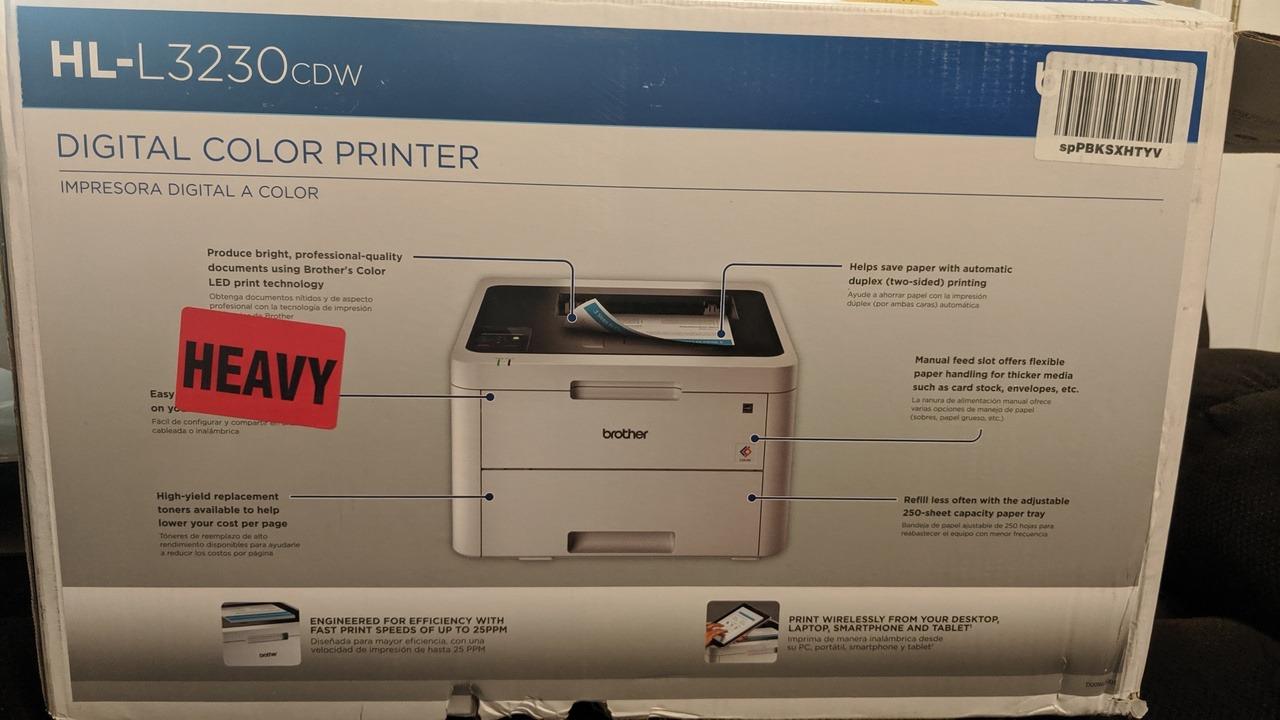
Media handling is adequate rather than generous. A 250-sheet adjustable paper tray handles legal-size stock up to 8.5 x 14 inch, and there is a manual feed slot for envelopes and card stock. Brother genuine TN223 and TN227 cartridges cover all four colors, and the shipped starter set is rated at 1,000 pages each alongside an 18,000-page drum unit, which is a meaningful head start before your first purchase. Paper jams are reported as rare across multi-year ownership, which matters more to a small office than any single spec on the box.
The color resolution of 600 x 600 dpi produces clean text and perfectly acceptable graphics for invoices, proposals and internal reports, but it will not satisfy anyone expecting photographic output. Full-color photos come out visibly softer and flatter than inkjet, and fine gradients can band. Buyers on our forums working in marketing materials keep a separate photo printer for exactly that reason, and we would say the same thing here.
Why it wins for a small office
The HL-L3230CDW does the highest-volume job in this roundup at the lowest complexity. Twenty-five pages per minute with automatic duplex means a forty-page duplex contract prints in about ninety seconds, and owners consistently report the engine holding that pace without stalling between jobs. A 4.3-star average across more than 1,400 reviews is the largest verified review base here, and reliability claims that come from that many owners are worth more to a buyer than a faster spec on an untested machine.
Where it falls short
The footprint is the main compromise. At 18.1 inches wide and 16.1 inches deep, the body is wide for a machine marketed in the compact class, and it needs a flat surface that can take 39.7 pounds. The manual feed slot is a single sheet and will not scale label work, and the toner-level warning will pause printing until a cartridge is changed even when there is still usable toner on the drum.
2. Canon imageCLASS LBP632Cdw: Best Value Print-Only Color Laser
Canon imageCLASS LBP632Cdw – Wireless Duplex Color Laser Printer, Single Function, Home Office, Mobile Ready, 22 PPM Color, White
Print-only color laser
22 ppm
1200 x 1200 dpi
Auto duplex
250-sheet cassette
Pros
- Automatic duplex that owners report runs reliably day to day
- 22 ppm color with a 10.3-second first page
- 1200 x 1200 dpi color for sharp text and clean graphics
- ENERGY STAR and EPEAT Silver certified
- Lightest chassis here at 35.3 pounds
Cons
- Print-only with no scanner copier or fax
- Wi-Fi setup can stall on repeated password rejections
- Noisy mechanical operation compared with inkjet units
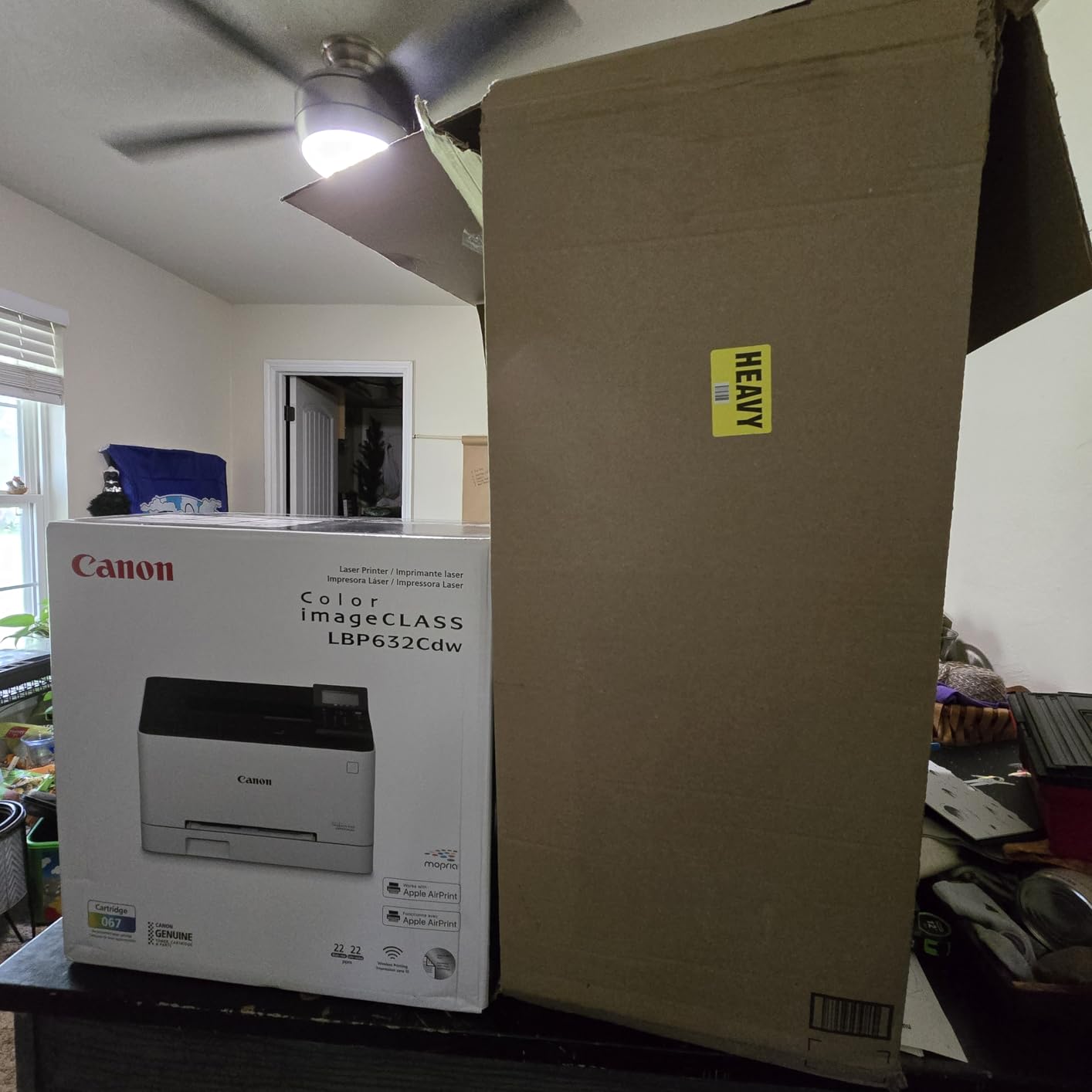
Twenty-two pages per minute, a 10.3-second first page, automatic two-sided printing and a 1200 x 1200 dpi color engine in a 35.3-pound body that is the lightest chassis in this group. The Canon imageCLASS LBP632Cdw is our best value pick for a small office that prints and nothing else. It holds a 4.0-star average across 920 reviews with a 62 percent five-star share, and reviewers repeatedly single out print quality, speed and duplex reliability as the reasons.
The toner economics are easy to reason about because the supply line is short: Canon Toner 067 and the 067 high-capacity variant, with a standard set yielding roughly 3,000 pages. Canon’s high-capacity 067 cartridges are widely reported at around 10,000 pages per cartridge at 5 percent coverage, which is the number that matters if your color volume is real. One company of this size printing a moderate color load should measure its own consumption before committing, because advertised yield assumes light coverage.
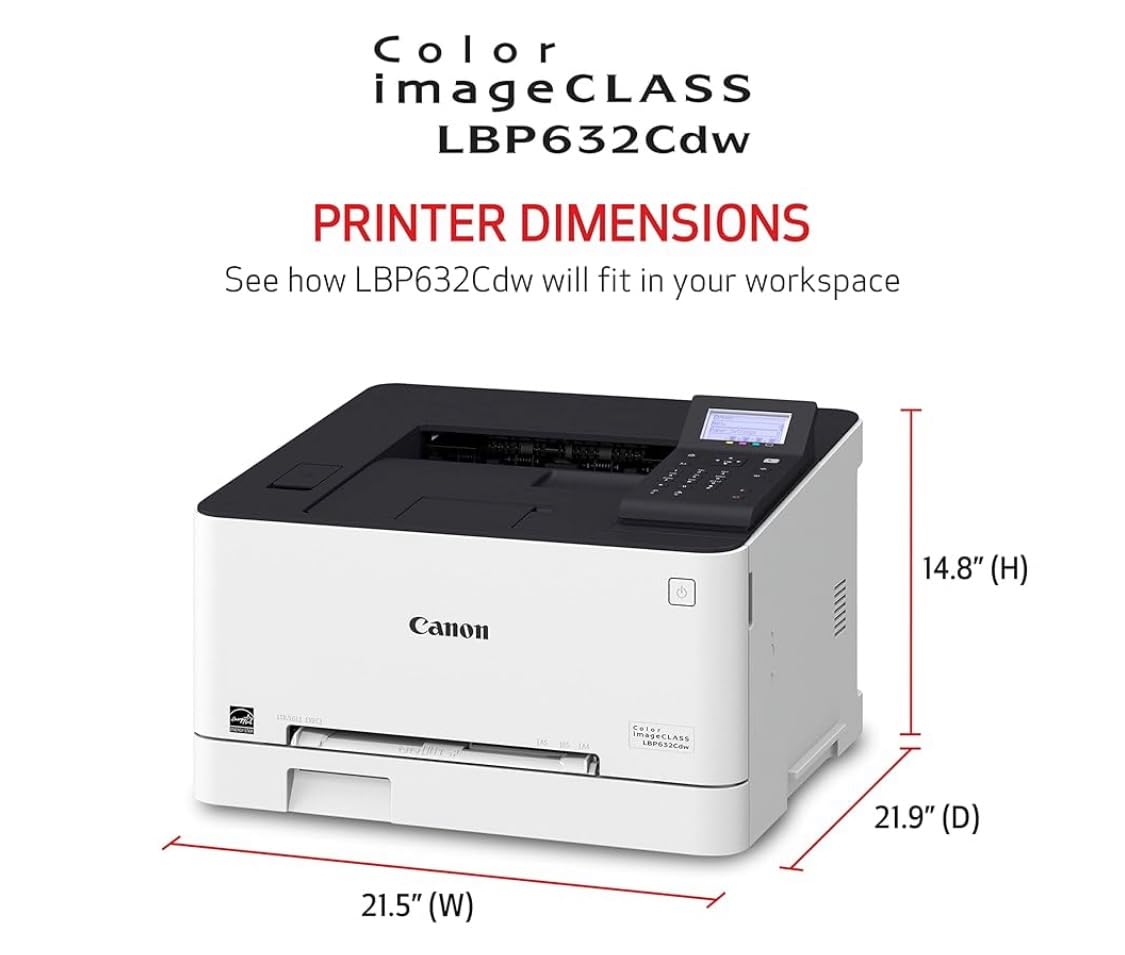
Two certifications stand out for an office machine. The LBP632Cdw carries ENERGY STAR and EPEAT Silver, so it qualifies for standard enterprise and small-business procurement paperwork without further checking, and a one-year warranty covers the machine. It also handles legal-size media to 8.5 x 14 inch from the 250-sheet standard cassette, with a one-sheet multipurpose tray for anything heavier. Setup is reported as straightforward once network credentials go in.
The obvious limitation is that it prints and does nothing else. If your office scans receipts into a shared archive or copies a signed document, this machine makes you buy a second device or send the job to a larger multifunction unit. That is the tradeoff at the heart of the print-only versus all-in-one decision, and it is why we rate this machine as value rather than as a default.
Where it beats the rest
Color quality is where this Canon pulls ahead of the field. Its 1200 x 1200 dpi color resolution is double the figure on the Brother HL-L3230CDW, and owners describe text as sharp with clean, saturated color on graphs and diagrams. If your office produces charts, org charts or layout-heavy reports rather than plain text, that resolution gap shows up immediately on the page. The 10.3-second first-page time also beats the Brother models on short jobs.
What you give up to get it
There is no scanner, no copier and no fax, so scanning work goes elsewhere. Setup friction is the other complaint: some users report the wireless step repeatedly rejecting a correct password, and Canon’s mobile apps are rated as weak with broad permission requests. The mechanical noise during a job is louder than an inkjet, which is fine in a back room and annoying on a desk in a two-person office.
3. Brother MFC-L3720CDW: Best All-in-One for a Busy Front Desk
Brother MFC-L3720CDW Wireless Color Laser Printer, Scanner, Copier, Fax, Auto Duplex, 250-Sheet Capacity
Color laser MFP
19 ppm
50-sheet ADF
250-sheet tray
3.5-inch touchscreen
Pros
- Print scan copy and fax in one 250-sheet body
- 50-sheet automatic document feeder clears multi-page jobs
- Automatic duplex plus a 3.5-inch color touchscreen
- Cloud access to Google Drive Dropbox and OneNote
- Companion app tracks toner levels
Cons
- 2400 x 600 dpi color resolution is modest
- 44-pound chassis is heavy for a small footprint
- Single 250-sheet tray caps paper capacity
A 50-sheet automatic document feeder, a 3.5-inch color touchscreen with 48 customizable shortcuts, and print, scan, copy and fax in one 250-sheet body. The Brother MFC-L3720CDW is the best all-in-one color laser printer for a small business that has a reception desk handling walk-up scanning and faxing. It runs at 19 pages per minute in color and monochrome with a first page in under fifteen seconds, and it holds a 4.0-star average across 1,025 reviews with a 66 percent five-star share.
The feature that separates it from a plain printer-plus-scanner is the document feeder. Fifty sheets means a signed contract, an invoice batch or a stack of receipts goes in once and comes out done, instead of one flatbed lid lift at a time. Combined with automatic duplex, a mixed batch of two-sided originals and one-sided faxes processes without anyone touching the machine mid-job, which is exactly the workflow of a small front office.
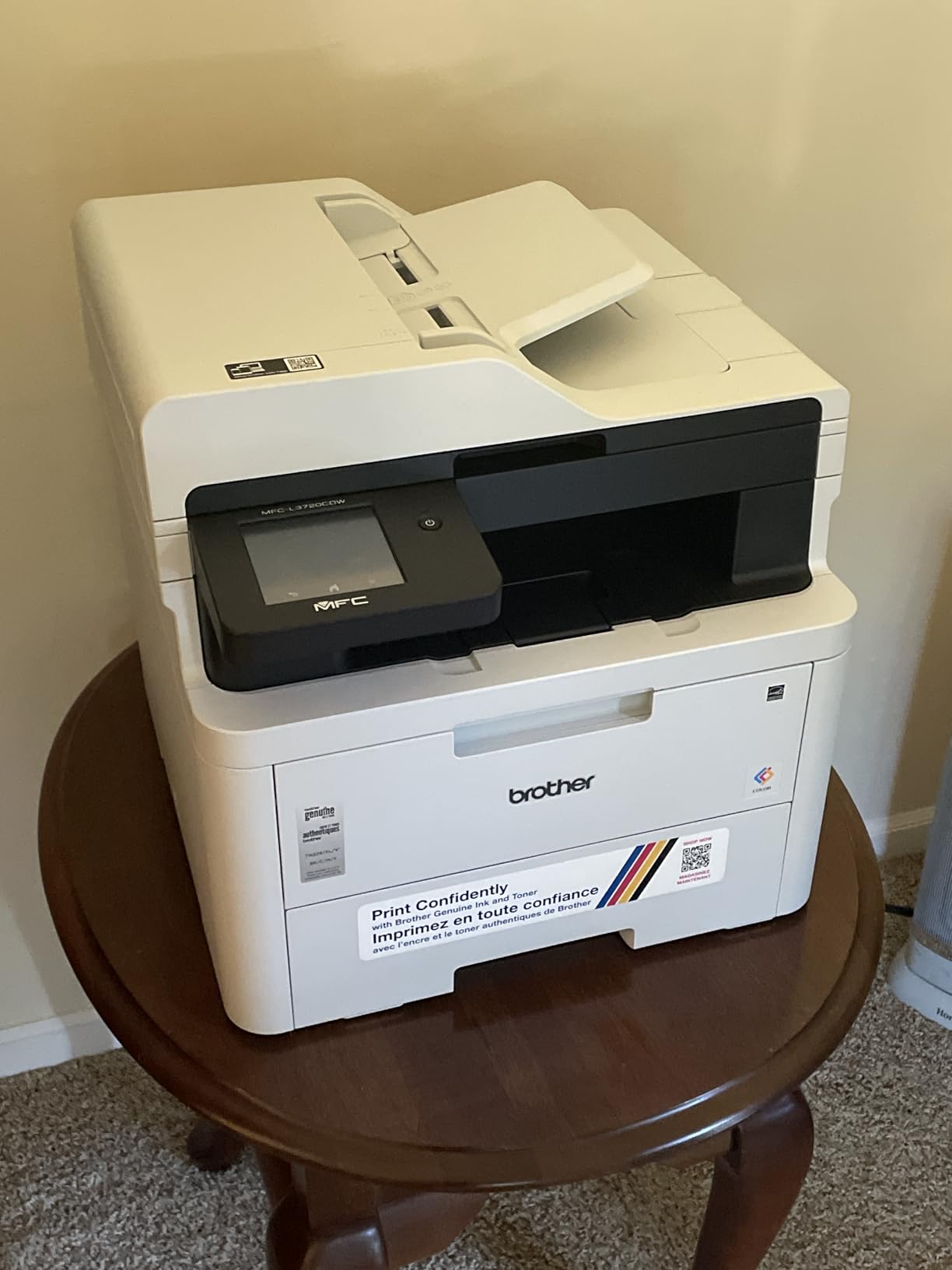
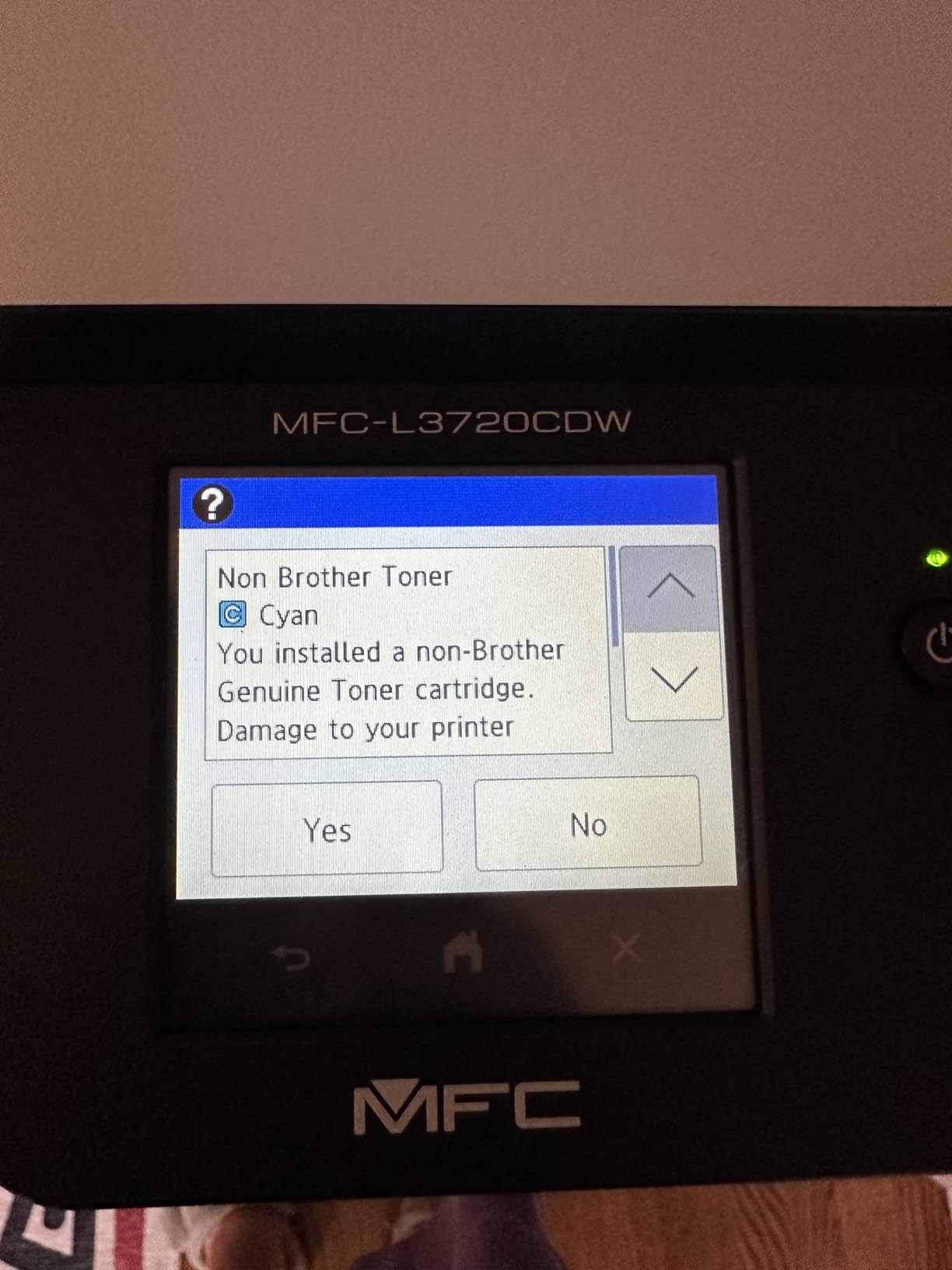
Networking is handled well. Dual-band wireless at 2.4GHz and 5GHz, Wi-Fi Direct and USB 2.0 cover crowded modern office networks, and cloud access extends to Google Drive, Dropbox and OneNote so scanned documents can land where your team already works. The Brother mobile companion app monitors toner level, which turns a surprise mid-contract outage into a warning you saw on your phone. Toner supply runs on the TN229 family in standard and XL variants, plus a DR229CL drum unit, which keeps cartridge sourcing straightforward.
Two things temper the recommendation. The 16% one-star share is the largest weakness in this class, and it tracks to network compatibility and toner cost questions rather than to print quality, so verify your wireless setup before signing off on it. And the 2400 x 600 dpi color figure, while respectable for graphics, is not the same as photographic resolution.
Why the ADF decides this one
For any office that receives paper, the 50-sheet feeder is worth more than raw speed. Nineteen ppm sounds modest next to a 26 ppm machine, but a duplex engine that never waits for a human to feed page 14 completes more real work per hour. The touchscreen shortcuts also remove the menu-diving that eats time on a shared machine, letting a receptionist run a standard scan or a fax preset in a couple of taps.
Where the tradeoffs sit
At 44 pounds and 16.1 x 17.5 x 15.8 inches, this is not the machine for a tight corner desk. The single 250-sheet tray means large jobs need a manual feed, and there is no second cassette in the box. Color resolution sits at the laser norm rather than the Canon’s 1200 x 1200 dpi, so photographic work still belongs elsewhere.
4. Canon Color imageCLASS MF662Cdw: Fastest Duplex Multifunction Unit
Canon Color imageCLASS MF662Cdw – Wireless Duplex Laser Printer with Copier, Scanner, 3 Year Limited Warranty, 26 PPM
Color laser MFP
26 ppm
Auto duplex
5-inch touchscreen
250-sheet cassette
Pros
- Fastest duplex engine in this lineup at 26 ppm
- Automatic two-sided printing with a flatbed scanner and copier
- 5-inch color touchscreen with an Application Library
- Canon 075 and 075 high-capacity toner
- Three-year limited warranty
Cons
- Heaviest and largest body here at 55.1 pounds
- Drops off Wi-Fi after sleep mode in owner reports
- Canon PRINT app missing basic features
- Toner 075 refills are costly
Twenty-six pages per minute with automatic two-sided printing, a flatbed scanner, a copier and a 5-inch color touchscreen. The Canon imageCLASS MF662Cdw is the fastest duplex multifunction unit in this roundup, and it pairs that speed with the 1200 x 1200 dpi resolution that makes Canon’s color the sharpest here. A first print in about 10.3 seconds keeps short jobs responsive, and the touchscreen runs Canon’s Application Library for one-tap presets.
Owners like the output. Reviews report crisp, bright color contrast across documents and photos, and the machine handles photo paper without bending or jamming, which is unusual for a desktop MFP. Consums are Canon Genuine Toner 075 with a high-capacity option; the shipped starter set yields 500 pages each for cyan, magenta and yellow and 700 for black, so plan a refill early if color is part of your workload. A three-year limited warranty backs the machine, ENERGY STAR and EPEAT Silver cover procurement, and the 250-sheet standard cassette handles legal size with a one-sheet multipurpose tray on top.
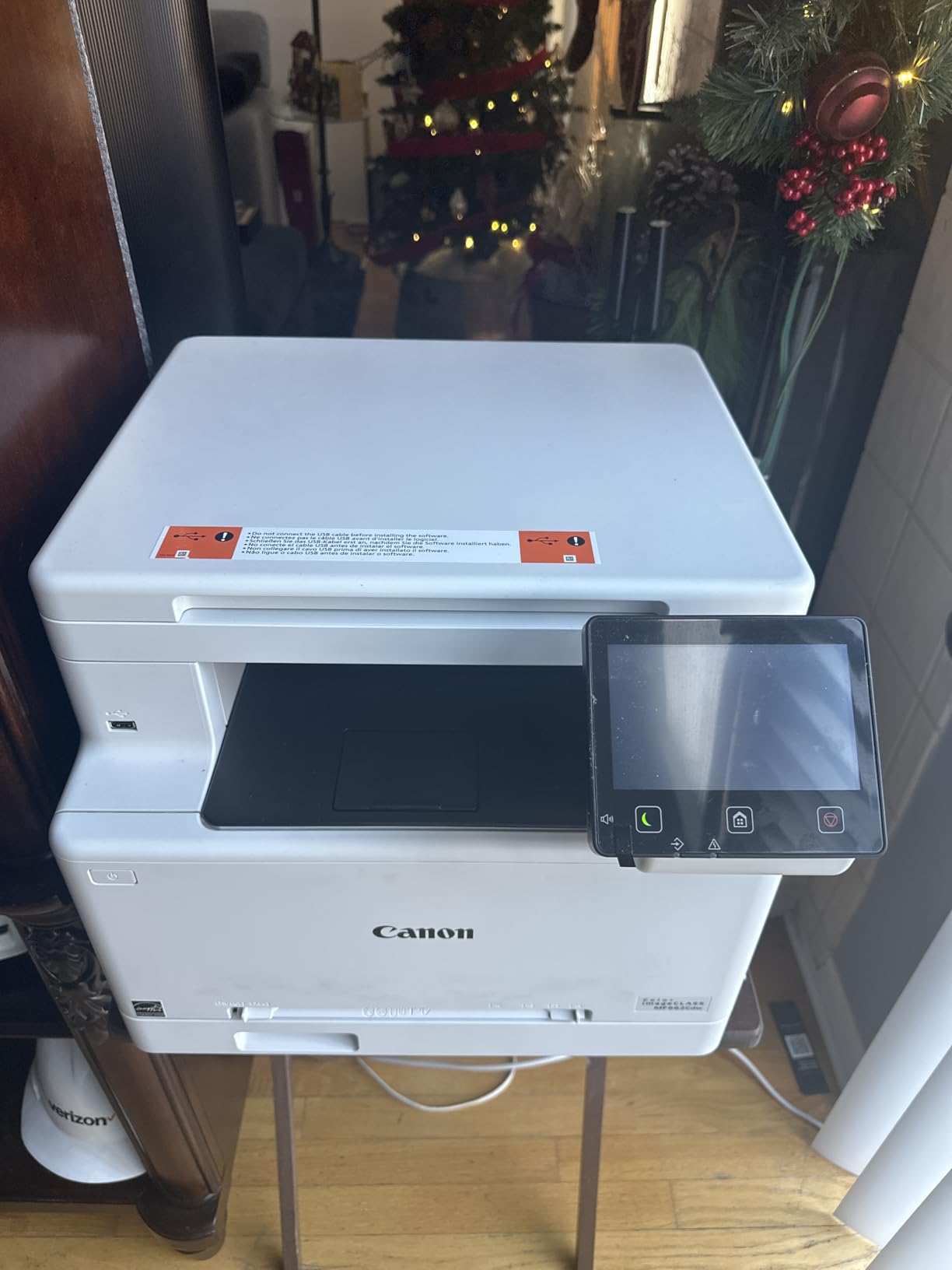
The honest caveat here is the evidence base. With 122 reviews and a 4.0-star average, this is the smallest sample in the roundup, so its rating is less settled than the Brothers that carry thousands. It also has the largest physical footprint in the group at 55.1 pounds and 18.2 x 16.8 x 15.7 inches, and several owners say outright that it needs a dedicated stand. Plan the space before you order.
Wireless behavior is the recurring negative theme. Multiple reviews report the printer dropping off the network after sleep mode, and some point to trouble connecting to mesh systems. Canon PRINT app support is present along with AirPrint and Mopria, but reviewers rate the app as dated and missing basics such as image resizing and document location access. The web-based admin console also requires an internet connection to reach.

What makes it the fastest
The 26 ppm duplex engine means a full color two-sided packet of fifty sheets finishes in roughly four minutes with no manual page flipping, and it is the only unit here that pairs that throughput with automatic duplex, a scanner and a copier in one box. If your team prints mixed color and monochrome at volume every week, that combination of speed and function is hard to find at this size.
Considerations before it lands on a desk
Size and network planning are the two real questions. The 55.1-pound body is the heaviest here and the depth of 18.2 inches needs clearance behind the machine. On networking, put it on Ethernet where the office allows it, since the sleep-mode wireless dropouts are the most common complaint and a wired connection sidesteps them entirely. Toner 075 refills also run on the pricier side, which matters if color volume is heavy.
5. Canon Color imageCLASS MF652Cw: Longest Warranty in the Group
Canon Color imageCLASS MF652Cw – Wireless Laser Printer, Multifunction with Scanner, Copier, Mobile Ready, 3 Year Limited Warranty, 22 PPM Color, White
Color laser MFP
22 ppm
Simplex only
250-sheet cassette
LCD touchscreen
Pros
- Three-year manufacturer warranty is the longest here
- 22 ppm with a 10.3-second first print
- Canon 067 high-capacity toner rated past 4000 pages per cartridge
- Wireless print scan and copy with an LCD touchscreen
- ENERGY STAR certified and EPEAT Silver
Cons
- Simplex only so duplex means flipping pages by hand
- Sleep-mode Wi-Fi drops break AirPrint until a manual wake
- Admin console is web-only
- No USB cable included
Three years of manufacturer warranty, 22 pages per minute, a 1200 x 1200 dpi color engine and wireless print, scan and copy behind an LCD touchscreen. The Canon imageCLASS MF652Cw carries a 4.3-star average across 266 reviews with a 69 percent five-star share and only 7 percent one-star, which is the strongest rating consistency of any machine here despite a modest sample. Owners highlight print quality, reliability, toner longevity and quiet operation.
The toner line is the reason to look closely. Canon Genuine Toner 067 in CMYK, with high-capacity versions rated past 4,000 pages per cartridge, is one of the more efficient supply lines in this group and the reason owners mention cartridge life first. Poster Artist Online is included for banners and signage, ENERGY STAR certification and EPEAT Silver are present for procurement, and the 250-sheet standard cassette with a one-sheet multipurpose tray handles legal size.
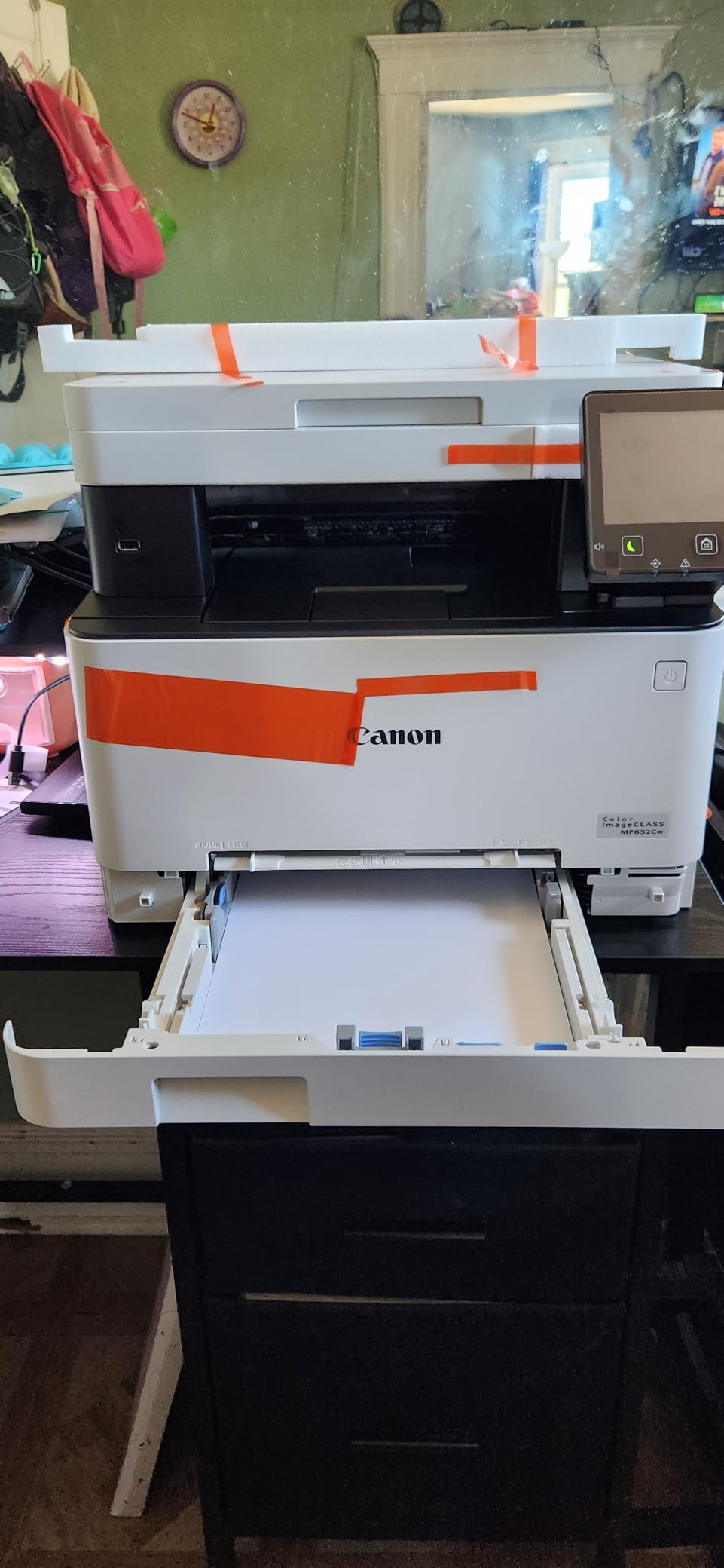
The decisive caveat is duplex. This unit is simplex only, which means two-sided documents are produced by printing one side, flipping the stack and printing the other. On a document-heavy workload that is a significant daily tax, and it is the single reason this machine is not our duplex recommendation despite the warranty advantage. On a short print load, or where one-sided output is the norm, it is a sound pick.
Networking brings the same Canon caveat we flagged on the MF662Cdw. Owners report the printer falling off Wi-Fi in sleep mode, with AirPrint specifically failing until the machine is manually woken or rebooted, plus trouble pairing with mesh systems. Wi-Fi setup is described as not user friendly, the admin console is web-only and needs internet access, and no USB cable ships in the box.
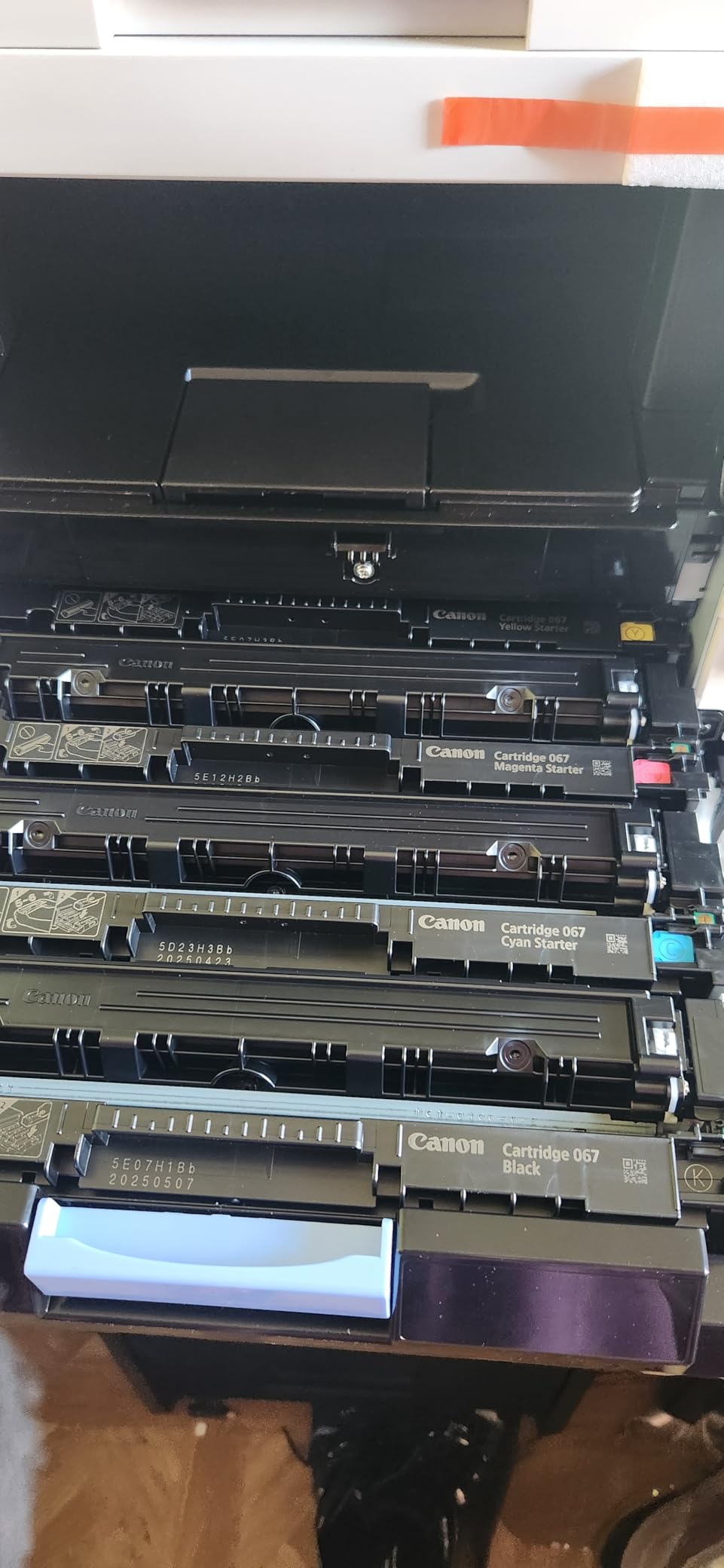
Who should buy this one
An office that mostly prints one-sided, prints a lot of color, and wants the longest warranty coverage available at this size. The 067 high-capacity cartridges and the 1200 x 1200 dpi engine make it a good fit for teams producing internal reports, forms and layouts with color tables or diagrams, and the three-year term covers more than the one-year coverage on both Brother units in this roundup.
Where it costs you time
Manual duplexing on every two-sided document, full stop. That is a workflow cost, not a one-time setting. Add the sleep-mode network behavior, which interrupts AirPrint for anyone who expects to hit print from a phone, and the fact that the second paper feed can confuse users handling a single hand-fed job. If duplex is non-negotiable, look at the MF662Cdw instead.
6. Brother HL-L3300CDW: Best for a Cramped Home Office
Brother HL-L3300CDW Wireless Digital Color Multi-Function Printer with Laser Quality Output, Copy & Scan, Duplex, Mobile | Includes 2 Month Refresh Subscription Trial ¹, Works with Alexa
3-in-1 color laser
19 ppm
Flatbed scanner
Dual-band Wi-Fi
250-sheet tray
Pros
- Compact three-in-one built for small offices and home offices
- Print copy and scan on one flatbed
- Automatic duplex on a body this size
- Dual-band 2.4GHz and 5GHz wireless plus Wi-Fi Direct
- Handles card stock envelopes glossy paper and labels
Cons
- No automatic document feeder for multi-page jobs
- No fax function
- 19 ppm trails the Canon units in this lineup
- 40.8-pound body needs a sturdy surface
Print, copy and scan in a body Brother built specifically for small offices and work-from-home setups, with dual-band 2.4GHz and 5GHz wireless, Wi-Fi Direct and USB. The HL-L3300CDW is our pick when desk space is the constraint, because it brings automatic duplex and a flatbed scanner into a three-in-one at 19 pages per minute with a first page in under fifteen seconds. It holds a 4.0-star average across 413 reviews with a 68 percent five-star share.
Dual-band wireless is the quietly important feature here. A 2.4GHz-only printer struggles in an office where the access point leans on the 5GHz band, and that is a common complaint in newer setups. This machine runs both, alongside Wi-Fi Direct for direct phone printing and USB for a wired fallback, and it handles card stock, envelopes, glossy photo paper and labels. Toner uses the TN229 family with XL options and a DR229CL drum.
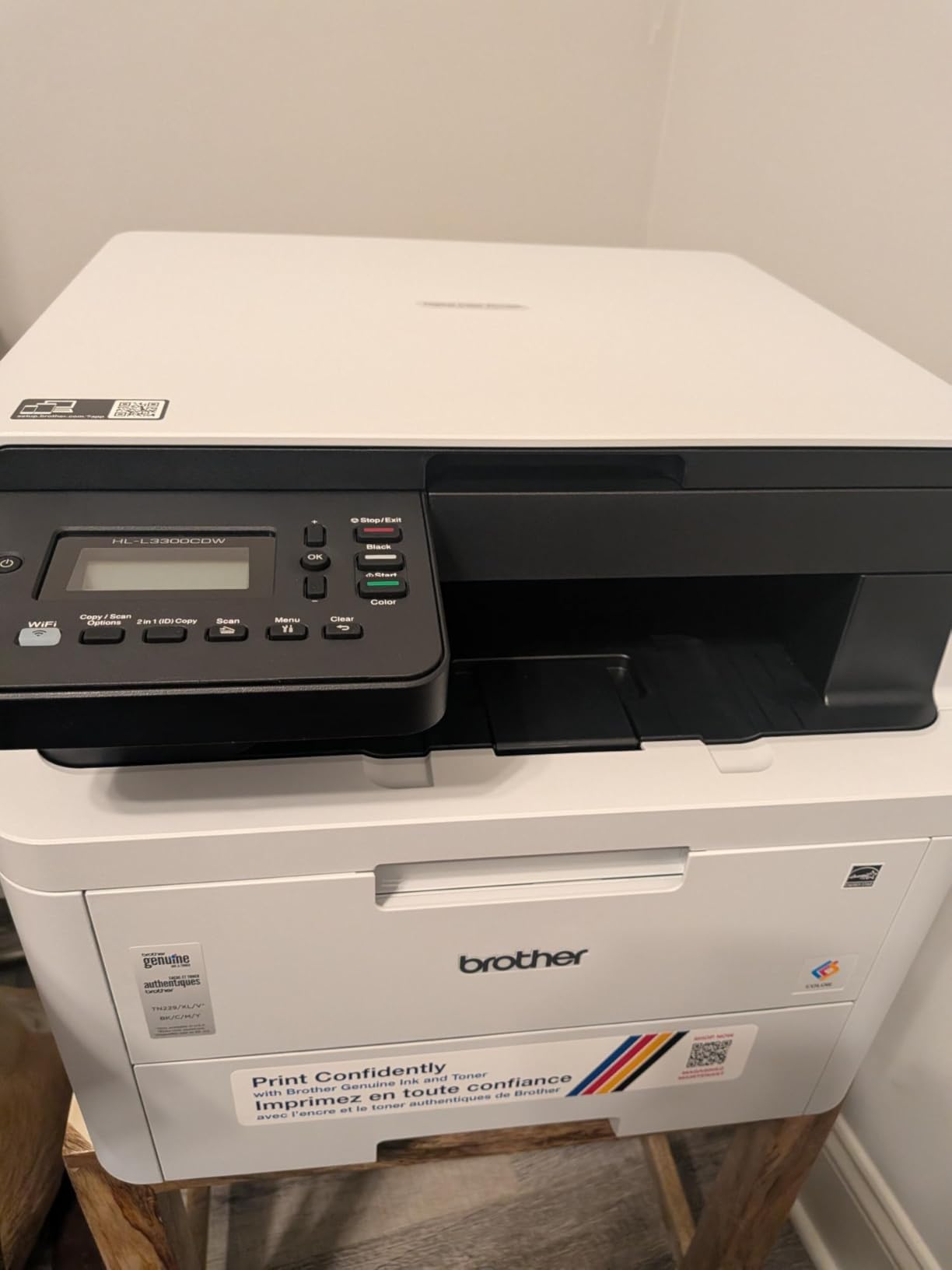
The omissions matter and are easy to state plainly. There is no automatic document feeder, so multi-page scanning means lifting the flatbed lid for every page, and there is no fax function. If your office receives paper regularly, the MFC-L3720CDW is the direct upgrade for the same family of toner and a similar body size.
The 17 percent one-star share is the highest in this group, which lines up with the narrower feature set rather than with quality problems. Reviewers who want a compact copier and scanner rate it well; those who need faster throughput or fax rate it lower. Color resolution of 2400 x 600 dpi is the laser norm and produces good text and graphics, not photographs.
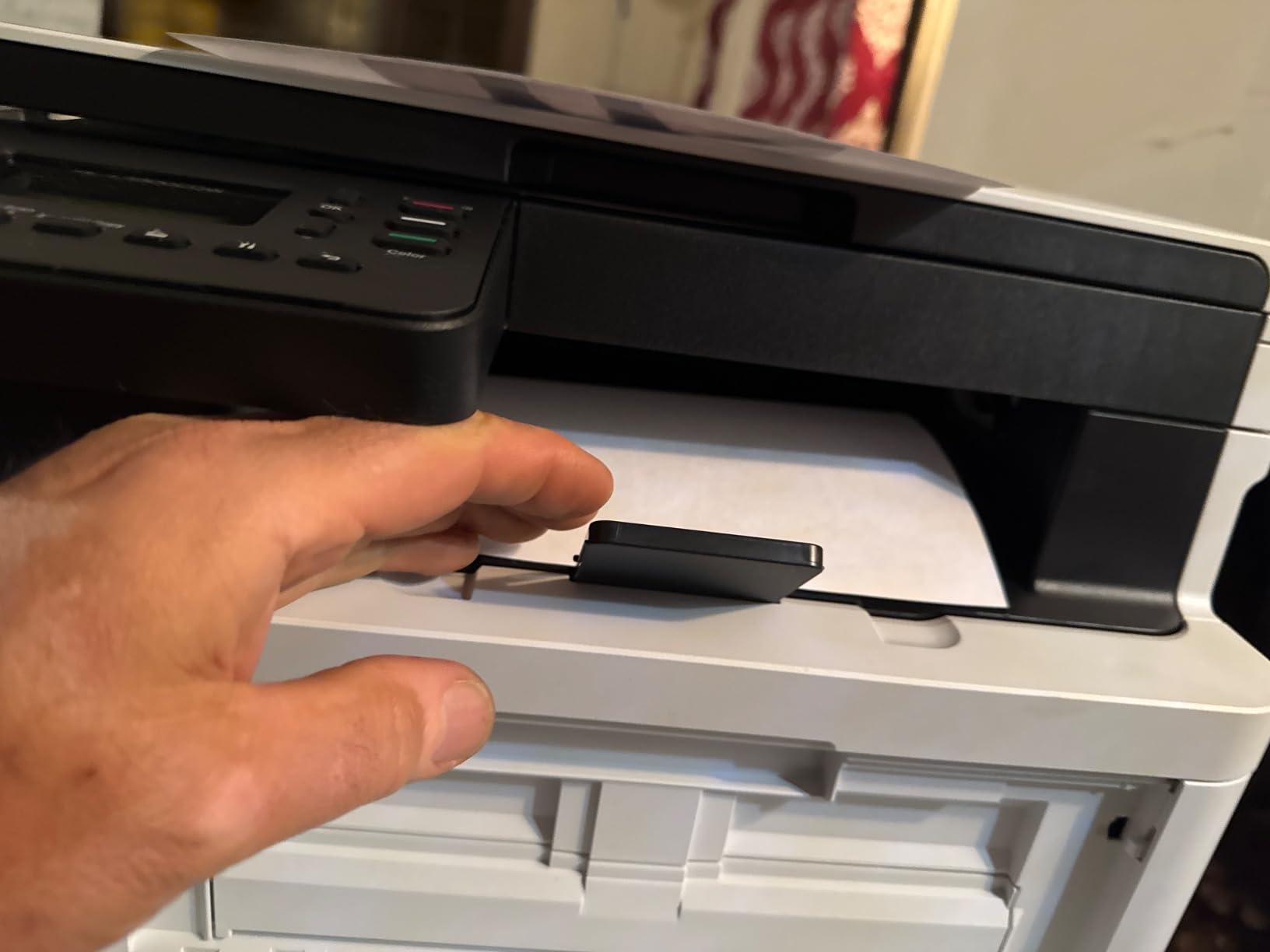
Why it fits a small space
This is the machine for a home office or a two-desk room where a copier is overkill. It prints, copies and scans color at laser speed and cost, it does automatic duplex, and it does it over dual-band wireless that will hold a connection in a modern router setup. At 16.1 x 17.5 x 14 inches it is not tiny, but it consolidates three devices into one and needs no separate scanner on the desk.
Where it stops short
No ADF means every multi-page scan is manual, and no fax means a physical fax line or a separate service. Nineteen ppm is slower than either Canon in this roundup, so a team printing several hundred pages a week will feel it. At 40.8 pounds it also needs a solid surface rather than a light shelving unit.
How to Choose a Color Laser Printer for a Small Office
Specs only matter once they match your workload. These are the questions we ask, in the order we ask them, when routing an office to a machine.
Start with your monthly page volume
Monthly print volume is the number that decides everything else, and it is the number most buyers skip. Under 500 pages a month, a print-only engine like the Canon LBP632Cdw is enough and an all-in-one is wasted capability. Between 500 and 2,000 pages a month, you want automatic duplex on every machine and a multifunction unit only if paper arrives in the office regularly. Above 2,000 pages a month, the 22 to 26 ppm engines such as the Canon MF662Cdw and the Brother HL-L3230CDW justify themselves on throughput alone, and toner yield matters more than any feature.
Duty cycle is the ceiling version of that number. It is the maximum monthly volume a machine is designed to handle, and running consistently above it means the fuser and feed rollers wear faster than the warranty assumes. Pick the machine whose recommended monthly volume sits comfortably above your real usage, not at it.
Print-only or all-in-one
A print-only unit gives you a faster, smaller, cheaper machine with no scanner mechanism to break. An all-in-one adds a flatbed or feeder scanner, a copier and often a fax, and it is the right call the moment anyone scans or copies. For a two-person office that never scans, print-only is the honest answer. For a front desk handling walk-up scanning, a 50-sheet automatic document feeder such as the one on the Brother MFC-L3720CDW pays for itself in saved time within a year.
Duplex beats raw speed
Automatic duplex printing matters more than pages per minute for almost every office. A speed quoted for single-sided output roughly halves on two-sided work, and manual duplexing means a human standing at the machine flipping every stack. Four of the six machines here duplex automatically, including both Canons in the duplex-capable models and every Brother. The Canon MF652Cw is the exception, and that is why it is not a default recommendation regardless of its warranty.
Do the cost per page math yourself
Cost per page is the cartridge price divided by the rated yield, and it is the number that decides whether a printer is economical for you. Published claims often use the cheap starter cartridge rather than the high-yield one you will actually run, which understates cost. Calculate it yourself: take the price of the high-capacity cartridge for each color, divide by its rated page yield, and add the four together. High-yield toner is also where the real hardware savings come from. Forum buyers consistently choose machines on cartridge cost rather than sticker price, and they are right to, because a full set of high-yield cartridges can exceed the cost of the printer itself.
Two cautions. Yield ratings assume light page coverage, so a color-heavy office will get fewer pages than the box claims. And a starter cartridge is a fraction of a high-capacity one, so never model a year of costs on the cartridges that ship in the box.
Check the tray, the footprint and the media
A 250-sheet cassette covers most small offices comfortably and is standard across this group. What varies is the footprint and the weight, from the Canon LBP632Cdw at 35.3 pounds to the MF662Cdw at 55.1 pounds and 18.2 inches deep. Measure the desk or credenza first, especially for a machine that needs clearance behind it. Confirm your paper size too: all six here handle legal size up to 8.5 x 14 inch, and the manual feed slot is the weak point for envelopes, card stock and labels on several models. If the office also fabricates its own parts or enclosures, our tested 3D printer picks cover the other half of a small workshop.
Wireless setup and apps
Dual-band 2.4GHz and 5GHz wireless is now the sensible baseline in an office with a modern router, and three machines here support it. Ethernet remains worth having as a wired fallback and as a way to avoid the sleep-mode dropouts that Canon owners report on two models in this roundup. AirPrint and Mopria support matter more than a vendor app, and Canon PRINT and the Brother companion app are useful for toner monitoring even when reviewers rate them as dated.
Where color laser falls short
Color laser toner is a powder fused onto the page with heat, not a liquid dye, which is why output is water and smudge resistant and fast, and why photographs look flat. Gloss, banding in gradients and dull blacks are the usual complaints, and a 600 x 600 dpi engine such as the one in the Brother HL-L3230CDW makes it worse. If you produce photo prints, banners or large-format artwork, keep a dedicated photo printer or ink tank machine alongside, and teams building such parts from scratch can start with our beginner 3D printer guide. Our artwork and marquee print guide covers that side in detail.
If you print confidential documents
Any office handling client contracts or financial records should decide on printing security before deployment. Put the printer on its own network segment, require a PIN or card release at the device so a page is never left in the tray, and keep firmware current. MFPs with a hard drive add another consideration: confirm whether stored images can be erased, and enable that feature if the machine will be shared or sold later.
Frequently Asked Questions
Which laser printer is best for a small office?
For most small offices the Brother HL-L3230CDW is the best all-round choice: 25 pages per minute in color and monochrome, automatic duplex, wireless plus Ethernet, and a 4.3-star average across 1,406 reviews. Offices that never scan can spend less on the print-only Canon imageCLASS LBP632Cdw, and offices with a front desk should look at the Brother MFC-L3720CDW for its 50-sheet document feeder.
What is the best all-in-one color laser printer for a small business?
The Brother MFC-L3720CDW is the strongest all-in-one for a small business because the 50-sheet automatic document feeder handles multi-page scanning and faxing without manual page-by-page flatbed work. It prints, scans, copies and faxes at 19 pages per minute with automatic duplex, a 3.5-inch color touchscreen and dual-band wireless. If you need more speed, the Canon imageCLASS MF662Cdw reaches 26 ppm with automatic duplex and a larger touchscreen.
How expensive is toner for laser printers?
Toner is the running cost that decides whether a color laser printer is economical. A set of high-yield cartridges can cost several times the price of the printer itself, which is why buyers on printer forums consistently choose machines on cartridge cost rather than sticker price. Compare the high-capacity cartridge price divided by its rated yield for each of the four colors, then add them together to get your real cost per page.
Which laser printer has the lowest cost per page?
Among the printers in this roundup the Canon models have the strongest yield story. Canon 067 high-capacity cartridges are reported at around 10,000 pages per cartridge at 5 percent coverage, and the 067 high-capacity variant in the imageCLASS MF652Cw is rated past 4,000 pages. Brother TN229XL cartridges are the comparable high-yield option in the HL-L3300CDW and MFC-L3720CDW. Always compute cost per page from the high-capacity cartridge, never from the starter cartridge that ships in the box.
Is a laser or inkjet better for a small office?
Laser is better for documents at moderate volume. It is faster, the toner does not dry out in a nozzle, pages are water and smudge resistant, and cost per page falls sharply once you run high-yield cartridges. Inkjet wins on photograph quality and on very low volumes where you print a few pages a month, because an inkjet sitting idle does not waste anything while a laser consumes a drum unit. Under roughly 500 pages a month, an ink tank machine can be the cheaper answer.
Do I need a duplex printer for a small office?
Yes, if anyone prints two-sided documents, which includes most invoices, contracts and reports. Automatic duplex avoids both the labor of flipping every stack and the roughly halved throughput you get from manual duplexing. Four of the six printers in this roundup duplex automatically, including the Canon imageCLASS LBP632Cdw print-only unit and the Canon MF662Cdw at 26 ppm. The Canon MF652Cw is simplex only, so two-sided work there is entirely manual.
The Verdict for Small Office Color Printing
The best color laser printers for small offices in 2026 come down to workload. Print under 500 pages a month and never scan, and the Canon imageCLASS LBP632Cdw is the sensible buy. Handle paper at a front desk, and the Brother MFC-L3720CDW with its 50-sheet feeder earns its bulk. Need the highest duplex throughput and can give it a dedicated spot, and the Canon MF662Cdw at 26 ppm wins. For everything else, the Brother HL-L3230CDW is the editor’s choice: fastest engine here, complete connectivity, and the deepest proven reliability record with 1,406 verified reviews at 4.3 stars. Whichever you pick, price the high-yield toner before you price the machine.